Đỗ Hòa | InterLink Ambassador
4.1K posts

Đỗ Hòa | InterLink Ambassador
@dohoagl
InterLink Ambassador - ID : 0110199481 link download 👉👉https://t.co/d39Y3ifSHB


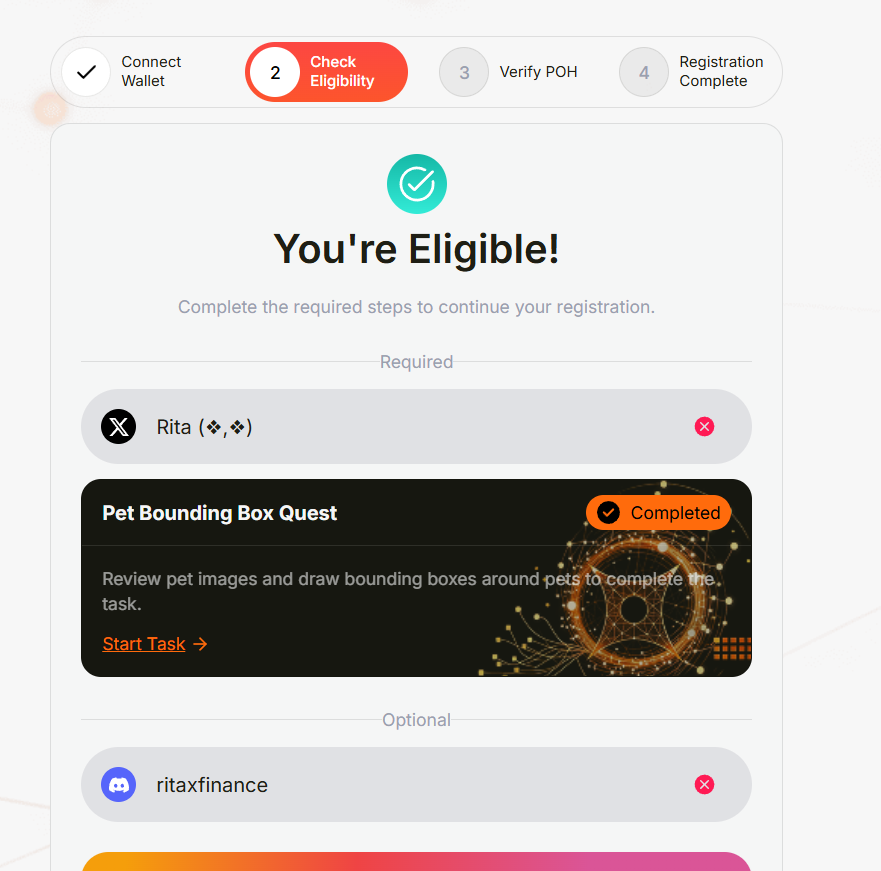
Kèo nhanh vãi chưỡng nhưng rất đáng tiếc toạch toàn bộ! Link check cho anh em : register.perle.xyz Có NFT, rank 1k5, có ref, mà quên claim badge thế là toang hoang 🤣🤣🤣 Có anh em nào trúng k vậy?


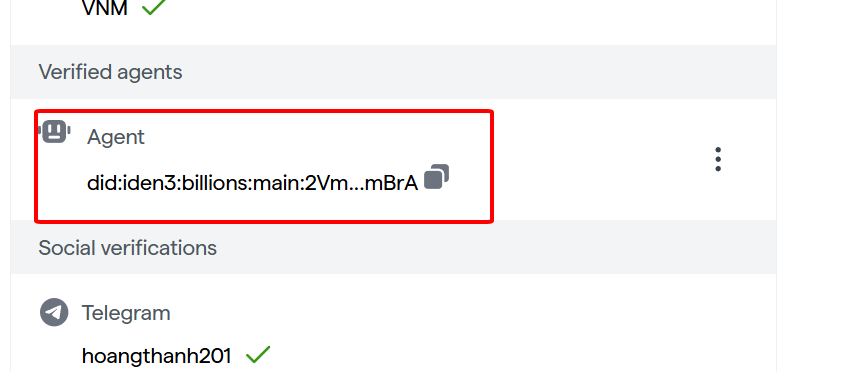
𝗦𝘁𝗶𝗹𝗹 𝘀𝘁𝘂𝗰𝗸 𝘄𝗶𝘁𝗵 𝗮𝗶 𝗮𝗴𝗲𝗻𝘁 𝘃𝗲𝗿𝗶𝗳𝗶𝗰𝗮𝘁𝗶𝗼𝗻 𝗽𝗿𝗼𝗰𝗲𝘀𝘀? 𝗛𝗲𝗿𝗲 𝗶𝘀 𝗮𝗻𝗼𝘁𝗵𝗲𝗿 𝘁𝘂𝘁𝗼𝗿𝗶𝗮𝗹 𝗳𝗼𝗿 𝘆𝗼𝘂 I previously uploaded a video tutorial on how to verify your AI agent on @billions_ntwk using clawhub v0.7.0. But, with the recent upgrade to clawhub v0.8.0, the link format has changed from a long base64 link to a short link. Some friends are facing issues during the verification process, so here is another video tutorial for you guys. Let's go through the commands on the Termux app. Make sure you have downloaded the application first. 𝗖𝗼𝗺𝗺𝗮𝗻𝗱 𝟭 pkg update && pkg upgrade 𝗖𝗼𝗺𝗺𝗮𝗻𝗱 𝟮 pkg install nodejs 𝗖𝗼𝗺𝗺𝗮𝗻𝗱 𝟯 pkg install git 𝗖𝗼𝗺𝗺𝗮𝗻𝗱 𝟰 (optional – to check if everything is correct until now) node -v 𝗖𝗼𝗺𝗺𝗮𝗻𝗱 𝟱 git clone github.com/BillionsNetwor… (Open the link in browser and copy the url then run the command like this -> git clone ) 𝗖𝗼𝗺𝗺𝗮𝗻𝗱 𝟲 cd verified-agent-identity 𝗖𝗼𝗺𝗺𝗮𝗻𝗱 𝟳 npm install shell-quote @iden3/js-iden3-auth @0xpolygonid/js-sdk ethers uuid cross-fetch 𝗖𝗼𝗺𝗺𝗮𝗻𝗱 𝟴 npx clawhub@latest install verified-agent-identity 𝗖𝗼𝗺𝗺𝗮𝗻𝗱 𝟵 node scripts/createNewEthereumIdentity.js 𝗖𝗼𝗺𝗺𝗮𝗻𝗱 𝟭𝟬 node scripts/manualLinkHumanToAgent.js --challenge '{"name":"YourAgent","description":"AI agent"}' After this, you will get a link in this format: https: //wallet.billions.network#i_m�............. Just copy that link and paste it in your browser as soon as possible (within 30 seconds of link generation). Log in to your Billions account, verify it, and you're done. Let me know in the comments if you face any problem. gBillions 💙


𝗦𝘁𝗶𝗹𝗹 𝘀𝘁𝘂𝗰𝗸 𝘄𝗶𝘁𝗵 𝗮𝗶 𝗮𝗴𝗲𝗻𝘁 𝘃𝗲𝗿𝗶𝗳𝗶𝗰𝗮𝘁𝗶𝗼𝗻 𝗽𝗿𝗼𝗰𝗲𝘀𝘀? 𝗛𝗲𝗿𝗲 𝗶𝘀 𝗮𝗻𝗼𝘁𝗵𝗲𝗿 𝘁𝘂𝘁𝗼𝗿𝗶𝗮𝗹 𝗳𝗼𝗿 𝘆𝗼𝘂 I previously uploaded a video tutorial on how to verify your AI agent on @billions_ntwk using clawhub v0.7.0. But, with the recent upgrade to clawhub v0.8.0, the link format has changed from a long base64 link to a short link. Some friends are facing issues during the verification process, so here is another video tutorial for you guys. Let's go through the commands on the Termux app. Make sure you have downloaded the application first. 𝗖𝗼𝗺𝗺𝗮𝗻𝗱 𝟭 pkg update && pkg upgrade 𝗖𝗼𝗺𝗺𝗮𝗻𝗱 𝟮 pkg install nodejs 𝗖𝗼𝗺𝗺𝗮𝗻𝗱 𝟯 pkg install git 𝗖𝗼𝗺𝗺𝗮𝗻𝗱 𝟰 (optional – to check if everything is correct until now) node -v 𝗖𝗼𝗺𝗺𝗮𝗻𝗱 𝟱 git clone github.com/BillionsNetwor… (Open the link in browser and copy the url then run the command like this -> git clone ) 𝗖𝗼𝗺𝗺𝗮𝗻𝗱 𝟲 cd verified-agent-identity 𝗖𝗼𝗺𝗺𝗮𝗻𝗱 𝟳 npm install shell-quote @iden3/js-iden3-auth @0xpolygonid/js-sdk ethers uuid cross-fetch 𝗖𝗼𝗺𝗺𝗮𝗻𝗱 𝟴 npx clawhub@latest install verified-agent-identity 𝗖𝗼𝗺𝗺𝗮𝗻𝗱 𝟵 node scripts/createNewEthereumIdentity.js 𝗖𝗼𝗺𝗺𝗮𝗻𝗱 𝟭𝟬 node scripts/manualLinkHumanToAgent.js --challenge '{"name":"YourAgent","description":"AI agent"}' After this, you will get a link in this format: https: //wallet.billions.network#i_m�............. Just copy that link and paste it in your browser as soon as possible (within 30 seconds of link generation). Log in to your Billions account, verify it, and you're done. Let me know in the comments if you face any problem. gBillions 💙