Sabitlenmiş Tweet
DriftGuard
97 posts


@driftguardapp @Modyfikator89 Still very cool, great job guys!
Not having to rely on picky and whimsy Xbox Accessories app is a clear win.
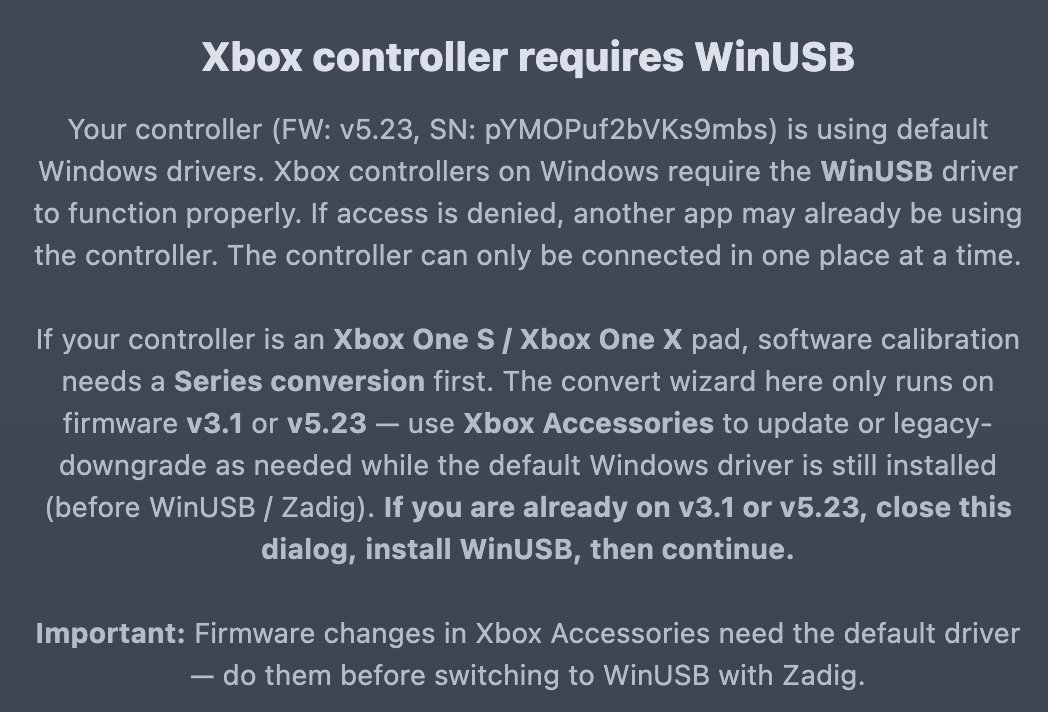
Is WinUSB a hard requirement?
English

As a member of the DriftGuard team, I have some massive news! We just dropped the official 0.5.1.1 update ! We added a brand new calibrate MODE call Balance to make controller calibration much easier for everyone.
Since many of you struggled with drivers, I’m locking two quick video guides right here: the first one shows how to properly replace drivers using Zadig, and the second one shows how to cleanly uninstall them if you get stuck. Check them out! 🎮🛠️
modyfikatorcasper@Modyfikator89
HISTORIC BREAKTHROUGH: UNPATCHABLE CALIBRATION We cracked it! Massive thanks to Lewy20041 & @driftguardapp for this historic hardware discovery. We have unlocked ultimate manual & automatic joystick Calibration for any Xbox Contoller 🎮 It is UNPATCHABLE and PERMANENT written directly into the controller's memory forever. It cannot block this.
English

@chuta141 @Modyfikator89 In controll panel-devive manager, go to the website there is a link to discord, you can get help there if needed
English

@driftguardapp @Modyfikator89 How I can’t find it on devices administrator
English

HISTORIC BREAKTHROUGH: UNPATCHABLE CALIBRATION
We cracked it! Massive thanks to Lewy20041 & @driftguardapp for this historic hardware discovery. We have unlocked ultimate manual & automatic joystick Calibration for any Xbox Contoller 🎮
It is UNPATCHABLE and PERMANENT written directly into the controller's memory forever. It cannot block this.
English

@chuta141 @Modyfikator89 Uninstall the drivers like instruction say.
English

@Modyfikator89 @driftguardapp So I have used this software on my Xbox controllers is an spectra pro and now it’s dead no matter what I do I can’t get to work again does anybody has any idea of what could happen?
English

@zpamdraws @Modyfikator89 There already is restore in advanced mode for all suported controllers.
English

@Modyfikator89 would it be possible to add a reset to factory settings option for controllers in case we don't like the end result? that would be very convenient
English

@LordeRakan @Modyfikator89 If its android version thats how it works. If you dont have paid version you can still save the calibration and load anytime.
English

@Modyfikator89 Eu não tenho PC. Uso o app, mas quando desconecto o controle, a configuração não salva, e diz que pra salvar preciso ter o Premium, o que eu devo fazer?
Português

@Jamie_The_Gent @Modyfikator89 Not sure what virus you are talking about, website dont install anything, and as for zadig just read what it is, its there for years.
English

@ChiefOfBcrk @Modyfikator89 I see alot of interest in this controllers, i will see what can be done.
English

@Modyfikator89 Pleeeaaase add Quest 3 controller support. 😭
English

@sOLOs0uL @Modyfikator89 It works on switch controllers, switch 2 not yet
English

@hcyuksel95 @Modyfikator89 It works with wired. For wireless you need pnc kit cable or you need to solder to pcb
English

@Modyfikator89 Bu yöntem Xbox 360 controller da işe yarıyormu bende vericiside var yarıyorsa nasıl yapabiliriz
Türkçe

@diehertz @Modyfikator89 Yes, for xbox controllers it wont work on macs yet. Only playstation and nintendo
English

@dorough_jo82834 @Modyfikator89 It can recenter the analog stick idle position, but if the drift is severe and your analog stick center is jumping around than its a hardware problem.
English

@Modyfikator89 Cant get this to work. Discord was full of people saying it doesnt fix stick drift, that it is just for new stick calibration...
English

@SSQuantumF @Modyfikator89 Did you hold the xbox/guide button for 20s to completly power off the controller?
English

@Modyfikator89 I Have Elite Series 2 and after installing drivers and doing reboot, page see it but it's not reacting to inputs. It also doesn't show up on game controllers in windows, so I am not sure if I done something wrong or my controller is not supported.
English

@pingouingrinch @Modyfikator89 Like you can make bigger dedzone for center or lower range ratio for better coverage. Still if the drift is severe you need to replace the sticks and than calibrate.
English

@Modyfikator89 No improvement on Nintendo’s switch pro controller unfortunately
English

@Brixujel @Modyfikator89 Dont have that one to test it. Maby in future
English

@Modyfikator89 Yall got anything in store for the MadCatz Xbox Controllers? I tried mines for a few hours but couldn't calibrate it even after ping-ponging between drivers.
English

@el_luilt @Modyfikator89 Press lt+lb+rt+rb+start+y all at once, than in advanced mode you will see hidden buttons. One of them is revert, you can use that to go back to xbox o e firmware. Make sure you dont use other buttons there if you dont know what they for.
English

@Modyfikator89 By the way, is there a way to reinstall Xbox One firmware back to it ? I Got a XBOX one controller with the Xbox series firmware (did it when was necessary, like driftguard to said do)
English

@AnkitJangidDev @Modyfikator89 Calibration, if you replace the sticks. Also if you play cod or other games like this you can calibrate the analog stick center point better so the camera not move if you set it in game to low number like 2, 1 or 0
English

@LuisRam17173376 @Modyfikator89 You cold also go to advanced and set range ratio to 100% to make the range samller
English