@lynn_jamin@GarnerJonaya@educmcgrawkm I agree! Constantly using technology in every lesson sounds like technology is being used just because that is what “we’re supposed to do” #elemchat
@GarnerJonaya@educmcgrawkm A3: I believe that too much technology is when it is constantly being used in every lesson. Technology is a good thing, but students need to have a balance so they are not consumed by it. #elemchat
Hi everyone! In your opinion, how much is "too much" technology in the classroom? How can we balance using technology with traditional, hands on activities? #elemchat
@educmcgrawkm I think that we as teachers just need to focus on making sure our technology tools are engaging, enhancing, efficient or effective for our lessons. Technology becomes a problem when it does not satisfy one of these. #elemchat
@TeachBloom I struggle with this as well. I think it will be hard, but we can take baby steps and start off by using terminology such as “algorithm” when referring to a list of instructions, for example. #elemchat
@EDUCkatbramm@BeaneSydney Scratch coding is really fun! I think it is important to implement basic coding activities like these to prepare students to be able to work with computers in their futures. #elemchat
@BeaneSydney I am Katie Brammer and am also an elementary ed major at Indiana University! I love using Nearpod for class presentations because of it's interactive feature. I also like using Scratch coding to teach younger students the basics of coding
#elemchat
@BeaneSydney@mslenastephens I agree that is important to explicitly give expectations and to be consistent with them throughout the school year. What kind of ground rules were you thinking of? #elemchat
@TeachBloom A1: Hi! I think Edpuzzle is a great tool to check out if you are looking for an overview or review video for students. You can usually find premade videos that have built-in quizzes as the video plays but you also have the option to add questions in for your students! #elemchat
@mslenastephens Hi! My name is Rachel, and I’m also an IU student studying elementary education. I have seen many teachers use class dojo for classroom management, and it definitely motivates students to stay on task! #elemchat
A2: I like using symbaloo because it organizes all of my favorite tools in one place and allows quick access to those tools. Typing in URLs can be time consuming. #educW200chat
A1: I will definitely be integrating technology into my future classroom because our students need to be familiar with the skills and tools that will be used in their futures. We are headed towards a computer dominated world. #educw200chat
We love @littleBits! Today we explored maker spaces, which allow students to explore their interests in hands on ways. Check out these tunes we created today using little Bits 😁 @Kjantara#W200
Typing in URLs is time consuming! Instead of wasting valuable time, create tiles that bookmark websites students can use for their research through Symbaloo. I made my own for a class to keep all my resources in one place! symbaloo.com/mix/w200resour…@Kjantara#educw200
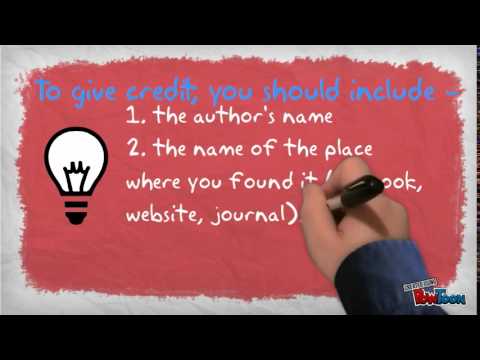
Click the link here to find a very clear video on copyright and plagiarism: youtu.be/ngKGGoqFKTI
This video does a great job explaining how to give credit to your sources at a very age appropriate level. (Elementary) #EducW200@Kjantara
Wow! I love @poppletny :) I was able to break down a first grade language arts standard using this tool. Great for organizing many ideas and and adding branches to ideas! Will be using this in my future classroom for sure #educw200@Kjantara
I created my own stop motion video! This is a great idea for presenting information on just about anything! I’d like to try using props and a fun backdrop next time. #W200@Kjantara
Chatterpix is an amazing tool to keep students engaged in the classroom! I created a "Welcome to Second Grade" Chatterpix as an example way to utilize this resource. Check it out! youtu.be/ZVa-QQ9b2bk#educW200@Kjantara