

JVITRO ³⁶⁹
16 posts


JVITRO ³⁶⁹ retweetledi

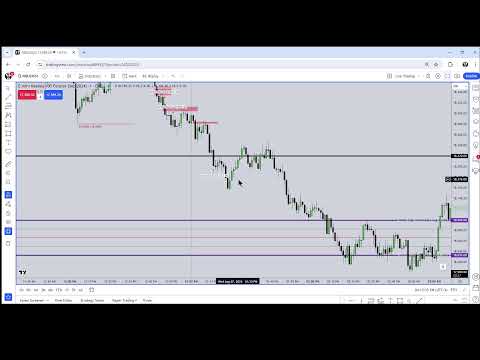
How i organize my chart in the object tree of Tradingview. Michael recommends layouts and that's what you should do. But if your tradingview subscription doesn't allow you to use multiple layouts, you can use the object tree as well.
Here's where Michael talks about using layouts:
- ICT 2024 Mentorship \ Lecture #3 August 7, 2024
- Timestamp 29:42
youtube.com/live/ZkLc4-ado…
"You want to create a layout that has a title like new week opening gaps, and on that layout, the only thing you have referenced for the market that you trade or markets, are simply just the new week opening gaps. and/or you create a layout that only has the new day opening gaps.
So that way if you're ever watching price action, or if you start your new trading session today or tomorrow or tonight, whatever you trade, when you pop up 1 of your layouts, you'll have the information right away populated on your chart. And you don't have to have all that stuff on your chart when you're working with the chart timeframe that you're exercising or executing on."
YouTube

English
@SavitarICT Help me become the first Brazilian to trade using GBT, I've become a big fan of yours
English
JVITRO ³⁶⁹ retweetledi

All of franks old partners trading goldbach from @hopiplaka is so funny to me.
People paying 15k just for PO3 ranges and nothing about time.
English
JVITRO ³⁶⁹ retweetledi

I connected Claude to TradingView.
Here's what it actually does and how to set it up in 5 minutes:
1. claude reads your live chart — not a screenshot. every tool before this took a screenshot and sent it to the AI. by the time it arrived, the candle had moved. this is different. claude is inside tradingview, reading your actual indicator values in real time.
2. write custom pine script indicators in plain english. describe what you want. claude writes the code, drops it in the editor, and compiles it live on your chart. what used to take hours or money on fiverr now takes one sentence.
3. scan your entire watchlist in one command. claude switches to each symbol, reads the chart state and indicators, and returns a summary of all of them. a full sector scan in about 30 seconds.
4. one-command morning brief. this is what i added. one word in your terminal — claude scans your watchlist, reads your indicators, applies your own trading rules, and prints your session bias before you've touched a chart. saves every brief with a timestamp so you can track whether your reads are actually consistent.
5. write your rules once, use them every day. a simple config file where you write your real trading criteria. what makes something a buy, what makes it a sell. the morning brief applies them automatically. you stop relying on yourself to remember your own strategy at 6am.
free. open source.
full tutorial
watch.
P.s. this was originally a YouTube Video. The GitHub link is in the YouTube Video description.
Search Lewis Jackson on YouTube.
English
JVITRO ³⁶⁹ retweetledi

Dear Traders,
Claude code can now connect directly to your TradingView charts
It reads your charts, indicators, writes Pine Script for your trading strategies, compiles it and fixes errors.. all automatically
Not a browser extension.. A direct connection to your live charting platform
▫️Here's how it works and how to set this up:
> How it works:
TradingView Desktop runs on Electron (Chromium). Chromium has a built in debug interface called Chrome DevTools Protocol. It's off by default. One flag turns it on.
That's the door. Claude Code connects through it via an MCP server running locally on your machine.
Nothing touches TradingView's servers. No data leaves your machine. Everything runs on localhost.
Here's the setup, give Claude code this prompt and it does everything:
"Install the TradingView MCP server. Clone and explore github.com/tradesdontlie/…, run npm install, add to my MCP config at ~/.claude/.mcp.json, and launch TradingView with the debug port."
Once it's done, verify:
"Use tv_health_check to confirm TradingView is connected."
Then just try:
"What's on my chart right now?"
That's the whole setup. Claude installs it. Claude runs it. You just describe what you want.
▫️What Claude can actually see
What Claude can read from your charts:
> Current symbol and timeframe
> Real-time OHLC and volume
> Up to 500 price bars
> All indicator names, IDs, and values
> Pine Script drawings — lines, labels, tables, boxes
> Data window values
> Order book depth
> Strategy tester results and trade list
> Screenshots of any chart region
The most useful part is it reads protected indicators too.
Pass a filter with the indicator name and you get back every price level, every text annotation, full table contents, every drawn zone.
"What levels is my NY Sessions indicator showing?"
it reads them.
"What does the session stats table say?"
it reads that too.All of this data is already on your screen. This tool just makes it readable to an AI.
▫️ The Pine Script workflow
This is the part that changes everything for traders who code:
You describe what you want → Claude writes the Pine Script → injects it into TradingView → compiles it → reads the errors → fixes them → recompiles That loop runs until the script is clean.
The whole time Claude has full context of your chart and every indicator on it.
No more copy-pasting between VS Code and the Pine editor hunting type mismatches.
You can also:
→ Validate indicators (write it, compile it, read values back, check the math)
→ Loop through input parameters and test each one
→ Run the same indicator across multiple symbols and timeframes
→ Read strategy tester metrics after each compile
The actual workflow of verifying your indicators works instead of just assuming they do.
sharing the usecases of this workflow in my next post.. like & RT
English
JVITRO ³⁶⁹ retweetledi

JVITRO ³⁶⁹ retweetledi



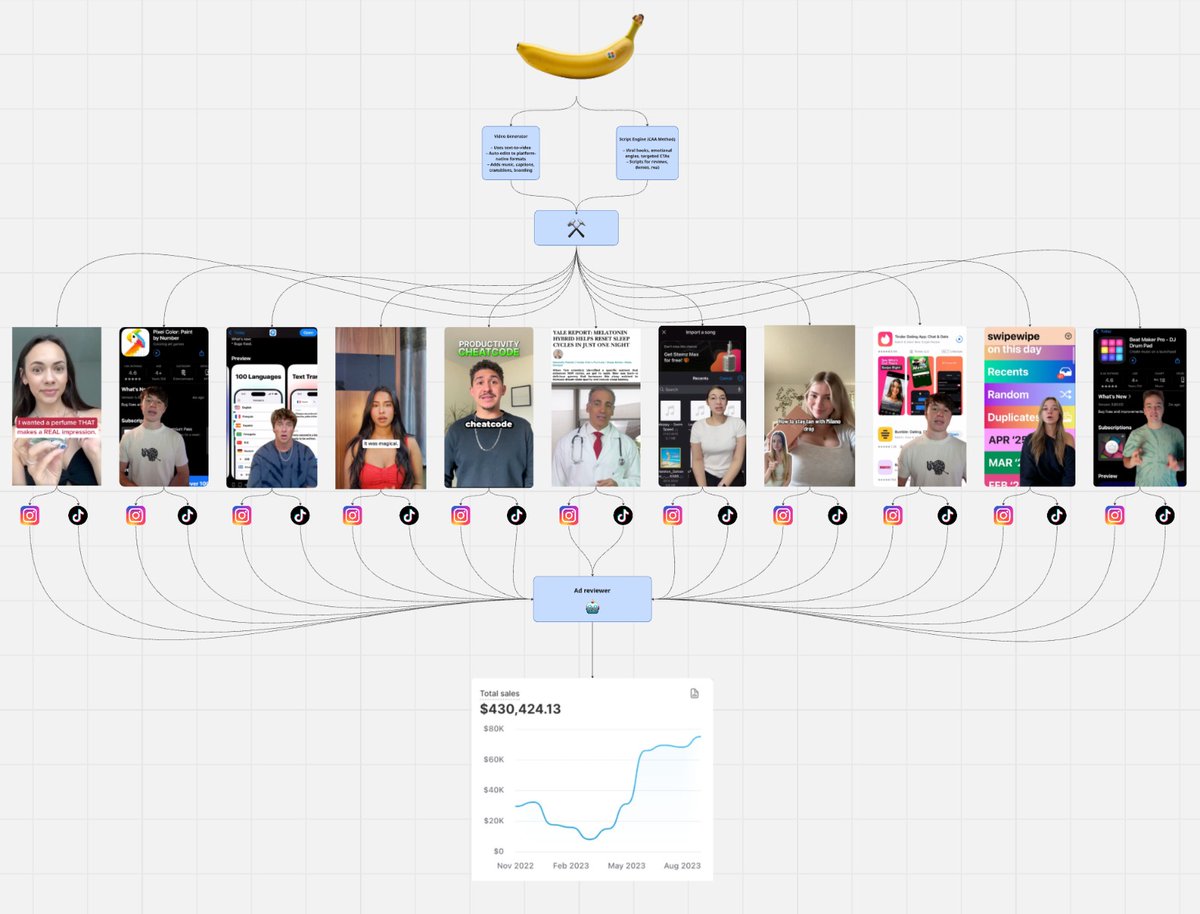
Nano banana + MakeUGC + Veo3 = Ad Factory
This agent creates 100s of ads every day
- No actors
- No product
- No $10k/month agencies
You're able to clone your comepitors ads with AI
Paste Comment "NANO" and I'll send you the agent + the full playbook
(must be following)
English

🆘POST ABOUT 369 🔑
After more than a year and a half, I started talking about 369🔑 and digital roots. My followers knows that..
I don’t know anyone who mentioned it on X before me. Some people called me crazy, others were fascinated… and now suddenly everyone pretends they know something about it.
1,000 likes and I’ll start revealing some interesting facts about these numbers and how to use it in TRADING. 📟
Let’s start with the basics.

English

I have developed a Beginner Gold Trading Strategy.
Simple & effective.
Rule based.
+ Entry Model (80% Winrate)
Like + Comment „GOLD“ and I will send you a DM.
No costs.
Make sure you follow; so I can DM you.
English