🚨 LATEST: A Claude-powered AI coding agent deleted PocketOS's entire production database and all backups in just 9 seconds.
The agent acted on its own initiative to "fix" a problem, wiping months of customer data in the process.
On a desk somewhere in Singapore, a small computer not much bigger than a deck of cards has been running continuously for the past several weeks.
It is connected to its owner's WhatsApp, Gmail, calendar, and a personal library of saved speeches and articles. It transcribes voice notes locally. It runs vector embeddings (the technique that lets an AI find what is relevant in a great big stack of stuff) locally.
It maintains a knowledge graph of every fact, every counterpart, and every piece of negotiating history its owner has ever recorded into it. It is, in short, a perfect mind-out-of-mind. Its owner calls it "NanoClaw, a second brain for a diplomat."
The owner is Dr Vivian Balakrishnan, and he is the Foreign Minister of Singapore. He is a trained ophthalmologist, a Fellow of the Royal College of Surgeons of Edinburgh, and one of the very few sitting cabinet ministers anywhere in the world who writes his own computer code.
My kind of guy. And, I think, everyone's kind of guy.
On 21 April he published the entire architecture to a public GitHub gist. He did not announce it through his ministry. He did not spin it into a productivity-tool startup. He wrote it up the way a working software engineer writes up a side project, and put it in the open. The hardware cost is approximately £80; the running costs are between £5 and £20 a month.
I would invite the reader, gently, to attempt the exercise of imagining a single member of the present British cabinet doing the equivalent. Imagine Yvette Cooper publishing the architecture of a system that tracks her foreign counterparts' priors and negotiating history, on a personal GitHub account, with API keys segregated through a credential proxy because she takes her department's data sovereignty very, very seriously. Imagine David Lammy shipping a working tool that drafts his speeches against the record of his own past statements - haha, no, no, stop! I know, it's beyond the absurd.
Then consider the gap.
This is what your public servants ought to be able to do for themselves. This is the class of governing official Britain could have, being not at all absent the talent capital needed. But Dr B's excellence shows that, while we don't lack the talent, we have been getting recruitment all wrong.
Britain has been recruiting senior public servants for two political generations on the basis of who can speak well at a Tuesday lunch club, not on the basis of who can deliver a working result when everyone's back to work. The country that built the institutions everybody else copies built them with people who could think, and write, and do. We optimised on the first two and stopped caring about the third. The third turns out to have been the one that mattered most.
But that's the golden triptych - people who can think, write, and do. Imagine how much better our national fortunes will be when it is people of that calibre at the helm?
It is coming. It Can Be Done.
HABITS OF PEOPLE WHO KEEP A CALM HOME:
1. They deal with small messes immediately instead of letting them grow into overwhelming ones.
2. They don't bring the energy of the outside world through the door without first leaving it at the threshold.
3. They have a place for everything,not for perfection, but because chaos has nowhere to settle.
4. They keep surfaces clear because they know a cluttered surface is a cluttered mind made visible.
5. They don't let unresolved conversations sit in the air of shared spaces,they address things gently and early.
6. They bring something living into their home,a plant, fresh flowers, something that breathes.
7. They lower their voice inside,not because of rules, but because calm is something you practice with your body.
8. They clean as they go rather than saving it all for a overwhelming single moment.
9. They are intentional about what they let in,furniture, objects, people, and noise all get considered.
10. They light candles, open windows, or play soft sound not for aesthetic but for atmosphere.
11. They end each day with a small reset,not a deep clean, just enough to wake up to order.
12. They don't use the home as a place to vent everything,they protect it as a space to recover.
13. They remove things that no longer serve them without guilt,a calm home is edited, not just cleaned.
14. They make their bed not because anyone is watching but because it signals to their brain that the day has structure.
15. They treat their home as a living thing that needs attention, not just a place they return to when everything else is done.
Junior PM: My manager keeps micromanaging me.
Senior PM: What are they trying to protect?
Junior PM: I think they just don't trust me.
Senior PM: Maybe. What do they know about your work?
Junior PM: I send updates.
Senior PM: Updates are not the same as judgment.
Junior PM: What do you mean?
Senior PM: Your manager spends a few hours a week thinking about your work. You spend all week inside it.
Junior PM: So they have less context.
Senior PM: Much less. Which means they either trust your judgment or compensate with control.
Junior PM: That sounds exactly like what's happening.
Senior PM: Then stop trying to "manage up."
Junior PM: What should I do instead?
Senior PM: Create leverage for both of you.
Junior PM: That sounds like a slogan.
Senior PM: Then make it concrete. When you bring a problem, what do you bring with it?
Junior PM: Context. Risks. Maybe options.
Senior PM: Bring a proposal.
Junior PM: Even if I'm not sure it's right?
Senior PM: Especially then. A bad proposal teaches your manager how you think. A naked problem gives them more work.
Junior PM: So I should lead with my recommendation.
Senior PM: Lead with the decision needed. Then the context. Then the details if they ask.
Junior PM: I usually start with all the background.
Senior PM: Most PMs do. They make their manager reconstruct the point from raw material.
Junior PM: And then wonder why the manager jumps in.
Senior PM: Exactly.
Junior PM: What about escalation? I never know when to pull them in.
Senior PM: Escalate when multiple teams are affected, critical metrics are at risk, political capital is needed, or the issue points to a system problem.
Junior PM: And if none of those are true?
Senior PM: Solve it. Document it. Inform them.
Junior PM: That feels risky.
Senior PM: Autonomy always feels risky before it feels earned.
Junior PM: How do I stop guessing what I own?
Senior PM: Write decision boundaries.
Junior PM: Like RACI?
Senior PM: Simpler.
Green: I decide and inform after.
Yellow: I decide after alignment.
Red: You decide, I propose.
Junior PM: And we agree on which decisions go where?
Senior PM: Yes. Then revisit quarterly.
Junior PM: So the goal is to expand green over time.
Senior PM: Now you're thinking.
Junior PM: What should I do in 1:1s?
Senior PM: Send a short brief the day before.
Junior PM: What's in it?
Senior PM: Topics, decisions needed, context they should know, questions you'll ask, and one progress update tied to outcomes.
Junior PM: That would make the meeting faster.
Senior PM: It makes the meeting useful.
Junior PM: I also struggle with technical updates. I explain the architecture and they glaze over.
Senior PM: Start with business impact.
Junior PM: Before the technical details?
Senior PM: Always. "This affects activation by 8%" lands faster than a system diagram.
Junior PM: So speak their language first.
Senior PM: Speak the language of the decision.
Junior PM: What questions should I ask them?
Senior PM: Ask what battles they're fighting that you don't see.
Junior PM: That's good.
Senior PM: Ask what would make their job easier. Ask what you're missing. Ask how your work connects to exec priorities.
Junior PM: Most PMs don't ask that.
Senior PM: Most PMs want their manager to be less involved without making the manager more confident.
Junior PM: That's the real issue.
Senior PM: Yes. Your manager manages risk. If you reduce the risk, you reduce the management.
Junior PM: So the more I help them succeed, the less they'll need to control me.
Senior PM: Not because you're being obedient. Because you're removing problems before they become theirs.
Junior PM: That changes the whole relationship.
Senior PM: Junior PMs execute their manager's vision.
Junior PM: Mid-level PMs?
Senior PM: They connect dots the manager might miss.
Junior PM: Senior PMs?
Senior PM: They bring insight the manager doesn't have.
Junior PM: Staff?
Senior PM: They shape the vision with them.
Junior PM: So managing up is the wrong frame.
Senior PM: The better frame is mutual leverage.
Junior PM: Manager gets more impact. PM gets more autonomy.
Senior PM: Company gets better decisions.
Junior PM: And the system is proposals, conclusion-first communication, clear decision boundaries, good escalation, and business translation.
Senior PM: That's the playbook.
Junior PM: I thought autonomy came from trust.
Senior PM: Trust helps. Leverage compounds it.
The lesson: your manager becomes a multiplier when you stop treating them like an obstacle and start designing the relationship around better decisions.
Every PM learns this eventually. Better to learn it before frustration becomes your operating system.
Major cheat code for life: Believe that things will work out for you. Not blindly, but through effort. When you expect good things and pair it with action, you start noticing opportunities others miss. Optimism paired with effort is a powerful force.
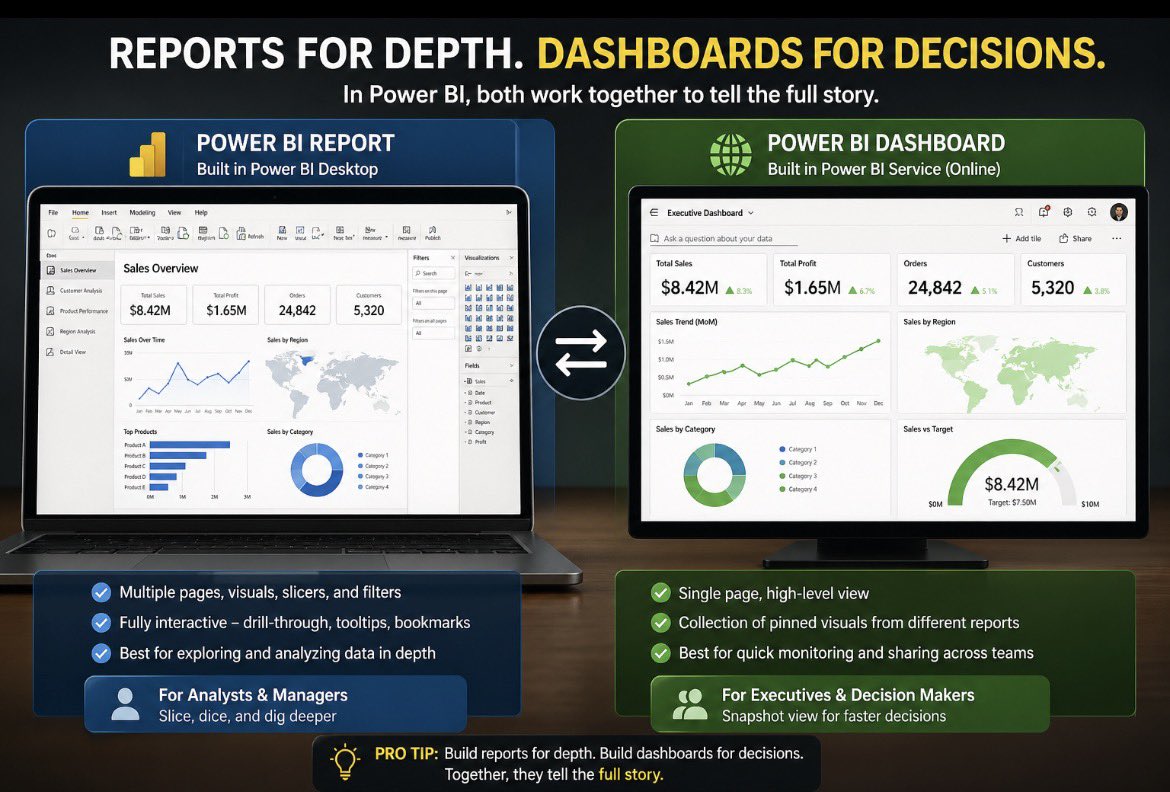
Ever opened Power BI and thought… “Is this a REPORT or a DASHBOARD?”
You’re not alone, the terms get mixed up all the time.
LIKE ALL THE TIME!!!
I once had a manager ask me to “share the dashboard.”
But what they actually meant was the multi-page Power BI report I had built.
That mix-up told me something important: most people don’t know the difference.
Here’s the breakdown 👇
👉 Power BI Report
Built in Power BI Desktop.
Can have multiple pages, visuals, slicers, and filters.
Fully interactive - drill-through, tooltips, bookmarks, all live.
Best for exploring and analyzing data in depth.
👉 Power BI Dashboard
Built in the Power BI Service (online).
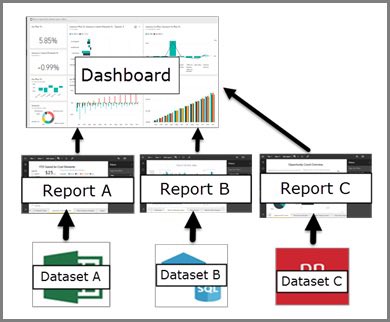
Single page, high-level view - A Collection of Pinned Visuals from different Reports.
Meant for quick monitoring and sharing across teams.
Best for executives and decision-makers who want a snapshot, not detail.
The big shift for me came when I started giving both:
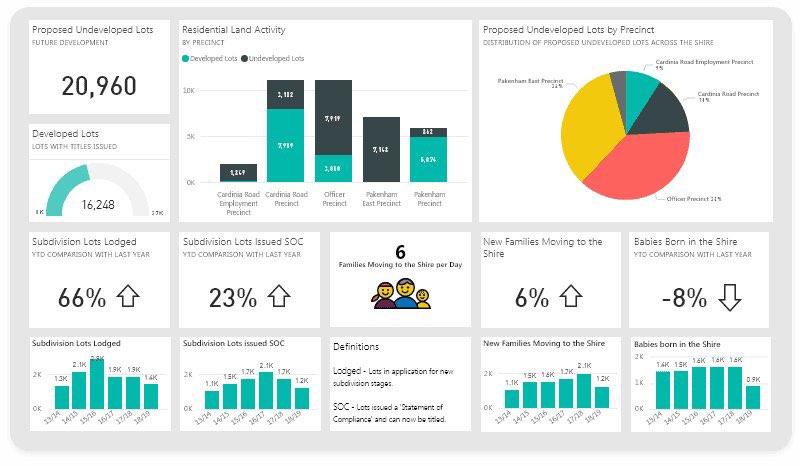
✔️ Executives → clean dashboards with KPIs and red/green alerts.
✔️ Analysts/Managers → detailed reports where they could slice, dice, and dig deeper.
Engagement skyrocketed because people finally got the right view for their needs.
💡 Pro Tip: Don’t confuse the two.
In Power BI, build reports for depth, build dashboards for decisions.
Together, they tell the full story.
At @jiovynixlimited, this is how we help businesses scale: by delivering both dashboards for leadership and detailed reports for analysts, ensuring every layer of the organization gets the insights they need.
So let me ask you, in your organization, do stakeholders ask for dashboards when they really mean reports?
♻️ Found this helpful? Like, comment, and repost - someone in your network might need this today.
➕ Follow @Joseph_opene and @jiovynixlimited for more insights.
#PowerBI#DataAnalytics#BusinessIntelligence#DataVisualization#MicrosoftFabric
One of the most valuable things that you can do to accelerate your learning and career right now with AI & agents is to stop thinking in terms of tools and platforms. Don't box yourself in; do the opposite.
For instance, don't think only about Power BI if you're a "power bi" person; likewise for Tableau, Qlik, etc. You don't have to be the person anymore and I don't think it's helpful to think that way right now, at all.
Zoom out. Focus on the actual business problems and agnostic theory in your professional or interest space - both horizontally and vertically. Consider in that problem space what useful, effective (in cost and results) solutions actually look like. Be as much as possible solution and value-driven.
Step outside your comfort zone and your stack / vendor bubble and look broadly at what's happening in your market. Experiment and think outside the box; flex your brain and try things that seems outlandishly outside of your expertise area. You will experience some helpful friction and learn a lot.
If you are continuously focusing on using AI and agents with one specific tool or platform it's a bit the equivalent of using a power drill to make a better screwdriver. It might be the easiest and most immediately helpful in your job, but i don't think it's the most effective path forward for personal development (it might even be dangerous or counter productive). I don't think it's the best way to prepare for what this next "era" is shaping out to be.
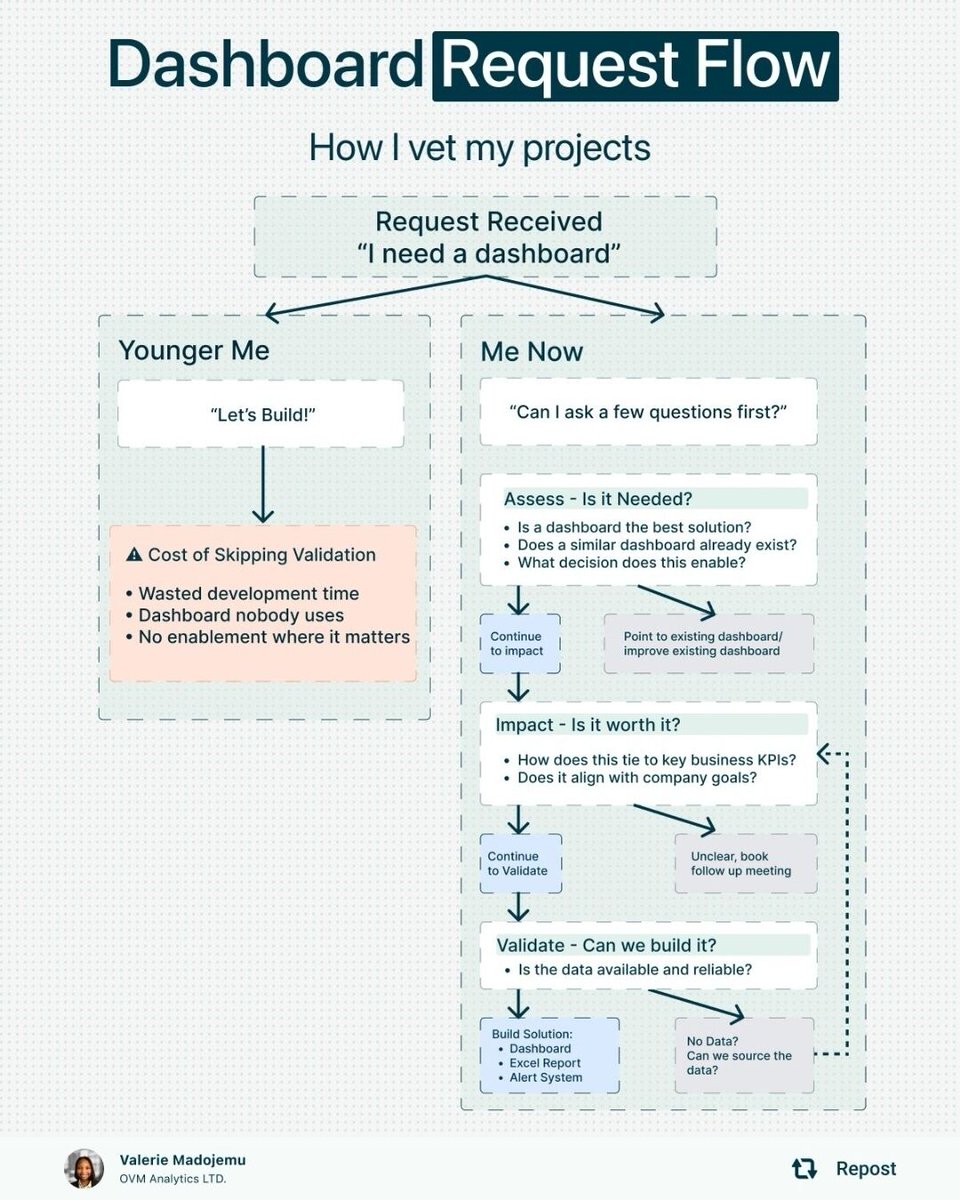
This is the kind of discipline that separates dashboard builders from data strategists.
Sometimes the highest-impact deliverable isn't a dashboard at all. It's an alert, an automated report, or a one-time analysis that answers the question and moves on.
Great framework. 👍
🔗 linkedin.com/posts/valeriem…
👉 For more: powerbi-masterclass.short.gy/linktree?utm_s…
Anthropic pays engineers $750,000 a year to understand how AI models actually work.
Stanford just put the same knowledge on YouTube.
2 hours. Completely free.
This is the lecture that teaches you what most AI courses skip entirely.
Not how to use the tools.
Why they work the way they do.
The engineers who understand the why build things the people who only know the how cannot even conceive of.
The gap between those two groups is $750,000 a year.
You can close most of it in an afternoon.
Bookmark this before you scroll past it.
Watch it this weekend.
Not eventually.
This weekend.
CLAUDE DESIGN FULL 1 HOUR COURSE
❤️🔥Just Recorded a Full Course on How To Build Interactive Animated Website with AI.
Bookmark this before you forget.
Tú también puedes crear una landing page de 50.000$.
Sin agencia. Sin saber código. Sin presupuesto.
Te dejo por aquí un tutorial de 25 minutos para hacerlo tú mismo con Gemini + Nano Banana.
🇻🇳 Introducing - Wander Saigon
A field guide to Ho Chi Minh City - how to land, move, eat, drink, work, and live in a city of tiny plastic chairs
Built with Claude Design.
This started as the "Living Cashless in Saigon" article - And that wanted to be a field guide.
Monocle for Nomads 🧐
So I prototyped it in Claude Design - laid out the chapters, designed the typography, built the grid of photographs, and built a mega-directory.
When the scope got serious - I moved it to Claude Code and shipped it as a static site.
→ wandersaigon.com
Okay I owe you guys an apology.
I've been using AI wrong this entire time. literally burning hours in figma trying to build sections when Claude Design does the same thing in minutes.
And somehow it's responsive??.
Take my money Claude, all of it.
I'll build out more sections, and share progress with you fine people. 🎯
Yeah, whole stack is getting redone.
#claude
If I had to start building apps without coding in 2026, these are the only websites I'd use:
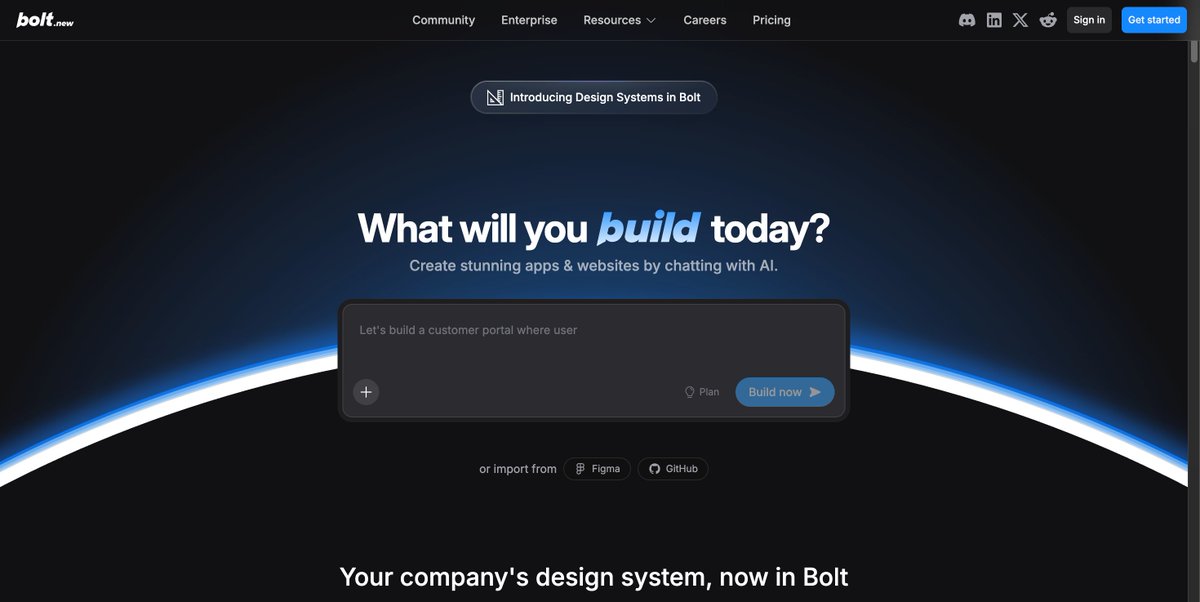
→ Bolt.new - Describe your app in plain English. Get a working prototype in 60 seconds. Powered by Claude.
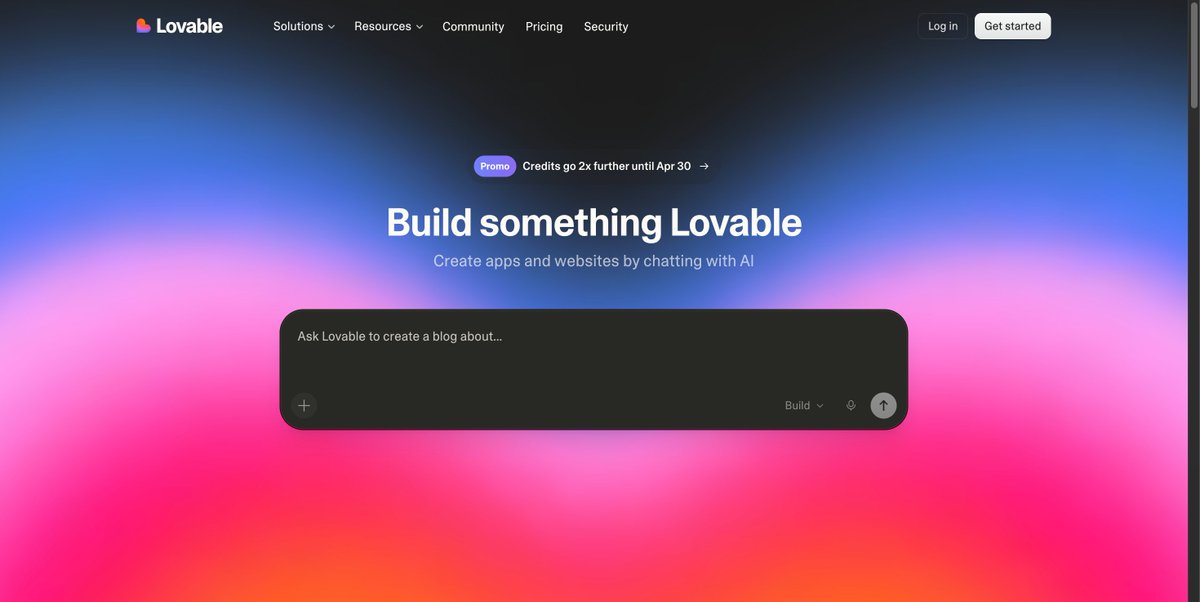
→ Lovable - Same idea, but optimized for beautiful UI out of the box. Your non-technical co-founder's best friend.
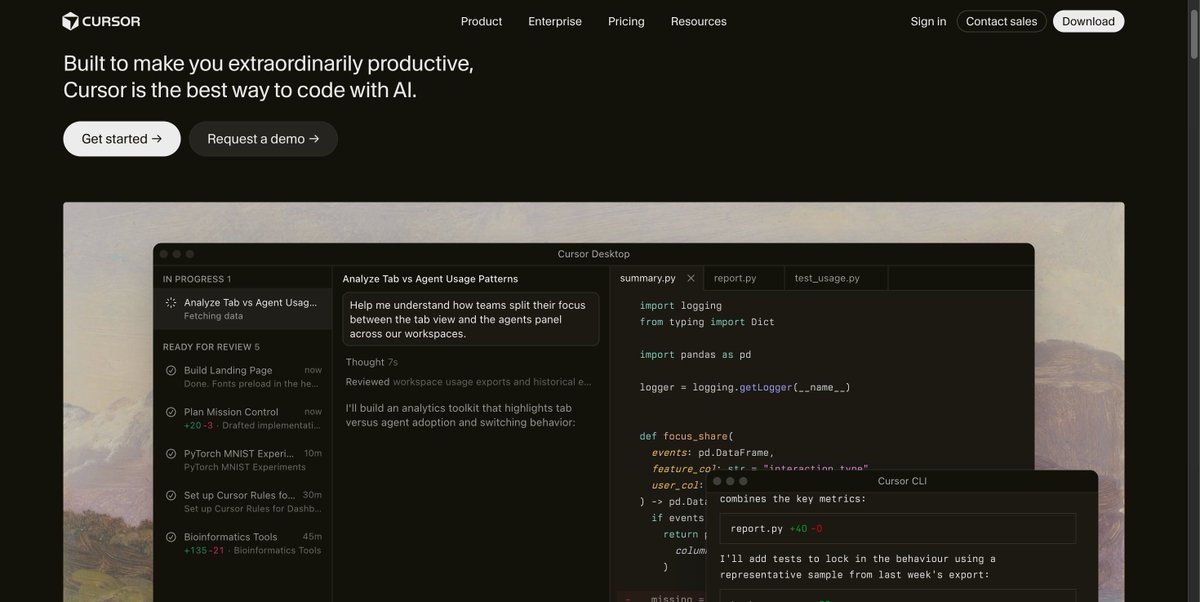
→ Cursor - Not fully no-code, but lets you build production apps with AI doing 90% of the coding. You just guide it.
→ v0 by Vercel - Type what you want. Get deployable React components. Copy, paste, ship.
→ Replit - Full IDE in your browser. Replit Agent builds entire apps from a single prompt. Free tier is generous.
→ Claude Artifacts - Most people sleep on this. You can build working tools, calculators, dashboards, and mini-apps right inside the chat.
→ Windsurf - AI-first code editor that understands your entire codebase. Feels like pair programming with a senior dev.
→ Firebase + FlutterFlow - Backend + frontend without writing a line. Best combo for mobile apps specifically.
Most people type one sentence and call it a prompt.
Here's the full anatomy of a Claude 4.7 prompt
(save this before your next task):
𝟭. 𝗧𝗮𝘀𝗸
One sentence. No fluff. No fake roles.
"I want to [TASK] so that [SUCCESS CRITERIA]."
↳ Not: "Act as a senior expert in..."
↳ Yes: "I want to write X so that Y happens."
The "act as" era is officially over.
Claude 4.6 doesn't need a costume. It needs clarity.
𝟮. 𝗖𝗼𝗻𝘁𝗲𝘅𝘁 𝗙𝗶𝗹𝗲𝘀
Stop explaining yourself inside the prompt.
Put it in files. Upload them first.
"Read these files completely before responding:
↳ about-me. md — who I am, my audience, my goals
↳ writing-style .md — tone, examples, what to avoid
↳ brand-rules .md — standards, voice, non-negotiables"
AI went from reading a sticky note to a full book.
Files beat prompts. Every single time.
𝟯. 𝗥𝗲𝗳𝗲𝗿𝗲𝗻𝗰𝗲
Don't describe what you want. Show it.
Upload an example of the exact output you need.
Then reverse-engineer it into rules:
↳ "Always open with a bold claim under 60 chars"
↳ "Never use passive voice or filler phrases"
↳ "Each section = max 3 lines"
No more "give me something like X" and praying.
𝟰. 𝗦𝘂𝗰𝗰𝗲𝘀𝘀 𝗕𝗿𝗶𝗲𝗳
This is the only thing you type from scratch.
Everything else lives in your files.
Keep it to 4 lines maximum:
↳ Type of output + length
↳ Recipient's reaction after reading
↳ Does NOT sound like (what to avoid)
↳ Success means (sign? reply? buy?)
Short brief. Sharp output.
𝟱. 𝗥𝘂𝗹𝗲𝘀
Your context file holds your taste and standards.
Don't repeat it inside the prompt.
Just reference it:
"My context file contains my rules and audience.
Read it fully before starting.
If you're about to break one of my rules,
stop and tell me before you continue."
Now Claude self-corrects before it outputs.
𝟲. 𝗖𝗼𝗻𝘃𝗲𝗿𝘀𝗮𝘁𝗶𝗼𝗻
You spent years prompting AI.
Now the best move is letting it prompt you.
Add this to every first message:
"DO NOT start executing yet.
Ask me clarifying questions
using the AskUserQuestion tool
so we can refine the approach together."
Claude builds you a clickable form.
You answer. The output jumps 3 levels.
𝟳. 𝗣𝗹𝗮𝗻
Claude read your files. Now make it show the work.
Before it writes a single word, ask for proof:
"List the 3 rules from my context file
that matter most for this specific task.
Then give me your execution plan
in 5 steps maximum."
You catch the wrong direction before it starts.
Not after 800 words of wasted output.
𝟴. 𝗔𝗹𝗶𝗴𝗻𝗺𝗲𝗻𝘁
Nothing happens until you both see the same goal.
Close every prompt with this line:
"Only begin work once we've aligned."
This single sentence replaces 90% of re-dos.
It forces Claude to confirm before committing.
---
Most people skip steps 2 through 8.
Then blame the model for bad output.
The model was never the problem.
The structure was.
Build the anatomy once.
Reuse it on every task forever.
Follow Muhammad Ayan ♻️ Repost to help others.
Don't pay $100/month for the Claude Max plan.
These 12 hacks save your tokens (and your wallet):
——
(read all 23 token hacks: x.com/rubenhassid/st…)
———
1: You upload PDFs raw. One page = 3,000 tokens.
Fix: Paste the text into a Google doc. Download as .md format. Under 200 tokens.
2: You use Opus for a grammar check.
Fix: Haiku for quick tasks. Sonnet for writing & coding. Opus for deep reasoning only.
3: You leave Search & Connectors on by default.
Fix: Default everything off. Turn features on per task, not per account.
4: You build files inside Cowork too early.
Fix: Plan in Chat (cheap). Build the final output in Cowork (expensive).
5: You write 500-word prompts.
Fix: Write 29 words instead: "I want to [task] to [goal]. Ask me questions using AskUserQuestion before you start."
6: You send 3 separate messages for 3 tasks.
Fix: One message, three tasks. "Summarize this, list the points, suggest a headline."
7: You type "No, I meant," stacking on the history.
Fix: Click 'Edit' on your original message. Fix it. Regenerate. History replaced, not stacked.
8: You say "redo the whole thing" to correct part 3.
Fix: "Only redo section 3. Keep everything else. No commentary. Just the output."
9: You never restart. Your chat hits 30 messages.
Fix: Every 15-20 messages → summarize, copy the brief, start a fresh session.
10: You keep 3 topics in 1 chat. It re-reads all of it.
Fix: New topic = new chat. Always. Dead context is dead tokens.
11: You skip Personal Preferences
Fix: Settings → Personal Preferences. Set your tone and style once. It persists forever. Don't waste 3-5 setup messages per chat.
12: You upload the same PDF to 5 different chats.
Fix: Use Projects. Upload once. Every new chat references it without re-burning tokens.
-----
To download all of my Claude infographics:
Step 1. Go to how-to-ai.guide.
Step 2. Subscribe for free. Don't pay anything.
Step 3. Open my welcome email (most skip this).
Step 4. Hit the automatic reply button inside.
Step 5. Download my infographics from my Notion.
Bonus. Enjoy my best copy-paste prompts, too.