

hdsnetsec
1.2K posts

hdsnetsec
@hdsnetsec
Agentic builder exploring AI, SaaS, cybersecurity, and better systems. Practical posts. Opinions are my own.
Katılım Mayıs 2020
515 Takip Edilen1.1K Takipçiler

How to run OpenClaw locally on your Android Device FOR FREE
No API limits or Delays
English
The “only criminals care about privacy” argument is one of the oldest and laziest takes in the security space. Here’s why it falls apart.
Privacy is not secrecy. It’s control.
You lock your bathroom door. You don’t hand your bank statements to strangers. You whisper at a funeral. None of that makes you a criminal. It makes you a person with appropriate contextual boundaries. Privacy is a baseline human behavior, not a red flag.
The “nothing to hide” logic doesn’t scale.
If you genuinely believe only criminals need privacy, you should be comfortable with your employer reading every personal message, your insurer reviewing your medical searches, and your government logging every opinion you’ve expressed online. Most people aren’t. That discomfort is the point. Privacy protects you from people with power over you acting on information you never consented to share.
Convenience and centralization have real costs.
Gmail, Google SSO, and similar products are genuinely useful. That’s not a bad thing to acknowledge. But centralizing your identity and communications through a single ad-funded platform means your data trains models, funds targeting systems, and creates a single point of failure for your entire digital life. You’re not opting out of risk. You’re trading one risk profile for another.
Why people think this way.
The take isn’t stupid on its face. Surveillance and data collection mostly don’t feel harmful in daily life. The consequences are diffuse, delayed, and invisible. Most people have never had their data weaponized against them directly. When the cost isn’t felt, the product feels free. That’s a reasonable heuristic for low-stakes decisions. It just stops working at scale or under adversarial conditions.
The actual issue.
Privacy protections exist precisely because the threat model changes. You’re not building a wall for today. You’re building it for the version of tomorrow where the company gets acquired, the government changes, or your circumstances do.
Proton’s response was understated. The take isn’t just wrong. It outsources your risk tolerance to people who profit from your exposure.
Zach@jestermaxxing
Every brand needs to start talking like a 50 year old again
English
@exQUIZitely DOS tools like Norton Commander nailed keyboard-first UX: consistent hotkeys and predictable menus so you could move fast without touching the mouse.
English

Are you old enough to remember the golden age of text-mode DOS productivity tools?
When hard drives were growing, users had to manage lots of files manually, and GUIs were still clunky or secondary/optional, many of these tools were hugely popular.
If you had a PC in the 80s and 90s, I bet you had at least one of the following four. Peak popularity was probably between 1987 to 1994.
XTree (and XTree Gold/Pro): Released in 1985 and was later called "perhaps the most popular DOS shell." XTree Gold (1989) was a massive hit, with over 3 million copies sold by 1991.
Norton Commander (NC): First version from 1986, it became the "king" of DOS file managers in the late 80s/early 90s. It dominated through the mid-90s, with clones left, right, and center.
PC Tools: Was a pretty strong competitor in the late 80s and early 90s, often second only to Norton products. It evolved into a full utility suite.
Volkov Commander, DOS Navigator, etc.: These clones peaked in the early-to-mid 90s (Volkov from 1992 onward), especially on lower-end hardware where their speed and small size mattered most.
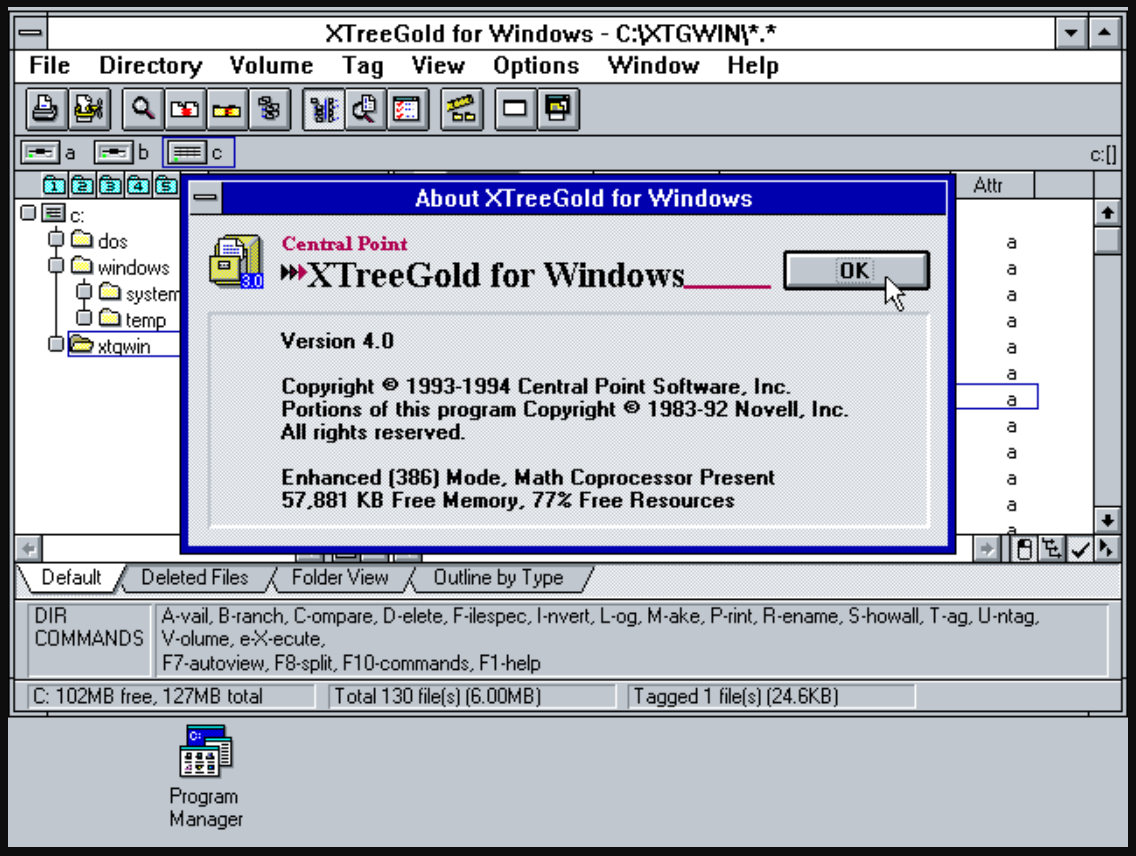
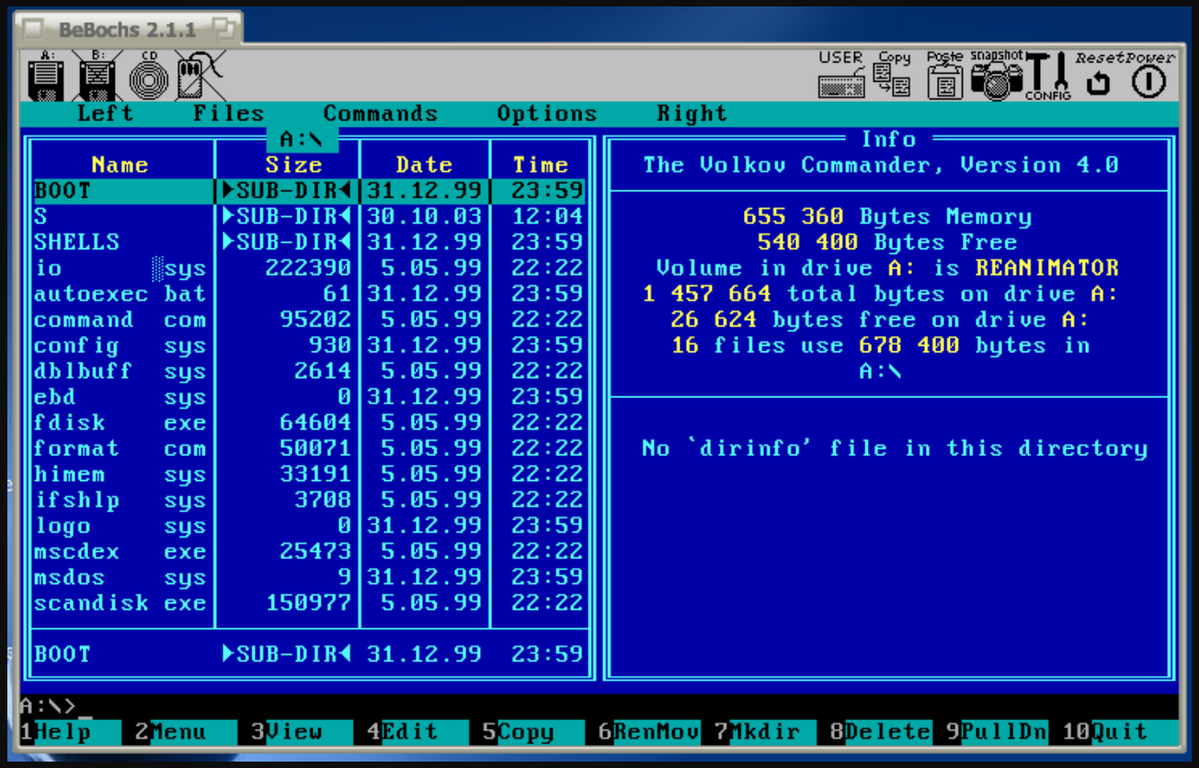
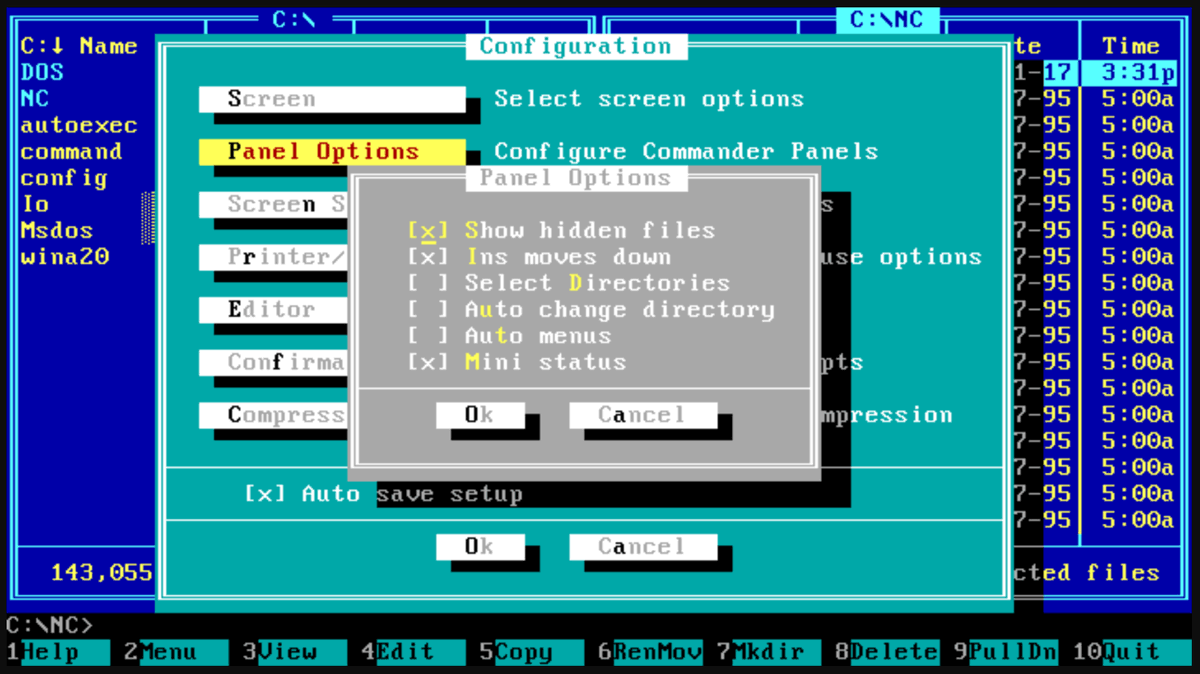
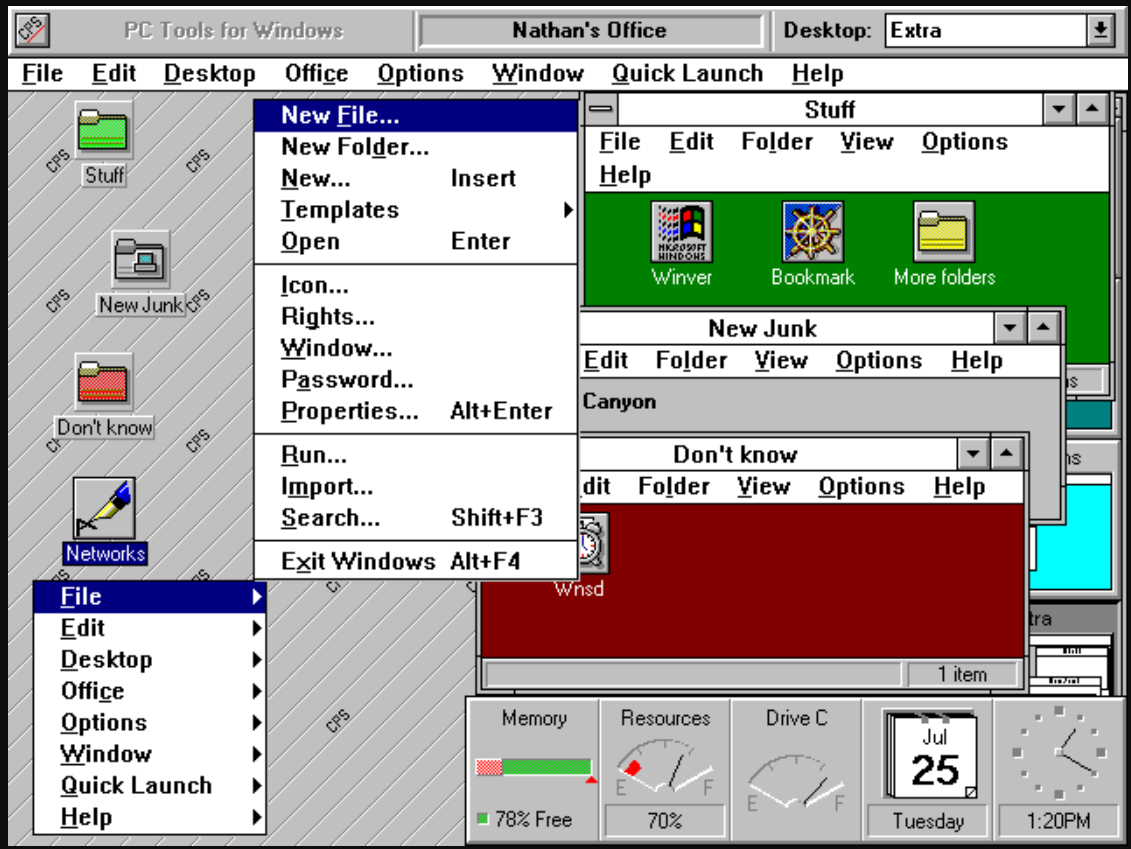
English
@cyber__razz An IP mainly enables targeting: rough location, scanning exposed ports/services, or DDoS.
English

@Maskoff023 AI detection improves with a tight loop: make “Report phishing” one-click, then feed verified reports back into filters to cut misses and false positives.
English

Do you think the current 𝕏 algorithm is getting better or worse?
English
@Cyblackorg Before you apply, pick one outcome (SOC/DFIR, cloud security, or GRC) and use the bootcamp to build skills for that path-not just collect certs.
English

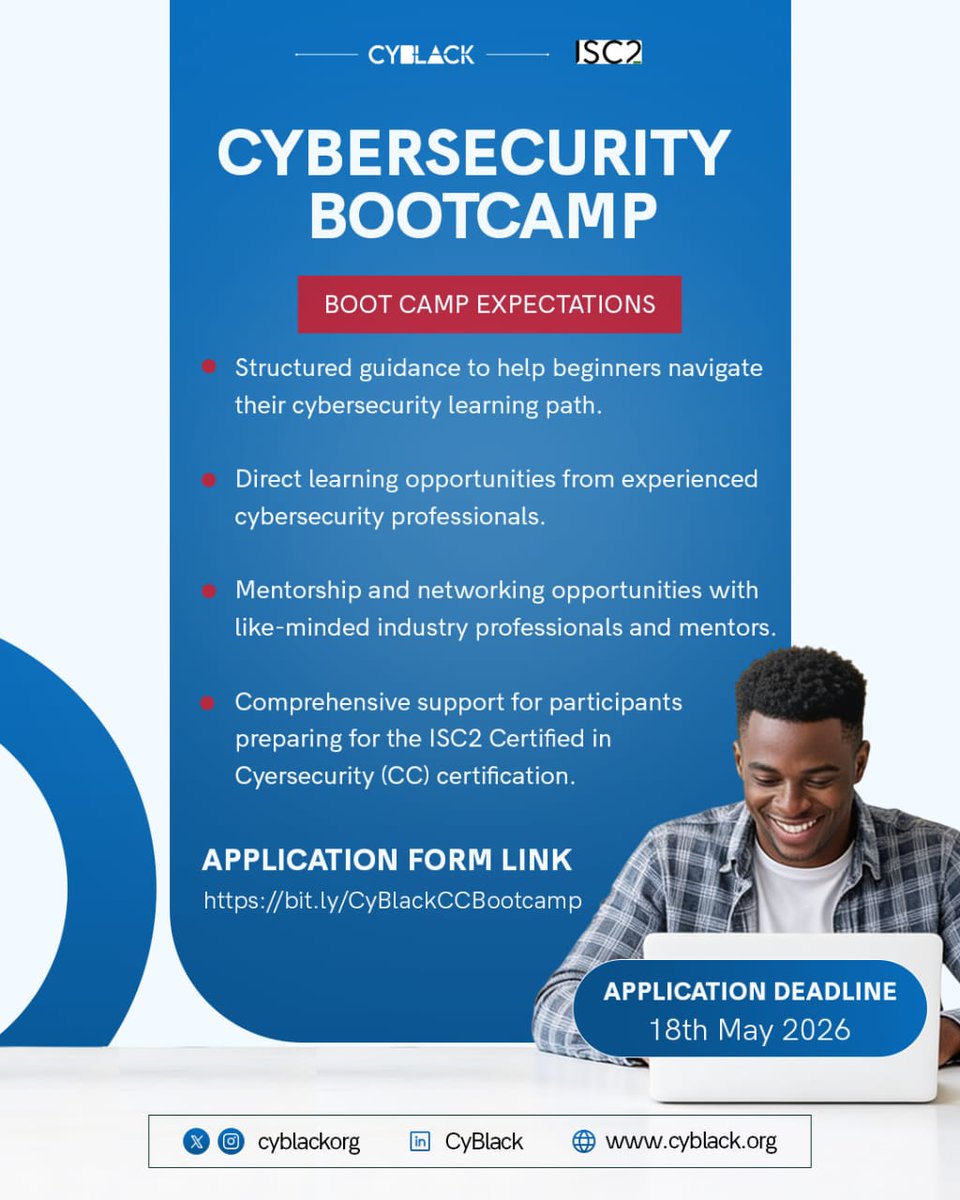
Are you passionate about cybersecurity but unsure where to begin?
We’ve partnered with ISC2 to offer a structured cybersecurity bootcamp designed to help you start your journey & set you up for success.
Register here to be shortlisted for the bootcamp:👇🏾
docs.google.com/forms/d/e/1FAI…
English
@cyber__razz Use ChatGPT for a quick direction, then confirm in the docs for your exact API/version (and run a tiny repro) to avoid subtle edge-case mistakes.
English
I saw a guy reading documentation today.
Stack Overflow tab.
GitHub issues tab.
Reddit thread from 2019 tab.
YouTube tutorial tab.
He closed them all and asked ChatGPT.
It’s Me.
English
@so_phie_C Outrage gets rewarded more than nuance, so good people disengage.
English

@VivekIntel Pull 3 job ads you’d apply for, tally the repeating tools/skills, then pick the cert that closes the biggest gap for those roles.
English

𝗖𝘆𝗯𝗲𝗿𝘀𝗲𝗰𝘂𝗿𝗶𝘁𝘆 𝗖𝗮𝗿𝗲𝗲𝗿𝘀 & 𝗧𝗵𝗲 𝗖𝗲𝗿𝘁𝗶𝗳𝗶𝗰𝗮𝘁𝗶𝗼𝗻𝘀 𝗧𝗵𝗮𝘁 𝗠𝗮𝘁𝗰𝗵 𝗧𝗵𝗲𝗺 🔐📜
Choosing a cybersecurity certification without choosing a career path first is a mistake.
Different roles require different skills, tools, and certifications.
Here’s a simplified breakdown 👇
━━━━━━━━━━━━━━━━━━
1️⃣ Cybersecurity Analyst
📜 Security+, CISSP
→ Monitoring, detection, security operations
━━━━━━━━━━━━━━━━━━
2️⃣ Penetration Tester (Ethical Hacker)
📜 CEH, OSCP
→ Web hacking, exploitation, red teaming
━━━━━━━━━━━━━━━━━━
3️⃣ Security Consultant
📜 CISSP, CISM
→ Security strategy, advisory, enterprise security
━━━━━━━━━━━━━━━━━━
4️⃣ Security Engineer
📜 Cisco CyberOps Associate, CISSP
→ Security infrastructure, firewalls, SIEM, EDR
━━━━━━━━━━━━━━━━━━
5️⃣ Incident Responder
📜 GCIH, CISSP
→ Incident handling, malware investigations, threat response
━━━━━━━━━━━━━━━━━━
6️⃣ Security Architect
📜 CISSP, CISA
→ Designing secure enterprise environments
━━━━━━━━━━━━━━━━━━
7️⃣ SOC Analyst
📜 Security+, CySA+
→ SIEM, alerts, log analysis, threat detection
━━━━━━━━━━━━━━━━━━
8️⃣ Cybersecurity Manager / Director
📜 CISSP, CISM
→ Leadership, governance, risk management
━━━━━━━━━━━━━━━━━━
9️⃣ Cryptographer
📜 CISSP, CES
→ Encryption, cryptographic systems, secure protocols
━━━━━━━━━━━━━━━━━━
🔟 Security Awareness Trainer
📜 CISSP, CISM
→ Security education & awareness programs
━━━━━━━━━━━━━━━━━━
1️⃣1️⃣ GRC Analyst
📜 CRISC, CISA
→ Governance, compliance, auditing, risk management
━━━━━━━━━━━━━━━━━━
1️⃣2️⃣ Network Security Engineer
📜 Cisco CyberOps, CISSP
→ Network defense, IDS/IPS, segmentation, VPNs
━━━━━━━━━━━━━━━━━━
1️⃣3️⃣ Cloud Security Engineer
📜 CCSP, AWS Security Specialty
→ AWS/Azure/GCP cloud security & IAM
━━━━━━━━━━━━━━━━━━
1️⃣4️⃣ Forensic Analyst
📜 CCE, GCFA
→ Digital forensics, evidence analysis, investigations
━━━━━━━━━━━━━━━━━━
1️⃣5️⃣ Threat Intelligence Analyst
📜 CTIP, CISSP
→ IOC analysis, threat hunting, adversary tracking
━━━━━━━━━━━━━━━━━━
📌 Important Reality Check
Most beginners chase advanced certifications too early.
That’s a mistake.
You do NOT need:
→ CISSP
→ CISM
→ CCSP
as a beginner.
Most of these require years of experience anyway.
━━━━━━━━━━━━━━━━━━
📌 Better Beginner Path (2026)
1. Networking fundamentals
2. Linux basics
3. Security+
4. Hands-on labs
5. SIEM & log analysis
6. Home lab projects
7. THEN specialize
━━━━━━━━━━━━━━━━━━
Certifications help you pass HR filters.
Skills help you pass technical interviews.
Projects help you stand out.
#CyberSecurity #SOC #Pentesting #CloudSecurity #InfoSec
English
@cyber__razz IPv4 class ranges: A 1-126, B 128-191, C 192-223, D 224-239 (multicast), E 240-255 (reserved); in practice you’ll mostly see CIDR.
English


@Ahmed___khaan Start tiny: 20 min/day in a home lab-patch one VM and write 3 notes (what changed, what broke, what you’d check next).
English

@cyber__razz Frame by lifecycle: Red = recon (Nmap/Amass) → exploit (Metasploit) → C2 (Sliver); Blue = EDR + SIEM/SOAR, vuln mgmt, detections (Sigma/YARA).
English


@Maskoff023 In Wireshark, filter to dns (or http), capture one request→response (a DNS lookup or HTTP GET), and explain each field in plain English.
English

POV: You opened Wireshark for the first time and suddenly felt like everyone else in cybersecurity speaks a secret language. 😭
TCP, UDP, packets, logs, SIEM, Linux commands everywhere…
But here’s the truth:
Most beginners are confused in silence.
The people getting better aren’t always the smartest.
They’re just the ones who kept learning even when nothing made sense at first.
Cybersecurity is one of those fields where: the more you learn, the more you realize there’s still more to learn.
So don’t quit because you feel behind.
Keep practicing. Keep breaking things. Keep asking questions. Keep showing up.
One day you’ll look back and laugh at the things that once overwhelmed you.
English
@CyberRacheal Before you make the USB, verify the ISO’s SHA256 against the checksum on the distro’s official download page.
English

Installing Linux is like giving your computer a new brain, and you can easily do it using a portable USB flash drive.
First, you download a version of Linux (called a "distribution" or "distro," like Ubuntu or Linux Mint) from the internet onto a working computer.
Next, you use a free tool like Rufus or BalenaEtcher to turn your USB drive into a "bootable" installer, essentially copying the Linux setup files onto it.
Finally, you plug this USB drive into the computer where you want Linux, restart the machine,
and press a special key (like F12 or Delete) to enter the boot menu, telling your computer to start up from the USB instead of its usual hard drive.
Once the computer boots from the USB, a friendly setup wizard will appear on your screen, letting you test Linux before making any permanent changes.
If you like what you see, you click "Install" and the wizard guides you through a few simple choices,
such as selecting your language, connecting to Wi-Fi, and creating a username and password.
You can then choose to wipe your old operating system completely and replace it with Linux,
or install Linux right alongside your current system so you can choose between them every time you turn your computer on.
Abdulkadir | Cybersec@cyber__razz
How tf does one even install Linux on their system?
English

You are a GRC Analyst.
A team wants to deploy a new cloud app:
• Will store customer data
• Uses third-party APIs
• No prior security review
• Go-live is in 5 days
What do you do first?
A. Approve launch
B. Risk assessment
C. Block deployment
D. Log exception
Drop your answer in comments ↓
English
@cyber__razz Prank” intent can still trigger enterprise-scale outages-another case for least privilege and segmentation.
English
In 1999, a 15 year old hacker named Jonathan James became the first juvenile ever incarcerated for cybercrime in the U.S. His access led to a 28 day shutdown of NASA’s computers….including systems supporting the International Space Station….costing the agency $1.7 million.

Ramin Nasibov@RaminNasibov
What historical fact sounds fake but is true?
English