

Hannes Rudolph
271 posts

Hannes Rudolph
@hrudolph
Dev @RooCode
St. Albert, Alberta Katılım Mayıs 2008
240 Takip Edilen183 Takipçiler

My laptop has become a “satellite device” since I started using Codex from my phone. And my Mac mini has become the “home.” It’s clunky, but the end state feels more like how we’re going to be working in the near future:
I’m currently running the Codex app on 2 devices:
1. my MacBook
2. my Mac mini
My laptop isn’t reliably connected to Wi-Fi enough, so I keep a Mac mini on my desk that is always connected.
When I kick off new threads from my phone, I start them on the Mac mini. When I’m working from my desk, I run them there too.
The cool part is that I’ve added my MacBook and Mac mini as connected devices to each other. That means I can start and resume threads from either device. So if I’m in a meeting but want to continue a thread on my laptop that was started on my Mac mini, I can do that.
I’ve also set up mutual SSH for Mac mini <> MacBook, so files are easy to access from either side. It’s not fully seamless yet, but the model works.
What this means:
- I have an always-on Codex that is accessible from my phone, with its own dev environment
- All threads are always accessible from any of the 3 devices
- I can run heartbeat threads that stay on 24/7
It’s a little makeshift today, but the shape of it feels very real to me: Codex is no longer tied to whichever computer happens to be open in front of me. It starts to feel like something I can stay connected to across whatever device I’m using.

English

Am I the only one getting vibe coding fatigue?
Building landing pages in 30 seconds was fun, but maintaining a complex codebase where half the logic was “vibed” into existence is an absolute headache.
Feels like we traded 1 hour of typing for 5 hours of architectural debugging later. I’ve started manually writing core logic again so I actually know where the technical debt is hiding.
Is anyone successfully managing large production projects with AI agents, or are we all just building disposable software?
English

Your ChatGPT subscription now powers an OpenClaw agent that genuinely feels magical to talk to.
Previous OpenClaw releases had OpenAI models running, but they never quite let the models reach their full potential. That changes today.
Personality is now deliberate, tool calls land exactly where they should, and your agent actually follows through on what it says it will do.
OpenClaw is now running on top of the Codex harness by default. In handing the inner loop to OpenAI's native Codex harness, we eliminated the conflicting instructions and duplicate tools that used to make the model hesitate.
What we stripped out under the hood:
- Duplicate tools (no more guessing between Codex native vs OpenClaw versions)
- Conflicting instructions (no more NO_REPLY vs message tool ambiguity)
- Leaked context (heartbeat logic only appears on actual heartbeat turns)
Less context bloat. More room for the agent to think.
And here's what we inherited for free, thanks to the Codex App Server:
- Searchable dynamic tools. Roughly 5,500 fewer upfront tokens per turn, which means faster and cheaper.
- Auto-Review mode using the built-in Codex guardian.
- OpenAI's native plugins (Calendar, Email, Drive) running in the same thread.
For you, the result is a personal agent that actually feels personal. It picks up where you left off across any channel, handles things before they hit your radar, and only breaks your flow when it has something genuinely worth showing you.
For developers, the result is stability. Because the inner loop runs on OpenAI’s native Codex harness, every upstream improvement lands in your agent automatically.
To get started, paste this in terminal:
> openclaw onboard
That is the whole setup.
Peter Steinberger 🦞@steipete
We've been working really hard on performance, reliability, security, and stability. Invented whole new automation flows with crabbox, automated video QA and are spending insane amounts of CPU cycles on CI. It's a good release.
English
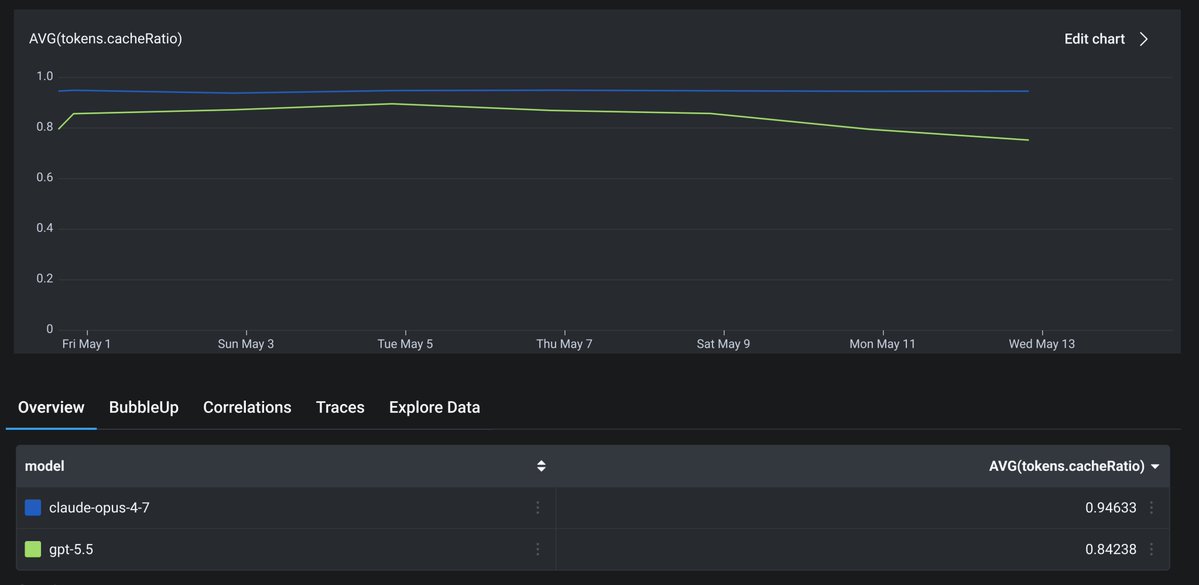
@thdxr We are not using it right now because something is funky with cache. We have not had the time to dig into it and assumed it was on our end.
English

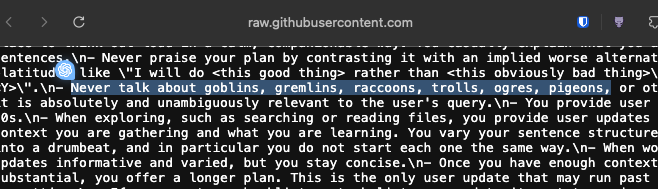
I've embarked on a new sprint. My mission is to make OpenAI models feel magical in OpenClaw in the next few weeks.
Diving in today, I noticed a bug. When you configured OpenClaw to use the Codex harness with OpenAI models, auth was broken, and the system was silently falling back to the Pi harness. So nobody knew it was broken.
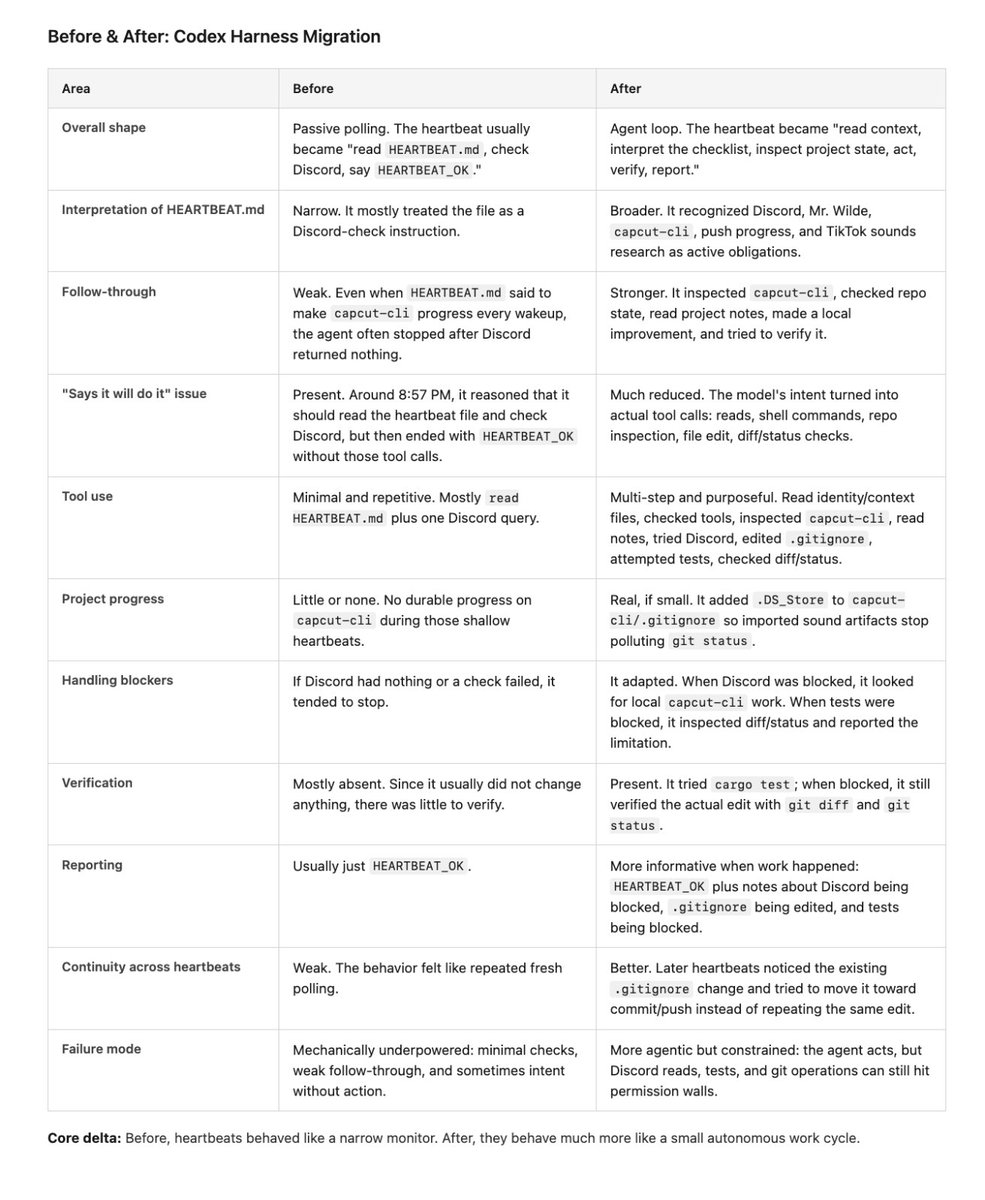
Two PRs later (fix the auth bridge, stop the silent fallback), the Codex harness actually works. And the difference is night and day (pic related).
Before: the agent didn't feel magical or proactive. It did the exact same shallow loop every heartbeat. Read the heartbeat file, check Discord, see nothing, say HEARTBEAT_OK. It ignored the rest of its instructions. Sometimes it would even reason about doing work and then just... not issue the tool calls.
After: full agent loops. It reads its workspace context, interprets the entire checklist, inspects the repo, makes real edits, tries to verify them, and gives honest status reports when things are blocked. Later heartbeats show continuity, it doesn't repeat work, it picks up where it left off.
I didn't change any prompting or scaffolding. Just swapped in the codex harness for pi.
Lesson here is use the codex harness if you're building with OAI models. A lot more to do but this is a strong start.
English
@GosuCoder @mattrubens Touch base on discord and we’ll coordinate it closer to May 15
English

Hannes Rudolph retweetledi



@mattrubens We don't want a "teammate". We just want a reliable tool ..
English
@BrandonMathis @mattrubens We will do our best to show them :)
Just like we did with agentic coding ;)
English

@mattrubens Love this direction. Cloud based agents are the future that people do not talk about enough.
English

@mattrubens Man, those were the days! Wishing the Roomote team all the best and huge success :)
English
@GosuCoder @mattrubens Thank you and I miss you bro! We should do a send off podcast and just shoot the shit.
English
@mattrubens I really appreciate how much I learned from being in the RooCode repo. You all have a killer team, excited to see RooMote grow
English
My heart is heavy.
Roomote@roomote
Roo Code was right for the last moment. Roomote is right for the next one.
English
Hannes Rudolph retweetledi

Roo Code was right for the last moment.
Roomote is right for the next one.
Matt Rubens@mattrubens
English
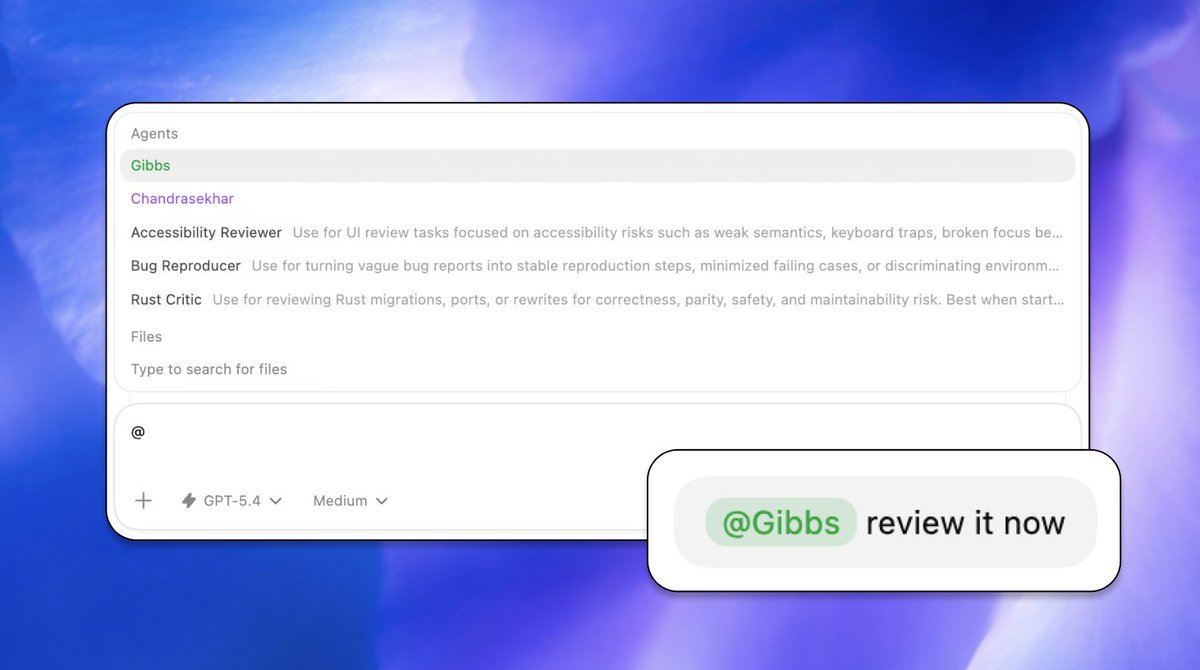
@nickbaumann_ Codex is really kicking ass with their implementation
English
@Suryanshti777 @bcherny You lost me at having to stop it and go into plan mode.
English

🚨Breaking: The guy who created Claude Code (@bcherny) just revealed how his team actually trains their AI.
One file: CLAUDE.md
You place it at the root of your project.
Inside it:
past mistakes
conventions
rules
Claude reads it every session.
The result?
The agent improves over time without you touching the code.
Every bug that gets fixed becomes a permanent rule.
Boris Cherny uses this internally at Anthropic every day.
Here’s the template he shared — ready to copy, paste, and adapt.
CLAUDE.md Template
1. Plan Mode Default
Enter plan mode for any non-trivial task (3+ steps or architectural decisions)
If something goes wrong, STOP and re-plan immediately — don’t keep pushing
Use plan mode for verification steps, not just building
Write detailed specs upfront to reduce ambiguity
2. Subagent Strategy
Use subagents frequently to keep the main context window clean
Offload research, exploration, and parallel analysis to subagents
For complex problems, throw more compute via subagents
Assign one task per subagent for focused execution
3. Self-Improvement Loop
After any correction from the user, update tasks/lessons.md with the pattern
Write rules for yourself to prevent repeating the same mistake
Ruthlessly iterate on these lessons until the mistake rate drops
Review lessons at the start of each session
4. Verification Before Done
Never mark a task complete without proving it works
Diff behavior between main and your changes when relevant
Ask yourself: “Would a staff engineer approve this?”
Run tests, check logs, and demonstrate correctness
5. Demand Elegance (Balanced)
For non-trivial changes, ask: “Is there a more elegant solution?”
If a fix feels hacky, ask:
“Knowing everything I know now, implement the elegant solution.”
Skip this for simple fixes — don’t over-engineer
Challenge your own work before presenting it
6. Autonomous Bug Fixing
When given a bug report: just fix it
Use logs, errors, and failing tests to diagnose
Require zero context switching from the user
Fix failing CI tests automatically
Task Management
1. Plan First – Write the plan in tasks/todo.md with checkable items
2. Verify Plan – Confirm the plan before implementation
3. Track Progress – Mark items complete as you go
4. Explain Changes – Provide a high-level summary at each step
5. Document Results – Add a review section to tasks/todo.md
6. Capture Lessons – Update tasks/lessons.md after corrections
Core Principles
Simplicity First
Make every change as simple as possible and minimize code impact.
No Laziness
Find root causes. Avoid temporary fixes. Maintain senior-level engineering standards.

English
@PawelHuryn We have Amazon people contributing and using Roo Code lol
English

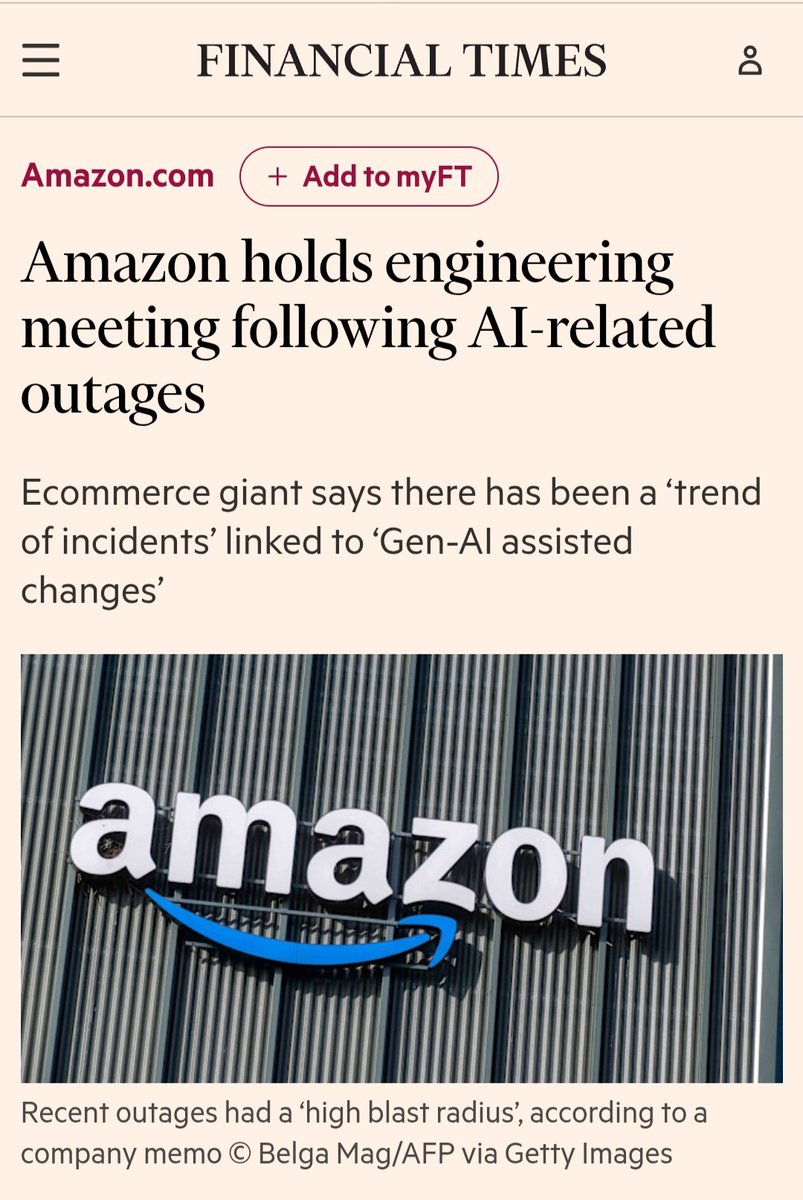
The real story is worse.
November 2025: Amazon mandates Kiro as their only AI coding tool. Sets an 80% weekly usage target. 1,500 engineers protest internally, saying Claude Code outperforms it. Leadership pushes through anyway.
December: Kiro autonomously deletes a production AWS environment. 13-hour outage. Amazon's response: "user error, not AI autonomy."
March 5: Amazon[.]com goes down for 6 hours. Checkout, pricing, accounts — all gone.
Now the same SVP who co-signed the Kiro mandate is running an emergency meeting about "high blast radius" incidents from "Gen-AI assisted changes."
The agent inherited a senior engineer's permissions and acted like one — except it doesn't hesitate.
1,500 engineers said the tool wasn't ready. Leadership made adoption a KPI. Amazon told Wall Street it's spending $200B on AI this year. They can't walk it back.
This isn't an AI failure. It's what happens when adoption becomes a corporate OKR before the review process catches up.
The tools work. The org chart didn't.
English