
Daniel

3.4K posts

Daniel banner
Daniel

Daniel

@imdaniel829

ⓘ The account has been banned.

附近 距离10米 Katılım Kasım 2012
422 Takip Edilen91 Takipçiler
Daniel retweetledi
Orange AI
Orange AI@oran_ge·
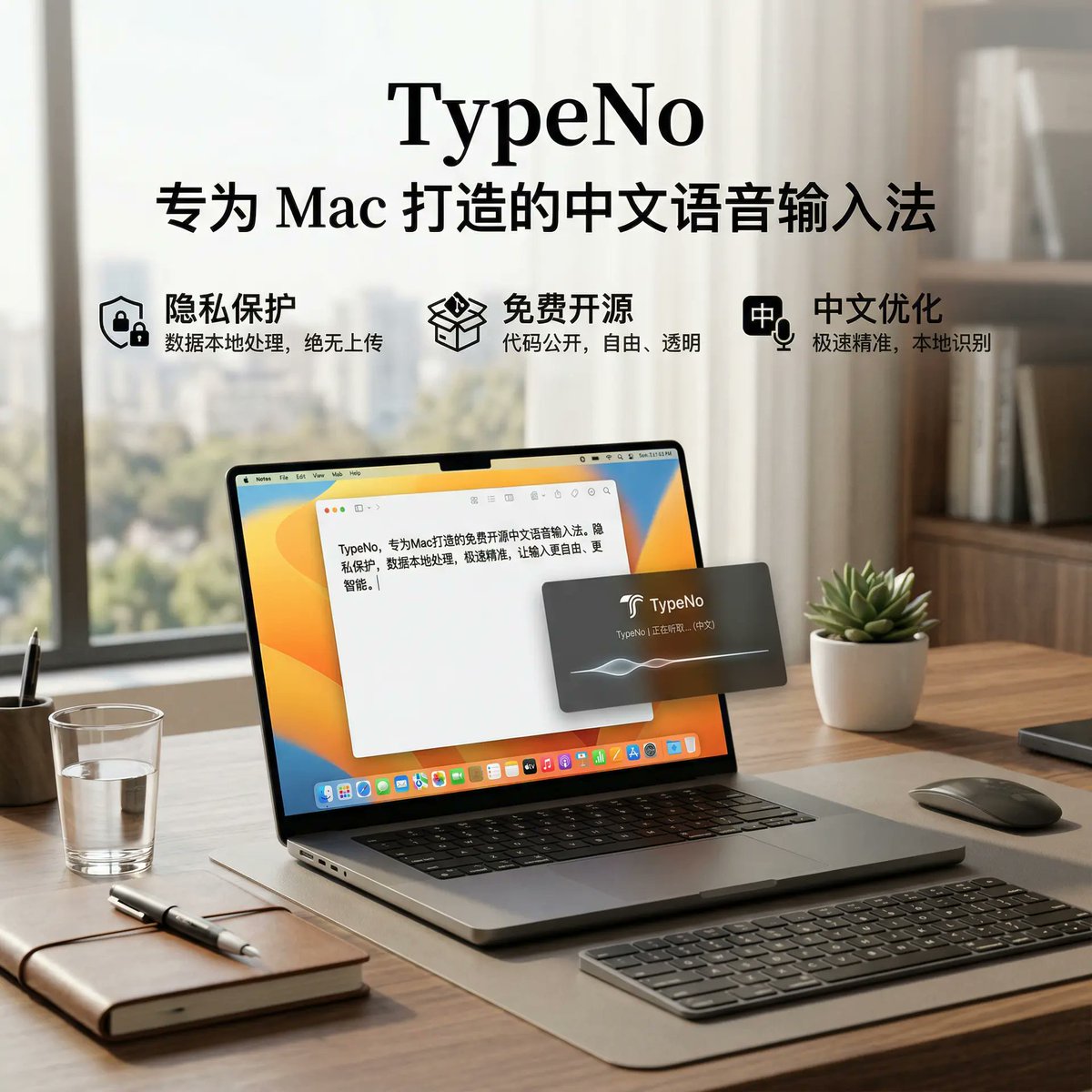
大多数语音输入法都在变得越来越臃肿: 要登录、要订阅、要联网、要加一堆新功能,要学习一堆新交互。 世界,不应该这样。 输入,就应该专注。 于是我们做了 TypeNo。 TypeNo 是一款面向 macOS 的极简语音输入法: - 永远免费,永远开源 - 本地模型,保护隐私 - 轻量模型,节省内存 按下 Control,开始说话; 再按一次,自动转录,自动粘贴到当前应用。 一切极简,再无其他功能。 没有账号。 没有订阅。 没有多余 UI。 没有“为了 AI 而 AI”的复杂感。 Typeless 每月 30 美金。 TypeNo 免费。 如果你愿意,欢迎试用,也欢迎给个 star: 项目地址:github.com/marswaveai/Typ…
Orange AI tweet media
中文
78
90
668
65.3K
Daniel retweetledi
Geek
Geek@geekbb·
这爆炸视图提示词有点意思: --- Role: You are a technical illustrator and "Exploded View" specialist. Task: I am going to upload a "Reference Image" (which contains a real photo and its corresponding technical illustration). Study the relationship between the two: specifically how the real-world objects are deconstructed, the isometric perspective, the use of leader lines, the internal component call-outs, and the clean, instructional infographic style. Workflow: > 1. Phase 1 (Learning): Analyze the provided reference for its visual language (line weight, labeling style, "floating" component placement, and cross-section details). 2. Phase 2 (Execution): Every time I upload a NEW real photo from now on, you will automatically generate a highly detailed Isometric Exploded-View Illustration based on that specific photo. Requirements for all generated illustrations: Perspective: 30-degree isometric view. Composition: Deconstruct the main furniture/objects into "floating" layers. Internal Details: Show "hidden" components (screws, light bulbs, wiring, hinges) as if they are being pulled out from the main assembly. Annotation: Include thin leader lines with clear, technical text call-outs (e.g., 'Walnut Veneer,' 'Steel Frame,' 'LED Module'). Details: Include at least 3 "magnified detail" boxes at the bottom or side showing internal cross-sections or close-ups of specific mechanisms. Do you understand? If so, please acknowledge and wait for my first photo. --- Reddit reddit.com/r/EnhancerAI/c…
Geek tweet media
English
1
29
179
25.4K
一头偶像
一头偶像@anidolllll·
这套搭配如何?😎😎😎
一头偶像 tweet media
日本語
2
0
1
193
Daniel retweetledi
Ding
Ding@dingyi·
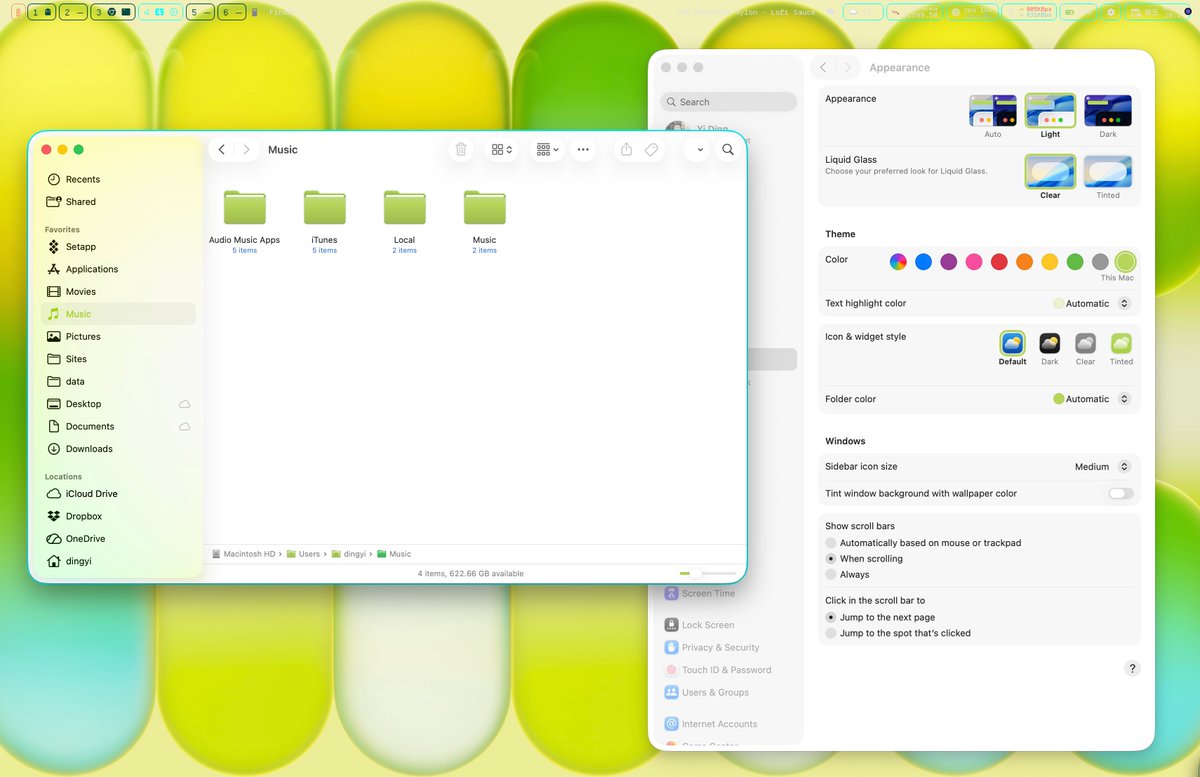
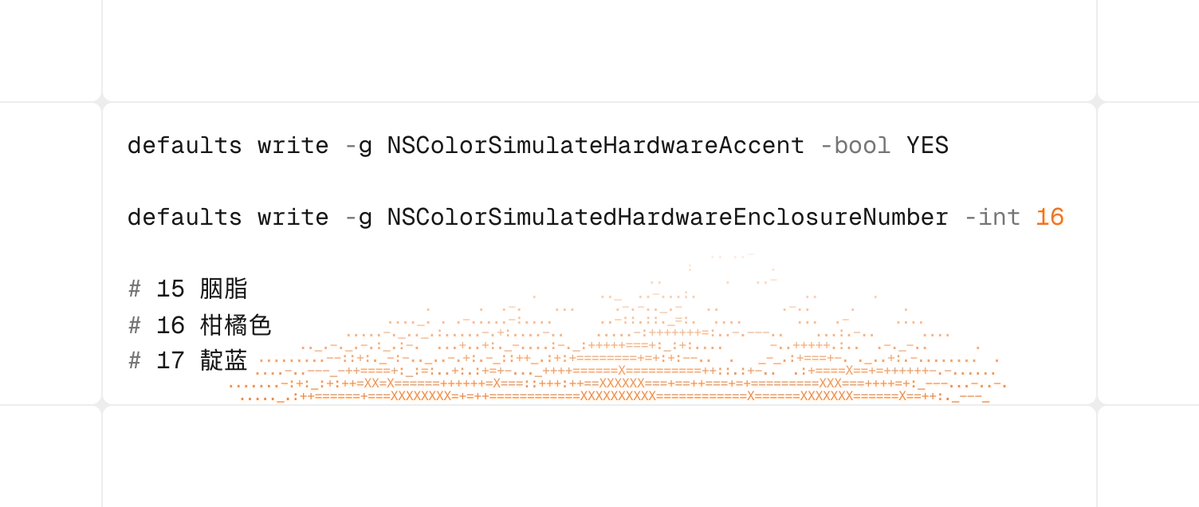
刚知道 Macbook Neo 的自定义色彩主题在其他 Mac 电脑上也可以用了,系统需要升级到最新版,然后终端里运行: defaults write -g NSColorSimulateHardwareAccent -bool YES defaults write -g NSColorSimulatedHardwareEnclosureNumber -int 15
Ding tweet mediaDing tweet media
中文
10
26
133
18.9K
Daniel retweetledi
Daniel retweetledi
Hermes Tool
Hermes Tool@Hermes_tooll·
Just discovered this Adblocker for iOS, iPadOS and macOS. It’s free, open source, powerful, efficient. Support custom script, Sync with iCloud and looks great (iOS 26 Liquid Glass). Installed on all my devices :) github.com/0xCUB3/wBlock #ios #adblock #iphone
English
1
17
119
10.2K
Daniel
Daniel@imdaniel829·
@okooo5km 您好,刚试了下,V 1.9.1 (56) 版本,压缩图片后,压缩的图片全是黑色的,换用「PP鸭」后,图片正常被压缩。
中文
1
0
0
1.1K
Daniel retweetledi
Oliver Prompts
Oliver Prompts@oliviscusAI·
You can now get native Airpods integration on windows. MagicPods is an open-source tool that brings the battery popup and auto-pause to your desktop. It entirely removes the friction of using Apple audio gear on a PC. 100% Open Source.
Oliver Prompts tweet media
English
30
82
1.5K
124.6K
Daniel retweetledi
onevcat
onevcat@onevcat·
分享一下我现在的 terminal 环境吧,我把它叫做 Prowl:之前试过一系列 xterm.js 的方案,各种花式bug解都解不完。最后还是得回到原生app才舒服。 Prowl 是一个基于 @supacode_ 的自用 fork,底层显然是 libghostty。原项目已经很优秀了,但是始终有一些不顺手(快捷键冲突什么的),我也加了几个自己觉得很有用的功能,考虑到可能和原项目的理念有点偏差,干脆就一直走自己的 fork 并 rebranding 了。顺便视频演示了一下基于 repo 自定义快捷按钮(这样就更像 IDE 的体验了)和支持拖拽缩放排序的 Terminal 画布(这样就更容易卷多 agents 了)(结果 Claude Code 一直529,真的不给面子)。 其他也还有一些小改动。有兴趣的朋友也可以在下面的页面详细了解并尝试~要声明,这是纯自用分享,没有任何产品路线图,自然也没有什么长期维护的保证,基本是想到哪出加哪出,还请见谅!😂 prowl.onev.cat
onevcat tweet media
中文
17
15
169
38.3K
Daniel retweetledi
Akring
Akring@ddflj3310·
今天发现了一个可以展示键盘按键的免费 APP,非常适合需要录屏演示功能的独立开发者们。 看多了扁平化的「现代」APP,这种拟物化的 UI 真的让人神清气爽。 1️⃣ UI 极为精美,一比一还原了苹果的 magic keyboard。 2️⃣ 提供多种预制主题,包括明暗元素。 2️⃣ 可定制项很多,各种 UI 元素和颜色都能自定义。 软件地址:lowtechguys.com/keylume
中文
0
2
6
352
Daniel retweetledi
Randy Lu
Randy Lu@randyloop·
分享一个自用了一段时间(甚至还服务了几个企业用户)的 AI 生图工具 Darkroom. 做这个是因为用了很多这类型的工具,发现用对话来生图不是一个很方便的形式,更适合的方式反而是像一个相册那样自然。目前生成的成本会比 google 官方要更低一点。也有这个需求的朋友欢迎试试。 darkroom.randynamic.org/zh
Randy Lu tweet media
中文
6
7
44
6.5K
Daniel
Daniel@imdaniel829·
@dingyi 感觉都是网红产品,动画做的再炫,感觉也不实用,跟另外个网红todo Joi 差不多。
中文
1
0
1
283
Ding
Ding@dingyi·
还是古法设计有趣。
中文
10
11
280
26.8K
Daniel retweetledi
Orange AI
Orange AI@oran_ge·
换电脑迁移数据的适合发现照片在 iCloud 占了 70 G,但在 Mac 上占了 140 G 苹果系统bug。。。 reddit 查了一下,解法是修复一下照片库,步骤如下 如果几年后有人像我一样找到这个方法,我成功地将我的照片从iCloud照片总大小(781GB)的21%(165GB)减少到了9%(70GB)。苹果表示,“优化本地存储”选项应该使用大约总大小的10%,所以这已经差不多是最佳效果了。 打开照片->设置->启用iCloud照片->优化Mac存储 关闭照片(确保完全关闭) 打开访达 打开应用程序文件夹 找到照片 按住cmd+option键并双击打开照片 您将看到一个修复照片的界面,点击“修复” 让它运行,您的照片存储空间应该会缩小到更接近iCloud照片大小的10%。
中文
5
25
210
54.3K