

Jae
20.3K posts

Jae
@jaemclaugh
TechGeek who loves #AI, #Social, #Cloud, #StartUps, #ManUtd, #LGFA, and Dad to 4 great kids!
53.457224,-6.928146 Katılım Mart 2009
1.6K Takip Edilen690 Takipçiler

@jaemclaugh Thank you so much for your interest! Please send us a DM with your email address so we can get you added to the list. ✍️
English
Psst.
You there. Yes you.
Is your inbox running you?
We're building something new. Quietly. Not public.
Faster. Smarter. Almost unfair, really.
A few people are getting early access.
If you know, you know.
Comment or DM to be one of the first to try it.
English

I built a database with every Claude + LinkedIn prompt you'll ever need.
For free.
Most people treat prompts like recipes. Copy, paste, hope it works.
That's why 90% of AI-generated LinkedIn content sounds identical.
The difference between generic AI content and content that books calls isn't the tool. It's the prompt architecture behind it.
I've spent 6 months building, testing, and refining prompts specifically for LinkedIn growth in the AI/SaaS space.
This database includes prompts for:
→ Profile optimization (bio, banner, headline, featured section, skills)
→ Viral content generation (hooks, lead magnets, repurposing, sales call mining)
→ Outbound systems (DM sequences, Sales Nav targeting, reply handling)
→ Strategy and funnels (competitor analysis, ICP research, lead magnet campaigns)
These aren't generic ChatGPT prompts. They're built for one thing: turning LinkedIn into a revenue channel.
These prompts work because they're specific to the LinkedIn algorithm, B2B buyer psychology, and actual conversion mechanics.
Want the full prompt database?
1. Follow me
2. Comment "PROMPTS"
I'll send it directly.

English

claude opus 4.7 recently launched and it's absolutely CRACKED at finding untapped linkedin content ideas…
so i put together an 11-prompt library on how we’re using it to scale our B2B clients
for 24h, you can like + comment "OPUS" and i'll send it to your DMs
(must be following + RT for priority access)
English
Jae retweetledi

Big news 🕊️
Dove is launching soon.
But we're not waiting. We're still shipping new features every day.
400+ beta users. 5 platforms. An AI that learns how you work.
Not email + AI. AI email.
Silences the noise. Surfaces what matters. Helps with what's next.
The inbox you've been waiting for is almost here.
dove.email
#buildinpublic
English

Connect Claude to LinkedIn in 1 click
It can find leads, write messages, and run your outreach 👇
We created a 1-click connector
with 300+ built-in skills
now Claude actually manages your pipeline
One URL, 30 seconds to set up
then Claude becomes your outbound team
Here’s what’s possible once it’s connected
1/ Find high-intent leads
Claude scans the web for signals
job changes, funding, hiring, engagement
and surfaces people ready to buy
2/ Identify the best opportunities
“show me leads who engaged with competitors
in the last 7 days”
3/ Enrich leads instantly
Claude pulls company data, role, context
and builds a clean, qualified list
4/ Write hyper-personalized messages
each message is based on real signals
not generic templates
5/ Handle conversations
Claude replies, qualifies prospects
and pushes them toward a call
6/ Launch campaigns at scale
run LinkedIn outreach across accounts
with timing optimized for replies
7/ Improve performance over time
Claude learns what works
and continuously boosts reply rates
Connect “Connector” and I’ll send the setup guide
English


Introducing Gooseworks — AI coworkers that can do real GTM work.
Over the last few months, we've been obsessed with turning AI into actual coworkers for our team.
And it's working.
Goose is now our most valuable teammate – it finds high-intent leads, runs outbound campaigns, coordinates with influencers, tracks SEO / AEO and a ton more.
Today we're launching this publicly so everyone can create their own AI coworkers.
Each coworker (or Goose) has its own computer, filesystem, mailbox, memory, and tools.
Goose can work autonomously for hours, communicates over Slack, iMessage, WhatsApp or email, and gets smarter as you give it more context.
It's not just a personal assistant — your whole team can talk to Goose from anywhere, and schedule it to run on autopilot.
And here's the best part – we've already given Goose 100+ skills and data APIs for GTM work:
– map your TAM
– search people databases with natural language
– find leads from X and LinkedIn posts
– monitor intent signals from your ICPs
– update your CRM and generate reports
– find influencers and run outreach campaigns
– track visibility in search and answer engines
– connect to all the SaaS tools your business runs on
+++ lots more.
We also open-sourced every skill as a toolkit you can install directly in Claude Code.
Comment "Goose" and follow and I'll send you the install link.
English

I never run out of content to post anymore.
Built an automation that monitors 50+ news sources, scores articles for relevance, and writes social posts automatically.
It finds trending topics in my niche before they explode everywhere else.
Saves me 15-20 hours monthly and keeps me ahead of every trend.
Comment "NEWS" and I'll DM it to you (must be following)

English

Claude is a money-making machine if you know how to use it. Here's the ultimate guide in English.
Prompts, skills, Claude Code, monetization… it has everything.
FREE for 24 hours only! To get it:
1. Like this post
2. Comment "4.6"
3. Follow me to receive a DM

English

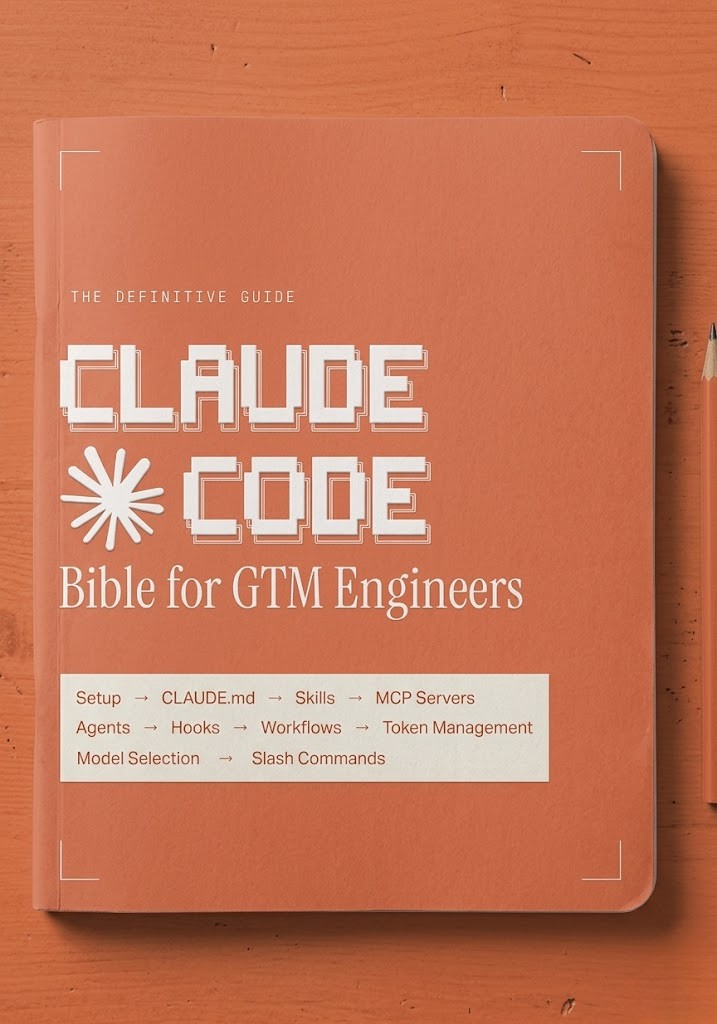
I put my entire Claude Code setup for GTM engineering into ONE Notion doc
10 modules. No fluff.
- How to install Claude Code and run your first GTM session in under 10 minutes
- How to build a CLAUDE. md that acts as your project brain and never loses context
- How to install GTM skills that chain together and run autonomously
- How to connect your full stack via MCP servers without writing custom wrappers
- How to run parallel agents and subagents across GTM workflows simultaneously
- How to manage context and token usage across long research sessions
- How to choose between Sonnet, Opus, and Haiku based on the task
- How to hook Claude Code into external triggers so workflows run without you
- The exact GTM workflows to build first: signal detection, lead scoring, outreach sequencing
- Full slash command reference for every repeatable GTM task
This is the setup I would have KILLED for before spending months piecing it together from documentation, YouTube tutorials, and scattered GitHub threads.
Like + comment "BIBLE" and I'll send it over
(must be connected for priority access)
English

This quarter, I’ve closed multiple $1M+ without a slide deck.
I’m using a single AI tool. Today, I want to share it, free.
After signing, a prospect asked me how we created the site. They were so wow-ed they wanted it for their own clients.
Here’s what floored them: it took a single designer 5 minutes to prompt and launch.
The AI chains together 6 key parts of our sales process, turning a 18-page deck into a single, personalized website.
When they asked, I gave them this template and workflow.
Now I want to share it for free:
Follow me + comment “GA” and I’ll DM it.
English

Introducing One.
The simplest way to connect and monitor AI agents to hundreds of apps.
And we’re open-sourcing the world’s largest integration database powering it: 47,000 agentic actions across 250+ apps.
RT + comment “One” for access & 1M free API requests/month.
English
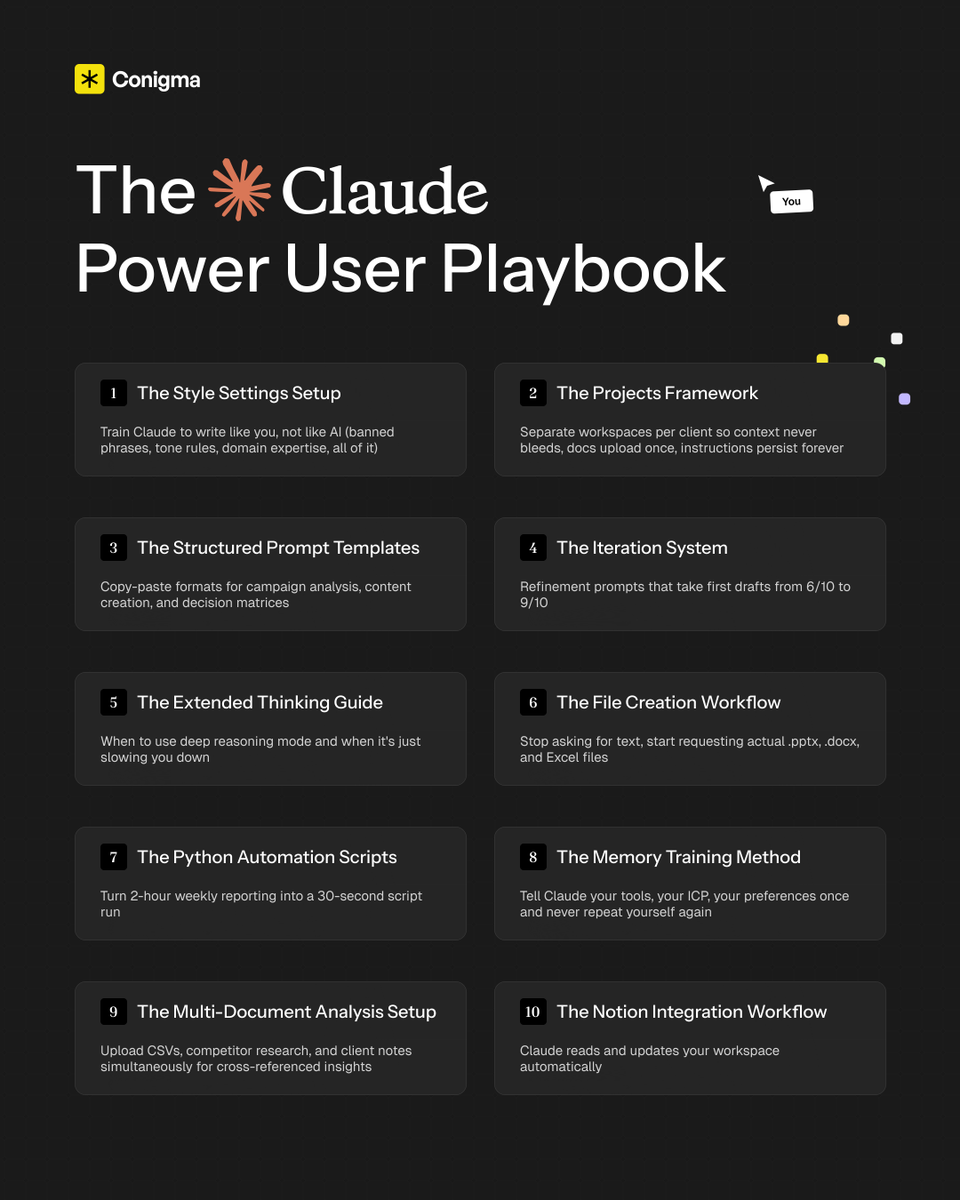
If you don't have my "Claude Power User Playbook" yet...
The one I built to get 10x more output from Claude every session with a complete system across settings, prompting frameworks, file creation, memory management, and advanced workflows...
Just comment "CLAUDE" and I'll DM it to you for free (must follow)
English

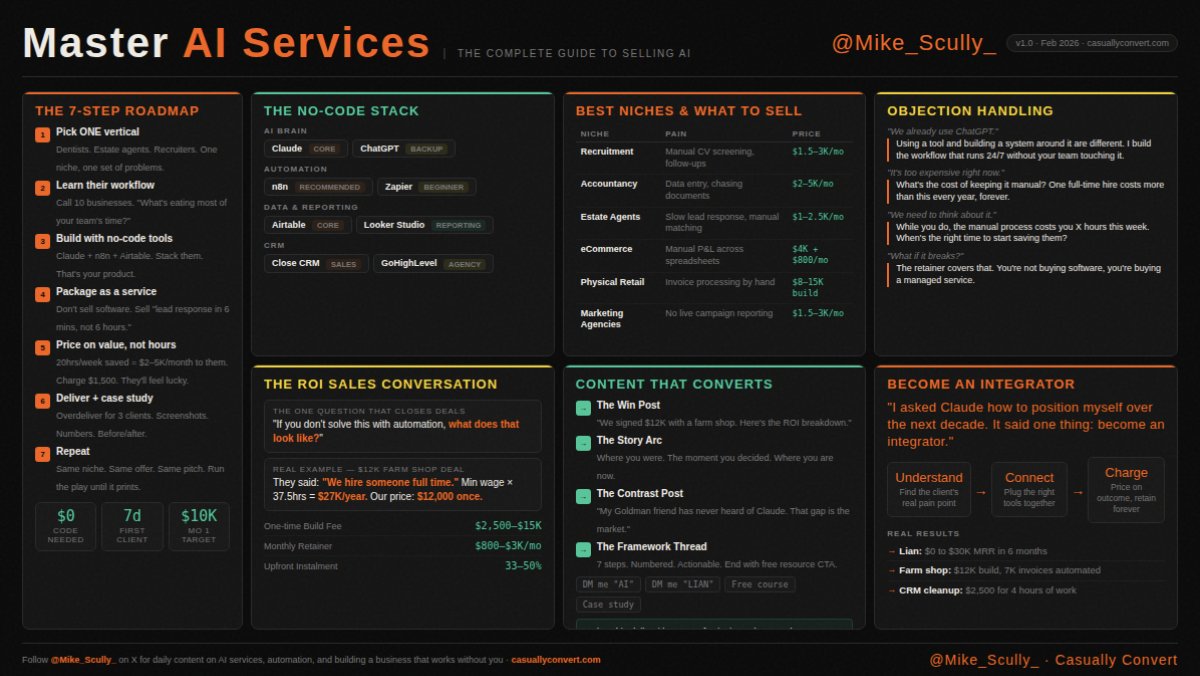
I condensed everything I know about selling AI services into one cheat sheet.
- Niche selection.
- Tech stack.
- ROI conversations that close deals.
- Objections and exactly how to handle them.
Free. Just save it.
If you want the full breakdown of how to go from zero to your first $10K month using this framework, drop "AI" in the comments and I'll send you the playbook.
(Must follow so I can dm you)
English
@jrudansky @NotionHQ Said I wasn't eligible because I use Gmail to log into Notion even though I can add M365/Outlook to Notion. Seems odd
English

Outlook + @NotionHQ AI Meeting Notes. It's (almost) here.
We're opening up the alpha, if you want to be one of the first to test it and help us get it right.
Want in early? Let us know → notion.pages.dev.notion.co/304b35e6e67f80…
English

i made a 3-day Claude Cowork for Beginners course, and it's yours for free
by the end, you'll have a personalized AI teammate on your computer that:
• knows your style
• connects to your tools
• and produces finished work you can send immediately
here's what you get:
day 1: install cowork, set global instructions, and run your first real task (15 min)
day 2: workflows that replaced hours of my week, including building landing pages from a description and running full competitive analyses in one prompt
day 3: skills, plugins, and connectors so cowork actually knows how you work and can access your tools
+ copy-paste prompts so you can follow along as you read
like + comment "COWORK" and i'll DM it to you
English