

Jason Wang
769 posts
Jason Wang
@jasonzoid
Opportunist, 80% optimistic 20% pessimistic. everything is a construct.
Planet Earth Katılım Temmuz 2014
417 Takip Edilen116 Takipçiler

Posting a ton of charts this week
What names do you want to see an analysis on?
English

Nvidia CEO Jensen Huang was spotted eating Beijing’s famous fried bean sauce noodles.
English
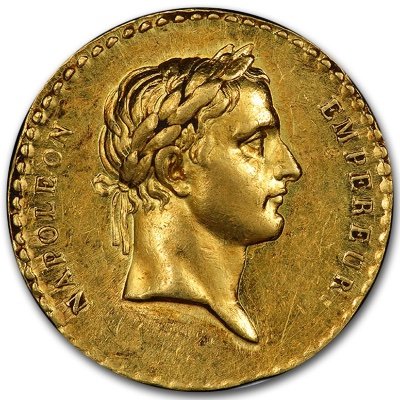
Absolutely fascinating!
Silicon powers all our chips.
Where it comes from and how it is made!
$NVDA $INTC $SOXX
#semiconductors
English


Jason Wang retweetledi

Jason Wang retweetledi

让AI连续工作10小时不崩溃?揭秘Anthropic官方推崇的“Harness工程”!
很多人用Claude Code跑长任务,跑着跑着AI就变傻、甚至罢工。
原因很简单:上下文窗口爆了。
今天分享一套让AI“无限续航”的系统级方案(Harness Engineering),不仅能让AI干活,还能让它自我进化。
1⃣ 核心原理:重置上下文
AI的记性有限。官方Anthropic的思路是:把大任务拆碎,每次只让AI在一个全新的、干净的上下文里干一件小事。
❌ 错误做法:把所有需求一次性塞给AI。
✅ 正确做法:拆解任务 -> 独立会话执行 -> 记录进度 -> 下一个循环。
2⃣ 方案对比:Ralph vs 多智能体
方案A(Ralph循环): 用Bash脚本写个while循环,强制重启新会话。简单粗暴,适合极客。
方案B(多智能体协同 - 推荐): 我在用的方案。更灵活,更像真实团队。
主Agent(Coordinator): 只负责调度,绝不写代码(保持上下文极其干净)。
子Agent(Workers): 计划、开发、测试(布局/美观/动画)。各司其职,独立上下文。
3⃣ 工作流设计(关键!)
我的实战工作流:
主Agent 接收需求 -> 丢给 计划Agent 出排期。
主Agent 拿到计划 -> 派给 开发Agent 写代码(只传文件路径,不传大段代码!)。
开发完 -> 派给 测试Agent 找Bug。
Bug修复闭环: 测试挂了?用 resume 参数唤醒同一个开发Agent修Bug(保留现场上下文),而不是开新号!
4⃣ 让AI自我进化的Secret Sauce
Lessons Learned: 建一个经验库文件。每次踩坑,强制AI把错误写进去。下一次开发,先读这个文件,避免重复犯错。
文件通信: Agent之间只传文件路径(Path),不传具体内容。主Agent的上下文永远只有几行字,永不爆窗。
这套系统我跑了一个通宵,生成了20多页PPT,质量极高。
真正的Harness不是让AI更聪明,而是设计一套不依赖AI记性的流程。
中文

Drop a ticker below for me to analyze using our indicator!
English
Jason Wang retweetledi

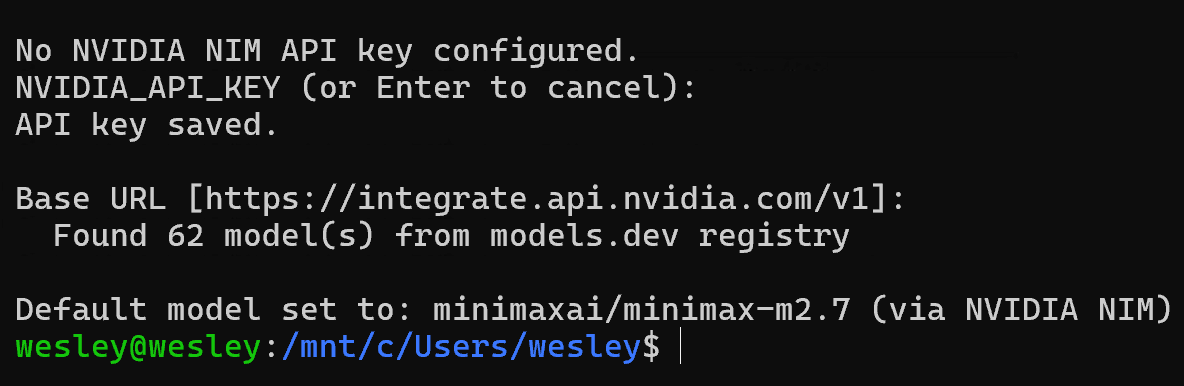
白瞟神组合: Hermes + NVIDIA 免费 Minimax 2.7 打通完成!
仅需四步,急速白瞟:
- 去 build.nvidia.com/settings/api-k… 注册创建key
- 运行 hermes update 命令更新到最新版
- 运行 hermes model 命令选择「NVIDIA NIM」
- 填入 第一步创建的 key
齐活,40次/分钟的免费调用,卡卡乱蹬!
中文
Jason Wang retweetledi

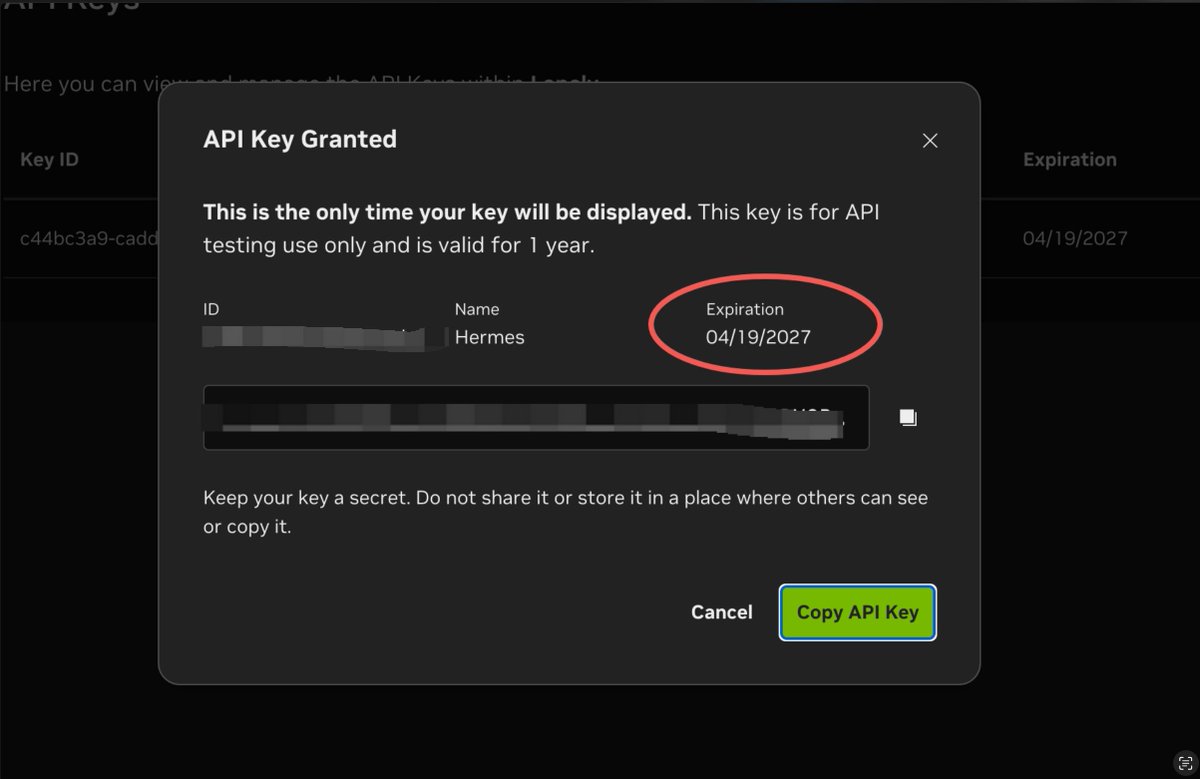
🚀好消息!NVIDIA 限时福利:一年期 API Key 免费领!
Hermes Agent 现已支持接入 NVIDIA NIM 平台,实测可选 MiniMax 2.7 模型。
获取后的 API Key 有效期长达12个月,目前可用。
有便宜不占是王八蛋吖😂,不领白不领。
传送门: build.nvidia.com
omega.欧米茄.AI@PierceZhang34
中文

Jason Wang retweetledi
Iran's Hormuz crypto toll is viral catnip… a crock of 💩
‘3,600 BTC/day = 8× global mining.'
Yeah right!
More like $1/barrel on laden tankers only. Ceasefire traffic ~12 ships/day, not 130. Mixed BTC/stablecoins/yuan.
Actual inflow: a rounding error vs. hype.
First nation-state monetizing a global chokepoint in sats to evade sanctions.
Chokepoint economics just went on-chain. Petrodollar's quiet divorce. Who's next? 👀
#Bitcoin #Geopolitics $IBIT x.com/TechLeviathan/…
English
Jason Wang retweetledi

LLM Knowledge Bases
Something I'm finding very useful recently: using LLMs to build personal knowledge bases for various topics of research interest. In this way, a large fraction of my recent token throughput is going less into manipulating code, and more into manipulating knowledge (stored as markdown and images). The latest LLMs are quite good at it. So:
Data ingest:
I index source documents (articles, papers, repos, datasets, images, etc.) into a raw/ directory, then I use an LLM to incrementally "compile" a wiki, which is just a collection of .md files in a directory structure. The wiki includes summaries of all the data in raw/, backlinks, and then it categorizes data into concepts, writes articles for them, and links them all. To convert web articles into .md files I like to use the Obsidian Web Clipper extension, and then I also use a hotkey to download all the related images to local so that my LLM can easily reference them.
IDE:
I use Obsidian as the IDE "frontend" where I can view the raw data, the the compiled wiki, and the derived visualizations. Important to note that the LLM writes and maintains all of the data of the wiki, I rarely touch it directly. I've played with a few Obsidian plugins to render and view data in other ways (e.g. Marp for slides).
Q&A:
Where things get interesting is that once your wiki is big enough (e.g. mine on some recent research is ~100 articles and ~400K words), you can ask your LLM agent all kinds of complex questions against the wiki, and it will go off, research the answers, etc. I thought I had to reach for fancy RAG, but the LLM has been pretty good about auto-maintaining index files and brief summaries of all the documents and it reads all the important related data fairly easily at this ~small scale.
Output:
Instead of getting answers in text/terminal, I like to have it render markdown files for me, or slide shows (Marp format), or matplotlib images, all of which I then view again in Obsidian. You can imagine many other visual output formats depending on the query. Often, I end up "filing" the outputs back into the wiki to enhance it for further queries. So my own explorations and queries always "add up" in the knowledge base.
Linting:
I've run some LLM "health checks" over the wiki to e.g. find inconsistent data, impute missing data (with web searchers), find interesting connections for new article candidates, etc., to incrementally clean up the wiki and enhance its overall data integrity. The LLMs are quite good at suggesting further questions to ask and look into.
Extra tools:
I find myself developing additional tools to process the data, e.g. I vibe coded a small and naive search engine over the wiki, which I both use directly (in a web ui), but more often I want to hand it off to an LLM via CLI as a tool for larger queries.
Further explorations:
As the repo grows, the natural desire is to also think about synthetic data generation + finetuning to have your LLM "know" the data in its weights instead of just context windows.
TLDR: raw data from a given number of sources is collected, then compiled by an LLM into a .md wiki, then operated on by various CLIs by the LLM to do Q&A and to incrementally enhance the wiki, and all of it viewable in Obsidian. You rarely ever write or edit the wiki manually, it's the domain of the LLM. I think there is room here for an incredible new product instead of a hacky collection of scripts.
English
Jason Wang retweetledi

> Claude's code leaked today
> everyone analyzing what they found
> I'm analyzing how to never hit limits again
> been paying Pro for 8 months
> still hitting limits every week
> desperate, found article: 10 actual solutions
> not "just wait" or "upgrade"
> real workarounds
> tried 4 of them
> haven't hit limit in 3 weeks
> realization: limits aren't hard caps
> they're settings you can work around
bookmark before limit hits mid-project again
kaize@0x_kaize
English
Jason Wang retweetledi

> Baron Trump
> 2006: ~ $5
> 2026: ~$150 million
> Claude Bot
> $300 → $2.4M
> me after reading the guide and staying up all night
> $5 → $25
AdiiX@adiix_official
English
Jason Wang retweetledi

In 2019, MIT professor Patrick Winston gave a legendary 1-hour lecture called “How to Speak.”
It has 18M+ views for a reason.
His frameworks:
• Your ideas are like your children
• The 5-minute rule for job talks
• Why jokes fail at the start
15 lessons on communication:
English

连Siri都搞不明白的苹果,正在拿走AI圈最轻松的钱。
去年苹果靠AI应用进账9亿美元。
这里面一大半全是ChatGPT贡献的。
明年这笔收入就要突破十亿大关。
他们根本不需要去跑什么前沿大模型。
前面拼刺刀的巨头们付出了多大代价?
亚马逊砸了一千多亿。
微软八百亿,谷歌七百五。
几家合起来烧掉快四千亿美元去搞基建。
投行预测亚马逊今年的自由现金流会直接变负。
苹果在AI上才花了一百二十亿。
同行的零头都不到。
Sam Altman辛辛苦苦融来一千一百亿。
造出了历史上最火的AI产品。
苹果连一行代码都不用写。
坐收iPhone上每一笔订阅30%的提成。
谷歌的处境最荒诞。
每年先乖乖上交两百亿美元保住默认搜索的位置。
转身还要为iOS端Gemini的订阅费再交一笔抽成。
两头挨宰。
全世界都知道Siri落后得可笑。
苹果也懒得掩饰。
干脆找谷歌Gemini来给Siri当外脑。
技术崇拜在绝对垄断的渠道面前根本一文不值。
全球24亿台活跃iOS设备就是一座巨大的收费站。
淘金客们为了抢风头打得头破血流。
真正的赢家连铲子都不造,搬个马扎坐下直接收起了进山的门票。
中文
After today’s sell off, what stocks do you want updates on?
English