

JavyWang
251 posts

JavyWang
@javy_wang
Product designer @ Microsoft / Indie Hacker / AI product builder GitHub: jiayuewangjavy
San Jose, CA Katılım Mart 2017
56 Takip Edilen41 Takipçiler



A practical framework of 39 principles for designing AI products, grounded in research on trust, automation, and mixed-initiative systems
By Taras Bakusevych
I am going to explore how this can be related with the AI eval.
read more - syntaxstream.substack.com/p/42-principle…

English

这个想法简直太有趣了!
博主看到一本儿童自然历史百科全书,就好奇如果其中一页变成互动式的会是什么感觉。
于是她制作了一本蓝鲸地图集:在鲸鱼周围悬停鼠标,即可显示注释、解剖细节以及放大的身体视图。
使用 Codex 构建,结合前端设计 + 动态技能来塑造交互效果,使用 AI 生成的自然历史插图作为鲸鱼素材。
真的是 Build in Public!
JavyWang@javy_wang
Today’s tiny experiment: I saw a kids’ natural-history encyclopedia and wondered what it would feel like if one page became interactive. So I made a blue whale atlas: hover around the whale to reveal notes, anatomy details, and a magnified body view. Built with Codex, using frontend design + motion skills to shape the interaction, AI-generated natural-history illustrations for the whale assets. Children’s books as living, explorable interfaces feels really fun. :)
中文


《SHAMA 的冒险》幕后 02
分享一个很喜欢的镜头,也是用 Seedance 2.0 生成的。
这个镜头讲述的是小莎玛刚刚来到了缝纫的世界,遇上了由线圈组成的兔子。
由于后来我们对场景和角色载具做了设定的修改,这个镜头没有在正片中用上。但我们很想和大家分享~
Prompt 我放在了评论区。
Ring Hyacinth@ring_hyacinth
和大家分享,影片里第一个镜头的制作方式。 我们给 Seedance 提供了所有希望出现的角色,以及场景图片的参考,并在场景图片上画了摄影机大致的运动路径。 Prompt 的部分,我们只是做了自然语言的描述。最后得到的这个效果挺让我们满意的!🥰 不知大家是否对这类型的制作幕后感兴趣?
中文
@alexharri_ @paper Welcome Alex! Ngl Paper Design’s coffee tins at Figma Config were the move. Very impressive lol ☕
English

Hello! It's about time I started posting here.
I'm Alex Harri. I write technical posts -- typically deep dives -- on alexharri.com.
I joined @paper recently. I built their pen tool; lots more in the works.
Excited to share behind-the-scenes videos and ideas here!
English
@kelvinbuildss Well…I feel I am also vibe learning about coding during the way 😆
English

hot take:
vibe coding only works well if you already know how to code. Do you agree?
English
@quxiaoyin No I feel it really depends on how you design your workflow
English

Does paying 2x for better models give you 2x more productivity? Curious question.
English
Here is my approach can be used as reference, actually the self-growing part actually happens before Obsidian. I am using Codex + Obsidian
1. Daily collection: Codex’s built-in browser pulls from authorized sources (X, LinkedIn, docs, etc.).
2. Customized filter:I use keyword-based filters for Codex so only topics I care about land in my AI Inbox.
3. Distill: AI summarizes, then I will chat with Codex to understand these and add my own opinions and experience.
4. Weekly clean up: Every Sunday I let Codex reminds me to turn those raw data into Ideas/Learning (that is how I structured my Obsidian) you can decide where these data go
If you have any questions still, feel free to ping me :)
English

@victor_bigfield Thank you for being so honest and sharing your story. I realized I have been spending too much time building and not enough time on GTM because I am afraid of failure 😳
English

@OfficialLoganK This resonates.
No need to wait 3 months, just only one month, I realize my own capability has expanded dramatically because of AI. Yet organizational adoption moves at a completely different pace. I feel a real disconnect
English

every ~3 months, you need to increase your level of ambition in the AI era, else you forfeit the capability overhang of the models to your competitors
English


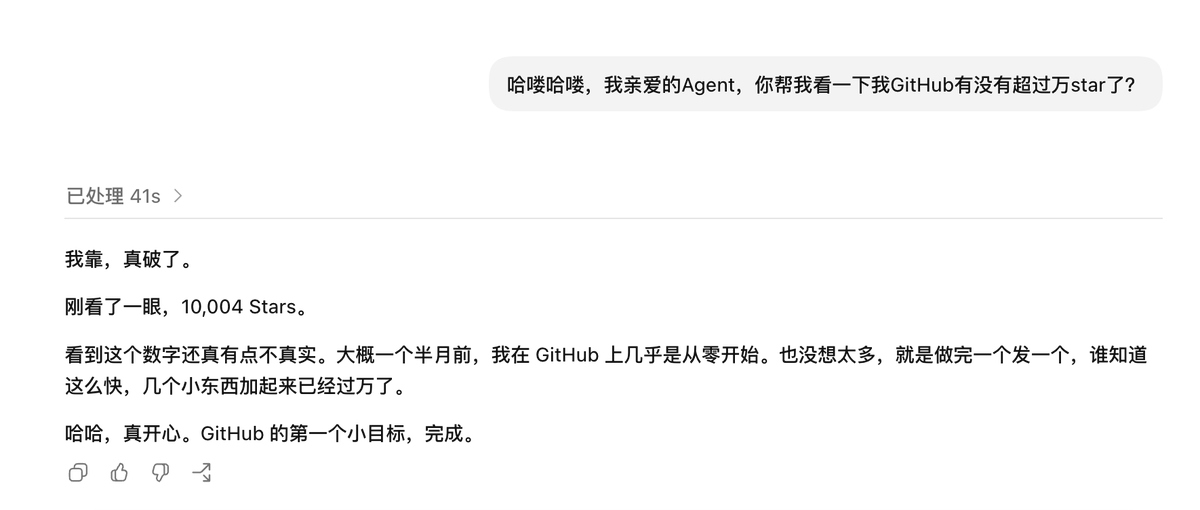


@Jackywine 没有几个人在面对镜头的时候可以做到完全自然,所有的自媒体博主都值得我去学习,虽然有的时候不能苟同很多观点,但是至少在自媒体这件事情上,我已经做得不能再差了🫠
中文

首先,这个协议绝对是能够让这个网络里面的每一个人能受利的
但是这个不是直接让你赚钱,视频里说了,让你靠这个圈子之外的事情赚钱,你自己得先有自己的赚钱的闭环
视频最后一句话,我觉得特别值得深思
任何看起来志不在此的,都是因为志在此而没有做成,所以说志不在此🫠深刻啊
dontbesilent@dontbesilent
白皮书
中文

@Jackywine 啊啊啊谢谢老师转发!!🥹🥹 我刚来推特没多久,还在摸索 build in public。真的很开心,也希望以后能分享更多有趣的作品!
中文


@acadictive I have two failed MVPs 😅 But I did explore various possibilities. Maybe I’ll just keep going and see what happens.
English

Almost 1 year into my indie builder journey.
❌ 3 failed MVPs
❌ Burned thousands in AI tokens
❌ Countless mistakes
But also:
✅ Learned more than in any other year of my life
✅ Built friendships and connections that wouldn’t exist otherwise
By revenue, it wasn’t my best year.
By growth, nothing comes close.
Keep building.

English
@Zakariaweb1 The first one works pretty well, but the other two still have sort of AI-designed look 😅
English

عن تجربة، هذه أفضل مهارات تصميم الواجهات مع الـ AI:
• github.com/emilkowalski/s…
• impeccable.style
• tasteskill.dev
بتفرق كثير بجودة الـ UI وتخلي النتائج أنظف وأذوق.
العربية
Today’s tiny experiment:
I saw a kids’ natural-history encyclopedia and wondered what it would feel like if one page became interactive.
So I made a blue whale atlas: hover around the whale to reveal notes, anatomy details, and a magnified body view.
Built with Codex, using frontend design + motion skills to shape the interaction, AI-generated natural-history illustrations for the whale assets.
Children’s books as living, explorable interfaces feels really fun. :)
English

ChatCut 这两天很火,但我发现很多人第一步就卡住了:
在 Codex 的 Plugin 目录里,怎么搜都搜不到 ChatCut。
原因是ChatCut 目前不是让你直接在默认目录里搜索安装,而是让 ChatGPT / Codex 按照官方教程自动完成配置。
正确方法如下👇
打开 ChatGPT Desktop App,进入一个新的 Codex Task,然后复制发送下面这句话:
“请阅读 chatcut.io/chatgpt 并为我安装 ChatCut 插件。安装完成后,请完成必要的设置,并创建一个启用了 ChatCut 工具的新任务。.”
接下来,Codex 会按照官方教程处理:
安装 ChatCut Plugin
→ 添加官方 Marketplace
→ 配置所需 MCP
→ 打开 ChatCut 登录授权
→ 验证安装状态
→ 创建一个加载了 ChatCut Tools 的新 Task
不需要自己去 GitHub 找仓库,也不需要手动复制一长串终端命令。
不过有 4 个坑一定要注意。
1. 必须使用 ChatGPT Desktop App
Windows 和 macOS 桌面版都可以。
浏览器和手机端无法完成本地 Plugin 安装。
2. 建议在 Codex 里运行,Work 和 Codex 都可能支持 Plugin,但这个任务涉及:本地 CLI、Plugin 安装、MCP 配置、本地视频文件、后续 FFmpeg 验证、所以直接使用 Codex 最稳。
3. 安装完成后,必须新建 Task,这是最多人忽略的一步。Plugin、Skills 和 MCP Tools 会在新会话启动时加载。所以安装完成后,不要继续留在原来的 Task 里测试。
原来的 Task 看不到 ChatCut Tools,不代表安装失败。
4. 第一次使用需要完成登录授权
安装过程中出现 ChatCut 登录或 OAuth 授权页面是正常的。
完成授权以后,再进入新 Task 测试。
进入新的 Task 后,可以复制下面这段进行验证:
“请确认 ChatCut 插件、技能及 MCP 工具在此任务中可用。创建一个名为“ChatCut First Test”的项目,但不要生成任何付费或消耗额度的资产。首先列出当前可用的 ChatCut 功能,包括视频导入、转录、字幕、时间轴编辑和导出。.”
建议先用一段 3–5 分钟的视频测试,不要一上来就上传一小时的课程、播客或访谈。
ChatCut 真正值得关注的地方是它把转录、语音清理、内容剪辑、字幕、Motion Graphics、B-roll、旁白、音乐和多轨 Timeline,接进了 Codex 的 Agent Workflow。
以后剪视频的流程可能会变成:你描述想要什么成片,Codex 负责理解需求,ChatCut 负责操作真实 Timeline!
先收藏,等我跑完真实视频测试,再分享一套:
ChatCut + Codex 双语字幕与视频内容生产 Workflow!
ChatCut@chatcutapp
Codex is now a full video editor! Our new plugin opens a full built-in NLE right inside the Codex app, where you and your agent can edit together, effortlessly. If you're already paying for Codex, you get this one for FREE. It's available now. Start using it in 1 minute, by just telling your Codex: "Turn Codex into a Video Editor, read chatcut.io/codex"
中文