Justin Singh

42 posts

Justin Singh banner
Justin Singh

Justin Singh

@justinTimeFBA

📦 Software Engineer by day, Amazon FBA entrepreneur by night 🌟 Join me as I build my Amazon business one shipment at a time 📊 @justinTimeFBA | Justin Singh


Sacramento, California Katılım Nisan 2025
103 Takip Edilen74 Takipçiler
Justin Singh
Justin Singh@justinTimeFBA·
@yuri_jew I haven’t seen anything. Just seems like something that Amazon could do if they felt like it. I was curious of your thoughts on that idea.
English
0
0
0
31
Yuri Jew
Yuri Jew@yuri_jew·
anthropic just released scheduled tasks for claude co-work. here's how amazon sellers can use it right now. most sellers forget to check their feedback manager. negative reviews sit there for weeks when they could've been removed with a few clicks. this prompt runs on a schedule — goes through your feedback manager, finds every review under 4 stars, skips ones amazon already removed, and requests removal on the rest. you'd be surprised how many are eligible. suggested model: sonnet 4.6 schedule: weekly prompt: You will be acting as an automated assistant to help Amazon sellers remove negative feedback. Your task is to navigate through Amazon Seller Central's feedback manager and request removal of feedback that meets specific criteria. Here are the steps you need to follow: 1. Navigate to sellercentral.amazon.com/feedback-manag… 2. You will see a page displaying customer feedback. Each row contains: - Date - Rating (1 to 5 stars) - Order ID - Comments 3. Your task is to process every row that has a rating of less than 4 stars (ratings of 1, 2, or 3). 4. For each row with a rating less than 4, first check if there is a message from Amazon that says: "Message from Amazon: This item was fulfilled by Amazon, and we take responsibility for this fulfillment experience." If you see this message, SKIP this row as the feedback has already been removed. 5. For rows with a rating less than 4 that do NOT have the Amazon message mentioned above, proceed with the following steps: a. Look at the right side of that row b. You will see a "Choose One" button with an arrow button attached to it c. Click on the arrow button d. Click on "Request Removal" from the dropdown menu e. A popup will appear with text asking "Did the feedback you received meet any of the criteria above?" f. Click "Yes" 6. Continue this process for every row that has a rating less than 4 (excluding those already removed by Amazon). Before you begin processing the feedback, use your scratchpad to plan your approach: - Identify how many rows have ratings less than 4 - Note which of these rows already have the Amazon removal message - Determine which rows need the removal request process - Track your progress as you process each row After processing all applicable rows, provide a summary of your actions inside tags, including: - Total number of feedback rows with ratings less than 4 - Number of rows already removed by Amazon (skipped) - Number of rows where you requested removal Begin the task now.
English
3
0
10
742
Justin Singh
Justin Singh@justinTimeFBA·
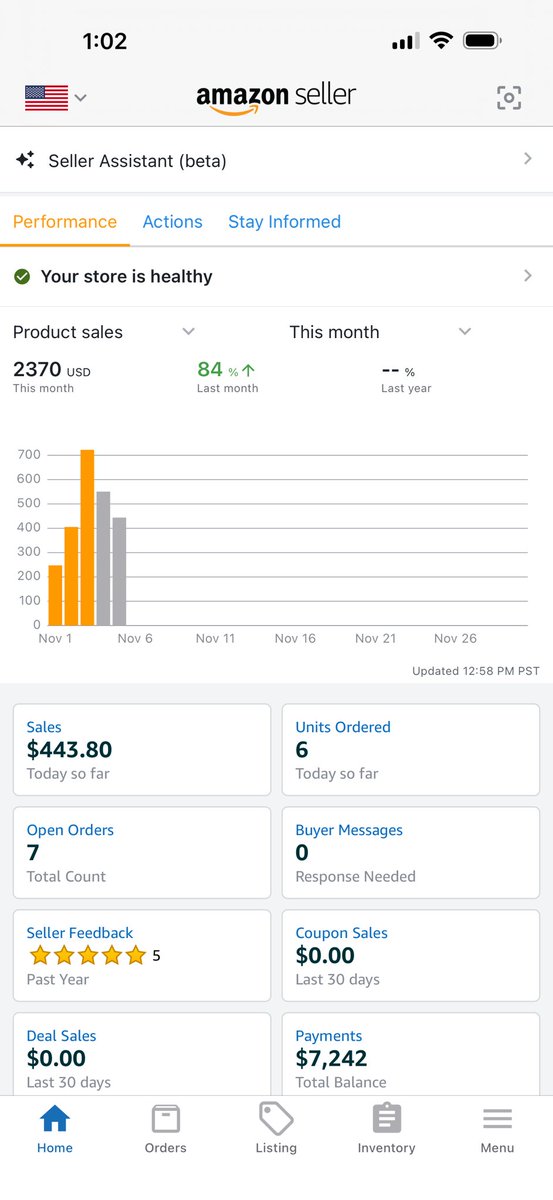
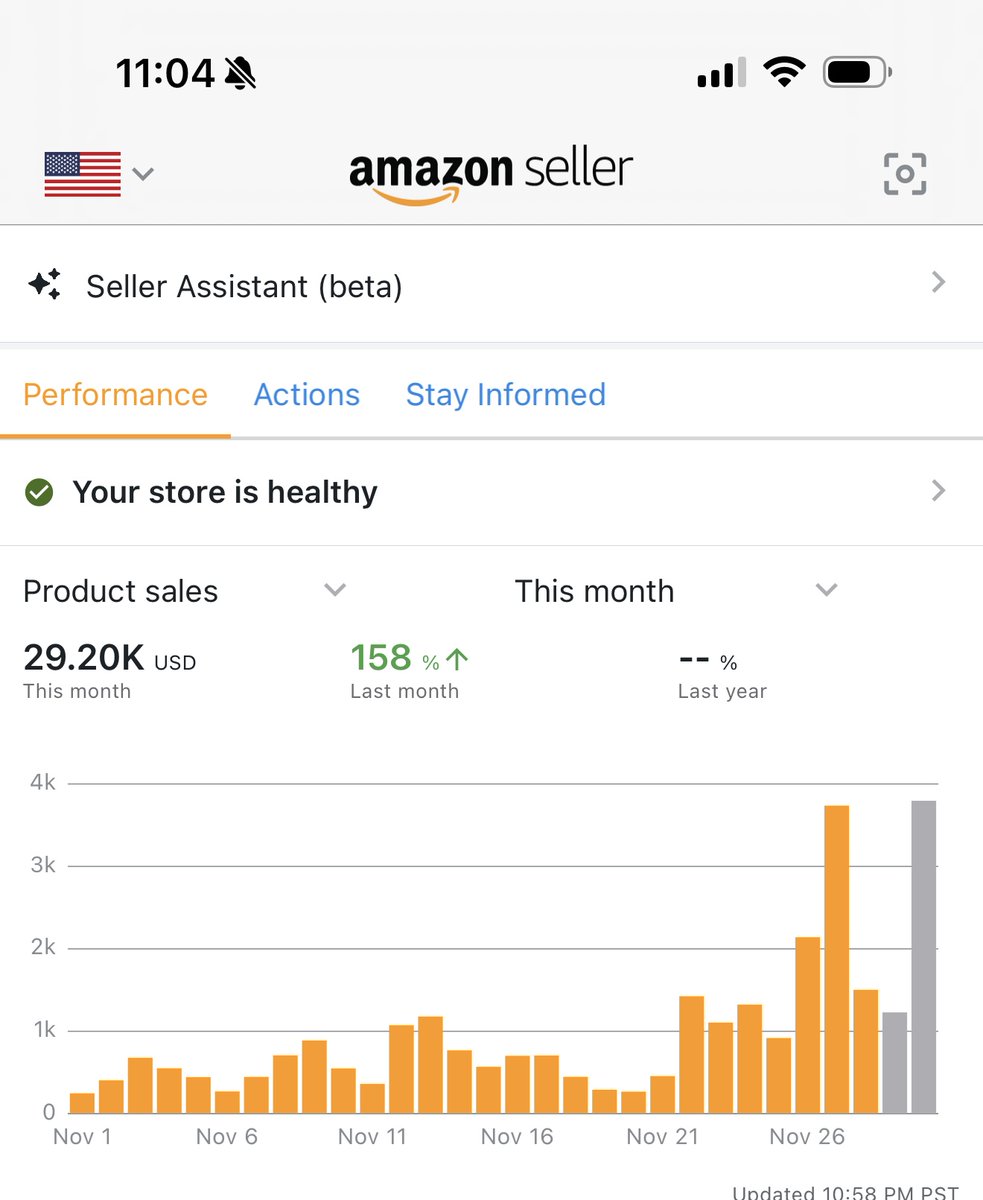
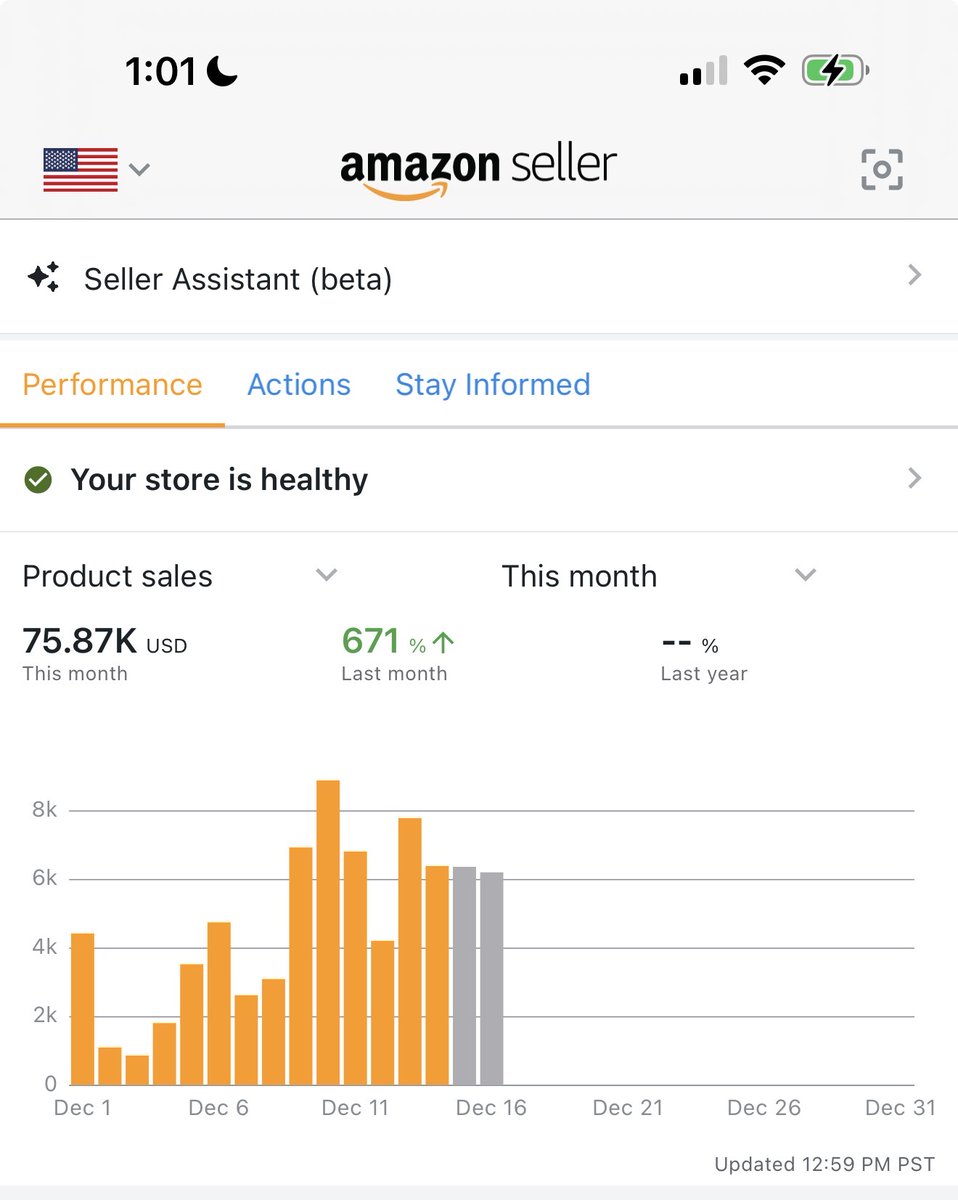
My November goal was 20k… and I almost hit 30k! I’m honestly blown away. @flips4miles
Justin Singh tweet media
English
4
0
12
590
Justin Singh
Justin Singh@justinTimeFBA·
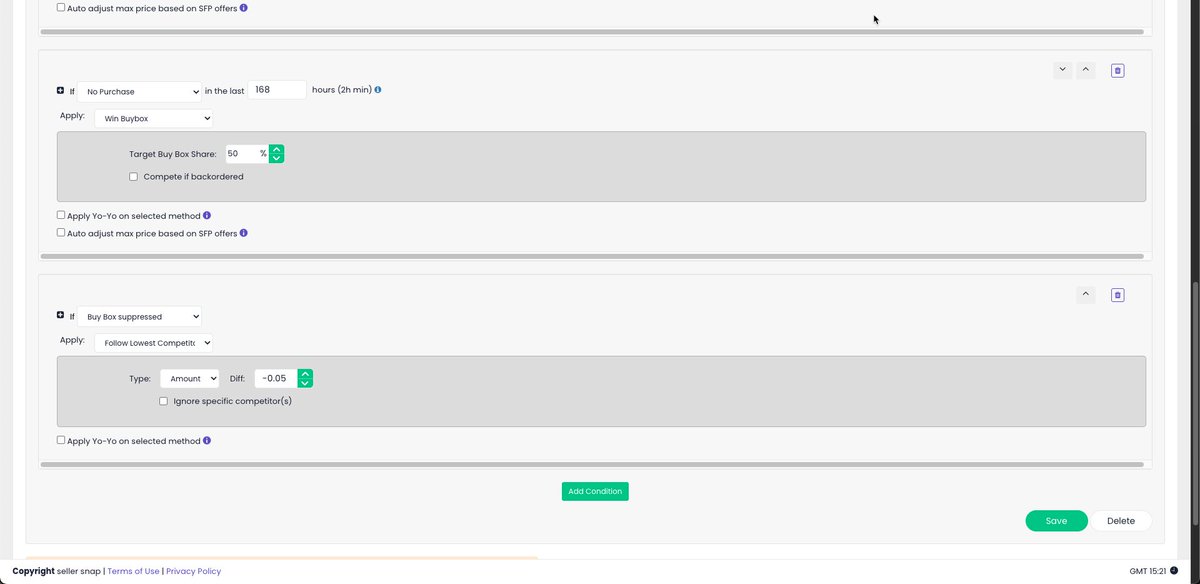
What’s everyone’s Buy Box Price Guard strategy for Q4? Here’s what I’m using. Should I make any tweaks?
Justin Singh tweet media
English
0
0
2
100
Justin Singh retweetledi
Dylan
Dylan@FBA_Dylan·
Just want to give an update for everybody: 1. Been 2 days since deactivation. 2. Submitted 76 page document consisting of: -Valid ID -Written Letter -Order Confirmation -Shipped Notification -Delivery Notification (with proof) -Packing slips for every order of each ASIN (I'm 95% FBM) -Final Invoice Of Purchase -Bank Statements (highlighted for each purchase) -Physical store information for an ASIN that I bought online AND in-store -Inventory/Order Report from Inventory Labs (This is for each ASIN btw) 3. Many people (including @amznsellerhelp) have recommended calling the phone, but for me that is not an option. They are only allowing emails/appeal submissions currently, so I am just...waiting. 4. Haven't contacted any services yet but looked into what they do. From what I've seen so far, they just help you submit/review the info. Seems kind of dumb for $2800, but people pay anything when their AMZ account is on the line. My buddy just got his account deactivated around 3 weeks ago, ended up paying a couple grand, just to be reinstated by a succesful document appeal. Summary: not buying any services yet. 5. Final Thoughts: If I don't receive a response in the next week, I will plan to escalate to Sec 3 service provider or a lawyer.
Dylan@FBA_Dylan

Okay, since every Section 3 revision company is hitting me up… What is the actual best service? Tips from real people who have used these services? I know some of you have messages me, but it would be easier to include them all on this post below 👇

English
13
2
22
11.4K
Justin Singh retweetledi
Dylan
Dylan@FBA_Dylan·
Listen to this please.
English
4
2
22
2.2K
Justin Singh
Justin Singh@justinTimeFBA·
Would you be able to elaborate on the functionality of "set to last purchase price"? In what increments does it drop the price if no sale? Sounds like it could work well with no purchase conditions instead of win buy box as I find win buy box can sometimes drop the price straight to my min.
English
1
0
0
27
Seller Snap AI Amazon Repricer
Seller Snap AI Amazon Repricer@sellersnap_io·
When you are the only seller, you have 100% Buy Box share and you’re right the win Buy Box strategy will be redundant. We recommend instead ‘if I’m the only seller, set to last purchase price' where it will continue to drop in price if no sale OR a recurring price change, which will slowly drop the price down to min!
English
1
0
1
33
Justin Singh
Justin Singh@justinTimeFBA·
Hello SellerSnap users! I’m looking for opinionated presets you’ve found invaluable for your business. These are the ones currently working for me, but I’m always looking for ways to improve. Rule: “I am the only seller” + “No purchase in 24 hours” Reason: This works great since the AI typically raises the BB when I’m the only seller. I heard that having a recurring price change when you are the only seller can help the listing get promoted. Rule: “No purchase in 168 hours (7 days)” → target BB 50% Reason: give the AI a full week to get a sale. If nothing happens, target the BB. No Yo-Yo here — goal is to trigger a sale and hand control back to the AI quickly. #AmazonFBA #Repricing #SellerSnap
Justin Singh tweet mediaJustin Singh tweet media
English
2
0
2
386
Justin Singh
Justin Singh@justinTimeFBA·
@sellersnap_io @CajuaRobinson Thank you for the input! Win buy box strategy hasn’t been working well when I am the only seller since I usually have 100% of the buy box.
English
2
1
1
103
Saykho
Saykho@7FigSaykho·
Repricing is the difference between earning 20% margin and 40% margins on a SKU. As we get closer and closer to peak Q4 days, Think Black Friday, Cyber Monday, and the days leading up to Christmas, You want to have your repricing dialed tf in. Volume will be so insane that you'll sell too fast if you're priced too cheap. An easy fix for this is to setup a YoYo preset. Using a YoYo, you can compete at market prices, win BB, then automatically switch to your Max price for bigger gains. During the speed blitz of peak Q4, customers will knock down orders so fast that it'll be an instant, fat increase to your bottom line. If you've never used YoYo repricing before, make sure you have it locked in before the season picks up. Get 10% off of SellerSnap when you sign up with my link below. 👉 referrals.sellersnap.io/l/Saykho/
English
1
1
10
1.5K
Justin Singh
Justin Singh@justinTimeFBA·
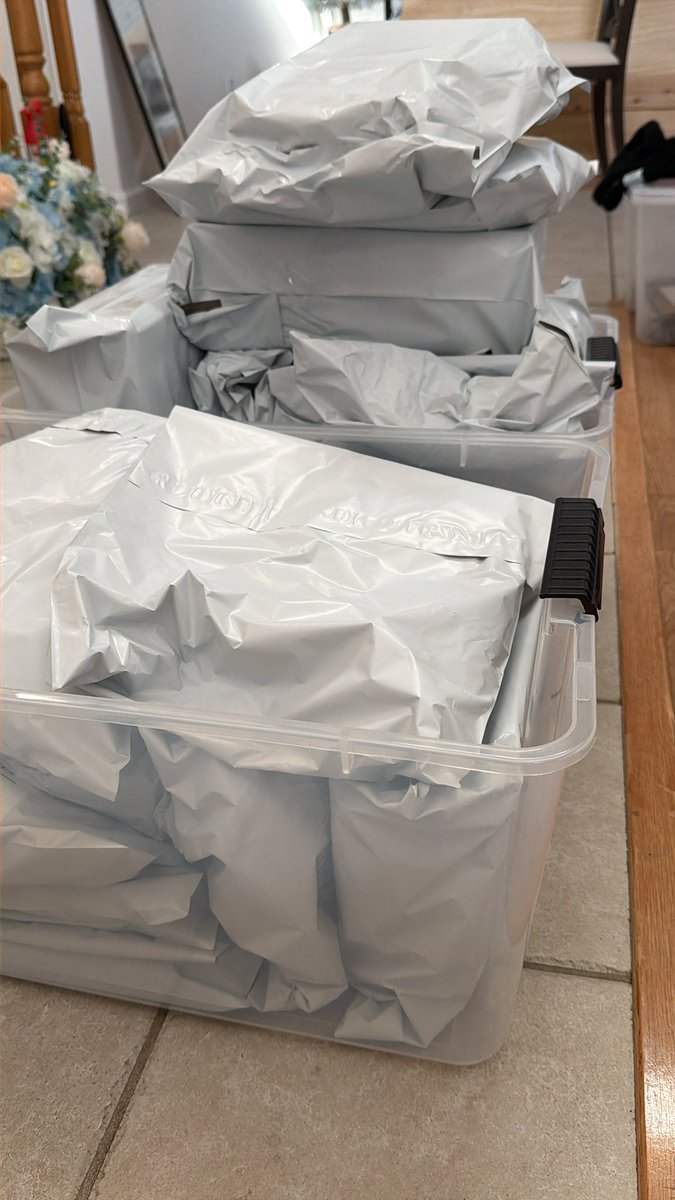
Little bit of a slow day today but the profit is big on these!
Justin Singh tweet media
English
2
1
8
666
Justin Singh
Justin Singh@justinTimeFBA·
@joeypraete Same thing happening to me! I checked some listings today and it seems to be fixed 🤷
English
1
0
1
84
Joey
Joey@joeypraete·
Amazon sellers should be checking their FBM delivery dates. There’s something going on right now for sure with dates being very delayed. Has nothing to do w templates or settings. Something on the backend or what carriers are reporting
Chad@Chadventures_

@broyousold @joeypraete Yeah something is off, the only way I can make sense of it is to assume it’s related to the estimates the carriers are providing to Amazon. Everything in my settings tell me that deliver times should be reporting half or less of what they are in most cases
English
1
2
5
1.7K