@galluzzo_julian just so you know, it's not personal.. we are raised that way 😀
English
Kamen Dimitrov
1.2K posts
@kamend
CTO @ Ordinary Objects (https://t.co/wZfKkNKHqH)

What I most desire doesn’t exist on the market yet: a coding agent model, but it’s only been trained on code reviews by Eastern Europeans.

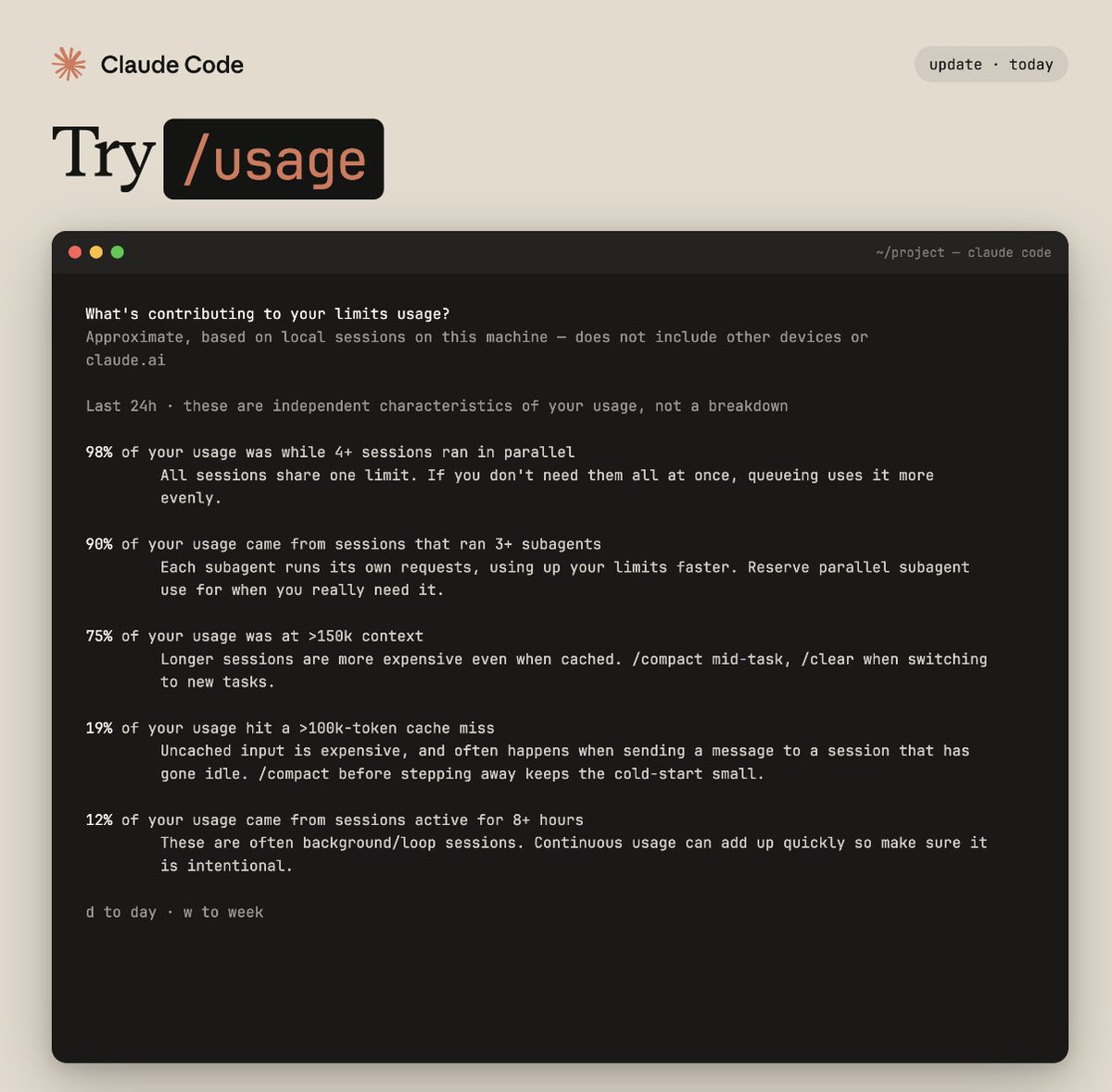


Today we're excited to announce NO_FLICKER mode for Claude Code in the terminal It uses an experimental new renderer that we're excited about. The renderer is early and has tradeoffs, but already we've found that most internal users prefer it over the old renderer. It also supports mouse events (yes, in a terminal). Try it: CLAUDE_CODE_NO_FLICKER=1 claude


This is huge : @X released an MCP server today.. How to Connect X to your 🦞 : **Step 1: Run the XMCP Server** git clone github.com/xdevplatform/x… cd xmcp cp env.example .env Edit the .env file with your X OAuth consumer key and secret. Set the callback URL to http://127.0.0.1:8976/oauth/callback in your X Developer app. For safety, add an allowlist such as: X_API_TOOL_ALLOWLIST=searchPostsRecent,createPosts,getUsersMe,getPostsById,likePost,repostPost Then run: python -m venv .venv && source .venv/bin/activate pip install -r requirements.txt python server.py The server will be available at http://127.0.0.1:8000/mcp. Complete the OAuth flow on first run and keep this process active. **Step 2: Add XMCP in @OpenClaw** Use the following command: openclaw mcp set x '{ "url": "http://127.0.0.1:8000/mcp" }' Verify with: openclaw mcp list openclaw mcp show x **Step 3: Test the Integration** Restart the OpenClaw agent or reload MCP configuration if required. Test by sending these prompts to OpenClaw in your chat app: - Search recent posts about MCP on X and summarize the top trends - Draft and post this thread on X - Get my X profile information - Like the latest post from @xdevplatform OpenClaw will use the XMCP tools automatically when relevant. **Key Benefits** - OpenClaw provides persistent memory and works across multiple messaging platforms. - XMCP delivers standardized access to X API functionality. - Combined, they enable an agent that can research trends, post content, engage with posts, and report results within your existing chat workflows. **Safety and Configuration Notes** Start with a minimal tool allowlist in the XMCP .env file. Expand gradually after testing. The allowlist can be updated and requires restarting the XMCP server. Monitor logs in both the XMCP server and OpenClaw for troubleshooting. X actions performed by the agent are public. XMCP repository: github.com/xdevplatform/x… OpenClaw MCP documentation: docs.openclaw.ai/cli/mcp
Subscribers get a one-time credit equal to your monthly plan cost. If you need more, you can now buy discounted usage bundles. To request a full refund, look for a link in your email tomorrow. support.claude.com/en/articles/13…