🐸

5.7K posts

🐸

🐸

@leleshii

j.m❤️ // JUSTICE 😌🙌

Katılım Temmuz 2021
742 Takip Edilen23 Takipçiler
🐸 retweetledi
✦ VISUAL AI ✦
✦ VISUAL AI ✦@VisualconAI·
Este tipo explica gratis cómo ejecutar Claude Code con Gemma 4 completamente en local, sin suscripciones y sin claves API. 15 minutos de configuración, tu portátil, y tienes un agente de código funcionando: cero costes, privacidad total, sin nada que salga de tu máquina. Gratis. Local. Sin límites.
✦ VISUAL AI ✦ tweet media✦ VISUAL AI ✦ tweet media✦ VISUAL AI ✦ tweet media✦ VISUAL AI ✦ tweet media
m0h@exploraX_

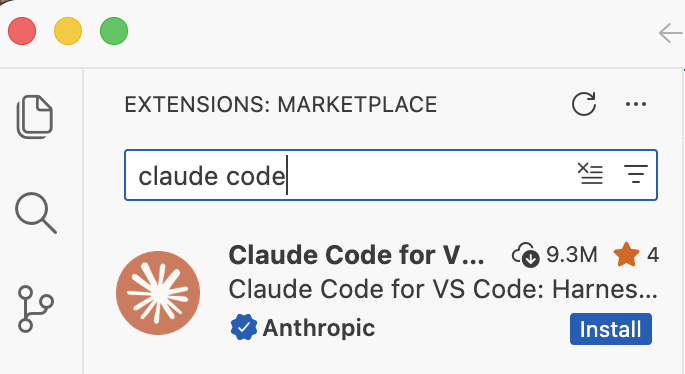
how to run claude code with gemma 4 completely free (beginner's guide): this guide shows you how to use claude code completely free with gemma 4, no subscriptions &no api keys. just your laptop + 15 mins setup. this lets you run open-source models (like google’s gemma) locally, meaning: — no costs — full privacy what you need before starting, make sure you have: vs code installed — node.js (version 18+) — stable internet (for one-time model download) _____________ step 1: install ollama (the engine) ollama is what runs ai models locally on your machine. → mac: go to ollama.com/download click download for mac, open the file and install like any normal app. no terminal needed. → windows: go to ollama.com/download, click download and install → linux: curl -fsSL ollama.com/install.sh | sh check it worked: ollama --version _____________ step 2: download gemma 4 this is the ai model you’ll run locally, pick based on your system: → low-end (8gb ram): ollama pull gemma4:e2b → recommended (16gb ram): ollama pull gemma4:e4b → high-end (32gb ram): ollama pull gemma4:26b ⚠️ it’s a big download (7gb–18gb), so give it time. after download is completed, verify with the command: ollama list _____________ step 3: install claude code in VS code or any other IDE this is your interface. — open vs code — press ctrl + shift + x — search claude code install the one by anthropic after install → you’ll see a ⚡ icon in sidebar _____________ step 4: connect claude code to ollama by default, claude connects to the cloud. we’re redirecting it to your local machine. so do this: — press ctrl + shift + p — search: open user settings (json) — then paste this inside: "claude-code.env": { "ANTHROPIC_BASE_URL": "http://localhost:11434", "ANTHROPIC_API_KEY": "", "ANTHROPIC_AUTH_TOKEN": "ollama" } what this does: — it routes everything to your local ollama server. — nothing leaves your device. _____________ step 5: run everything 1. start ollama with this command: ollama serve leave this running. 2. open claude code in vs code click ⚡ icon 3. select your model type: gemma4:e4b (or whichever you downloaded) you’re done _____________ you now have: — claude code running — powered by gemma 4 — fully local completely free try: “explain this file” “write a function” “refactor this code” _____________ common issues (quick fixes) “unable to connect” run: ollama serve asked to sign in your json config is wrong check for missing commas/brackets very slow responses your model is too big switch to: gemma4:e2b model not found run: ollama list copy exact name quick recap you just built: a free claude setup powered by local ai no api costs Follow for more AI contents like this!!!

Español
23
251
2.1K
227.2K
🐸 retweetledi
Raúl Ordóñez
Raúl Ordóñez@jasp·
Google acaba de lanzar Gemma 4 y creo que es el lanzamiento de IA más importante del año para el usuario de a pie. No para desarrolladores. Para cualquier persona con un móvil. Un hilo 🧵
Español
2
29
235
61.1K
🐸 retweetledi
Yero
Yero@Yerocode0·
ÚLTIMA HORA: Google acaba de lanzar Gemma 4 (OpenClaw GRATIS) Funciona en tu teléfono. Sin conexión a internet. Sin suscripción. Sin datos que salgan de tu dispositivo. Se llama Google AI Edge Gallery. Ya está disponible para iPhone y Android. Qué hace: → Chat con IA funcionando al 100% en tu teléfono → Funciona en modo avión → Compatibilidad con texto, imágenes y audio → Habilidades del agente que completan tareas por sí mismo → 100% código abierto. Código en GitHub. → Funciona con Gemma E2B (2,5 GB) y E4B (3,6 GB) Cómo configurarlo: → Descarga Google AI Edge Gallery desde App Store o Play Store. → Ábrelo y selecciona Chat con IA → Elige Gemma E2B si tu teléfono tiene menos RAM o E4B si tiene 8 GB o más. → Empiecen a charlar. Eso es todo. No necesitas cuenta. No te registres. No necesitas clave API. Solo descarga y listo.
Español
33
193
1.6K
188.6K
🐸 retweetledi
Caro.🐱 (she/her)
Caro.🐱 (she/her)@whatLlinidraws·
¿Quieren que haga un hilo con skills de Claude que pueden utilizar en investigación científica? :)
Español
9
21
448
29.9K
🐸 retweetledi
Antonio Leiva
Antonio Leiva@antonioleivag·
Lo que han hecho con Gemma 4 es de locos 🤯 He hecho mis primeras pruebas Google AI Edge gallery, y es el primer modelo edge que me veo usando. El 4b va a una velocidad endiablada en un iPhone 17 básico, y el uso de skills es una maravilla. Cuando le preguntas algo actual, tira de una skill de la wikipedia para hacer grounding. Tengo muchas ganas de probar el más potente en el MacBook. Si me da tiempo, la semana que viene publico un vídeo con los resultados.
Google DeepMind@GoogleDeepMind

Meet Gemma 4: our new family of open models you can run on your own hardware. Built for advanced reasoning and agentic workflows, we’re releasing them under an Apache 2.0 license. Here’s what’s new 🧵

Español
8
15
258
46.9K
Alejo
Alejo@ecommartinez·
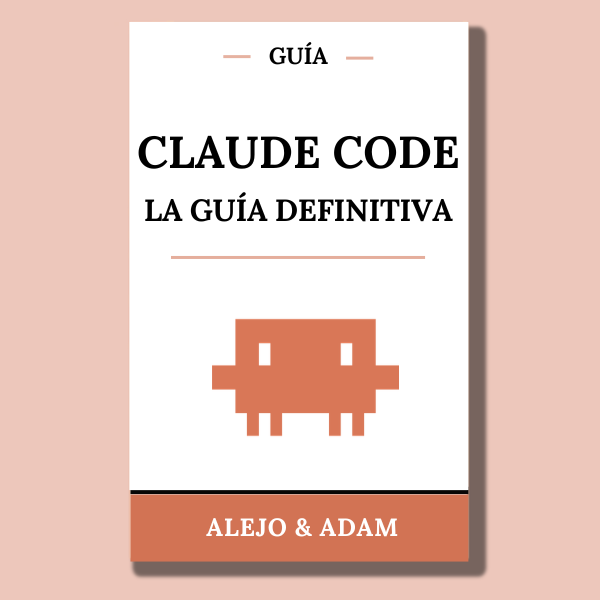
Claude Code es la herramienta de coding más poderosa del momento. Prompts, CLAUDE.md, Skills, Hooks, MCP, CI/CD, multi-agentes… la guía definitiva en español lo explica todo. ¡GRATIS solo durante 24h! Solo: 1. Dale like 2. Comenta "Code" 3. Sígueme para recibir el DM
Alejo tweet media
Español
578
86
828
39.8K
🐸 retweetledi
santi
santi@santtiagom_·
Me gustó mucho esta idea de Andrej Karpathy: usar LLMs para construir tu propio sistema de conocimiento. En vez de usarlos solo para resolver algo puntual, los usás para ir guardando y ordenando lo que aprendés. Con el tiempo, tenés una base que crece y se conecta sola. ¿Cómo funciona? 1) juntás info (papers, artículos, repos) en una carpeta base 2) el LLM la convierte en una wiki en markdown (resúmenes + conceptos + links) 3) usás Obsidian para explorar todo 4) le hacés preguntas y responde usando esa base 5) lo que genera (notas, slides, gráficos) vuelve a la wiki Cada interacción va mejorando el sistema. Además, el LLM mantiene la calidad detecta inconsistencias, completa datos y sugiere nuevas conexiones.
Andrej Karpathy@karpathy

LLM Knowledge Bases Something I'm finding very useful recently: using LLMs to build personal knowledge bases for various topics of research interest. In this way, a large fraction of my recent token throughput is going less into manipulating code, and more into manipulating knowledge (stored as markdown and images). The latest LLMs are quite good at it. So: Data ingest: I index source documents (articles, papers, repos, datasets, images, etc.) into a raw/ directory, then I use an LLM to incrementally "compile" a wiki, which is just a collection of .md files in a directory structure. The wiki includes summaries of all the data in raw/, backlinks, and then it categorizes data into concepts, writes articles for them, and links them all. To convert web articles into .md files I like to use the Obsidian Web Clipper extension, and then I also use a hotkey to download all the related images to local so that my LLM can easily reference them. IDE: I use Obsidian as the IDE "frontend" where I can view the raw data, the the compiled wiki, and the derived visualizations. Important to note that the LLM writes and maintains all of the data of the wiki, I rarely touch it directly. I've played with a few Obsidian plugins to render and view data in other ways (e.g. Marp for slides). Q&A: Where things get interesting is that once your wiki is big enough (e.g. mine on some recent research is ~100 articles and ~400K words), you can ask your LLM agent all kinds of complex questions against the wiki, and it will go off, research the answers, etc. I thought I had to reach for fancy RAG, but the LLM has been pretty good about auto-maintaining index files and brief summaries of all the documents and it reads all the important related data fairly easily at this ~small scale. Output: Instead of getting answers in text/terminal, I like to have it render markdown files for me, or slide shows (Marp format), or matplotlib images, all of which I then view again in Obsidian. You can imagine many other visual output formats depending on the query. Often, I end up "filing" the outputs back into the wiki to enhance it for further queries. So my own explorations and queries always "add up" in the knowledge base. Linting: I've run some LLM "health checks" over the wiki to e.g. find inconsistent data, impute missing data (with web searchers), find interesting connections for new article candidates, etc., to incrementally clean up the wiki and enhance its overall data integrity. The LLMs are quite good at suggesting further questions to ask and look into. Extra tools: I find myself developing additional tools to process the data, e.g. I vibe coded a small and naive search engine over the wiki, which I both use directly (in a web ui), but more often I want to hand it off to an LLM via CLI as a tool for larger queries. Further explorations: As the repo grows, the natural desire is to also think about synthetic data generation + finetuning to have your LLM "know" the data in its weights instead of just context windows. TLDR: raw data from a given number of sources is collected, then compiled by an LLM into a .md wiki, then operated on by various CLIs by the LLM to do Q&A and to incrementally enhance the wiki, and all of it viewable in Obsidian. You rarely ever write or edit the wiki manually, it's the domain of the LLM. I think there is room here for an incredible new product instead of a hacky collection of scripts.

Español
29
127
1.5K
139.2K
🐸 retweetledi
maria
maria@mariagpts·
AUTOMATIZA TODO CON GEMINI!! 🫵🏼 Este tipo ha grabado un tutorial completo para saber usar gemini desde cero y automatizar todo lo que quieras en poco más de 3 horas Míratelo 😊
Español
5
153
840
36.4K
🐸 retweetledi
Fernando Herrera
Fernando Herrera@Fernando_Her85·
¿Se imaginan que se filtrara la receta de la Coca-Cola y que todo el mundo pudiera hacer su refresco casero? ¿Y luego alguien venga y la mejore un poco y te la regalara? Pues con lo de ClaudeCode es básicamente lo que está pasando.
Español
57
50
833
67.5K
🐸 retweetledi
Manola Zabalza
Manola Zabalza@ManolaZabalza·
Ya pueden registrarse para ser los primeros en recibir el "Artificial Intelligence Index" de la Universidad de Stanford. Saldrá el 13 de abril, estén al pendiente. Les dejo el link para registrarse y recibirlo en sus correos. signup.e2ma.net/signup/2019716…
Manola Zabalza tweet mediaManola Zabalza tweet media
Español
11
110
688
51K
🐸 retweetledi
Erick
Erick@ErickSky·
🚨 ACABAN DE LIBERAR LA BASE DE DATOS MÁS GRANDE DEL MUNDO PARA AGENTES IA 47.000 acciones agénticas verificadas. +250 apps (Slack, Gmail, GitHub, Stripe, Discord, Google Sheets y más). Conectas una sola vez y lo usas en cualquier flujo. REPOOO👇
Español
16
136
1.1K
75K
🐸 retweetledi
Charlie L ⚡️
Charlie L ⚡️@charliesbot·
Hay una diferencia abismal en los resultados que uno obtiene cuando configura su entorno de desarrollo con skills y MCP enfocados a tu trabajo vs empezar una sesión todos los días y copiar el contexto o esperar que la AI entienda tu codebase diario Totalmente recomendado pasar todo un día configurando
Español
10
15
396
37.8K
🐸 retweetledi
✦ VISUAL AI ✦
✦ VISUAL AI ✦@VisualconAI·
🚨 ULTIMA HORA: Claude acaba de matar una de las tareas más odiadas por los desarrolladores. Ahora corrige automáticamente los fallos de CI y los comentarios de tus PRs desde la nube, sin que toques nada. Te vas, vuelves, y el PR está listo.
Español
7
24
275
19.3K
🐸 retweetledi
Erick
Erick@ErickSky·
🚨 Anthropic se une a la investigación científica. Se llama OPERON: el nuevo agente IA para Claude Desktop creado exclusivamente para biología. Tendrá su propio entorno privado donde trabajará codo a codo contigo: sesiones de proyectos, gestión de artefactos generados y skills especializadas. Coworking… pero para científicos de verdad. La próxima cura, el próximo descubrimiento… ¿viene con Claudio como co-autor? 👀
Español
1
3
23
2K
🐸 retweetledi
Brais Moure
Brais Moure@MoureDev·
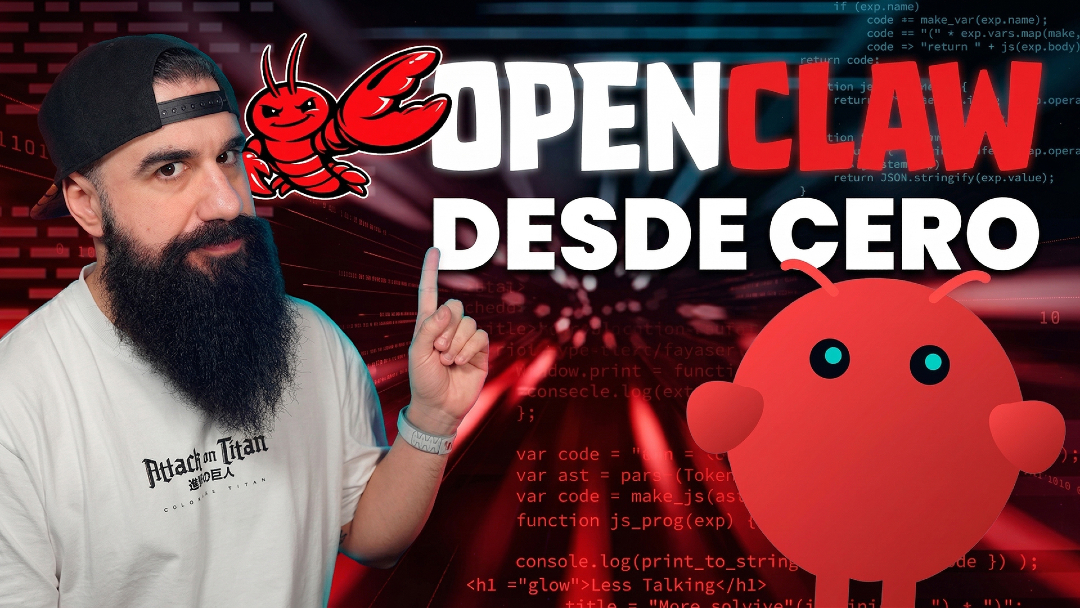
Ya está publicado mi taller de OpenClaw desde cero! Un tutorial desde: 📚 Fundamentos 🛠️ Instalación ⚙️ Configuración 🧩 Workspace 🤖 Modelos 🦾 Agentes 🧠 Memoria 🧰 Skills 🔄 Automatizaciones 🌍 Usos reales → youtube.com/live/OYvMB3gZO…
YouTube video
YouTube
Brais Moure tweet media
Español
14
186
1.2K
48K
🐸 retweetledi
Carlos Santana
Carlos Santana@DotCSV·
Me parece loquísimo que aún no haya ningún sistema de voz real time con la calidad de lo que Sesame mostró hace ya un año! Y por otro lado que los de Sesame no hayan publicado nada más ni lo hayan convertido en producto, ni hayan sacado ninguna otra investigación 🤔
Carlos Santana tweet media
Español
65
52
1.2K
60.7K
🐸 retweetledi
Claude
Claude@claudeai·
Your work tools in Claude are now available on mobile. Explore Figma designs, create Canva slides, check Amplitude dashboards, all from your phone. Give it a try: claude.com/download
English
1.4K
1.6K
21.2K
7.5M
🐸 retweetledi
Brais Moure
Brais Moure@MoureDev·
Ya que me lo habéis pedido tanto, mañana jueves voy a estar en directo haciendo un taller de OpenClaw desde cero. La herramienta con IA que ha revolucionado el sector (con todo lo bueno y lo malo). A las 18h (España) en mi canal de YouTube.
Brais Moure tweet media
Español
8
48
352
11.2K