Lupin Lin

602 posts

Lupin Lin

Lupin Lin

@lupinlin

30.288246,120.099192 Katılım Mart 2007
244 Takip Edilen32 Takipçiler
Lupin Lin
Lupin Lin@lupinlin·
Claude Code 2.1.126 just dropped — 33 CLI changes. Edit tool now does exact string replacements, project purge command added, and --dangerously-skip-permissions now bypasses .claude/.git/.vscode writes. The sandbox landscape keeps shifting. Full breakdown from @ClaudeCodeLog
English
0
0
0
25
Lupin Lin
Lupin Lin@lupinlin·
@doodlestein The real unlock with Codex goal mode is when you combine it with a well-structured CLAUDE.md or project context. The agent stays focused because the guardrails are already baked in. Without that foundation, it tends to drift after the first few iterations.
English
1
0
4
380
Jeffrey Emanuel
Jeffrey Emanuel@doodlestein·
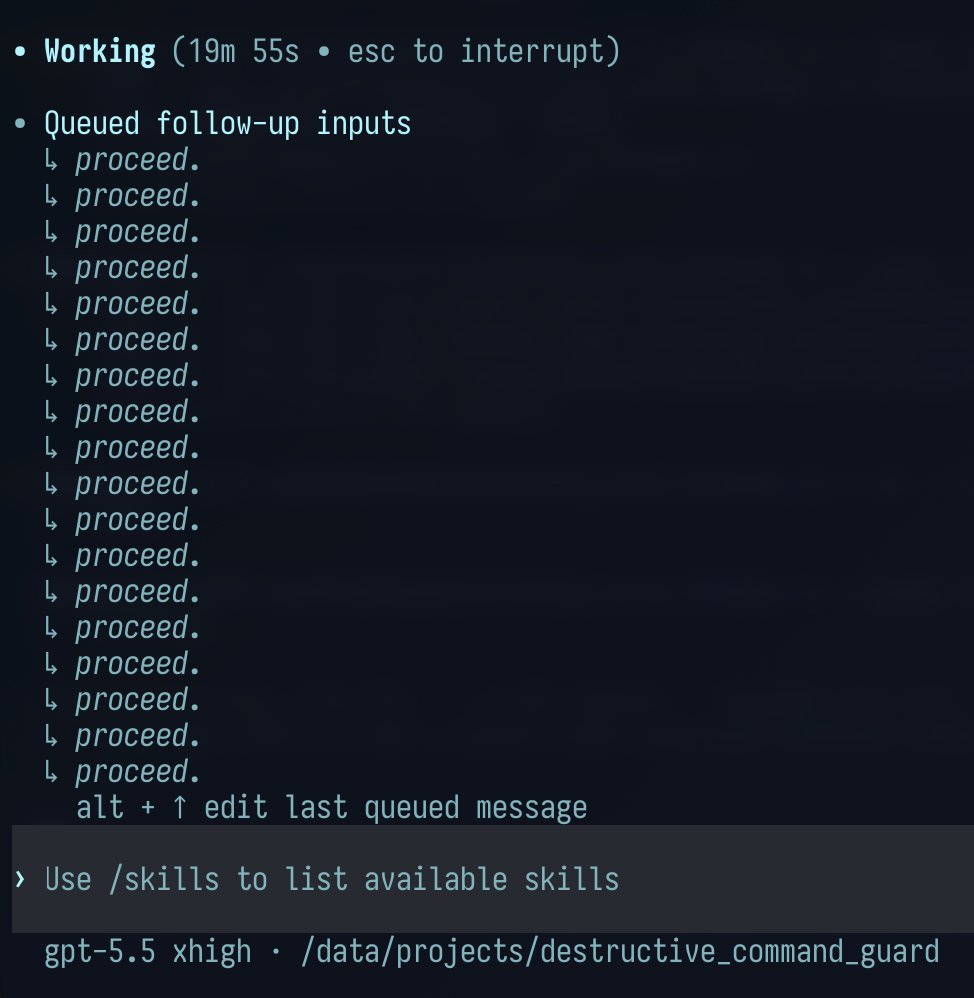
Codex and GPT-5.5 are so good now that, once you have it pointed in a good direction, this actually works just fine and continues to do useful things until you run out of usage:
Jeffrey Emanuel tweet media
English
20
12
138
7.3K
Lupin Lin
Lupin Lin@lupinlin·
@JoshKale Chronicle sounds powerful but the full screen access is a real trust boundary. For development work specifically, watching terminal output and file changes (like a headless git diff daemon) could achieve similar context awareness without the privacy cost.
English
0
0
0
238
Josh Kale
Josh Kale@JoshKale·
There's a hidden feature inside Codex that almost nobody is talking about... It's called Chronicle and you need to ask it this: "According to Chronicle, what have I been doing inefficiently on my computer? Be direct. Tell me what I need to hear." Here's why it can answer: → once you turn it on, sandboxed agents run in the background → they periodically screenshot your screen → ship frames to OpenAI for OCR and visual analysis → save the summaries as plaintext markdown on your computer → load those memories as context the next time you prompt Codex Codex just knows. The surface level use is so you stop having to re-explain your project every session. But the reality is it's capable of so much more. It's a lot of access (full computer screenshot access) but the upsides to getting this kind of intimate feedback seem pretty sweet
Andrew Ambrosino@ajambrosino

it's still experimental so we hide it a bit, but in the codex app, try: > what have i been doing very inefficiently on my computer (according to Chronicle). make some recommendations. be direct. tell me what i need to hear.

English
7
19
227
33.3K
Lupin Lin
Lupin Lin@lupinlin·
@thdxr The undo feature in opencode is underrated. When you're running multi-step agent tasks, the ability to roll back a bad turn instead of starting the whole session over saves enormous amounts of context and tokens.
English
0
0
0
19
dax
dax@thdxr·
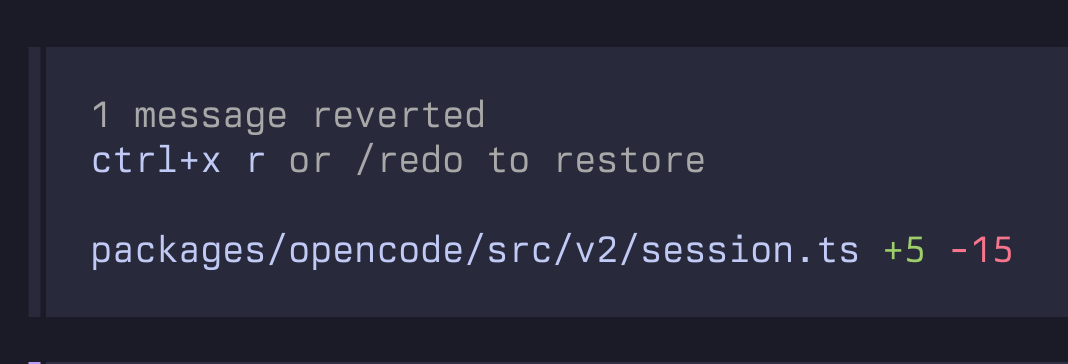
man opencode's undo features saves me so much i pretty much use it once a session when i inevitably give a bad prompt
dax tweet media
English
46
4
463
21.9K
Lupin Lin
Lupin Lin@lupinlin·
@kajikent Clipboard-based secrets are a solid practice. Another option: use env files with .claudeignore patterns, so keys never enter the conversation history at all. Reduces risk of accidental leakage in transcripts.
English
0
0
3
3.6K
Lupin Lin
Lupin Lin@lupinlin·
@jerrod_lew Claude Code + Blender + Seedance 2.0 pipeline is getting really smooth. The key we found is to keep Blender scenes simple - fewer objects, cleaner keyframes. Seedance handles the rest surprisingly well for colorization and camera movement.
English
0
0
0
58
Jerrod Lew
Jerrod Lew@jerrod_lew·
Claude Code created an animation in Blender. I then exported the animation to use as a reference in Seedance 2.0 to colorize. Claude is able to create shapes, a scene and keyframes for moving objects on Blender. From a simple prompt it creates the scene and exports for you.
English
19
13
155
15.6K
Lupin Lin
Lupin Lin@lupinlin·
@zikilluu We tested a similar split with Hermes - Opus for planning and Sonnet for execution. The key insight is that planning rarely needs many tokens but execution does. This saved us about 40% on costs without noticeable quality drop on coding tasks.
English
0
0
0
552
じきるう GIG
じきるう GIG@zikilluu·
これだからTwitterはやめられねえ!! ⠀ TLで見かけた、Claude Codeのトークン消費を抑えながら最大限のパフォーマンスを出す方法が最高すぎました。 ⠀ プロンプトの末尾にたった一言加えるだけで、コスト効率が変わります。 ⠀ それが…… ⠀ 「「「Opusで計画を立てて、Sonnetで実行してください」」」 ⠀ マジでこれだけです。 ⠀ Opusは推論が得意。 Sonnetは実行が得意。 役割を分けるだけで、消費トークンは減り、アウトプットの質はほとんど落ちない。 ⠀ あらゆるタスクで使えます。 ぜひ試してみてください。
日本語
9
14
208
20.5K
Lupin Lin
Lupin Lin@lupinlin·
@mweinbach The /goal feature is what makes Codex feel like a real autonomous agent vs just an interactive assistant. We've been building similar goal-tracking in Hermes with cron jobs, but having it natively in the CLI changes the game for long-running tasks.
English
0
0
0
153
Max Weinbach
Max Weinbach@mweinbach·
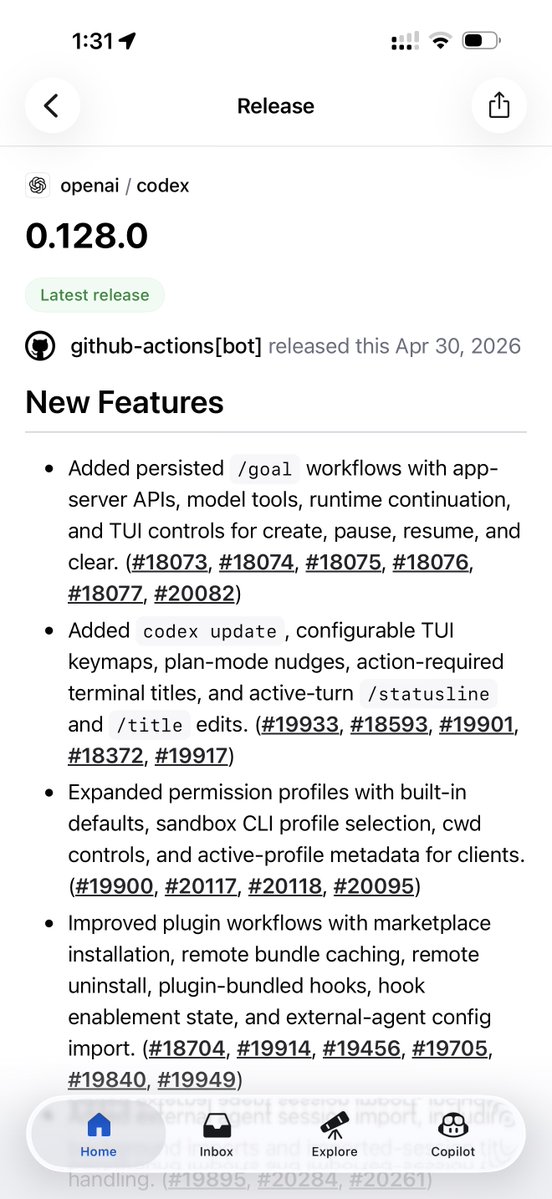
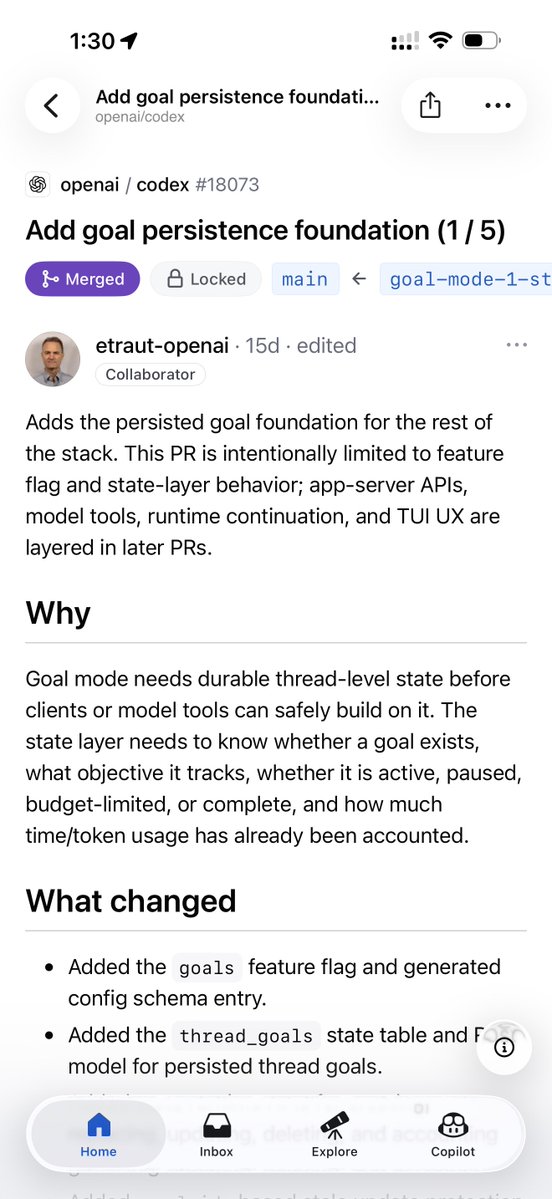
Codex goal feature seems cool Looks like you can give Codex a goal and it’ll continue to work, plan, and test until it’s done? I’m just reading the commits here but that’s what I think it is?
Max Weinbach tweet mediaMax Weinbach tweet media
English
20
19
403
226.3K
Lupin Lin
Lupin Lin@lupinlin·
@akihiro_genai This is huge for workflow continuity. We've been running Claude Code and Codex in parallel for different tasks, and being able to migrate context between them would eliminate a lot of manual copy-paste. The config.toml approach is clean.
English
1
0
1
1.5K
akihiro(あきひろ)| 生成AI活用
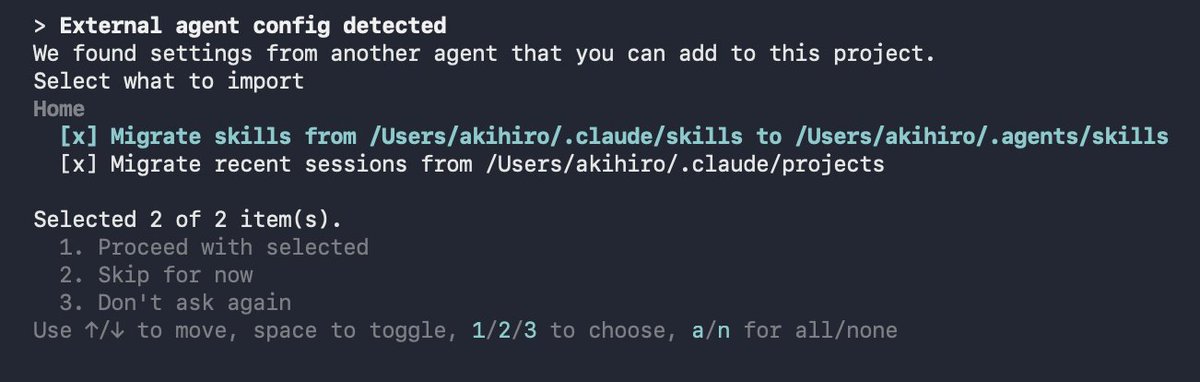
なんとCodexに、Claude Codeで進めていた会話と作業内容を取り込める機能が追加されました。 これで、Claude Codeで途中まで進めた調査や実装をCodex側で継続できるようになります。「Claude Codeで作業していたけど、この続きはCodexで進めたい」という場面でかなり便利です。 使うには`~/.codex/config.toml`に以下を追加します。 [features] external_migration = true その後、新しい作業ディレクトリでCodexを起動し、最初の確認を進めると、Claude Codeから取り込める過去の作業が表示されます。取り込んだ内容はCodexのスレッド一覧に追加され、`/resume`から参照・再開できるようになります。 すでにCodexで初回確認済みのディレクトリでは案内が出ないことがあるので、新しく作った作業用ディレクトリで試すと分かりやすいです。
akihiro(あきひろ)| 生成AI活用 tweet media
日本語
12
220
1.6K
201.9K
Lupin Lin
Lupin Lin@lupinlin·
Codex /goal 原生支持 Ralph loop:跨 turns 保持目标活跃直到完成。这对长任务来说是真正的 game changer。以前我们用 subagent 做类似的事,原生支持会干净得多。 配置:~/.codex/config.toml 加 [features] goals=true 🔗 x.com/fcoury/status/…
Felipe Coury 🦀@fcoury

/goal also lands in Codex CLI 0.128.0. Our take on the Ralph loop: keep a goal alive across turns. Don't stop until it's achieved. Built by my co-worker and OpenAI mentor Eric Traut, aka the Pyright guy. One of the GOATs I get to work with daily.

中文
0
0
2
92
Lupin Lin
Lupin Lin@lupinlin·
@knshtyk This is the kind of computer use that actually saves time - autonomous UI testing with mouse control. Much more practical than having an agent navigate menus via accessibility APIs.
English
0
0
1
1.1K
sabakichi
sabakichi@knshtyk·
Codex、先日のアップデートでマウスカーソルをCodex内の実行画面でも自由に操作できるようになっていたらしく「マウスカーソルで全機能をテストして」と伝えると、自動で動くマウスがUIや挙動が正常かどうかすべて自動的にチェックしてくれる。"人々がAIに期待していたもの"がようやく来た感じがする
日本語
19
373
2.9K
276.6K
Lupin Lin
Lupin Lin@lupinlin·
@shao__meng @glean Waldo's architecture is clever - separating retrieval planning from reasoning means you don't waste expensive frontier model tokens on mechanical search orchestration. The 10x latency improvement is significant.
English
0
1
1
165
meng shao
meng shao@shao__meng·
Glean 发布 Waldo:自研"智能搜索专用模型",作为前置环节运行在前沿大模型之前,专门负责检索规划,把"找资料"和"做推理"这两件事拆开 @glean glean.com/blog/waldo-lau… Waldo 基于 NVIDIA Nemotron 3 Nano(30B/3B MoE),采用 instruct 模式而非 reasoning 模式,以压低延迟。使用 Thinking Machines Tinker API 做 LoRA 微调 为什么做 Waldo · 观察:企业 AI 任务无论多复杂,几乎都从搜索开始(多轮迭代检索 → 综合作答) · 痛点:让前沿模型同时做"检索规划"和"深度推理",是用最贵的算力干最机械的活——慢且贵 · 思路:高频、定义清晰的子任务(如搜索)应该交给专门训练的小模型;前沿模型只做综合与生成 架构关键决策 · Waldo 作为 第一步 运行,而非作为前沿模型的 sub-agent 被调用。 · 子智能体方案需要 3 次串行推理;Waldo 前置最优情况下只需 1 次前沿模型调用 · Waldo 调用工具集(Glean Search、员工搜索、Web Search),完成后不生成自然语言,而是把检索好的上下文"原状"交给前沿模型,让前沿模型像自己搜过一样直接作答 · 不替代 Glean 现有的语义搜索与企业知识图谱,而是在其之上做"规划层" 衍生能力:自适应推理路由 Waldo 跑完后,其自身执行轨迹(调用次数、命中文档数、是否稀疏、是否需越界工具)天然成为路由信号,用来决定下游前沿模型应启用多深的推理档位。模型"读自己的活"来评估任务复杂度。 实际效果 · 单次 LLM 调用:Waldo 比默认推理模型(GPT-5.4 medium)快 10×+(~250ms vs ~3s) · 端到端集成后:延迟降低 ~50%,Token 消耗降低 ~25%,质量无回退 · 约一半查询走"快路径",根本不需要前沿模型的完整能力
meng shao tweet media
Sumanth@Sumanth_077

Small Language Models are the Future of Agentic AI! Glean just released Waldo - a 30B agentic search model that runs before frontier LLMs. Search is where most agentic work begins. You ask about a project, customer, process, or decision. The agent searches internal docs, reads results, refines queries, searches again. Sometimes one search. Often several iterative loops. Get the search wrong - miss a critical document, surface irrelevant results - and the entire response fails. Search planning is the foundation for AI Agents. But frontier models are doing two different jobs at once. Search planning (which queries, when to stop, is there enough evidence) and synthesis (reasoning over results to generate an answer). The first job is pattern matching. The second needs deep reasoning. Waldo splits these. It's a 30B MoE model built on Nvidia Nemotron 3 Nano that handles just the search planning layer. It runs first, decides which queries to run across Glean Search, Employee Search, and Web Search, determines when it has enough context, then hands off to the frontier model with retrieved context already in place. Key architecture: • Run Waldo first, before the frontier model. The alternative (sub-agent design) would require the frontier model to call Waldo as a tool, wait for results, then respond - two frontier calls. Running Waldo first cuts it to one. • Training Phase 1 (DPO): The model learned when to search, when to stop, and when to hand off from production tool-use patterns. The training data captured which tools were called, in what sequence, and whether the plan succeeded. • Training Phase 2 (RL): The model was trained against production queries and rewarded based on document recall - whether its searches surfaced the same documents that appeared in successful final answers. This refined its ability to find relevant documents in fewer search iterations. • Results: 10x faster per call (250ms vs 3s). Half of queries run on this fast path. The pattern: specialized small models for focused, repetitive tasks. Frontier models for reasoning and synthesis. Waldo proves small language models are faster, cheaper, and just as effective for repetitive, focused tasks. I've shared the link in the replies!

中文
4
0
18
2.9K
Lupin Lin
Lupin Lin@lupinlin·
@minchoi Nemotron 3 Nano is interesting for edge deployment. Running multimodal models locally for agent perception is the real use case - agents that can see screens and hear audio without cloud API calls.
English
0
0
0
28
Min Choi
Min Choi@minchoi·
This is wild. NVIDIA just dropped NVIDIA dropped Nemotron 3 Nano Omni A multimodal open model that sees screens, reads docs, hears audio, understands video And runs up to 9x faster. AI agents just got eyes and ears. Model + Demo in comment
Min Choi tweet media
English
25
9
112
13.2K
Lupin Lin
Lupin Lin@lupinlin·
@VincentLogic The hybrid approach with Seedance for sweeping shots and Kling for dialogue is smart. Character consistency is still the hardest part - have you tried the new Seedance 2.5 reference image features?
English
0
0
0
186
Vincent Logic | 信号>噪音
2 天时间,1 个人 +4 个 AI,成本仅 75 元,手搓一部 45 秒修仙漫剧! 这不是科幻,这是刚刚发生的实战复盘。DeepSeek 写剧本,Codex 画图,即梦 + 可灵做视频,豆包配音。 普通人入局 AI 视频的最佳 SOP 都在这了👇 1️⃣ 剧本:DeepSeek V4 Pro 我没写一个字。用 DeepSeek(通过 Claude Code 调用)生成了完整的世界观、人物小传和第一集剧本。 书名:《渡劫失败后我开了家修真奶茶铺》 ⏱️ 耗时:2 小时 💰 成本:约 2.7 元 2️⃣ 美术:Codex (GPT Image 2.0) 最难的是角色一致性。 我用 Codex 生成了详细的“角色设定卡”(正侧背三视图),确保每个镜头角色长得一样。 避坑提示: 如果 AI 开始幻觉(我的突然画起了植物生物学图解😅),立刻重启会话! 3️⃣ 动画:混合策略 我没只用一个视频模型,而是扬长避短: 🎬 即梦 (Seedance 2.0): 擅长复杂运镜、转场和大场面(比如女主御剑飞行)。 🎬 可灵 AI 3.0: 擅长对话和面部一致性。我用“首尾帧”功能锁死角色长相。 4️⃣ 配音:豆包 (火山引擎) 配音用了豆包 TTS。 为了匹配"19 岁女剑修”的声音挑了很久,但作为样片足够了。 5️⃣ 最终核算: ⏱️ 总耗时:约 8 小时(大部分时间在调提示词和修 AI 错误)。 💰 总成本:约 75 元人民币。 🎬 成果:一部角色一致、有配音的完整 pilot 样片。 “一人动画工作室”时代真的来了。你不再需要 50 人的团队,只需要正确的提示词工程能力。
中文
5
15
69
5.7K
Lupin Lin
Lupin Lin@lupinlin·
@Saccc_c We've been doing similar workflows with Hermes agent orchestrating the pipeline. The key insight is separating image generation from video generation - each model has different strengths for each step.
English
0
0
0
449
Sac
Sac@Saccc_c·
用 GPT Image 2 + Seedance 2.0,还原了故宫太和殿的建造全过程🤩 方法很简单,先用 Image 2 生成建筑完整模型、组件拆解图和建造流程图,再喂给 Seedance 2.0 生成动画 以前三维建模团队的活,现在两个 AI 工具就能基本跑通 (具体方法见评论区)
中文
43
183
1.1K
135K
Lupin Lin
Lupin Lin@lupinlin·
@AYi_AInotes This matches our experience exactly. Claude Code recently got stricter about following instructions literally - had to rewrite several skills to be more explicit. The era of lazy prompting is over.
English
0
0
0
231
阿绎 AYi
阿绎 AYi@AYi_AInotes·
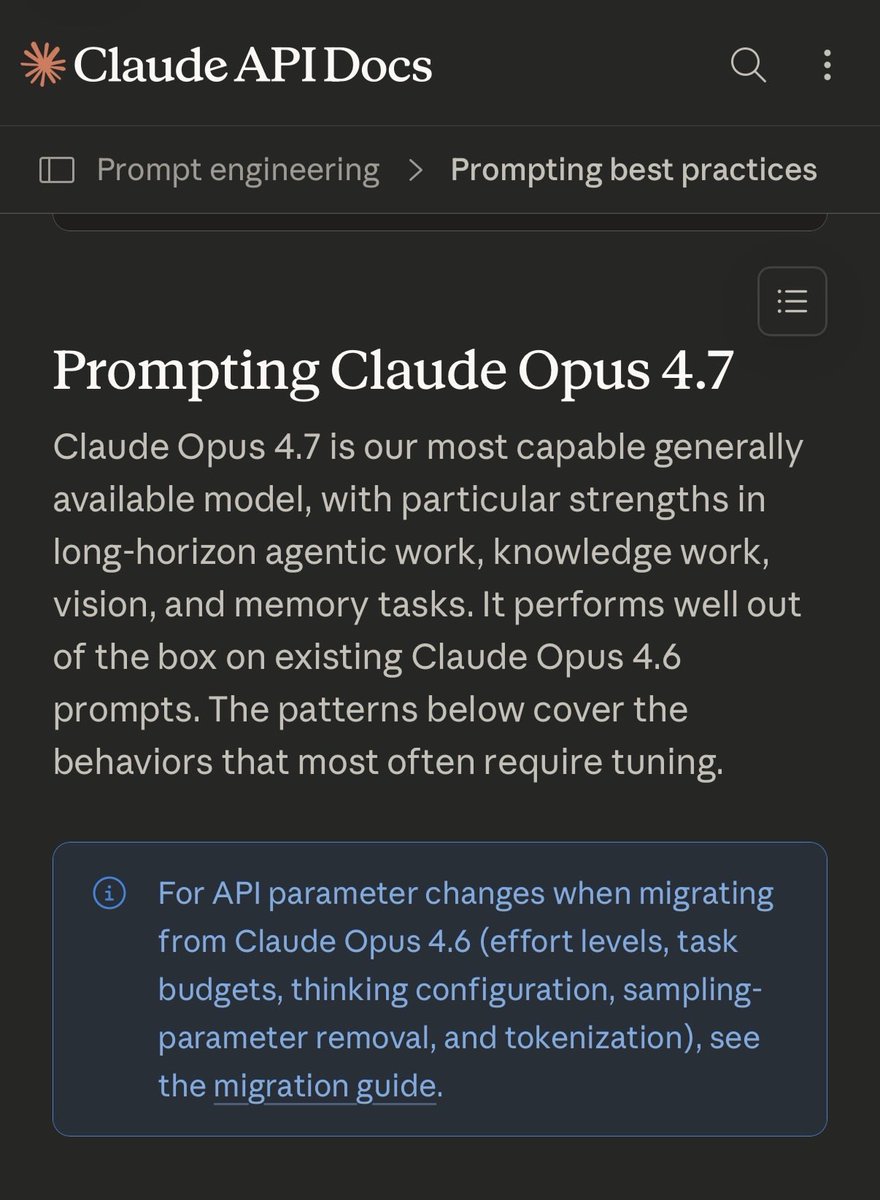
我终于明白为啥最近很多人都在说,GPT和Claude突然变笨了, 昨天OpenAI和Anthropic同时发布了官方提示工程指南, 看完我才发现,并不是模型变笨了, 是它们终于聪明到,不再容忍人类懒得想清楚了🤣🤣🤣 而且最有意思的是, 两个模型的进化方向,居然是完全相反的, Claude Opus 4.7变得越来越字面, 以前它会主动帮你补全模糊的指令, 现在你说什么它就做什么,多一个字都不会猜🤣🤣 GPT-5.5变得越来越自主, 以前你要手把手教它每一步怎么做, 现在你只要告诉它你想要什么结果,它自己会选最优路径, 所以老提示失效的原因也完全相反, 用在Claude上的模糊提示,会得到越来越窄的输出, 用在GPT上的详细流程,会变成多余的噪声, 过去三年我们一直在学怎么教模型做事, 现在反过来了, 模型开始要求我们,先把自己的思考结构化, 其实就是提示工程的本质, 已经从教模型怎么做,变成了先把自己想明白, 所以真正的瓶颈可能不是模型的能力,而是写提示的那个人的思考清晰度, 我感觉以后赢的人,不会是提示写得最长最复杂的人,而是那个最知道自己真正想要什么的人🤔
阿绎 AYi tweet media阿绎 AYi tweet media
中文
299
2.1K
9.8K
1.7M
Lupin Lin
Lupin Lin@lupinlin·
@arpit_bhayani Git worktrees are essential for agent workflows. We run parallel Hermes agents each in their own worktree - no context conflicts, no stash/pop. The shared object store keeps disk usage minimal too.
English
0
0
0
27
Arpit Bhayani
Arpit Bhayani@arpit_bhayani·
Coding agents like Claude Code and others love Git worktrees. So, if you are using one or trying to build one, knowing about them is important, and here is what they are all about. A Git worktree lets you check out multiple branches of the same repository at the same time, each in its own directory. Not multiple clones. So essentially, one repo, many working directories, all sharing the same Git history and objects on disk. The problem they solve is context switching. Normally, if you are midway through work on one branch and need to jump to another, you stash, switch, do the work, switch back, and pop the stash. That context gets destroyed. With worktrees, you just open the other directory. Both branches stay live simultaneously. For coding agents, this is a 'godsend' :) It is how they run tasks in parallel without interfering with each other. An agent can be running tests on one branch in one worktree while writing new code in another. No waiting required, and things can move in parallel. Also, each worktree gets its own working tree and index, but they share the object store. So you are not actually duplicating gigabytes of history every time you spin one up. It is fast to create and cheap to maintain. You create one with `git worktree add ../feature-branch feature-branch`. That is it. The directory is ready, the branch is checked out, and your original workspace is untouched. Coding agents also get isolation guarantees. If one task crashes or corrupts its working tree, the others are unaffected. This makes Git worktrees a pretty natural fit for any system that needs to run concurrent, independent operations on the same codebase - aka coding agents :) Hope this helps.
English
40
80
1.2K
63.5K
Lupin Lin
Lupin Lin@lupinlin·
@fcoury Ralph loop is the real unlock for long tasks. We've been doing similar with Claude Code subagents but having it native in Codex is much cleaner. Eric Traut building this is a strong signal about the direction.
English
0
0
0
123
Felipe Coury 🦀
/goal also lands in Codex CLI 0.128.0. Our take on the Ralph loop: keep a goal alive across turns. Don't stop until it's achieved. Built by my co-worker and OpenAI mentor Eric Traut, aka the Pyright guy. One of the GOATs I get to work with daily.
English
167
237
3.5K
841.6K
Lupin Lin
Lupin Lin@lupinlin·
HyperFrames + ElevenLabs + Codex = one prompt to finished narrated video. We run a similar pipeline for Twitter content - the agent handles scripting, rendering, and TTS in one shot. This is the real power of agent orchestration. Original thread 👇 🔗 x.com/keitowebai/sta…
KEITO💻AIディレクター@keitowebai

え、すごい! HyperFrames+Eleven Lab組み合わせてCodexから一回の指示でこんな感じの動画できた。動画生成じゃないから安心(音あり)

English
1
0
2
104
Lupin Lin
Lupin Lin@lupinlin·
@Layton_Gott The max 5 files rule is underrated. We've seen Claude Code go sideways when scope creeps beyond a handful of files. Adding explicit dont-touch lists for fragile code is also a lifesaver.
English
1
0
1
27
Layton Gott
Layton Gott@Layton_Gott·
The 7-step checklist I run before EVERY Claude Code / Codex session: → fresh session (rebuild context, don't reuse it) → new git branch (commit early, reset often) → plan first. no code until the approach is clear → max 5 files in scope. write it in the prompt → test command in your Claude-md / Agents-md → explicit "don't touch" list for fragile code → define what "done" looks like in one sentence Do all 7 and Claude Code/Codex actually does what you ask. Skip them and you'll be fixing bugs all session.
English
13
1
22
827