Fred 🫡
2K posts

Fred 🫡
@manfredbreber
After building the backend on Tenerife, back in Germany in the cold locked in building the frontend for Mail1. What can I say , it looks beautiful! mail1 dot ai
Katılım Kasım 2010
5.2K Takip Edilen483 Takipçiler
Sabitlenmiş Tweet

Clauding an app is the new podcast.
I vibeclauded a project for this.
Clauding.net
You will be able to create a profile and put all your vibe coded claude projects in there to share for free or put them behind a pay button without any background knowledge.
Let's let all people claude an agentic web 3.0 API world.
English


@gregpr07 Can you add HyperFrames into it? 👀
HeyGen@HeyGen
We built our launch video in Claude Code using HyperFrames. Now it's yours. Open source, agent-native framework. HTML to MP4. $ npx skills add heygen-com/hyperframes RT + Comment "HyperFrames" to get the full source code of this launch video (must follow)
English

Introducing: Video Use. Edit videos with Claude Code. 🫡
I got tired of paying for video editors, so I made a Claude Code skill that does it for me.
> Talk to camera, get final.mp4
> Auto cuts fillers, color grades, adds subtitles
> Adds Manim and Remotion animations
> Self evals the render before you see it
100% open source, 100% free.

English

Just started to use. Looks so promising 👍🏻
Claude@claudeai
Introducing Claude Design by Anthropic Labs: make prototypes, slides, and one-pagers by talking to Claude. Powered by Claude Opus 4.7, our most capable vision model. Available in research preview on the Pro, Max, Team, and Enterprise plans, rolling out throughout the day.
English
Fred 🫡 retweetledi

Your smart TV is taking screenshots of your screen every 15 seconds.
Not a guess. Not a theory.
A peer-reviewed study by researchers at UC Davis, UCL, and UC3M tested it.
Samsung TVs: every minute.
LG TVs: every 15 seconds.
Even when you're just using it as a monitor.
Here's how to turn it off for every brand:
English


@exQUIZitely Met him in Paris some years ago together with Trey Ratcliff. We did a photo walk.
Genuinely nice dude.
English

20 years ago, in 2006, Tom was the boss of the most visited site in the US, getting even more hits than Google or Yahoo.
On a global level it ranked at #4, trailing only MSN/AOL, Google and Yahoo sites.
The $580 million purchase by News Corp in 2005, followed by the drop to $35 million when it was sold in 2011 is one of the biggest value destructions in early social media history.
How the mighty have fallen...
I wonder what Tom does these days.

English

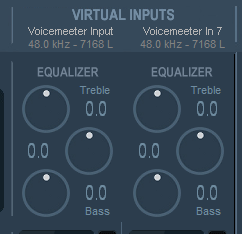
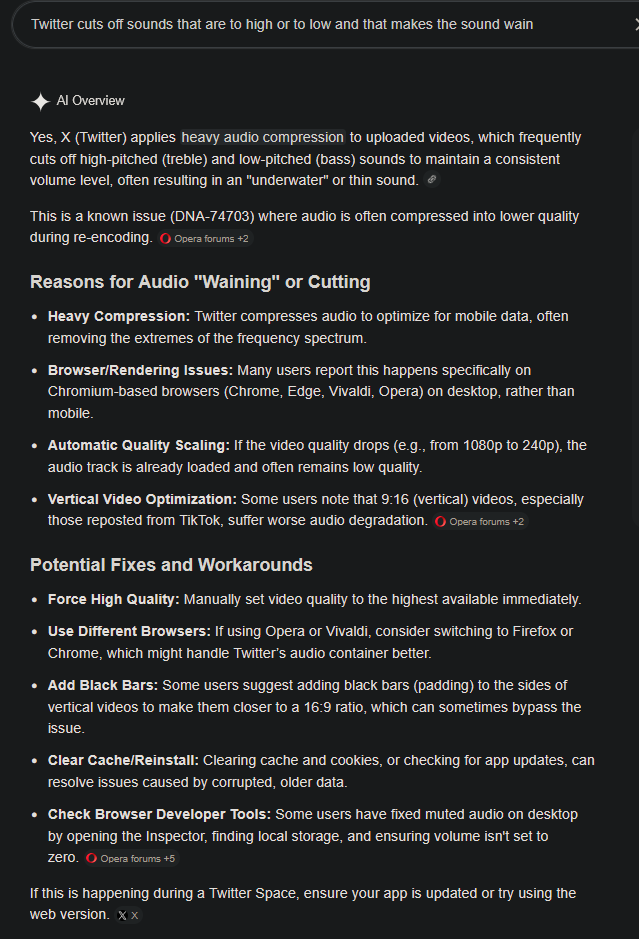
@atmoio For your equalizer you can lower the Treble. X's compression is the problem. X cuts off sounds that are to high or to low & that makes the sound wain.


English

@exQUIZitely Older and I remember it and never asked what happened with the compute I shared.
Thanks for bringing it on my radar 🙃
English

@MikeKGilmore @exQUIZitely There is always someone trying to beat the system.
I wonder how he managed to make 5000 installations.
English

@exQUIZitely Lol I ran this for a time in 2007-2008. I remember being jealous of the guy in 1st place.
Turns out he was a school district IT admin in Arizona and installed it on 5000 district computers without authorization.
He was fired 😂
English
Fred 🫡 retweetledi

Introducing Project Glasswing: an urgent initiative to help secure the world’s most critical software.
It’s powered by our newest frontier model, Claude Mythos Preview, which can find software vulnerabilities better than all but the most skilled humans.
anthropic.com/glasswing
English
Fred 🫡 retweetledi

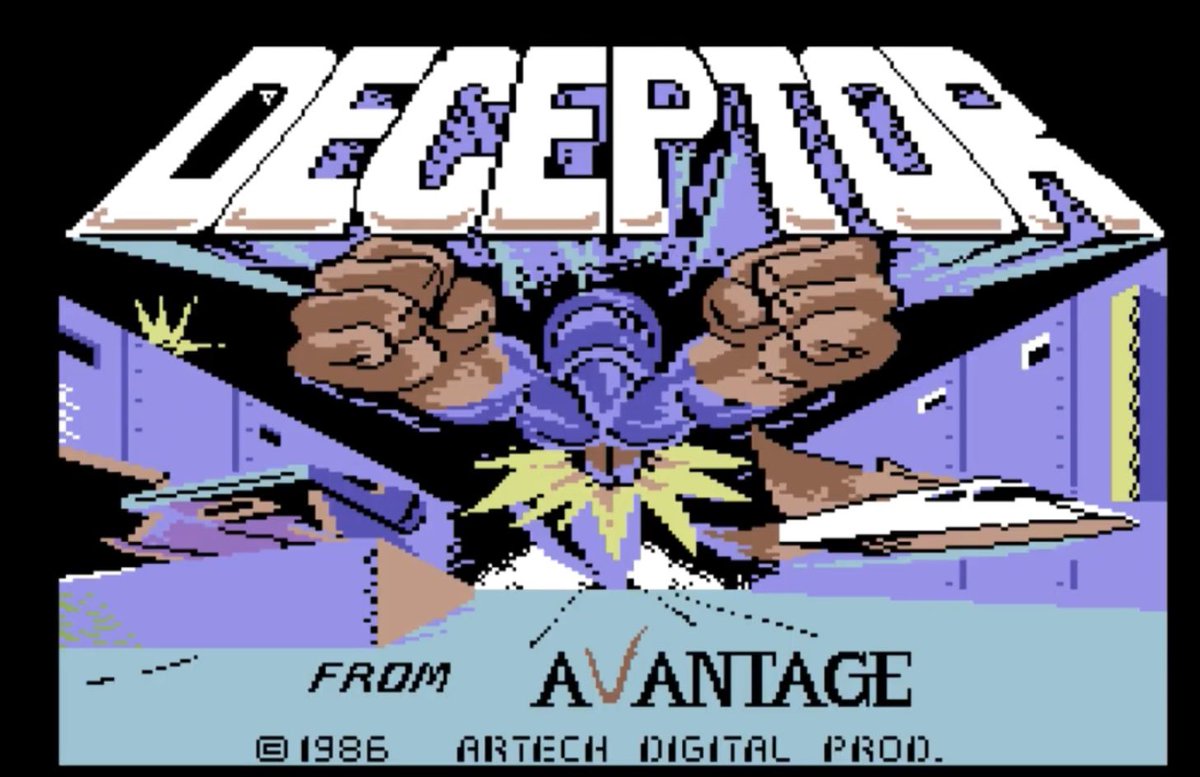
@exQUIZitely I remember this game.
To build this with only 40kb of space is unimaginable today.
English

An average picture that you save on your phone or PC has a size of around 400 kilobytes. It doesn't do anything, it's just a static image.
Now divide that by the factor 10, so you drop to 40 kilobytes. That's the size of The Last Ninja, developed by System 3 and published in 1987.
I still struggle to comprehend, even in the slightest, how programmers back then did what they did - and the worlds they created with the limitations they had to work with.
I was simply blown away by the graphics (isometric on the C64 with such an amazing level of detail - simply gorgeous) and absolutely mesmerized by the kickass sound. What Ben Daglish and Anthony Lees conjured up musically will forever be part of gaming history - an iconic masterpiece.
40 kilobytes man...
English
Fred 🫡 retweetledi

LLM Knowledge Bases
Something I'm finding very useful recently: using LLMs to build personal knowledge bases for various topics of research interest. In this way, a large fraction of my recent token throughput is going less into manipulating code, and more into manipulating knowledge (stored as markdown and images). The latest LLMs are quite good at it. So:
Data ingest:
I index source documents (articles, papers, repos, datasets, images, etc.) into a raw/ directory, then I use an LLM to incrementally "compile" a wiki, which is just a collection of .md files in a directory structure. The wiki includes summaries of all the data in raw/, backlinks, and then it categorizes data into concepts, writes articles for them, and links them all. To convert web articles into .md files I like to use the Obsidian Web Clipper extension, and then I also use a hotkey to download all the related images to local so that my LLM can easily reference them.
IDE:
I use Obsidian as the IDE "frontend" where I can view the raw data, the the compiled wiki, and the derived visualizations. Important to note that the LLM writes and maintains all of the data of the wiki, I rarely touch it directly. I've played with a few Obsidian plugins to render and view data in other ways (e.g. Marp for slides).
Q&A:
Where things get interesting is that once your wiki is big enough (e.g. mine on some recent research is ~100 articles and ~400K words), you can ask your LLM agent all kinds of complex questions against the wiki, and it will go off, research the answers, etc. I thought I had to reach for fancy RAG, but the LLM has been pretty good about auto-maintaining index files and brief summaries of all the documents and it reads all the important related data fairly easily at this ~small scale.
Output:
Instead of getting answers in text/terminal, I like to have it render markdown files for me, or slide shows (Marp format), or matplotlib images, all of which I then view again in Obsidian. You can imagine many other visual output formats depending on the query. Often, I end up "filing" the outputs back into the wiki to enhance it for further queries. So my own explorations and queries always "add up" in the knowledge base.
Linting:
I've run some LLM "health checks" over the wiki to e.g. find inconsistent data, impute missing data (with web searchers), find interesting connections for new article candidates, etc., to incrementally clean up the wiki and enhance its overall data integrity. The LLMs are quite good at suggesting further questions to ask and look into.
Extra tools:
I find myself developing additional tools to process the data, e.g. I vibe coded a small and naive search engine over the wiki, which I both use directly (in a web ui), but more often I want to hand it off to an LLM via CLI as a tool for larger queries.
Further explorations:
As the repo grows, the natural desire is to also think about synthetic data generation + finetuning to have your LLM "know" the data in its weights instead of just context windows.
TLDR: raw data from a given number of sources is collected, then compiled by an LLM into a .md wiki, then operated on by various CLIs by the LLM to do Q&A and to incrementally enhance the wiki, and all of it viewable in Obsidian. You rarely ever write or edit the wiki manually, it's the domain of the LLM. I think there is room here for an incredible new product instead of a hacky collection of scripts.
English

@itsolelehmann Side effect of this optimisation, you use less tokens on every session.
English

one of the highest leverage ideas in AI right now:
"minimum viable prompting"
the reason: your Claude prompts/skills are probably way too detailed, and its making your outputs worse
boris cherny, the guy who created claude code, talks about this all the time.
his own setup is surprisingly minimal
way less than you'd expect from the person who literally built the tool
his rule: before adding any instruction, ask "could claude figure this out on its own?"
if yes, don't add it
most people do the opposite.
something goes wrong so they add more instructions.
so the prompt gets longer.
then claude follows each one less reliably. so they add more.
it compounds in the wrong direction
the fix: write less.
be specific about the few things that actually matter and trust the model on the rest
here's a prompt that identifies and cuts all the unnecessary dead weight for you.
open cowork or claude code and paste this:
——
i want to trim my setup down to the minimum viable instructions.
go through everything: claude .md, every skill in my skills folder, every file in my context folder, everything you can find.
for each instruction you find, simulate deleting it.
would my output on a typical task be noticeably different without it?
if no, flag it. tell me what it says, where it is, and why it's dead weight.
——
also run this before you save any new instructions
you'll probably lose half the words and get noticeably better results

English