
Odin Mojica

27K posts

Odin Mojica banner
Odin Mojica

Odin Mojica

@odinm

Autodidacta, TIC's, Software-Cultura Libre, copyleft-CC, privacidad y protección de datos personales, derecho a la información, todo título personal. @mozillamx

Katılım Nisan 2007
2.8K Takip Edilen2.5K Takipçiler
Salir🕯
Salir🕯@salirdesi·
Qué cosa te hizo darte cuenta de que ya no eras importante para alguien❓
Español
41
4
54
3.2K
Alex Acosta
Alex Acosta@douglax·
Yo digo que suspendan clases en cuanto termine el festival de las madrecitas. Ya qué
Español
2
0
3
174
Alex Acosta
Alex Acosta@douglax·
@josech @odinm Odín ya no tiene remedio, pero no queremos el mismo futuro para los chavitos 😔
Español
1
0
2
30
Hospital Angeles Health System
Hospital Angeles Health System@hospitalangeles·
Celebramos con orgullo el 30° aniversario de Hospital Angeles Mocel y reconocemos la dedicación, el compromiso y la vocación de servicio que han definido su historia. Gracias a quienes son parte de estos 30 años, contribuyendo a brindar atención con calidad y calidez. hashtag#HospitalAngelesMocel hashtag#30años hashtag#SaludMéxico hashtag#Aniversario
Hospital Angeles Health System tweet media
Español
6
1
6
3.2K
Odin Mojica retweetledi
TaraBull
TaraBull@TaraBull·
Police just uncovered a YouTube 'view farm' after a sting operation... Phones mounted to the ceiling running nonstop for fake views.
English
948
7.7K
25.3K
1.7M
Odin Mojica retweetledi
Víctor Sánchez
Víctor Sánchez@victorsanval·
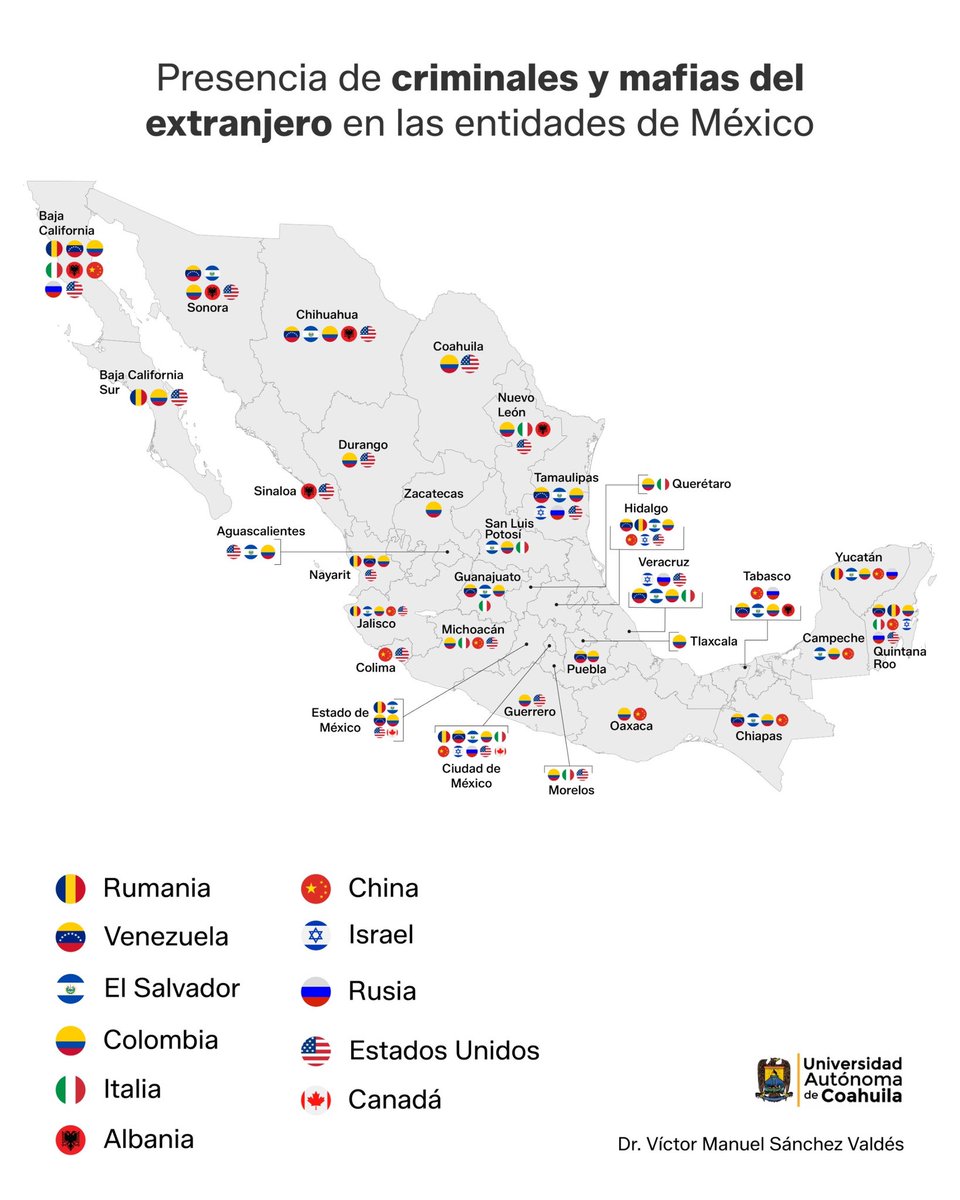
En México operan criminales y mafias del extranjero en las 32 entidades; provienen de al menos 13 países. Comparto un mapa que resume su presencia, incluido en mi artículo de hoy en @nexosmexico (link al artículo en el primer comentario).
Víctor Sánchez tweet media
Español
154
1.6K
4.6K
331.2K
Odin Mojica retweetledi
Dhanian 🗯️
Dhanian 🗯️@e_opore·
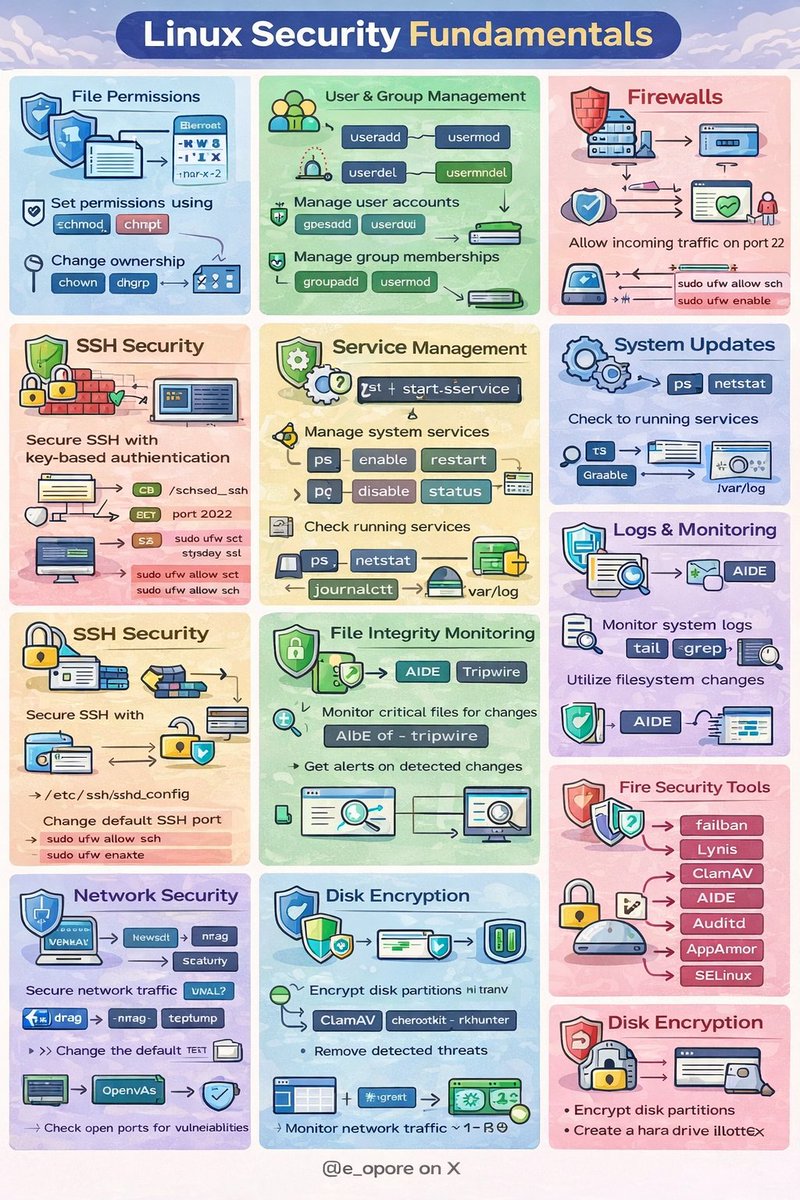
Linux Security Fundamentals 1. Introduction → Linux security focuses on protecting the system, data, and services from unauthorized access, attacks, and misuse. → Linux is known for its strong security architecture, but proper configuration and management are essential. → Security involves controlling access, monitoring activities, and protecting system resources. 2. Core Security Principles → Confidentiality → Protect sensitive information from unauthorized access. → Integrity → Ensure data remains accurate and unchanged. → Availability → Ensure systems and services remain accessible when needed. 3. User and Permission Management → User Accounts → Each user has a unique User ID (UID). → Users belong to groups identified by Group IDs (GIDs). → Proper user management prevents unauthorized system access. → File Permissions → Linux uses three permission types: → Read (r) → Allows viewing file contents. → Write (w) → Allows modifying files. → Execute (x) → Allows running files as programs. → Permissions apply to: → Owner → Group → Others → Commands used: → chmod → change file permissions → chown → change file ownership → chgrp → change group ownership 4. Authentication Mechanisms → Linux authenticates users through several methods. → Password Authentication → Stored securely in /etc/shadow. → Passwords are hashed for security. → SSH Key Authentication → Uses public-private key pairs. → More secure than password authentication. → Multi-Factor Authentication (MFA) → Combines password with additional verification methods. 5. Access Control Systems → Discretionary Access Control (DAC) → Default Linux permission system. → File owners decide who can access their files. → Mandatory Access Control (MAC) → Enforces stricter security policies. → Examples: → SELinux → AppArmor 6. System Hardening → System hardening reduces attack surfaces. → Disable unnecessary services. → Update packages regularly. → Use strong password policies. → Restrict root login access. → Use SSH instead of insecure protocols. 7. Firewall Protection → Firewalls control network traffic entering or leaving the system. → Common Linux firewall tools: → iptables → nftables → UFW (Uncomplicated Firewall) → Firewalls protect against unauthorized network access. 8. Intrusion Detection → Detect suspicious activities in the system. → Tools include: → Fail2Ban → blocks repeated login attempts. → OSSEC → host-based intrusion detection. → AIDE → file integrity monitoring. 9. Software Updates and Patch Management → Regular updates fix vulnerabilities and bugs. → Commands used: → apt update && apt upgrade → yum update → dnf update → Keeping the system updated reduces security risks. 10. Logging and Monitoring → Monitor system logs to detect unusual activity. → Important log files: → /var/log/auth.log → authentication attempts → /var/log/syslog → system events → /var/log/kern.log → kernel messages → Tools like journalctl help analyze logs. 11. Security Best Practices → Use least privilege principle. → Enable firewall protection. → Monitor system logs regularly. → Use strong passwords and SSH keys. → Disable unused ports and services. → Backup important data. 12. Tip → Linux security relies on permissions, authentication, and monitoring. → Proper configuration significantly reduces vulnerabilities. → Combining system hardening, firewalls, and intrusion detection creates a strong defense. → Continuous monitoring and updates maintain system security. 📘 Linux Mastery Ebook → Master Linux internals, security, system monitoring, logging, process management, and architecture step-by-step. 🔗 Grab the Linux Mastery Ebook codewithdhanian.gumroad.com/l/dynwdc
Dhanian 🗯️ tweet media
English
14
227
768
19.9K
Odin Mojica retweetledi
vermaden
vermaden@vermaden·
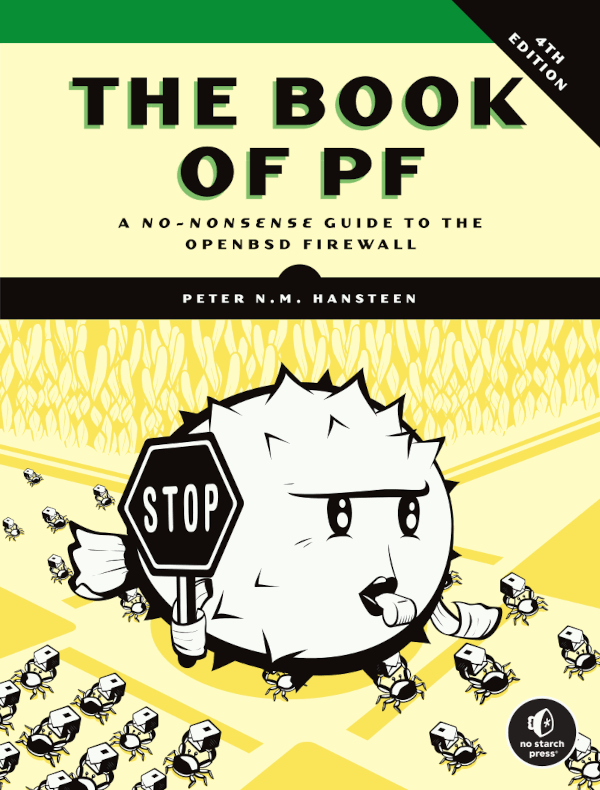
Just added short 𝗕𝗼𝗼𝗸 𝗼𝗳 𝗣𝗙 (𝟰𝘁𝗵 𝗘𝗱𝗶𝘁𝗶𝗼𝗻) [Book of PF] review/update to 𝗕𝗼𝗼𝗸𝘀 𝗔𝗯𝗼𝘂𝘁 𝗙𝗿𝗲𝗲𝗕𝗦𝗗 [Books About FreeBSD] article. #book-pf-4th" target="_blank" rel="nofollow noopener">vermaden.wordpress.com/2022/02/04/boo… #verblog #freebsd #openbsd #netbsd #pf #firewall
vermaden tweet media
English
3
22
107
3.5K
Odin Mojica retweetledi
Dhanian 🗯️
Dhanian 🗯️@e_opore·
Docker & Containerization Roadmap PHASE 1: FUNDAMENTALS & BASICS ├── Container Concepts │ ├── What are containers vs VMs │ ├── Containerization benefits │ ├── Docker architecture │ └── Container orchestration overview ├── Docker Installation │ ├── Docker Desktop (Windows/Mac) │ ├── Docker Engine (Linux) │ └── Verify installation: `docker --version` ├── Basic Commands │ ├── `docker run hello-world` │ ├── `docker ps`, `docker images` │ ├── `docker pull`, `docker rmi` │ └── Container lifecycle commands PHASE 2: DOCKER IMAGES ├── Dockerfile Fundamentals │ ├── Base images (FROM) │ ├── Copy files (COPY/ADD) │ ├── Run commands (RUN) │ ├── Expose ports (EXPOSE) │ └── Default command (CMD vs ENTRYPOINT) ├── Building Images │ ├── `docker build -t myapp:tag .` │ ├── Multi-stage builds │ └── Image layers and caching ├── Docker Hub & Registries │ ├── Push/pull to Docker Hub │ ├── Private registries │ └── Image tagging best practices PHASE 3: CONTAINER MANAGEMENT ├── Container Operations │ ├── Interactive vs detached mode │ ├── Port mapping (`-p 8080:80`) │ ├── Volume mounts (`-v /host:/container`) │ └── Environment variables (`-e`) ├── Docker Networking │ ├── Default networks (bridge, host, none) │ ├── Create custom networks │ ├── Container-to-container communication │ └── DNS resolution between containers ├── Docker Storage │ ├── Volumes (`docker volume create`) │ ├── Bind mounts │ └── tmpfs mounts PHASE 4: DOCKER COMPOSE ├── Compose Basics │ ├── `docker-compose.yml` structure │ ├── Services, networks, volumes │ └── `docker-compose up/down` ├── Multi-Container Applications │ ├── Web app + database setup │ ├── Environment variables in Compose │ └── Dependency management (depends_on) ├── Production Considerations │ ├── Compose file versions │ ├── Resource limits │ └── Health checks PHASE 5: PRODUCTION & BEST PRACTICES ├── Security │ ├── Non-root users in containers │ ├── Image scanning (Trivy, Grype) │ ├── Secrets management │ └── Reducing attack surface ├── Optimization │ ├── Small base images (Alpine) │ ├── Layer minimization │ ├── `.dockerignore` file │ └── Build context optimization ├── CI/CD Integration │ ├── Docker in GitHub Actions │ ├── Docker in GitLab CI │ └── Build automation pipelines PHASE 6: CONTAINER ORCHESTRATION (KUBERNETES) ├── Kubernetes Fundamentals │ ├── Pods, Deployments, Services │ ├── `kubectl` basic commands │ ├── Minikube / Kind setup │ └── YAML manifest files ├── Docker & Kubernetes │ ├── Building images for Kubernetes │ ├── Private registry integration │ └── ConfigMaps and Secrets ├── Production Kubernetes │ ├── Helm charts │ ├── Ingress controllers │ └── Monitoring (Prometheus, Grafana) PHASE 7: ADVANCED TOPICS ├── Docker Swarm (Alternative to K8s) │ ├── Swarm mode basics │ ├── Services and stacks │ └── Overlay networks ├── Cloud Container Services │ ├── AWS ECS/EKS │ ├── Azure AKS │ ├── Google GKE │ └── Managed container registries ├── Monitoring & Logging │ ├── Docker logs management │ ├── Centralized logging (ELK, Loki) │ └── Monitoring (cAdvisor, Portainer) PHASE 8: SPECIALIZED SCENARIOS ├── Development Workflows │ ├── Development containers (Dev Containers) │ ├── Live reload in containers │ └── Debugging containers ├── Legacy Application Containerization │ ├── Monolith to container migration │ ├── Database in containers (stateful apps) │ └── Backup strategies ├── Edge Cases │ ├── Docker on ARM/Raspberry Pi │ ├── GPU acceleration (NVIDIA Docker) │ └── Windows containers LEARNING RESOURCES ├── Official Documentation │ ├── docs.docker.com │ └── kubernetes.io/docs ├── Practice Platforms │ ├── Play with Docker (labs.play-with-docker.com) │ ├── Katacoda (free courses) │ └── Docker's official tutorial ├── Certifications (Optional) │ ├── Docker Certified Associate (DCA) │ └── Certified Kubernetes Administrator (CKA) PROJECTS TO BUILD 1. Simple static website container 2. Multi-container app (Node.js + Redis + PostgreSQL) 3. CI/CD pipeline with Docker 4. Deploy to Kubernetes cluster 5. Full-stack microservices application Estimated Time: 3-6 months for comprehensive understanding Prerequisites: Basic Linux/CLI, Git fundamentals Progression Tips: 1. Start with Phase 1-2, build simple containers 2. Move to Phase 3-4 for multi-container apps 3. Skip to Phase 6 early for Kubernetes basics 4. Return to Phase 5 for production optimizations 5. Practice daily with real projects Key Philosophy; Learn by doing - break things, fix them, understand why they broke. Grab this Docker Handbook; codewithdhanian.gumroad.com/l/svjkv
Dhanian 🗯️ tweet media
English
22
206
1.2K
53.3K
Luis
Luis@tnowhere_man·
@artmichel_eth Si wey ahorita la mayoria de los internautas va aprender a usar linux y vpns
Español
3
0
5
540
Odin Mojica retweetledi
Mich 🦇🔊
Mich 🦇🔊@artmichel_eth·
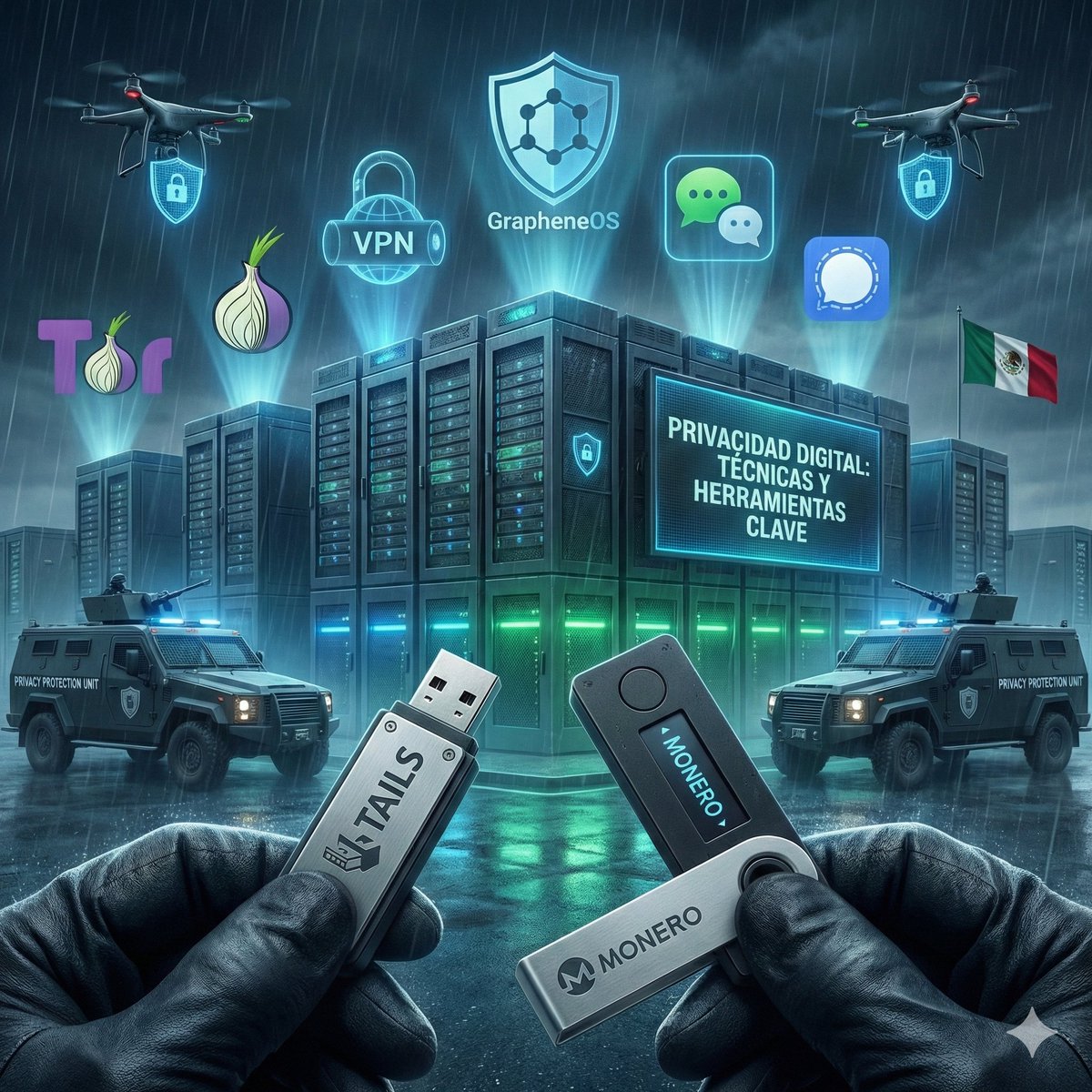
🛡️ ¿COMO PROTEGEMOS NUESTRA PRIVACIDAD? En México, el año pasado se aprobó la llamada #LeyEspía, que autoriza al gobierno a espiar a la ciudadanía sin mecanismos reales de transparencia ni supervisión independiente. 🛡️ Por eso debes aprender a proteger tu Privacidad y Anonimato en Internet 🛡️ Aquí te comparto técnicas y herramientas básicas para cuidar tu privacidad en línea. 🔐 1. Usa Linux Tails para navegar de forma anónima ¿Qué es? Tails es un sistema operativo basado en Debian, diseñado para preservar la privacidad y el anonimato. No deja rastros en el equipo donde lo uses. ¿Para quién es útil? Suele ser usado por activistas, periodistas, denunciantes, o cualquier persona que quiera evitar vigilancia. ¿Cómo usarlo? Descárgalo desde tails.net grábalo en una USB y arranca tu computadora desde ahí. No requiere instalación permanente. Incluye Tor preinstalado y herramientas de cifrado de archivos y comunicaciones. 🌐 2. Usa el navegador Tor para navegar de forma segura. Tor cifra y enruta tu conexión a través de múltiples servidores alrededor del mundo. Ideal para evitar rastreo, censura y vigilancia. Descárgalo desde: torproject.org 🔸 Consejo: Evita iniciar sesión en redes sociales o servicios vinculados a tu identidad real mientras navegas por Tor. 🕵️‍♂️ 3. Usa VPNs confiables (NO gratuitas). Una VPN cifra tu tráfico de internet y oculta tu IP real. Evita servicios gratuitos: muchos registran tus datos y los venden. Recomendadas: Mullvad, ProtonVPN, IVPN. Mejor aún: Usa VPN + Tor + Tails para máxima seguridad. 📱 4. Protege tu teléfono: instala versiones seguras de Android. No solo el gobierno quiere vigilarte. ¿Sabías que Android "oficial" (Google) recopila toneladas de datos tuyos? Instala sistemas como: GrapheneOS (si tienes un Pixel) LineageOS o CalyxOS para otros dispositivos Estas versiones eliminan los servicios de Google y aumentan tu privacidad. Sitios útiles: grapheneos.org lineageos.org calyxos.org 💰 5. Criptomonedas y privacidad financiera. La vigilancia también pasa por el dinero. Cada vez que usas tarjetas, apps bancarias o exchanges tradicionales, dejas un rastro financiero que puede ser monitoreado, vinculado a tu identidad y compartido con el Gobierno. 💸 ¿Solución? Criptomonedas centradas en la privacidad. Deja a un lado el tema de "inversión" y "especulación", las criptomonedas son una herramienta que puedes aprovechar a tu favor. Y la privacidad financiera es parte de tu libertad. Si no puedes gastar tu dinero sin ser vigilado, tampoco puedes vivir realmente libre. Usa Monero (XMR): Transacciones completamente privadas por diseño. Nadie puede ver saldos, montos ni direcciones. ZCash: Permite transacciones privadas (shielded) usando pruebas criptográficas llamadas zk-SNARKs. Tornado Cash: Mezclador para Ethereum que rompe el vínculo entre origen y destino de fondos (aunque actualmente bloqueado en algunas regiones, su tecnología sigue siendo replicada en otros protocolos). 🔐 Buenas prácticas: Usa wallets no custodiales (donde tú controlas las llaves). Evita exchanges que exijan verificación KYC (usa plataformas descentralizadas o P2P). Cambia tu dirección regularmente. Si usas BTC o ETH, aprende a usar mezcladores o coinjoins (Wasabi, Samourai). POR ÚLTIMO... 🧠 6. Hábitos de privacidad que puedes adoptar hoy mismo. ✅ Usa mensajería cifrada como Signal o Session (evita WhatsApp si te es posible). ✅ Usa motores de búsqueda privados como DuckDuckGo o StartPage. ✅ Navega con Brave o Firefox con configuraciones de privacidad mejoradas. ✅ No compartas más información de la necesaria en redes sociales. ✅ Aprende a cifrar tus archivos y correos (por ejemplo con GPG). 🧱 Privacidad no es paranoia, es protección. Cada paso que das para proteger tu privacidad es un acto de soberanía personal y digital. Y recuerda: 📣 La Privacidad debe ser un derecho absoluto para las Personas. En cambio, quienes ejercen poder (como el gobierno), deben ser completamente transparentes y auditables. Si el gobierno lo sabe todo de ti y tú nada de él, eso se llama TIRANÍA. Comparte esta información, difúndela en tus redes, y empieza hoy mismo a tomar el control de tu privacidad. #PrivacidadDigital #LeyEspía #Tails #Tor #VPN #GrapheneOS #CalyxOS #Anonimato #Ciberseguridad #MéxicoResiste
Mich 🦇🔊 tweet media
Español
19
236
531
20.4K
Odin Mojica
Odin Mojica@odinm·
¿Adecuado que los militares deban de tener acceso a puestos públicos de lección popular? ¿Cómo estaría el tema de transparencia y control? ¿Dar poder político al militarismo? se ha olvidado lo que ha pasado en otros países. Gran retroceso. youtube.com/live/4b3oqoJ9t… #4t #noesporahi
YouTube video
YouTube
Español
0
0
0
85
Odin Mojica retweetledi
u-GOB
u-GOB@u_GeOBe·
Felicitamos a la Cámara de Diputados del Congreso de la Unión , ganadora de los #PremiosUGOB @mx_diputados
u-GOB tweet media
Español
0
2
4
241