
Sabitlenmiş Tweet
Onit
21 posts


Onit
@onit_ai
The free alternative to Wispr Flow ✌️
San Francisco, CA Katılım Mart 2025
14 Takip Edilen35 Takipçiler
Have you ever copied and pasted an entire Google Doc into ChatGPT to ask a simple question? Never again!
Onit now integrates directly with Google Drive. You can add any Google Doc, Sheet, or Slide to your chat with a single click. Better yet, Onit is just a sidebar, so you can chat with AI about your doc without ever leaving Google Docs 🤯 Say goodbye to switching back and forth between Google Docs and ChatGPT!
Want to give it a try? Reply “interested” and we’ll send you a download link!
People are using Onit+Google Docs to answer questions like:
“What does this document say about ” (aka. the cmd-f killer)
“Help me come up with ideas for feedback on this doc, make 10 suggestions.”
“Help me find areas where I’m using passive voice or other forms of weak language, and offer suggestions for improvement”.
“Find complex sentences and help me simplify them for clarity and readability”.
English
@diabrowser Love seeing more AI tools rethink how we use context. Big fan of this direction 👏 We're building @onit_ai with the same goal!
English

Changelog Thread 🧵
v2.3 is Live!
We started a @discord server! Join here:
discord.gg/2E8WWkvGYZ
Other updates include:
• Beautiful new autocontext UI: whenever you switch apps, the autocontext button updates to match the app you’re using. Click the tag, and Onit will automatically read all the text in that app and add it to your context. This is the easiest and most effective way to bring your application context into your LLM without leaving your workflow!
• IME typing is fixed (i.e. Pinyin for Chinese, Romaji for Japanese, etc)
• Onit will no longer ask to access your keychain every time you launch it 😅
• Lots of important bug fixes.
For the latest version, head over to our website (getonit.ai) or hit "Check for Updates" in the Onit menu bar.
English
We quietly shipped one of Onit's biggest updates yet 👀
- Pinned mode (dock to screen edge!)
- Accounts & plans (BYO key or sub for 6+ providers)
- Smarter, clearer auto-context
- Horizontal resizing
- Bug fixes galore
Check it out → getonit.ai
Star us → github.com/synth-inc/onit
English

Interesting you can now make
> Cursor for {any industry}
Asked ChatGPT:
- Cursor for Data Science → Auto-generates Jupyter notebooks, visualizes data, explains models, debugs Pandas errors
- Cursor for Game Dev → Real-time Unity/Unreal editor with AI NPC scripting, level design suggestions, asset tagging
- Cursor for Webflow/No-code → Converts natural language to front-end components, auto-deploys, explains CSS/JS
- Cursor for Finance/Quant → Live coding with market data, auto-backtesting strategies, error tracing in Python/R
- Cursor for Hardware/IoT → IDE for Arduino/Raspberry Pi with schematic-aware debugging and real-time sensor emulation
- Cursor for Smart Contracts → Solidity IDE with security linting, gas optimization, and testnet integration
- Cursor for Biotech/Bioinformatics → DNA sequence analysis, genome mapping, Python/R support for lab workflows
- Cursor for Cybersecurity → Script generator for pen-testing, auto-reverse engineering, real-time exploit checking
- Cursor for DevOps → Writes and validates Dockerfiles, CI/CD pipelines, Helm charts, Terraform scripts @DanielLockyer
- Cursor for Education → AI tutor that co-writes code and explains line-by-line for students in real time
John Yeo@johnyeo_
we built cursor for stripe
English

@joshm @browsercompany Impressive work! 👏 We’re big fans of chatting with tabs too.
If you want an AI sidebar that works across ALL your apps (yes, even browsers!) — and it’s open-source — check out Onit 🌟 @onit_ai
English

An update on our new AI browser, Dia:
We just wrapped alpha testing with thousands of college students. Felt like the perfect moment to share a raw @browsercompany update on what’s been going on (including demos). So much to catch you up on…
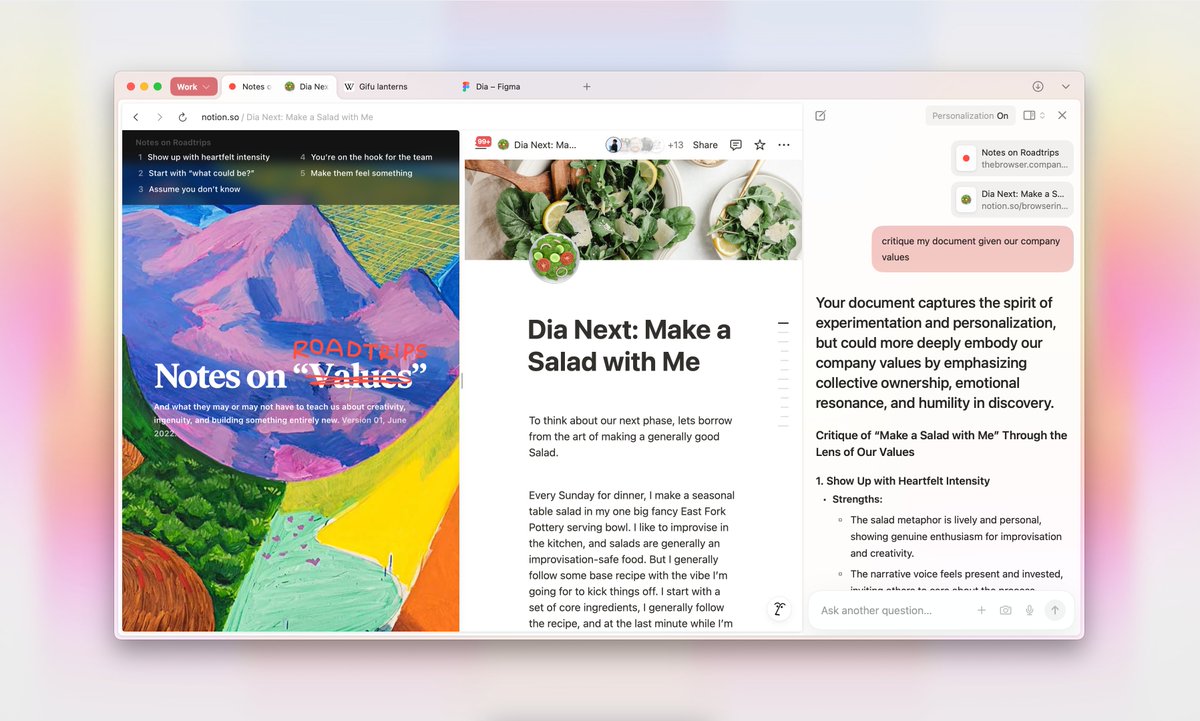
English
3/n AUTOCONTEXT
No more manual copying—Onit can automatically read and import text from any app, so nothing slows you down!
Note: AutoContext is disabled by default to prevent accidental sharing of personal data. You can start using AutoContext by manually enabling it in the context menu or setting it to load automatically in the Context settings.
English
🚀 It’s here! We’re launching Onit into public beta!
Onit is like Cursor Chat but works anywhere— not just in your IDE. Transform ANY app on your Mac into an AI-powered workspace.
Be the first to try it 👉 getonit.ai
Features thread 🧵
1/n TETHERED MODE
English