
Romain Cousin

428 posts

Romain Cousin banner
Romain Cousin

Romain Cousin

@RomainCousin

Freelance 2D motion designer and developper of Keystone 3 for After Effects. https://t.co/Ze1bl2VtIS

France Katılım Haziran 2009
387 Takip Edilen539 Takipçiler
Sabitlenmiş Tweet
Romain Cousin
Romain Cousin@RomainCousin·
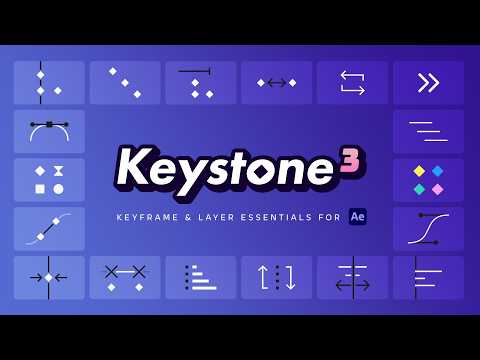
📢 Keystone 3 is out now on @aescripts! This new major version introduces new tools and improvements designed to simplify how you work in the #AfterEffects timeline. -25% launch offer! Treat your keyframes and layers at aescripts.com/keystone
English
0
1
7
2.1K
Romain Cousin
Romain Cousin@RomainCousin·
@its_sokei I'm a little late to the party, but thank you so much for including my Keystone extension on this list!
English
1
0
0
27
Sokei
Sokei@its_sokei·
💜MY DAILY AFTER EFFECTS SCRIPTS💜 These are all the after effects scripts I use to speed up my workflow! 🫶 普段の作業で日常的に使っているスクリプトをまとめました!便利なものばかりなので、ぜひ参考にしてみてください✨ General Tools -Mobar -Ray Dynamic Color -Penpal 2 -Nisai_BPMSync -Nisai_Repeater -Nisai_AutoLoop -Nisai_SequenceLayers -Nisai_NotepadNS -SmoothRounder -ConnectLayersPRO -mCloner_Pro -Duik Angela Keyframing -Keystone 3 -Flow -NGS_EaseCraft Text Animation -Han Motion Type -TextEvo 2 -Shuffle It! -Ultra Barabara -TextExploder Presets -Animation Composer 3 -Motion Bro Productivity -Motion Clock -OCD Renamer
日本語
7
27
298
23.1K
Romain Cousin
Romain Cousin@RomainCousin·
@makina_vt Thanks for trying out Keystone 3! I'll definitely watch your video if there's auto-translate 😉
English
1
0
1
79
遊季 まきな - Vtuber
遊季 まきな - Vtuber@makina_vt·
【📢配信告知📢】 4/17(金) 21:00~ AfterEffectsの購入プラグインを導入する配信をします。 【Keystone 3】【Dresser】【Kbar3】【Boundary Fill】 など、以前セールで買って触れてなかったプラグインがいくつかあるので試していきます! ▼待機所URL youtube.com/live/6S3DEs4ru…
YouTube video
YouTube
遊季 まきな - Vtuber tweet media
日本語
1
0
5
1.2K
Romain Cousin
Romain Cousin@RomainCousin·
@cano1215_ Thank you very much for featuring my Keystone extension!
English
1
0
0
231
CANO
CANO@cano1215_·
MV制作でよく使うおすすめのスクリプト(最新版) Everything alinco.booth.pm/items/6463912 Move Anchor Point 4 aescripts.com/move-anchor-po… Notal alinco.booth.pm/items/7959888 Universal Audio aescripts.com/universal-audi… KBar3 aescripts.com/kbar/ Keystone aescripts.com/keystone/ AutoSway aescripts.com/autosway/ 上記のスクリプトはいつもお世話になってるしこれからMV制作始める方にも個人的におすすめです!
日本語
3
129
1.3K
47.6K
Romain Cousin
Romain Cousin@RomainCousin·
@Ivan_vid3 @aescripts Yes, of course! You can align, stretch, color label, stagger (and many other functions) as many keyframes as you want. A free trial version is available on the product page if you want to try it out for yourself: aescripts.com/keystone
English

0
1
2
608
にととん
にととん@nitoton_baka·
KeyStoneってaeのプラグイン買ったんだけどこれめっっちゃ優秀じゃない?????? 今までアホだるかったキーフレーム操作がめっっちゃ楽になったんだけど??
日本語
1
0
1
225
プッティ
プッティ@PuttiMW·
#AfterEffects 今年買ってよかったもの ・Keystone 3 ・PQ Grit Kit 2 去年はこれ ・Deep Glow 2 ・Align Pro ・Save Objects 2
日本語
2
18
593
70.9K
Romain Cousin
Romain Cousin@RomainCousin·
@Kumakenshiro There will soon be a discount for Keystone 1 owners. I’ll let you know as soon as it’s available! In the meantime, you can use the trial version of Keystone 3.
English
1
0
0
32
Ryan Summers
Ryan Summers@Oddernod·
There are a LOT of tools you could use to make animating in After Effects easier – my favorite panel just got a major new update that makes things even easier: KEYSTONE 3 is live! youtu.be/ldrWE8Vbif0?si…
YouTube video
YouTube
English
5
1
25
5.9K
Romain Cousin
Romain Cousin@RomainCousin·
🔗 Are you familiar with the keyframe and layer linking options in Keystone 2? These options are often overlooked but they're incredibly effective. They add a whole new way to control layers and keyframes in After Effects! 👉aescripts.com/keystone - @aescripts
English
0
8
57
2.9K
Romain Cousin retweetledi
Rajveer
Rajveer@EditorRajveer·
4. Keystone This plugin might feel complicated at first, but once you get used to it, there's no going back.
English
1
1
1
146
Romain Cousin retweetledi
Rob Barrett
Rob Barrett@robbarrett·
☀️ KBar3: Allows you to build your own custom toolbars of scripts and menu commands. aescripts.com/kbar/ ☀️ Keystone 2 (@romaincousin): Manage your keyframes – copy/paste to relative layer times, stretch and shift without messing with easing. aescripts.com/keystone/
English
1
1
1
178
Romain Cousin
Romain Cousin@RomainCousin·
@FrazDav You can use this expression: var t1 = key(1).time; // k1 time var t3 = key(3).time; // k2 time if (time >= t1 && time <= t3) { ease(time, t1, t3, key(1).value, key(3).value); // Interpolation between k1 and k3 } else { value }
English
0
0
6
360
Fraser Davidson
Fraser Davidson@FrazDav·
After Effects people. Is there a way to interpolate between non adjacent keyframes? Ie if I have KF 1, 2 and 3. Can I smoothly transition between 1 and 3, ignoring 2?
English
11
0
61
11K