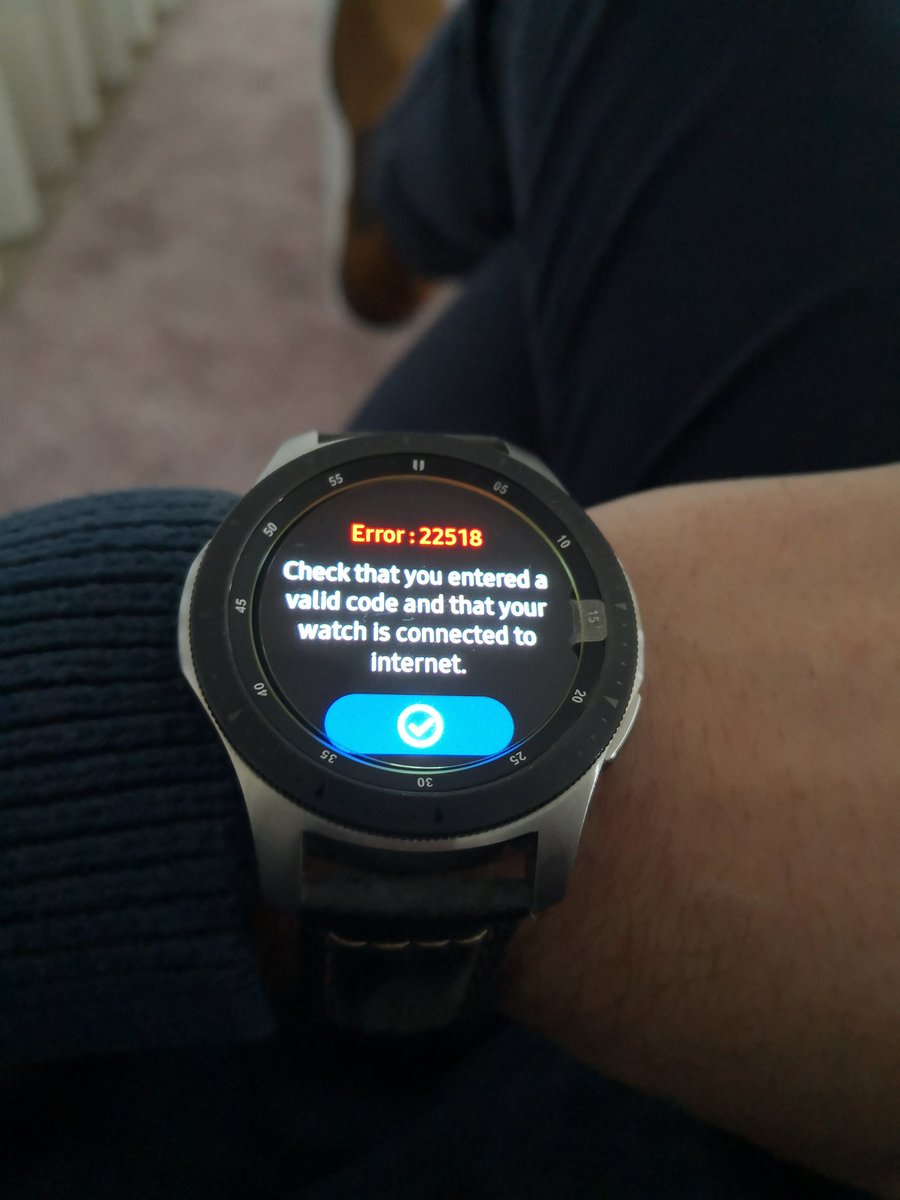
@olivierthn@run4gear@MauroQueiros Same problem here - it’s an issue with the app not sure it is being supported anymore might be time to look for another running app
@run4gear@MauroQueiros I have also this problem now since beginning of june.
Impossible to synchronise from my SW3 to runalyse. I re-install application on watch and on android without success. No server for run4gear.com/runalyse is out and impossible to connect also on Strava even I enter the number
@run4gear I can't get past this error while connecting to Strava. It used to work well. The watch is definitely connected to the internet through both wi-fi and Bluetooth. Any clue on how to fix it?
@run4gear app seems to have stopped working showing a connection error when trying to link to Strava - any fix coming soon , are you still supporting the app or is it time to look for an alternative
@run4gear LSR today with watch reset to update server problem on GWA2 - can confirm that auto upload to Strava worked well no issues so far - all server issues seem resolved on my GWA2 hope@it works for others 👍
@run4gear just to confirm that the reset and reload app on the GWA2 worked and the server issue has been fixed - Strava loaded and synced no issues - this should work for most - but a reminder that you need to save history on watch before reset 👍
UPDATE : It seems that if you reset the watch it solves the certificate problem. Be carefull, it will remove all your files. You should first save them to your computer or phone and then restore them.
@run4gear I have been able to resolve this issue for my GWA.
- Use file transfer to export json files to phone.
- Reset watch
- Reinstall R4G
- Reconnect with Strava
- Copy json files to R4G folder on GWA
- BINGO!!!
Update: I read many things about the "DST Root CA X3 Expiration Problem". If one of you succeed to sync with a watch version (GWA2 for instance) there is no reason that others failed. Do you have the problem with direct WIFI (no phone connexion) ?
@salvacs14 I tried bunch of things, it seems that I can't solve the problem from my side ... It works for a lot of people ( I'm lucky to be one of them ). I'll continue to investigate. Don't worry for your file they are not lost !
@run4gear Thanks have tried again but still not able to sync Strava or any activity - tried for the last 3 days - keep getting server error or internet connection was working last week
@run4gear I can't seem to enter my email address to set up the live tracking on my Galaxy 2 Active, the touch screen is un responsive. Same on my wife's watch. Any thought?