Run4Gear

1.2K posts

Run4Gear banner
Run4Gear

Run4Gear

@run4gear

Best tracking app for your Samsung watch. free download : https://t.co/R0TU2T6fub Interval training, GPX, Biking, Running, Runalyze, Strava, ...

Katılım Eylül 2017
122 Takip Edilen652 Takipçiler
Sabitlenmiş Tweet
Run4Gear
Run4Gear@run4gear·
Run, Hike, Bike and Train with your Samsung Watch ! Free download at galaxy.store/r4g. Compatible with Strava, Runalyze, Smashrun, Fitnessyncer and Dopbox.
Run4Gear tweet media
English
6
7
61
0
Mauro Queirós
Mauro Queirós@MauroQueiros·
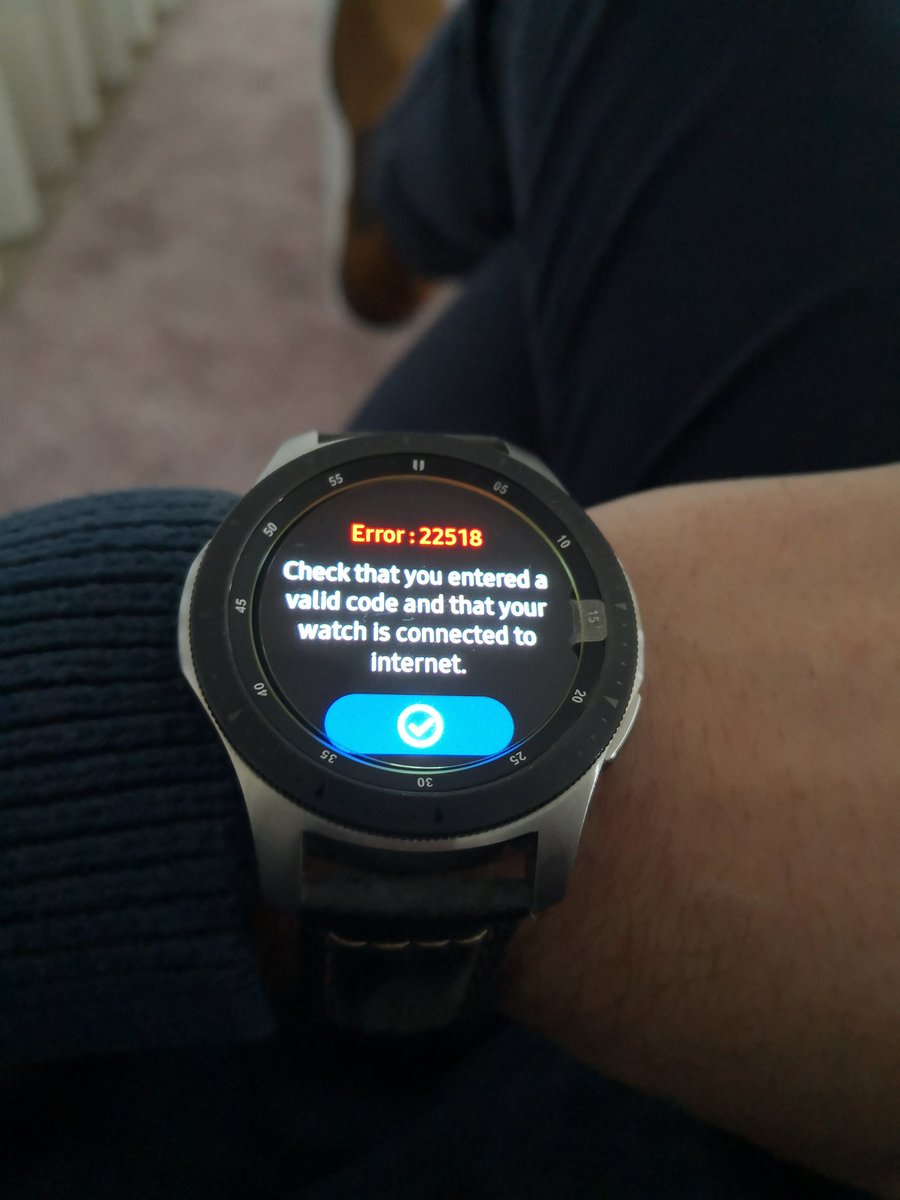
@run4gear I can't get past this error while connecting to Strava. It used to work well. The watch is definitely connected to the internet through both wi-fi and Bluetooth. Any clue on how to fix it?
Mauro Queirós tweet media
English
7
0
0
0
Run4Gear
Run4Gear@run4gear·
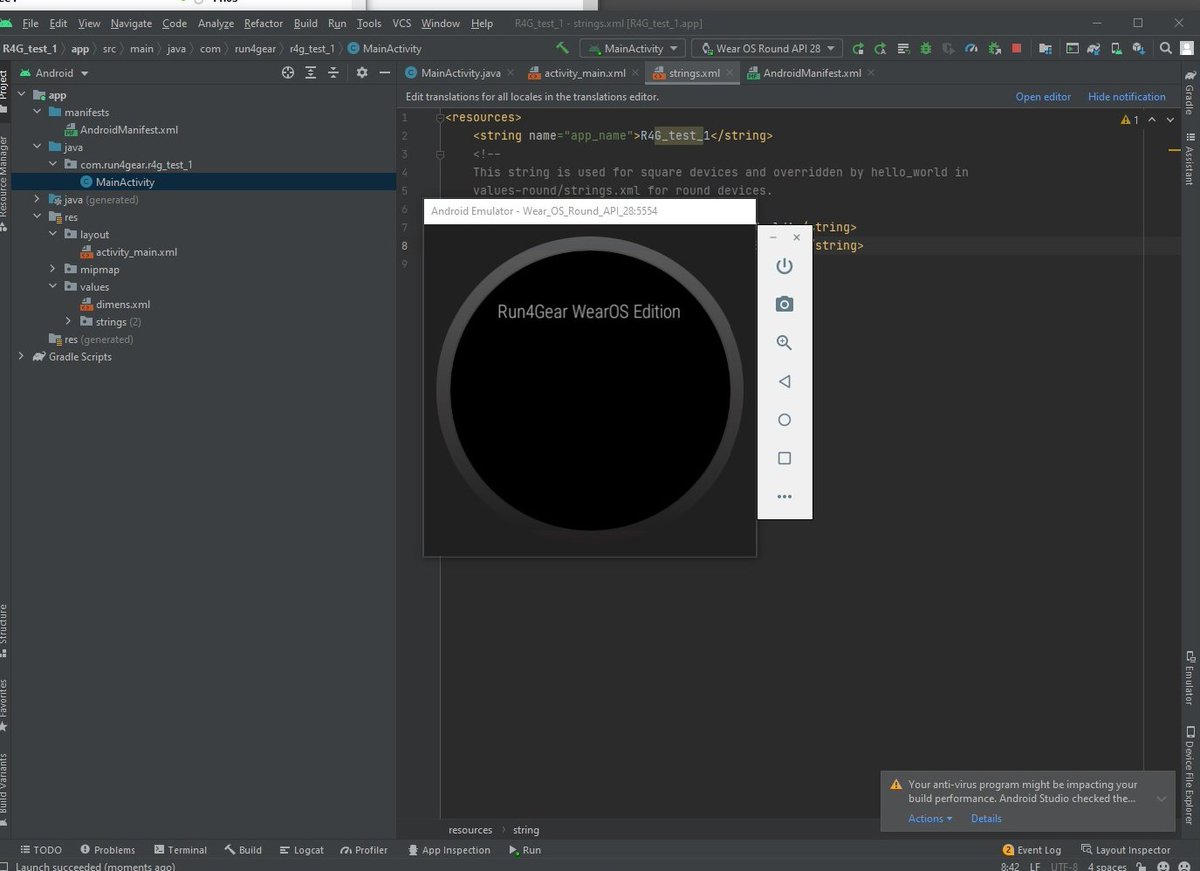
I just installed Latest Android Studio, Development seems to be a lot easier compared to Tizen Studio ... I'll give you some update. We are lucky, I code in Java as well as in C++. It is just a matter of learning the wear OS API.
Run4Gear tweet media
English
5
0
11
0
Run4Gear
Run4Gear@run4gear·
@demeester_jonas @rt141264 It should work fine with your H10. R4G III has got a better support of BTLE devices. Remove battery from you H10 (reset it) and then retry
English
2
0
0
0
Jonas Demeester
Jonas Demeester@demeester_jonas·
@run4gear @rt141264 With the version run4gear III I can’t connect to my Bluetooth hartraert monitor. But wit the previous version (run4gear II) I could. Is there a way I can download the older version somewhere? Or to fix the problem. The hr monitor I have is a polar h10.
English
1
0
0
0
Richard Turner
Richard Turner@rt141264·
@run4gear at the servers down cannot sync - have managed up til today everything was working perfectly
English
1
0
0
0
CGT Partner
CGT Partner@cgtpartner·
@run4gear Happy new year! I'm having the connection issues again. Has the certificate issue occurred again as we rolled past 31/12/2021?
English
1
0
0
0
Rolf Jermann
Rolf Jermann@RolfJermann·
@run4gear i have a sync error - Server down- When I will Export Form my Watch to strava 3 days (2021) was all Right Do you have also trouble by synchronising
English
1
0
0
0
MikeMike
MikeMike@XRayMikeMike·
@run4gear I have reseted the watch, but now i am not able to enter the Code given by run4gear.cim/strava
English
1
0
0
0
Run4Gear
Run4Gear@run4gear·
UPDATE : It seems that if you reset the watch it solves the certificate problem. Be carefull, it will remove all your files. You should first save them to your computer or phone and then restore them.
English
11
0
2
0
Ana Elena
Ana Elena@anitaee73·
Que vino compro???
Ana Elena tweet media
Español
203
9
370
0
Run4Gear
Run4Gear@run4gear·
@mgm1001001 I'm sorry but it seemq that I can't do nothing for gears3. The only solution I have is: - pay for a non free certificate (I already pay the server for all of you and I win absolutly 0$ for that ...) - release a special version for gear s3 with no ssl certificate. Sorry ...
English
1
0
0
0
Mike Margolis
Mike Margolis@mgm1001001·
@run4gear Tried the watch reset, and R4G still does not connect. I am not sure how to check if the Gear Strava app is using encryption (don't know how to snoop packets from the watch).
English
1
0
0
0
Run4Gear
Run4Gear@run4gear·
Update: I read many things about the "DST Root CA X3 Expiration Problem". If one of you succeed to sync with a watch version (GWA2 for instance) there is no reason that others failed. Do you have the problem with direct WIFI (no phone connexion) ?
English
4
0
0
0
Run4Gear
Run4Gear@run4gear·
@mgm1001001 Are they transfering your data on the network without any data encryption ?
English
1
0
0
0
Mike Margolis
Mike Margolis@mgm1001001·
@run4gear Also having the same problem with Gear S3. Tried reinstalling R4G and also tried WiFi Direct Connection. Other app on watch (weather) connected fine. Did not try resetting watch yet.
English
1
0
0
0
Sam Snook
Sam Snook@thesmuel·
@run4gear @AshH4rd1ng I reset the watch again last night and installed only R4G. Still no luck. Can't link to Strava and am getting the server down/no Internet connection message when syncing using email to tcx. Thanks for all your efforts and a brilliant app BTW!
English
1
0
1
0
gAItoman
gAItoman@gaitoman·
@run4gear Ok , Merci. Montre réinitialisée !
Français
1
0
0
0
gAItoman
gAItoman@gaitoman·
@run4gear bonjour, le serveur est toujours "down" 😔
Français
1
0
0
0
Run4Gear retweetledi
Richard Turner
Richard Turner@rt141264·
@run4gear Reset watch - reinstalled R4G - reconnected to server - will try a run later to see if it works - but it seems that it fixes it 👍
English
2
1
3
0
Run4Gear
Run4Gear@run4gear·
@thesmuel @AshH4rd1ng let me know if you succeed to make it work on your gear S3, reset seems to work well on GWA1 & GWA2
English
1
0
0
0
Sam Snook
Sam Snook@thesmuel·
@run4gear @AshH4rd1ng Sadly the reset didn't work for me (Gear S3). I also still can't link my Strava account. I did restore settings from a backup, so I'll try again with a fresh install of R4G
English
1
0
1
0
Run4Gear
Run4Gear@run4gear·
Please you that link to convert your json file to tcx file. Just press browse button to select your json file form you computer and then press convert. run4gear.com/jsontcx.html
English
2
0
5
0
Run4Gear retweetledi
AshH4rd1ng
AshH4rd1ng@AshH4rd1ng·
@run4gear I have been able to resolve this issue for my GWA. - Use file transfer to export json files to phone. - Reset watch - Reinstall R4G - Reconnect with Strava - Copy json files to R4G folder on GWA - BINGO!!!
English
6
1
1
0