

John Saito
1K posts

John Saito
@saitojohn
Design at Snowflake. I do my best work when I'm dreaming.
Bay Area, CA Katılım Nisan 2011
783 Takip Edilen3K Takipçiler
John Saito retweetledi

We’re hiring our next product designer at OpenAI to help ChatGPT reach its full potential. I believe we're at an inflection point for human-computer interaction, and this is an opportunity to help shape the next chapter. openai.com/careers/produc…
English
If you're a product designer, how much of your work day do you actually spend in a design tool (like Figma)?
English
John Saito retweetledi

Our team has been up to something 👀 Subscribe to our newsletter! We'll share a new batch of articles each quarter about designing Lattice, our processes, and what makes the team flow. Get the first issue as soon as you subscribe at design.lattice.com
English
Just started using the Warp app (a modern take on the macOS Terminal), and it's amazing 🤩
Once you try it, you'll never want to open Terminal again
warp.dev
English
omg, i'm loving all the easter eggs in the fake Super Mario website: smbplumbing.com
English

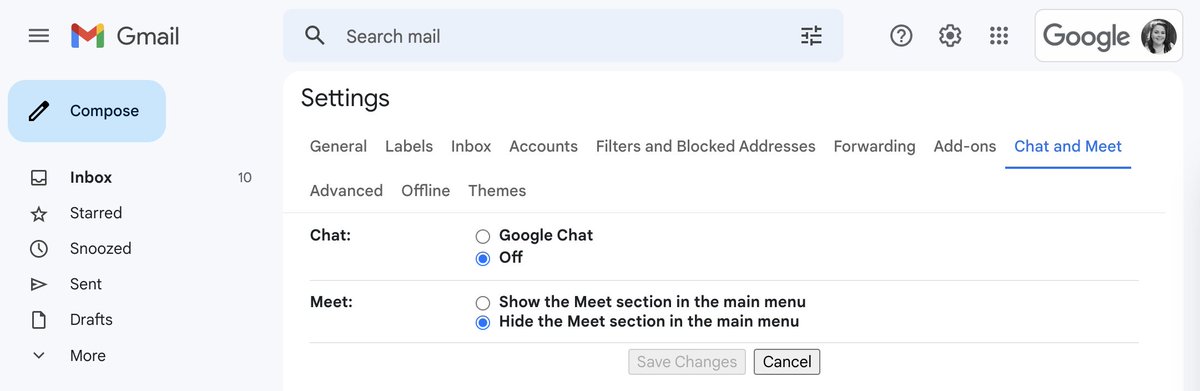
@saitojohn It's related to chat availability 🥲 but look, you can turn it off and it goes away!
English

@AllisonPane Oh..... I haven't used Google chat in so long. I think I get it now. I thought it was some secret new feature or something 😅
English
@AllisonPane Wait... Gmail knows someone's status? Like other folks can see when I'm checking my email?
I had no idea 😲
English
John Saito retweetledi

Today, Generative AI takes a big step and comes to user interface design!
@helnzhou and I are excited to announce @Galileo_AI : the first AI product that uses natural language to generate UI designs. It lets you design beyond imagination.
Early access: useGalileo.ai
English

@saitojohn Hot coffee produces steam which increases production of aroma, critical to taste. And hot liquids contrast mouth temperature, making the mouthfeel more pronounced and satisfying. The best tasting coffee is 2-3 mins off the drip. Hot enough to steam but cool enough to discern.
English
Why does hot coffee taste so yummy, but room temperature coffee tastes bleh?
Is there a scientific reason or is it all in my head?
English
English

John Saito retweetledi
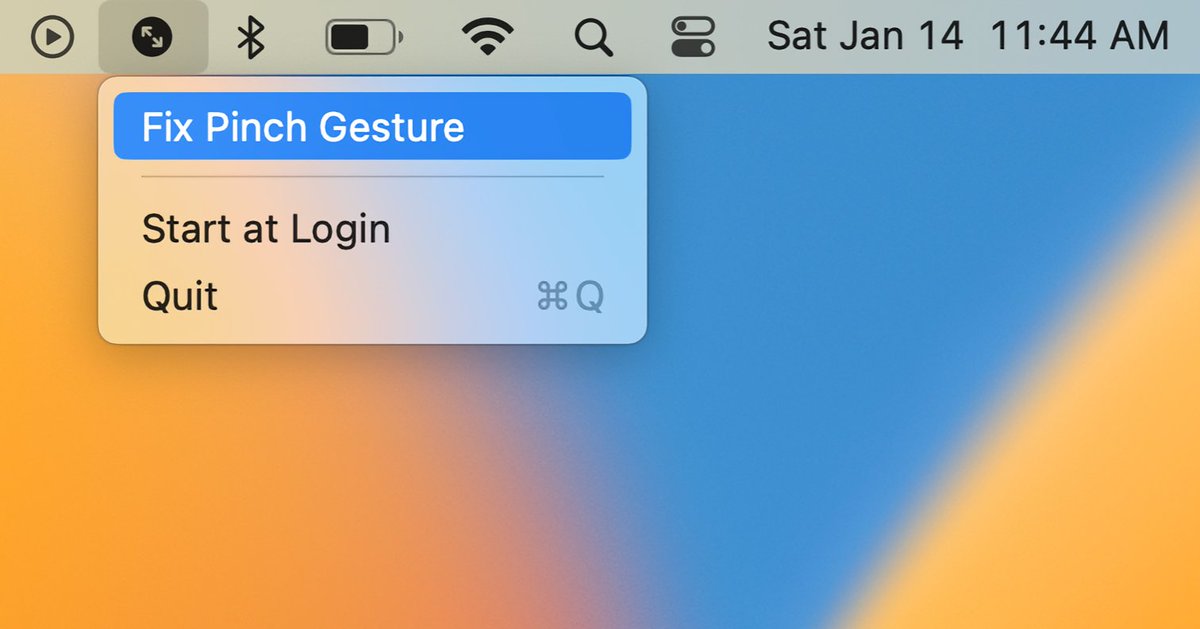
Do you use a Mac with a trackpad? If so, you may have noticed that the pinch to zoom gesture can randomly stop working.
I've been bothered by it enough that I made a small menubar tool that can fix the problem with one click.
Download it here: github.com/danqing/Pinch
English
@_1binary0 @danliu FWIW, I'm also getting the same error ("…can't be opened because Apple cannot check it for malicious software")
I'm also on Ventura 13.1
English

@_1binary0 @danliu FWIW, I'm also getting the same error ("…can't be opened because Apple cannot check it for malicious software"). I'm also on Ventura 13.1
English
@joshpuckett @figma omg, I didn't realize you can do that. Thanks for the tip!
English

@saitojohn @figma 1. Same.
2. Cmd+ scroll up/down is a decent backup.
English
When using @figma, I often lose the ability to zoom in/out with my Mac trackpad. Happens at least a few times a day 😓
I can fix this by going into my trackpad settings and turning the zoom off/on, but there's gotta be a better way
Has anyone found a permanent fix to this?
English
iPad tip that I learned from an 8-year-old:
On the on-screen keyboard, swipe down on the first row of letters to quickly type numbers. Like swipe down on "q" to type 1, swipe down on "w" to type 2, etc 🤯
English