Asti Ananta | Zetarium

4.3K posts

Asti Ananta | Zetarium banner
Asti Ananta | Zetarium

Asti Ananta | Zetarium

@sribima3

Monday is for people with a mission

Katılım Mayıs 2016
840 Takip Edilen292 Takipçiler
Konnex
Konnex@konnex_world·
"The era of isolated machines is over." Meet our CEO, @JOllwerther . Business leader with 15+ years in robotics, drone-tech, and media. Jon led commercial teams at Measure (Drone as a Service) and Aerobo/Vermeer. Now, he’s creating TCP/IP for Motion. Get ready to experience Konnex.
English
45.9K
2.4K
21.8K
204.1K
Asti Ananta | Zetarium retweetledi
Konnex
Konnex@konnex_world·
Konnex Autonomous Units Mint opens March 16 — exclusively on @opensea The first robotic identities entering the Konnex network. Built to operate. Designed to evolve. Each unit is a gateway into the Konnex ecosystem. opensea.io/collection/kon…
English
107.9K
31.1K
59.3K
414.9K
Asti Ananta | Zetarium
Asti Ananta | Zetarium@sribima3·
#dTelecom provides decentralized real-time communication infrastructure - #WebRTC audio and video, Speech-to-Text, Text-to-Speech, and Translation - delivered through a single API and credit-based billing system. @dtelecom $DTEL
English
0
0
0
22
Asti Ananta | Zetarium retweetledi
CCT
CCT@CryptoCatTelugu·
🌟Simple guide on @0xMiden Testnet Tasks 💰Cost : $0 💵Funding : $25M Miden is a Layer 2 blockchain that helps make transactions faster, more private, and more secure Miden has raised $25M in a seed round led by a16 along with other top investors The Miden Playground Testnet has 11 tutorials This guide covers Tutorial 1 Tutorial 1: Create & Fund Your Miden Wallet 🔗chromewebstore.google.com/detail/miden-w… ✅Install the extension ✅Create a new wallet and save your details safely 🔗faucet.testnet.miden.io ✅Copy your Miden wallet address ✅Paste it into the faucet ✅Click Request Faucet ✅You will receive free MDN test tokens 🔗playground.miden.xyz ✅Click Select Wallet (top-right corner) ✅Connect your Miden Wallet ✅Click Start Tutorial under Create and Fund Wallet ✅Click Create New Account ✅You can rename it or keep the default name “Wallet A” ✅Click Create Account ✅Scroll down and click Next Step ✅Click MDN Faucet ✅Select Create New Transaction ✅Choose New Mint Transaction ✅Select your created wallet A ✅Enter the amount of MDN you want ✅Click Preview, then Submit ✅Wait until the transaction shows Success - On the sidebar, go to Notes - Click on the note address - Select Consume note with A - Click Submit - After the transaction succeeds, click Next Step - Click Next tutorial ✅Done Tutorial - 1 is completed Will share tutorial - 2 guide on next post 🤍like 🔁retweet
English
26
32
155
37.3K
Asti Ananta | Zetarium retweetledi
Shelby
Shelby@shelbyserves·
Early Access. Tomorrow. In the name of AI, Shelby will serve you 🌀
English
781
266
1.9K
86.9K
Asti Ananta | Zetarium retweetledi
Shelby
Shelby@shelbyserves·
Reply with a ⚡️ for special DMs about Shelby Early Access.
English
26.2K
1.4K
6K
226.7K
Asti Ananta | Zetarium retweetledi
Stabilizer
Stabilizer@StabilizerFi·
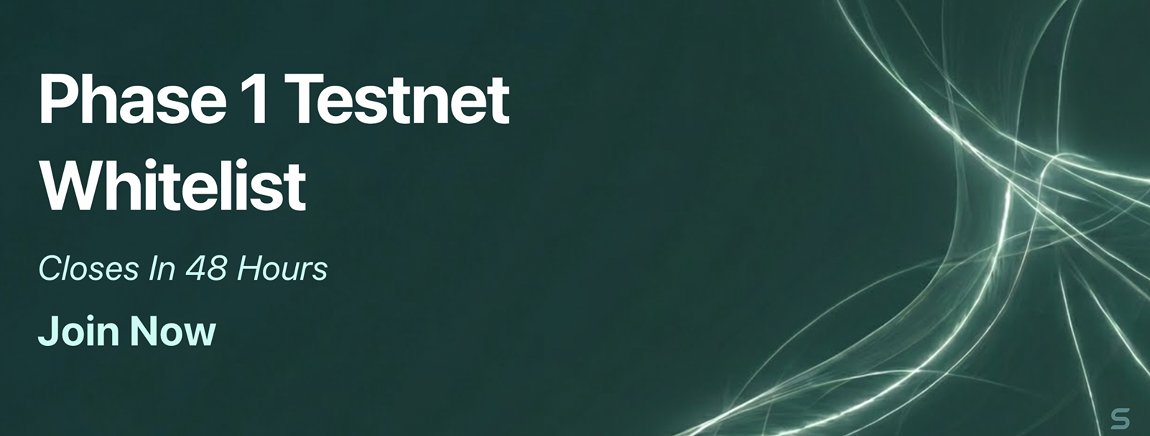
⚡ PHASE 1 TESTNET WHITELIST IS NOW OPEN ⚡ Whitelist registration is open for 48 hours. Experience zero-slippage execution firsthand. Complete Phase 1 testing → receive an exclusive NFT + special rewards 🏛️ Register: stabilizer.finance/whitelist It all starts now ✨
Stabilizer tweet media
English
3.3K
13K
18.6K
1.1M