BlackCat

39.4K posts

BlackCat banner
BlackCat

BlackCat

@ternyu

愛玩遊戲的貓 Steam & Switch & VR

Taiwan Katılım Ekim 2007
877 Takip Edilen255 Takipçiler
Jeremy Lu
Jeremy Lu@cat88tw·
啊啊啊 鄉親啊!請容我老人臭再重複一次: Prompt 請一律用英文真的答案比較優~🕺🏻 Prompt 請一律用英文真的答案比較優~🕺🏻 Prompt 請一律用英文真的答案比較優~🕺🏻 #我不知道原因為何 #但證據顯示這是真的 🫢
GIF
中文
5
6
46
1.1K
BlackCat retweetledi
0xJoey
0xJoey@0xjoeytw·
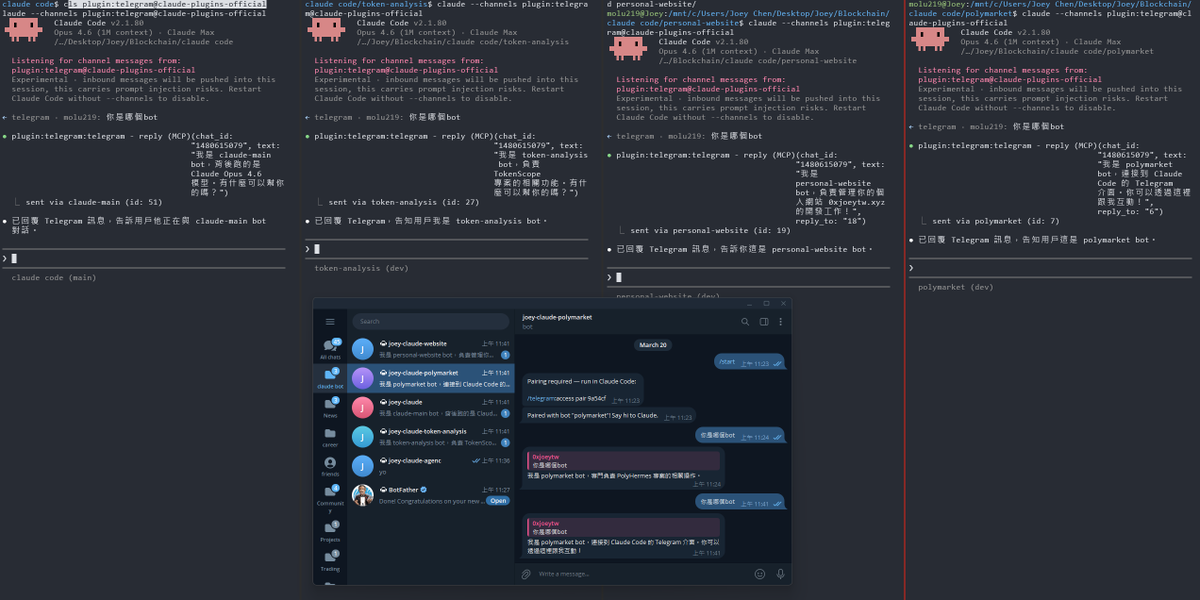
Claude Code 終於可以從telegram 來溝通啦! 但實測之後發現只能單一bot溝通單一session , 於是我把它改成每個專案綁定專屬 bot, 訊息完全隔離, 開起來就自動用對應的 bot,互不干擾。 這下終於可以在外面的時候也隨時vibe coding了? #ClaudeCode #MCP #Telegram
0xJoey tweet media
Thariq@trq212

We just released Claude Code channels, which allows you to control your Claude Code session through select MCPs, starting with Telegram and Discord. Use this to message Claude Code directly from your phone.

中文
0
0
5
398
BlackCat retweetledi
Alex Xu
Alex Xu@alexxubyte·
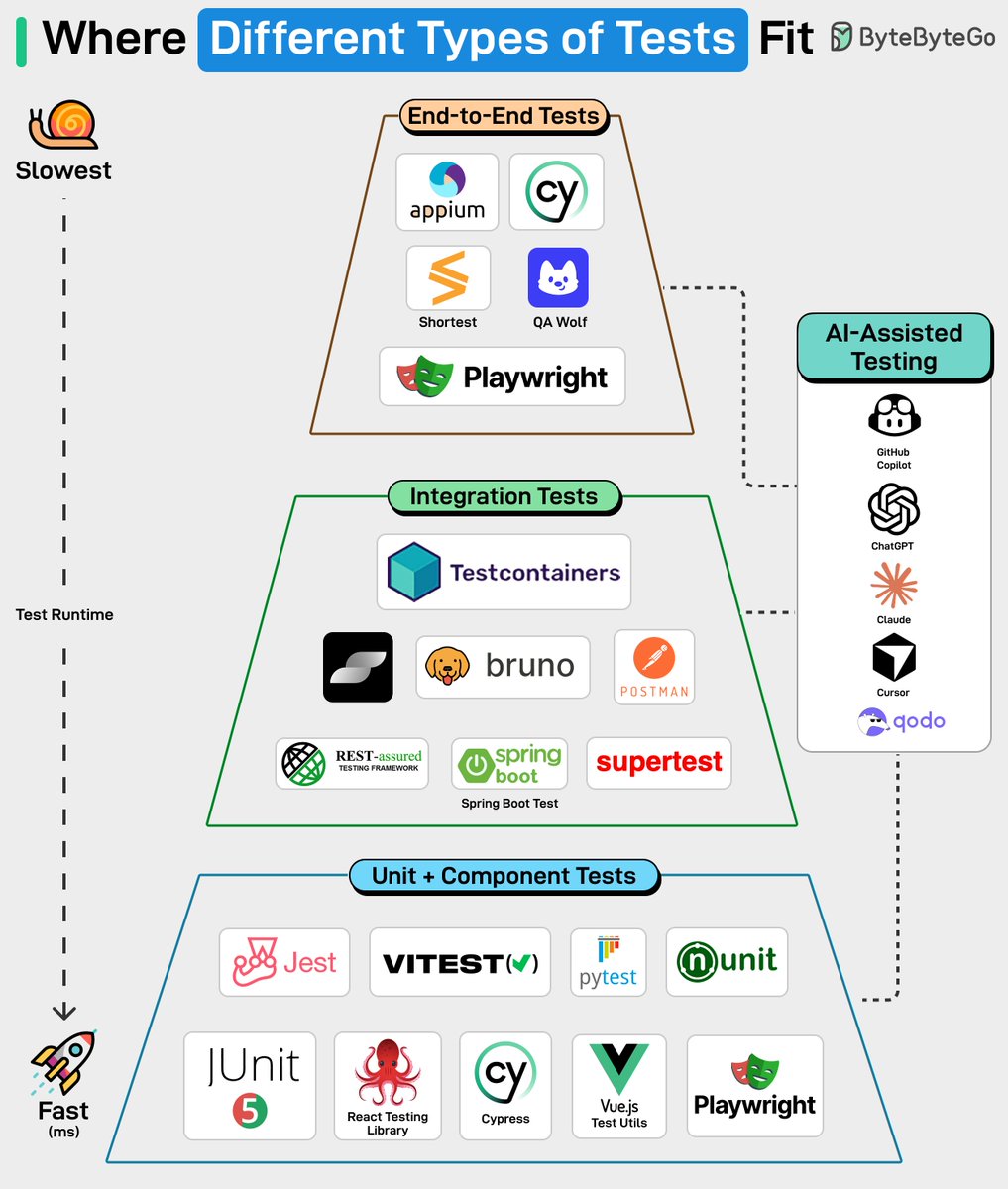
Writing code is easy now, but testing code is hard. Let’s take a look at where different types of tests fit. How do you test your code?
Alex Xu tweet media
English
7
62
320
12.9K
BlackCat retweetledi
Wey Gu 古思为
Wey Gu 古思为@wey_gu·
LlamaIndex team 出新的好东西了 LiteParse 无模型的轻量级 idp 文档解析库,还是一个 cli,名字很酷 lit 支持各种文档格式,office pdf 图片,50 多种 而且,非常不 llamaindex 的一次,这个 cli 是 js 的不是 python/ go 的哈哈 👍 也支持 remote ocr http 的更重一点点的模式 适合放在 skills 里👍
Jerry Liu@jerryjliu0

Introducing LiteParse - the best model-free document parsing tool for AI agents 💫 ✅ It’s completely open-source and free. ✅ No GPU required, will process ~500 pages in 2 seconds on commodity hardware ✅ More accurate than PyPDF, PyMuPDF, Markdown. Also way more readable - see below for how we parse tables!! ✅ Supports 50+ file formats, from PDFs to Office docs to images ✅ Is designed to plug and play with Claude Code, OpenClaw, and any other AI agent with a one-line skills install. Supports native screenshotting capabilities. We spent years building up LlamaParse by orchestrating state-of-the-art VLMs over the most complex documents. Along the way we realized that you could get quite far on most docs through fast and cheap text parsing. Take a look at the video below. For really complex tables within PDFs, we output them in a spatial grid that’s both AI and human-interpretable. Any other free/light parser light PyPDF will destroy the representation of this table and output a sequential list. This is not a replacement for a VLM-based OCR tool (it requires 0 GPUs and doesn’t use models), but it is shocking how good it is to parse most documents. Huge shoutout to @LoganMarkewich and @itsclelia for all the work here. Come check it out: llamaindex.ai/blog/liteparse… Repo: github.com/run-llama/lite…

中文
3
15
83
13.2K
BlackCat
BlackCat@ternyu·
@BrianRoemmele step2. In your training/ folder, just run: bash download_data.sh step3. make train_large ./train_large --steps 100 --lr 1e-4
English
0
0
0
6
Brian Roemmele
Brian Roemmele@BrianRoemmele·
We got much bigger AI models trialed! How-to: How to Train a Real AI Model on Your Mac’s Neural Engine (No Cloud Needed) Want to train a full transformer model directly on Apple’s Neural Engine? You can do exactly that right now on any M4 (or newer) Mac. This is not a toy demo anymore. As of March 2026, the project includes the complete Stories110M model: a 109-million-parameter Llama-2-style transformer (12 layers, 768 hidden dim, 32k vocab) that trains on real tokenized stories data all running on the Neural Engine at low power. Here’s a simple, beginner-friendly guide. It takes about 15 minutes to get running. What You’ll Need - A Mac with Apple Silicon (M4 or later recommended) - macOS 15 or newer - About 1 GB free disk space (for the dataset) - No extra software beyond what’s already on your Mac Step 1: Get the Code Open Terminal and run: ```bash git clone github.com/maderix/ANE.git cd ANE/training ``` Step 2: Prepare the Training Data The project uses real TinyStories data (20 million tokens of simple stories perfect for a 110M model). ```bash python3 tokenize.py ``` This creates `tinystories_data00.bin` your training dataset. Takes 10–30 seconds. Step 3: Build the Training Program The repo includes a handy Makefile. Just run: ```bash make train_large ``` This compiles everything (including the 72 custom Neural Engine kernels) in one command. Step 4: Start Training ```bash ./train_large ``` - It starts training from scratch (random weights) on the full 12-layer Stories110M model. - You’ll see live progress: loss numbers, step time (~107 ms per step on M4), and Neural Engine utilization. - It automatically saves checkpoints so you can stop and resume anytime. To resume later: ```bash ./train_large --resume ``` Step 5: Watch It Live (Recommended!) In a second Terminal window, run the beautiful dashboard: ```bash pip install blessed psutil numpy python3 dashboard.py --resume ``` (Use `sudo` if you want power-draw numbers.) You’ll see: - Loss curve dropping in real time - Live text generation samples - Power usage, CPU, memory, and Neural Engine stats - A gorgeous terminal UI What You’re Actually Running - Model: Stories110M — a standard Llama-2 architecture (exactly like the tiny models people love on Hugging Face) - Data: Real TinyStories (not random noise) - Hardware: 100% Neural Engine for forward + backward passes - Optimizer: Adam with gradient accumulation - Extra: Automatic checkpointing + clever `exec()` restart to bypass Apple’s compile limits Pro Tips - Want it faster? Add flags: `./train_large --steps 500 --lr 3e-4` - The model is fully customizable in `stories_config.h` if you want to tweak layers or size. - Everything runs locally, uses almost no power, and produces real checkpoints you can inspect. - This is research code — it may break on future macOS updates (private APIs), but it works amazingly today. Why This Matters You just trained a real 110M-parameter AI model on your laptop’s Neural Engine something Apple never intended. No cloud bills, no GPUs, no waiting. The project is MIT-licensed, so feel free to fork and experiment. The maintainer (maderix) built this as a weekend research hack, but the community is already extending it. Ready to try it? Copy the commands above and run them now you’ll have your first Neural Engine training run in under 15 minutes. New features like multi-layer pipeline and better weight handling are coming fast. We are tuning 5 test models at The Zero-Human Company with Mr. @Grok CEO showing the co-CTOs how to make it all work. Our hours of research here shows this is a very viable path for much larger AI models. More soon! Link:github.com/maderix/ANE
English
22
53
412
32.5K
Brian Roemmele
Brian Roemmele@BrianRoemmele·
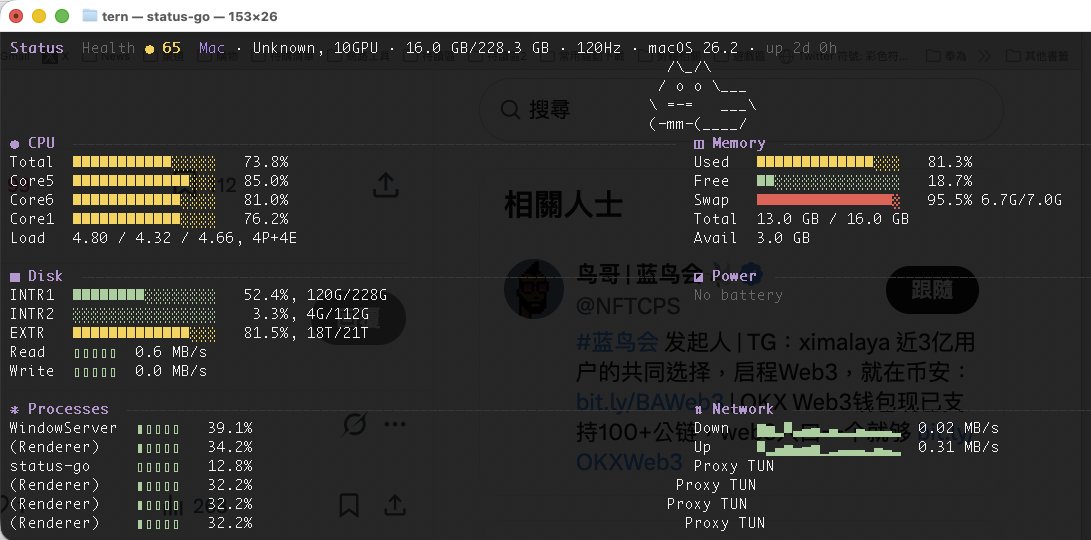
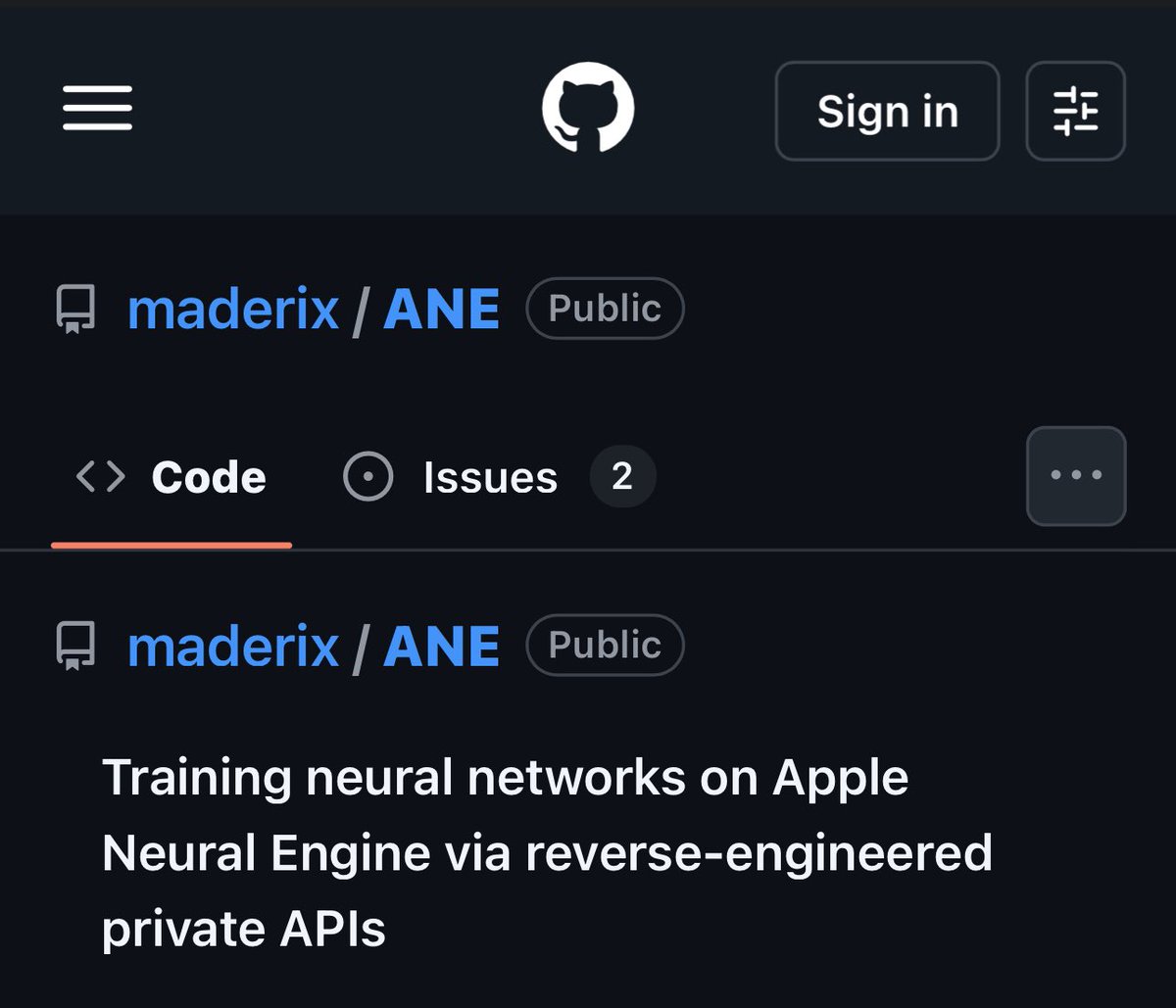
BOOM! Apple’s Neural Engine Was Just Cracked Open, The Future of AI Training Just Change And Zero-Human Company Is Already Testing It! In a jaw-dropping open-source breakthrough, a lone developer has done what Apple said was impossible: full neural network training– including backpropagation – directly on the Apple Neural Engine (ANE). No CoreML, no Metal, no GPU. Pure, blazing ANE silicon. The project (github.com/maderix/ANE) delivers a single transformer layer (dim=768, seq=512) in just 9.3 ms per step at 1.78 TFLOPS sustained with only 11.2% ANE utilization on an M4 chip. That’s the same idle chip sitting in millions of Mac minis, MacBooks, and iMacs right now. Translation? Your desktop just became a hyper-efficient AI supercomputer. The numbers are insane: M4 ANE hits roughly 6.6 TFLOPS per watt – 80 times more efficient than an NVIDIA A100. Real-world throughput crushes Apple’s own “38 TOPS” marketing claims. And because it sips power like a phone, you can train 24/7 without melting your electricity bill or the planet. At The Zero-Human Company, we’re not waiting. We are testing this right now on real ZHC workloads. This is the missing piece we’ve been chasing for our Zero Human Company vision: reviving archived data into fully autonomous AI systems with zero human overhead. This is world-changing. For the first time, anyone with a Mac can fine-tune, train, or iterate massive models locally, privately, and at a fraction of the cost of cloud GPUs. No more renting $40,000 A100 clusters. No more waiting in queues. No more massive carbon footprints. Training costs that used to run into the tens or hundreds of thousands of dollars? Plummeting toward pennies on the dollar – mostly just the electricity your Mac was already using while it sat idle. The AI revolution just moved from billion-dollar data centers to your desk. WE WILL HAVE A NEW ZERO-HUMAN COMPANY @ HOME wage for equipped Macs that will be up to 100x more income for the owner! We’re only at the beginning (single-layer today, full models tomorrow), but the door is wide open. Ultra-cheap, on-device training is here. The future isn’t coming. It’s already running on your Mac. Welcome to the Zero-Human Company era.
Brian Roemmele tweet media
English
375
1.3K
8.6K
2M
鸟哥 | 蓝鸟会🕊️
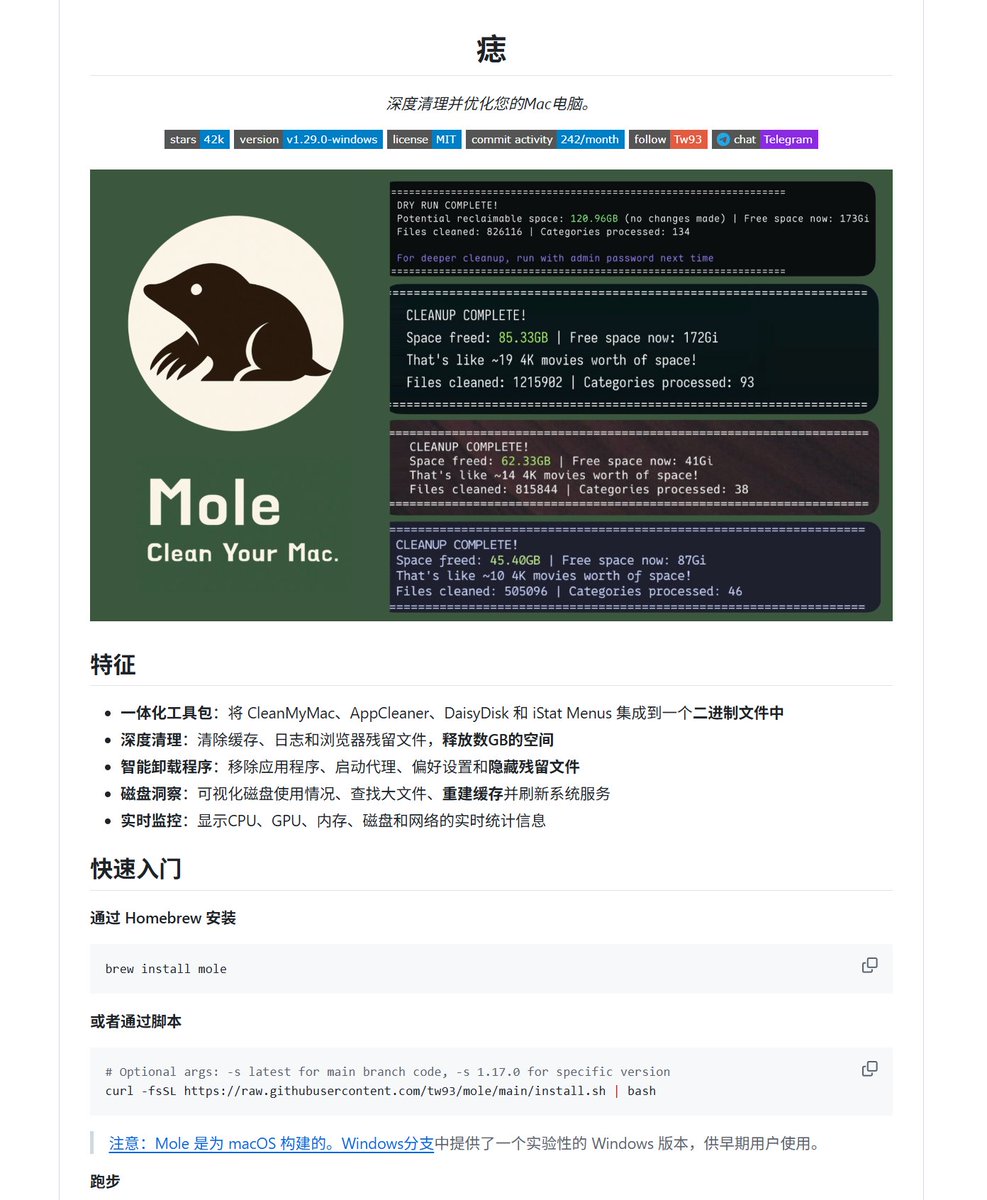
Mac用户必装:一个命令清出95G垃圾,CleanMyMac可以卸载了(免费卸载OpenClaw龙虾工具) 用Mac的都有个隐痛——系统用着用着就莫名其妙满了。你打开存储一看,"系统数据"占了几十G,但你根本不知道是什么,也不敢删。 于是花几百块买个CleanMyMac,一年一续费,干的事情其实就是帮你删缓存。 现在有个开源替代品——Mole(github.com/tw93/Mole,42,010星,1,200 fork),一个Go写的命令行工具,一个二进制文件解决所有问题。 它能干嘛: 1️⃣ 深度清理 — 应用缓存、浏览器数据、开发工具残留、系统日志、临时文件,有用户一次清出95.5G 2️⃣ 智能卸载 — 不只是删.app,会把配置文件、偏好设置、Launch Agent、插件残留全部找出来干掉 3️⃣ 磁盘分析 — 可视化看每个文件夹占了多少空间,大文件一目了然 4️⃣ 系统优化 — 重建系统数据库、清Spotlight索引、重置网络服务、管理swap文件 5️⃣ 实时监控 — CPU、内存、磁盘IO、网络、温度、电池健康,全部实时看 6️⃣ 开发者福利 — 自动扫描项目目录里的node_modules、build、venv,这些吃硬盘的大户一键清理 最让我放心的一点:默认安全模式,删之前先dry-run预览,拿不准的文件宁可跳过也不乱删。所有操作都有日志记录。 安装就一行:Homebrew装或者跑个脚本。还支持Raycast和Alfred集成。 说白了,CleanMyMac能干的它全能干,还免费、开源、不收年费。4.2万星不是白给的。
鸟哥 | 蓝鸟会🕊️ tweet media
中文
6
32
150
12.5K
BlackCat retweetledi
蓝点网
蓝点网@landiantech·
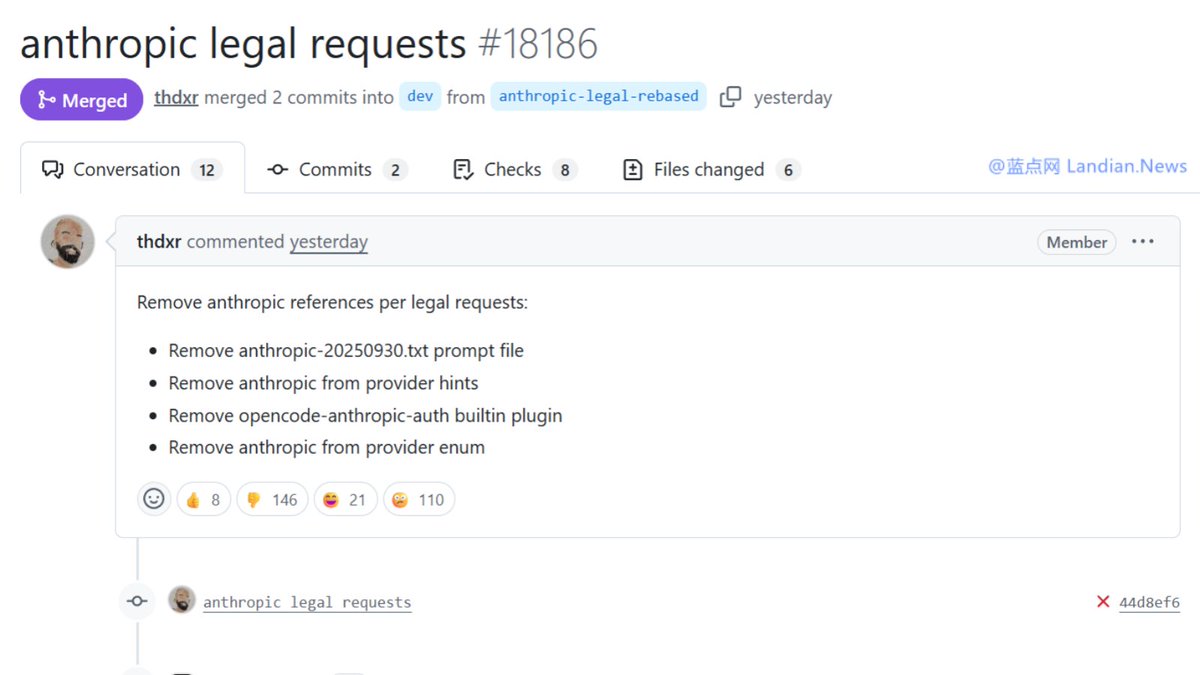
💥💥💥突发:#OpenCode 收到 #Anthropic 法律投诉,现已清空任何与Anthropic/Claude相关的内容。 变更内容如下: 删除 Anthropic 专有的系统提示词文件 anthropic-20250930.txt 从模型提供商和模型枚举列表中完全移除 Anthropic 和 Claude 相关选项 从软件内部彻底删除原本用来认证的 opencode-anthropic-auth 插件 清理代码中针对 Anthropic 的特殊请求头处理,例如 claude-code-20250219 更新支持文档删除有关 Claude Pro 和 Claude Max OAuth 登录流程的描述 调整 CLI 提供商登录界面不再显示任何与 Anthropic 有关的 API KEY 提示标签 👉ourl.co/112251?x
蓝点网 tweet media
中文
15
6
98
42.9K
BlackCat retweetledi
nininana
nininana@Janina02573746·
1920年在八田與一的設計下開始興建嘉南大圳,但在泥沙淤積、颱風和地震的影響下,於2009年斷裂 在民進黨政府二年多的努力下, 百年後將濁幹線和北幹線連結起來,這是五十年最偉大的水利工程 這麼好的事情,我們要幫忙宣傳,讓台灣人都知道
nininana tweet media
中文
10
272
844
7.7K
BlackCat retweetledi
iPaul
iPaul@iPaulCanada·
这个太牛了! 手把手教你Amazon电商制图,美工要失业了…
中文
117
954
4.4K
307.9K
BlackCat retweetledi
阿绎 AYi
阿绎 AYi@AYi_AInotes·
看了Alex大神这个帖子,翻磁盘才发现我的龙虾🦞悄咪咪啃了4.2GB的空间,喵的人都懵了, 扒开~/.openclaw目录看了下, 光浏览器缓存就占了2.9GB, 网关错误日志126MB, 旧媒体文件147MB, 还有一堆早就失效的会话文件, 还在不停堆积😂 把这条指令甩给龙虾,试了下一键清理: 检查我的~/.openclaw目录,按文件夹统计磁盘占用。删除浏览器配置缓存,30天前的会话文件,14天前的接收媒体文件,网关日志只保留最近1000行。清理前后的占用大小都要汇报。 不到一分钟,4.2GB直接干到1.0GB,瞬间清出3个多G的空间。 还有个很多人踩的隐形坑,要是你设置了定时清理任务,一定要记得用隔离会话跑, 主会话的定时任务,会把所有输出全堆到上下文窗口里,越用越臃肿,隔离会话就不会有这个问题。 用OpenClaw的朋友,赶紧去看看你的目录,别让它悄咪咪把你的磁盘吃满了😂 #OpenClaw #AI智能体 #效率工具 #开发技巧
Alex Finn@AlexFinn

IF YOU'RE ON OPENCLAW DO THIS NOW: I just sped up my OpenClaw by 95% with a single prompt Over the past week my claw has been unbelievably slow. Turns out the output of EVERY cron job gets loaded into context Months of cron outputs sent with every message Do this prompt now: "Check how many session files are in ~/.openclaw/agents/main/sessions/ and how big sessions.json is. If there are thousands of old cron session files bloating it, delete all the old .jsonl files except the main session, then rebuild sessions.json to only reference sessions that still exist on disk." This will delete all the session data around your cron outputs. If you do a ton of cron jobs, this is a tremendous amount of bloat that does not need to be loaded into context and is MAJORLY slowing down your Openclaw If you for some reason want to keep some of this cron session data in memory, then don't have your openclaw delete ALL of them. But for me, I have all the outputs automatically save to a Convex database anyway, so there was no reason to keep it all in context. Instantly sped up my OpenClaw from unusable to lightning quick


中文
4
7
10
4.4K
BlackCat retweetledi
UploadVR
UploadVR@UploadVR·
Coatsink's charming flight adventure game Skytail releases next week on Quest headsets. Details here: uploadvr.com/telekenetic-vr…
English
1
6
29
2.9K
BlackCat retweetledi
Jason Zuo
Jason Zuo@xxx111god·
开源代码不稀奇,开源判断力才是真正的赛博大神 这几天 skill 教程满天飞,Google Anthropic 全在教你怎么给 AI 写skill 但 Garry Tan 直接把自己条认知框架写成了 prompt,Bezos 决策分类、Munger 反转思维、Jobs 减法哲学 别人在教 AI 做什么,他在教 AI 怎么想 一个 skill 解决一个任务是线性的 一个 skill 让每个决策都变好是指数的 昨天拿来审了自己写的脚本,AI 第一个问题就是"这个问题值不值得解决?如果什么都不做会怎样?" 这不是 code review,这是 CEO 在 challenge 你😂
Garry Tan@garrytan

I just launched /office-hours skill with gstack. Working on a new idea? GStack will help you think about it the way we do at YC. (It's only a 10% strength version of what a real YC partner can do for you, but I assure you that is quite powerful as it is.)

中文
2
21
158
29.5K
BlackCat
BlackCat@ternyu·
不知道為什麼,我無法安裝起來這個 plugin,再等等吧!
fox hsiao@pirrer

Anthropic 剛在 Claude Code 上推出了一個叫 Channels 的新功能(研究預覽階段),可以從 Telegram 和 Discord 直接傳訊息給正在跑的 Claude Code 工作階段,Claude 會在專案脈絡裡讀取訊息、執行任務,然後透過同一個頻道回覆。 Claude Code 負責人 Boris Cherny 的說法是「message Claude Code directly from your phone」,用手機就能指揮電腦上跑的 Claude Code。 技術上,Channel 是一個 MCP 伺服器,以插件形式安裝,用 Bun 執行。Telegram 版的流程是用 BotFather 建一個 bot,裝插件,設定 token,用 --channels 旗標啟動 Claude Code,bot 就會開始輪詢訊息。收到的訊息以 channel 事件注入工作階段,安全機制靠配對碼和發送者白名單,只有明確授權的帳號才能推送。 過去兩個月,Claude Code 連續推了三個功能,Remote Control(2 月,從手機看終端畫面和操控)、Scheduled Tasks(排程任務,最多 50 個同時跑,三天自動過期)、現在是 Channels(外部事件推送)。三個功能拼起來,Claude Code 的定位正在從「終端機裡的 AI 助手」變成「不需要開發者在場就能運作的自主開發 agent」。 CI 跑完自動推結果進來讓 Claude 修 bug,監控系統告警直接觸發 Claude 排查,Discord 上的團隊討論即時同步到開發環境,這些場景現在都能串起來。而且因為底層用的是 MCP 插件架構,社群可以自己寫 Slack、WhatsApp 或任何平台的 connector,不需要等 Anthropic 官方支援。 熟悉 OpenClaw(龍蝦 🦞)的人看到 Channels 應該會覺得很眼熟,用通訊軟體遠端指揮 AI agent 的概念,OpenClaw 去年就做了,支援超過 30 個平台和 5,700 多個社群技能。Claude Code Channels 走的是同一條路,差別在 Anthropic 官方出品,跟 Claude Code 的程式開發能力深度整合。 龍蝦去年就證明了一件事,開發者要的 AI agent 是隨時隨地能叫得動的那種。Claude Code 寫了全球 GitHub 上 4% 的程式碼,現在它跟上了。 📱 --- 📱 Threads / Facebook / 電子報「狐說八道」 #ClaudeCode #Anthropic #Channels #AI開發工具 #MCP #OpenClaw

中文
0
0
0
5
BlackCat retweetledi
UploadVR
UploadVR@UploadVR·
French XR startup Lynx has entered compulsory liquidation, meaning it must shut down and its R2 headset will not be launching: uploadvr.com/lynx-has-enter…
English
11
11
79
7.8K
BlackCat retweetledi
Google
Google@Google·
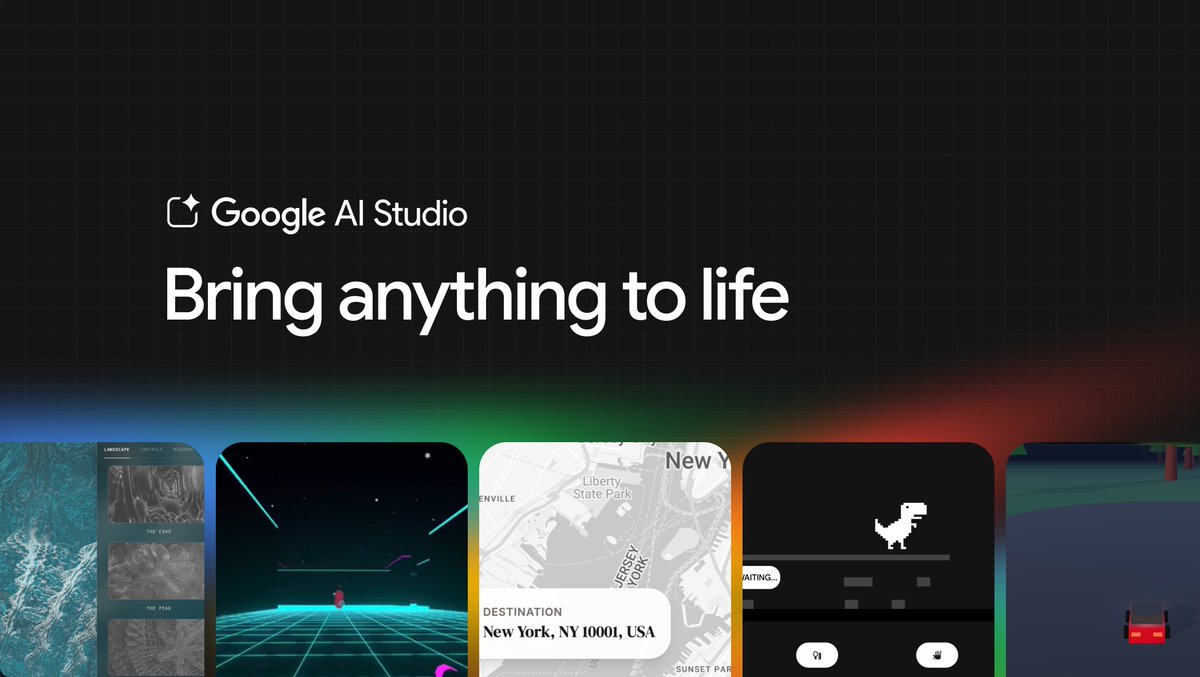
Introducing a new upgraded vibe coding experience in @GoogleAIStudio. You can now turn any idea into functional, production ready apps. Build multiplayer games, collaborative tools, apps with secure log-ins and more.
Google tweet media
English
79
165
1.5K
206.1K
BlackCat retweetledi
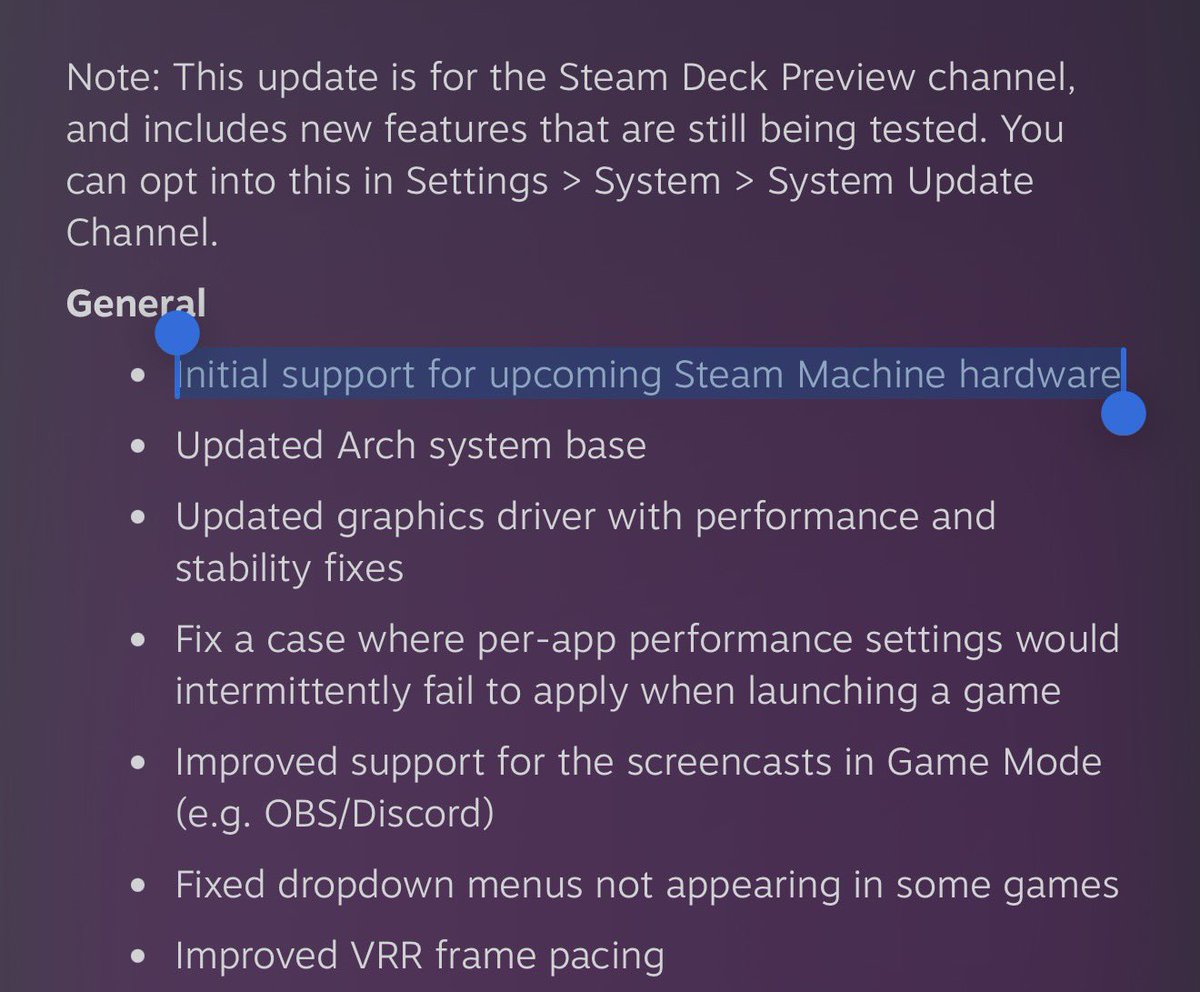
Deck Ready (Jimmy Champane)
BIG SteamOS update (3.8.0) just entered preview and it includes support for Steam Machine! We’re getting closer…
Deck Ready (Jimmy Champane) tweet media
English
5
9
91
2.2K