
Sabitlenmiş Tweet
TRÄW🤟
13.3K posts


TRÄW🤟
@thatstraw
I click buttons for a living. Somehow it works. @sysxplore & @netrefio
Katılım Temmuz 2021
171 Takip Edilen96.4K Takipçiler

TRÄW🤟 retweetledi

Quick Linux tip:
Need to quickly inspect a file?
Use:
$ head file.txt
By default, it displays the first 10 lines.
A quick way to preview logs, configuration files, or scripts.
English
TRÄW🤟 retweetledi

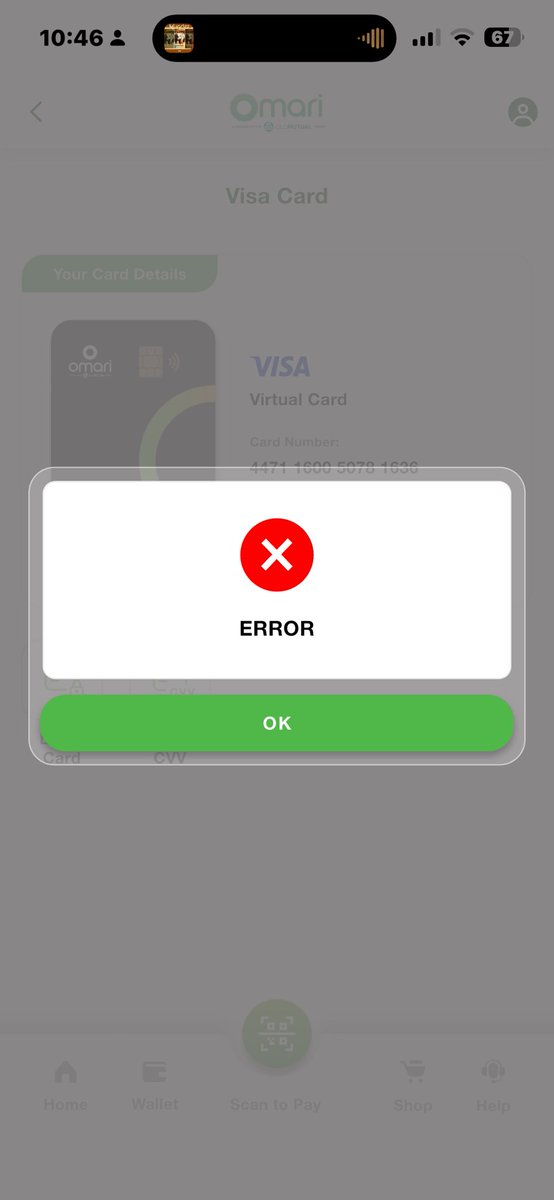
@fariraijames @OmariZimbabwe Honestly, @OmariZimbabwe, this is ridiculous. Charging people for a payment that never went through is absurd.
English

getting charged for a failed payment is wild
then when you try to block the card throws error
@OmariZimbabwe

English
TRÄW🤟 retweetledi

TRÄW🤟 retweetledi


@thatstraw Bruh .. try using this tool . It's made specifically for this issue . I started using it long ago still works proper 👍🏼
chromewebstore.google.com/detail/incalnd…
English
TRÄW🤟 retweetledi

A Mac user criticizing Linux wasn't on my bingo card today.
Theo - t3.gg@theo
It baffles me that curl is not included in standard Ubuntu installations.
English
AI won’t replace Linux engineers.
Linux engineers who know how to use AI will replace those who don’t.
If you’re already comfortable with Linux but haven’t started using AI in your workflow, you’re leaving time on the table.
Imagine having AI help you:
• Explain logs
• Write Bash scripts
• Build automation
• Investigate incidents
• Query your runbooks and documentation with RAG
I’ve been reading The Ultimate AI Guide for Linux Engineers, and it’s one of the few AI books that focuses on practical Linux operations rather than AI hype.

English
TRÄW🤟 retweetledi
It's both.
Study gives you the tools.
Hands-on experience teaches you how to use them.
You need both to get good at Linux.
Mischa van den Burg@mischavdburg
𝗟𝗶𝗻𝘂𝘅 𝗳𝗲𝗹𝘁 𝗶𝗺𝗽𝗼𝘀𝘀𝗶𝗯𝗹𝗲 .. 𝘂𝗻𝘁𝗶𝗹 𝗜 𝘀𝘁𝗼𝗽𝗽𝗲𝗱 𝘀𝘁𝘂𝗱𝘆𝗶𝗻𝗴 𝗶𝘁 I spent weeks memorising commands from a cheat sheet. ls. cd. chmod. grep. I could recite them .. But not really use then. The moment something broke, I froze. I had visited Linux but I'd never understood it deeply. So I wiped my laptop and installed Ubuntu. No dual boot so no safety net. I burned the boats. Suddenly I had to fix a missing Wi-Fi driver. A package that failed etc. I had no other option but to go hands-on and get it to run. That week alone taught me more than 3 months of tutorials. Linux isn't hard, its rather easy when you learn it the right way. Enjoy this? Repost it to your network and follow for more.
English
@misteraliouba RSTP is just STP with faster convergence times and some protocol enhancements.
English


TRÄW🤟 retweetledi
Quick Linux tip:
Need to clear your terminal?
Instead of running:
$ clear
Press:
Ctrl + L
It clears the screen and keeps your hands on the keyboard.
A small shortcut you'll use every day.
English
TRÄW🤟 retweetledi
Insane.
1,600 followers already. 🔥
If you're new here, I post about:
🐧 Linux
🐧 Linux Commands
🐧 Bash & Shell Scripting
🐧 Linux Tips & Tricks
🐧 Open Source
🐧 Linux Tutorials
🐧 Linux Cheatsheets
🐧 Terminal Productivity
🐧 Learning Linux
🐧 Everything Linux
Follow along for more Linux content.
First Steps With Linux@fswlinux
3 days ago, this account had 0 followers. Today, we just crossed 1,000. 🐧 To celebrate, I’m giving away 10 copies of First Steps With Linux. It has everything you need to become a confident Linux user and sysadmin. Over 700 pages. 📄 To enter: • Repost this post • Reply with 🐧 I’ll randomly select and DM 10 winners in 48 hours.
English
TRÄW🤟 retweetledi
3 days ago, this account had 0 followers.
Today, we just crossed 1,000. 🐧
To celebrate, I’m giving away 10 copies of First Steps With Linux.
It has everything you need to become a confident Linux user and sysadmin.
Over 700 pages. 📄
To enter:
• Repost this post
• Reply with 🐧
I’ll randomly select and DM 10 winners in 48 hours.

English
TRÄW🤟 retweetledi
