Typeless

930 posts

Typeless banner
Typeless

Typeless

@typelessdotcom

Messy thoughts → Clear text | Founder & CEO @huang_song_

San Francisco Katılım Temmuz 2025
232 Takip Edilen11.1K Takipçiler
Sabitlenmiş Tweet
Typeless
Typeless@typelessdotcom·
Meet Typeless 2.0.0 for macOS, Windows, iOS, and Android 🚀 🎤 Dictate the way you think Speak your thoughts as they come. Typeless turns them into clear writing. 🌐 Translate, now with multiple target languages Instantly switch target language and turn natural speech into polished translation. 🏢 Typeless Enterprise plan Enterprise-grade security and compliance. Member management, SSO, and centralized billing. 🔗: typeless.com/downloads #Typeless
Typeless tweet media
Huang Song@huang_song_

Every message has a hidden cost — paid before you type a single word. We call it the Mental Drafting Toll. Before a message, an email, or a document leaves your mind, you first draft it internally. You organize your thoughts. Find the right words. Structure the message. Rewrite it until it sounds right. It happens every time you communicate. And we've accepted it as "just thinking." But it's not thinking. Thinking is the fast, messy, creative part. Mental drafting is the invisible work of making those thoughts presentable. And traditional dictation never removed it. Voice typing only freed your fingers. You still had to draft it in your head first — then say it out loud. That's the problem we set out to solve with Typeless 2.0. For the first time, you can skip the mental draft — and just think out loud: Speak in whatever order thoughts come. Add context as it comes to you. Change your mind halfway through. Forget a name? Describe it — Typeless fills in the exact one. It never makes things up. Typeless doesn't just understand your words. It understands your thoughts before they become words — and turns them into clear writing. You think it once. Typeless writes what you meant. Available today on Mac, Windows, iOS & Android. Messy thoughts in. Clear writing out.

English
22
10
130
65.6K
Typeless
Typeless@typelessdotcom·
@luoling8192 Got it! 💙Thanks for the detailed feedback! Please check your DMs.🫶
English
0
0
0
41
RainbowBird | 洛灵
RainbowBird | 洛灵@luoling8192·
我现在正在尝试使用 Typeless 打字,我觉得有两点让人很不爽: 1. 它选择教用户怎么做事: (a) 我需要点击一下语音按钮才能进行语音输入,而且它不会在语音输入的过程中把文字实时转录出来。 (b) 我平时习惯了使用“按键说话”,但它的设置里并没有这个功能。 2. 这个东西居然是要收钱的:这一点我可以理解,但总体体验感觉没有微信输入法好
中文
2
0
1
741
RainbowBird | 洛灵
RainbowBird | 洛灵@luoling8192·
我一直在使用 微信输入法 的语音输入功能,它也可以帮忙整理和润色,typeless 会更好用吗?
Jimmy Cheung@remixdesigner

好像每一次有新的语音输入法发布,都会在推上引发激烈的讨论。有的小伙伴激动得就像发现了新大陆,有的小伙伴则皱眉挑战它与之前的某款相比有何特色。比如这次豆包也公测了自己的 Mac 输入法,体验了一下,确实被惊艳到了(但不是语音输入)。分享一下我对于不同 Mac 语音输入法特色的理解,帮你找到适合你的那款: Mac 原生语音输入: 激活后,光标处会跟随一个麦克风符号,视觉很轻量。在口述的过程中,「流式输出」口述的内容,并根据后面输出的内容动态调整之前的内容、断句和标点。其核心是最大程度 1:1 还原口述内容,识别和输出速度极快,视觉反馈很好。但因为是本地算法,准确率不佳,时常伴随发音相似的错别词。 微信语音输入: 分为两款。一款集成在【微信输入法】中,适合日常使用微信输入法的朋友,因为使用时需要确保当前输入法是微信输入法;另一款则集成在【微信客户端】中,使用过程中只要微信客户端在后台运行即可,无需切换输入法。输入体验与 Mac 自带的语音输入法很像:流式输出,1:1 还原口述内容。输出速度相比 Mac 原生的要慢一些,但准确率要高很多,适合代替 Mac 原生语音输入功能。 豆包输入法: 对标微信输入法,一款包含语音输入的文本输入法,使用时需要切换到豆包输入法。输入体验也和微信输入法类似:在口述表达的过程中,流式输出刚刚说的内容,并结合上下文语境自动纠错前面的内容和标点。整体来说,输入的速度要比微信输入法快一些,体感要好一些,个人体感准确率也要比微信高一些。但可能是因为测试版,使用过程中经常中断失败,可能是没做自动重连。最让我惊艳的反而是【键盘输入】,它的准确率甚至媲美我积累了多年词库的搜狗输入法,明显是具备了根据上下文自动调整词频的能力,可能还包含了自动纠错的能力,因为我几乎没有感受到什么阻碍,退格删除的频次很低很低,这也是为什么我除了跨端场景一直很少用微信输入法:懒得再培养词库了。目前输入法本身的可配置项还比较简陋,比如不支持模糊音配置(但我发现似乎压根不需要用户去操心什么是模糊音,默认支持),虽然配置项少,但似乎也够用,看来是产品有花心思做减法。 Typeless: 产品形态并不是输入法,可搭配任意键盘输入法使用,无需切换。其核心是【语音输入】+【语音助手】+【即时翻译】。对于语音输入:口述输入的过程并不是流式输出,也不会 1:1 还原口述的内容,而是会自动帮助用户过滤“嗯”、“啊”等口语词,删除口误内容并使用正确版本,将输入内容言简意赅地结构化表达。其另外一个特色是语音助手,可以选中一封「英文」邮件的内容,直接说「中文」指令,比如「帮我答复这封邮件,就说我收到了,感谢对方」,然后它会输出一封包含客套内容的「英文」邮件。即时翻译功能则是直接说中文,它根据中文内容润色加工后输出英文翻译。所以 Typeless 的核心场景是【交流】,而非【输入】,就很适合用来和 AI 对话,比如 Vibe Coding。订阅制,开箱即用,用户不需要操心「模型」、「API Key」等概念。要说缺点,那就是贵,真贵,$144 一年。使用强度不大的话(比如白天公司打字晚上回家语音),免费版也够用。 闪电说: 目前的版本产品形态已不再是单纯的语音输入,形态和 Typeless 类似,集成了【语音输入】+【语音助手】,并且拥有长期记忆、自定义技能(口语过滤、结构化表达等为内置技能)、阅读屏幕(通过截图给多模态模型来了解上下文并针对性输出结果)等能力。对极客友好的一点是:不同的场景支持配置不同的模型,比如「语音识别」可以用 flash 模型提高速度,而「语音助手」则可以配置参数更高的模型来确保对指令的理解和输出的质量。最牛逼的是:目前完全免费。 整体感受: 微信/豆包输入法,适合作为【输入】本身,比如写文章,它能 1:1 保留你的原始内容语气、文风、埋梗等等。目前感觉豆包的准确率和速度会更好一些,输出速度快,说完即写完;而 Typeless 则适合用于【交流】,说完后需要等一会,但也节省了复制到 GPT 让它帮润色纠错等环节的时间。闪电说则可以作为 Typeless 的「更强定制化」平替。至于输出内容的质量,除了依赖产品的提示词分层设计、系统提示词质量外,也非常依赖你配置的模型如何,针对这部分我还没能充分测试。Typeless 的产品理念是小白友好,开箱即用,尽量少地让用户操心技术概念;闪电说则是极客友好,通过工程上的自定义自由度来解决体验和质量问题,似乎更适合推上的开发者朋友。 PS: 我以前很喜欢流式输出,因为即时性的输出会让我觉得反馈很好,我知道它在工作,我能及时知道它有没有输出错误从而暂停和修改。但使用了一段时间 Typeless 和闪电说之后,我反而逐渐适应了这种「对着树洞说话」的感觉,因为这样视觉干扰更少,我可以更大程度将注意力集中在表达本身。

中文
50
0
1
1.7K
Adam Holter
Adam Holter@AdamHoltererer·
@typelessdotcom Despite my dictionary, Typeless keeps transcribing every time I say Gemini 3.6 Flash as Gemini 1.5 Flash, probably because whichever LM is cleaning it up thinks that Gemini 3.6 Flash is a fake model.
English
1
0
1
74
威比 OPC_V1
威比 OPC_V1@wsiwsii·
这个typeless产品为什么爹味那么重? 每次在我鼠标点击✅完成语音的时候一定要提示我使用快捷键, 还必须点击「明白了」才能消除弹窗 这么爱教育用户用快捷键,还为什么还设计个鼠标能点的按钮,直接取消了不就得了? @huang_song_ #typeless @typelessdotcom
中文
1
0
0
188
Typeless
Typeless@typelessdotcom·
@xiaiq98 Got it! 💙Thanks for the detailed feedback! Please check your DMs.
English
0
0
1
171
xia
xia@xiaiq98·
虽然我觉得它这个转录非常的好,能自动帮我写一些公式,但是如果它全都是用双美元符号($$)将公式括起来就好了,而不是单美元符号($)。 能不能搞个设定,让每次输出的数学公式都尽量用双美元符号括起来,不用单美元符号?这样公式才能更好地显示。 我想实现这个功能,不知道能不能开放或者做到
xia tweet mediaxia tweet media
中文
1
0
1
196
星川ユウヤ / AI×コンテンツマーケティング
マジでだるい。ClaudeやCodexに向けたプロンプトをTypelessで音声入力すると、Typeless内蔵のLLMがプロンプトを書くんじゃなくて、音声で受け取ったプロンプトを元にして雑な生成をするようになってる。マジでだるい。解約しようかな。なんか対策ないのかな?同じ悩みの人いませんか!?今日急に変わって困ってます!
日本語
3
0
10
2K
Typeless
Typeless@typelessdotcom·
@HelenaDW Got it! 💙Please check your DMs.
English
0
0
0
124
Typeless
Typeless@typelessdotcom·
@kobayanyaaan Please email us! :) 📩hello@typeless.com Thanks again for your patience and support.💙
English
0
0
1
162
Typeless
Typeless@typelessdotcom·
@__Sotono Got it! Thanks for the detailed feedback! Please check your DMs.💙
English
1
0
0
169
Sotono / Vibe Coder
Sotono / Vibe Coder@__Sotono·
そろそろTypelessくんの開発者は、このメインキーボードを音声から英語に切り替えられるべきと気づいた方がいいと思う。一回「音声」を挟むのがかなり苦痛になっているので、俺はAqua Voiceを中心に使っている。
Sotono / Vibe Coder tweet media
日本語
1
0
1
332
Typeless
Typeless@typelessdotcom·
@binbinsh_ Please email us! :) 📩hello@typeless.com Thanks again for your patience and support.💙
English
1
0
0
269
Shen
Shen@binbinsh_·
macOS Typeless最近更新之后总是故障,无法正确识别和输入 @typelessdotcom
中文
2
0
0
492
Typeless
Typeless@typelessdotcom·
@binbinsh_ Please email us! :) 📩hello@typeless.com Thanks again for your patience and support.💙
English
0
0
0
72
Patrick Canion
Patrick Canion@Patrickcanion·
@davidtoniolo I use and like it too, but have the same issues. Tried Typeless but for some reason with my setup I have to cut and paste my dictation rather than it recognising the window I'm trying to dictate into.
English
2
0
1
89
David Toniolo
David Toniolo@davidtoniolo·
As a long term user of Wispr Flow (and promoter), I feel it's time I finally arrive at a new solution. The interface is overall nice enough, but the snappiness just isn't there - and other local models have become both more snappy and just as accurate. It's a shame - I've loved the product, but the one thing I find unacceptable is the way it continually misses the first word in my dictation (I must press the dictate button and pause for a half second or more before I speak for it to be picked up) and the continual "this is taking longer than expected" to process the audio. I feel like these problems can be resolved fairly quickly through maybe some optimisation and better model selection (or the infra it runs on). And it would stop me from migrating... But these have been issues for some time now, and it isn't improving. Completely taking a guess, I feel like this is a classic case of a startup taking VC money and pushing the marketing and acquisition demand ahead of capabilities and developer cycle time.
English
2
0
9
213
Typeless
Typeless@typelessdotcom·
Typeless 2.1.0 for Android is live! ✨ Keep speaking while you look around. Typeless remains active so you can gather your thoughts while you: 📮 Scroll through emails 📒 Review documents 🗨️ Check earlier messages 📲 Reference other apps for context Update to effortless. 🔗: android.typeless.com #Typeless
English
20
8
37
7.5K
Typeless
Typeless@typelessdotcom·
@Pluvio9yte Please email us! :) 📩hello@typeless.com Thanks again for your patience and support.💙
English
0
0
0
521
雪踏乌云
雪踏乌云@Pluvio9yte·
我怀疑Typeless用的模型换了,最近感觉降智非常严重
中文
47
0
15
10.3K
窥基
窥基@wingedwork·
@typelessdotcom @furyfrog_hu 不稳定,经常输入的预期效果都不太一样,导致使用这个输入法的摩擦感太强了。 所以,优化的方向并不是一味地提速,而是保持稳定。哪怕每次思考的时间比现在稍微慢一点,却能够始终提供符合质量、符合预期的输出。 而这种风格,恰恰像 Typeless 最初的那样。
中文
1
0
0
89
furyfrog
furyfrog@furyfrog_hu·
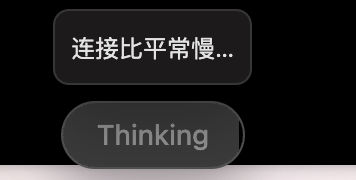
Typeless 最近经常要重试几次才能成功,一直会处于“连接比平常慢”的状态。 本来尝试去换了一下豆包输入法,但豆包输入法在体验上对比起 Typeless 还是有一些差距。比如: 1. 在开启语音输入的时候,Typeless 会自动屏蔽掉背景音(比如 Mac 播放器里播放的声音),让人能够更专注地输入。 2. 对于说话内容的总结和“去废话”处理,也是Typeless好的多 Typeless 算是我为数不多年付费的 AI 产品,但最近的体验实在是不太好,能不能优化一下呢? @huang_song_
furyfrog tweet media
中文
3
0
0
794
Typeless
Typeless@typelessdotcom·
@chelly_zhe Please email us! :) 📩hello@typeless.com Thanks again for your patience and support.💙
English
1
0
0
363
Chelly Zhe
Chelly Zhe@chelly_zhe·
Typeless has been acting so stupid lately; I have no idea what your team is even doing. @typelessdotcom
English
1
0
1
415
守屋恵一@デジタル系ライター・編集者 / 仕事垢
iPhoneで #Typeless を使っていると、たまにキーボード切り替え時に表示がバグることがある。 Typelessのかなキーと、デフォルトの英字キーボードが重なって表示されることがある。有効なのは、Typelessだ。 ただ、発生条件がよくわからない。
守屋恵一@デジタル系ライター・編集者 / 仕事垢 tweet media
日本語
1
0
0
513
MOspS
MOspS@Tadeus1975·
@huang_song_ Is anyone else experiencing keyboard problems? Once I use Typeless and type something again, I don't understand what happens or why my PC seems to freeze right after using it.
English
1
0
0
68
Huang Song
Huang Song@huang_song_·
Every message has a hidden cost — paid before you type a single word. We call it the Mental Drafting Toll. Before a message, an email, or a document leaves your mind, you first draft it internally. You organize your thoughts. Find the right words. Structure the message. Rewrite it until it sounds right. It happens every time you communicate. And we've accepted it as "just thinking." But it's not thinking. Thinking is the fast, messy, creative part. Mental drafting is the invisible work of making those thoughts presentable. And traditional dictation never removed it. Voice typing only freed your fingers. You still had to draft it in your head first — then say it out loud. That's the problem we set out to solve with Typeless 2.0. For the first time, you can skip the mental draft — and just think out loud: Speak in whatever order thoughts come. Add context as it comes to you. Change your mind halfway through. Forget a name? Describe it — Typeless fills in the exact one. It never makes things up. Typeless doesn't just understand your words. It understands your thoughts before they become words — and turns them into clear writing. You think it once. Typeless writes what you meant. Available today on Mac, Windows, iOS & Android. Messy thoughts in. Clear writing out.
English
192
443
1.2K
1.6M
Magic_Tree123
Magic_Tree123@London_Revi·
@huang_song_ My issue with Typeless is it is too eager to make a list. I use it for writing. When I say multiple things together, I just want it to punctuate it properly. It would be great if there is an option to tell it that I don't want a list.
English
1
0
0
94
Cody Yang
Cody Yang@codyyang_eth·
@huang_song_ Upgraded to v2.0, but Typeless still doesn’t work when remotely controlling a Mac via Apple’s built-in Screen Sharing app. Please check DM.
English
1
0
0
63