Sarthak Panigrahi
1.1K posts

Sarthak Panigrahi
@SmartMoveBharat
#Teambhpian || #EV_Enthusiast || #LocalGuides || #Sustainable_practices || #Gadgets_Reviewer


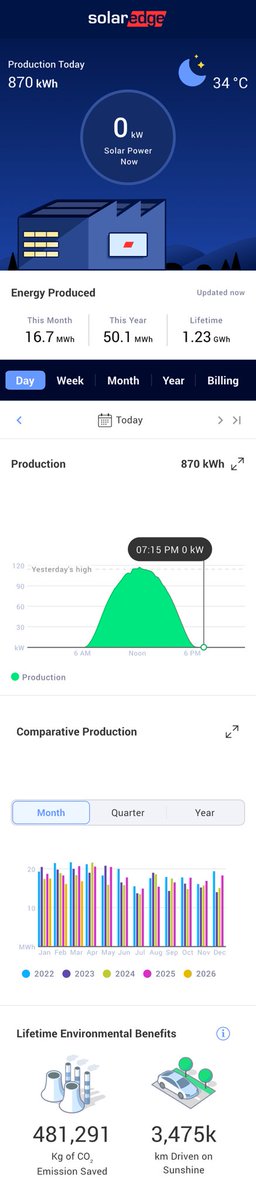
3 Year update on my 5KW On-grid Solar Plant, the was installed on 6 April 2023, Now after 3 years the total generation was 24,184 units, so we can assume about 8,000 units of electricity generation was done per year. Setup has total of 10 * 540W Mono Perc, half cut panels. I noticed that I am getting bit more generation compared to others with similar setup in our community and I think the main reason is I try to keep the panels clean hence than 10-15% more generation that I am getting. BTW I am generating more power than I consume, this is even after charging my 2 EV Cars at this location. Our's is a Pvt society with Pvt meters, so I didn't get any Subsidy for this Solar Plant setup and at that time Mono Perc panels were at a premium and I paid 3.5 Lakhs for the setup, so it will take me more about 2.5 years more to break even. But if you get Govt Subsidy, and as now the Solar setups have become a lot cheaper, you can recover the cost within 3.5 to 4 years now for normal on-grid setup. Lot's of other questions that you guys have asked, so I'll try to make a dedicated video on the same this week.

Tesla supercharger installed in Nexus Seawoods Mall in Navi Mumbai of all places in India. 😳 They said it’s specifically for Tesla vehicles. Asked a few folks there have been very few Tesla vehicles in India, let alone Mumbai, so was wondering how exactly will this be beneficial for most of us? Looks like something big is cooking! 😁


You don't need to learn to code anymore. Here's how to prompt Claude Code (zero coding): 1. Open the Claude desktop app. 2. Click "Code" (not Chat, not Cowork). 3. Select a folder from your computer. 4. Connect a free GitHub account in Settings. 5. Go to Connectors. 6. Use this setup guide: ruben.substack.com/p/claude-code Claude now builds anything you describe in English. But here's where it gets powerful: Before you prompt, change these 2 settings: 1. Select "Opus 4.6" model. It's the smartest model for complex builds. 2. Turn on "Auto accept edits." It stops Claude from pausing after every action. Then stop describing code. Paste this instead: "Create a GitHub repo named [NAME]. I do not know how to code. Code everything for me. I want to [GOAL] for [SUCCESS CRITERIA]. Here's an example [attach screenshot]." Claude reads your screenshot. It builds the site. The secret is not knowing how to code anymore. It is knowing how to prompt. But to go even deeper, use my full playbook: ruben.substack.com/p/claude-code (save this if you can't code - you won't need to)


NEWS: Google is rolling out AI-powered EV trip planning and battery predictions in Google Maps to over 350 car models with Android Auto. The update recommends when and where to charge based on your vehicle and battery level, showing estimated battery at arrival and adjusting ETAs with charging time, something that Tesla already does, but this Google Maps update will reduce the need for multiple apps in non-Tesla EVs. Google: "To deliver accurate battery predictions for hundreds of vehicles, we combine AI with advanced energy models that analyze car details — like weight and battery size — alongside Maps’ real-time information about traffic, road elevation and weather. This will allow us to bring intelligent trip-planning features to most U.S. EVs soon."