Post

VoxelPlot
VoxelPlot@voxelplot·
Seedance 2.0 - Advanced Workflows Series 10. Fixing AI Artifacts with Video Editing Use the multi-reference Vid2Vid capabilities of Seedance 2.0 to fix small defects and artifacts in AI-generated shots. Take a screenshot of the video frame containing the defect, upload it to GPT Image 2, and modify the image so the defect disappears. Flawed Video + Corrected Image: Seedance 2.0 will regenerate the video without the defect. GPT Image 2 and Seedance 2.0 are now available on insMind (link at the end of the thread). Workflow + Prompts 👇
English
15
31
298
20.4K
VoxelPlot
VoxelPlot@voxelplot·
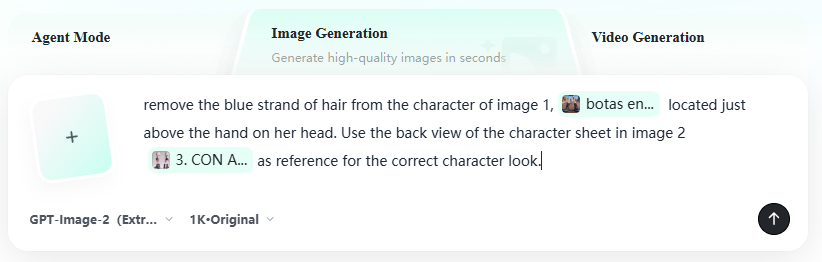
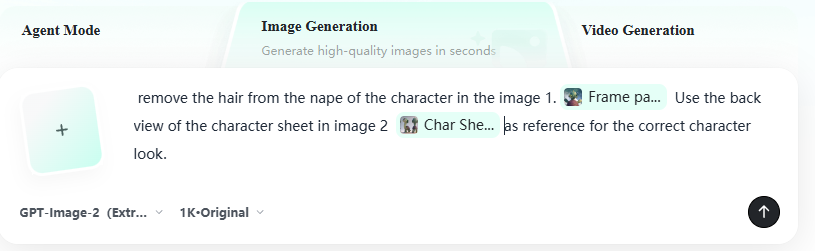
1. Modify the screenshots with the defect using GPT Image 2 Take a screenshot of the shot or shots where the artifact appears. Edit the image to remove the defect with GPT Image 2, the most powerful image model to date. Provide correctly drawn character sheets or environments to guide GPT and ensure it has the right look. In our case, we have two shots with hair artifacts, so we are providing Screenshot with Artifact + Character Sheet: Prompt 1: remove the hair from the nape of the character in the image 1. Use the back view of the character sheet in image 2 as reference for the correct character look. Prompt 2:remove the blue strand of hair from the character of image 1, located just above the hand on her head. Use the back view of the character sheet in image 2 as reference for the correct character look.
VoxelPlot tweet mediaVoxelPlot tweet mediaVoxelPlot tweet mediaVoxelPlot tweet media
English
1
0
3
737
Harsh Shekhawat 🇮🇳
Harsh Shekhawat 🇮🇳@masterdiverhrsh·
@voxelplot This is soooo helpful! I'm actually working on a project* where it's all about this, was just thinking about doing it, good to see a workflow for the same now, thanks! This boosts my confidence even more 💯 💯
English
1
0
1
124
Daan Van Baelen
Daan Van Baelen@daanvb·
Great tips! I used the same workflow to upscale shots. Generate multiple clips in 480p (cheaper), then edit it together, then use that edited video as reference video together with all reference images needed for an 1080p generation. Technically it’s not upscaling but a whole new video with the right images following your edit.
English
1
0
5
225
Md Leon
Md Leon@Md10Leon·
@voxelplot Seedance 2.0 is on Vosu AI too if anyone needs it. been using it with their multi reference feature for consistency across shots, works well for exactly this kind of fix
English
0
0
0
9
LiFe
LiFe@brianlife·
@voxelplot It’s great but one thing no one talks about is that severance will change the scale slightly. By a few pixels. In CapCut I have to uncheck unified sized ratios. And click the vitical scale a few times and one or two in horizontal. To match, also the new re-render is darker.
English
0
0
1
42
AI-art ENJOYER
AI-art ENJOYER@isupportaiart·
@voxelplot "You have no control over AI generated video output!"-losers are in shambles rn.
English
0
0
0
51
Victorior
Victorior@VictoriorCG·
@voxelplot Wow!! Thank you for sharing this, never imagine this process of fixing before 🌟🔥
English
0
0
1
50
Supermicro
Supermicro@Supermicro·
Support next-generation AI data centers with Supermicro In-Rack Solutions, combining liquid cooling up to 250kW, NVIDIA InfiniBand and Ethernet networking, 33kW Power Shelves, and Battery Backup Units for rack density, resilience, and efficiency.
English
9
29
316
4.5M
Paylaş