Droplr
7.5K posts


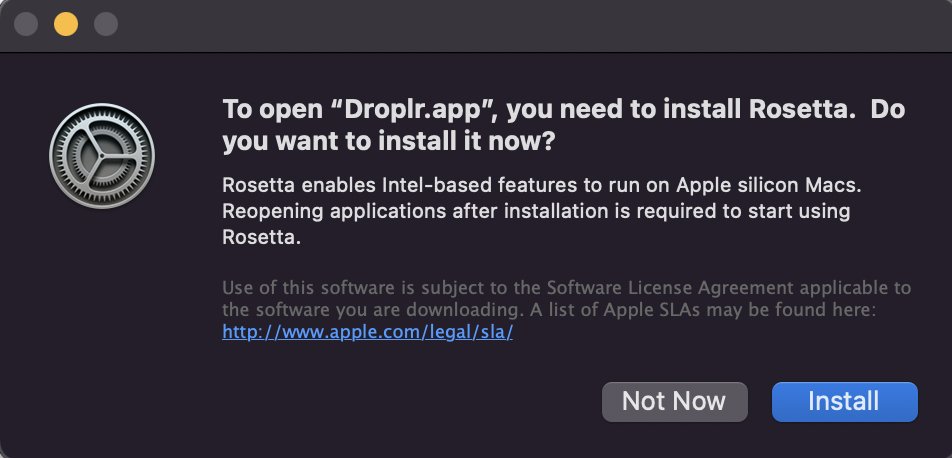
@carsonsuite Droplr is not currently optimized for MacBooks with M1 chips. In that case, you will need to install Rosetta to use Droplr. We are working on our Mac application and will optimize it for M1 chips in the near future!
English

@droplr Great, but after a few images, I see the pop up bar hang and no updates / no uploads continuing, and no errors.
English

@droplr Is there a way to upload 800 MB of 100s of images at one go to a tagged board via the Mac app? How?
English

@droplr I'm having problems with Droplr + MacOS Monterey. The app tells me I'm not logged in, but when I click "Sign in" it just opens the Droplr menu in the menu bar, which doesn't help me sign in. Can't invoke the screen capture controls either. :(
English

@uncertainapple Hi Mahesh, email sanchit@droplr.com for help with your issue. Thanks!
English

Thanks for the shout-out, Syed! Here at Droplr we value adding personalization to business and customer service for better results.
Syed Balkhi@syedbalkhi
Here are few easy to implement tactics: Instead of standard text based messages, make it personal. - Add an annotated screenshot - Add an animated GIF of the steps needed - Make a quick screencast video Tools like @droplr and @loom make it super easy to go the extra mile :)
English

@ScholarMonk @AppStore We're sorry that you had a negative experience with Droplr on the app store, but it is quite common for apps to come with a free trial. Droplr offers the most competitive pricing for a cloud-based screenshot and screen recording tool.
English


Droplr should be back up for all users. Thanks for your patience today!
Droplr@droplr
Hey Droplr users, we have had some sporadic service outages this morning in conjunction with AWS outages. You may not be able to access your Droplr library at the present time. We apologize for any inconvenience.
English