Keystone Wallet Official Support

24.9K posts
Keystone Wallet Official Support banner
Keystone Wallet Official Support

Keystone Wallet Official Support

@KeystoneWalletX

Official Support for Keystone | The most user-friendly, open-source, air-gapped hardware wallet for your entire crypto journey🛡️

Decentralized Joined Ekim 2019
363 Following47.4K Followers
Keystone Wallet Official Support retweeted
Keystone Hardware Wallet
Keystone Hardware Wallet@KeystoneWallet·
Some people want flashy apps. Others want control. Dark mode for tired eyes. PIN & biometrics for peace of mind. Smoother flow for seamless experience. Keystone Nexus just got quieter, sharper, and more yours. Update now!
English
3
5
13
4.9K
Keystone Wallet Official Support retweeted
Keystone Hardware Wallet
Keystone Hardware Wallet@KeystoneWallet·
What is Solana to you? Say it in 3 words!
GIF
English
3
1
7
1.4K
Keystone Wallet Official Support retweeted
Keystone Hardware Wallet
Keystone Hardware Wallet@KeystoneWallet·
Pasting code into ChatGPT feels harmless. Unless a browser extension is quietly reading everything you type and sending it elsewhere. For Web3 users, that can mean keys, login credentials, and confidential details. Read this before you install another one👇
Keystone Hardware Wallet@KeystoneWallet

The Risk You Installed Without a Second Thought You install browser extensions to make things easier. A VPN to feel safer online. An ad blocker to clean up the page. A trading tool to save a few clicks. After that, you stop thinking about them. They sit quietly in your browser and do their job, or so it seems. When you open ChatGPT, check a transaction, or connect to a Web3 app, the browser still feels like a neutral space. Often, it is not. Recent security research shows that some browser extensions quietly take more than they should. They collect sensitive information and send it elsewhere, without making it clear to the user. For people using Web3 tools, this can be especially risky. When Helpful Tools Start Watching Silently: Browser extensions live very close to what you do online. Once installed, many of them can read web pages, see what you type, watch network requests, and sometimes access cookies across many sites. When this power is misused, the result is rarely obvious. There is no pop-up warning. No sudden crash. Everything looks normal. That is the problem. The data is collected quietly, blended into normal browsing, and easy to miss. Urban VPN and the Hidden Risk of AI Chats: This issue became clear after research by Koi Security (@KoiSecurity), later confirmed by SlowMist (@SlowMist_Team). They found that the browser extension Urban VPN Proxy was collecting data in ways that had nothing to do with running a VPN. When users visited AI platforms like ChatGPT, the extension injected code into the page and watched the network traffic. It collected what users typed and what the AI replied, then sent that data to remote servers. A VPN does not need to do any of this. What makes the situation worse is the scale. Urban VPN Proxy, along with seven related extensions such as 1ClickVPN Proxy and Urban Ad Blocker, affects more than eight million users. Urban VPN alone has over six million users, strong ratings, and even a Google Featured badge. From the outside, it looks safe. That trust is what allows the data collection to continue. Why This Is a Bigger Problem for Web3 Users: At first, collecting AI chats might sound uncomfortable but harmless. That view ignores how people actually use AI today. Many Web3 users and developers rely on AI to write scripts, debug transactions, and review wallet or smart contract code. During testing, some people hardcode mnemonics, private keys, or test wallet details directly into code and paste the full script into an AI chat. When a browser extension has too much access, that information does not only go to the AI. It can be captured directly in the browser, saved, and sent elsewhere. Over time, this becomes valuable data that can be stored, matched with other information, and reused later. The danger is not always immediate. Often, the damage shows up much later as targeted scams, wallet takeovers, or carefully planned fund losses. Axiom Enhancer and Trading Without Permission: If the Urban VPN case is about quiet data collection, the next example shows something more direct. Research from SquareX Labs (@sqrx_labs) found serious issues with Axiom Enhancer, a browser extension aimed at users of the Axiom trading platform. The extension regularly checked whether an Axiom.Trade tab was open. When it was, the extension copied the user’s login cookies and sent them to a remote server. This means attackers did not need a password. They did not need to break two-factor authentication. By reusing an active login session, they could access the trading account as if they were the user. Once inside, attackers could drain funds through low-liquidity trades. To anyone watching, it looked like normal trading. In reality, money was being moved out. This has already happened before. In 2024, the AggrTrade malicious extension used the same approach to steal one million dollars from Binance users. The same group was later linked to other extensions targeting popular Web3 trading tools. Why These Risks Are Easy to Ignore: Browser extensions are dangerous because they are quiet. Permissions are often approved with a single click. Extensions run all the time in the background. Updates happen automatically, without warning, and can change behavior weeks after installation. Some extensions even wait days or weeks before doing anything suspicious, just to avoid detection. By the time users notice something is wrong, it is often too late. Reducing Risk Without Fear: You do not need to stop using browser extensions. You just need to be clearer about your boundaries. 1️⃣ Carefully Review Requested Permissions: When an extension asks to read all websites, access cookies, or monitor network traffic, pause for a moment. Ask yourself whether that access truly matches what the extension claims to do. If the permission feels bigger than the feature, that alone is a warning sign. 2️⃣ Avoid “Three-No” Extensions: Tools with no clear developer, no public reputation, and no way to contact the creator are hard to trust. At the same time, popularity is not protection. Even extensions with millions of users and platform badges have been caught behaving badly. 3️⃣ Isolate Your Testing Environment: Use a separate browser profile or a test environment. Avoid installing unknown tools in the same browser you use to manage wallets, sign transactions, or trade. 4️⃣ Never Expose Sensitive Information in the Browser: Mnemonics, private keys, signing data, and full code that contains credentials should never appear on a browser page. Once that information is visible there, extensions with enough access may be able to read it. 5️⃣ Use Hardware Wallets: For development and testing, hardware wallets make a real difference. Keeping keys on a separate signing device and avoiding hardcoded secrets removes the temptation to trade long-term safety for short-term convenience.

English
1
4
16
2.4K
Keystone Wallet Official Support retweeted
Keystone Hardware Wallet
Keystone Hardware Wallet@KeystoneWallet·
Most people think security failures look obvious. Frontend attacks don’t. They happen on real websites, with familiar interfaces, and correct URLs. So what should you do when the dApp you trust is compromised? Full breakdown here 👇
Keystone Hardware Wallet@KeystoneWallet

How to Survive a Malicious Frontend dApp Attack? You open a dApp you have used before. The domain is correct. The layout looks familiar. Nothing feels off. You proceed as usual. Later, you realize your funds are gone. This is not a hypothetical scenario. It is exactly what happened during the recent Zerobase frontend security incident. Users interacted normally, unaware that the interface they trusted had been compromised. The root cause was identified quickly. The project’s frontend webpage had been hijacked. But once the assets are gone, the cause matters less than the reality. The dApp you trusted failed you. And now the real question begins. What are you supposed to do when that happens? Why This Kind of Failure Is So Dangerous: Most users assume that if something is wrong, they will notice. A strange link. A fake domain. A page that looks off. Frontend attacks break that assumption. In this case, the real website is the one under attack. The interface does not look suspicious because it isn’t fake. Only the logic behind the transaction has been altered. To understand why this works, we need to talk about the role frontends play in crypto. Blockchains are not designed for humans. Smart contracts require precise calls, parameters, and data formatting. Without help, most users would not know where to begin. That help comes from the frontend. When you click “Swap,” “Stake,” or “Approve,” the frontend translates your intent into a smart contract transaction. It builds the call, fills in the parameters, estimates gas, and prepares the data you sign. This makes crypto usable. It also makes frontends powerful. They do not just simplify interactions. They define what users believe they are approving. When that layer is compromised, users are no longer making informed decisions. They are following instructions that may no longer reflect reality. How Frontend Attacks Slip Past Everyone: Attackers do not need to create fake websites or lure users into obvious traps. They target the frontend itself. Common attack methods include: - DNS hijacking, - supply chain compromises, and - browser extension tampering. These attacks are subtle. The page still loads correctly. The domain is still valid. Only the transaction logic changes. Earlier this year, even the Bybit multi-signature Safe interface was affected. Malicious code was injected into the signing page. Users saw normal transaction details on the screen. What they actually signed was different. Funds were drained before anyone realized what had happened. This matters because it shows something uncomfortable. Frontend attacks are not solved by experience or caution alone. Even professional setups can fail when trust is misplaced. Why Familiar Safety Checks Stop Working: Most security advice relies on visual or behavioral cues. Check the URL. Look for spelling mistakes. Avoid unrealistic promises. None of that helps here. The interface looks normal because it is the real interface. Past usage feels reassuring, but yesterday’s safety does not guarantee today’s. And meaningful verification is out of reach for most users. Very few people inspect source code before signing transactions. Fewer still analyze raw transaction data. Once a transaction is signed and broadcast on-chain, it cannot be reversed. By the time doubt appears, it is already too late. So when the dApp you trust is compromised, instinct alone is not enough. How to Build Defenses: Therefore, in the case of frontend attacks, the core question becomes: Which information should you trust? From transaction display to final user authorization, the entire process contains several points of failure: Layer One: The Web Frontend, Not Entirely Trustworthy The web frontend is convenient, but it is also the most exposed layer. A clean design and correct URL offer no guarantees. Layer Two: Hot wallet parsing capabilities provide essential buffering Hot wallets add another perspective by parsing transactions before signing. If the wallet shows details that differ from what the webpage claims, that mismatch is a warning sign. Still, hot wallets live inside browsers and operating systems. They reduce risk, but they do not escape it. When both layers can be manipulated, only one option remains. Layer Three: Independent signing on Hardware wallets. A hardware wallet operates outside the environment where frontend attacks occur. It does not render webpages or load browser plugins. It receives transaction data and processes it locally. Take Keystone as an example. When a transaction reaches the device, it is parsed on the device itself and displayed on its own screen in a readable format. That information cannot be altered by a compromised frontend or browser extension. This creates a critical moment of clarity. Users can compare what the device shows with what the dApp claims. If there is a mismatch, something upstream has been compromised. The decision to proceed or stop stays with the user. Hardware wallets do not decide for you. They give you back the ability to decide. So, Now What? Frontend attacks succeed because users are forced to trust interfaces that were never meant to be authoritative. In an environment where frontends can be compromised, independent verification becomes essential. Not because it guarantees safety. But because it restores control. The next time you sign a transaction, pause for a moment and ask yourself: If this dApp were compromised right now, where would I catch it? That question, more than any tool or checklist, is what keeps you one step ahead.

English
1
3
17
2.6K
Keystone Wallet Official Support retweeted
Keystone Hardware Wallet
Keystone Hardware Wallet@KeystoneWallet·
Most people don’t realise this… One blind signature on Solana is all it takes for a scammer to empty your wallet 📉 No refund. No undo. Protect yourself: • Don’t connect to random dApps • Use Keystone hardware wallet to verify every txn before signing
SlowMist@SlowMist_Team

🚨Beware of Solana #Phishing Attacks: Wallet Owner Permissions Can Be Altered 1️⃣Recently, we assisted a victim of a phishing attack that resulted in the unauthorized transfer of his account’s Owner permission. This is similar to the "malicious multisig" –style attack commonly seen on #TRON. The victim lost over $3M in assets. Another $2M locked in DeFi protocols was inaccessible — though fortunately, this portion has now been successfully recovered with help from the relevant #DeFi teams.👏 2️⃣How the #Solana Owner Modification Works🔐 The attacker exploited two counter-intuitive behaviors: 🔹No visible balance change during signing: Wallets typically simulate transactions and show balance effects. The attacker crafted a transaction with no visible changes, lowering suspicion. 🔹Users don’t intuitively expect ownership to be changeable: Unlike Ethereum EOAs, Solana accounts allow their Owner field to be reassigned, which many users don’t realize. 3️⃣Understanding Solana Account Ownership🧩 Solana accounts fall into two major types: 🔹Normal Accounts 🔹PDA (Program-Derived Accounts) Token accounts also use their own ownership rules enforced by the token program, which are frequently targeted in phishing campaigns. 4️⃣MistTrack Tracing🕵️ Our @MistTrack_io analysis of the attacker’s address revealed highly complex fund movements. Assets were routed primarily through two hubs: 🔹BaBcXD… 🔹7pSj1R… The laundering pattern included: • rapid multi-address hops • multi-platform mixing • cross-chain cycling • CEX deposits • reuse of DeFi assets 5️⃣How to Protect Yourself from Similar Attacks🛡️ This incident ultimately stems from phishing. Attackers use fake: ✨ airdrops ✨ quests ✨ whitelist invites ✨ announcements ✨ reward claims These links trigger signature requests containing high-risk operations like Owner reassignment. Before clicking or signing, always ask: 🔹 Is the source legitimate? 🔹 Is this really from the official team? 🔹 What exactly is this signature doing? 🔹 Are there unfamiliar permissions or unknown addresses? If you don’t understand the permission request — STOP! Never sign out of uncertainty‼️ 6️⃣Best Practices to Reduce Risk🧊 ✔️Use a low-value wallet for interactions, quests, and airdrop hunting. ✔️Keep high-value assets isolated — ideally in cold storage. ✔️Avoid granting unlimited approvals; limit allowances whenever possible. ✔️Always verify URLs and signature prompts. ✔️Never approve operations that seem unrelated to what you intended to do. Your strongest defense is simple: ⛔Don’t click blindly. Don’t sign blindly. 🔗Details: slowmist.medium.com/beware-of-sola…

English
1
5
11
2.1K
Keystone Wallet Official Support retweeted
Keystone Hardware Wallet
Keystone Hardware Wallet@KeystoneWallet·
Kaspa fam, we need your voice 🗳️ If Kaspa support comes to Keystone, which feature matters the most to you? Vote, and if you need all of it or any other features, say it loud in the replies. Share this with Kaspians and let them share their needs.
English
63
79
197
15K
Keystone Wallet Official Support retweeted
Keystone Hardware Wallet
Keystone Hardware Wallet@KeystoneWallet·
Ever tried swapping across chains and felt like you needed a manual? 😩 With Nexus + Keystone 3 Pro, it’s: Connect → Pick tokens → Review → Sign. No bridges. No blind signing. No browser risk. If you haven’t tried it yet, you’re missing the smoothest swap you’ll ever make.
English
1
4
16
1.3K
Keystone Wallet Official Support retweeted
Keystone Hardware Wallet
Keystone Hardware Wallet@KeystoneWallet·
Solana builders = fast minds, faster shipping ⚡️ Our CLI beta testing just opened, and the first testers are already making noise. Want in? Comment "SOL". No Keystone yet? You are eligible for a special discount. Tag the dev who shouldn’t miss this!
Keystone Hardware Wallet@KeystoneWallet

Our Solana CLI integration beta testing is LIVE 🚀 Already shown your interest? Check your DMs, you're in! You’ll be among the first to experience what we’ve built. Missed the call? Drop a comment. No Keystone? We got a special discount for you. Let’s build Solana together.

English
1
4
10
2.7K
Keystone Wallet Official Support retweeted
Keystone Hardware Wallet
Keystone Hardware Wallet@KeystoneWallet·
Self-custody rule #1: Protect your seed phrase. Self-custody reality: Someone out there has theirs written on the back of a grocery bill. What’s the worst possible storage method you can think of? Share it. Laugh at it. But never do it 🛡️
GIF
English
5
3
11
1.1K
Keystone Wallet Official Support retweeted
Keystone Hardware Wallet
Keystone Hardware Wallet@KeystoneWallet·
Lost or broken your hardware wallet? Don't panic. As long as your seed is safe, your crypto is recoverable. If the wallet breaks → restore the seed on a new one. If it's lost → use the seed to move funds to a new one ASAP. Protect the seed like your life depends on it!
Keystone Hardware Wallet@KeystoneWallet

x.com/i/article/1955…

English
2
2
11
1.8K
Keystone Wallet Official Support retweeted
Keystone Hardware Wallet
Keystone Hardware Wallet@KeystoneWallet·
If you're holding $ZEC, here’s the simplest rule you’ll ever need: 0–2 ZEC? Use @zashi_app. 3+ ZEC? Lock it in a Keystone 3 Pro and shield it with Zashi. Hot wallets are for testing. Hardware wallets are for top security. Last rule: whatever you do, shield your ZEC 🛡️
tmek@_tm3k

i really like zashi wallet for zcash its a hot and a HD wallet your hot wallet has one recovery seed and you can hardware wallet with a keystone (seperate seed) but you can plug in your keystone to your phone, and you can use a hardware wallet from your phone.. pretty cool zillions

English
2
2
16
2.1K
Keystone Wallet Official Support retweeted
Keystone Hardware Wallet丨Bitcoin-Only
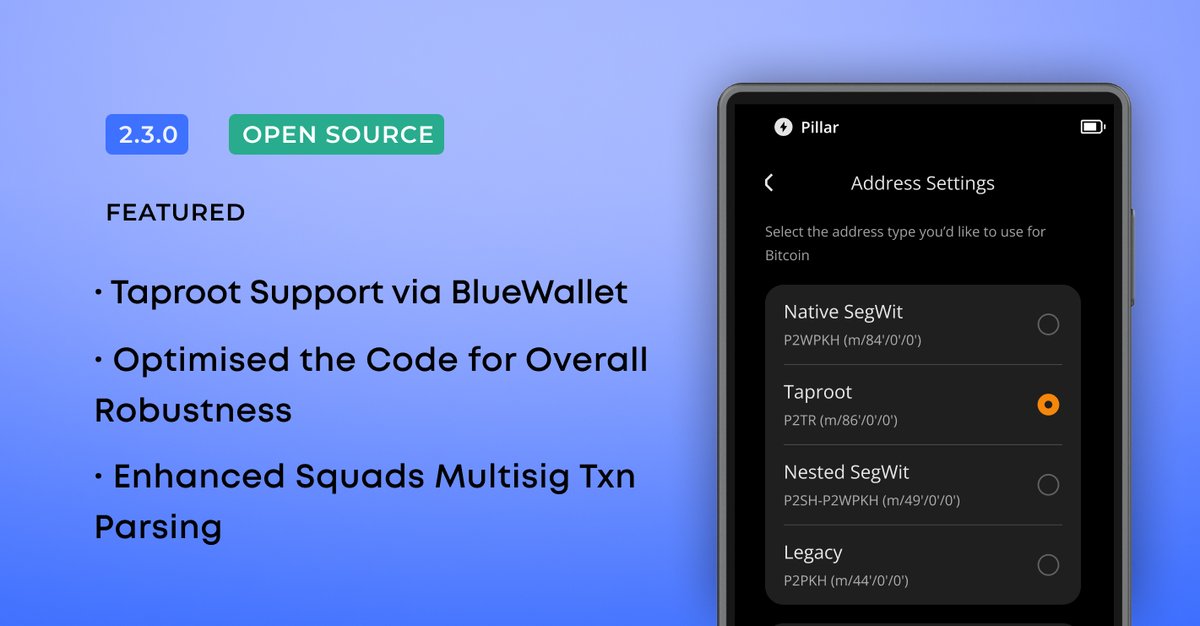
If you use a Keystone 3 Pro, consider this update mandatory. V-2.3.0 delivers: • Taproot signing via @bluewalletio • Faster BTC message signing • Strengthened firmware security + stability Update now. Your wallet deserves its strongest version.
Keystone Hardware Wallet丨Bitcoin-Only tweet media
English
1
5
17
1.7K
Keystone Wallet Official Support retweeted
Keystone Hardware Wallet
Keystone Hardware Wallet@KeystoneWallet·
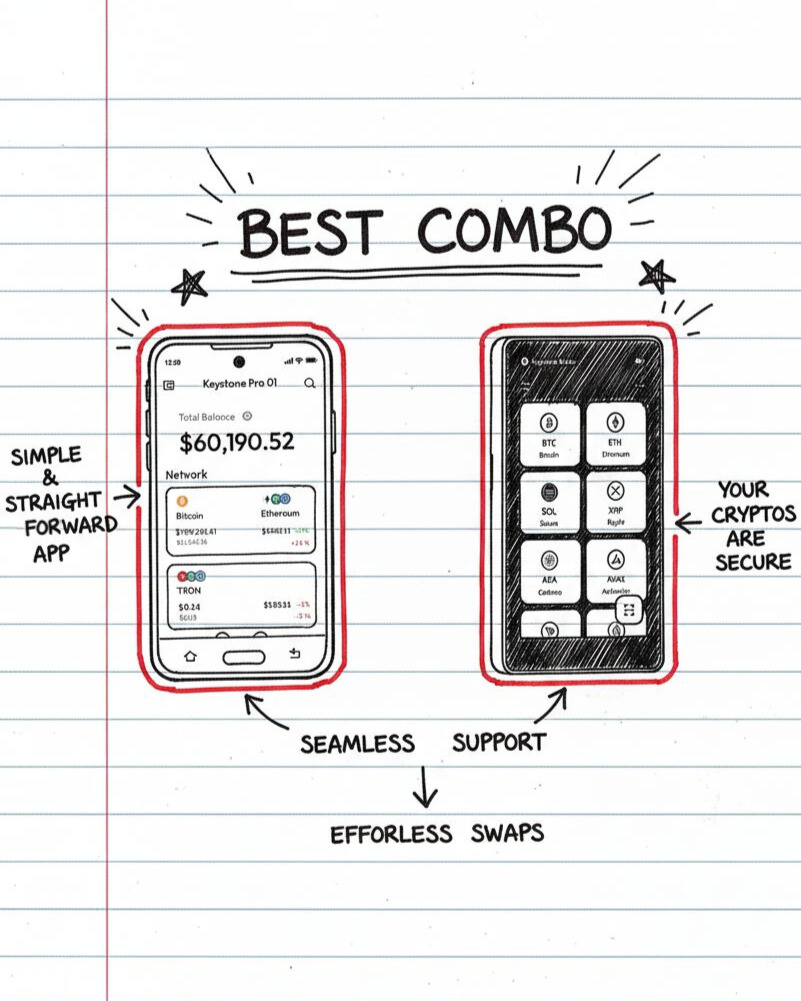
If you think self-custody is risky, you’ve misunderstood the game ⚠️ Risk is: • A CEX shutting down overnight • A “maintenance update” freezing withdrawals • Someone else holding your key to cryptos Self-custody with Keystone + Nexus offers real protection.
Keystone Hardware Wallet tweet media
English
4
6
28
1.8K
Keystone Wallet Official Support retweeted
Keystone Hardware Wallet
Keystone Hardware Wallet@KeystoneWallet·
If you own a Keystone 3 Pro, this update isn’t optional. V-2.3.0 brings: • Taproot signing via @bluewalletio • Faster BTC message signing • Upgraded clear-signing for @multisig multisig • Improved firmware security + stability Update now. Serious users stay current.
Keystone Hardware Wallet tweet media
English
9
15
75
9.2K
Keystone Wallet Official Support retweeted
Keystone Hardware Wallet
Keystone Hardware Wallet@KeystoneWallet·
You didn't come this far just to lose everything to one hack or a phishing link. If you're here to build real wealth, security is the foundation. Keystone 3 Pro is $119 for Black Friday. Not for long. Protect what’s yours before someone else claims it.
Keystone Hardware Wallet@KeystoneWallet

If you’ve ever said, “I’ll buy a hardware wallet later,” That "later" is today 🎉 Our Black Friday Sale is live with 20% off on everything till Dec 5. All at the lowest price of the year. Secure your bags now & remind your hot-wallet friends to grab one!

English
1
3
11
1.5K
Keystone Wallet Official Support retweeted
Keystone Hardware Wallet
Keystone Hardware Wallet@KeystoneWallet·
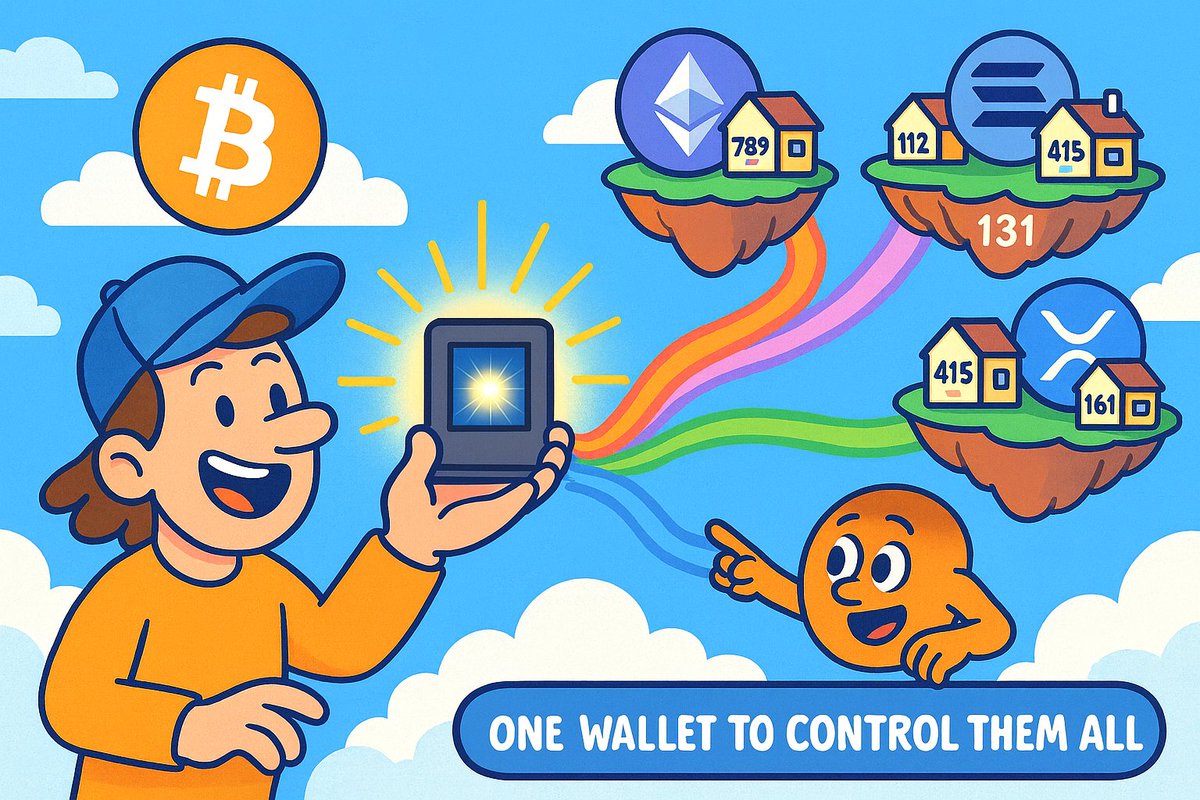
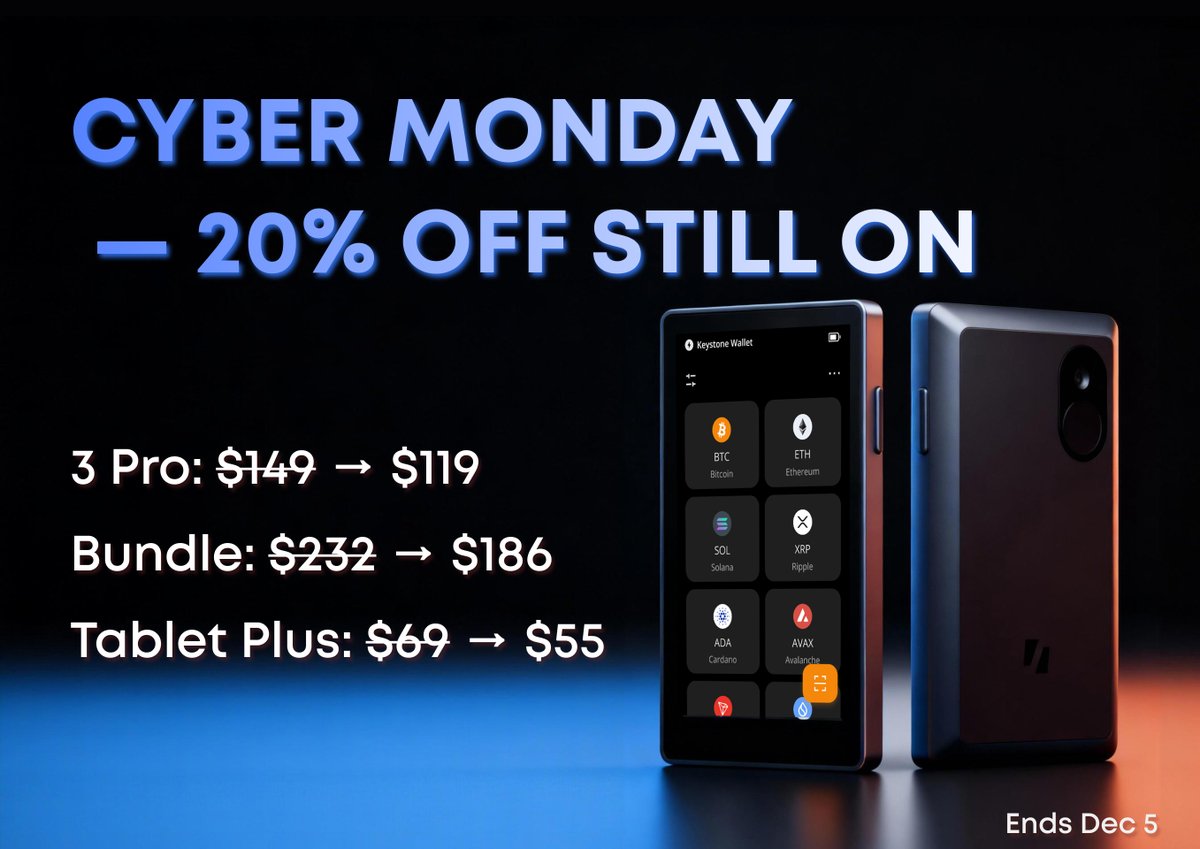
Cyber Monday isn’t for impulse buys 🛍️ It’s also for fixing the weakest part of your crypto setup. Our 20% BF discount is still live, but not for long. You already know your assets deserve better. Now it’s just a question of whether you act before the window closes.
Keystone Hardware Wallet tweet media
English
1
3
10
1.8K
Keystone Wallet Official Support retweeted
Keystone Hardware Wallet
Keystone Hardware Wallet@KeystoneWallet·
STOP SCROLLING, SOLANA fam! Day 1 of the SOLYD Advent Calendar just dropped, and behind the door? It's our Keystone 3 Pro! If you’ve got the SOLYD case + SBT, you’re eligible to enter this raffle. One of you is getting secured tonight 🍀
SOLYD (iPhone arc)@SOLYD_STORE

Day 1 is now OPEN! You can win a FREE @KeystoneWallet Pro 3 device by entering the raffle in our Advent Calendar. More details below ⤵️
English
7
12
37
2.9K