
Pinned Tweet
Budge AI
40 posts


Budge AI
@trybudgeai
Smart money moves start here. Track your spending automatically, no bank login required. Download now: https://t.co/E8WHDVtVnZ
Joined Ağustos 2025
0 Following238 Followers
Read more:
@trybudgeai/new-email-sync-now-in-beta-9675acc76ae8" target="_blank" rel="nofollow noopener">medium.com/@trybudgeai/ne…
English
Budge AI retweeted

@trybudgeai. automatically records debits and credits from your bank and mobile money alerts. you can also create budgets within app
English

@trybudgeai Hi. How do I provide feedback / complaints / enquiry? Email? I can’t seem to send a message here.
English
Budge AI retweeted

@trybudgeai/transaction-notes-221541fc9951" target="_blank" rel="nofollow noopener">medium.com/@trybudgeai/tr…
ZXX
Budge AI retweeted

@trybudgeai @about40kills I’m putting all my guys on . Lovely app
English
@about40kills @Mr_korkorte Hi @about40kills, we automatically filter out promo texts! Even if they contain your currency, they won’t show in the app.
If you’re seeing duplicates, check that transfers between your accounts aren’t counting twice. Deleting or recategorising them to "To-Self" should fix this.
English

@Mr_korkorte @trybudgeai exactly. it logs duplicates as well because they all have the GHC in the messages
English
Budge AI retweeted
Budge AI retweeted

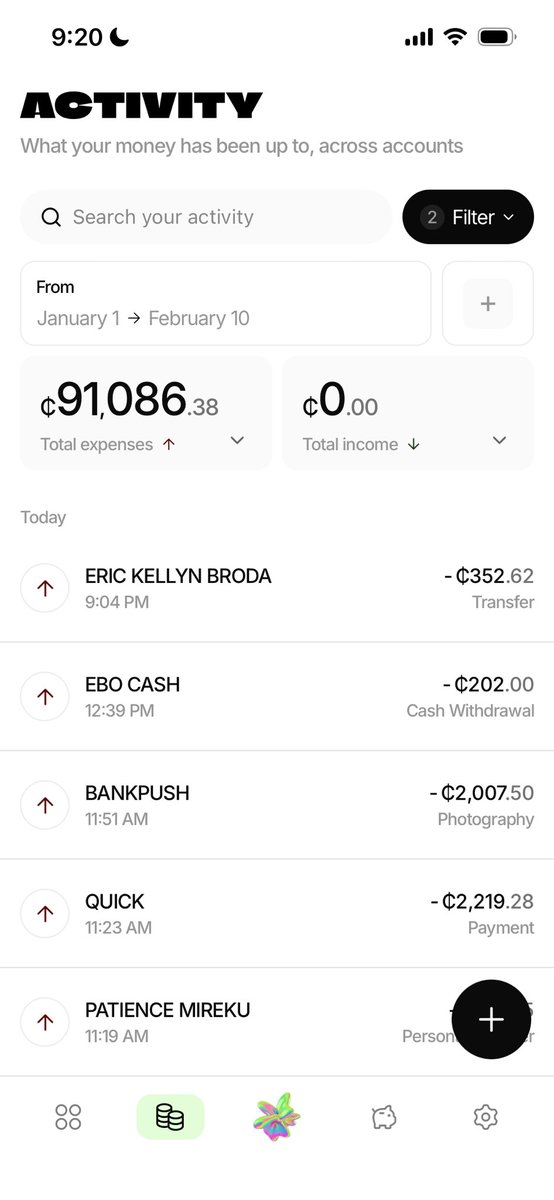
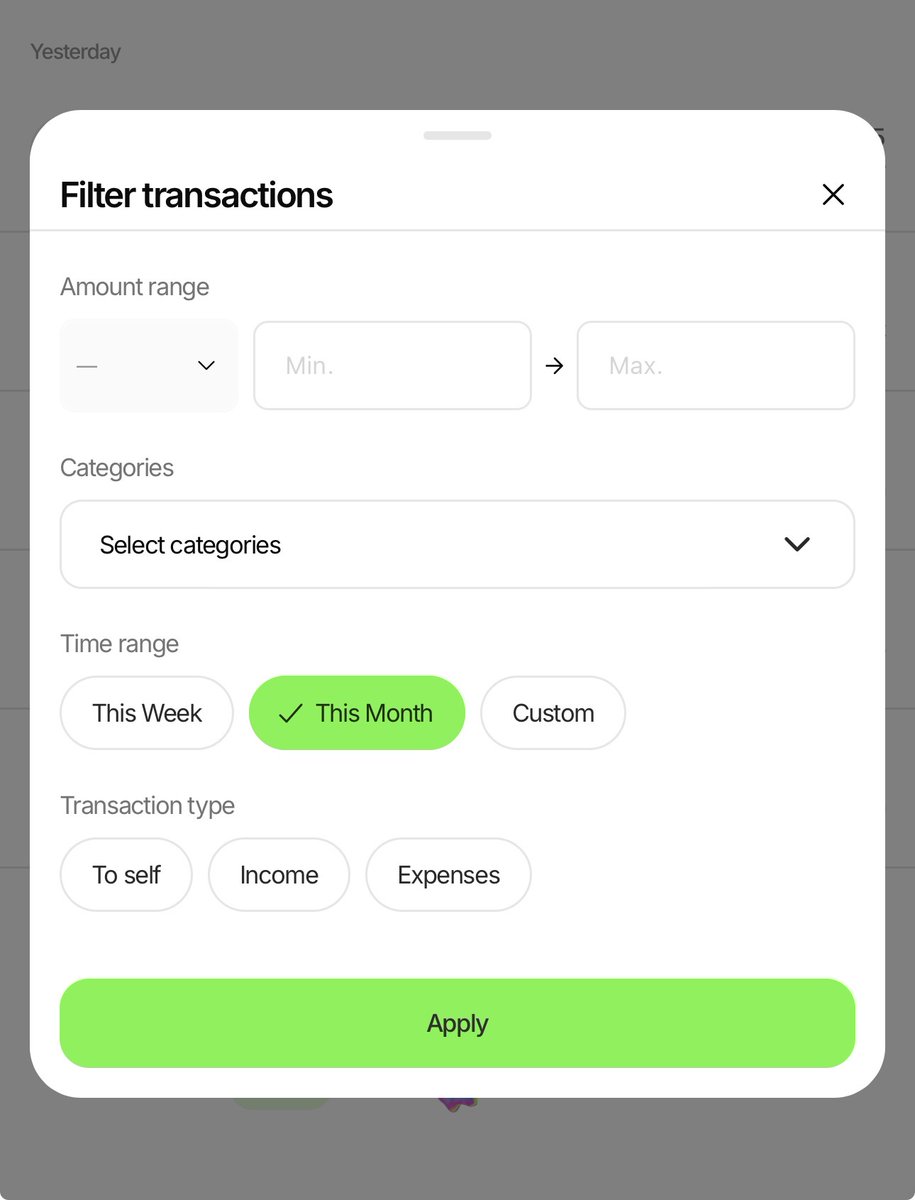
@Mr_korkorte Hi! You can view all the transactions that go into this number by going to Activity, tapping the Filter button, and then selecting "This month".
From there you can see where your money has gone, and edit/delete any transactions you made that should not count as spending
English
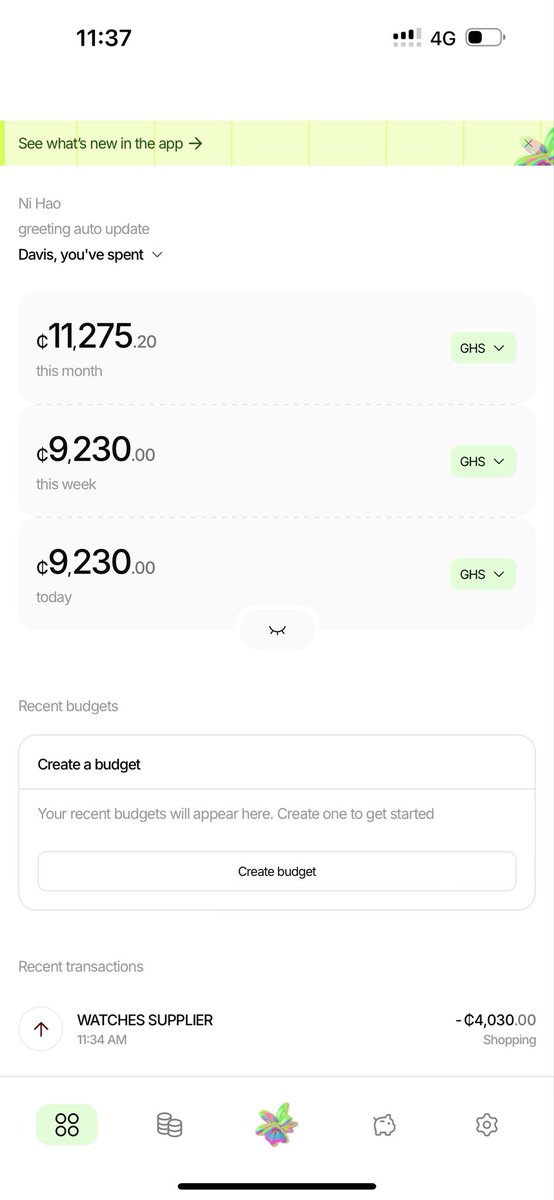
@trybudgeai I don’t think the numbers I’m see is right ooo 😂😂😂, how can you tell me I spent almost 15,000gh just this January Eeii
English

@trybudgeai Is there a place to see a chart of how much you spent on categories what daily, weekly, or monthly?
Like, how much I spent on "transportation", etc
English
@trybudgeai/whats-new-468b744a9303" target="_blank" rel="nofollow noopener">medium.com/@trybudgeai/wh…
ZXX
@Mr_korkorte You can then add the individual things you spend the cash on in the app manually, or find the ATM withdrawal in your Activity tab and edit it to make it count as an “Expense” - if you want it to count towards your spending.
English
@Mr_korkorte Hi, cash withdrawals like those done at an ATM or a MoMo agent are added to the app as "To self" transfers - money you still have that’s been moved between accounts or to cash.
They don't count towards your total expense number in the homepage but are still tracked in the app
English
@trybudgeai if I make a withdrawal from an atm , it doesn’t record in the app
English
Budge AI retweeted

I started using the @trybudgeai app today.
Set up the automation this morning, including the categories. And when someone repaid a loan, it extracted the information and correctly categorised it as a loan from the reference they included.
Excited for future integrations.
English
@Mr_korkorte Hi 👋
The setup does take a bit of doing because of iOS restrictions, but good news is you only have to go through it once, after which you’re set.
Thank you for trying the app out and the feedback! We’ll continue working to improve the setup experience
English