Chrono

37 posts

Chrono banner
Chrono

Chrono

@ChronoTokitoki

Experimenting with Hytale’s Worldgen

Québec, Canada Katılım Şubat 2026
48 Takip Edilen31 Takipçiler
Sabitlenmiş Tweet
Chrono
Chrono@ChronoTokitoki·
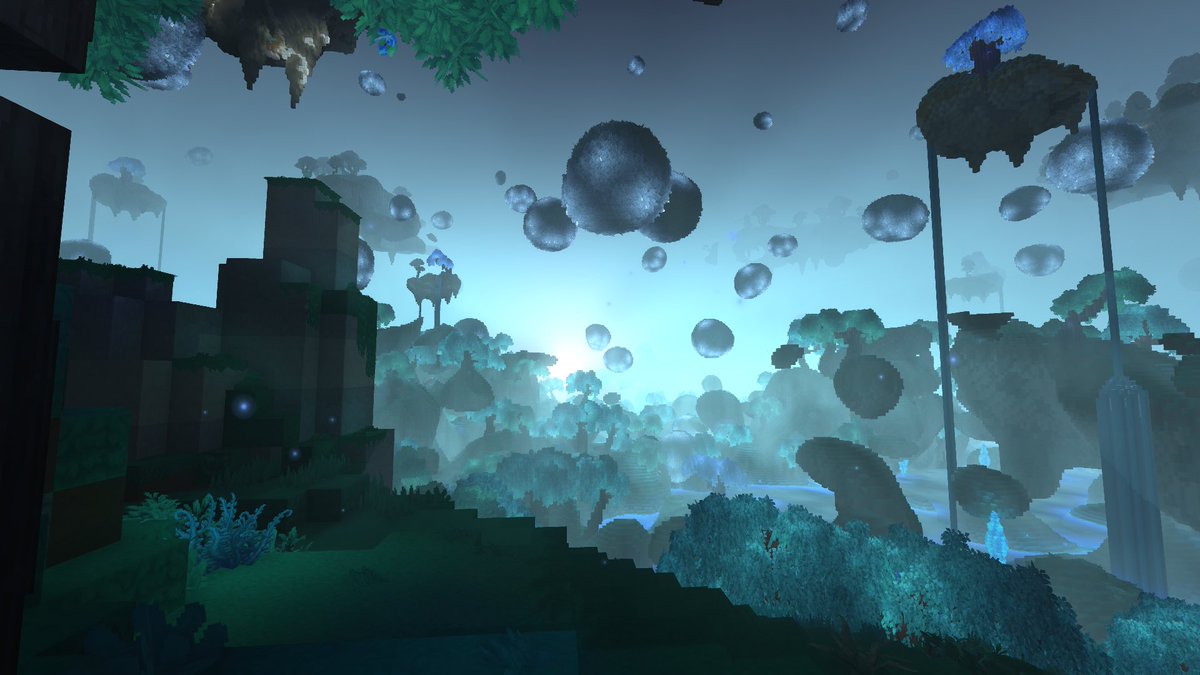
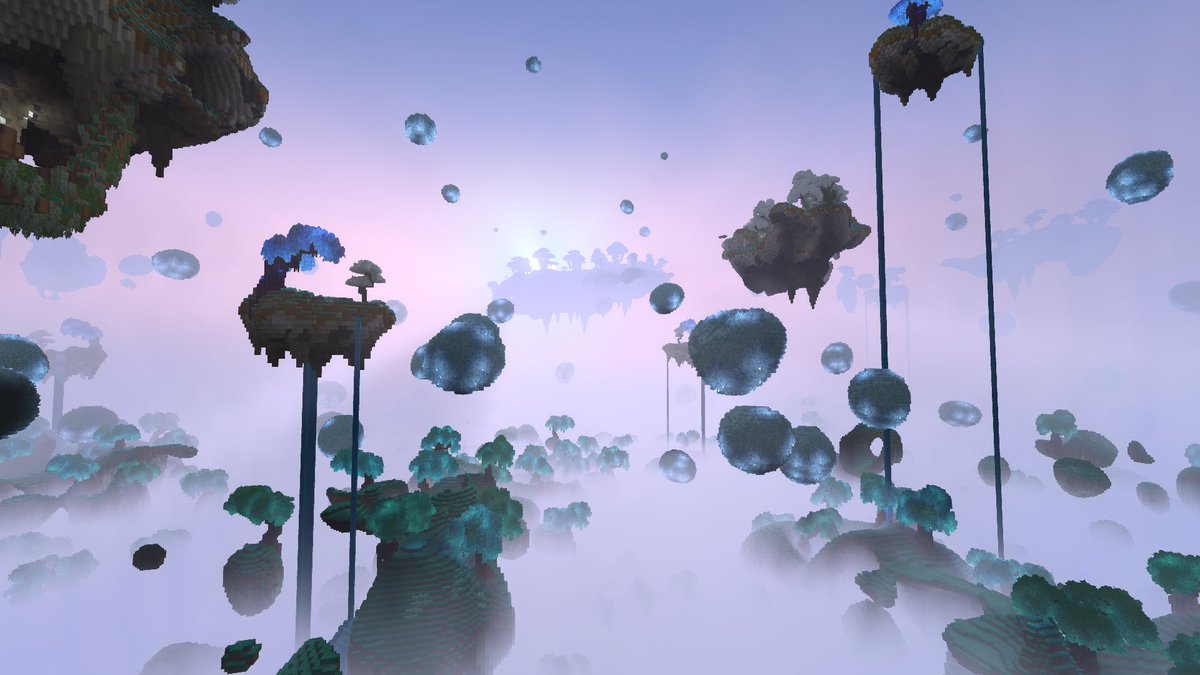
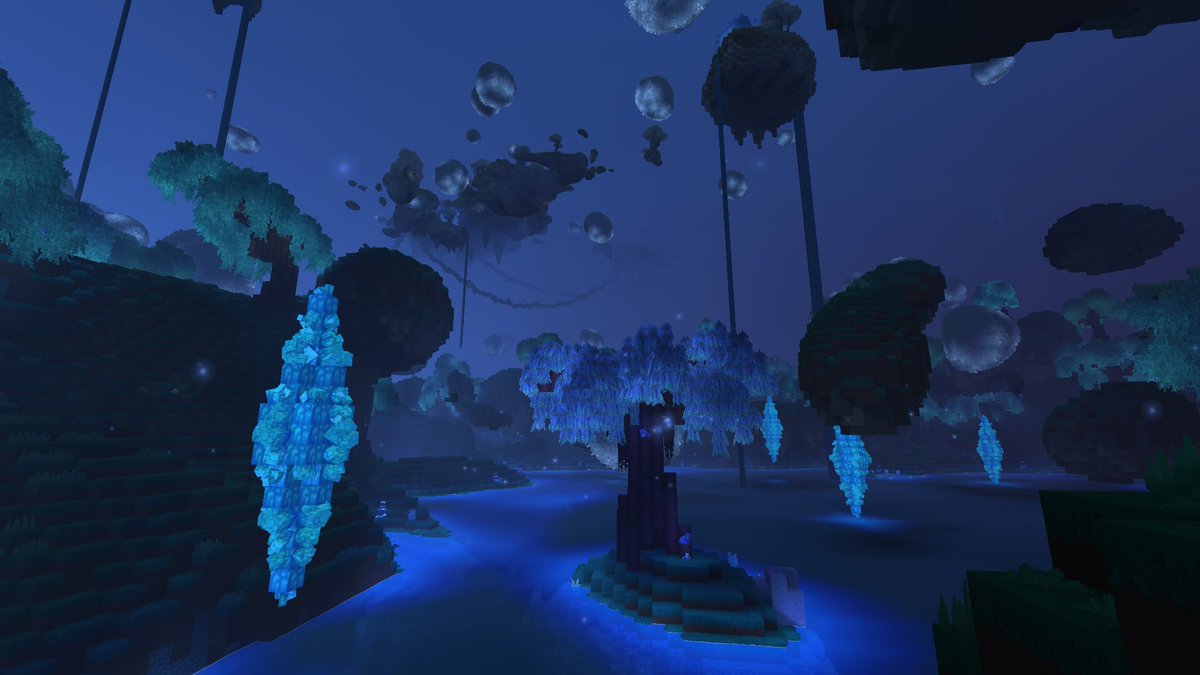
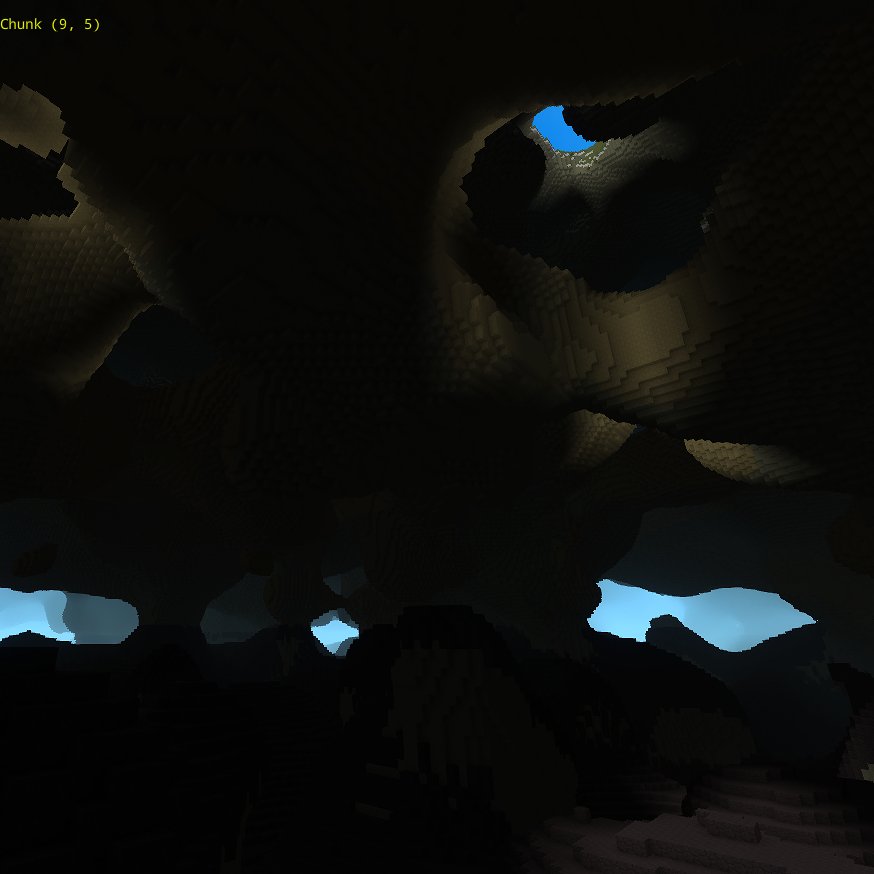
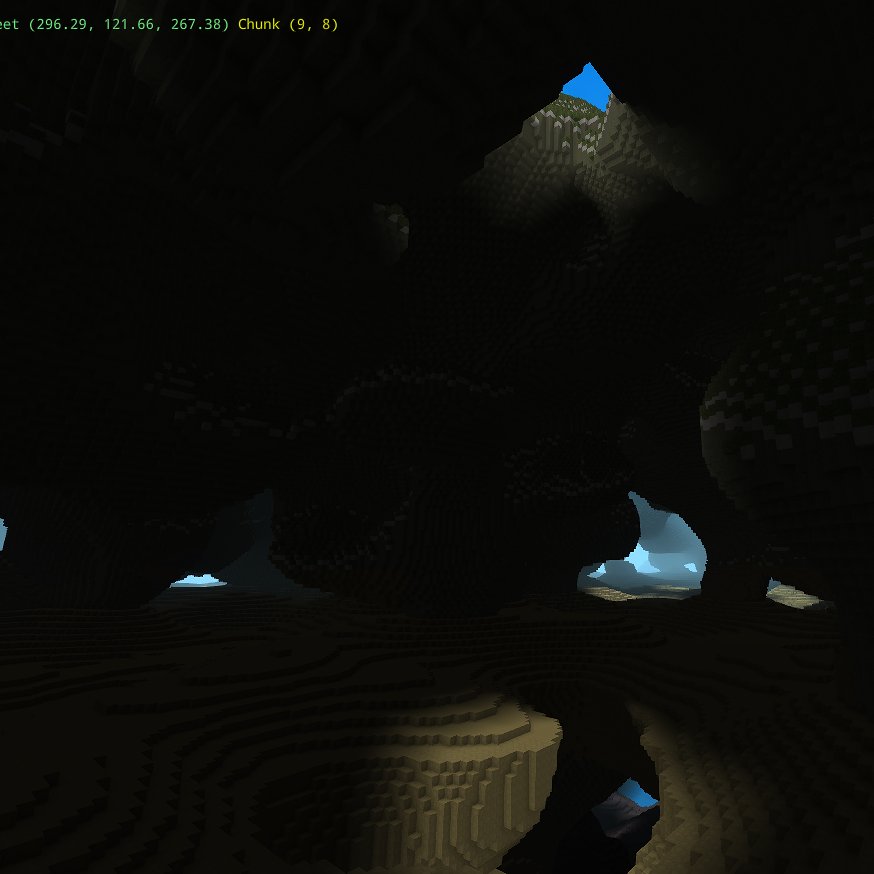
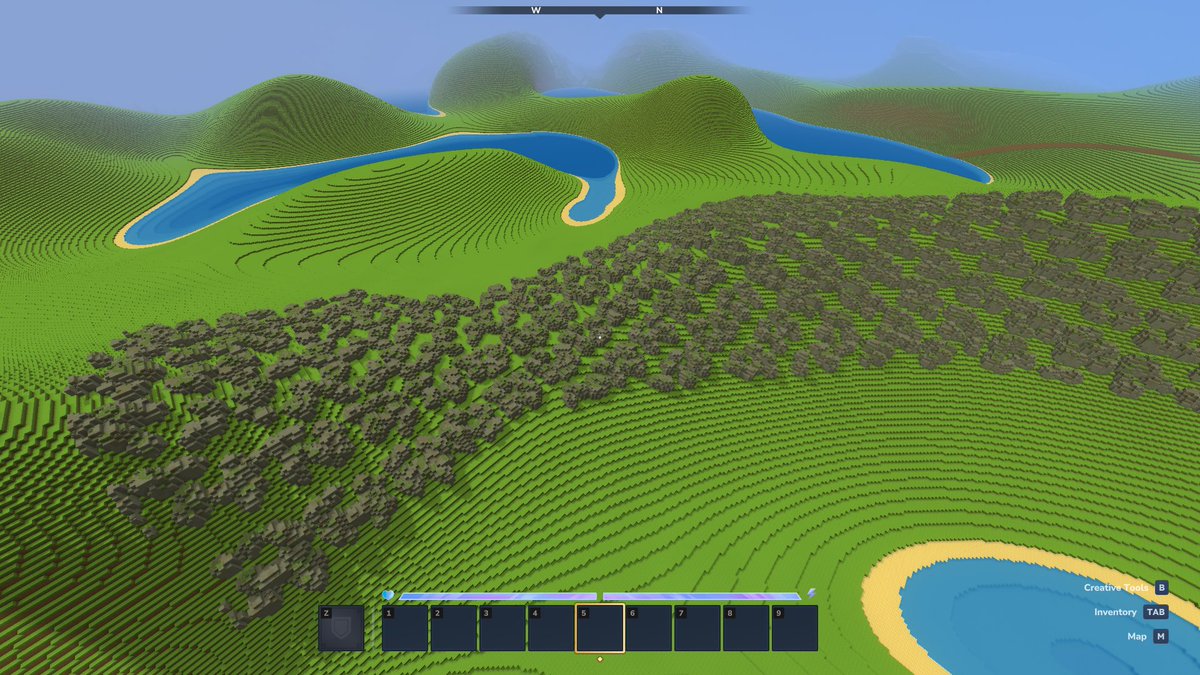
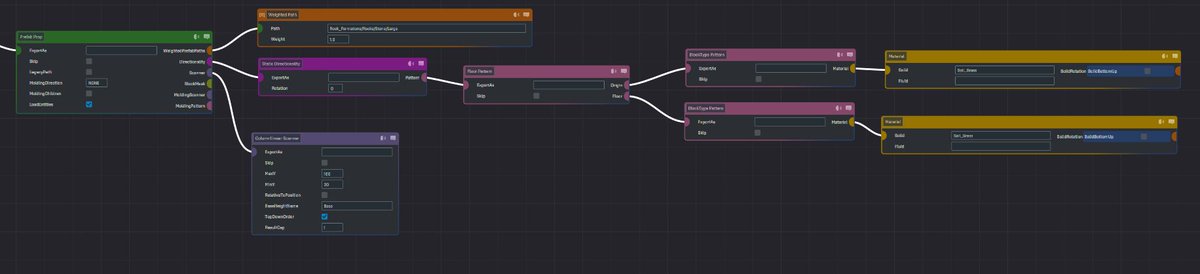
My first WorldgenV2 biome, bubbles! I had a vision of a bubbling world filled with magic that would light up at night, and I think I can finally say I brought it to life! After experimenting with different techniques and nodes to shape this biome and layering in details whenever a new idea popped up, It really feels like anything you can imagine is possible. Very excited to create more and watch the node editor evolve in the future! #Hytale #HytaleModding
Chrono tweet mediaChrono tweet mediaChrono tweet media
English
12
11
113
2.3K
Chrono
Chrono@ChronoTokitoki·
@Arrinity @codez333 Pretty sure it was a newly added tick box parameter to the material provider node that allows you to flip it to an axis before placing. Was not possible a few updates ago
English
0
0
1
20
Arrinity
Arrinity@Arrinity·
@codez333 Omg how did you get the stalactites to flip upside down? I tried this in the very early days and made a mess because i couldt flip props only prefabs!
English
2
0
1
60
CodeZ
CodeZ@codez333·
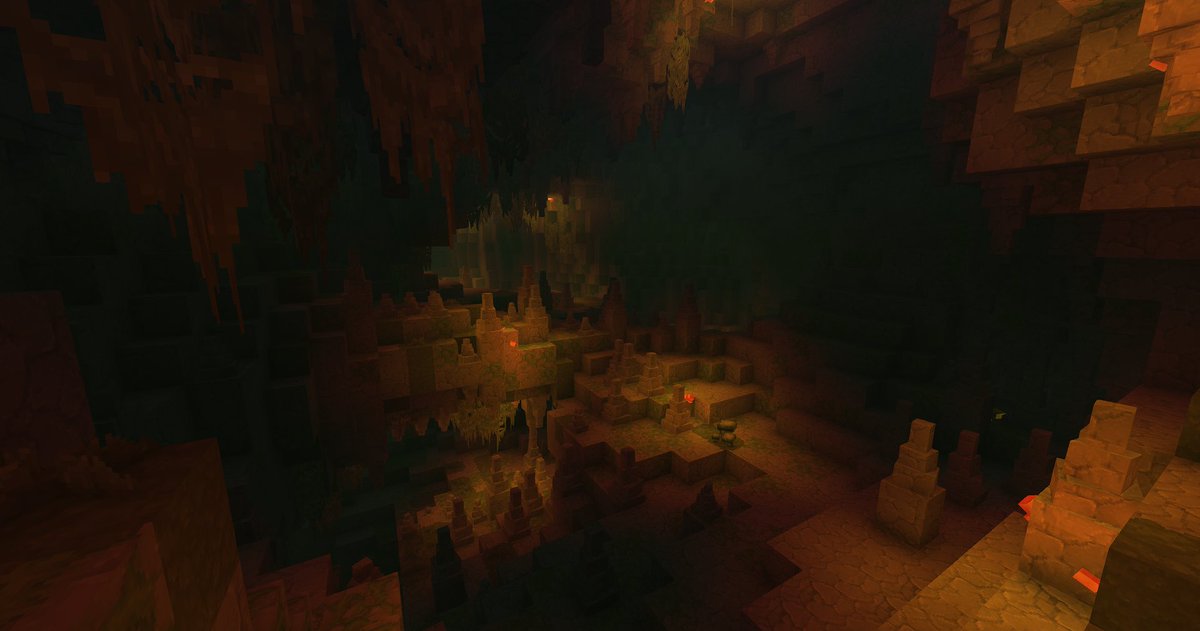
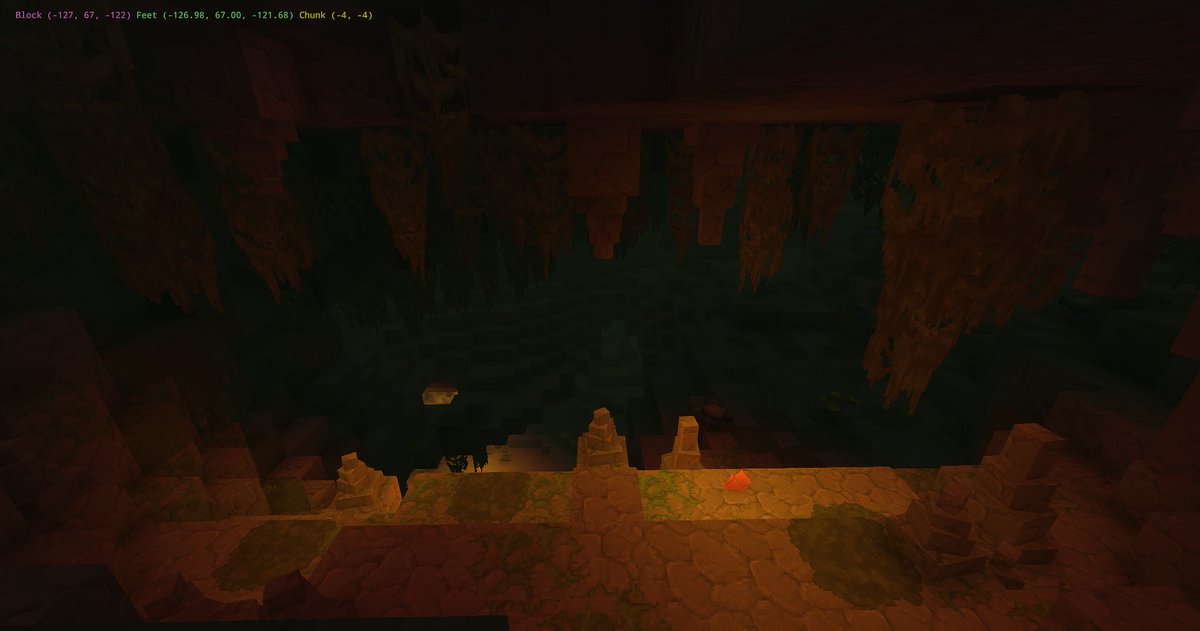
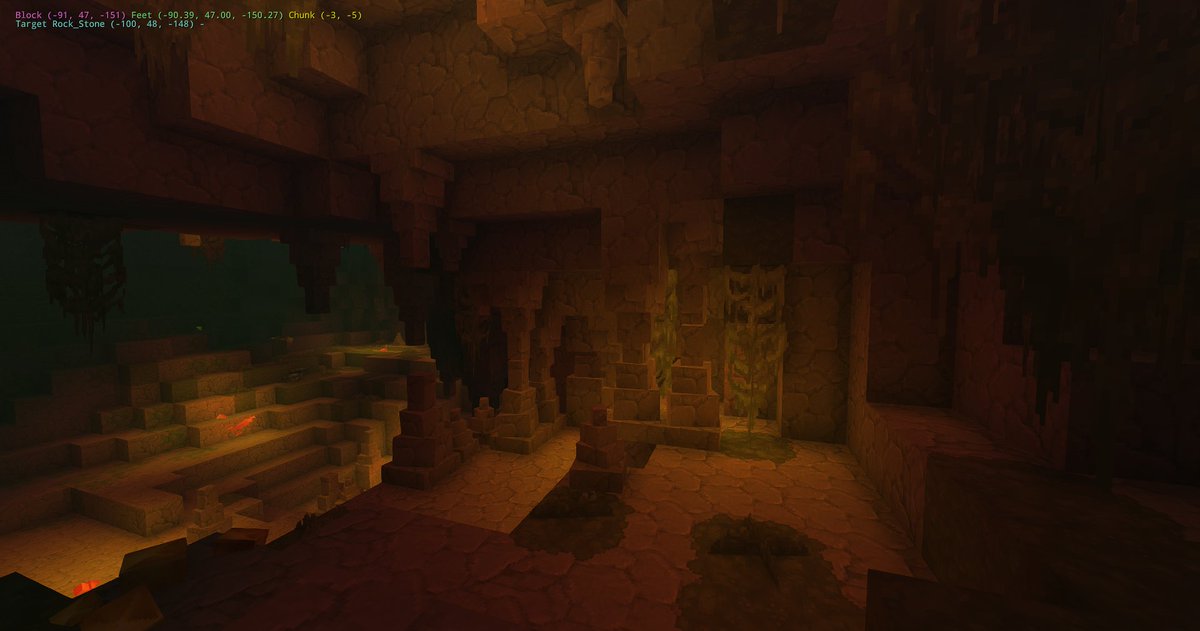
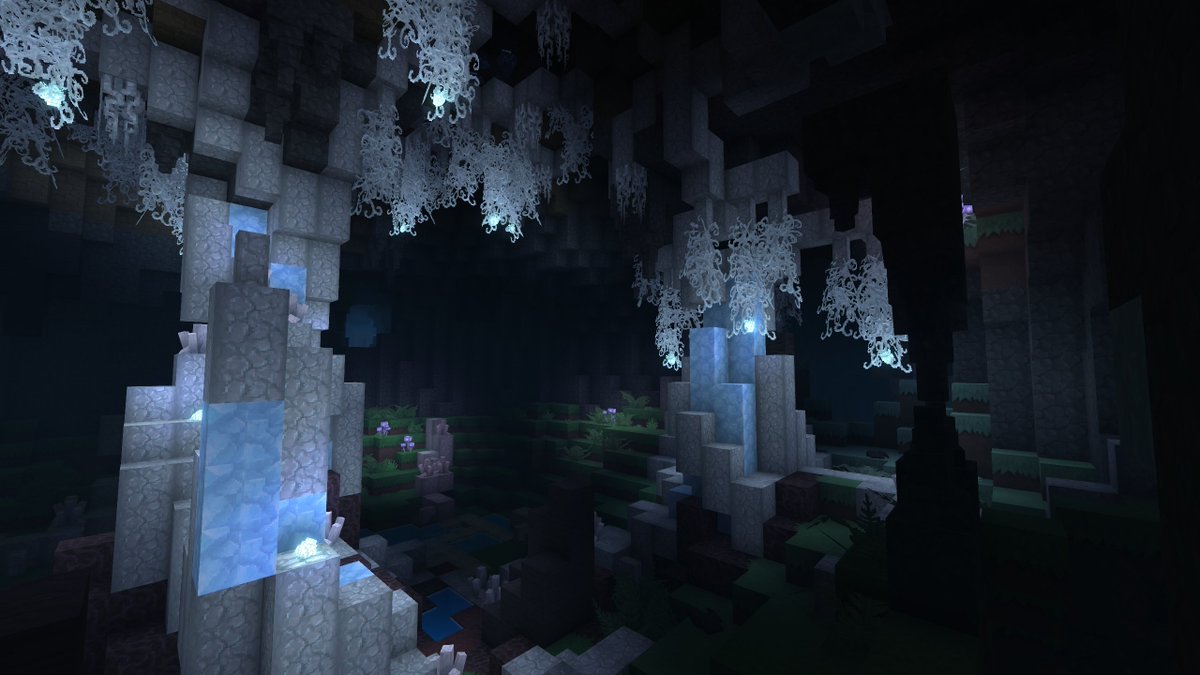
Lush swampish caves! Got the decorations for the caves done! Super happy with the stalactites always being above stalagmites and sometimes making columns just like real life 🤩 #Hytale #HytaleModding
CodeZ tweet mediaCodeZ tweet mediaCodeZ tweet media
English
1
3
42
841
Chrono
Chrono@ChronoTokitoki·
@LucentAzxiar @slikey Ouuh right true that, the showcase couldn’t had been done without 2! Good job to both of you 😄
English
0
0
1
12
OrbisMMO - Hytale MMORPG
OrbisMMO - Hytale MMORPG@OrbisMMO·
Introducing OrbisMMO, a handcrafted MMORPG for #Hytale! Over the last two months, we've been building custom combat, classes, and story-driven questlines that you can enjoy solo or with friends! This is a brand new trailer showcasing our work. Launching March 10th at 2pm PDT!
English
22
100
1.2K
58.1K
Chrono
Chrono@ChronoTokitoki·
@OrbisMMO @moneybucks Come to think of it, if Hytale becomes VR compatible the the mmos like Orbis are going to be crazy
English
1
0
1
69
Chrono
Chrono@ChronoTokitoki·
@OrbisMMO @moneybucks Zenith had so much potential 😭 Now I’ve got my eyes on Asteria, which is still a WIP but already looks much better
English
1
0
2
57
Chrono
Chrono@ChronoTokitoki·
The fact that you hire directly from the community is so respectable and exciting. I fully agree with this vision, and it’s honestly a bit sad that more studios don’t embrace it the way you have with Hytale. The talent and passion that will come from such an amazing community will definitely make Hytale one of the most beloved forever games out there. I can’t wait to see how Hytale grows over the next few years 💙
English
0
0
7
2.8K
Simon
Simon@Simon_Hypixel·
I want to explain clearly why we’re pushing modding so hard in Hytale. It’s not because we expect modders to carry the game for us. It’s because I believe the modding community is going to be one of the foundations for where we take Hytale next. This contest is part of that. I want to put modders front and center. I want people making incredible worlds, NPCs, systems, and experiences to be recognized, celebrated, and rewarded. Think esports, but for modders. There’s another reason I care so much about this: we hire from the community. Over the last few months, most of the people we’ve brought onto the team (now over 70) have been people we already knew, respected, and saw building amazing things, especially in the modding community. We’re not trying to build some giant corporate machine with layers of people giving orders. We’re building a scrappy, agile team full of people who actually make things. That matters to me a lot. Everyone here is expected to touch the game. Even people in leadership. Even me. I pushed a small visual fix myself yesterday. I’m in the game constantly, and if I see something wrong, I either fix it or make sure it gets worked on. That’s the culture I want around Hytale: close to the work, close to the game, close to the community. On a personal level, I care about this because I genuinely love making games. Getting Hytale back lit that fire in me again. It’s stressful, sure, but it’s good stress. The kind that comes from building something you believe in. The truth is that building for modding makes development harder. A feature that would be simple in another game often becomes much more complex for us because we have to ask: how can creators use this too? How do we expose it in the right way? How do we make sure it becomes a building block, not just a one-off feature? That work costs us time in the short term. I know that. But I believe it pays off in a big way later, because every good system we build can become a hundred great creations from the community. And when someone in the community makes something exceptional, that creates a real bridge. Maybe we can collaborate. Maybe we can learn from it. Maybe we hire them. If somebody makes an incredible fishing mod before we’ve even tackled fishing ourselves, I don’t see that as a threat. I see talent. I see proof that the ecosystem is working. That’s why I’m pushing for this so hard. Not because modding replaces the studio, but because it makes the game bigger than the studio. It helps us discover talent. It helps us build better in the long run. It keeps us connected to the people who care the most. If we do this right, modding won’t just be a feature of Hytale. It will be one of the strongest foundations for its future. This is just the beginning. We are still in early access.
Hytale@Hytale

Submissions are now open for the Hytale New Worlds Modding Contest! 🎉 - $100,000 USD Prize Pool - 65 Winners - 3 Categories Let's go over one of the categories featured in the event: 🌐 WORLDGEN V2 🌐 Create generated worlds using WorldGen V2’s visual node editor. Build a biome, region, or zone with a clear theme, strong landmarks, and great exploration from the ground. 📢 Fun fact: You don't need any coding knowledge to create content or modify world gen in Hytale, as V2 can be edited directly within our visual node editor! Creators can get started with just a few tutorials (linked in the reply-tweet!) and a bit of practice. This screenshot features an example of what modders can create utilizing our WorldGen V2 tech. It features a close-up shot of an example terrain pack that explores a more chaotic stacked terrain idea. We can't wait to see what everyone creates during this event! All event details + lots of resources to get started in the replies 🧵 ! #Hytale #HytaleModding

English
164
518
9.3K
501.5K
Simon
Simon@Simon_Hypixel·
Pre-Release Patch Notes (Mar 5, 2026) Update 4 (Part 3) Enable via Launcher → Settings → Pre-Release I promised to bring proximity voice chat before buying back Hytale, and here we are! Friendslop minigames are gonna be crazy fun! 𝗛𝗘𝗔𝗗𝗟𝗜𝗡𝗘 𝗙𝗘𝗔𝗧𝗨𝗥𝗘𝗦 - Proximity Voice Chat is here! You can now communicate with others via spatial, distance-attenuated voice in the game worlds! - Voice Chat is disabled by default. You may enable it from the Audio Settings menu. - New console commands for client and server can be found for Proximity Voice Chat at .voice and /voice respectively. - Modify your audio preferences, including input device, input level, noise suppression, and input mode. If you prefer using Push to Talk, you can also bind your preferred hotkey. - The farther you are from others, the more distant they'll sound, and these settings can be configured by a server op. - Players communicating within range of you will be displayed, along with how they currently appear. Talking will also animate your Avatar! - Players who find themselves submerged or in reverberant locations might notice that they sound a little different. 𝗔𝗩𝗔𝗧𝗔𝗥 & 𝗖𝗢𝗦𝗠𝗘𝗧𝗜𝗖𝗦 - Added 7 new Hairstyles: - Afro, Big Afro, Frizzy Buns, Long Dreadlocks, Puffy Twin Dreads, Dreads Fade, and Star Puffs - Updated 3 Hairstyles: - Puffy Bubble Braids, Afro Puffs, and Puffy Bun 𝗜𝗧𝗘𝗠𝗦 & 𝗘𝗤𝗨𝗜𝗣𝗠𝗘𝗡𝗧 - A new Decorative_Potion_Template has been added. Blue, Green, Iridescent, Pink, Purple, and Orange Potions are now Decorative Potion items. - All consumable potions now use the Potion_Template and have item Quality levels. - Normal and Large potions have updated models. - Iridescent potions have updated textures. - The crafting requirements for Health, Stamina, and Energy potions have been reworked. - Health Potions: - Lesser Health Potions now restore 15% health instantly and another 15% after 5 seconds for 30% total restored. They have a stack size of 5. - Small Health Potions now restore 15% health instantly and another 30% after 5 seconds for 45% total restored. They have a stack size of 10. - Health Potions now restore 25% health instantly and another 35% after 5 seconds for 60% total restored. They have a stack size of 5. - Greater Health Potions now restore 25% health instantly and another 50% after 5 seconds for 75% total restored. They have a stack size of 10. - Large Health Potions now restore 35% health instantly and another 55% after 5 seconds for 90% total restored. They have a stack size of 1. - Stamina Potions: - All Stamina Potions are consumed faster to account for default stamina regeneration. - Lesser Stamina Potions now restore 30% stamina instantly and have a stack size of 5. - Small Stamina Potions now restore 45% stamina instantly and have a stack size of 10. - Stamina Potions now restore 60% stamina instantly and have a stack size of 5. - Greater Stamina Potions now restore 75% stamina instantly and have a stack size of 10. - Large Stamina Potions now restore 90% stamina instantly and have a stack size of 1. - Energy Potions: - Lesser Energy Potions now generate 30% signature energy over 30 seconds and have a stack size of 5. - Small Energy Potions now generate 45% signature energy over 30 seconds and have a stack size of 10. - Energy Potions now generate 60% signature energy over 30 seconds and have a stack size of 5. - Greater Energy Potions now generate 75% signature energy over 30 seconds and have a stack size of 10. - Large Energy Potions now generate 90% signature energy over 30 seconds and have a stack size of 1. - Added Copper and Iron Sickles, craftable at the Farming Workbench. - Sickles may now be swung repeatedly by holding down the input. - Added Pink Crystal Shards, dropped from Pink Crystals. - Added the Crystal Shard resource type, and parented all other Crystal Shard colours to Ingredient_Crystal_White. - Gold Ingots can now be converted to Gold Bricks using the Builder's Workbench. - Empty Small and Large Potion Bottles can now be crafted at the Alchemy Bench. - Blood, Storm and Azure crop seeds are now crafted at the Alchemy Bench and have had their crafting requirements changed. - Crystal Fertilizer has been added which is a requirement for Blood, Storm and Azure crops. - Blood Leaf, Storm Sapling and Azure Kelp now each have unique requirements to grow. - Blood, Storm and Azure plants no longer drop seed recipes as they are no longer required. - Blood, Storm and Azure plants can be salvaged at the Salvager's Workbench to produce their respective petals. 𝗪𝗢𝗥𝗟𝗗 & 𝗕𝗟𝗢𝗖𝗞𝗦 - Removed Tiers 9 and 10 from the Farming Bench. - Added Tiers 3, 4 and 5 to the Alchemy Bench. - Updated the Zone1 Plains biome weather patterns. Fireflies will now appear more regularly. - Overhauled world-gen's Prop system, adding new modular features and deprecating monolithic ones. 𝗘𝗡𝗧𝗜𝗧𝗜𝗘𝗦 & 𝗘𝗡𝗖𝗢𝗨𝗡𝗧𝗘𝗥𝗦 - Defeated NPCs will now trigger death particles and drop items when their body disappears. - Temple Golems now each drop their respective gem type. - Earth Crystal Golems drop Emeralds. - Flame Crystal Golems drop Rubies. - Frost Crystal Golems drop Sapphires. - Sand Crystal Golems drop Zephyrs. - Thunder Crystal Golems drop Topazes. - Implemented conditional entity effect systems. This enables entity effects to be configured enabling them to be conditionally applied or removed. - Implemented a non-scaled switch response curve for the Combat Action Evaluator. This will enable the returning of an initial state value before a defined switch point and a final state value upon reaching it. 𝗔𝗨𝗗𝗜𝗢 - Added block sound clustering so that looping ambient sounds can be applied to large bodies, such as raindrops on water. - Added conditional ambient sounds so that ambient sounds can be applied to blocks during certain conditions, such as raindrops on windows. 𝗨𝗜 & 𝗤𝗨𝗔𝗟𝗜𝗧𝗬 𝗢𝗙 𝗟𝗜𝗙𝗘 - Introduced two configurable world map radius limits: per-world and server-wide. - Added the ability to configure a per-world override on minimap radius. - Added the ability to configure a server-wide clamp on minimap radius. - Gatherable items now result in a 'Pick' interaction hint. - Doors, fences and trapdoors now result in an 'Open' interaction hint. - The mouse wheel can now be used to navigate through the emote pages. - Items used for Creative Tooling may now be marked as 'Technical'. - Added the 'Tools' category for bug reports and feedback. - Updated the localization that takes place upon disconnecting to cover more cases. - Cleaned up localization code. 𝗠𝗢𝗗𝗗𝗜𝗡𝗚 & 𝗧𝗢𝗢𝗟𝗦 - Added an Asset Pack Save Browser that lets users select or create asset packs to save prefabs into. This replaces the previous behaviour of always saving to the server's default prefabs directory. - Merged the Anchor Tool into the Prefab Selector Tool. You may now set an anchor with SHIFT+R. - Added a hotkey to travel between the Prefab Editor World and the last world visited. By default, this is ALT+T. - Improved the Paste Tool preview performance. - Tints now support blending and varying opacities - Changes made with tints are saved to the tool's history. - Updated the NodeEditor to Noesis 3.2.1 - Added the /npc descriptors command, which generates an NPC descriptors file. - NPC templates have had the following adjustments: - They now have the following parameters visible: DeathParticles, DropDeathItemsInstantly and DeathAnimationTime - Action elements can now be selectively disabled with the Enabled flag. - The Beacon action's Range field can now be computed from template variables. 𝗕𝗨𝗚 𝗙𝗜𝗫𝗘𝗦 𝗖𝗢𝗠𝗕𝗔𝗧, 𝗡𝗣𝗖 & 𝗜𝗧𝗘𝗠 𝗙𝗜𝗫𝗘𝗦 - Fixed a crash that could occur when a referenced entity effect was missing or had an invalid network index. - Tilling with hoes will now be prioritised over blocking if both a hoe and shield are equipped. - Updated farming tools to require specific items to build rather than specific resource types. - Watering cans should no longer skip valid blocks when watering. - Crude shovels now correctly reference Stone Rubble in their recipe. - Feedbags and Fertilizer are now categorized as Tools rather than Potions. - Updated the descriptions for Petal items. - Updated the descriptions for Rubble items to use the parent description only. - Burnt Praetorian Skeletons should now better adhere to gravity when using their charge attacks. - Mount movement settings should no longer linger if the mount is killed by a teleporter. - Spawn particles should now be fixed for NPCs. 𝗪𝗢𝗥𝗟𝗗 & 𝗕𝗟𝗢𝗖𝗞 𝗙𝗜𝗫𝗘𝗦 - Updated the River & Tile worldmap density to allow multiple biomes to be spawned. This should result in redwood biomes appearing within taiga portal worlds. - Floating torches may no longer be placed on the north side of Stone Pillars. - Furnaces should no longer attempt to process items when disabled. - Fixed an issue with Salvage Benches not processing items correctly. - Fixed BaseHeight positions not working with Offset Positions - Crops that are growing in the sunlight will no longer benefit from additional nearby artificial lights. 𝗖𝗥𝗘𝗔𝗧𝗜𝗩𝗘 𝗧𝗢𝗢𝗟, 𝗠𝗢𝗗𝗗𝗜𝗡𝗚 & 𝗣𝗟𝗨𝗚𝗜𝗡 𝗙𝗜𝗫𝗘𝗦 - Fixed a crash when adding a number in the timeline editor. - Fixed a crash that occurred when selecting nodes on the Node Editor. - Fixed a number of stability issues relating to Undo/Redo with the Node Editor. - Fixed an issue preventing models being displayed within the Asset Previewer if the texture was too small. - Fixed an issue preventing 1x1x1 selections with the Selection Tool. 𝗨𝗜 & 𝗗𝗜𝗦𝗣𝗟𝗔𝗬 𝗙𝗜𝗫𝗘𝗦 - Fixed a crash when swapping cameras during world transitions. - Fixed an issue where holding down the 'Invert camera' key and changing between items on the hotbar could cause the camera to reposition rapidly. - Map markers now take into account map scaling when determining if they are being hovered over. - Updated some emote names to better reflect the animations played. - Fixed various issues related to localization.
English
172
279
3.8K
225.7K
Chrono
Chrono@ChronoTokitoki·
@Prowl8413 @OctrDev My favourite trees in the game yet, I wonder how rare they are compared to the golden Sallow tree
English
0
0
1
102
Prowl8413
Prowl8413@Prowl8413·
The Spiral tree's are some of the more rare, and most beautiful things you can find in Hytale!
Prowl8413 tweet media
English
4
4
100
2.2K
Chrono
Chrono@ChronoTokitoki·
@MedianiSamuel Oh okay! Maybe I overdid it with the diagonals then 😂 Thank you!
English
0
0
1
23
SAMPL3R
SAMPL3R@MedianiSamuel·
@ChronoTokitoki Thanks! I think I used the same method as yours, 2 offsets for the gap checks, for X & Y directions separately (no diagonals). I didn't notice huge performance differences but maybe because my biome was already a bit slow 😂 but I'll let you know if I find a more performant way!
English
1
0
1
49
SAMPL3R
SAMPL3R@MedianiSamuel·
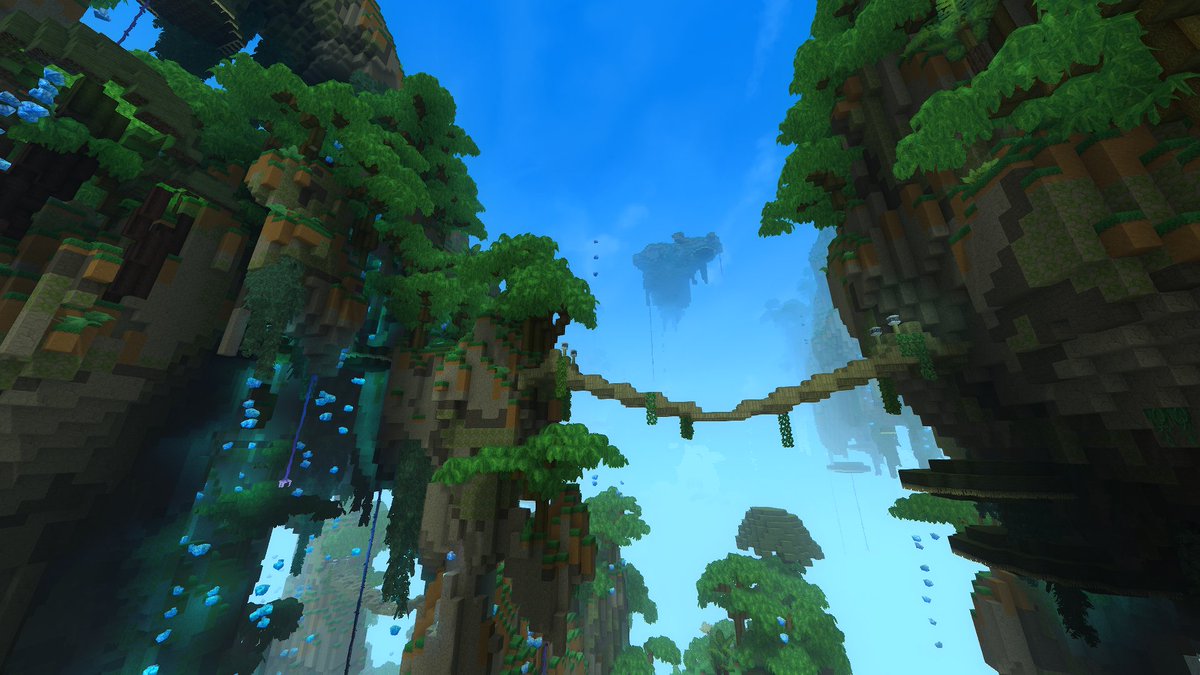
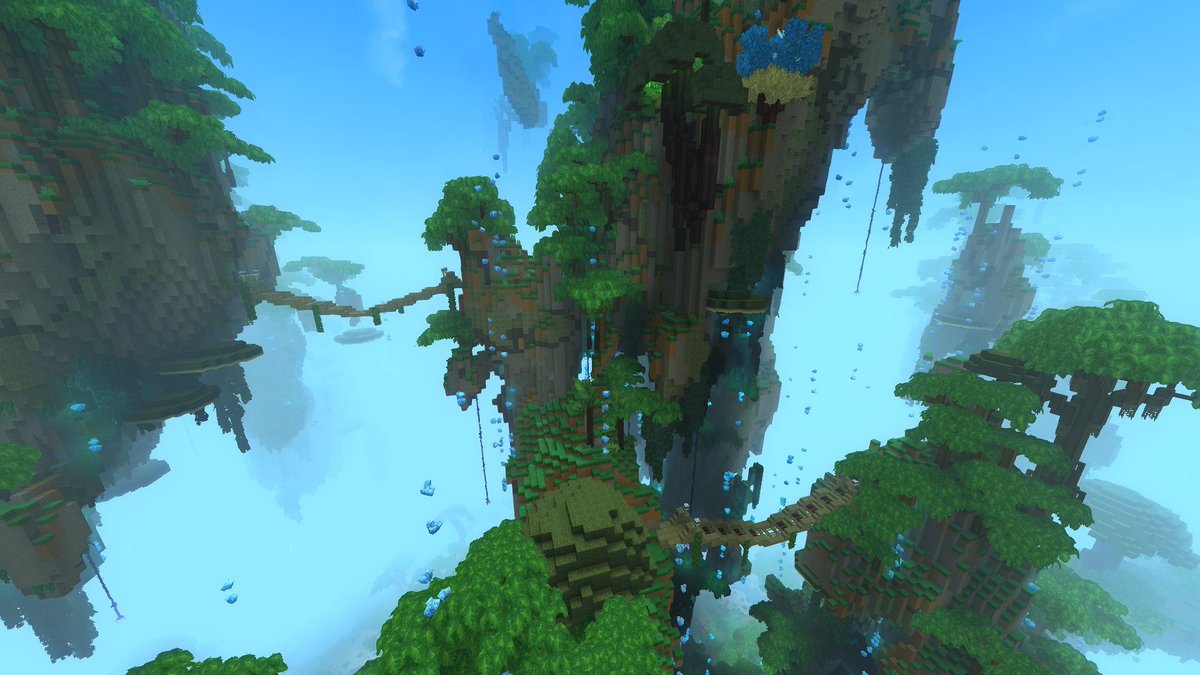
Working on procedural bridge placement across floating islands, and some other stuff 👀 #Hytale #HytaleModding
SAMPL3R tweet mediaSAMPL3R tweet media
English
9
23
315
6.8K
Chrono
Chrono@ChronoTokitoki·
@Kirschdieb Damn I wish I was that good in blender lol, looks sick!
English
1
0
1
107
Kirschdieb
Kirschdieb@Kirschdieb·
For this one I used a new workflow utilising a bit of my blender skills: 1. generating a reference Image with a promt describing a spiral fantasy tree 2. modelling the base shape in blender 3. importing the model into Hytale 4. refining and texturing the tree in CreativeMode 5. adding Crystals with a simular process
English
4
0
72
3K
Chrono
Chrono@ChronoTokitoki·
@Olegro_ @Mcc_Cal_ Oh awesome!! I’m glad it works, your terrain reminds me of the windows xp background lol I love it
English
0
0
2
24
Olegro
Olegro@Olegro_·
@ChronoTokitoki @Mcc_Cal_ Thank you very much. Actually, another mistake I made was that even though I used Soil_Grass_Sunny, it was because I set the ground to Soil_Grass. ❤️
Olegro tweet media
English
1
0
0
48
Olegro
Olegro@Olegro_·
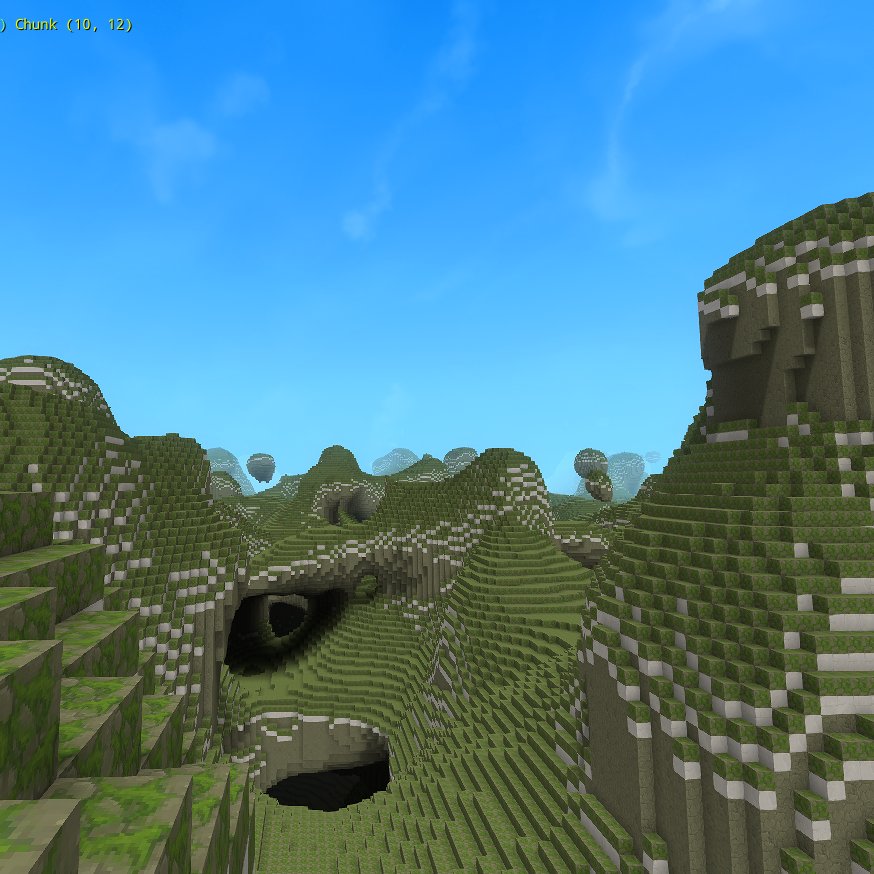
Hytale WorldGen V2 Journey [Day 2] I made a monster out of the mountain (It was a coincidence, haha) - I partially understand MaterialProvider. (i guess) - I need to properly control the values on the Terrain and test what I can do with Curve. - I'm not very familiar with Density settings and need to learn how to use them. - I have no idea how to use props. - I need to fully understand the role of the Asset Editor in World Gen 2. This will allow me to control prefabs more freely.
Olegro tweet media
English
7
6
163
6.7K
Chrono
Chrono@ChronoTokitoki·
@slikey @KMoD_One We got one of the coolest devs on the team damn! Congrats and stay safe!
English
0
1
2
474
Slikey
Slikey@slikey·
After missing my last physical exam to certify for SCBA due to Hytale: I finally got the chance to repeat and now I am back on duty 🚒
Slikey tweet media
English
21
10
600
17.7K
Chrono
Chrono@ChronoTokitoki·
@Olegro_ @Mcc_Cal_ Hey! Your floor pattern has an issue, the origin should be checking for air. The documentation explains it a little bit better with images. Origin is where the prop would spawn, and the floor is the block it checks under to spawn on. I think it should work after that!
English
1
0
1
56
Olegro
Olegro@Olegro_·
@Mcc_Cal_ I looked at the sources, but for some reason, even if I apply the same ones, they don't appear on the world.
Olegro tweet media
English
2
0
1
251
Chrono
Chrono@ChronoTokitoki·
@Purrfectionist2 Looking forward to seeing your talent in action again! Good luck!
English
1
0
1
56
Purrfectionist - Hytale Comms Soon
Purrfectionist - Hytale Comms Soon@Purrfectionist2·
Perfect timing! I have been feeling a lot better the past few days. I'm going to try my best! I have an idea that's pretty cool. I'm not really sure if I can figure out everything, but I know where I excel and I'll do my best for that part!
Simon@Simon_Hypixel

We're launching our first official Hytale modding contest with $100,000 in total prizes! But this isn't just a contest. This is the start of something much bigger. My vision for Hytale has always been that modders should be celebrated, not sidelined. The people who pour their creativity into pushing the boundaries of what's possible in the game deserve to be front and center. They deserve to be rewarded. Think of it like esports, but for modders. We want to build an ecosystem where talent rises to the top, where the community recognizes and elevates the people making incredible things. This contest is the first step. There will be many more. For this first contest, we chose World Gen V2 and NPC as two of our three categories very intentionally. These are areas where we know extraordinary talent exists, and honestly, we're scouting. If you blow us away, don't be surprised if we reach out. We want the best modders in the world working alongside us. And looking ahead: over the coming months, we'll be rolling out more modding tools, an in-game mod browser, and a lot more. We're also thinking deeply about how players can directly reward the modders they love, without turning the game into a shopping mall. It should be fair for players and meaningful for creators. This is just the beginning.

English
3
1
34
1.3K
Chrono
Chrono@ChronoTokitoki·
@Olegro_ We’ve all been there lmao, good luck on your journey, it’s a ton of fun!
English
1
0
3
274
Olegro
Olegro@Olegro_·
Hytale WorldGen V2 Journey [Day 1] I accidentally destroyed the world
Olegro tweet media
English
8
3
217
6.4K
Chrono
Chrono@ChronoTokitoki·
@MewSoul The animations are so clean :O
English
0
0
2
268
Mew
Mew@MewSoul·
Emotes are coming to Hytale with this week's pre-release update, including easy mod support! Here's the mod structure to add emotes to the game: - Place your emote animation (.blockyanim) in Common\Characters\Animations\Emote\ - Place your emote icon (.png) in Common\Icons\Emotes\ - Create your emote config (.json) in Server\Emote\ (replace "MyEmoteName" with the name of your new emote) An emote config looks like the following: { "Animation": "Characters/Animations/Emote/MyEmoteName.blockyanim", "Name": "My Emote Name", "Icon": "Icons/Emotes/MyEmoteName.png", "IsLooping": true } With that done, you'll now be able to see your emotes in-game! In the future, we'll improve the emote wheel so you can customize it.
English
78
141
1.8K
167.9K