@mujejejejejeje@comeondeth@wccftech@grok But both he and Grok were wrong, it's clearly a Hello Kitty vinyl sticker skin applied to multiple places on the laptop, including covering the bottom vents.
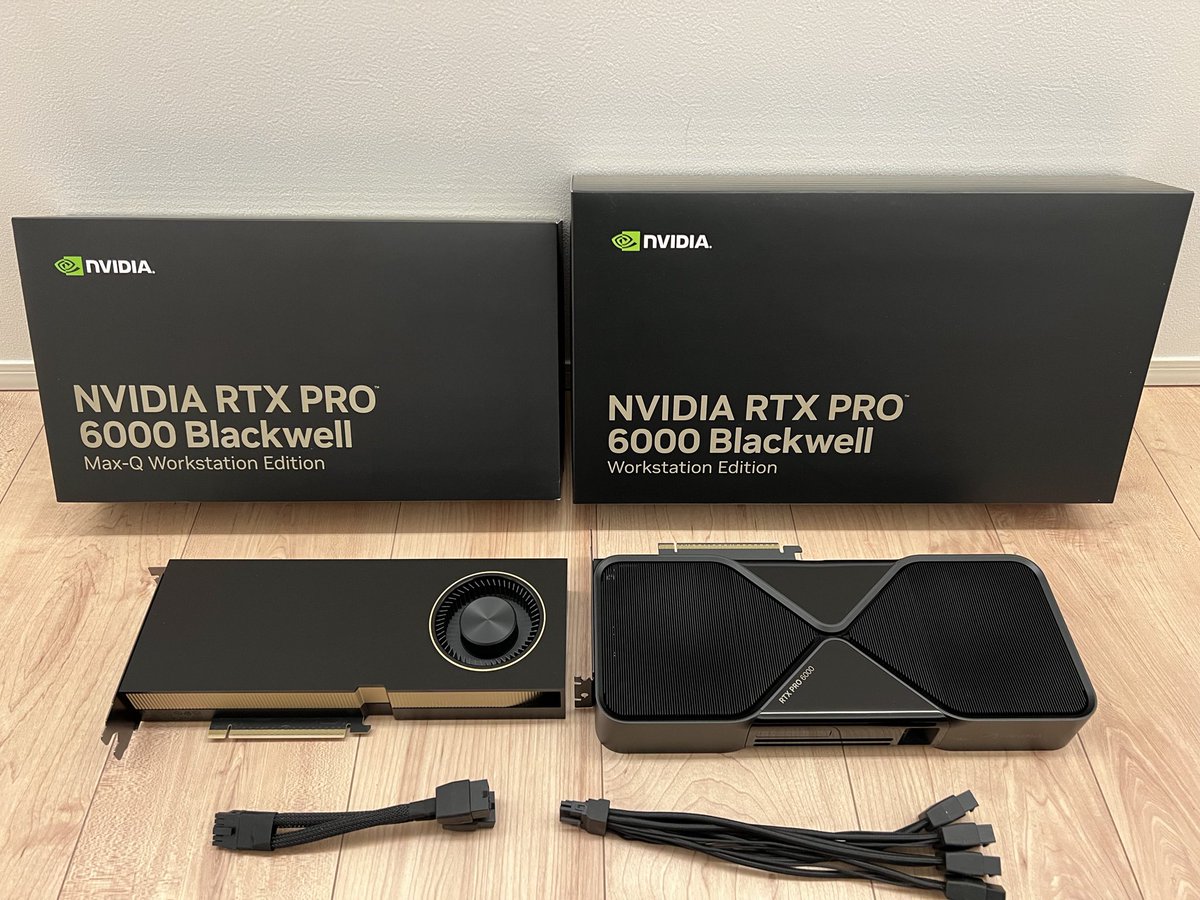
@stevibe@llmdevguy The RTX Pro 6000 is great at limit of 300w. 450 W doesn’t get you very much, you have to go up to the full 600w to actually see any real benefit over 300. LevelTechs Wendell has a video going over tests.
MiniMax M2.7 is 230B params. Can you actually run it at home?
I tested Unsloth's UD-IQ3_XXS (80GB) on 4 different rigs:
🟠 4x RTX 4090 (96GB): 71.52 tok/s, TTFT 1045ms
🟢 4x RTX 5090 (128GB): 120.54 tok/s, TTFT 725ms
🟡 1x RTX PRO 6000 (96GB): 118.74 tok/s, TTFT 765ms
🟣 DGX Spark (128GB) — 24.41 tok/s, TTFT 741ms
Backend: llama.cpp. Context: 32k. Max tokens: 4096.
I went with IQ3_XXS because it's the biggest quant that fits in 96GB VRAM while still leaving safe headroom for 32k context. Same quant across all four rigs, fairest comparison I could run.
Now look at rough peak GPU power draw:
🟠 4x4090 → 1,800W peak (450W × 4)
🟢 4x5090 → 2,300W peak (575W × 4)
🟡 RTX PRO 6000 → 600W peak
🟣 DGX Spark → 240W peak (whole system)
The RTX PRO 6000 is the quiet winner. One card, 96GB, matching a 4x5090 rig at roughly a quarter of the power and zero multi-GPU headaches. Best tokens-per-watt by a wide margin.
DGX Spark is slow on generation but pulls the least power of any rig here, around 240W for the whole system. Prefill-friendly, memory-rich, wall-socket-friendly.
And yes, plenty of people cap their cards. Even then, 4x 4090 or 4x 5090 still pulls well over 1,200W from the GPUs alone.
@FrancisDhun@basement_agi For normal agent to model API calls, 800GbE barely matters. Prompts and token streams are tiny. Where fast RDMA helps is KV-cache transfer between prefill/decode nodes. Worth noting, Perplexity’s own writeup says network KV transfers add tens to hundreds of ms TTFT.
Here are 2 real examples of why you want enterprise grade ECC RAM for your Agentic workflow
8 sticks, 64GB each, 512GB of Kingston DDR5-5600 ECC RDIMM.
All 8 memory channels populated on the Threadripper PRO 9985WX.
The majority of people in AI mainly talk about how much VRAM your GPU has and whether the model fits.
Almost nobody talks about system RAM and ECC system RAM is just as important as VRAM when you're running serious AI workloads.
Why?
Because the moment your model, your agent's context, your KV cache, or your dataset spills past VRAM, it falls back to system RAM.
If that RAM isn't verified at the hardware level, you're rolling dice on every calculation.
Example 1:
Your AI agent is writing code overnight while you sleep. One bit flips in non-ECC RAM and a memory address shifts then a loop counter changes.
The agent commits the broken code, pushes it, and you wake up to a production outage. ECC catches the flip in hardware and corrects it before the agent ever sees the corrupted value.
Example 2:
You kick off a 14 hour fine-tune before bed 12 hours in, a single bit flips and corrupts a gradient update. The model silently degrades.
The training run completes, you ship the model. Customers complain weeks later and you have no idea why. If you had ECC it would have caught and corrected the flip the moment it happened and the run finishes clean.
This is the standard banks, financial institutions, and military systems have used for decades. Now it's the standard for serious AI workflows.
Finally, it's accessible to the masses!
@FrancisDhun 15% isn't way off, it's literally what the brand new Intel B70/B60 see if ECC is turned on. You can argue those are workstation instead of datacenter I guess, but my point stands whether you think the number is 6% or 15%. You could have 3 bits flip and ECC won't save you.
GPUs I'm using. Dual RTX Pro 6000 Blackwell on the agent side, Grace Blackwell platform handles the models (GB 300) and ConnectX-8 at 800Gbps links them.
I don't know about the 15% that number is way off. Actual ECC overhead on modern datacenter GPUs is closer to 6% capacity and 2-3% performance, not 15....
That tradeoff is nothing compared to a silent bit flip corrupting an overnight agent run or a multi-day fine tune.
And yes enterprise servers have run ECC for decades, that's exactly the point. The point isn't that ECC exists, it's that it's finally accessible outside the datacenter.
Most prosumer AI builds skip it and find out the hard way. Or maybe they don't care because they aren't building a business and are only building a home appliance for personal use cases 🤷♂️
@basement_agi@FrancisDhun He has another post where he says that it’s important to connect the machine hosting his agents to the machine hosting his models with 800 GBE networking because somehow that speeds things up. Really curious how a tiny little API call needs 800gbe.
@FilthyWeeb42069@FrancisDhun The VRAM assumption is wrong.
And the ECC stuff is also wrong, DDR5 has ECC. But we still don't need it, deep learning is a very random process, if a bit flips, whatever.
The text sounds like some random technical words put together without logic
@basement_agi@FrancisDhun Yeah, I had to reply to the main post and another saying an old 128gb workstation is great for AI in RAM. Makes no sense. At the very least call out ECC VRAM, if you don't have that then no reason to bother with system ECC RAM.
@FrancisDhun@vectro It really wasn't. I'm running HPE Gen 9s with 512GB (768 is 3 ranks and runs too slow) to play with larger models. That gives me two NUMA nodes at 256GB. MoE models can do okay, maybe 12tk/s for smaller ones like Qwen 3.5 122b. Dense? maybe 2tk/s. Cross NUMA? 0.3tk/s maybe.
@vectro Do it, 128GB ECC on a PowerEdge running Linux agents is basically a free inference/orchestration server. That hardware was built for exactly this workload.
@outsource_ Godspeed. Are you using 2.5 or 2.7? I don't know what it is with 2.7, but I can't get half decent tk/s out of it. Like 8tk/s max when split between system RAM and a 4090 where Unsloth says I should get 25+
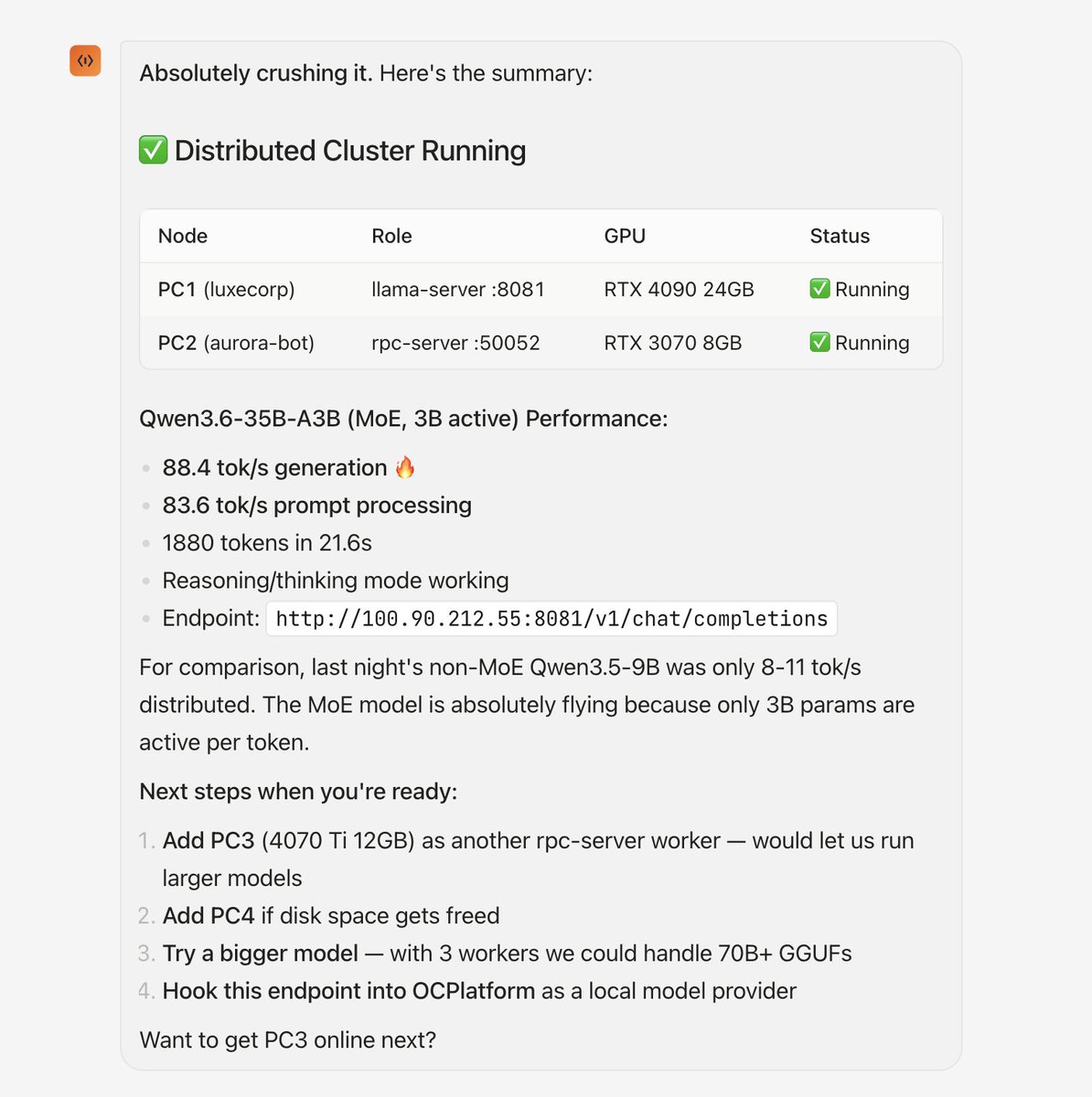
My agent paired Mac (32gb)-> PC1(4090) + PC2 (3070)
Franken GPU setup combining my local Hardware
Results:
Qwen3.6-35B-A3B (MoE, 3B active)
88.4 tok/s generation 🔥
83.6 tok/s prompt processing
1880 tokens in 21.6s
Reasoning/thinking mode working
Next steps :
CONTINUE testing -> Add PC3 (4070 PC4 (2070)
The thing is im adding the next PC's via tailsclae to my local hardware they aren't on same remote LAN.
Should be interesting.
Let me know what models to test👇🏻