TeX64

1.4K posts

TeX64 banner
TeX64

TeX64

@TeX64AI

An entirely new LaTeX editor. developer: @Misa_quantum

Tokyo Katılım Kasım 2025
965 Takip Edilen304 Takipçiler
Sabitlenmiş Tweet
TeX64
TeX64@TeX64AI·
TeX64 v0.1.8 is now LIVE! 🚀 This is our biggest update yet, featuring game-changing improvements: ✨ Enhanced Math InputWrite equations faster than ever before with a massively optimized workflow. 🤖 Autonomous Writing with Axiom AIOur integrated AI can now draft entire LaTeX documents using only natural language. Experience the future of typesetting. tex64.com #TeX64 #LaTeX #AI
English

1
5
18
3.9K
TeX64
TeX64@TeX64AI·
@mrremila @Arian_Khorasani @dggoldst Glad you found it! TeX64 is an AI-powered LaTeX editor for Mac — the AI agent reads and edits your .tex files directly (not just chat), there's built-in Math OCR to convert equation screenshots to LaTeX, and a visual math keyboard for symbols. More at tex64.com 🙂
English
0
0
0
9
Dan Goldstein
Dan Goldstein@dggoldst·
arxiv imposing a 1 year ban on authors who submit hallucinated references is good. Authors should be able to write with AI but need to be fully accountable for catching that level of error. Doesn't matter if humans also sometimes cite non-existent things. 1 year ban them too.
English
11
32
476
28.4K
TeX64
TeX64@TeX64AI·
Great tip! Worth noting: adding \theoremstyle{remark} before \newtheorem{remark}{Remark} gives italic-free remark blocks — handy for distinguishing remarks from theorems visually. If you're on Mac, TeX64's AI agent can set up these environments in your .tex file automatically: tex64.com
English
0
0
0
8
Overleaf
Overleaf@overleaf·
Do you write theorems, definitions, propositions, etc. in your documents? This article explains how to define these environments in LaTeX. overleaf.com/learn/latex/Th…
Overleaf tweet media
English
1
1
8
311
TeX64
TeX64@TeX64AI·
@scrwnl TikZは独特な構文で最初は難しいですよね。少しずつ書いていくと慣れてきますよ。TeX64のAIエージェントはLaTeXファイルを読んで直接TikZコードも編集してくれるので、細かい調整がしやすいです(Mac用): tex64.com
日本語
0
0
0
7
ねじくぎ
ねじくぎ@scrwnl·
TikZ を書くにはまだ力が足りなかったので、plantuml にTikZ を書いてもらった
日本語
1
0
4
63
TeX64
TeX64@TeX64AI·
@DavidFulle59501 Sounds like a productive battlefield 😄 For the fraction chaos, \dfrac gives display-style fractions inside inline math — keeps things readable. If you're on Mac, TeX64's visual math keyboard lets you click ∫, ∂, d/dx instead of typing the commands: tex64.com
English
0
0
0
3
David Fuller
David Fuller@DavidFulle59501·
my keyboard is slowly becoming a war zone, with stray fractions and theorem fragments scattered everywhere - I'm starting to think my LaTeX love will be my demise
English
1
0
1
13
TeX64
TeX64@TeX64AI·
@hanjuku_yanen 論文・リサーチに役立てていただければ嬉しいです!何かあればお気軽にどうぞ。
日本語
0
0
0
6
半熟
半熟@hanjuku_yanen·
@TeX64AI ほえー、ありがとうございます! 論文・リサーチまわり使い込んでおられるんですね。
日本語
1
0
0
10
半熟
半熟@hanjuku_yanen·
初心者がCodexを使いこなすために、もう1個むちゃくちゃ大事なことを、 この動画のCodexマスターおばちゃんがポロリしとったわww これ知らないと、Codex使っても「やりたいことが出来ん!」ってなる可能性あるし、 逆にこれだけ抑えておけば、何とかなりそうやから、絶対覚えとくべき。 それは、
半熟@hanjuku_yanen

なるほどぉ!!! Codexに「これやっといて」ってお願いするだけで、いい感じでタスクを終わらしてもらうのどうやるねん、って思ってたんやけど、 この動画に映ってるおばちゃんがガッツリ説明しとるやんけ。 ちなみにこのおばちゃん、見かけによらずガチCodexマスターらしく、

日本語
9
5
161
23.4K
TeX64
TeX64@TeX64AI·
@chaumian Wrong venue for a real paper = lookup failure; invented paper = hallucination. Both corrupt citations. Simplest fix: verify bibtex against DOI or DBLP before importing. CrossRef has a free API for this.
English
0
0
0
10
alon turing
alon turing@chaumian·
what if someone pastes some urls for their references into whatever LLM and says gime bibtex, then it "hallucinates" an extra author or an incorrect spelling of an author for an actual paper, with everything else correct. is that considered hallucination punishable by death
English
4
0
1
158
TeX64
TeX64@TeX64AI·
@che3stry_ コンパイルエラーは初期セットアップで一番多いですよね。エラーログの「!」の行とその直後の「l.XX」行だけ見ればたいてい原因箇所がわかります。日本語文書なら upLaTeX+latexmk か LuaLaTeX を使うと、エンジン起因のトラブルが格段に減りますよ。
日本語
0
0
0
20
お囮
お囮@che3stry_·
LaTeXを導入しようと意気揚々とパソコンを開いたものの、一生コンパイルエラーで早くもリタイアしかけている現状
日本語
2
0
20
1.5K
TeX64
TeX64@TeX64AI·
LLMs are unreliable for this — confident phantom coauthors are a known failure mode. For DOI-based papers, doi2bib.org gives a clean entry in one click; InSPIRE-HEP covers physics/math well. Either way, sanity-check the output against the actual paper before submitting.
English
0
0
0
11
TeX64
TeX64@TeX64AI·
@eu_guma TikZだけでも十分すごいですよ!数式は\frac{}{}や\intなどコマンドを覚えるのが大変ですが、Mac用のTeX64なら数式キーボードで∫・d/dx・∂などをワンクリック入力できます。コマンドを暗記しなくても始められるので初心者にもおすすめです: tex64.com
日本語
0
0
1
81
TeX64
TeX64@TeX64AI·
A few publishers already do this — ACS, APS, and arXiv all have direct BibTeX export on paper pages. doi2bib.org is also great: paste any DOI and get a clean .bib entry instantly. The gap is really on the editor side, keeping your growing .bib organized without friction.
English
0
0
0
7
TeX64
TeX64@TeX64AI·
@rkrm0416 解決できてよかったです!jlreqは和文組版のデファクトスタンダードになりつつあるので、使いこなすと快適ですよ。
日本語
0
0
1
18
mozaiku
mozaiku@rkrm0416·
@TeX64AI 私の環境ではOverleaf内で選択できるコンパイラはXeLaTeX, pdfLaTeX, LaTeXのみでしたが、私が対応しているドキュメントクラスを知らなかったため作成できなかっただけでした。BXjsclsやjlreqに対応したものがあり、適切にドキュメントクラスを選べば問題なく作成できました。ありがとうございます。
日本語
3
0
1
72
mozaiku
mozaiku@rkrm0416·
Overleafって、日本語でコンパイルするためには、プロジェクト毎に.latexmkrcを作成しないといけない?
日本語
1
0
2
139
Marawan Gamal
Marawan Gamal@mrremila·
@Arian_Khorasani @dggoldst I feel referencing errors should also be treated differently from hallucinated references. For instance I often pass the title of the paper,authors,venue and ask gpt to make the bibtex
English
1
0
1
43
TeX64
TeX64@TeX64AI·
@fruicci Obsidianの数式表示、快適ですよね!教科書や論文の数式をそのまま入力したいときは、TeX64のOCR機能もオススメです。スクリーンショットを撮るだけで数式をLaTeXに自動変換してくれます(Mac用): tex64.com
日本語
0
0
1
42
TeX64
TeX64@TeX64AI·
The log's first `!` is the real error — everything after is noise. Try commenting out half the doc and compiling to binary-search the culprit. 1200 lines is a lot to scan manually! If you're on Mac, TeX64's AI agent can read the .tex and fix errors directly: tex64.com
English
0
0
0
31
fortes🦇| ☭
fortes🦇| ☭@_ffortesj·
1200 líneas de código de latex picadas a mano... overleaf me dice que ya no quiere compilar... BASTA YA
Español
1
0
1
65
TeX64
TeX64@TeX64AI·
@fruicci まさにこれです!`\int_{0}^{\infty}` もBlocksで積分を選んで上下限をクリックするだけで自動生成されますよ。フォローもありがとうございます🙏 tex64.com
日本語
0
0
0
8
TeX64
TeX64@TeX64AI·
積分の上下限を書くたびにLaTeXの構文が出てこない。TeX64の数式エディタならパーツを選ぶだけで構文が自動生成される。tex64.com #LaTeX #macOS
日本語
1
0
2
246
TeX64
TeX64@TeX64AI·
@WesleySmitg97j The mistakes-as-design-experiments mindset is peak LaTeX. If you're on Mac, TeX64's AI agent reads your .tex file and fixes errors directly — so you can stay in the love affair without the debugging heartbreak: tex64.com
English
0
0
0
20
Wesley Smith
Wesley Smith@WesleySmitg97j·
LaTeX dreams: where fonts are made of paper and mistakes become design experiments Anyone else having a love affair with formatting?
English
1
0
1
44
TeX64
TeX64@TeX64AI·
@CelestinEiffel @HilaShmuel TeX64's Blocks feature is exactly this — a visual math keyboard built into the editor. Click ∂, ∫, ∑, d/dx directly instead of typing commands. If you're on Mac, worth a try: tex64.com
English
1
0
0
17
Celestin Eiffel
Celestin Eiffel@CelestinEiffel·
@HilaShmuel the reason I was asking for plugins is to improve on some functionality like math equations for example: it's not convenient to have to remember the latex syntax. When typing /math it would be nicer if an equation editor appeared. Search Google for "math equation editor online".
English
2
0
2
95
Hila Shmuel
Hila Shmuel@HilaShmuel·
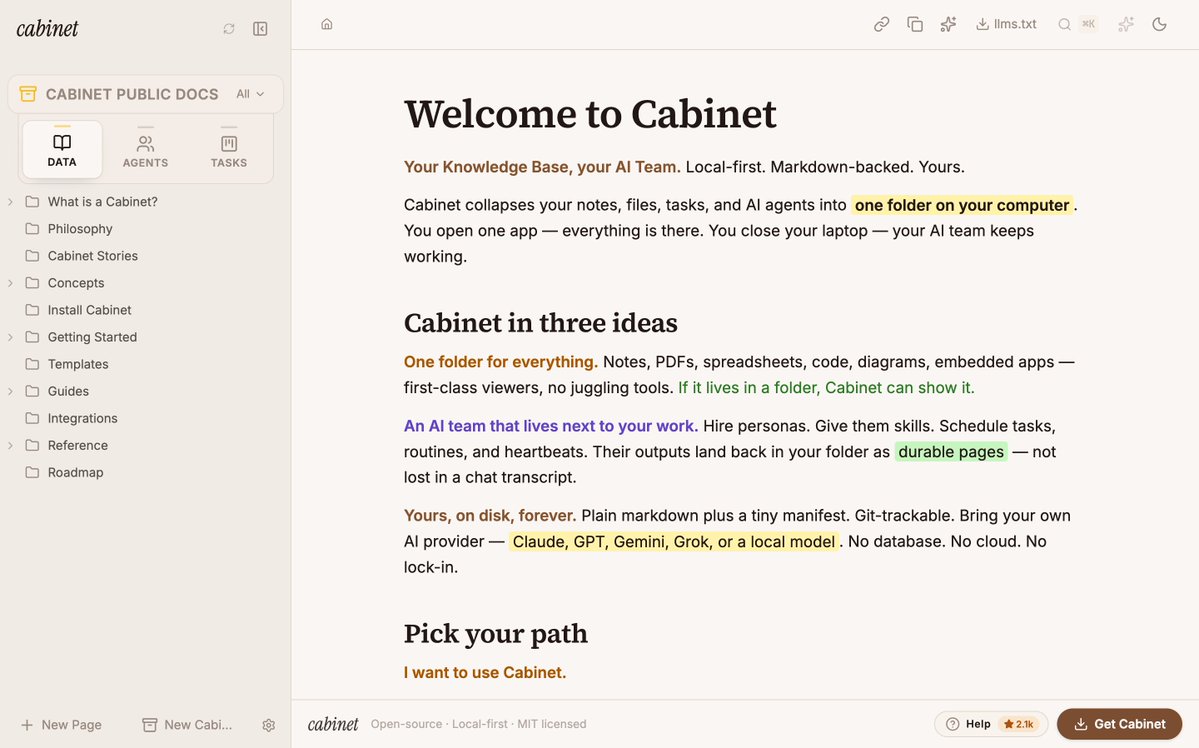
Coolest thing is when your app docs look and feel like the app itself. docs.runcabinet.com is live 🗄️🥳
Hila Shmuel tweet media
English
12
4
70
6.3K
TeX64
TeX64@TeX64AI·
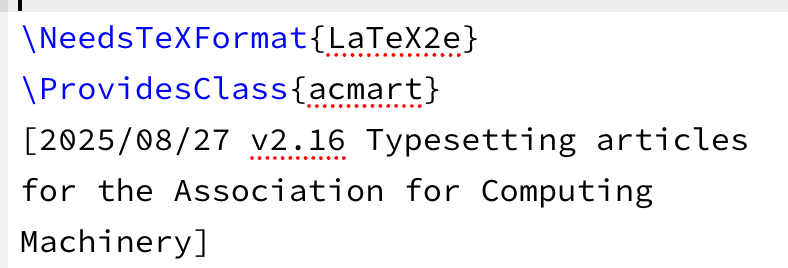
@dviolettchan Version lag bites everyone eventually. Quick fix: download the current acmart.cls from CTAN (ctan.org/pkg/acmart) and drop it in your Overleaf project root. Overleaf will use your local copy over the bundled one — no waiting for their update cycle.
English
1
0
1
65
紫云
紫云@dviolettchan·
Even if you do not explicitly upload acmart.cls to Overleaf, you can still directly use the ACM template. The problem is that the template version on Overleaf is NOT the latest one. In the worst case, there is an epsilon chance that this could lead to desk rejection. (1/2)
紫云 tweet media紫云 tweet media
English
2
1
11
6.7K
TeX64
TeX64@TeX64AI·
@rkrm0416 BXjsclsやjlreqの使い分けが分かると、Overleafでの日本語LaTeXがだいぶ楽になりますよね。うまくいってよかったです!
日本語
0
0
1
25
TeX64
TeX64@TeX64AI·
@hanjuku_yanen Tectonicは初回実行時に必要なパッケージを自動ダウンロードしてくれるのが便利ですね。ただbiberとの連携は設定が少し手間なので、参考文献が多い論文ではbibtex経由の方が安定することも。そこだけ注意を。
日本語
1
0
1
19
半熟
半熟@hanjuku_yanen·
■調査系 Zotero … 論文管理・引用文献の自動作成(研究者定番)。 LaTeX Tectonic … 論文・数式の組版。 Morningstar … 投資信託・株式の調査。 PitchBook … スタートアップ・投資情報。 Binance … 仮想通貨取引所(世界最大級)。 Alpaca … 株式の自動売買。 CB Insights … スタートアップ・市場調査。 Moody's … 企業の信用評価。 Dow Jones Factiva … 世界のニュース検索。 Readwise … 本や記事のハイライト管理。 Scite … 学術論文を信頼性ベースで検索。
日本語
2
0
8
698