@ryancarson You’re a mind reader because I’m building a landing page. Guess I’ll be spending more time in Figma after building out some design system assets. I might try giving it some design references and see how it does.
English
Adrian Lu
687 posts

@adrianspeaking
Head of Design at https://t.co/5EimPBftNL - building an AI legal work platform for lawyers



Codex's app has been super slow for me lately. at first, I thought the problem was Codex itself. It wasn’t. After cleaning things up properly, Codex felt roughly 10X faster. 0 slowness. Before this, I had 8GB of logs built up, and it slowed things down like crazy. Here’s the 15-point cleanup system, which worked perfectly for me. It won't delete anything. Copy paste these 15 bullet points when your Codex starts to slow down: > it will inspect things first > back up & archive important files > and make your Codex blazing fast again. 15 ITEMS TO KEEP CODEX FAST 1. Check what is actually taking space. Inspect sessions, archived sessions, worktrees, archived worktrees, logs, config, and the local state database. 2. Back up the important files first. Back up config, global state, session index, state database, memories, skills, plugins, and automations before changing anything. 3. Check if Codex is open. If Codex is running, only inspect. Apply cleanup after closing it so the local database is not being touched from two places. 4. Find the giant active chats. Look for the biggest active session files. These are often old conversations that are still treated as active history. 5. Archive old non-pinned chats. Move chats older than 7-10 days into archived sessions, unless they are pinned or clearly still current. 6. Keep only recent work active. Your sidebar/history should not be carrying weeks or months old execution threads. 7. Use handoff docs instead of massive chats. If an old thread matters, turn it into a handoff doc, archive the thread, and resume in a fresh chat from the doc. 8. Normalize weird paths. On Windows, clean up path mismatches like normal C:\... paths vs extended \\?\C:\... paths. 9. Prune dead config projects. Remove project paths from config that no longer exist or point to temporary folders. 10. Move stale worktrees. Don’t keep old Codex worktrees in the hot worktrees folder. Archive them instead of deleting them. 11. Rotate large logs. Move oversized old logs into an archive folder so Codex can recreate fresh ones. 12. Check heavy background processes. Look at Node/dev-server processes. Don’t auto-kill them, but close the ones you don’t need. 13. Verify the cleanup. Afterward, confirm config still parses, the database opens, active session size dropped, archived sessions increased, and no bad paths remain. 14. Turn this into a weekly script. The cleanup should not be a dramatic one-time rescue mission. Make it repeatable. 15. Make it boring. Weekly maintenance should back up first, archive old sessions, normalize paths, prune config, move stale worktrees, rotate logs, and give you a report. The biggest lesson for me: giant chats should not become permanent memory. Chats are for execution. Handoff docs are for memory. Archives are for history. Fresh threads are for speed. P.S. Before doing all this, make comprehensive handoff documents for each active chat, too, with prompts prepared for each to reactivate them after. This will start new chats from the exact places you left off, but at blazing-fast speed. Like this, things simply work perfectly. I even told my Codex to automate these weekly, and it has set it up for every Sunday. Save this for when you will need it, as Codex app does get heavy as you use it more, especially if you are using many terminals and long sessions a lot.

you’re like 6 prompts away from infinitely customizable personal agi. anthropic gave you a world class agentic harness for free. use it!!!


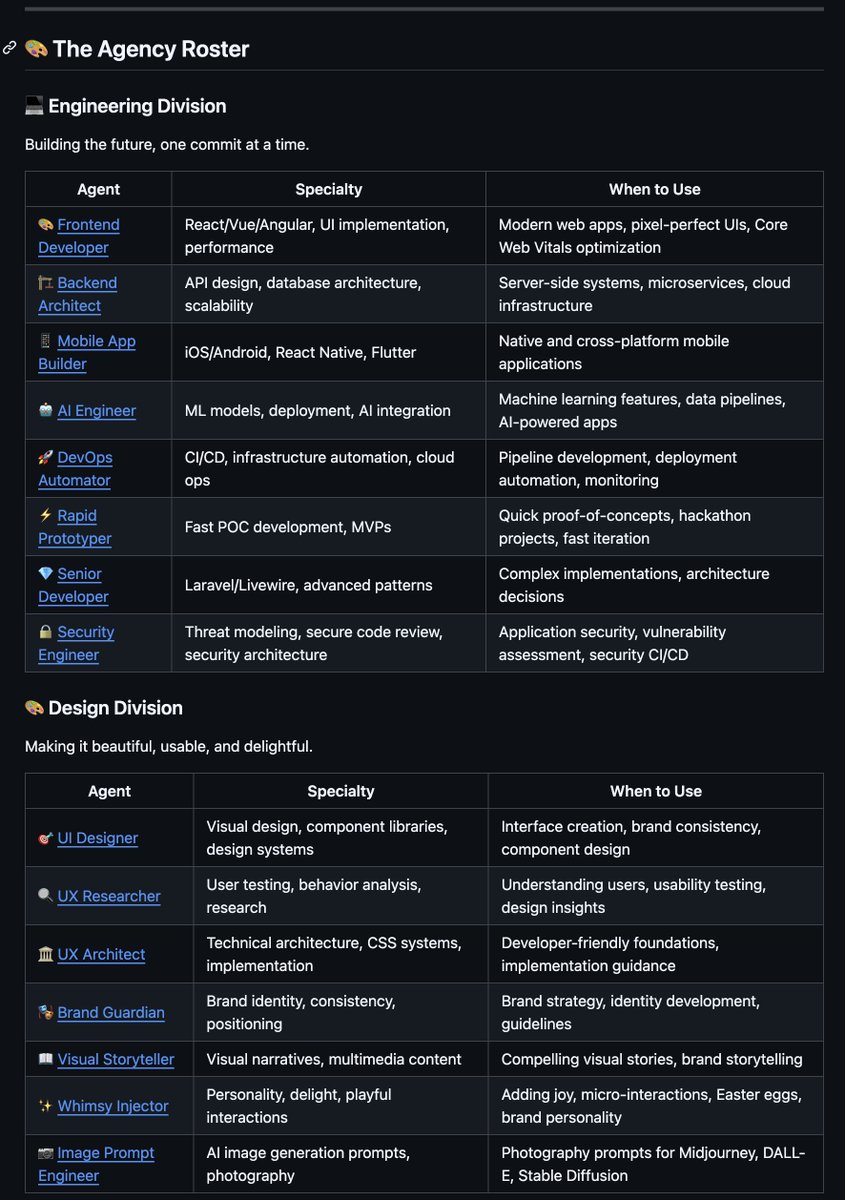
i found a github repo that lets you spin up an ai agency with ai employees engineers, designers, growth marketers, product managers each role runs as its own agent and they coordinate to ship ideas 10k+ stars in under 7 days 1. engineering (7 agents) frontend, backend, mobile, ai, devops, prototyping, senior development 2. design (7) ui/ux, research, architecture, branding, visual storytelling, image generation 3. marketing (8) growth hacking, content, twitter, tiktok, instagram, reddit, app store 4. product (3) sprint prioritization, trend research, feedback synthesis 5. project management (5) production, coordination, operations, experimentation 6. testing (7) qa, performance analysis, api testing, quality verification 7. support (6) customer service, analytics, finance, legal, executive reporting 8. spatial computing (6) xr, visionos, webxr, metal, vision pro 9. specialized (6) multi agent orchestration, data analytics, sales, distribution what i like about this approach is the framing instead of one big ai agent trying to do everything, you structure it more like a company. specialized agents, clear responsibilities, workflows between them im curious to see what this actually feels like in practice and if its any good (do your own research) github.com/msitarzewski/a… but as always will share what i learn in public and on @startupideaspod one thing is for certain and it reminds me the future belongs to those who tinker with software like this



Every creator has 100 hours of content and posts on 2 platforms. SplitShot turns one video into a full content library for every platform. One input, ten outputs. splitshot.polsia.app


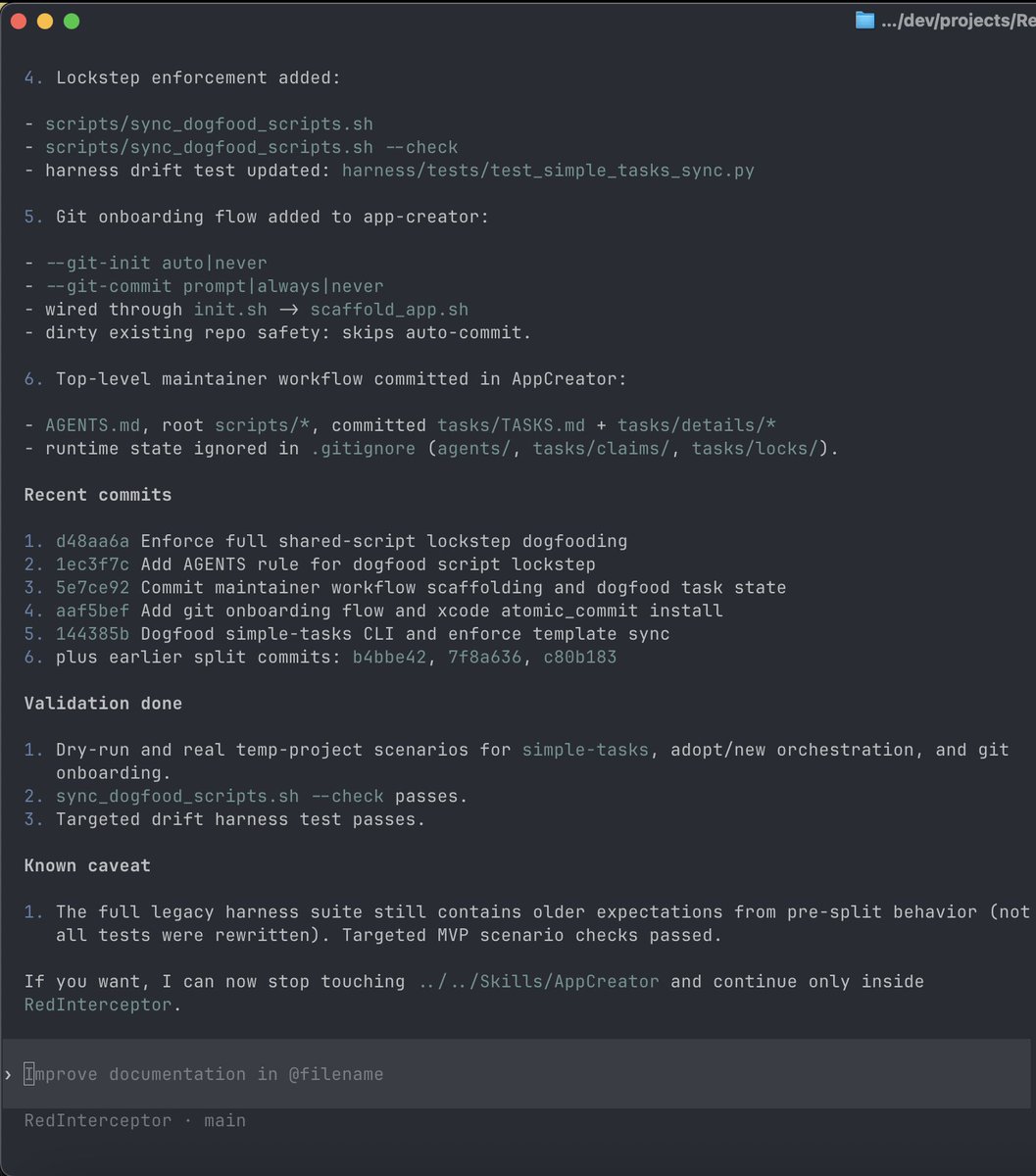
6 minutes 20 seconds with GPT-5.2-Codex (high). That’s how long it took my new app-creator Agent Skill to spin up a working iOS app in Xcode. Project. Map. Location. Build. Run. Now the real work starts: iteration. This is a SUPER POWER. More soon.

Tired: code or canvas Wired: code AND canvas Introducing Claude Code to Figma