
Bytebot

59 posts

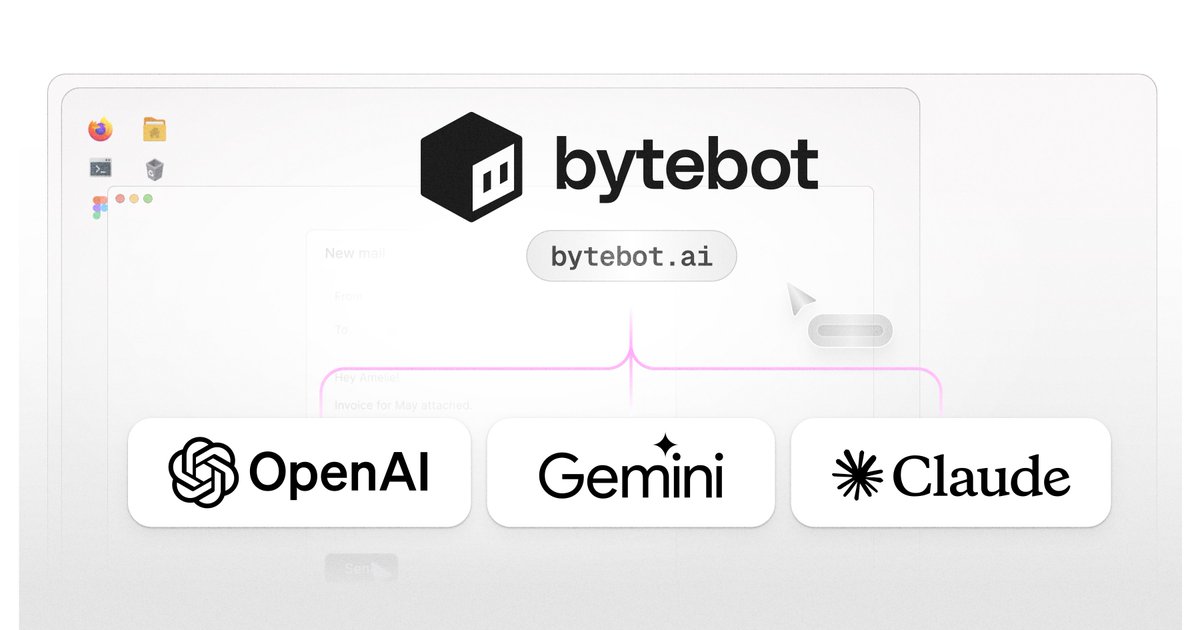
Bytebot banner
Bytebot

Bytebot

@bytebot_ai

Bytebot is a self-hosted AI desktop agent that automates computer tasks through natural language commands

Katılım Ocak 2024
5 Takip Edilen327 Takipçiler
Bytebot retweetledi
Rohan Paul
Rohan Paul@rohanpaul_ai·
👨‍🔧 Github: Bytebot is a self-hosted AI desktop agent that automates computer tasks through natural language commands, operating within a containerized Linux desktop environment. 2.2K Stars ⭐️ github. com/bytebot-ai/bytebot
Rohan Paul tweet media
English
0
11
52
5K
Bytebot retweetledi
Dennis
Dennis@andrea_89757·
Most people think AI agents can only run in the browser. But this AI agent controls a full desktop—clicks, types, reads screens—and automates everything you do on your computer. It's called Bytebot. Follow this to see how it works:🧵
English
9
1
5
5.6K
Bytebot retweetledi
Lena Hall
Lena Hall@lenadroid·
Don't underestimate the value of Desktop Agents. For years, we accepted that most cross-app processes can't be automated without APIs, and even our best automations break when a button moves 10 pixels. I gave an AI control of a computer. It navigated legacy portals, handled 2FA and captchas, and kept working through UI updates. The most expensive automation is the one you never attempt because "there's no API". We can think of an AI desktop agent as a "𝗿𝗲𝗺𝗼𝘁𝗲 𝘄𝗼𝗿𝗸𝗲𝗿". Every application becomes automatable if we use the right primitives. Instead of building integrations, we give AI the same tools a remote employee has: keyboard, mouse, and screen. No DOM parsing. No brittle selectors. Just vision and interaction. I wanted to find something that works well for tasks like these: - Organizing scattered information about venue rentals across multiple sites into a spreadsheet for my son's upcoming birthday - Navigating a complex IRS tax form and getting customized instructions - Creating technical diagrams in Excalidraw - Testing features written by coding agents - closing the gap between generation and execution I found @bytebot_ai to be a super useful AI desktop agent tool (open source, Apache 2.0), which is also a YCombinator backed startup. It runs containerized on your infrastructure, uses your LLM keys (OpenAI, Anthropic, Gemini, or LiteLLM), is self-hosted so keeps your data private. You can run it autonomously, or take over mid-task and hand control back. As reasoning models improve, the gap between "needs human intervention" and "fully automated" is collapsing faster than most organizations realize. Just let the model do the work.
English
1
1
6
1.4K
Bytebot
Bytebot@bytebot_ai·
We just crossed 1,000 ⭐ on GitHub! What we’re prioritizing next (driven by your feedback): • deeper observability & replay • a tighter tool interface contract • more real-world examples We're just getting started 🚀
Bytebot tweet media
English
1
1
4
891
Bytebot
Bytebot@bytebot_ai·
One last star to get us over the hump 👀
English
0
2
2
804
Bytebot
Bytebot@bytebot_ai·
With our @LiteLLM integration, Bytebot can connect to many more LLMs! This is especially useful for accessing AI Foundry models on @Azure, Bedrock models on @awscloud, and Vertex models on @googlecloud.
Bytebot tweet media
English
1
1
2
993
Bytebot retweetledi
Carl Atupem
Carl Atupem@atupem·
Friendly reminder that Bytebot is an agent with its own virtual computer, that you can install any program/application on. And unlike ChatGPT Agent, it’s fully open source: github.com/bytebot-ai/byt…
English
1
2
15
2.6K
Bytebot
Bytebot@bytebot_ai·
More choice in the LLM power your desktop agent - Bytebot now supports @Google Gemini and @OpenAI GPT integrations!
Bytebot tweet media
English
0
1
5
651
Bytebot retweetledi
Carl Atupem
Carl Atupem@atupem·
Bytebot handles 2FA just like a coworker would. I gave my Bytebot a @Bitwarden account and installed the browser extension in @firefox . I can share passwords, identities, and credit cards, all available via autocomplete for the agent to use. I shared a @github account that has 2FA enabled, and let it take care of the rest. No integration or code, just using off the shelf applications. With desktop agents, the possibilities are endless.
English
1
1
17
98K
Bytebot retweetledi
Carl Atupem
Carl Atupem@atupem·
If you wanna host this on @Railway with 1 click, head over here: railway.com/deploy/bytebot…
Carl Atupem@atupem

Heading to @aiDotEngineer next week, so I asked my @bytebot_ai to email me the session list. Here it is using multiple applications: opening a browser, visiting the website, downloading a JSON file, and emailing it to me as an attachment. No custom integrations, just Claude Opus using the same tools you and I do: a screen, a mouse, and a keyboard. Desktop agents will work alongside us, so they'll need to use interfaces we're all familiar with. Check out the video (sped up to 4x):

English
0
1
3
2.7K
Bytebot retweetledi
Carl Atupem
Carl Atupem@atupem·
I love the UX of @bytebot_ai's task detail page - as you scroll through the messages, the screenshots automatically update.
English
0
1
0
349
Bytebot retweetledi
Carl Atupem
Carl Atupem@atupem·
Invited my open source desktop agent to @1Password, so that I can share 2FA passwords with it. @bytebot_ai checked it's email, opened a browser and created it's own account, then downloaded and read through a PDF before logging into the 1Password desktop client. It's using the same applications you and I would use with just screenshots + keyboard/mouse tools. This is the future of computer use - agents that work along side us with tools we're already familiar with. Took almost 15 minutes - watch this 4x video with music instead:
English
4
3
51
96.1K
Bytebot retweetledi
Carl Atupem
Carl Atupem@atupem·
Just got my @bytebot_ai to setup it's email client. Bytebot is a turnkey desktop agent - an AI that controls a virtual machine. It comes with a browser, email client, password manager and more installed. And it's open source, so you can set it up locally or host it in the cloud. I created an email account for it and shared the login info, telling it to add the account to Mozilla Thunderbird. With @AnthropicAI 's Claude Opus 4 model, using just screenshots + keyboard/mouse tools, it was able to navigate through the entire setup on it's own. This simple example underscores the growing power of desktop agents - anything you can do with a computer, they'll soon be able to do. Check out the video below (sped up to 4x). Next I'll get it to email me something.
English
1
3
5
761