halo₿end
1.8K posts

halo₿end
@halobend
Jesus Christ is Lord! ✟ #bitcoin ⚡ #nostr #npub18jswzvl0q38s08pac32wefgwy5zrp54m4r68ujc6g4mnlndluc8q2mkg2d


Big speed up, now Luce PFlash runs up to 12x faster on 128k context on AMD Strix Halo. Thanks to our contributor github.com/a-huk 🏎️

@sudoingX Interesting. I came up with a similar stack the last few months. What do you do about interagent communication? Right now I just use the GitHub issues and broadcasts around via tmux. Have you done anything to improve that? I find it a bit spotty


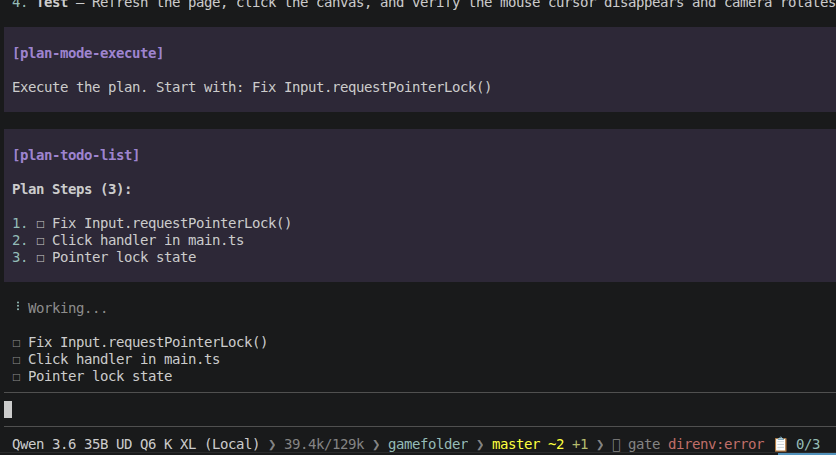
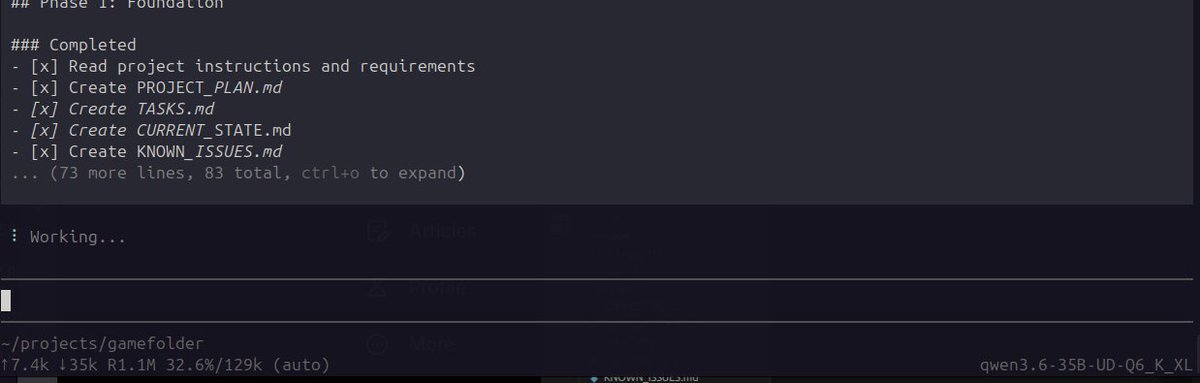
Update: Pi agent has been continuously doing bug fixes + phase 3 game work on my three.js survival game for over an hour now using my local qwen3.6-35b-ud-q6_k_xl setup. current session already sitting at ~77% of 129k context window. (need to compact context soon) its surreal watching it: edit code rebuild project read browser logs debug issues continue to iterate autonomously. all locally on my 3060 Best part This thing is using lots of tokens, and i'm not paying per request for any of it (other than electricity of course lol)

Update: Can’t believe this actually worked 😅 Pi coding agent generated a small playable 3D survival style world locally in Three.js from basically a single prompt. All running locally on Qwen3.6-35B-UD-MTP-Q6_K_XL with MTP enabled. context 129K, KV cache at q_8.0 What it managed to build so far: Procedural 200x200 terrain Heightmaps with smooth coloring/slopes Dynamic lighting + shadows 5 minute day/night cycle Ambient light transitions 3rd person humanoid controller HUD system Inventory system Auto save to localStorage Character movement already works surprisingly well too. The funniest part: everything shown so far came from ONE prompt. I never asked it to make corrections or gameplay fixes afterward. It just kept running the app autonomously, which is also probably why some things are broken 😅 what is broken?: camera controls gathering/resources inventory logic tied to gathering some collision/physics quirks context eventually hit ~111k tokens, compacted it once, and the agent continued working completely fine afterward.

anyone thinking about, learning, or already working with agentic systems, you should know this. the first few steps of your setup matter more than any model or framework you pick later. get them right and you never lose your flow. the foundation nobody posts about: > 1. tailscale. a private mesh network across every machine you own. laptop, desktop, rented node, all on one secure tailnet, reachable from anywhere. nothing else works well until this does. > 2. termius, over that tailnet. one SSH client that reaches every node, phone included. you are never away from your stack. > 3. tmux. persistent sessions. disconnect, close the laptop, come back, every session exactly where you left it. agentic work runs long, your terminal has to survive that. > 4. a private git repo. the one i am most glad i found. it is the memory layer across all my agents, they pull, they work, they merge back, the codebase stays alive between sessions. context that would die in a chat window lives in the repo instead. > 5. script everything from day one. ssh aliases for every node, setup scripts, the boring boilerplate automated. if you will do a thing more than twice, it is a script. everything past these five is decorative. know these cold. and the habit that ties it together: ask the AI itself. for the config, for the error, for any of it, let the agent do the lifting, then double check what it hands you. lock the five, build the habit, and you make it. skip it, anon, and you ngmi.


Pi coding agent has been running continuously for 30+ mins on my local Qwen3.6-35B-UD-MTP-Q6_K_XL with q8 kV without breaking sweat...and honestly… really impressed so far. ✅ Tool calls working ✅ Following instructions properly ✅ Maintaining task state ✅ Stable long-run execution Still pushing 40+ tok/s minimum too. (MTP enabled, n-max=2) Going to sleep and letting the agent handle everything overnight 😅 Really curious to see where this thing eventually breaks.


My wallet with my locked btc from 9 years ago lol 😭😭😭 blockchair.com/bitcoin/addres…


Acquired. Adding a second RTX 3060 to the rig. 24GB total VRAM now.


update on mylocal agent stack (RTX 4060 Ti 8 GB, Qwen3.6-35B-A3B Q4_K_M) my initial problem was that 64K context on standard llama.cpp killed speed. V cache q4_0 pushed graph splits from 62 → 82, and Hermes decode dropped from 31 → 9-11 tok/s. unusable for real agent work. some people in comments recommended trying turboquant fork. turbo2/turbo3 KV cache types keep 62 graph splits at 64K context. auto-asymmetric: K stays q8_0, only V gets compressed. turbo3 wins. same speed as 32K config but double the context window. usable context in Hermes jumps from ~18.5K to ~50.5K. new daily-driver config: -ngl 999 -ncmoe 30 -c 65536 -np 1 -fa on --cache type-k q8_0 --cache-type-v turbo3 8 GB VRAM is not dead. you need the right fork.


Today I’m doing some testing with the RTX 3070 Ti. Let’s see what we can fit in 8GB VRAM, I’ll split this into two parts: 1) Finding the sweet spot for the -ncmoe parameter for maximum speed on base llama.cpp 2) Trying Turboquant, DFlash and MTP integrations to either fit more context or achieve higher tok/s I’ll share the full flags and setups as always