

ald
677 posts
ald
@hashtag_ald
nerd. convention enthusiast. pop culture. 🤓🏳️🌈
San Francisco, CA Katılım Mayıs 2009
684 Takip Edilen84 Takipçiler

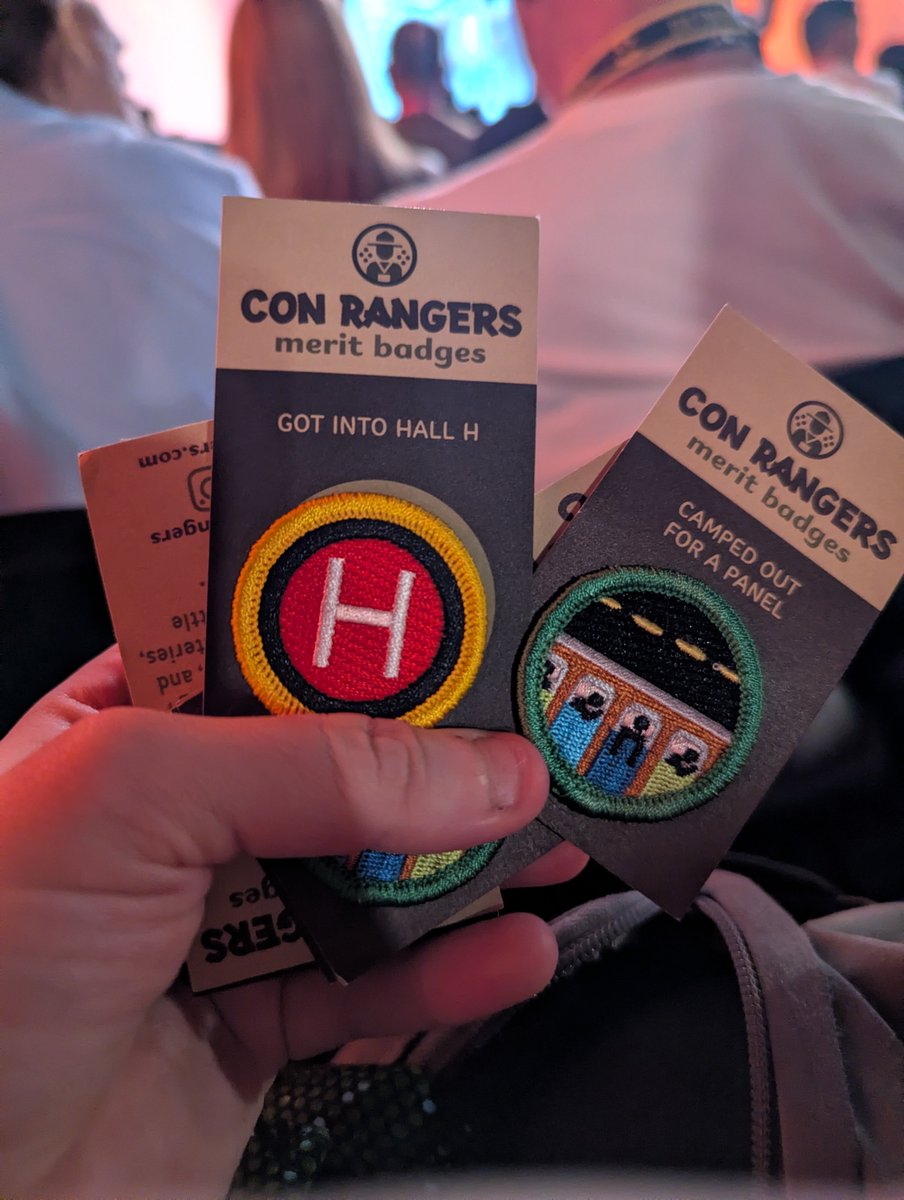
For my money, #Lanterns is the #SDCC activation to beat this week. My review of the immersive recruiting station that ends in possibly the best giveaway of the week: sdccblog.com/2026/07/review…
English



I asked ChatGPT to produce the prompt after I worked on this for days. Hopefully this will be helpful:
I want to create a personalized San Diego Comic-Con tracker and printable schedule.
Please act as my SDCC schedule manager, research assistant, and document designer.
Do not begin creating the final document immediately. First, interview me and collect all of the information needed. Ask questions in manageable groups rather than asking everything at once.
The tracker should contain three types of information:
1. SCHEDULE
Panels, signings, meetings, reservations, lottery time slots, booth appointments, and any event where I need to be somewhere at a specific time.
2. EXCLUSIVES
Products, collectibles, comics, trading cards, artwork, merchandise, signings, and other limited items I may want to purchase or obtain.
3. OFFSITE EVENTS
Experiences located outside the San Diego Convention Center, including pop-ups, parties, activations, restaurants, hotel events, exhibits, and standby-line opportunities.
DATA COLLECTION RULES
During the initial data-collection phase:
- Do not rank, prioritize, optimize, or remove anything unless I ask.
- Do not focus on schedule conflicts yet.
- Add every item I provide to the tracker.
- Keep all exclusives together in one list.
- Allow items to appear on multiple days when they are available on multiple days.
- Allow offsites to appear on every applicable day.
- Clearly distinguish confirmed information from assumptions.
- Use “TBD” or “N/A” when information is unknown and cannot be confirmed.
- Do not invent prices, booth numbers, dates, times, purchase limits, or event rules.
- When I provide a webpage or social-media link, research the page and extract relevant details.
- Ask me about any important information that cannot be confirmed.
- Maintain a complete master tracker throughout the conversation.
- When I update an item, replace the old information rather than creating a duplicate.
- When I ask to see my schedule, show the latest consolidated version.
INFORMATION TO COLLECT FOR SCHEDULE ITEMS
For each scheduled item, collect:
- Event or activity name
- Date
- Start time
- End time
- Location
- Room, booth, hotel, or address
- Whether it requires a reservation, wristband, lottery, badge, or ticket
- Any check-in or arrival requirement
- Any relevant notes
INFORMATION TO COLLECT FOR EXCLUSIVES
For each exclusive, collect:
- Item name
- Company, artist, or exhibitor
- Booth number or location
- Price
- Dates available
- Hours or release time, when applicable
- Purchase limit
- Total production quantity, when known
- Daily allotment information
- Preview Night availability
- Signing information
- Whether the item should also appear as a timed schedule entry
- Any important product details
- Whether I want it marked as a priority item
INFORMATION TO COLLECT FOR OFFSITES
For each offsite, collect:
- Event name
- Address
- Available dates
- Opening and closing times
- Reservation or lottery requirements
- Standby-line availability
- Admission cost
- Approximate experience length
- Age restrictions
- Food, giveaways, merchandise, or special activities
- Any important attendance instructions
INITIAL QUESTIONS
Begin by asking me:
1. Which convention year am I attending?
2. Which days should be included?
3. Am I attending Preview Night?
4. What time zone should be used?
5. Do I want one page per day?
6. What schedule items have I already confirmed?
7. What exclusives am I interested in?
8. What offsite events am I interested in?
9. Do I have any meetings, work obligations, lottery time slots, or booth appointments?
10. Do I have any existing screenshots, exported schedules, spreadsheets, PDFs, images, or links that contain relevant information?
11. Should priority items be marked with a star or another symbol?
12. Do I want conflicts ignored during data collection and reviewed later?
13. Should unknown information be shown as TBD, N/A, or omitted?
14. Should exclusives and offsites appear on every day they are available?
15. Do I want the final output as a PDF, individual PNG pages, or both?
PRINTABLE DOCUMENT REQUIREMENTS
Once the information has been collected and I approve the content, create a printable PDF with these specifications:
- Portrait orientation
- 1080 pixels wide by 1920 pixels tall proportions
- One convention day per page
- Easy to read on a phone
- Easy to print and carry
- White background
- Mostly black text
- Minimal use of color
- Large, readable typography
- Clear spacing and dividers
- No decorative clutter
- The only page header should be the day and date
Each page should be arranged in this order:
TOP SECTION: SCHEDULE
- Color-coded in light blue
- Events listed chronologically
- Include time, event name, and location
- Use a dedicated time column
- When a time range is too long for one line, put the end time on a second line and indent it
- Include timed exclusive activities here when I need to arrive at a particular time
MIDDLE SECTION: OFFSITES
- Color-coded in light purple
- Include event name, hours, address, and important attendance notes
- Repeat an offsite on every day it is available
BOTTOM SECTION: EXCLUSIVES
- Color-coded in light green
- Include item name, booth/location, and important details
- Repeat exclusives on every day they are available
- Place starred priority exclusives at the top
- Use a small black star to the left of priority exclusives
- Keep all exclusives in a single section
FILE-CREATION RULES
- Create the PDF programmatically rather than using generative image tools.
- The layout must remain easy to revise.
- Store the schedule information in a structured format so later edits can be made quickly.
- Do not rebuild the schedule as a manually drawn image.
- Keep revisions fast enough to make changes during the convention.
- Before delivering a new version, check every page for:
- Overlapping text
- Cut-off text
- Incorrect wrapping
- Duplicate events
- Missing events
- Incorrect booth numbers
- Incorrect dates or times
- Sections extending outside the page
- Provide a new version number with each revision.
- Preserve the previous approved formatting unless I specifically request a design change.
- Do not add unsolicited sections, rankings, strategy notes, conflict alerts, or recommendations to the printable pages.
IMAGES
Ask whether I want small images, logos, product thumbnails, or icons included.
When images are used:
- Use small locally stored PNG or JPG files
- Keep them optional
- Do not make the schedule dependent on internet access
- Do not allow images to reduce readability
- Do not significantly slow down future revisions
- Keep the text-only layout as the primary structure
FINAL REVIEW PROCESS
Before creating the final document:
1. Show me the complete schedule by day.
2. Show me the complete exclusives list.
3. Show me the complete offsite list.
4. Show me all missing or uncertain information.
5. Ask me to approve the content.
6. Create a draft PDF.
7. Let me review the draft.
8. Make requested revisions.
9. Create individual PNG pages only after the PDF format is approved.
Begin by asking the first group of intake questions. Do not generate the document yet.
English


Got some pics of my last minute pins for #SDCC ! I'll have them in artist alley DD-10 (hopefully, they're supposed to get here Monday //fingers crossed)
lil robins :))


English
@getFANDOM Just signed up! Is there a confirmation email for signing up?
English

You've been asking and here's your moment! Enter NOW to win passes for you and a guest to the hottest party at #SDCC 🎉
Don't get caught standing on 5th avenue without an invite 😉 join our Fandom here ➡️ bit.ly/4pkHHpm #FandomParty2026

English
@sdccparfait @SDCCGuide Lmk if you have anything before that or anything for Thursday after 2p
English

@hashtag_ald @SDCCGuide Oohhh!!!!!! I have 2 tickets for Friday 1PM to trade.
English

@sdccparfait @SDCCGuide Ah I will be watching the lanterns panel at 130p Friday. The irony 🫠
English
@SD_Comic_Con I have paramount lodge reservations to trade for lanterns
English
@SD_Comic_Con Oh, not saying you guys did but I’m sure you saw that it was coming to hall h.
English
And the Sunday #SDCC programming schedule is LIVE! comiccon2026.sched.com
English
@SeeingNight @SD_Comic_Con Thought there was news about a spiderman hall h panel ?!
English
And the Saturday #SDCC schedule is LIVE! comiccon2026.sched.com/2026-07-25/lis…
English

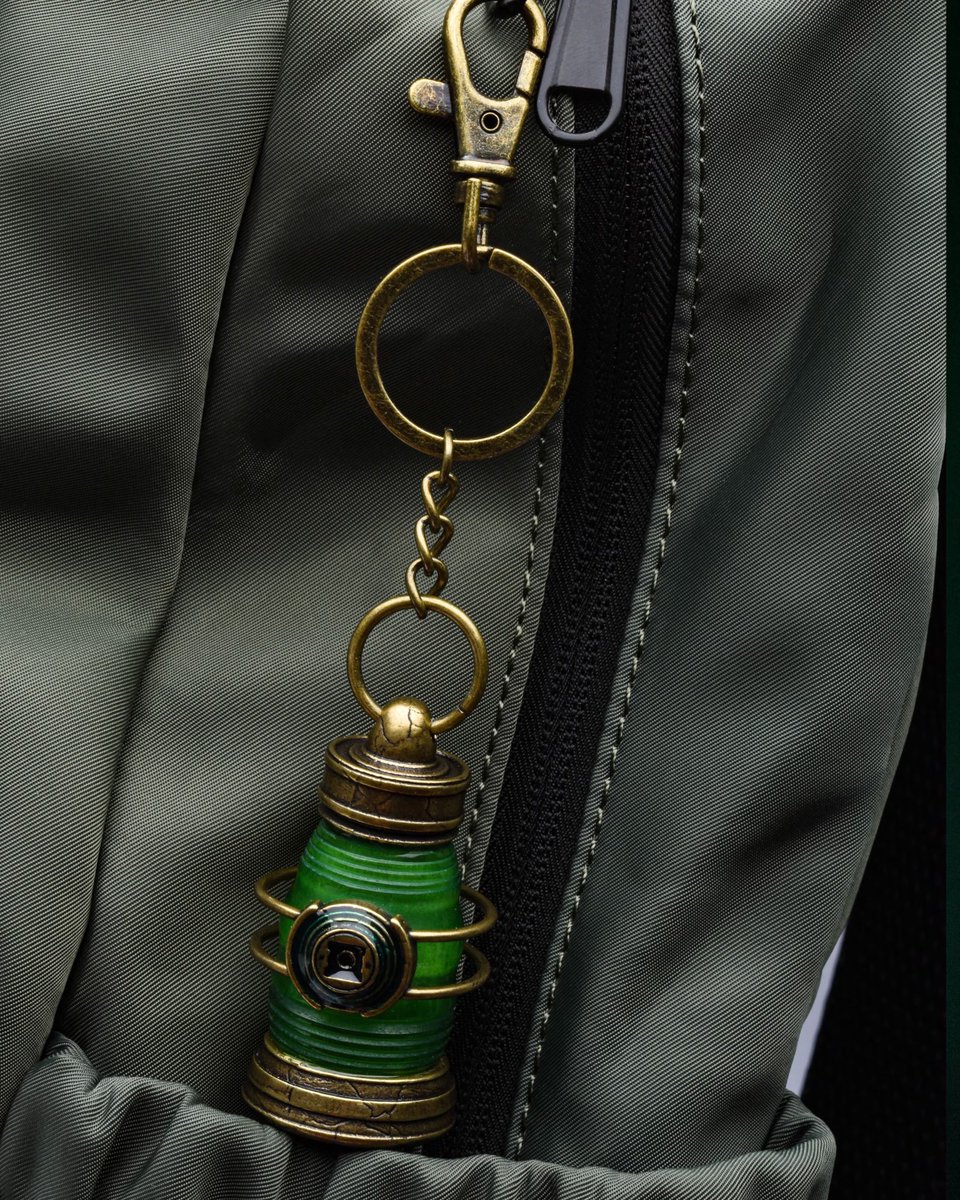
‘LANTERNS’ will have exclusive merch at SDCC, including:
• Lantern Ring
• Power Battery Keychain
• Oath Bomber Jacket
More may be on the way 👀

English
Cyclops could use some help outside Petco in @bb_cre8's Friday #SDCC exclusive daily pin: sdccblog.com/2026/07/bb-cre…

English
It was a busy day 😅What was your favorite #SDCC news today?
English
From this, you can pretty much guarantee we're getting panels for #PercyJackson, #TheSimpsons, and more — plus seems we're getting a #CoyoteVsAcme screening. And... something for #AirBud?!
SDCC Unofficial Blog@SD_Comic_Con
The #SDCC Online Exclusives Portal is now open (BUT YOU DO NOT HAVE TO RUSH TO ENTER!!) and includes Funko, Mattel, and signings with ENHYPHEN, #PansLabyrinth with Guillermo del Toro, and much more: sdccblog.com/2026/07/online…
English

@hashtag_ald @SD_Comic_Con Last year, I showed up 20 min before my time and I was able to get in
English
Seems to be sold out, but they do sometimes release a second wave. #SDCC
SDCC Unofficial Blog@SD_Comic_Con
Paramount+ is returning to #SDCC with The Lodge: sdccblog.com/2026/07/paramo…
English
@hashtag_ald @SD_Comic_Con We were late once and they let us in but it cut into our time inside
English