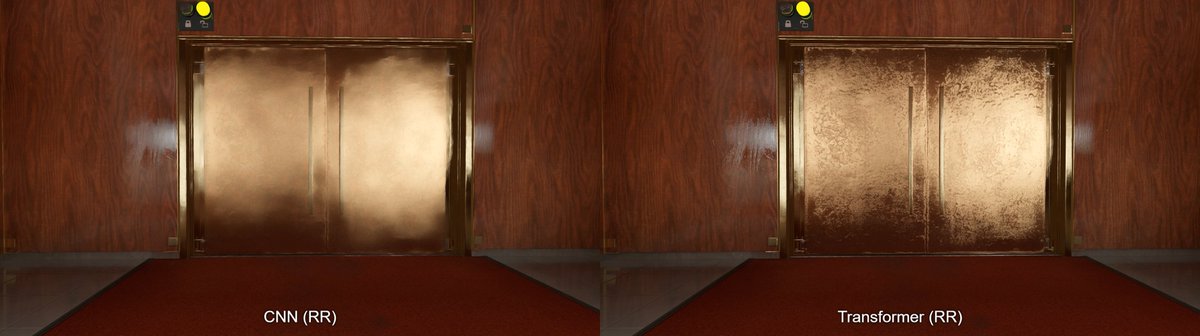
@Xyan_Xiao@NixxesSoftware I managed to enable Frame Gen Preset B via Nvidia Profile Inspector and it improves the HUD. However, I couldn't force Frame Gen to x6; it seems it's capped at x4 for now.
Giveaway time!
We are giving away 5 Steam keys for The Expanse: Osiris Reborn Beta, which will start on April 22!
Follow us, like, repost, and comment to participate!
We will announce the winners on April 21.
Please keep your DMs open, so we can reach you if you win!
@IziGamesInc@HDRgameAnalysis Quick fix:
1. Re-run Windows HDR Calibration and set the sliders to ~1300-1400 nits.
2. In RenoDX, set Peak Brightness to 900 nits (sweet spot for 10% windows on your panel).
3. Check your ASUS OSD: use Console or Gaming HDR mode.
@IziGamesInc@HDRgameAnalysis Hey, That white 'blob' inside the beam is classic HDR clipping. Your PG27AQWP-W is a beast that hits 1300+ nits, but if Windows/RenoDX thinks your peak is only 630, it just crushes all that detail into flat white.
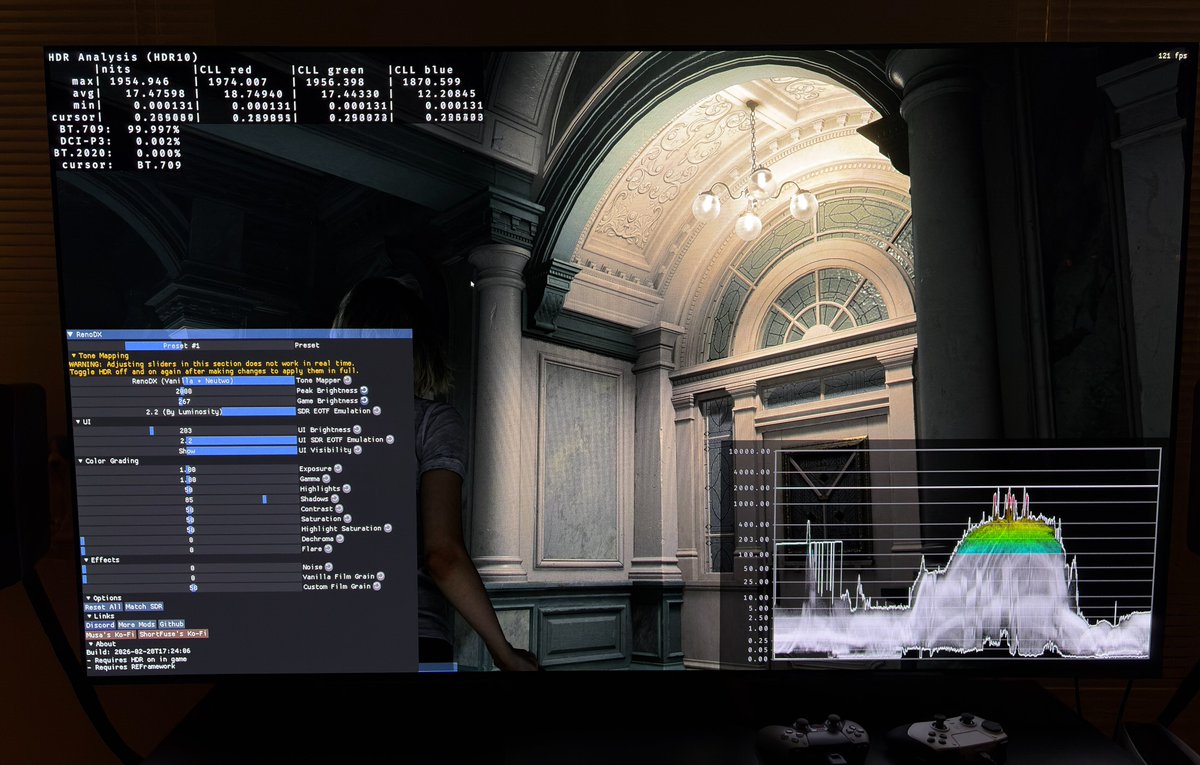
My settings and how to setup RenoDX in Resident Evil Requiem on PC.
I will make recommendations for different display types (OLED, LCD/LED, monitors), so you will learn something about setting up HDR, even if you are on console and can't use RenoDX.
And a short introduction to RenoDX and where to get it.
I have no connection to the modding community around RenoDX and I'm not a specialist in RenoDX. I'm a gamer, just like you, who have used RenoDX a lot. I don't know what all settings do in RenoDX. So keep that in mind.
RenoDX is an amazing HDR mod. It basically fixes HDR in most of our games on PC (those that needs fixing), including getting us native HDR in SDR only games. So if there is a RenoDX mod for a game, then the rule of thump is to always install it. It means something needs to be fixed.
I have a huge appreciation for what RendoDX and their modders/developers do for the PC gaming community. Thankyou👍
On the RenoDX discord server, you can get more help. Its often enough to just be a passive observer (like me) to get all the information you need. You also get early access to the RenoDX mods. So I highly recommend joining the RenoDX Discord Server.
First download The RenoDX HDR mod for Requiem from Nexus mods and follow the instructions there. Use the link or go look for it on the RenoDX discord page or the RenoDX mod page on Github. On Github you can see all games RenoDX supports, including how to install it.
nexusmods.com/residentevilre…
RenoDX fixes a lot of issues under the hood, so to speak. So just by installing it, a lot is already fixed, such as black level floor raises for instance. The sliders/settings in RenoDX is to be seen as something you need to use for tuning to your capabilities of your display and your personal preferences.
I will cover the most important settings here (the settings I adjusted).
Let me say that there is no right and wrong. You can adjust the settings as you like and do what you think looks best. Trust your eyes and use my recommendations as starting points or guidelines.
Not all sliders work in real time. You have to go into the games menu and turn on and off HDR for changes to work.
HDR needs to be on in this game. In other games it must be off. Read the install description or look on RenoDX Discord.
1) Peak brightness
This value changes peak brightness but also upper midtones.
Set it to the peak brightness your TV can do on a 10% window. That's the general rule for OLED TVs and LED/LCD TVs.
For OLED monitors, that typically can do around 450 nits on a 10% window and 1000 nits on a 2% window, I would set max luminance to 600-700 nits and adjust up or down to see when you begin to lose detail on bigger areas on the screen. Its most likely that you will end up lowering it closer to the 450 nits on many monitors, but no display is the same, so do the fine tuning yourself.
You can look for the peak brightness number on different window sizes on rtings.com for your display. They test most displays.
2) Game brightness
This is a games paper white or defuse white. It adjusts the overall brightness on the screen by changing midtones, lower midtones and upper shadows.
In theory (following the HLG guidelines) it has to be set to;
- 180 nits for a 800 nits capable display
- 203 nits for 1000 nits.
- 267 nits for 1500 nits
- 343 nits for 2000 nits
You need to increase game brightness as you increase max luminance.
The purpose is to have enough room for highlights to pop and still have an overall brightness that utilizes the capabilities of your display.
For monitors, that setup peak brightness at around 600-700 nits, I would use around 180-200 nits game brightness. Don't go to low. Your display is capable of showing this full screen brightness, so don't lose it by going to low. You don't get full HDR pop at only 600-700 nits, or lower, anyway.
In requiem there is a lot of tiny fog all over the screen in most scenes. So in this game I prefer to use a bit lower game brightness value myself. So I recommend 203 nits for most displays and I use 267 nits myself for my 2000 nits display.
Don't get too fixated on setting up game brightness according to the HLG guidelines. Here I recommend you set it to what you think looks most natural to your eyes. It can also be depended a bit on how much brightness you have in your room. Increase it a bit if you are gaming in a very bright room.
3) Shadows
This setting adjusts the detail in the shadows. If there is still a black level raise then I usually use this setting to lower the shadows.
In requiem its different. Just by installing the mod, the black level raise is fixed and the shadow area in general seams to be lowered a lot to me.
The modder have already setup the shadow value to 85 from the standard 50. I agree with this value and use it myself.
If you think the shadows look to dark, then try and push the button in RenoDX "Match HDR". It shows what the shadows looks like in SDR. SDR actually have even darker shadows.
I prefer dark shadows in a horror game on and OLED. And we have a flashlight, so use it.
4) Noise / Film grain
The game uses film grain. I always turn that off. Its just noise to me. You can turn it off, or reduce it, by moving the slider all the way to the left, as I did.
Do the same for the noise slider. I actually haven't tested what it does, but noise I don't want in my image.
I encourage you to test out what the different sliders changes and set it up for your TV and personal preference.
One of the biggest visual upgrades with DLSS 4.5 is how it handles disocclusion. The new presets, even when upscaling from a lower internal resolution, do a better job reconstructing newly exposed/previously occluded objects and fine details compared to Preset K.
To thank you for the unbelievable reception to Valor Mortis, you can WIN a spot in the pre-alpha play session of our unreleased first-person soulslike!
🩶 Like this post
♻️ Re-post it
⚔️ Follow our account
You can also register for the playtest on our website or on Steam
When the 5090 launched in Jan, most reviews had it 25-30% faster on avg than 4090. In 2025 titles, it seems that most big releases perform 30-55% better on the 5090, with Civilization VII being 60% faster. The gap appears to be growing. TPU benchmarks:
techpowerup.com/review/?catego…
@iDaveman It's not entirely smooth, as you can see from the frame time graph. But you do not lose as much performance with DirectStorage enabled as you do on a 4090.
The 5090 seems to handle GPU decompression better than the 4090 and previous Nvidia GPUs. In R&C at native 4K, avg FPS is roughly the same. At 1440p & 1080p, 5090 performs better (avg & 1% lows) with DS on. It loses less perf in SM2 with DS enabled, too.
youtube.com/watch?v=3FAp1i…
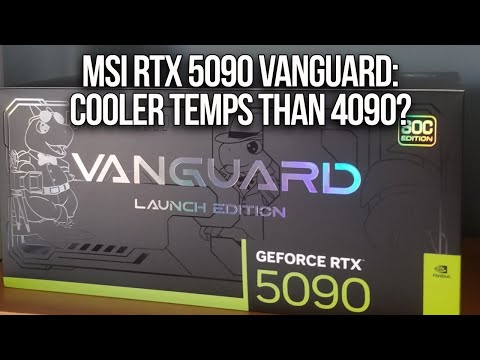
Testing the MSI RTX 5090 Vanguard SOC vs 4090 SUPRIM X side by side in 10 games. Very impressed with the cooler on the Vanguard. In many cases, temps are on par with or below the 4090 SUPRIM X, even when the 5090 is pulling 500-600W. It's very quiet, too!
youtube.com/watch?v=CgMCsW…
@mpr_reviews@D_S_O_Gaming maybe you can try it and see what you think. I’ve played for about 30 min and found it disappointing. RR isn’t properly implemented, which you can easily see when looking at the building windows. But what really ruins the experience for me is the constant microstuttering.
@D_S_O_Gaming This was needed. Still need to test this but it was nuts to drop to 70 fps, becoming CPU bound at times, with a 7800X3D and 5080 without frame gen. And with frame gen the drops became very noticeable too as responsiveness would tank during these periods.
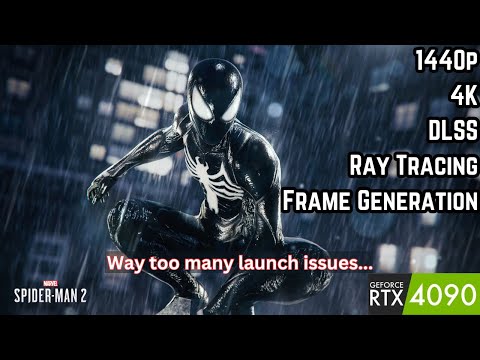
Testing Spider-Man 2 on the RTX 4090 and 7800X3D here. Game is a bit of a mess. Stuttering issues, crashes, and the ray reconstruction model breaks darker shadows and faces. The game needs a bit of fixing in its current state.
youtu.be/NuoEh5OpT8s