@baltibirds20 I have often been thinking about that myself.
We can find many reasons for it, but at the end of the day, it’s all excuses when modders in a few days can fix the HDR.
There is now a RenoDX HDR mod for Assassins's Creed Black Flag; Resynced.
(beta was already out a day or less after the game released 👍).
I recommend PC gamers to use it. I will link too it in a post below. In the link you can see how to install it and all the things the modder Musa improved/fixed.
It fixes the black level raise and the too aggressive highlight compression, I noticed in my HDR analysis (it probably fixes other issues too).
This means that we can now more freely use the exposure slider without raising contrast too much and pushing highligts into peak where it gets clipped. And we no longer will get shadows so compressed against a raised black level floor, if we lowers the exposure slider.
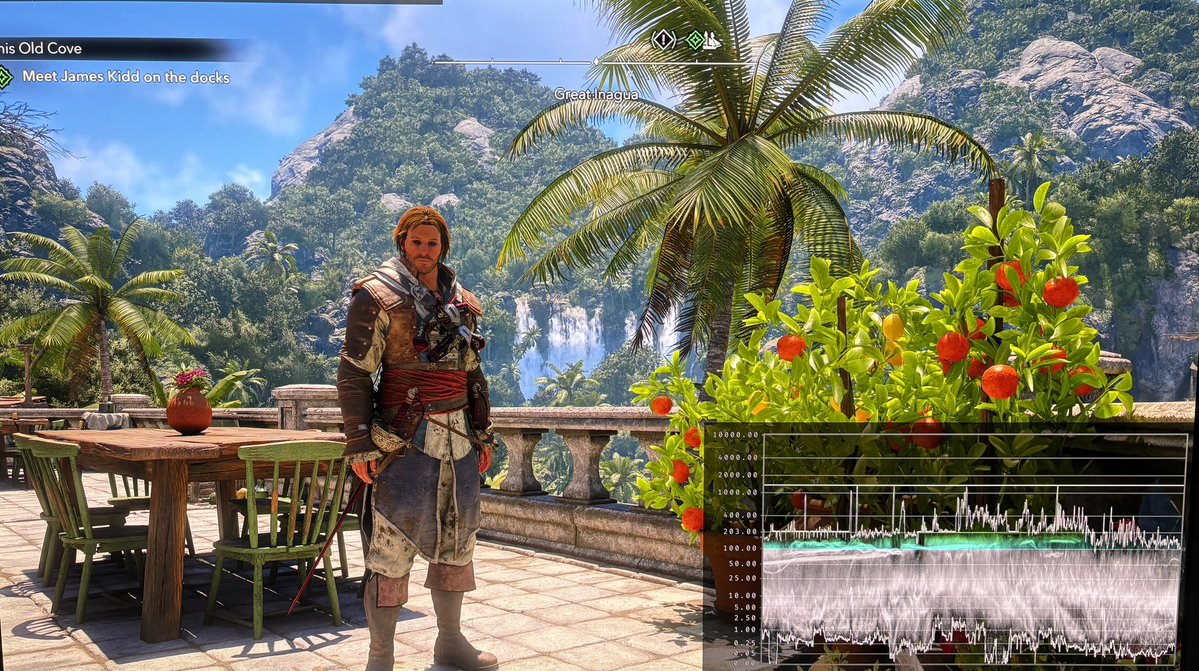
Picture 1 shows the in-game HDR black level raise of 0.05 nits. Picture 2 is RenoDX HDR (default settings) with no black level raise.
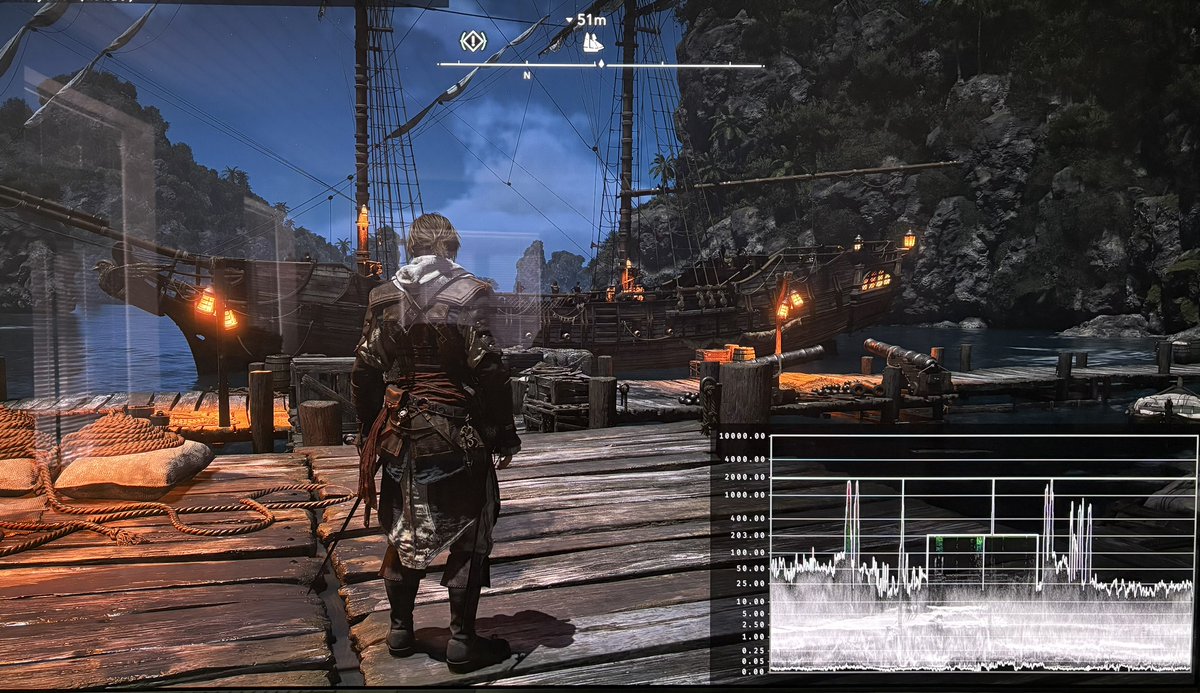
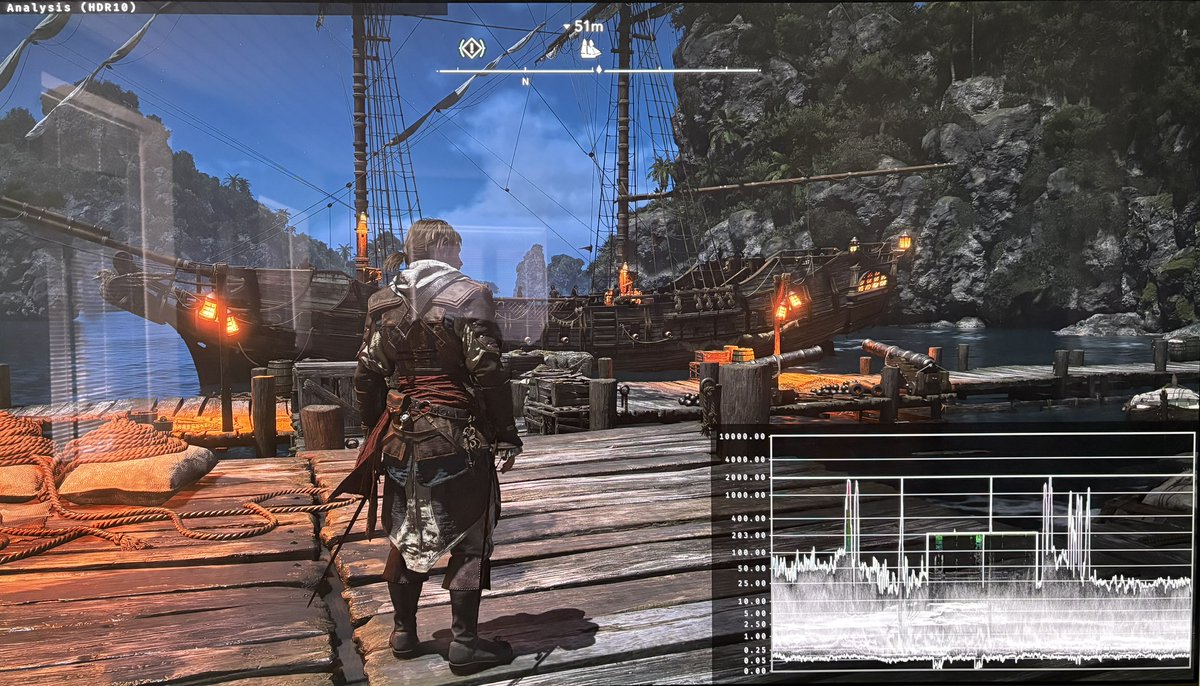
Picture 3 and 4 uses default HDR settings of 800 nits peak brightness and 0 exposure.
Picture 3 is in-game HDR. Here we see a bright Sun with surrounding clouds. There is no separation between the clouds close to the Sun so detail gets clipped. Its a white blob. My camera clips some detail, but its confirmed by the waveform.
Picture 4 is RenoDX and here the waveform shows separation between the Sun at clouds close to it. Detail is preserved in the clouds close to the sun.
Exposure settings (paper white):
It seams to me that 0 expure is around the standard 203 nits paper white. 0.5-0.6 is close to 300 nits and -0.2 is around 180 nits.
This means most will use a range between -0.2 and 0.5 in a dark room, so why do we have a range of -2.0 and 2.0 ??? Its a completely useless range and will only confuse gamers.
It’s the big range between -2 and 2 that is useless.
120 nits paper white must be around -0.7 to -0.8.
You have the most dim HDR display money can buy and even you only use higher than -1.
-2 is 50 nits
-1 is 100 nits
0 is 200 nits
1 is 400 nits
2 is 800 nits
While I can imagine someone using 100 nits and 400 nits, I can’t imagine any one using 50 or 800 nits, so why give gamers such a huge difference ?
The RenoDX mod typically goes from 50-500 nits.
I would limit the slider to 75-500 nits and put nits values on the slider.
Does anyone use lower than 75 nits ? It’s extremely dim. And who uses above 500 nits ???
@HDRgameAnalysis How options below -0.2 are useless? I have MSI Oled which has TB400 Mode which peaks at 450 nits. I can use 120 nits paper white to get better dynamic range and adjust brightness more for my room's lightning conditions.
Rtings writes the following about LG C1 in their review:
The ABL is very aggressive in HDR, which accounts for the variation in brightness and why it gets so dim with scenes that have large areas of brightness.
Dynamic Tone Mapping (DTM) increases midtone brightness. The disadvantages of DTM is that it compresses highlights, so you can see less detail in bright bigger areas.
Thats why you see this s"sun glas" effect in HGIG. It will very dim, due to aggressive ABL dimming. DTM looks brighter because it increases midtone brightness.
@HDRgameAnalysis Ps5 pro on the Lg c1. Playing black flag resynced with HGIG on adds an almost "sung glasses" effect, and. Akes the gamer overall darker. Turning HGIG off and turning on tone mapping makes it a lot brighter and visually better.
HGIG adding this effect a game issue or TV issue?
Update HDR analysis and setup guide Assassins's Creed Black Flag: Resynced.
I have now tried it on PC, and I can confirm the HDR implementation looks to be the same as on PS5.
The overall presentation of the game looks great, despite the flawed HDR implementation.
It means we also have the following main HDR issues on PC;
- Black level raise of 0.05 nits not present in SDR.
- The exposure slider affects the full range — raising it pushes highlights up toward the peak ceiling, where there's little headroom. Lowering it flattens shadows against the raised floor. In practice only small adjustments are usable.
I would have liked a proper paper white slider instead. See my article about paper white in games.
So recommendations stay the same:
- Setup Max Luminance slider to the max brightness your TV can output.
- Leave Exposure slider at default 0. Only make small adjustments too it, if you find overall brightness too dim or too dark. I assume you game in a dark room.
RenoDX HDR mod:
There is a mod in the works and its currently in beta.
Picture 3 is with the mod in beta and the waveform shows it fixes the black levels. Picture 4 is in-game HDR with the raised black levels.
I will look more at the mod when it's out of beta.
HDR analysis Doom; The Dark Ages on PC and PS5 Pro.
It's basically the same HDR implementation on PC and PS5, but path tracing on PC makes a difference to how shadows look, so I will suggest slightly different settings for PS5.
I don't like the standard in-game settings in picture 1. They lack overall brightness and impact.
PC:
On PC I instead suggest to use the vastly different settings I show in picture 2 and 3 for 1000 and 2000 nits TVs (use 3800 instead of 4000 nits).
Picture 4 shows the black levels with the settings in picture 2 and 3. It shows perfect black levels.
However the game uses a lot of fog, that effectively raises the black levels and lowers contrast in many areas. Its something I personally don't like used so much in games.
PS5:
PS5 outputs slightly less max luminance than PC, so instead of 3800 nits, I suggest 3500 nits for a 2000 nits TV. I still suggest 1300 nits for a 1000 nits TV.
PS5 have much brighter shadows than PC, because it does not use path tracing as PC does. Its shadows are simply not so correctly shadowed as on PC. That effectively decreases contrast on the PS5 version. I therefore suggest you increase contrast to 85 from 80 on PS5. It will darken the game a bit. If its too dark then just use 80 in contrast or something in-between.
I think the HDR looks great in this game. It's the first game where I have gotten HDR to look great using only in-game settings. So its the first I can remember, where I have not used reshade tools on PC.
It's also quite interesting to see how much difference path tracing does to the games visuals. Doom looks much more natural and realistic on PC, and its darker look gives the HDR more impact from the shadows being darker.
Reflections from light sources are also much more realistic on PC. Doom on PS5 simply looks very flat in comparison to the PC version. But it still looks great compared to other console games, of course.
@HDRgameAnalysis@Thomas_Oko@VisualFidelity Alright I can respect not wanting to go into too much detail, but just in your opinion is it worth it over the native HDR implementation right now as it currently is?
Just want to know if I should go and download it is all, or keep playing as is until it gets released proper.
@HDRgameAnalysis@Thomas_Oko@VisualFidelity Cool, thanks for the info. In your opinion, how is the beta version overall, is it basically the native HDR implementation with the black levels fixed or does it have some issues in other areas?
@JimTheCrow91@Thomas_Oko@VisualFidelity Its not released yet, to my knowledge. But you can get it on the RenoDX discord server. Its the place to look for mods in beta.
I use custom and dci P3 on my s90c, that is make into an s95c using the service menu hack.
The reason for this is that bt.2020 is not calibrated from factory. Only dci P3 is. bt.2020 is very un-accurate.
Most games don't use more than dci p3 anyway. Most actually dont even use that.
@HDRgameAnalysis@Thomas_Oko@VisualFidelity What color space setting should I be using on my s95c oled on ps5 pro? Auto with bt.2020 selected in custom, auto with dci p3 selected in custom or normal?
Shadows are raised in HDR. They are not in SDR.
That reduces contrast and perceived saturation in HDR compared to SDR, especially at nighttime.
I personally prefer HDR, but I can see why you could prefer SDR on console.
I’m playing it on PC using a mod that fixes this shadow raise.
@HDRgameAnalysis@VisualFidelity Is it only me thinking this game looks better in sdr? I have lg g4 tv. But shadows, nights and overall saturation looks better and more “real” in sdr …
@AndresSpaceX@assassinscreed You can try and increase exposure and/or use your TVs Dynamic Tone Mapping to raise midtones.
We don’t all like to have dark night scenes.
Thank you everyone for the love you've shown Black Flag Resynced since yesterday. We're thrilled to finally have the game in your hands. 🫶
Our team is focused on listening closely to your feedback, investigating flagged issues, and fixing bugs. We already have a Title Update on its way very soon.
In the meantime, we invite you to flag any issue on our bug reporter: ubi.li/1IVGj
And share your feedback across our various community channels.
Thank you for being part of the journey again, we'll see you on the High Seas! 🏴☠️
#AssassinsCreed
@HDRgameAnalysis@assassinscreed On the LG G5, in Game Optimizer mode, with HGIG enabled, warn 40, set the maximum brightness to 2300 nits, and the exposure to 0.0 as it comes default, but I notice the night image very dark.