

Joshen Lim
441 posts


Saying you prefer Discord over Slack is like saying you'd rather spend 72 hours at a rave than have a nap on a nice, quiet Sunday afternoon.
English
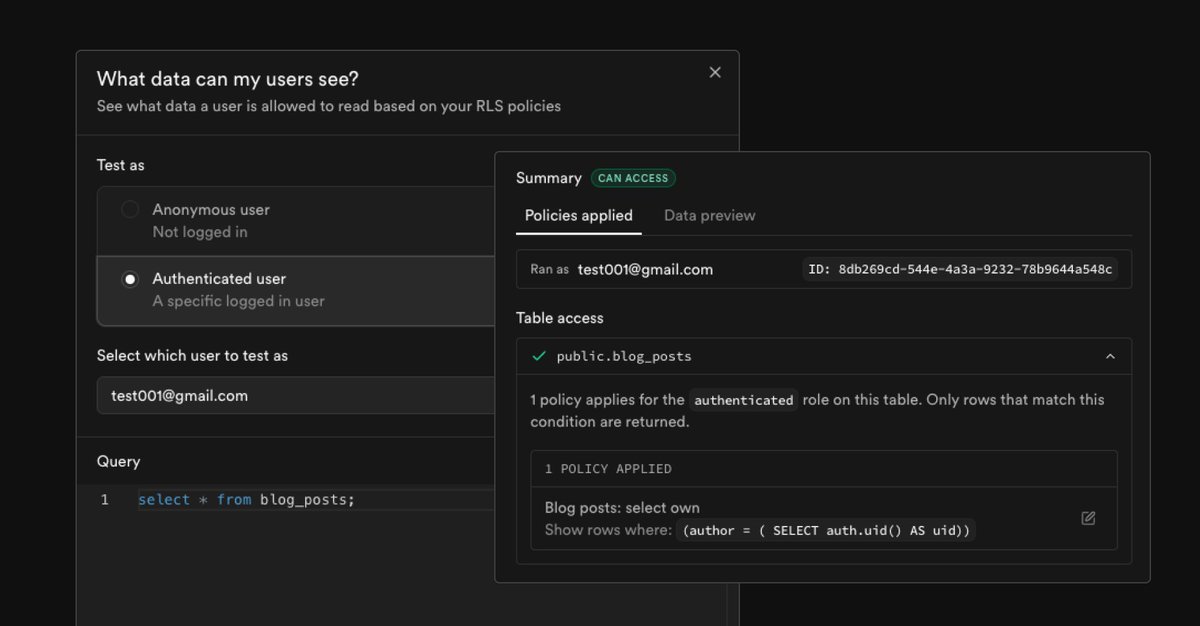
We're trialing something with helping you to test your RLS set up for your project - would love to hear everyone's thoughts, both good and bad! 🙏🙂
github.com/orgs/supabase/…
English
Joshen Lim retweetledi



go kayaking
learn cantonese
finish that book
call your dad
walk the dog
escape the permanent underclass
stop doing tasks
start doing quests
jordi@jordienr
QUESTLOG IS IN THE APP STORE FINALLY
English



English

English

@Pauline_Cx @abhip_me @supabase Ahh yup that might be it 😅 its from a database performance POV that we're avoiding using unified search by default - @stojaaan summarized the reasoning here for reference 🙂🙏
x.com/stojaaan/statu…
Stojan 🦑@stojaaan
thank you for an excellent question! the answer is a bit long. postgres is extremely powerful. you can write SQL to transform data any-which-way you want, and it'll find a way to produce results the fastest. this power is very useful, yet can have some negative consequences you usually don't consider when you've got a few users. it can be catastrophic when you've got a lot. say you want to search by email address + sort by last signed in time. postgres can only execute this by: 1. loading every row in memory 2. filtering out rows that don't match the search text 3. sort the remaining rows in memory on large tables, this query may take a few seconds to complete. and you might think that's acceptable, since you don't visit this page often. yet the problem isn't in the speed of the query, nor how often it runs. it's with the amount of limited resources used by it. here's why: 1. to filter out the rows, you need to scan all the rows on disk 2. a drive can only go so fast 3. and has a max IO budget after which it almost fully stops so this one query is seriously eating away at the IO budget. this causes all other IO work to slow down, so all queries naturally become slower. now once it's loaded into memory, a second issue appears. memory is limited, and the most-recent query wins. fitting a large table into memory requires removing other data from it. so queries that are usually fast, now also become slow because postgres can't find the data in memory and hast to go to disk again. this puts more pressure on the IO budget. if you ran this at the worst possible time it could seriously impact your viral app. we had to make a difficult trade-off decision: build in a weekend, scale to millions? does the users page follow it? no, it didn't. it penalized your app going viral. this isn't the @supabase way. conclusion: we must redo the page, asap. priority: minimal impact on database resources and application performance. outcome: limiting choice on the page[^1] are we content with this? not at all. we're currently identifying what's the most powerful users page that will play nicely with the rest of your application. expect a much better UX in the coming months! if you enjoyed this, I can also talk about some of the specific challenges with searching through large tables with minimal impact, and how we overcame them. [1]: old UX is still there, a few clicks away.
English

@abhip_me @joshenlimek @supabase I confirm it doesn't work.
And I confirm I have over 10k users...
Why not unified search by default?
With unified search you can do everything
English
New @supabase UX auth is so bad 😞
Need 3 extra clicks to be able to sort users.
Makes no sense.
Why the default option isn't unified search?
Why couldn't we sort if the focus is in User ID or Email address?
I hope it will be improved soon, I love supabase otherwise


English
@Pauline_Cx @abhip_me @supabase do open a support ticket though if it still doesn't work! we'll take it from there 🙂🙏
English
@Pauline_Cx @supabase that being said though - we're actively looking into how we can improve the UX here and hopefully can share some goodies with you soon! 😄
English
@Pauline_Cx @supabase but if it helps we've recently made the search configuration here persistent across sessions! so if you've selected "unified search", it should default to that mode whenever you come back to the Users page! 🙏🙂 although let us know if that isn't the case!
English
@Pauline_Cx @supabase Hey Pauline! We definitely hear you here - the reason why the default option isn't unified mostly technical tbh (there's a summary about this here) 🙏🙂
x.com/stojaaan/statu…
Stojan 🦑@stojaaan
thank you for an excellent question! the answer is a bit long. postgres is extremely powerful. you can write SQL to transform data any-which-way you want, and it'll find a way to produce results the fastest. this power is very useful, yet can have some negative consequences you usually don't consider when you've got a few users. it can be catastrophic when you've got a lot. say you want to search by email address + sort by last signed in time. postgres can only execute this by: 1. loading every row in memory 2. filtering out rows that don't match the search text 3. sort the remaining rows in memory on large tables, this query may take a few seconds to complete. and you might think that's acceptable, since you don't visit this page often. yet the problem isn't in the speed of the query, nor how often it runs. it's with the amount of limited resources used by it. here's why: 1. to filter out the rows, you need to scan all the rows on disk 2. a drive can only go so fast 3. and has a max IO budget after which it almost fully stops so this one query is seriously eating away at the IO budget. this causes all other IO work to slow down, so all queries naturally become slower. now once it's loaded into memory, a second issue appears. memory is limited, and the most-recent query wins. fitting a large table into memory requires removing other data from it. so queries that are usually fast, now also become slow because postgres can't find the data in memory and hast to go to disk again. this puts more pressure on the IO budget. if you ran this at the worst possible time it could seriously impact your viral app. we had to make a difficult trade-off decision: build in a weekend, scale to millions? does the users page follow it? no, it didn't. it penalized your app going viral. this isn't the @supabase way. conclusion: we must redo the page, asap. priority: minimal impact on database resources and application performance. outcome: limiting choice on the page[^1] are we content with this? not at all. we're currently identifying what's the most powerful users page that will play nicely with the rest of your application. expect a much better UX in the coming months! if you enjoyed this, I can also talk about some of the specific challenges with searching through large tables with minimal impact, and how we overcame them. [1]: old UX is still there, a few clicks away.
English
Joshen Lim retweetledi
𝙉𝙚𝙬 𝙍𝙁𝘾: 𝙎𝙌𝙇 𝙀𝙙𝙞𝙩𝙤𝙧 𝙨𝙣𝙞𝙥𝙥𝙚𝙩𝙨
We just published a new RFC on how the SQL Editor handles snippet saving in Supabase.
We’re proposing a switch from autosave ➡️ manual save, to simplify the experience.
🙏 Read & share your feedback 👇
English
Joshen Lim retweetledi
In case you missed it
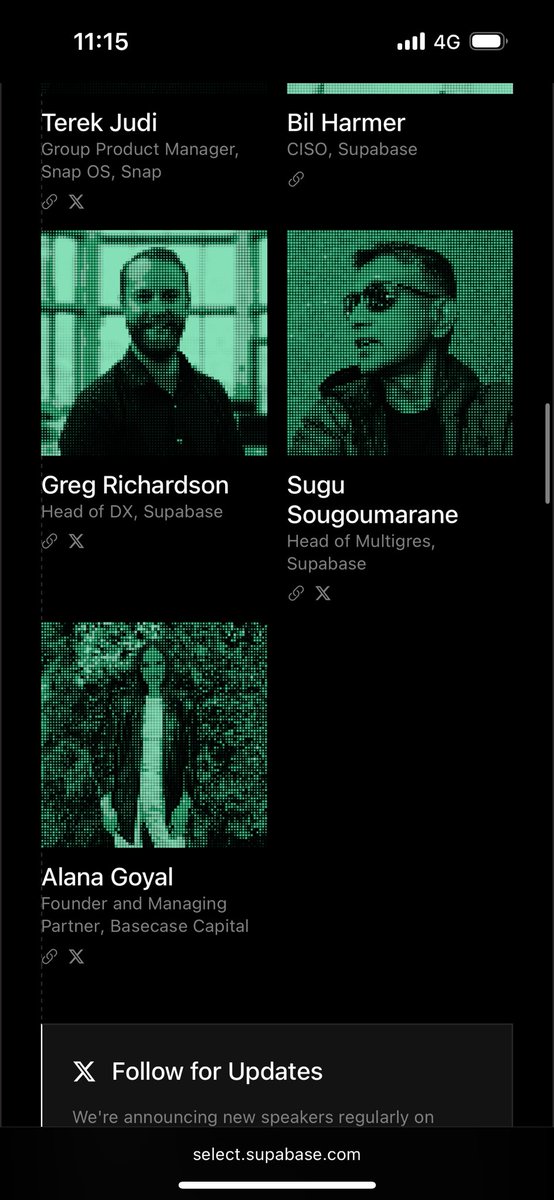
the supabase select speaker list is absolutely savage…


English
@PaulYacoubian @kiwicopple @kiwicopple oh yup! so if you try to upload a file that's larger than 100MB we do show this toast which links to a guide on how you can do directly through your database (might be better to do so for large files?)
#bulk-data-loading" target="_blank" rel="nofollow noopener">supabase.com/docs/guides/da…

English

Yo @kiwicopple can you bump the csv import via table editor file size from 100mb? I’ve got some big ass files (sub 1gb) I want to bring in (this will get more uses to upgrade from free tier).
Also ai chat for sql queries is a hot mess (i think it doesn’t have context natively). My workaround is to copy my table schemas, paste them into Cluade and then ask it to generate queries.
English
Joshen Lim retweetledi


English


English

Finally rolling out to everyone - 3x cheaper cached egress @supabase
github.com/orgs/supabase/…

English
Mark your calenders - get involved with Supabase's first user conference in SF on the 3rd of October! 💚😄🗓️
select.supabase.com
Supabase@supabase
Supabase Select Our first user conference. October 3 in SF. See you there! select.supabase.com
English