

Kyle Plattner
6K posts

Kyle Plattner
@kyleplattner
Husband and father passionate about agriculture and technology. Member of the @JohnDeere team focused on Operations Center Mobile.
Illinois, USA Katılım Mayıs 2012
193 Takip Edilen6.4K Takipçiler

@kyleplattner Got it. Thanks for getting back with me. Definitely looking forward to using ops center and looking forward to pulling in those tile lines and other shape files. Thanks again!
English
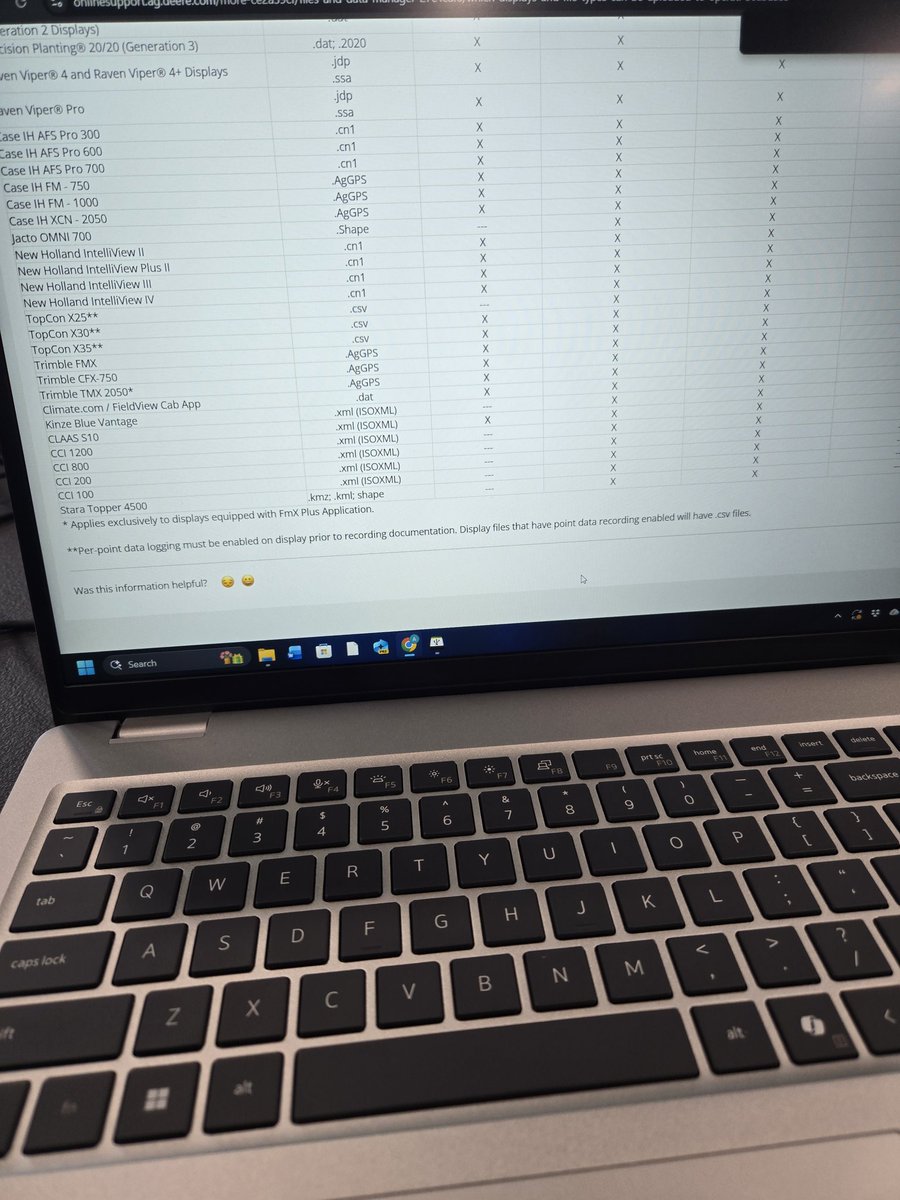
@kyleplattner We are wanting to import tile lines that are shape files into ops center. We can't seem to figure out how to do this.
English
@kyleplattner Got it. Is there anyway that we could just upload as a KML for now to get it in there?
English

@kyleplattner @JohnDeere Is their a way to view the Autopath lines on the jd ops center app without remoting into screen?
English
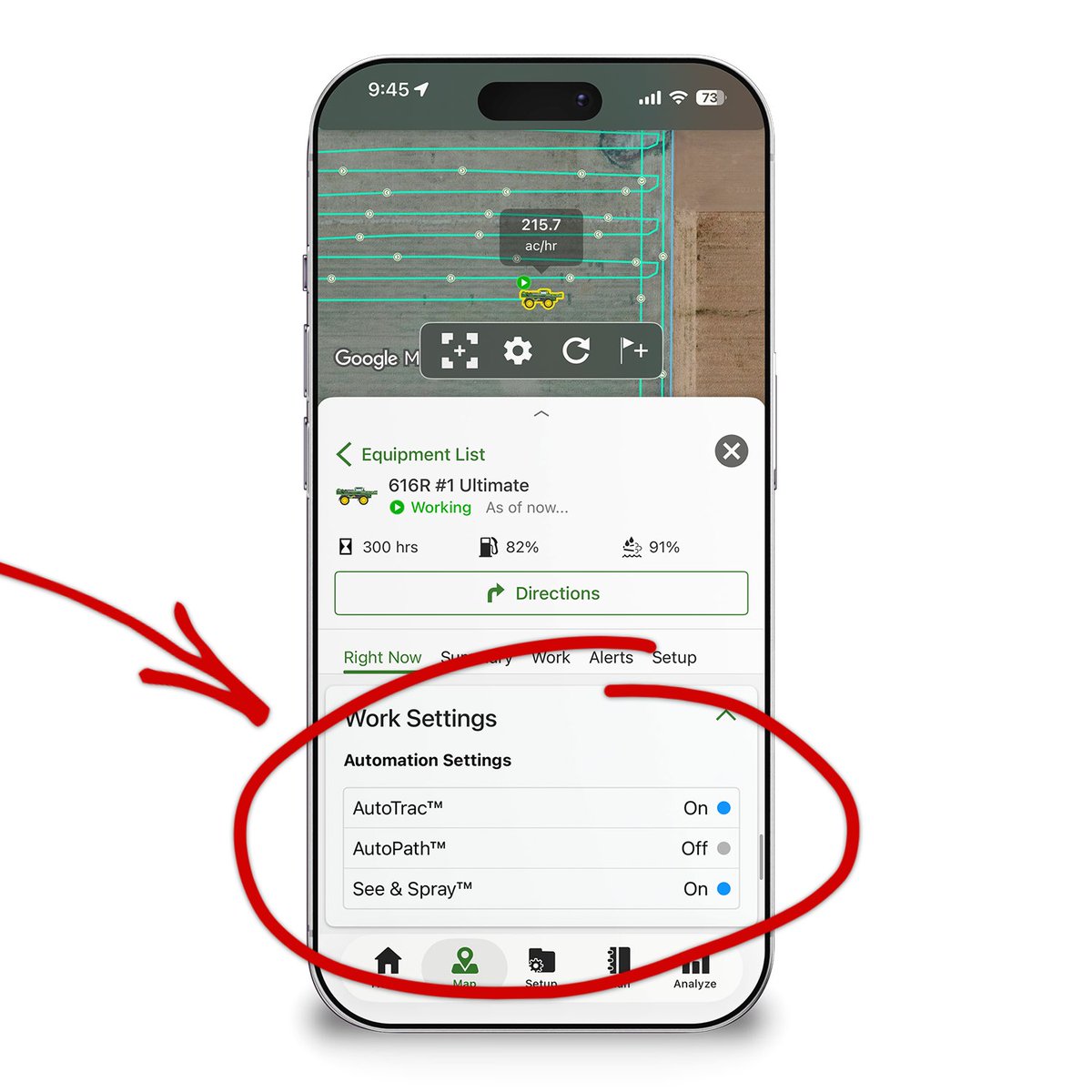
Remotely monitor whether tech, like AutoTrac, AutoPath, and See & Spray, is currently being used on your equipment from anywhere using the latest release of @JohnDeere Operations Center Mobile.
English
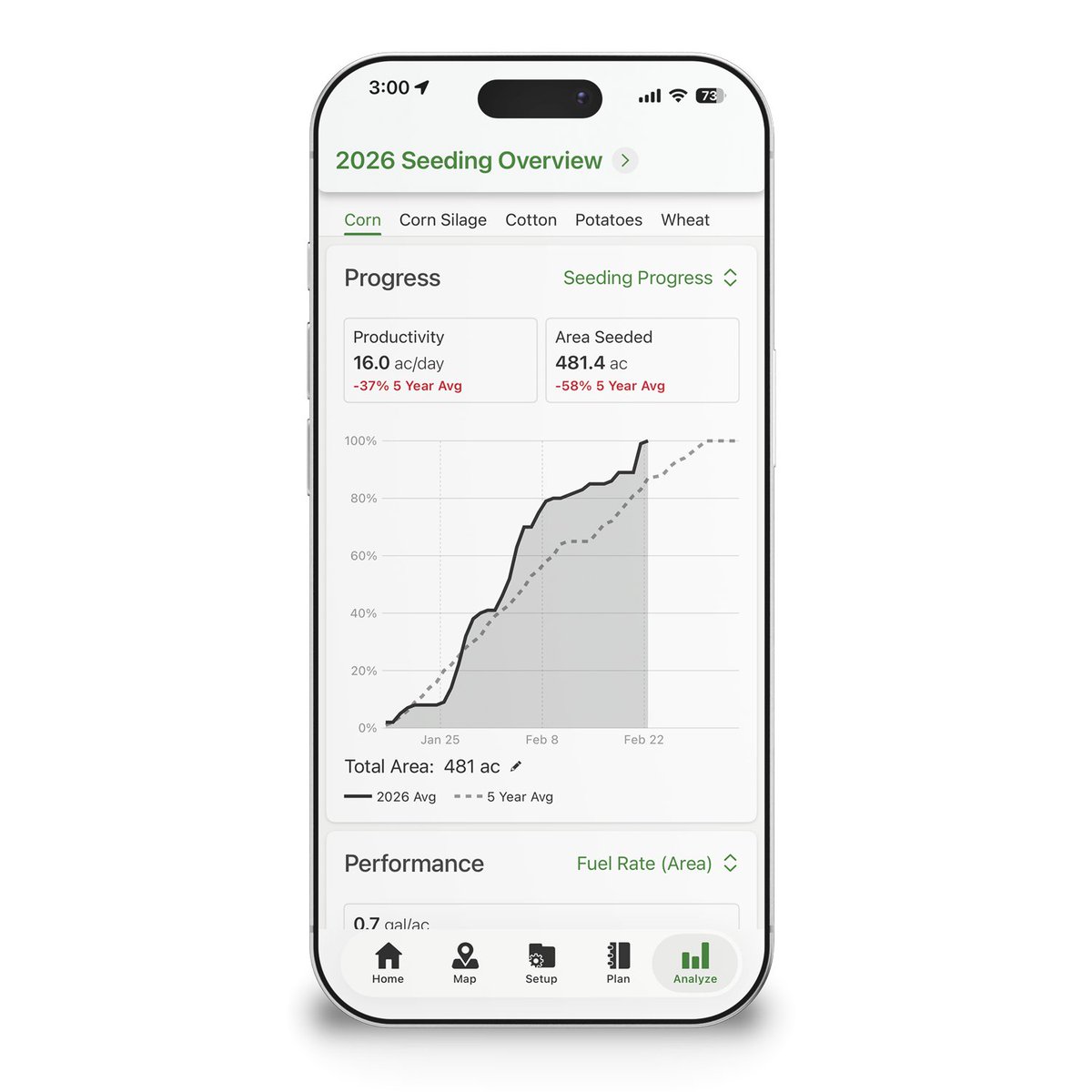
Quickly understand how your season is progressing and how your machines are performing in one simple view. The latest release of @JohnDeere Operations Center Mobile adds the Work Overview to the Analyze tab.
English
@Deere_Salesman Thanks for the feedback. We'll keep this in mind for the future.
English

.@kyleplattner is there any way we could get functionality to enable data sync in the app? Unless I’m missing it.
Every time you update the display is shuts data sync off. It would be very handy to be able to do that from a phone rather than the desktop.
English
@AaronBobeck @JohnDeere Nothing to share yet but stay tuned.
English

@kyleplattner @JohnDeere Anything new on using our own local personal weather stations?
English
It's never been easier to monitor the weather in context of your operation! The latest release of @JohnDeere Operations Center Mobile overlays past and forecasted rainfall right alongside your fields and equipment. Tap the cloud icon on the Map tab to try it out.

English
English

@brodenholland @ipaddockapps Yes regarding moving boundaries by a measured amount. Surprised it hasn't been done yet in Op Centre. @kyleplattner
English

Here's a fix for anyone still clinging to an old copy of JD Apex - which stopped opening in 2026.
Change your computer date to 2025 & hey presto!
We are on Ops centre now but the boundary editing & Rx features are so limited, its handy being able to flick to Apex haha #aghack

English
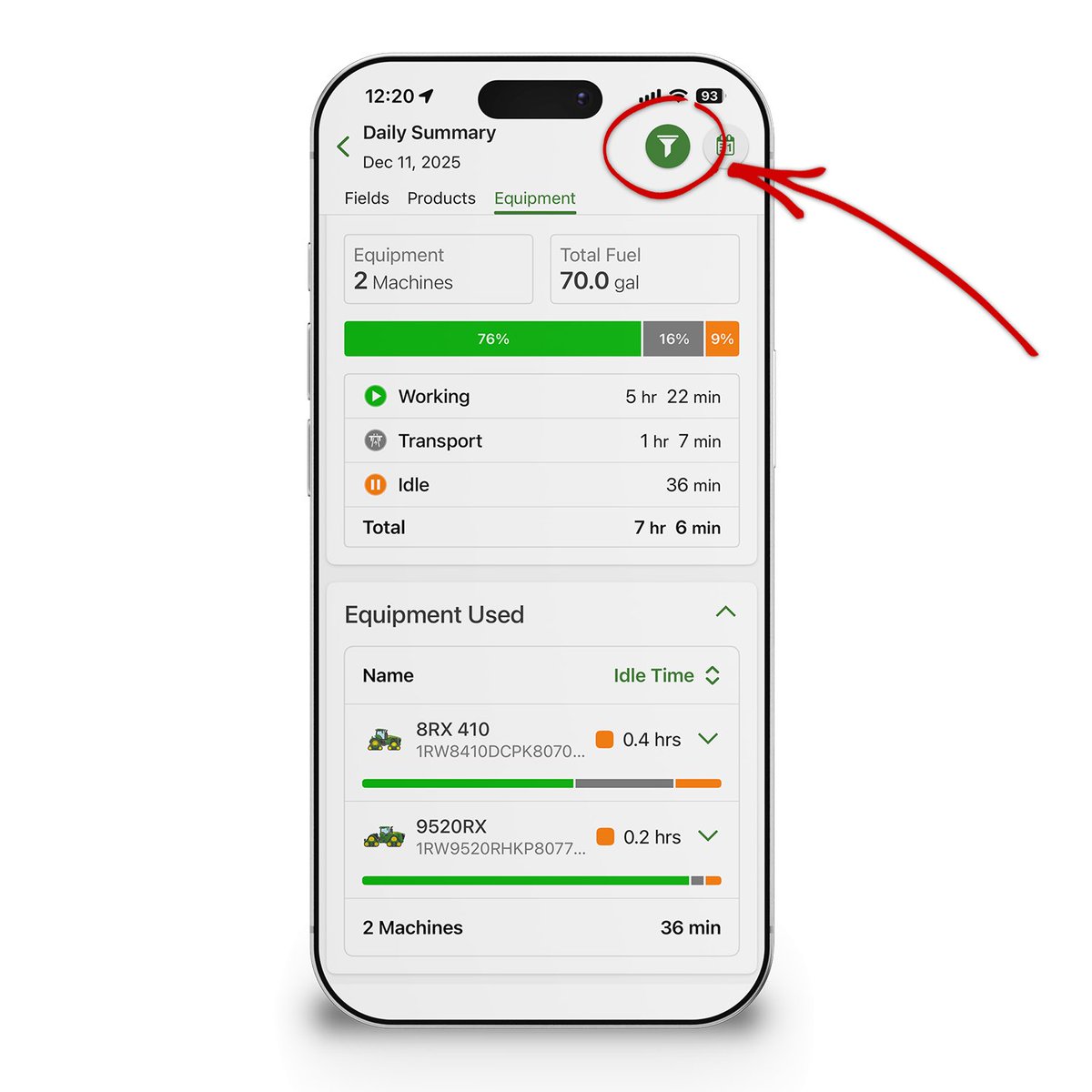
Only want to view the Daily Summary totals for select equipment? The latest release of @JohnDeere Operations Center Mobile adds a equipment filter to the upper right corner of the Daily Summary (available from the Home tab).
English
English

@kyleplattner @AaronBobeck @JohnDeere Will this show up in the eq. Displays? Would be nice in sprayer to segregate different herbicide tolerant crops.
English
The latest release of @JohnDeere Operations Center Mobile makes it easy to get a big picture view of your crop plans for next year. Color the field boundaries in your org by planned crop by tapping on Map Settings (gear icon), then tap Fields, then tap 2026 Planned Crop.

English
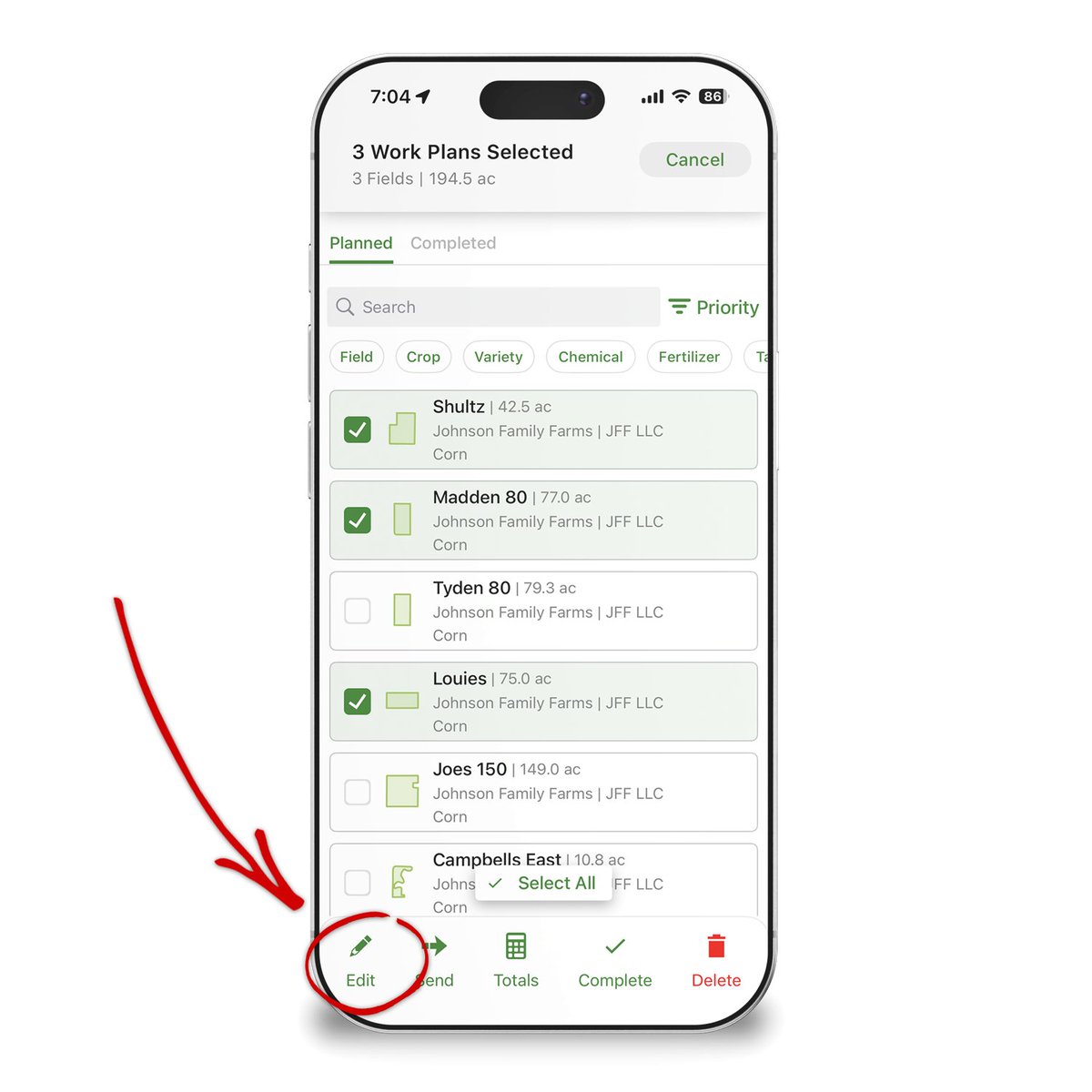
Managing Work Plans gets easier in the latest release of @JohnDeere Operations Center Mobile. Select multiple fields at one time and then tap Edit to make bulk changes to several Work Plans at the same time.
English
English

@kyleplattner @Aztech_Ag @JohnDeere Oh, i got more.. Data upload is weird sometimes, still can´t upload shp without the meta json. freezing when trying to compare two layers..
English
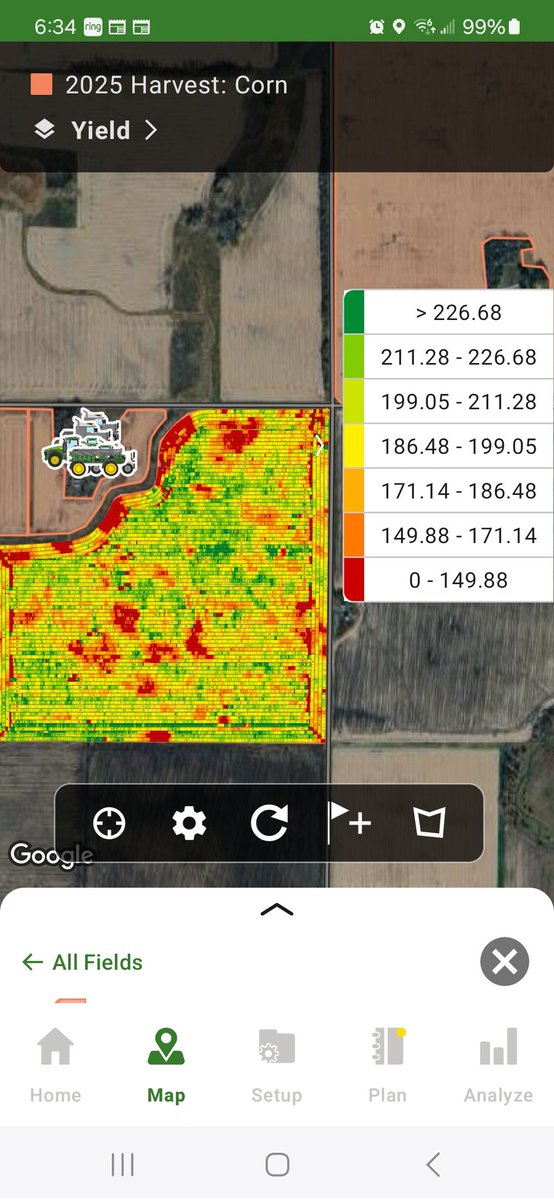
Is it possible to adjust the yield legend on JD ops app? I can change it on the computer and on the cab monitor, but not finding it on the app. @kyleplattner @JohnDeere
English
@farminguin @Aztech_Ag @JohnDeere Thanks for letting us know. We'll get that fixed in the next release.
English
@Aztech_Ag @kyleplattner @JohnDeere The legend needs more updates, change from yield to fuel/ac the colours are in the wrong order
English

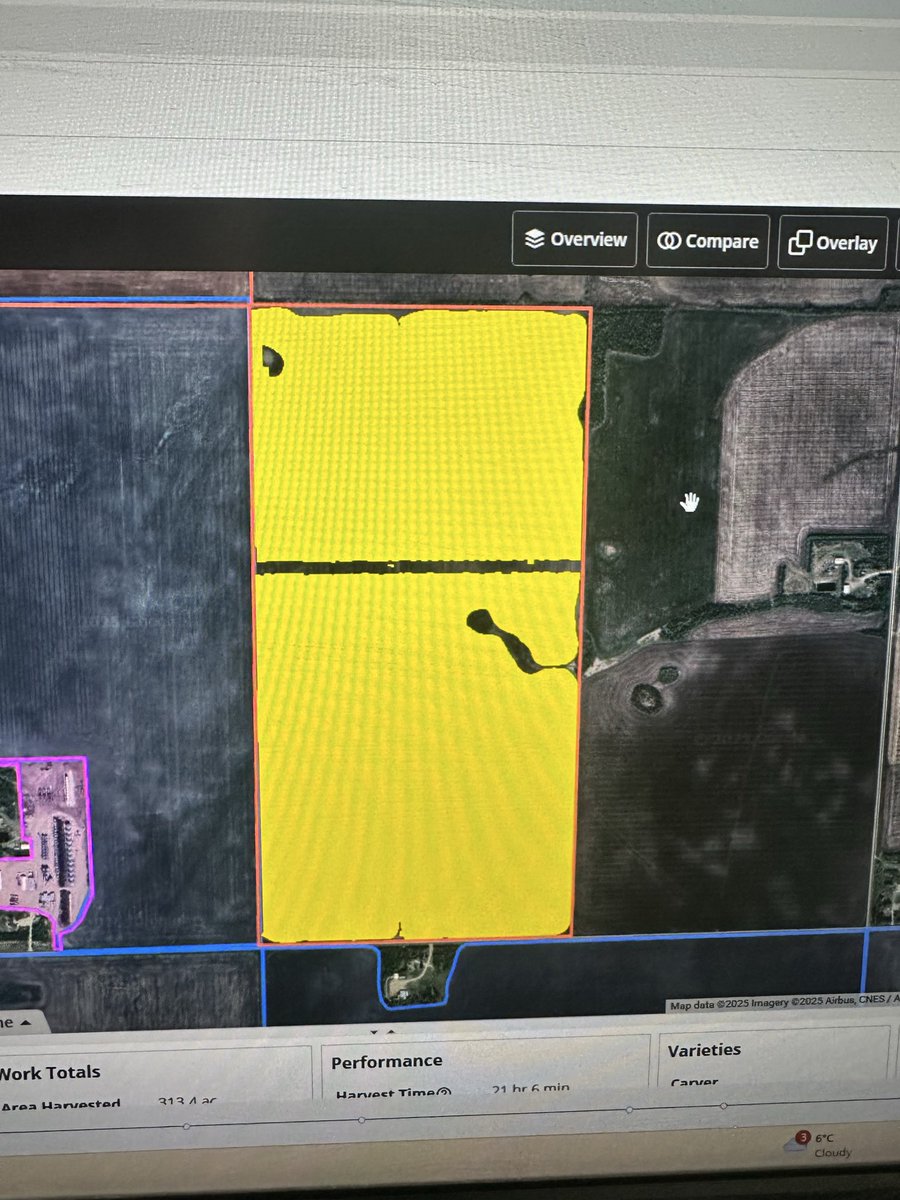
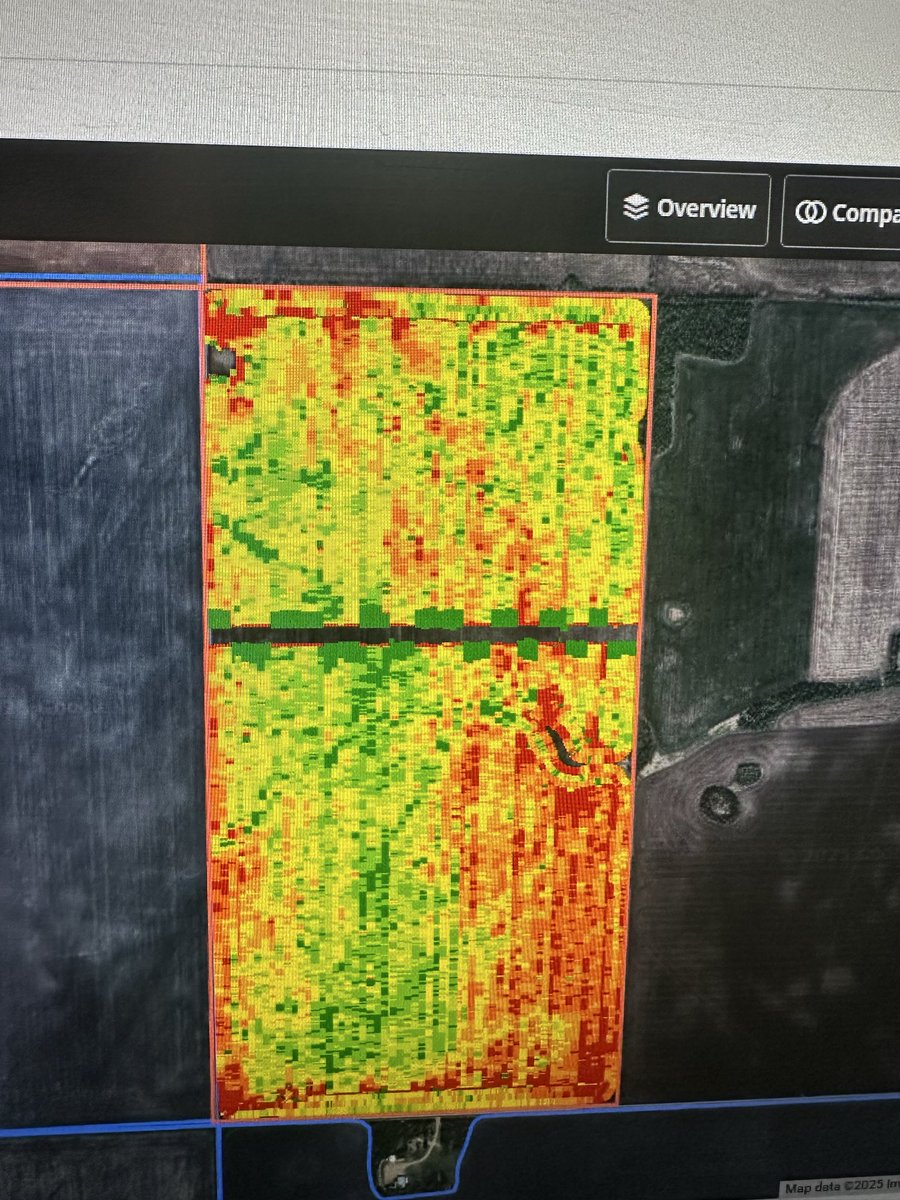
@Plantmore1 Yupp it’s just like you’re going across a boundary, if you turn the sectional control off it would paint. Can’t figure out for the life me why it’s doing it and have asked a few real techy John Deere people too and know one has a answer as to why
English
If there is any my John Deere gurus out there maybe they can explain this to me. We have field 2 years in a row where it’s shutting off the mapping in the same spot across the field like there is an interior boundary but we’ve never had one there and it’s only during harvest
English
@benjaminaustic The calibrations done in the display only adjust the yield map in Operations Center from that point forward.
English

@kyleplattner Seems like if you do a calibration load, it would adjust the calibration for the area of the calibration load as well. Did we do something wrong?
Also, does Active Yield adjust calibration when yields are post-calibrated in JD Ops?
English
@kyleplattner S780 w/Gen 5. We ran a calibration load in the red area. Is there a way to correct the yield for that area? I post-calibrated the map with the scale thinking it would fix it, but it doesn’t.
Also, with active yield does the Gen 5 adjust calibrations when post-calibrations are done in JD Ops?

English