

Kevin Cao
1K posts
Kevin Cao
@kyoji2
Founder of Sumi Interactive, Maker of Grid Diary
Xiamen, China Katılım Mayıs 2007
180 Takip Edilen364 Takipçiler

Kevin Cao retweetledi

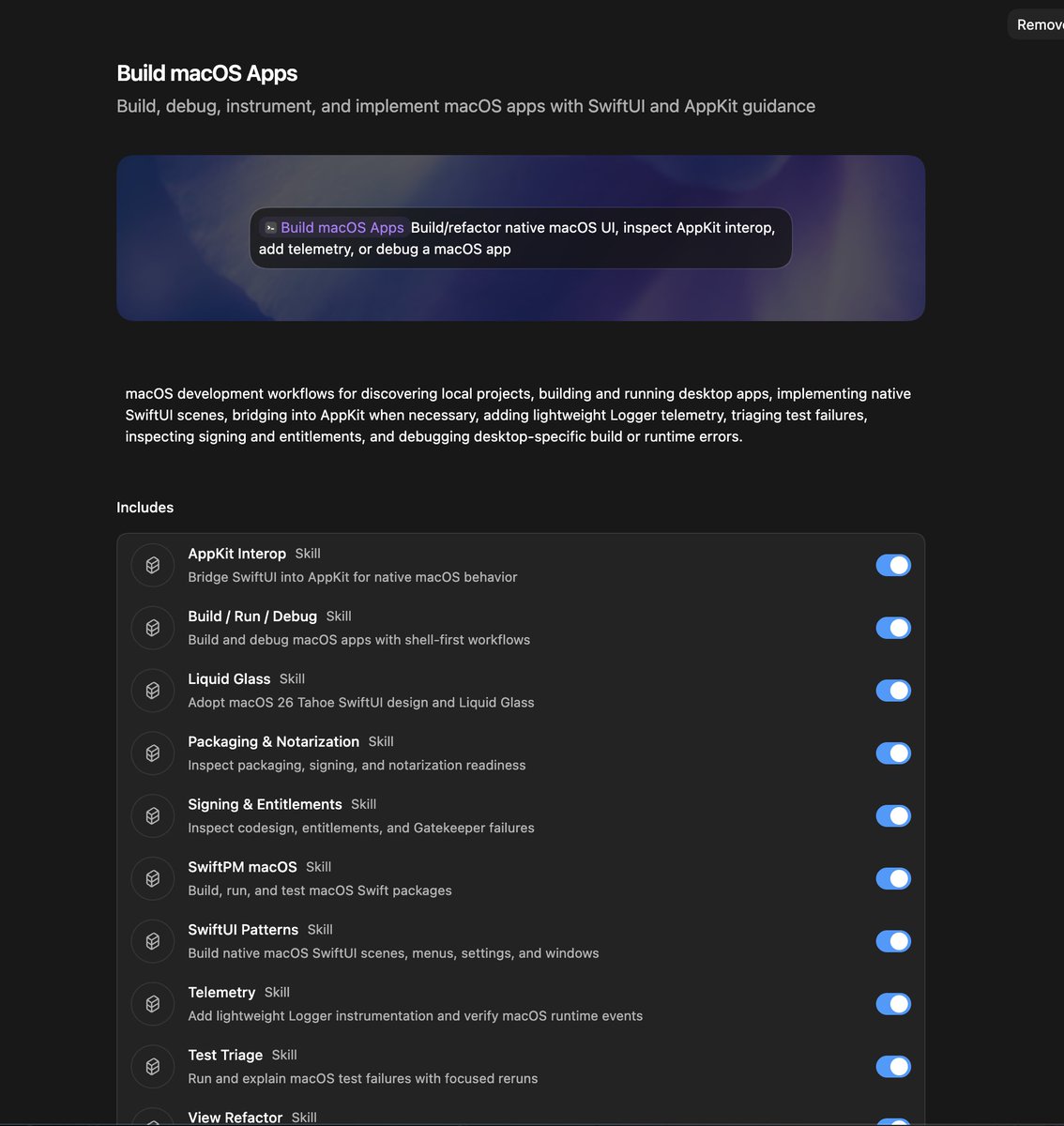
We just shipped a new Build macOS Apps plugin for Codex!
It bundles a bunch of skills to help you build great macOS apps, from the UI to the code refactoring and telemetry.
You can find it and install it within the Codex app.
English





Kevin Cao retweetledi

Wow, this tweet went very viral!
I wanted share a possibly slightly improved version of the tweet in an "idea file". The idea of the idea file is that in this era of LLM agents, there is less of a point/need of sharing the specific code/app, you just share the idea, then the other person's agent customizes & builds it for your specific needs.
So here's the idea in a gist format: gist.github.com/karpathy/442a6…
You can give this to your agent and it can build you your own LLM wiki and guide you on how to use it etc. It's intentionally kept a little bit abstract/vague because there are so many directions to take this in. And ofc, people can adjust the idea or contribute their own in the Discussion which is cool.
Andrej Karpathy@karpathy
LLM Knowledge Bases Something I'm finding very useful recently: using LLMs to build personal knowledge bases for various topics of research interest. In this way, a large fraction of my recent token throughput is going less into manipulating code, and more into manipulating knowledge (stored as markdown and images). The latest LLMs are quite good at it. So: Data ingest: I index source documents (articles, papers, repos, datasets, images, etc.) into a raw/ directory, then I use an LLM to incrementally "compile" a wiki, which is just a collection of .md files in a directory structure. The wiki includes summaries of all the data in raw/, backlinks, and then it categorizes data into concepts, writes articles for them, and links them all. To convert web articles into .md files I like to use the Obsidian Web Clipper extension, and then I also use a hotkey to download all the related images to local so that my LLM can easily reference them. IDE: I use Obsidian as the IDE "frontend" where I can view the raw data, the the compiled wiki, and the derived visualizations. Important to note that the LLM writes and maintains all of the data of the wiki, I rarely touch it directly. I've played with a few Obsidian plugins to render and view data in other ways (e.g. Marp for slides). Q&A: Where things get interesting is that once your wiki is big enough (e.g. mine on some recent research is ~100 articles and ~400K words), you can ask your LLM agent all kinds of complex questions against the wiki, and it will go off, research the answers, etc. I thought I had to reach for fancy RAG, but the LLM has been pretty good about auto-maintaining index files and brief summaries of all the documents and it reads all the important related data fairly easily at this ~small scale. Output: Instead of getting answers in text/terminal, I like to have it render markdown files for me, or slide shows (Marp format), or matplotlib images, all of which I then view again in Obsidian. You can imagine many other visual output formats depending on the query. Often, I end up "filing" the outputs back into the wiki to enhance it for further queries. So my own explorations and queries always "add up" in the knowledge base. Linting: I've run some LLM "health checks" over the wiki to e.g. find inconsistent data, impute missing data (with web searchers), find interesting connections for new article candidates, etc., to incrementally clean up the wiki and enhance its overall data integrity. The LLMs are quite good at suggesting further questions to ask and look into. Extra tools: I find myself developing additional tools to process the data, e.g. I vibe coded a small and naive search engine over the wiki, which I both use directly (in a web ui), but more often I want to hand it off to an LLM via CLI as a tool for larger queries. Further explorations: As the repo grows, the natural desire is to also think about synthetic data generation + finetuning to have your LLM "know" the data in its weights instead of just context windows. TLDR: raw data from a given number of sources is collected, then compiled by an LLM into a .md wiki, then operated on by various CLIs by the LLM to do Q&A and to incrementally enhance the wiki, and all of it viewable in Obsidian. You rarely ever write or edit the wiki manually, it's the domain of the LLM. I think there is room here for an incredible new product instead of a hacky collection of scripts.
English
Kevin Cao retweetledi

Not one, but six new Agent Skills! Early adopters improved Xcode build times by 78%.
github.com/AvdLee/Xcode-B…
After weeks of work, I launched my latest Agent Skill at Let’s Vision in Shanghai. Here’s how it works:
It runs 3 clean + 3 incremental builds
It analyzes build logs and project settings
It proposes an optimization plan
It applies improvements after you approve
It re-benchmarks and reports the improvement
All free → try it on your Xcode projects.
Let me know how it goes in the replies, and open a PR if you add your results to the README!
English
Kevin Cao retweetledi

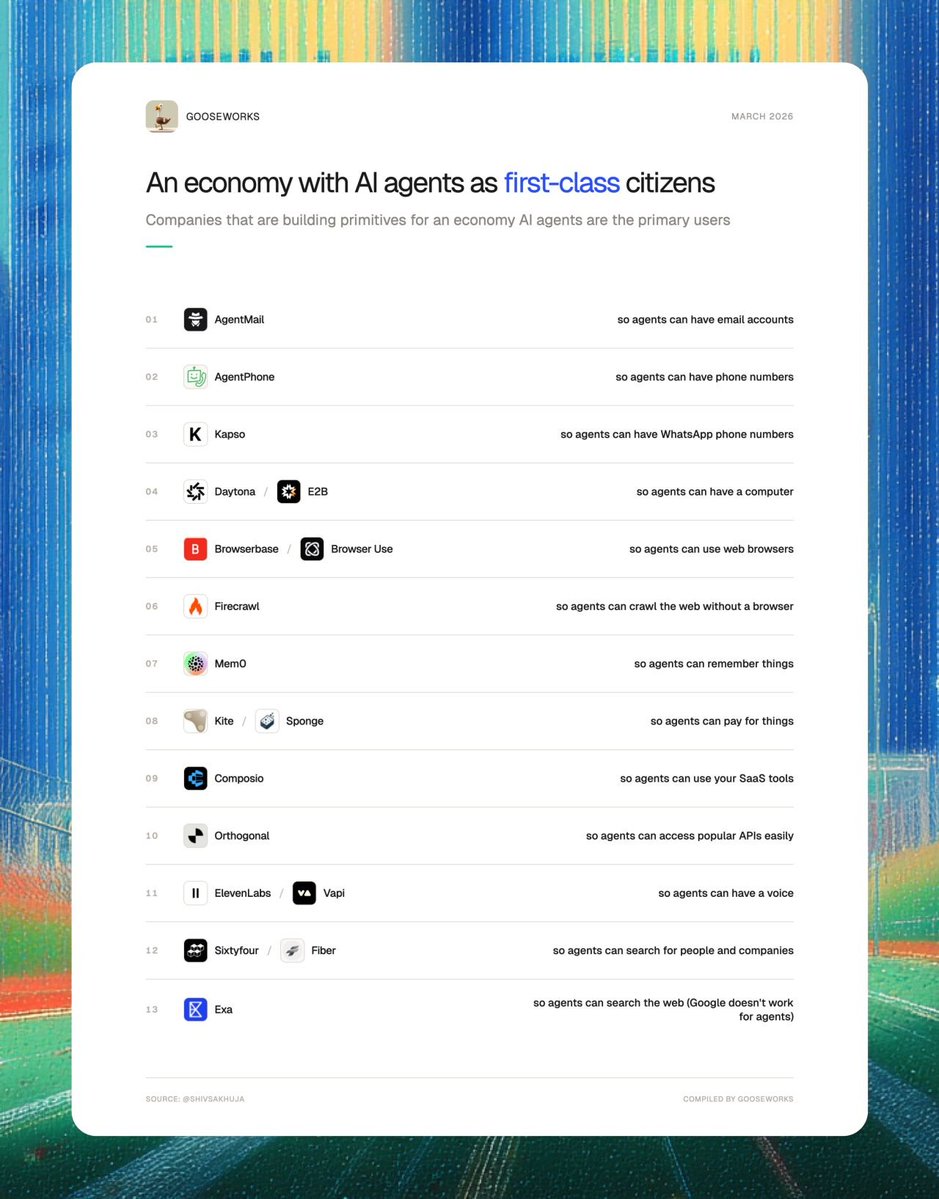
Lots of companies are now building primitives for an economy where AI agents are the primary users instead of humans.
They're betting on an economy of AI coworkers.
1. AgentMail (@agentmail): so agents can have email accounts
2. AgentPhone (@tryagentphone): so agents can have phone numbers
3. Kapso (@andresmatte): so agents can have WhatsApp phone numbers
4. Daytona (@daytonaio) / E2B (@e2b): so agents can have their own computers
5. Browserbase (@browserbase) / Browser Use (@browser_use) / Hyperbrowser (@hyperbrowser): so agents can use web browsers
6. Firecrawl (@firecrawl): so agents can crawl the web without a browser
7. Mem0 (@mem0ai): so agents can remember things
8. Kite (@GoKiteAI) / Sponge (@PayspongeLabs) : so agents can pay for things.
9. Composio (@composio): so agents can use your SaaS tools
10. Orthogonal (@orthogonal_sh) so agents can access APIs easily
11. ElevenLabs (@ElevenLabs) / Vapi (@Vapi_AI) so agents can have a voice
12. Sixtyfour (@sixtyfourai) so agents can search for people and companies.
13. Exa (@ExaAILabs): so agents can search the web (Google doesn’t work for agents)
If you stitch all of these together, you get a digital coworker that looks more human than AI.
English
Kevin Cao retweetledi

Kevin Cao retweetledi

Kevin Cao retweetledi
Kevin Cao retweetledi

I have been working on Obsidian Reader for a over a year. I didn't want to share it until I felt it was good enough. It's finally there.
Consistent formatting for any article. Outline, syntax highlighting, nice footnotes, adjustable typography.
Runs locally. Just rules, no AI.
English
Kevin Cao retweetledi

Kevin Cao retweetledi

Subagents are now available in Codex.
You can accelerate your workflow by spinning up specialized agents to:
• Keep your main context window clean
• Tackle different parts of a task in parallel
• Steer individual agents as work unfolds
English
Kevin Cao retweetledi
My iOS Agent Skills are packed with knowledge. I even include things you'd think an LLM already knows, like:
- "Use Observable instead of ObservableObject"
- "Use async/await instead of DispatchQueue"
You might think Agents know these things, but in my experience:
- They need strict guidance
- They still make rookie mistakes
- They get influenced by your code patterns, which often still use older APIs
Even though training data is there, my Agent Skills guide your agents toward better iOS development.
The risk of this approach is token usage. An inefficient skill will eat your context, leaving less room for the actual task.
That's why my skills are:
- Optimized for token usage
- Designed for Agents navigating through reference files
Code examples are intentionally minimal: just enough for an Agent to know what to do, nothing more.
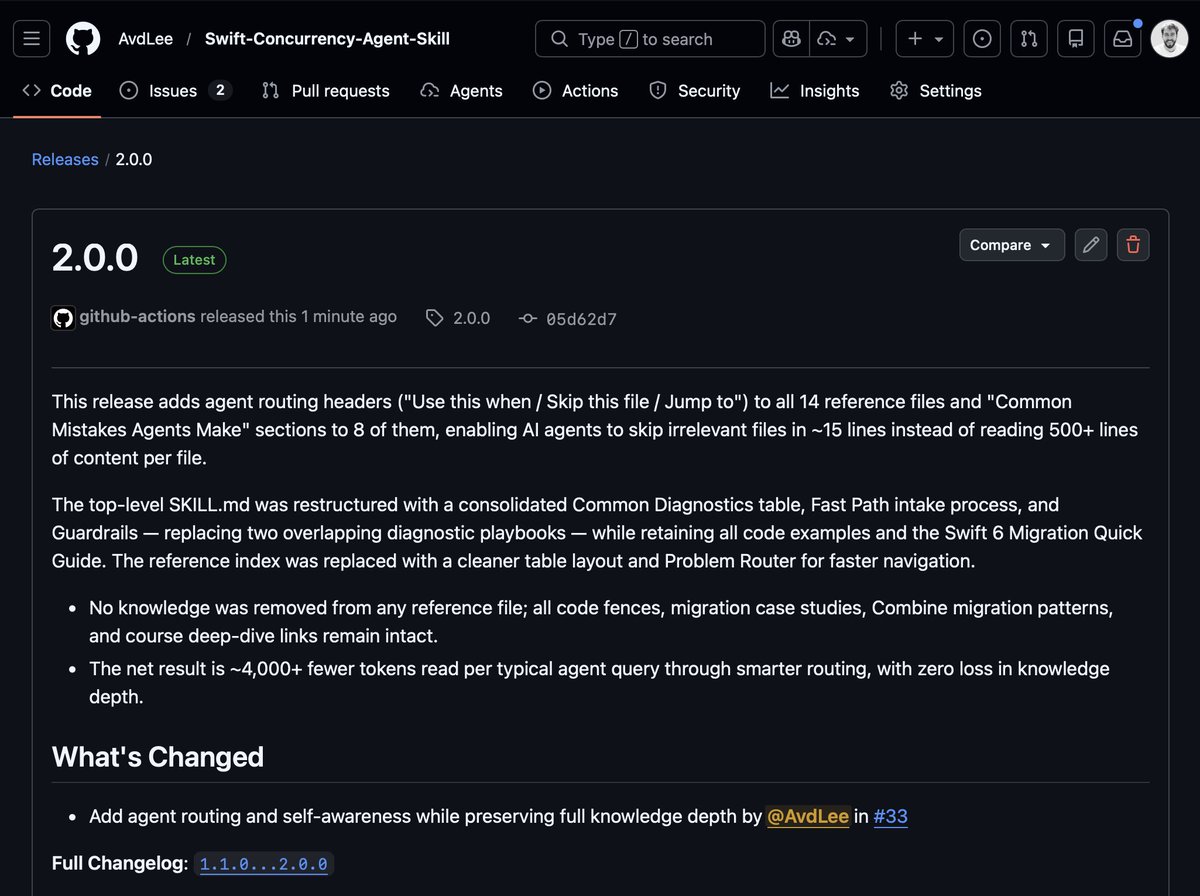
The latest release of my Concurrency Agent Skill saves ~4,000 tokens per query through smart routing, with zero loss in knowledge depth.
Quick install instructions below 🚀
What Agent Skills are you using for iOS development?
English
Kevin Cao retweetledi
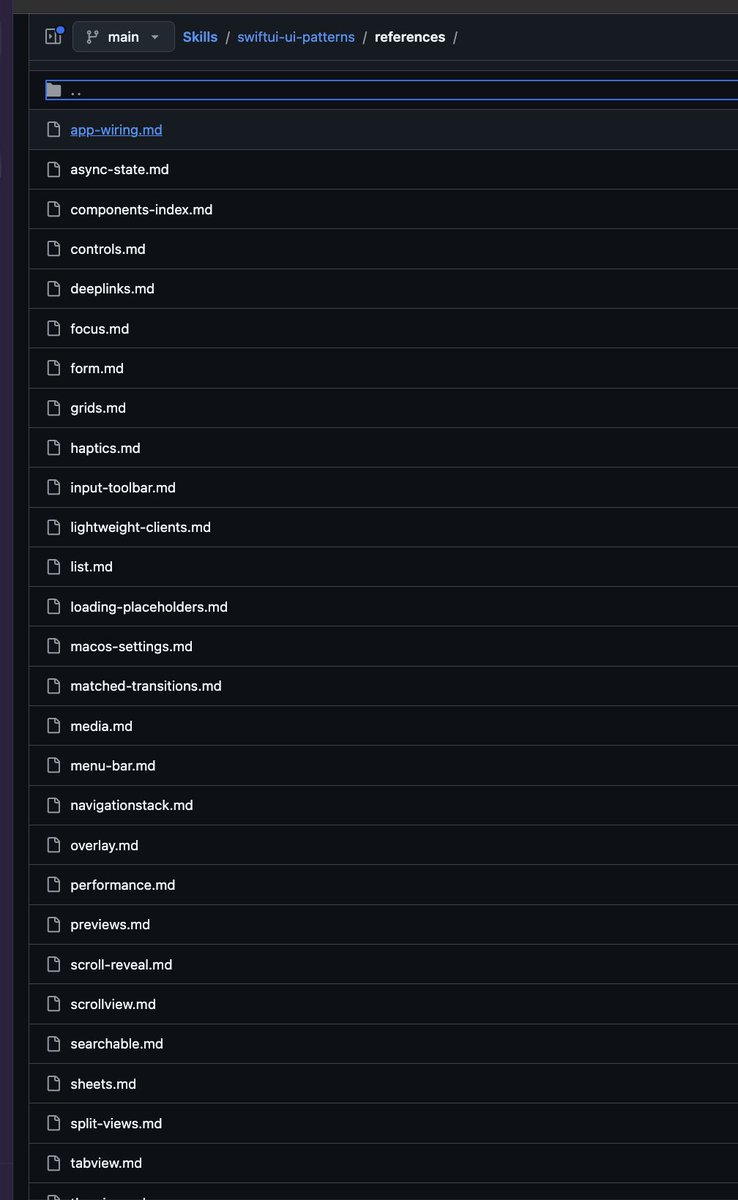
I've made quite a bit of improvements for my SwiftUI pattern agent skill, one of my favorite skill for working on SwiftUI apps.
It distills all the patterns I use, with many examples, so the agent can do clean SwiftUI!
github.com/Dimillian/Skil…
English
Kevin Cao retweetledi

how to set up live Chrome sessions:
1️⃣ open chrome://inspect/#remote-debugging
2️⃣ toggle it on
3️⃣ that's it. your agent can now see your tabs, cookies, logins — everything
uses Chrome DevTools MCP under the hood, no extensions needed
📖 developer.chrome.com/blog/chrome-de…
📖 #chrome-existing-session-via-mcp" target="_blank" rel="nofollow noopener">docs.openclaw.ai/tools/browser#…
English
Kevin Cao retweetledi

📂 SaaS
┃
┣ 📂 Idea
┃ ┣ 📂 Problem Discovery
┃ ┣ 📂 Market Research
┃ ┣ 📂 Niche Selection
┃ ┣ 📂 Competitor Analysis
┃ ┗ 📂 Opportunity Mapping
┃
┣ 📂 Validation
┃ ┣ 📂 Customer Interviews
┃ ┣ 📂 Landing Page Test
┃ ┣ 📂 Waitlist
┃ ┣ 📂 Pre Sales
┃ ┗ 📂 Demand Testing
┃
┣ 📂 Planning
┃ ┣ 📂 Product Roadmap
┃ ┣ 📂 Feature Prioritization
┃ ┣ 📂 MVP Scope
┃ ┣ 📂 Tech Stack
┃ ┗ 📂 Development Plan
┃
┣ 📂 Design
┃ ┣ 📂 Wireframes
┃ ┣ 📂 UI Design
┃ ┣ 📂 UX Flows
┃ ┣ 📂 Prototype
┃ ┗ 📂 Design System
┃
┣ 📂 Development
┃ ┣ 📂 Frontend
┃ ┣ 📂 Backend
┃ ┣ 📂 APIs
┃ ┣ 📂 Database
┃ ┣ 📂 Authentication
┃ ┗ 📂 Integrations
┃
┣ 📂 Infrastructure
┃ ┣ 📂 Cloud Hosting
┃ ┣ 📂 DevOps
┃ ┣ 📂 CI CD
┃ ┣ 📂 Monitoring
┃ ┗ 📂 Security
┃
┣ 📂 Testing
┃ ┣ 📂 Unit Testing
┃ ┣ 📂 Integration Testing
┃ ┣ 📂 Bug Fixing
┃ ┣ 📂 Performance Testing
┃ ┗ 📂 Beta Testing
┃
┣ 📂 Launch
┃ ┣ 📂 Landing Page
┃ ┣ 📂 Product Hunt
┃ ┣ 📂 Beta Users
┃ ┣ 📂 Early Adopters
┃ ┗ 📂 Public Release
┃
┣ 📂 Acquisition
┃ ┣ 📂 SEO Wins
┃ ┣ 📂 Content Marketing
┃ ┣ 📂 Social Media
┃ ┣ 📂 Cold Email
┃ ┣ 📂 Influencer Outreach
┃ ┗ 📂 Affiliate Marketing
┃
┣ 📂 Distribution
┃ ┣ 📂 Directories
┃ ┣ 📂 SaaS Marketplaces
┃ ┣ 📂 Communities
┃ ┣ 📂 Partnerships
┃ ┗ 📂 Integrations
┃
┣ 📂 Conversion
┃ ┣ 📂 Sales Funnel
┃ ┣ 📂 Free Trial
┃ ┣ 📂 Freemium Model
┃ ┣ 📂 Pricing Strategy
┃ ┗ 📂 Checkout Optimization
┃
┣ 📂 Revenue
┃ ┣ 📂 Subscriptions
┃ ┣ 📂 Upsells
┃ ┣ 📂 Add-ons
┃ ┣ 📂 Annual Plans
┃ ┗ 📂 Enterprise Deals
┃
┣ 📂 Analytics
┃ ┣ 📂 User Tracking
┃ ┣ 📂 Funnel Analysis
┃ ┣ 📂 Cohort Analysis
┃ ┣ 📂 KPI Dashboard
┃ ┗ 📂 A/B Testing
┃
┣ 📂 Retention
┃ ┣ 📂 User Onboarding
┃ ┣ 📂 Email Automation
┃ ┣ 📂 Customer Support
┃ ┣ 📂 Feature Adoption
┃ ┗ 📂 Churn Reduction
┃
┣ 📂 Growth
┃ ┣ 📂 Referral Programs
┃ ┣ 📂 Community Building
┃ ┣ 📂 Product Led Growth
┃ ┣ 📂 Viral Loops
┃ ┗ 📂 Expansion Strategy
┃
┗ 📂 Scaling
┣ 📂 Automation
┣ 📂 Hiring
┣ 📂 Systems
┣ 📂 Global Expansion
┗ 📂 Exit Strategy
English
Kevin Cao retweetledi
Kevin Cao retweetledi

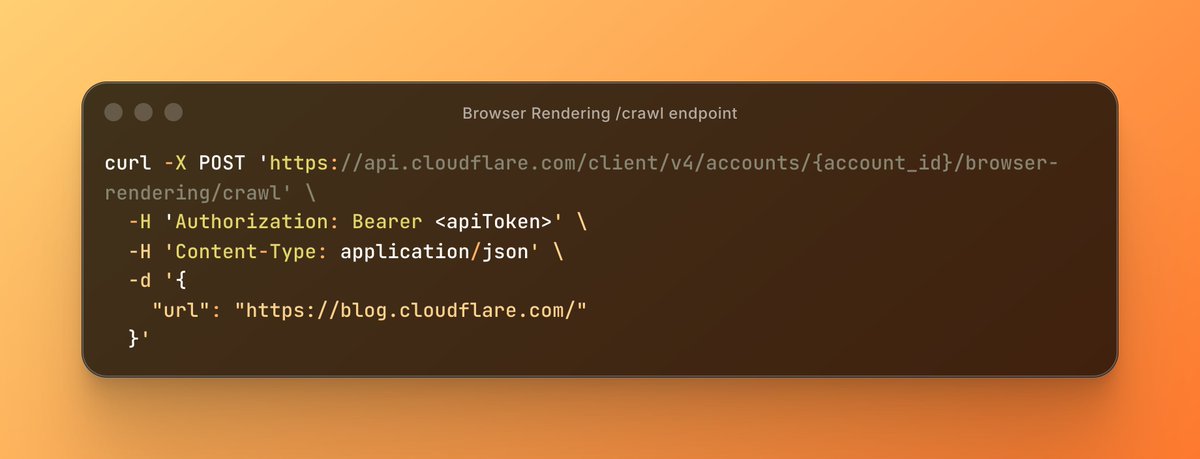
Introducing the new /crawl endpoint - one API call and an entire site crawled.
No scripts. No browser management. Just the content in HTML, Markdown, or JSON.
English