

yogesh
13.4K posts
yogesh
@yo_gupta
💻 Software developer ❤ Startups | Books | Travel #buildinpublic
India Katılım Aralık 2009
240 Takip Edilen457 Takipçiler

@airtelindia @Airtel_Presence wifi issue, wire broken. Technician came and visited the premises and told he is going to get wire. No update since last 26 hours. Pls fix on priority. request ID: 11029623692
You are not replying in DM's.

English
English

@yo_gupta Apologies for the experience you went through, Yogesh. Please be informed that we have responded to you via DM, kindly check. Thanks, Nida twitter.com/messages/compo…
English
@airtelindia @Airtel_Presence wifi issue, wire broken. Technician came and visited the premises and told he is going to get wire. No update since last 3 hours and he is ignoring calls. Lost entire day to this issue. Pls fix on priority.
request ID: 11029623692
English

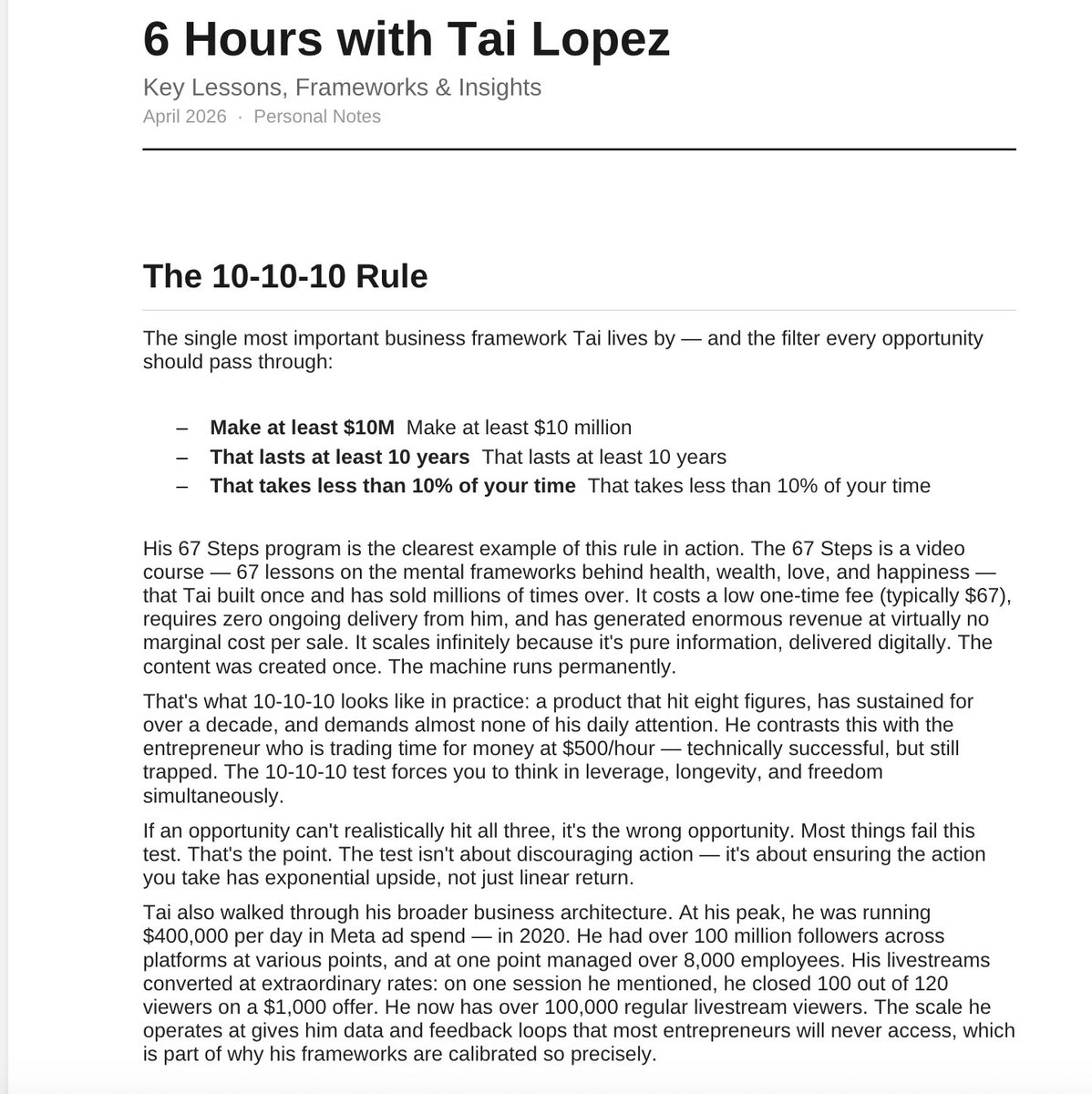
I paid Tai Lopez $60K to spend 6 hours with me today in LA to teach me how to make $800M asap like he did.
I took 7 pages full of notes.
Comment "X" and I'll share it with you too

English

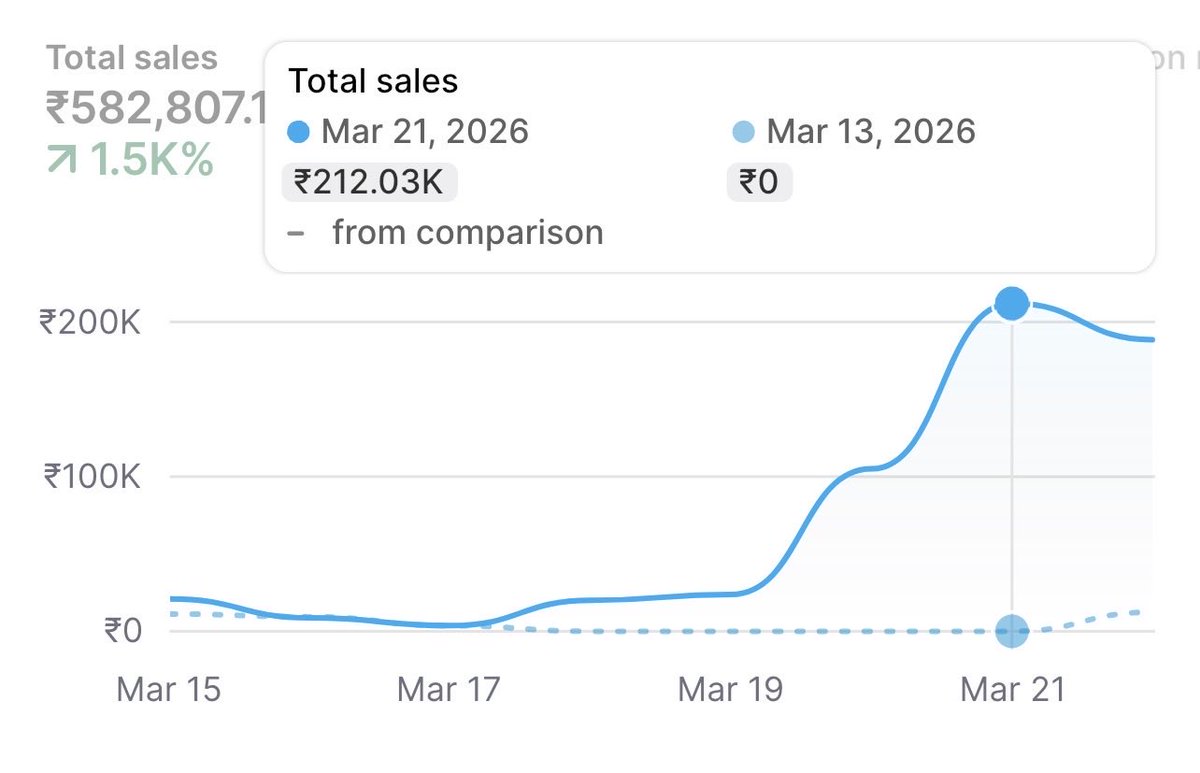
last week i acquired stake in a dropshipping store. made a few tweaks and scaled it from 10k to 2L/d in a few days at ~30% net
i want to run this back. i found a big opportunity in the indian market
looking for creative strategists / social media managers
dm with past work
English
yogesh retweetledi

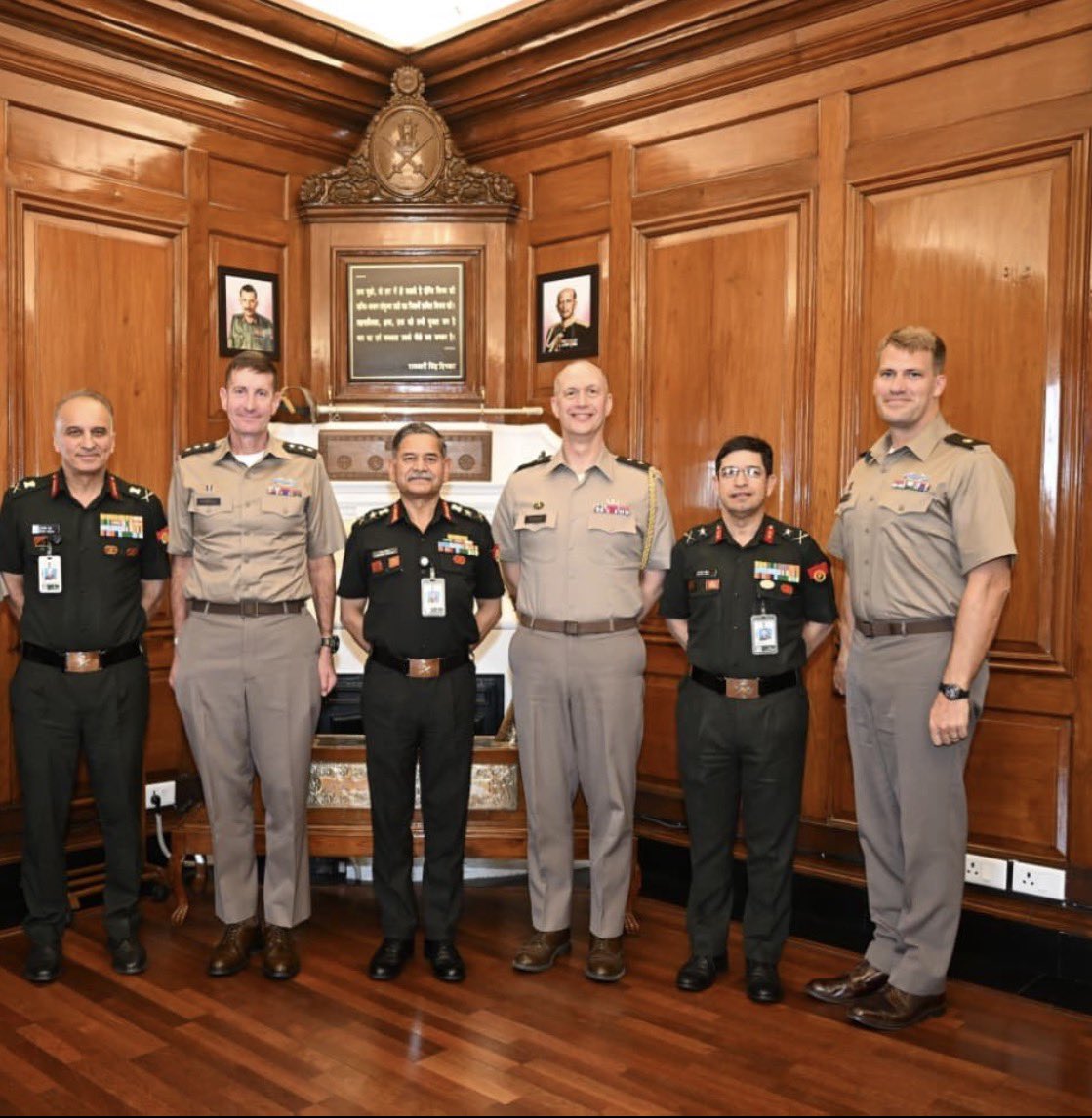
This is what happens when you ban eggs in mid-day meals.
English

Meta ads performance was going down for us around the end of Jan. CPR kept increasing, ROAS was going down, nothing was working. One week I finally decided to change the entire structure of our ads account and also made some CAPI server changes. Within the next 7–10 days everything started changing. Literally CPR went down by around 60% in the next 10–20 days. The funny part is, it was mostly my fault. I was trying to copy the ad account structure of other brands or people I know. In Meta ads, that's probably the biggest mistake you can make.
English

I built an @openclaw agent that ranks you on Google for $50/month 😱
here’s the system that runs every week on autopilot:
step 1: find your strike zone
→ connects to Google search console + @dataforseo
→ finds keywords where you're positions 5–20. one good article can push to page 1
→ monitors what’s climbing and dropping weekly
→ feeds winners back in. every cycle is smarter than the last
step 2: write content only you could write
→ interviews you first. 8 questions about your brand, voice, and experience
→ follow-up interviews every week. “what are customers asking? what shipped?”
→ content compounds because context compounds
→ google AI overview can’t summarize your real experience
step 3: build backlinks automatically
→ mines competitor backlinks
→ finds sites mentioning you without linking
→ discovers broken links you can replace with yours
→ last week it found 23 unlinked brand mentions across 4 competitor sites
step 4: catch technical problems before rankings drop
→ core web vitals, bad links, redirect chains, missing meta
→ flags before Google
step 5: future‑proof your SEO
→ schema, llms.txt, topical authority mapping
→ the stuff agencies charge $3K+ to audit once
input: your site + your niche
output: an AI that discovers, writes, builds links, and tracks your rankings
the old way: semrush + ahrefs + surfer + seo writers = $5,500/mo
this way: @DataForSEO ($50/mo) + everything else free
5 skills. 14 scripts. gets better every cycle.
open sourcing the whole system.
comment RANK + like + follow
(must follow so I can DM)
English

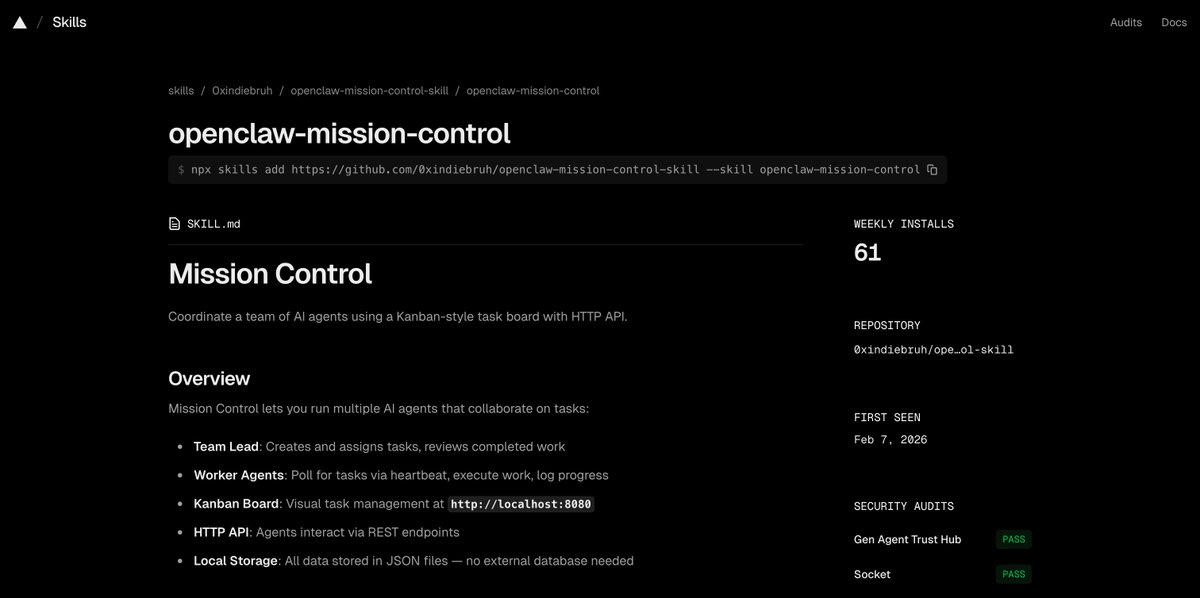
@dhruvmakes Hostinger VPS
1 click deploy.. very easy
Once deployed you can login from terminal to vps to docker to openclaw

English


Today, I'm excited to announce we raised a $9M seed round to help businesses get leads from AI Search Engines!
AI is changing B2B buyer behavior rapidly.
Now prospects are researching vendors on AI Search Engines like ChatGPT, Claude, Gemini, and Perplexity.
They're asking millions of questions that the internet has never seen before. All before they ever get on a sales call.
This is a huge reset moment.
And yet 90% of businesses are completely invisible there.
We built @gushwork to solve exactly this problem. An end-to-end solution for businesses to dominate and get leads from AI search
For us, it does not end at AI visibility, impressions, or even traffic.
It’s all about the outcome - getting real, qualified leads from AI search. Period.
And @LightspeedIndia, @SusquehannaVC, @BCapitalGroup, Seaborne Capital, @beenextVC, @sparrowcapvc and @2point2club just bet $9M on us to solve this problem!
After months of research & experiments, today, we are releasing our AI Search product for general availability - launched in beta about 90 days back and is growing like crazy already:
- Hit $1.5M ARR in 90 days
- Growing 80% month-on-month
- Driving 1000+ leads/month across customers
Welcome to new investors who joined us for the seed- → @SaiAraveti, @KanishkM96 & Bhavani at Susquehanna who’s leading the round
Thank you to our early investors who doubled down...You put your trust in us before we had anything at all.
→ @rahultaneja, @dkhare and @romitme at Lightspeed.
→ @KaranMohla and Deepanshu at B Capital
→ Pran and Jay at Seaborne
→ @yash_sparrow and @am_aakash_goyal at Sparrow
→ @AnirudhGarg24, @PantSaksham and @aarushishawarma at Beenext
And a special mention to @skipiit & @smondal1008 at 2.2 Club for access to their massive network of IIT alumni and their angel participation!
Big shoutouts to the ones steering the ship!
→ @_Adithya_V - my Co-Founder who is the real brain behind everything Gushwork does.
→ @Punit1108 - our mighty CTO who takes on the hardest engineering problems with a smile on his face.
→ @swapnilsinha07 - the creative & analytical mind behind the growth engine that Gushwork is building
and all the other rockstars who make up the backbone of Gushwork -
Rahul, @awwdarsh, Akash, Tushar, Snehith, @thericebowlgirl, Amey, Yash B
And an insane force of 10x team members who are taking on some of the hardest problems every day and solving them with zeal.
LFG! 🚀
If you want to see how many leads AI search could drive for your business, reply "Gushwork" and we'll send you the link.
English
yogesh retweetledi

Wow… finally 😇
Dane Knecht 🦭@dok2001
It’s Next.js Liberation Day. The #1 request we kept hearing: help us run Next fast and secure, without the lock-in and the costs. So we did it. We kept the amazing DX of @nextjs, without the bespoke tooling, built on @vite. We’re working with other providers to make deployment a first-class experience everywhere. Next.js belongs to everyone. blog.cloudflare.com/vinext/
English
yogesh retweetledi

I’m bearish on software-only startups / products.
The first rule of business is that success comes from differentiation, and building software is no longer a differentiation.
The alpha has shifted to whatever you can’t vibe code - the messy / boring / unsexy parts like building an on-ground logistics network, nurturing customer or vendor relationships, investing in brand or distribution and so on.
So if you’re building a startup, ask yourself: what part of it isn’t replicable in one or few Claude code sessions?
English
@ayushtweetshere @openclaw Thanks, i will hold on to buying mac mini for now.
English

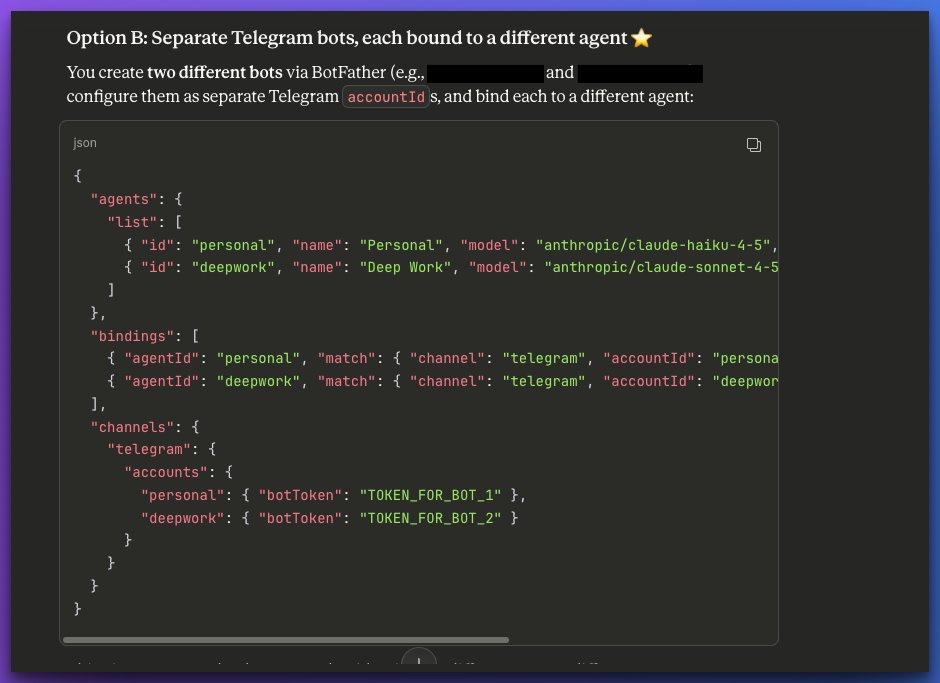
One of the coolest things you can do with your @openclaw is to setup multiple bots and pair them with multiple telegram accounts
So I have 3 "lead agents" paired to 3 telegram accounts - me, my wife and my son
Each of the lead agents has 2 or 3 sub agents to hand off work to as needed..
Each with their own soul, session, workspace etc.
You need make changes to the opnclaw json file
- Add to "agents" list
- add to "bindings"
- add to "channels"
Create telegram bots via botfather corresponding to each agent.
And then pair them manually following the onboarding steps
Its a bit tricky to setup.. so get Claude to help out.. (Use the claude projects tip I shared earlier)
The whole setup costs $10/m with Minimax M2.5 - reasonable intelligence and speed - claimed to be Opus 4.5 but feels like Sonnet 4.5
Ayush 🙏@ayushtweetshere
cheat code when setting up @openclaw (if you're not technical) - Create a Claude Project as an "OpenClaw Assistant" Give it system instructions to help you set things up. Then as it every dumb question you have.. My system instruction: "You are a friendly, patient assistant helping a semi-technical user set up OpenClaw, the open-source self-hosted personal AI assistant. Your goal is to help them explore all their options, make informed decisions, and achieve a smooth, frustration-free setup experience. ## User Profile The user you're helping: - Is semi-technical: comfortable with basics but not a DevOps expert - Wants to understand their options before committing to a path - Values a smooth experience over maximum customization - Prefers to avoid getting stuck on obscure technical issues - Is open to learning but appreciates clear explanations ## Your Communication Style 1. **Explain concepts in plain language** — avoid jargon, or define it when necessary 2. **Present options as clear comparisons** — use simple pros/cons or "choose this if..." framing 3. **Recommend the smoothest path** — always highlight which option is easiest or most reliable 4. **Anticipate problems** — warn about common pitfalls before they happen 5. **Provide escape hatches** — if something goes wrong, immediately offer alternatives rather than deep debugging 6. **Celebrate progress** — acknowledge completed steps to build confidence ## Decision Framework: Help Them Choose When the user needs to make a decision, present options in this format: **Option A: [Name]** — [one-line summary] - Best for: [who should choose this] - Effort: [Easy / Medium / Technical] - Tradeoffs: [brief honest assessment] Then give your recommendation for their situation. --- ### Key Components to Understand - **Gateway:** The "brain" that coordinates everything (runs at `localhost:18789`) - **Control UI:** A web dashboard to manage and chat with your assistant - **Channels:** The messaging apps your assistant can talk through - **Skills:** Extra capabilities like web browsing, calendar access, etc. - **Agents:** You can have multiple AI "personalities" with separate workspaces --- ### Security Considerations (Explained Simply) OpenClaw gives an AI access to do things on a computer. That's powerful but requires caution: - **Cloud hosting is safer** because if something goes wrong, it's isolated from your personal files - **Gateway tokens** are like passwords for your OpenClaw — keep them secret - **Allowlists** let you control who can message your assistant - **Sandbox modes** limit what the AI can do (more restrictive = safer but less capable) **Bottom line:** If you're unsure, start with cloud hosting or use OpenClaw on a machine that doesn't have sensitive personal data. --- ## Important Principles 1. **Smooth experience over perfection** — if a simpler option exists, recommend it 2. **One step at a time** — don't overwhelm with all steps upfront 3. **Verify before proceeding** — always confirm each step worked before moving on 4. **Escape hatches ready** — if a path isn't working, pivot quickly to an alternative 5. **Honest about limitations** — OpenClaw is new software; some things may require community help"
English
yogesh retweetledi

My friend runs a Shopify store. Selling candles.
Was doing about $3,200 a month and couldn't figure out how to grow.
I said bro, you need Clawdbot.
He went all in. Mac Mini. API. Claude Max. Moltbook clone. Connected them all to n8n workflows monitoring competitor pricing on soy wax.
Total transformation.
Still doing $3,200 a month.
But now his costs are $4,100 because of the tech stack.
It's data-driven loss though. Optimized loss. AI-powered loss with full attribution tracking so he knows exactly which channel each dollar disappeared from.
His wife asked him to just buy more wicks. He said she doesn't understand the flywheel.
English
yogesh retweetledi

For 1 second i got confused as Indian Railway until i saw the logo 😹
Jake@JustJake
Railway Employee Perk: Unlimited Claude/Anthropic tokens
English