0xRiim@0xRiim
Just cooked my first strategy on @almanak: the WETH/USDC meal.
reading project’s docs is great, but the best way to truly understand and assess a project is by using their product yourself.
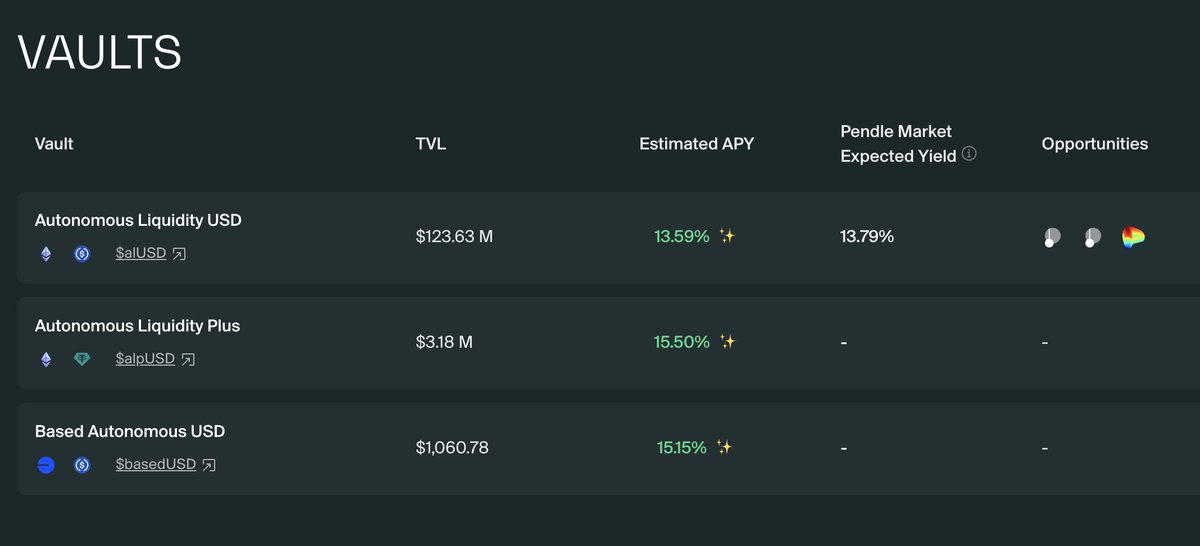
on Almanak, simply depositing USDC/USDT into the vaults is not enough. Deploying a strategy using the AI swarm is the real skin in the game.
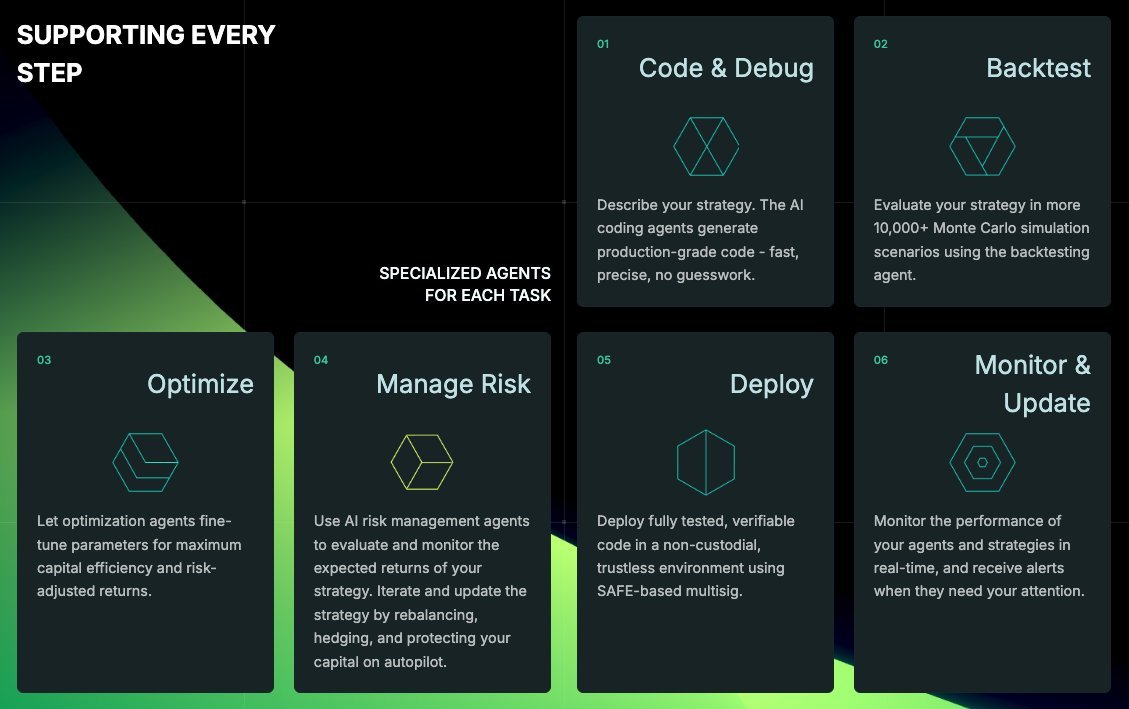
by doing so, you get to observe the agents at work - how they communicate, complement one another, and give you a direct sense of how the deposit vaults were deployed in the first place.
meanwhile, a lot has changed since my initial attempts to deploy a strategy:
• kitchen is now called Strategy Builder
• YOLO mode is now Non-Interactive mode
• whitelisted users now have access to both Technical Analysis and LP deployment
how to build and deploy your strategy
1. build your prompt
your prompt is a set of instructions describing the type of strategy you want. This guides the strategy team in generating the final strategy.
there’s already a prompt template, so all you need to do is fill in the widgets with the required details and the system automatically generates the full prompt, ez.
(users with higher permissions can create fully custom prompts.)
2. create strategy: Builder Console
when you click ‘create strategy’, the Builder Console opens. It has two sections:
• terminal
displays outputs from the agents as they work
you can also provide additional input or commands when requested here.
• canvas
shows the flow of team of agents, their tabs, and the results of their interactions.
I had 8 agents working on my strategy, and it cost 137 credits.
note: this is the creation layer, so credits are required.
once strategy state shows ‘completed’, hit ‘Deloy on-chain’.
3. deploy on-chain (execution Layer)
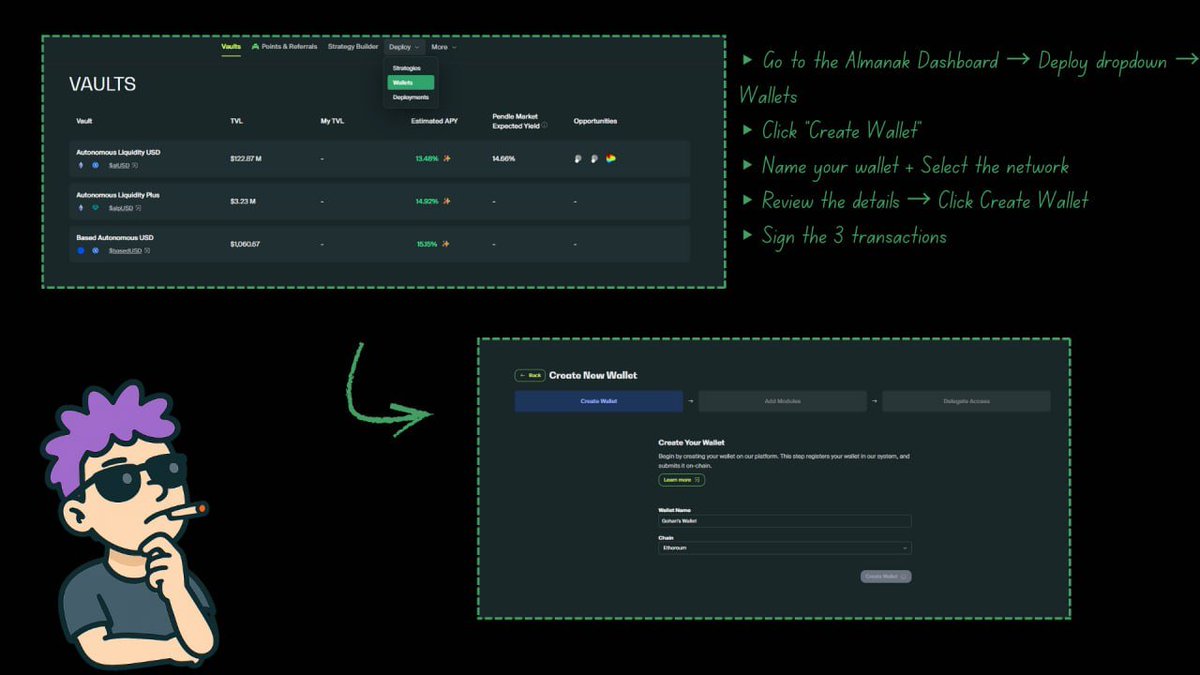
this phase walks you through several steps before your strategy goes live.
key highlights:
• add any extra instructions under ‘Configure Strategy’ (I used the default settings).
• create your Safe wallet and add security modules.
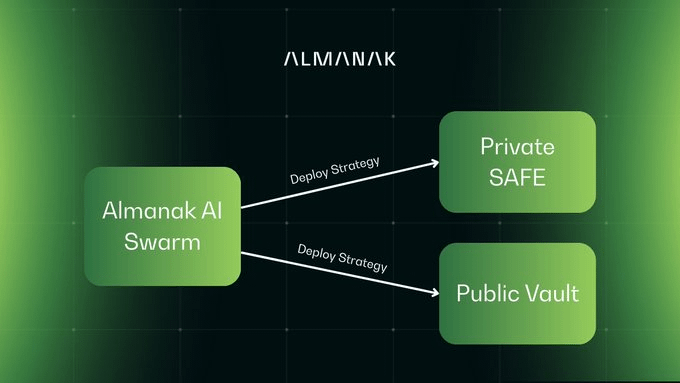
• grant the almanak agent permission to execute automated strategies on your behalf.
• fund your new wallet for both gas and strategy liquidity.
• final review, then hit DEPLOY.
4. strategy dashboard
once deployed, your strategy dashboard becomes available.
you can monitor everything here, it’s clear, comprehensive, and transparent.
I’ll be tracking my strategy’s performance over the next few days and ofc share the results.