
Ganesh
566 posts

Ganesh
@EquityCraze
Swing Trader and Pine coding enthusiast


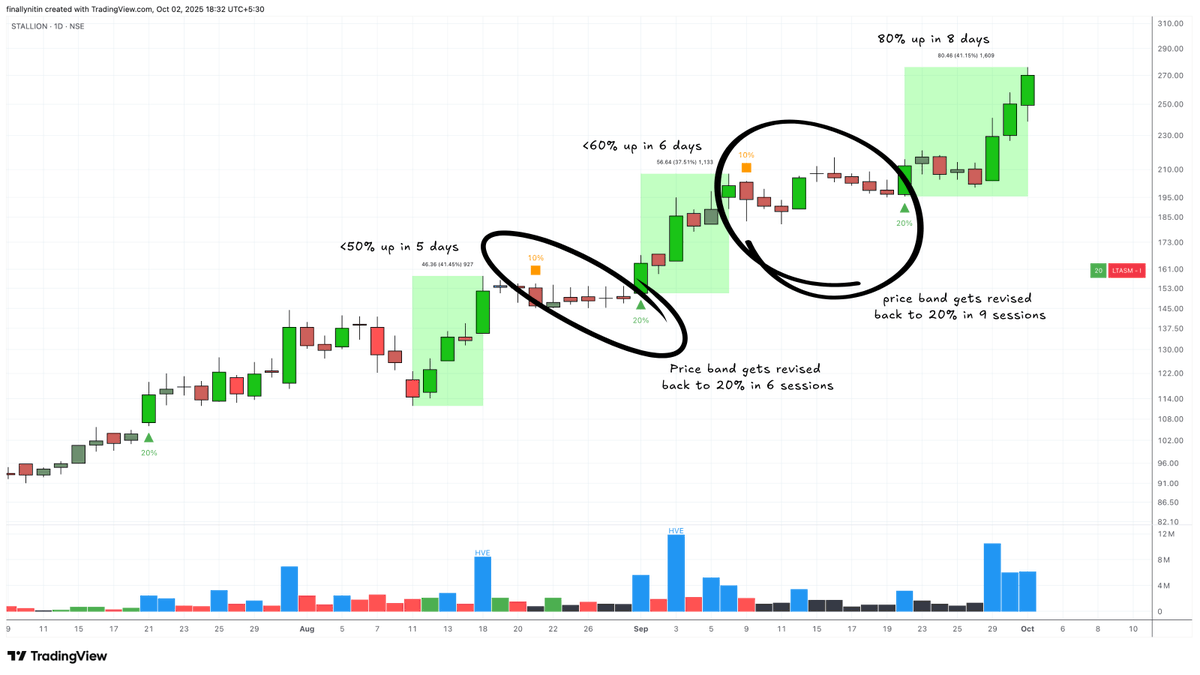
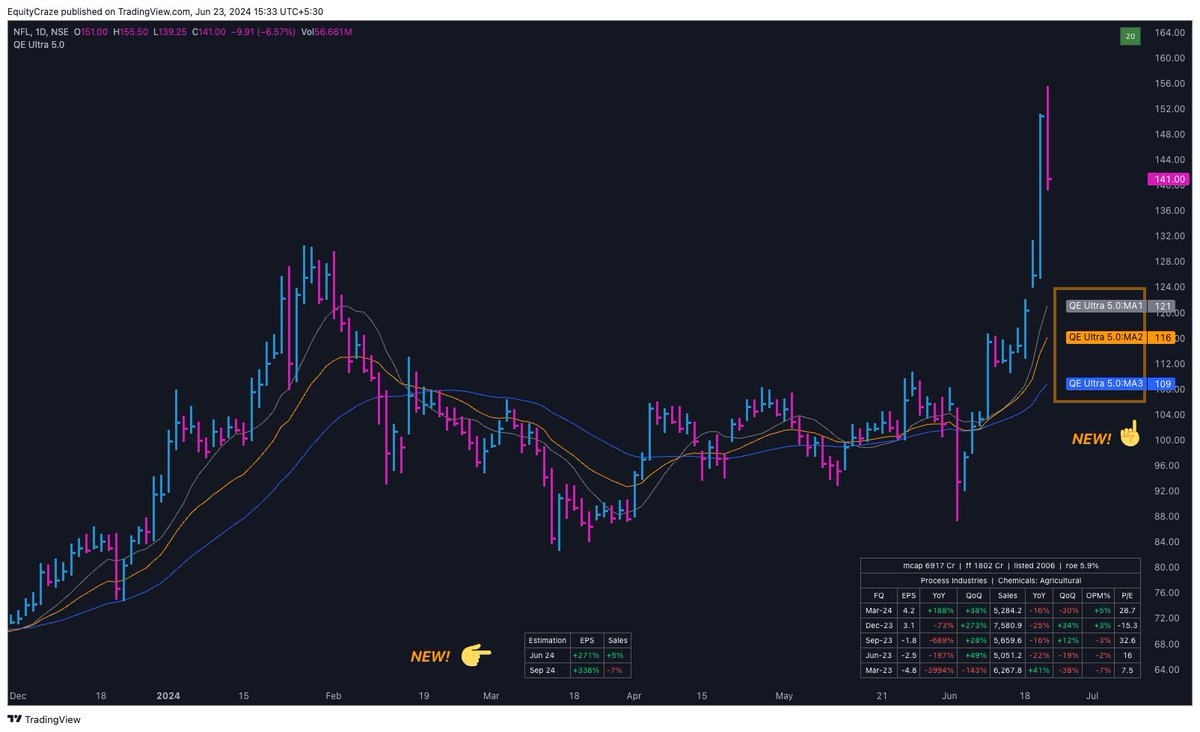
🚨 Updates in QE Ultra Indicator! 🚨 New Release: ‣ Added 2 more MA's (total 5 MA's can be plotted in all timeframes except weekly timeframe) ‣ MA's to be visible in Index charts ‣ Empty line in QE Pro Header for better visibility ‣ Beautified QE Pro Headers ‣ 3 Additional Moving Averages for plotting only in Weekly timeframe ‣ Three different ways to show the past Price Band revisions ‣ Upper and Lower circuit values visible in Status line ‣ Bug fixes 🛒 Subscribe here: #subscription" target="_blank" rel="nofollow noopener">equitycraze.com/posts/qe-ultra…
Previous Releases: ‣ Price band for NSE EQ series ‣ Earnings mentioned in number of days left for the next release ‣ ASM and GSM status 🚦 ‣ Quarterly Earnings Pro Table ‣ Dark mode option 🌙 ‣ Easy Earnings Comparison Table ‣ Price bands table in Intraday charts ‣ Options to add three different Moving Averages To get the latest updates in your charts, follow these steps: 1. Remove Indicator ❌ 2. Save Chart Layout 💾 3. Refresh the Tab 🔄 4. Add QE Ultra Indicator ➕ You should see QE Ultra 6.0 Version to be added in your charts Best Regards from us @finallynitin #QEUltra #TradingView #Indicator


@thechartist26 Bhaii ji ye FnO right corner Trading view custom koi indicator h?


🚨 Updates in QE Ultra Indicator! 🚨 New Release: ‣ Added 2 more MA's (total 5 MA's can be plotted in all timeframes except weekly timeframe) ‣ MA's to be visible in Index charts ‣ Empty line in QE Pro Header for better visibility ‣ Beautified QE Pro Headers ‣ 3 Additional Moving Averages for plotting only in Weekly timeframe ‣ Three different ways to show the past Price Band revisions ‣ Upper and Lower circuit values visible in Status line ‣ Bug fixes 🛒 Subscribe here: #subscription" target="_blank" rel="nofollow noopener">equitycraze.com/posts/qe-ultra…
Previous Releases: ‣ Price band for NSE EQ series ‣ Earnings mentioned in number of days left for the next release ‣ ASM and GSM status 🚦 ‣ Quarterly Earnings Pro Table ‣ Dark mode option 🌙 ‣ Easy Earnings Comparison Table ‣ Price bands table in Intraday charts ‣ Options to add three different Moving Averages To get the latest updates in your charts, follow these steps: 1. Remove Indicator ❌ 2. Save Chart Layout 💾 3. Refresh the Tab 🔄 4. Add QE Ultra Indicator ➕ You should see QE Ultra 6.0 Version to be added in your charts Best Regards from us @finallynitin #QEUltra #TradingView #Indicator