@TeamYouTube Your link doesn’t help me. I have entered the URL of the video I am trying to claim in many different variations and still no luck. Can you guys please help sort this out?
@JohnnyYono Hi there. You can use the Releases tab in YouTube Studio to request the removal of incorrect releases or add a missing release to your Official Artist Channel. More info here: goo.gle/47wi5xB If it's something else, let us know
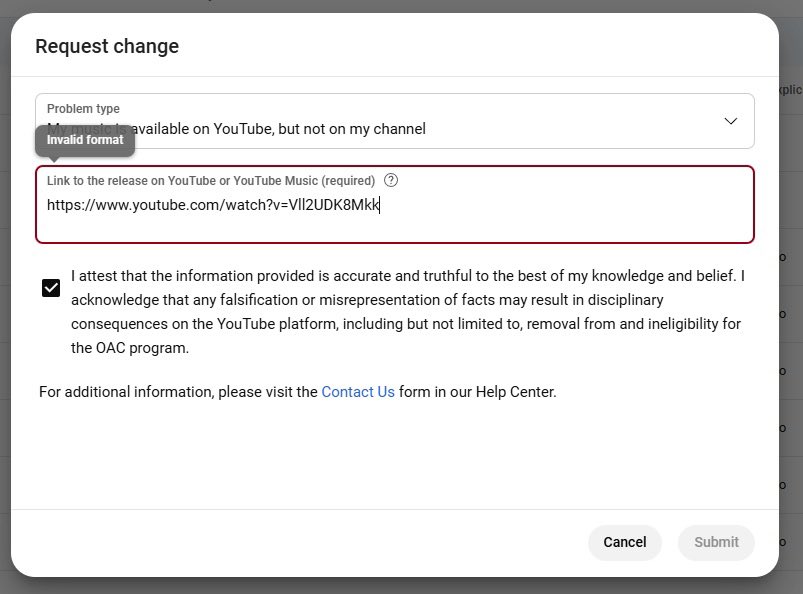
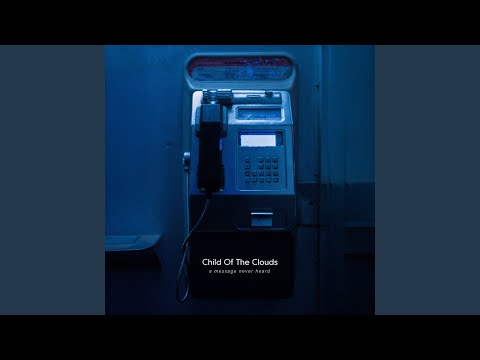
@TeamYouTube Hey guys. Can you please help me claim a Topic music video for my latest release? The URL I am pasting in the Request change field is saying invalid. The video is here: youtu.be/LdpUcWyb0Tc?si…
My OAC is: @childofthecloudsmusic?si=QnE6b0KwiwBq-eJs" target="_blank" rel="nofollow noopener">youtube.com/@childoftheclo…
@TeamYouTube I already tried that as I stated and the URL is saying invalid format. Could you guys merge this for me to my OAC? You’ve done it for me in the past. Would greatly appreciate it 🙏🏻
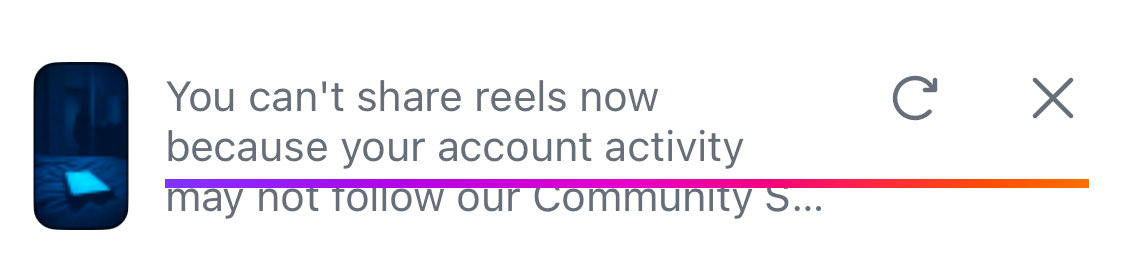
@InstagramComms Guys I am still waiting for someone to address this issue. I have zero restrictions on my account and it’s not allowing me to post a reel.
@InstagramComms Hey guys. I need some help with a reel that I have tried to post on Instagram. I am not sure why I am not able to post all the sudden as I have never encountered this issue in the past. Please see screenshot
@TeamYouTube Hey guys. Can you please help me claim a video on my OAC? I went through the link you provided but the link to the Topic video for my song is reading ‘Invalid format’ for some reason. I can provide the URL here for you.
Any help is appreciated. Thanks
@JohnnyYono We know this is important for you. As a next step, submit a feedback report to help our teams investigate, steps here: goo.gle/456i9Ek. The more info you include, such as screenshots and logs, the better!
@TeamYouTube Can I just paste the URL of the video here and you guys handle it for me? I’m sure it’s a quick fix as this is causing issues for some strange reason
@JohnnyYono Sorry to hear this! If you haven't yet, you can give these steps a try:
1. Clear your cache & cookies
2. Restart your device
3. Try copying the video URL directly from the address bar before pasting it into the form
Let us know how it goes
@TeamYouTube This is an auto-generated tweet. I just told you I followed these steps and it was reading ‘Invalid format’ when entering the URL of the video
@JohnnyYono Thanks for the info. Make sure that you follow the steps from the resource we previously shared & ensure that all the details you need to enter are correct. Learn more here: goo.gle/4oiHEJV
@TeamYouTube My browser is on the latest update. An earlier reply to my tweet regarding the same issue but for a different video, was someone on your end asking for the YRL to the video so that they could do this for me. May I provide that here for you? Seems like a simple fix
@JohnnyYono Hey there, appreciate the info! If you have a release that is missing from your OAC, but available elsewhere on YouTube, you can add it from your Release tab in Studio. Check out this resource to learn how: goo.gle/3UIs6BA