It's dan 2

346 posts

It's dan 2 banner
It's dan 2

It's dan 2

@Itsdanagain2

Still learning. Still building. One step closer to the life I'm creating. Alt for @Itsmedan000. Main is temporarily restricted. Documenting my journey here.

Katılım Ocak 2015
2.2K Takip Edilen1.2K Takipçiler
Sabitlenmiş Tweet
It's dan 2
It's dan 2@Itsdanagain2·
Dear future me, I hope you're proud that I kept showing up even when I had doubts. That I chose consistency over excuses, curiosity over fear, and growth over comfort. Today I'm still learning, making mistakes, and building in public, but I never stopped moving forward. Here's to the version of me that refused to quit. 🚀💙
It's dan 2 tweet media
shalini@ShalsX

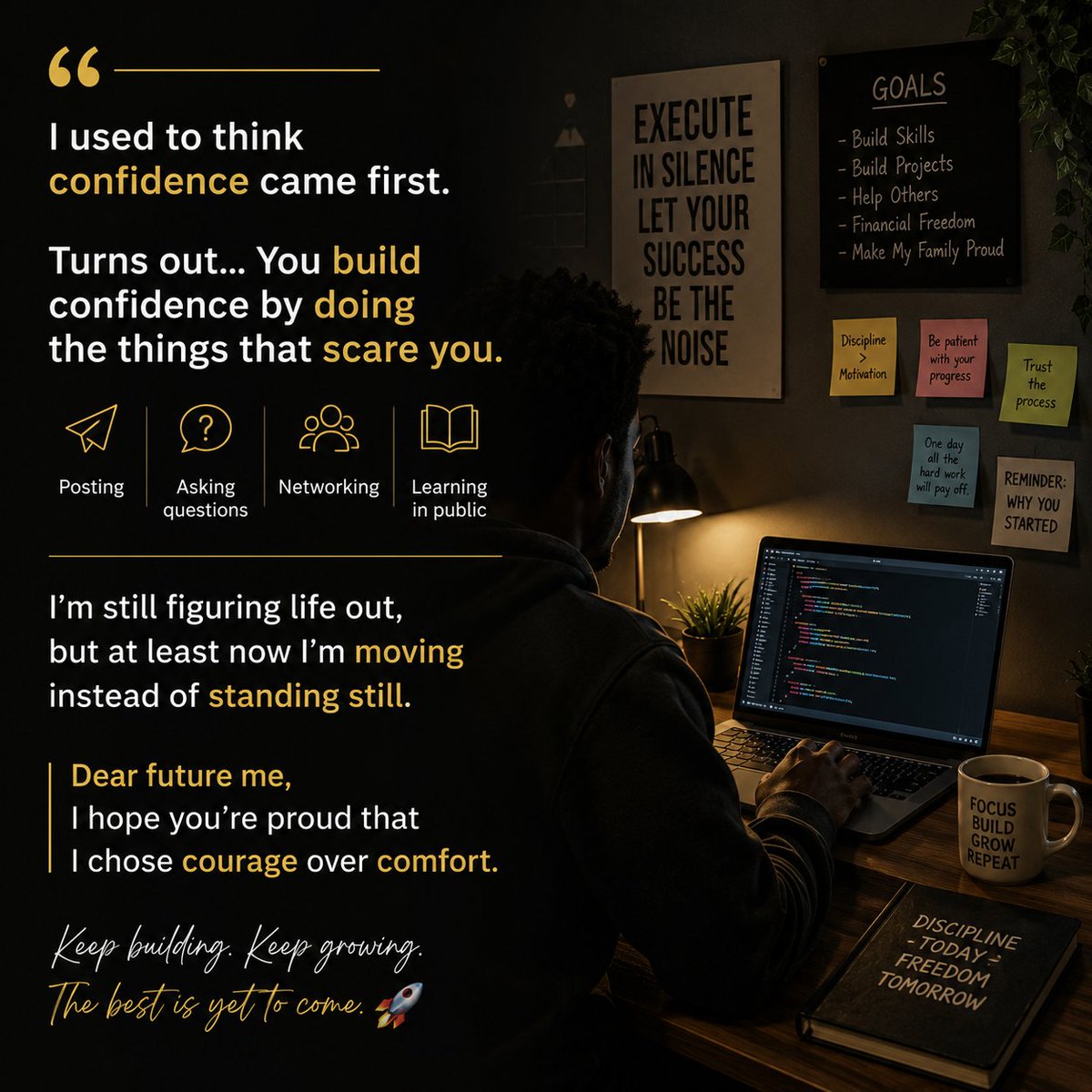
I used to think confidence came first. Turns out... You build confidence by doing the things that scare you. Posting. Asking questions. Networking. Learning in public. I'm still figuring life out, but at least now I'm moving instead of standing still. Dear future me, I hope you're proud that I chose courage over comfort. 🚀

English
2
2
20
511
It's dan 2
It's dan 2@Itsdanagain2·
@KostantsaV Beautifully said. Every new month is a reminder that progress doesn't have to be perfect,it just has to continue. Here's to showing up, staying consistent, and becoming a little better each day. Happy August!💙
English
1
0
1
10
Kosta🌱
Kosta🌱@KostantsaV·
August is here. ☀️🇬🇷 A new month. A fresh sunrise. Another chance to become the person you’ve been working toward. Life won’t always give us calm seas. Some days bring storms, detours, and lessons we never asked for. But every sunrise is a quiet reminder that we get to begin again. So carry gratitude. Choose kindness. Protect your peace. Keep building, even when no one is watching. The best chapters are often written after the hardest pages. Here’s to a month filled with courage, growth, unforgettable memories, and moments that remind us how beautiful life can be. Happy August, everyone. May this be the month you surprise yourself. 🌱💙
Kosta🌱 tweet media
English
29
5
56
486
It's dan 2
It's dan 2@Itsdanagain2·
@KostantsaV Beautiful reminder. We don't have to be the loudest to make an impact. Showing up with purpose and protecting your peace is already a win. Wishing you a legendary day too.
English
1
0
1
11
Kosta🌱
Kosta🌱@KostantsaV·
Good morning. ☀️🐉 Every sunrise is a reminder that even the mightiest strength is found in peace, not noise. Like the dragon greeting the dawn, choose today to rise with purpose, protect your peace, and let your light speak louder than your words. Whatever yesterday tried to take from you, leave it with the night. Today is another chance to write a better story. Wishing everyone a day filled with courage, gratitude, and unexpected moments of magic. GM. Make today legendary. ✨🌅
English
12
0
23
333
It's dan 2 retweetledi
It's dan 2
It's dan 2@Itsdanagain2·
🚀 Day 16 — My Journey to Becoming a Frontend Software Developer Another day of learning, another step closer to becoming the frontend developer I aspire to be. Today, I learned about one of the most important parts of software development: Testing. Testing is important because it helps us find bugs, confirm that our code works correctly, and make sure that changes we make to our code don't break existing features. Today's lesson introduced me to different types of testing, test cases, test suites, testing frameworks, mocks, spies, integration tests, and hooks. 📚 What I Learned Today 🔹 1. Manual and Automated Tests I learned the difference between manual testing and automated testing. Manual testing involves checking our software ourselves to see if everything works as expected. Automated testing uses code to automatically test our code and check if it produces the expected results. Automated testing is useful because it allows us to run tests quickly and repeatedly, especially when working on larger projects. 🔹 2. Test Cases and Test Suites I learned that a test case is an individual test that checks whether a specific part of our code works correctly. A test suite is a collection of related test cases that are grouped together. This makes it easier to organize our tests and check different parts of an application. 🔹 3. Testing Frameworks I learned that a testing framework is a tool that makes it easier to write and run automated tests. Instead of creating everything from scratch, testing frameworks provide useful features and tools that help developers test their code more efficiently. 🔹 4. Mocks and Spies I learned about mocks and spies and how they can be used when testing code. A mock can imitate something that our code depends on, while a spy allows us to monitor a method or function and check how it was used. For example, I learned how to spy on "localStorage.setItem()" to check whether it was called and what values were passed to it. 🔹 5. Testing Web Pages with Integration Tests I learned about integration testing, which allows us to test how different parts of an application work together. Instead of testing only one small function, integration tests can check whether multiple parts of a web page or application work correctly together. This is useful for testing real-world features and interactions. 🔹 6. Hooks I learned about testing hooks such as: • "beforeEach()" • "afterEach()" "beforeEach()" allows us to run setup code before each test. "afterEach()" allows us to run cleanup code after each test. Hooks help reduce repeated code and make our tests cleaner and easier to maintain. 📝 Exercises Completed To reinforce today's lesson, I completed the Testing exercises. ✅ Added a test case for "formatCurrency(2000.4)" to check that the number is correctly rounded down to the nearest cent. ✅ Added another test case for "formatCurrency()" using a negative number. ✅ Re-ran all tests to make sure the code was working correctly. ✅ Used ".toHaveBeenCalledWith()" to check the exact values received by a mocked method. ✅ Tested "localStorage.setItem()" to make sure the correct values were saved. ✅ Used "JSON.stringify()" to convert the cart array into a string before checking the value saved to "localStorage". ✅ Added another test to check that "localStorage.setItem()" received the correct values. ✅ Created a "beforeEach()" hook in "cartTest.js" and moved the "spyOn(localStorage, 'setItem')" setup code inside it so the setup could be shared between tests. ✅ Created an "afterEach()" hook in "orderSummaryTest.js" and moved the cleanup code inside it. 💡 What This Lesson Taught Me Today's lesson helped me understand that writing code is only one part of software development. We also need to make sure that our code actually works correctly. Testing gives developers confidence when building and changing applications because we can automatically check whether our code is behaving as expected. I also learned that good testing can help us catch bugs early, prevent existing features from breaking, and make our applications more reliable. Every lesson reminds me that becoming a software developer isn't about memorizing code—it's about understanding how software is built, tested, improved, and maintained. I'm committed to staying consistent, practicing every day, and documenting this journey publicly. My goal is not just to learn JavaScript, but to become a skilled Frontend Software Developer capable of building modern, reliable, and functional web applications. Day 16 ✅ The journey continues. On to Day 17. 💻🔥 #BuildInPublic #JavaScript #FrontendDevelopment #SoftwareDeveloper #100DaysOfCode #CodingJourney #LearnInPublic #WebDevelopment
It's dan 2 tweet mediaIt's dan 2 tweet mediaIt's dan 2 tweet mediaIt's dan 2 tweet media
English
9
7
15
797
It's dan 2
It's dan 2@Itsdanagain2·
I'm not sharing a finished project yet,I'm sharing the journey. I'm currently on Day 16 of documenting my path to becoming a frontend software developer, and today I'm learning JavaScript. Every day I'm building, learning, and sharing my progress publicly. If you'd like to follow the journey, I'd love your support! 🤝💙 x.com/Itsdanagain2/s…
It's dan 2@Itsdanagain2

🚀 Day 16 — My Journey to Becoming a Frontend Software Developer Another day of learning, another step closer to becoming the frontend developer I aspire to be. Today, I learned about one of the most important parts of software development: Testing. Testing is important because it helps us find bugs, confirm that our code works correctly, and make sure that changes we make to our code don't break existing features. Today's lesson introduced me to different types of testing, test cases, test suites, testing frameworks, mocks, spies, integration tests, and hooks. 📚 What I Learned Today 🔹 1. Manual and Automated Tests I learned the difference between manual testing and automated testing. Manual testing involves checking our software ourselves to see if everything works as expected. Automated testing uses code to automatically test our code and check if it produces the expected results. Automated testing is useful because it allows us to run tests quickly and repeatedly, especially when working on larger projects. 🔹 2. Test Cases and Test Suites I learned that a test case is an individual test that checks whether a specific part of our code works correctly. A test suite is a collection of related test cases that are grouped together. This makes it easier to organize our tests and check different parts of an application. 🔹 3. Testing Frameworks I learned that a testing framework is a tool that makes it easier to write and run automated tests. Instead of creating everything from scratch, testing frameworks provide useful features and tools that help developers test their code more efficiently. 🔹 4. Mocks and Spies I learned about mocks and spies and how they can be used when testing code. A mock can imitate something that our code depends on, while a spy allows us to monitor a method or function and check how it was used. For example, I learned how to spy on "localStorage.setItem()" to check whether it was called and what values were passed to it. 🔹 5. Testing Web Pages with Integration Tests I learned about integration testing, which allows us to test how different parts of an application work together. Instead of testing only one small function, integration tests can check whether multiple parts of a web page or application work correctly together. This is useful for testing real-world features and interactions. 🔹 6. Hooks I learned about testing hooks such as: • "beforeEach()" • "afterEach()" "beforeEach()" allows us to run setup code before each test. "afterEach()" allows us to run cleanup code after each test. Hooks help reduce repeated code and make our tests cleaner and easier to maintain. 📝 Exercises Completed To reinforce today's lesson, I completed the Testing exercises. ✅ Added a test case for "formatCurrency(2000.4)" to check that the number is correctly rounded down to the nearest cent. ✅ Added another test case for "formatCurrency()" using a negative number. ✅ Re-ran all tests to make sure the code was working correctly. ✅ Used ".toHaveBeenCalledWith()" to check the exact values received by a mocked method. ✅ Tested "localStorage.setItem()" to make sure the correct values were saved. ✅ Used "JSON.stringify()" to convert the cart array into a string before checking the value saved to "localStorage". ✅ Added another test to check that "localStorage.setItem()" received the correct values. ✅ Created a "beforeEach()" hook in "cartTest.js" and moved the "spyOn(localStorage, 'setItem')" setup code inside it so the setup could be shared between tests. ✅ Created an "afterEach()" hook in "orderSummaryTest.js" and moved the cleanup code inside it. 💡 What This Lesson Taught Me Today's lesson helped me understand that writing code is only one part of software development. We also need to make sure that our code actually works correctly. Testing gives developers confidence when building and changing applications because we can automatically check whether our code is behaving as expected. I also learned that good testing can help us catch bugs early, prevent existing features from breaking, and make our applications more reliable. Every lesson reminds me that becoming a software developer isn't about memorizing code—it's about understanding how software is built, tested, improved, and maintained. I'm committed to staying consistent, practicing every day, and documenting this journey publicly. My goal is not just to learn JavaScript, but to become a skilled Frontend Software Developer capable of building modern, reliable, and functional web applications. Day 16 ✅ The journey continues. On to Day 17. 💻🔥 #BuildInPublic #JavaScript #FrontendDevelopment #SoftwareDeveloper #100DaysOfCode #CodingJourney #LearnInPublic #WebDevelopment


English
0
0
2
17
Light Silver
Light Silver@lightsilver323·
One post can change everything! Share your project!
English
53
1
39
2.3K
It's dan 2
It's dan 2@Itsdanagain2·
@YashHustle_22 JavaScript for me. Since I'm already learning it for frontend, sticking with it for the backend (Node.js) feels like a natural path. That said, Go and Python are definitely on my list to explore later.
English
0
0
0
18
Yash
Yash@YashHustle_22·
Which language do you prefer for backend development? - Go - Python - JavaScript - Java - Other
English
30
0
19
1K
It's dan 2
It's dan 2@Itsdanagain2·
Not a startup (yet), but I'm documenting my journey to becoming a software developer. I'm on Day 16 of learning frontend development, currently learning JavaScript in public. Would love your support, feedback, and to connect with other builders. I'll happily support you back! x.com/Itsdanagain2/s…
It's dan 2@Itsdanagain2

🚀 Day 16 — My Journey to Becoming a Frontend Software Developer Another day of learning, another step closer to becoming the frontend developer I aspire to be. Today, I learned about one of the most important parts of software development: Testing. Testing is important because it helps us find bugs, confirm that our code works correctly, and make sure that changes we make to our code don't break existing features. Today's lesson introduced me to different types of testing, test cases, test suites, testing frameworks, mocks, spies, integration tests, and hooks. 📚 What I Learned Today 🔹 1. Manual and Automated Tests I learned the difference between manual testing and automated testing. Manual testing involves checking our software ourselves to see if everything works as expected. Automated testing uses code to automatically test our code and check if it produces the expected results. Automated testing is useful because it allows us to run tests quickly and repeatedly, especially when working on larger projects. 🔹 2. Test Cases and Test Suites I learned that a test case is an individual test that checks whether a specific part of our code works correctly. A test suite is a collection of related test cases that are grouped together. This makes it easier to organize our tests and check different parts of an application. 🔹 3. Testing Frameworks I learned that a testing framework is a tool that makes it easier to write and run automated tests. Instead of creating everything from scratch, testing frameworks provide useful features and tools that help developers test their code more efficiently. 🔹 4. Mocks and Spies I learned about mocks and spies and how they can be used when testing code. A mock can imitate something that our code depends on, while a spy allows us to monitor a method or function and check how it was used. For example, I learned how to spy on "localStorage.setItem()" to check whether it was called and what values were passed to it. 🔹 5. Testing Web Pages with Integration Tests I learned about integration testing, which allows us to test how different parts of an application work together. Instead of testing only one small function, integration tests can check whether multiple parts of a web page or application work correctly together. This is useful for testing real-world features and interactions. 🔹 6. Hooks I learned about testing hooks such as: • "beforeEach()" • "afterEach()" "beforeEach()" allows us to run setup code before each test. "afterEach()" allows us to run cleanup code after each test. Hooks help reduce repeated code and make our tests cleaner and easier to maintain. 📝 Exercises Completed To reinforce today's lesson, I completed the Testing exercises. ✅ Added a test case for "formatCurrency(2000.4)" to check that the number is correctly rounded down to the nearest cent. ✅ Added another test case for "formatCurrency()" using a negative number. ✅ Re-ran all tests to make sure the code was working correctly. ✅ Used ".toHaveBeenCalledWith()" to check the exact values received by a mocked method. ✅ Tested "localStorage.setItem()" to make sure the correct values were saved. ✅ Used "JSON.stringify()" to convert the cart array into a string before checking the value saved to "localStorage". ✅ Added another test to check that "localStorage.setItem()" received the correct values. ✅ Created a "beforeEach()" hook in "cartTest.js" and moved the "spyOn(localStorage, 'setItem')" setup code inside it so the setup could be shared between tests. ✅ Created an "afterEach()" hook in "orderSummaryTest.js" and moved the cleanup code inside it. 💡 What This Lesson Taught Me Today's lesson helped me understand that writing code is only one part of software development. We also need to make sure that our code actually works correctly. Testing gives developers confidence when building and changing applications because we can automatically check whether our code is behaving as expected. I also learned that good testing can help us catch bugs early, prevent existing features from breaking, and make our applications more reliable. Every lesson reminds me that becoming a software developer isn't about memorizing code—it's about understanding how software is built, tested, improved, and maintained. I'm committed to staying consistent, practicing every day, and documenting this journey publicly. My goal is not just to learn JavaScript, but to become a skilled Frontend Software Developer capable of building modern, reliable, and functional web applications. Day 16 ✅ The journey continues. On to Day 17. 💻🔥 #BuildInPublic #JavaScript #FrontendDevelopment #SoftwareDeveloper #100DaysOfCode #CodingJourney #LearnInPublic #WebDevelopment

English
0
0
0
39
Light Silver
Light Silver@lightsilver323·
drop your startup link get some traffic
English
222
3
89
14.5K
It's dan 2
It's dan 2@Itsdanagain2·
@TTrimoreau AI can build features, but founders still have to find the right problem to solve, understand customers, make decisions, build trust, and create distribution. AI is a powerful tool not a replacement for vision or execution.
English
0
0
0
1
Thomas Trimoreau
Thomas Trimoreau@TTrimoreau·
AI can build your product. So what do founders actually do?
English
176
1
113
9.7K
It's dan 2
It's dan 2@Itsdanagain2·
Not a founder yet, but I'm building something just as important,my skills. I'm currently on Day 16 of documenting my journey to becoming a frontend software developer, and today I'm learning JavaScript. Looking forward to building and launching my own products one day. Always happy to connect with founders and learn from those already shipping. 💪 x.com/Itsdanagain2/s…
It's dan 2@Itsdanagain2

🚀 Day 16 — My Journey to Becoming a Frontend Software Developer Another day of learning, another step closer to becoming the frontend developer I aspire to be. Today, I learned about one of the most important parts of software development: Testing. Testing is important because it helps us find bugs, confirm that our code works correctly, and make sure that changes we make to our code don't break existing features. Today's lesson introduced me to different types of testing, test cases, test suites, testing frameworks, mocks, spies, integration tests, and hooks. 📚 What I Learned Today 🔹 1. Manual and Automated Tests I learned the difference between manual testing and automated testing. Manual testing involves checking our software ourselves to see if everything works as expected. Automated testing uses code to automatically test our code and check if it produces the expected results. Automated testing is useful because it allows us to run tests quickly and repeatedly, especially when working on larger projects. 🔹 2. Test Cases and Test Suites I learned that a test case is an individual test that checks whether a specific part of our code works correctly. A test suite is a collection of related test cases that are grouped together. This makes it easier to organize our tests and check different parts of an application. 🔹 3. Testing Frameworks I learned that a testing framework is a tool that makes it easier to write and run automated tests. Instead of creating everything from scratch, testing frameworks provide useful features and tools that help developers test their code more efficiently. 🔹 4. Mocks and Spies I learned about mocks and spies and how they can be used when testing code. A mock can imitate something that our code depends on, while a spy allows us to monitor a method or function and check how it was used. For example, I learned how to spy on "localStorage.setItem()" to check whether it was called and what values were passed to it. 🔹 5. Testing Web Pages with Integration Tests I learned about integration testing, which allows us to test how different parts of an application work together. Instead of testing only one small function, integration tests can check whether multiple parts of a web page or application work correctly together. This is useful for testing real-world features and interactions. 🔹 6. Hooks I learned about testing hooks such as: • "beforeEach()" • "afterEach()" "beforeEach()" allows us to run setup code before each test. "afterEach()" allows us to run cleanup code after each test. Hooks help reduce repeated code and make our tests cleaner and easier to maintain. 📝 Exercises Completed To reinforce today's lesson, I completed the Testing exercises. ✅ Added a test case for "formatCurrency(2000.4)" to check that the number is correctly rounded down to the nearest cent. ✅ Added another test case for "formatCurrency()" using a negative number. ✅ Re-ran all tests to make sure the code was working correctly. ✅ Used ".toHaveBeenCalledWith()" to check the exact values received by a mocked method. ✅ Tested "localStorage.setItem()" to make sure the correct values were saved. ✅ Used "JSON.stringify()" to convert the cart array into a string before checking the value saved to "localStorage". ✅ Added another test to check that "localStorage.setItem()" received the correct values. ✅ Created a "beforeEach()" hook in "cartTest.js" and moved the "spyOn(localStorage, 'setItem')" setup code inside it so the setup could be shared between tests. ✅ Created an "afterEach()" hook in "orderSummaryTest.js" and moved the cleanup code inside it. 💡 What This Lesson Taught Me Today's lesson helped me understand that writing code is only one part of software development. We also need to make sure that our code actually works correctly. Testing gives developers confidence when building and changing applications because we can automatically check whether our code is behaving as expected. I also learned that good testing can help us catch bugs early, prevent existing features from breaking, and make our applications more reliable. Every lesson reminds me that becoming a software developer isn't about memorizing code—it's about understanding how software is built, tested, improved, and maintained. I'm committed to staying consistent, practicing every day, and documenting this journey publicly. My goal is not just to learn JavaScript, but to become a skilled Frontend Software Developer capable of building modern, reliable, and functional web applications. Day 16 ✅ The journey continues. On to Day 17. 💻🔥 #BuildInPublic #JavaScript #FrontendDevelopment #SoftwareDeveloper #100DaysOfCode #CodingJourney #LearnInPublic #WebDevelopment
English
0
0
0
8
Kiriakos Petrakis
Kiriakos Petrakis@Kiriakoscls4·
Founders, what are you building right now? Drop your startup below. I want to discover some underrated projects.
English
125
1
60
4.1K
It's dan 2
It's dan 2@Itsdanagain2·
Not building a SaaS just yet,I'm building my skills first. I'm publicly documenting my journey to becoming a software developer, and today is Day 16 of learning JavaScript. Every day I'm getting a little better. If you're into coding or building, I'd love to connect and learn together! x.com/Itsdanagain2/s…
It's dan 2@Itsdanagain2

🚀 Day 16 — My Journey to Becoming a Frontend Software Developer Another day of learning, another step closer to becoming the frontend developer I aspire to be. Today, I learned about one of the most important parts of software development: Testing. Testing is important because it helps us find bugs, confirm that our code works correctly, and make sure that changes we make to our code don't break existing features. Today's lesson introduced me to different types of testing, test cases, test suites, testing frameworks, mocks, spies, integration tests, and hooks. 📚 What I Learned Today 🔹 1. Manual and Automated Tests I learned the difference between manual testing and automated testing. Manual testing involves checking our software ourselves to see if everything works as expected. Automated testing uses code to automatically test our code and check if it produces the expected results. Automated testing is useful because it allows us to run tests quickly and repeatedly, especially when working on larger projects. 🔹 2. Test Cases and Test Suites I learned that a test case is an individual test that checks whether a specific part of our code works correctly. A test suite is a collection of related test cases that are grouped together. This makes it easier to organize our tests and check different parts of an application. 🔹 3. Testing Frameworks I learned that a testing framework is a tool that makes it easier to write and run automated tests. Instead of creating everything from scratch, testing frameworks provide useful features and tools that help developers test their code more efficiently. 🔹 4. Mocks and Spies I learned about mocks and spies and how they can be used when testing code. A mock can imitate something that our code depends on, while a spy allows us to monitor a method or function and check how it was used. For example, I learned how to spy on "localStorage.setItem()" to check whether it was called and what values were passed to it. 🔹 5. Testing Web Pages with Integration Tests I learned about integration testing, which allows us to test how different parts of an application work together. Instead of testing only one small function, integration tests can check whether multiple parts of a web page or application work correctly together. This is useful for testing real-world features and interactions. 🔹 6. Hooks I learned about testing hooks such as: • "beforeEach()" • "afterEach()" "beforeEach()" allows us to run setup code before each test. "afterEach()" allows us to run cleanup code after each test. Hooks help reduce repeated code and make our tests cleaner and easier to maintain. 📝 Exercises Completed To reinforce today's lesson, I completed the Testing exercises. ✅ Added a test case for "formatCurrency(2000.4)" to check that the number is correctly rounded down to the nearest cent. ✅ Added another test case for "formatCurrency()" using a negative number. ✅ Re-ran all tests to make sure the code was working correctly. ✅ Used ".toHaveBeenCalledWith()" to check the exact values received by a mocked method. ✅ Tested "localStorage.setItem()" to make sure the correct values were saved. ✅ Used "JSON.stringify()" to convert the cart array into a string before checking the value saved to "localStorage". ✅ Added another test to check that "localStorage.setItem()" received the correct values. ✅ Created a "beforeEach()" hook in "cartTest.js" and moved the "spyOn(localStorage, 'setItem')" setup code inside it so the setup could be shared between tests. ✅ Created an "afterEach()" hook in "orderSummaryTest.js" and moved the cleanup code inside it. 💡 What This Lesson Taught Me Today's lesson helped me understand that writing code is only one part of software development. We also need to make sure that our code actually works correctly. Testing gives developers confidence when building and changing applications because we can automatically check whether our code is behaving as expected. I also learned that good testing can help us catch bugs early, prevent existing features from breaking, and make our applications more reliable. Every lesson reminds me that becoming a software developer isn't about memorizing code—it's about understanding how software is built, tested, improved, and maintained. I'm committed to staying consistent, practicing every day, and documenting this journey publicly. My goal is not just to learn JavaScript, but to become a skilled Frontend Software Developer capable of building modern, reliable, and functional web applications. Day 16 ✅ The journey continues. On to Day 17. 💻🔥 #BuildInPublic #JavaScript #FrontendDevelopment #SoftwareDeveloper #100DaysOfCode #CodingJourney #LearnInPublic #WebDevelopment

English
0
0
0
9
James Falconi
James Falconi@Joi2James·
Free traffic thread.🔥 Drop what you're building.
English
120
0
41
3.1K
It's dan 2
It's dan 2@Itsdanagain2·
I'm building myself into a frontend software developer. Currently on Day 16 of learning JavaScript and documenting the entire journey publicly, one lesson, one project, and one day at a time. Looking forward to seeing how far consistency can take me. 💻📚 x.com/Itsdanagain2/s…
It's dan 2@Itsdanagain2

🚀 Day 16 — My Journey to Becoming a Frontend Software Developer Another day of learning, another step closer to becoming the frontend developer I aspire to be. Today, I learned about one of the most important parts of software development: Testing. Testing is important because it helps us find bugs, confirm that our code works correctly, and make sure that changes we make to our code don't break existing features. Today's lesson introduced me to different types of testing, test cases, test suites, testing frameworks, mocks, spies, integration tests, and hooks. 📚 What I Learned Today 🔹 1. Manual and Automated Tests I learned the difference between manual testing and automated testing. Manual testing involves checking our software ourselves to see if everything works as expected. Automated testing uses code to automatically test our code and check if it produces the expected results. Automated testing is useful because it allows us to run tests quickly and repeatedly, especially when working on larger projects. 🔹 2. Test Cases and Test Suites I learned that a test case is an individual test that checks whether a specific part of our code works correctly. A test suite is a collection of related test cases that are grouped together. This makes it easier to organize our tests and check different parts of an application. 🔹 3. Testing Frameworks I learned that a testing framework is a tool that makes it easier to write and run automated tests. Instead of creating everything from scratch, testing frameworks provide useful features and tools that help developers test their code more efficiently. 🔹 4. Mocks and Spies I learned about mocks and spies and how they can be used when testing code. A mock can imitate something that our code depends on, while a spy allows us to monitor a method or function and check how it was used. For example, I learned how to spy on "localStorage.setItem()" to check whether it was called and what values were passed to it. 🔹 5. Testing Web Pages with Integration Tests I learned about integration testing, which allows us to test how different parts of an application work together. Instead of testing only one small function, integration tests can check whether multiple parts of a web page or application work correctly together. This is useful for testing real-world features and interactions. 🔹 6. Hooks I learned about testing hooks such as: • "beforeEach()" • "afterEach()" "beforeEach()" allows us to run setup code before each test. "afterEach()" allows us to run cleanup code after each test. Hooks help reduce repeated code and make our tests cleaner and easier to maintain. 📝 Exercises Completed To reinforce today's lesson, I completed the Testing exercises. ✅ Added a test case for "formatCurrency(2000.4)" to check that the number is correctly rounded down to the nearest cent. ✅ Added another test case for "formatCurrency()" using a negative number. ✅ Re-ran all tests to make sure the code was working correctly. ✅ Used ".toHaveBeenCalledWith()" to check the exact values received by a mocked method. ✅ Tested "localStorage.setItem()" to make sure the correct values were saved. ✅ Used "JSON.stringify()" to convert the cart array into a string before checking the value saved to "localStorage". ✅ Added another test to check that "localStorage.setItem()" received the correct values. ✅ Created a "beforeEach()" hook in "cartTest.js" and moved the "spyOn(localStorage, 'setItem')" setup code inside it so the setup could be shared between tests. ✅ Created an "afterEach()" hook in "orderSummaryTest.js" and moved the cleanup code inside it. 💡 What This Lesson Taught Me Today's lesson helped me understand that writing code is only one part of software development. We also need to make sure that our code actually works correctly. Testing gives developers confidence when building and changing applications because we can automatically check whether our code is behaving as expected. I also learned that good testing can help us catch bugs early, prevent existing features from breaking, and make our applications more reliable. Every lesson reminds me that becoming a software developer isn't about memorizing code—it's about understanding how software is built, tested, improved, and maintained. I'm committed to staying consistent, practicing every day, and documenting this journey publicly. My goal is not just to learn JavaScript, but to become a skilled Frontend Software Developer capable of building modern, reliable, and functional web applications. Day 16 ✅ The journey continues. On to Day 17. 💻🔥 #BuildInPublic #JavaScript #FrontendDevelopment #SoftwareDeveloper #100DaysOfCode #CodingJourney #LearnInPublic #WebDevelopment

English
0
0
0
116
Light Silver
Light Silver@lightsilver323·
Founders, What are you building right now? Drop it below 👇
English
85
0
42
6.5K
It's dan 2
It's dan 2@Itsdanagain2·
Not shipping a product yet, but I'm shipping consistency. I'm publicly documenting my journey to becoming a software developer, and today is Day 16 of learning frontend development (currently learning JavaScript). Every day I'm building, learning, and sharing my progress. I'd love your support and feedback along the way! x.com/Itsdanagain2/s…
It's dan 2@Itsdanagain2

🚀 Day 16 — My Journey to Becoming a Frontend Software Developer Another day of learning, another step closer to becoming the frontend developer I aspire to be. Today, I learned about one of the most important parts of software development: Testing. Testing is important because it helps us find bugs, confirm that our code works correctly, and make sure that changes we make to our code don't break existing features. Today's lesson introduced me to different types of testing, test cases, test suites, testing frameworks, mocks, spies, integration tests, and hooks. 📚 What I Learned Today 🔹 1. Manual and Automated Tests I learned the difference between manual testing and automated testing. Manual testing involves checking our software ourselves to see if everything works as expected. Automated testing uses code to automatically test our code and check if it produces the expected results. Automated testing is useful because it allows us to run tests quickly and repeatedly, especially when working on larger projects. 🔹 2. Test Cases and Test Suites I learned that a test case is an individual test that checks whether a specific part of our code works correctly. A test suite is a collection of related test cases that are grouped together. This makes it easier to organize our tests and check different parts of an application. 🔹 3. Testing Frameworks I learned that a testing framework is a tool that makes it easier to write and run automated tests. Instead of creating everything from scratch, testing frameworks provide useful features and tools that help developers test their code more efficiently. 🔹 4. Mocks and Spies I learned about mocks and spies and how they can be used when testing code. A mock can imitate something that our code depends on, while a spy allows us to monitor a method or function and check how it was used. For example, I learned how to spy on "localStorage.setItem()" to check whether it was called and what values were passed to it. 🔹 5. Testing Web Pages with Integration Tests I learned about integration testing, which allows us to test how different parts of an application work together. Instead of testing only one small function, integration tests can check whether multiple parts of a web page or application work correctly together. This is useful for testing real-world features and interactions. 🔹 6. Hooks I learned about testing hooks such as: • "beforeEach()" • "afterEach()" "beforeEach()" allows us to run setup code before each test. "afterEach()" allows us to run cleanup code after each test. Hooks help reduce repeated code and make our tests cleaner and easier to maintain. 📝 Exercises Completed To reinforce today's lesson, I completed the Testing exercises. ✅ Added a test case for "formatCurrency(2000.4)" to check that the number is correctly rounded down to the nearest cent. ✅ Added another test case for "formatCurrency()" using a negative number. ✅ Re-ran all tests to make sure the code was working correctly. ✅ Used ".toHaveBeenCalledWith()" to check the exact values received by a mocked method. ✅ Tested "localStorage.setItem()" to make sure the correct values were saved. ✅ Used "JSON.stringify()" to convert the cart array into a string before checking the value saved to "localStorage". ✅ Added another test to check that "localStorage.setItem()" received the correct values. ✅ Created a "beforeEach()" hook in "cartTest.js" and moved the "spyOn(localStorage, 'setItem')" setup code inside it so the setup could be shared between tests. ✅ Created an "afterEach()" hook in "orderSummaryTest.js" and moved the cleanup code inside it. 💡 What This Lesson Taught Me Today's lesson helped me understand that writing code is only one part of software development. We also need to make sure that our code actually works correctly. Testing gives developers confidence when building and changing applications because we can automatically check whether our code is behaving as expected. I also learned that good testing can help us catch bugs early, prevent existing features from breaking, and make our applications more reliable. Every lesson reminds me that becoming a software developer isn't about memorizing code—it's about understanding how software is built, tested, improved, and maintained. I'm committed to staying consistent, practicing every day, and documenting this journey publicly. My goal is not just to learn JavaScript, but to become a skilled Frontend Software Developer capable of building modern, reliable, and functional web applications. Day 16 ✅ The journey continues. On to Day 17. 💻🔥 #BuildInPublic #JavaScript #FrontendDevelopment #SoftwareDeveloper #100DaysOfCode #CodingJourney #LearnInPublic #WebDevelopment

English
0
0
1
60
🃏
🃏@anupamrjp·
Shipping something new? Promote ur website or app url
English
46
0
29
1.7K
It's dan 2
It's dan 2@Itsdanagain2·
Not a product yet,I'm building the skills first. I'm publicly documenting my journey to becoming a software developer, and today is Day 16 of learning JavaScript. Hoping to build and launch my own products in the near future. For now, I'm learning in public and connecting with builders. 🤝 x.com/Itsdanagain2/s…
It's dan 2@Itsdanagain2

🚀 Day 16 — My Journey to Becoming a Frontend Software Developer Another day of learning, another step closer to becoming the frontend developer I aspire to be. Today, I learned about one of the most important parts of software development: Testing. Testing is important because it helps us find bugs, confirm that our code works correctly, and make sure that changes we make to our code don't break existing features. Today's lesson introduced me to different types of testing, test cases, test suites, testing frameworks, mocks, spies, integration tests, and hooks. 📚 What I Learned Today 🔹 1. Manual and Automated Tests I learned the difference between manual testing and automated testing. Manual testing involves checking our software ourselves to see if everything works as expected. Automated testing uses code to automatically test our code and check if it produces the expected results. Automated testing is useful because it allows us to run tests quickly and repeatedly, especially when working on larger projects. 🔹 2. Test Cases and Test Suites I learned that a test case is an individual test that checks whether a specific part of our code works correctly. A test suite is a collection of related test cases that are grouped together. This makes it easier to organize our tests and check different parts of an application. 🔹 3. Testing Frameworks I learned that a testing framework is a tool that makes it easier to write and run automated tests. Instead of creating everything from scratch, testing frameworks provide useful features and tools that help developers test their code more efficiently. 🔹 4. Mocks and Spies I learned about mocks and spies and how they can be used when testing code. A mock can imitate something that our code depends on, while a spy allows us to monitor a method or function and check how it was used. For example, I learned how to spy on "localStorage.setItem()" to check whether it was called and what values were passed to it. 🔹 5. Testing Web Pages with Integration Tests I learned about integration testing, which allows us to test how different parts of an application work together. Instead of testing only one small function, integration tests can check whether multiple parts of a web page or application work correctly together. This is useful for testing real-world features and interactions. 🔹 6. Hooks I learned about testing hooks such as: • "beforeEach()" • "afterEach()" "beforeEach()" allows us to run setup code before each test. "afterEach()" allows us to run cleanup code after each test. Hooks help reduce repeated code and make our tests cleaner and easier to maintain. 📝 Exercises Completed To reinforce today's lesson, I completed the Testing exercises. ✅ Added a test case for "formatCurrency(2000.4)" to check that the number is correctly rounded down to the nearest cent. ✅ Added another test case for "formatCurrency()" using a negative number. ✅ Re-ran all tests to make sure the code was working correctly. ✅ Used ".toHaveBeenCalledWith()" to check the exact values received by a mocked method. ✅ Tested "localStorage.setItem()" to make sure the correct values were saved. ✅ Used "JSON.stringify()" to convert the cart array into a string before checking the value saved to "localStorage". ✅ Added another test to check that "localStorage.setItem()" received the correct values. ✅ Created a "beforeEach()" hook in "cartTest.js" and moved the "spyOn(localStorage, 'setItem')" setup code inside it so the setup could be shared between tests. ✅ Created an "afterEach()" hook in "orderSummaryTest.js" and moved the cleanup code inside it. 💡 What This Lesson Taught Me Today's lesson helped me understand that writing code is only one part of software development. We also need to make sure that our code actually works correctly. Testing gives developers confidence when building and changing applications because we can automatically check whether our code is behaving as expected. I also learned that good testing can help us catch bugs early, prevent existing features from breaking, and make our applications more reliable. Every lesson reminds me that becoming a software developer isn't about memorizing code—it's about understanding how software is built, tested, improved, and maintained. I'm committed to staying consistent, practicing every day, and documenting this journey publicly. My goal is not just to learn JavaScript, but to become a skilled Frontend Software Developer capable of building modern, reliable, and functional web applications. Day 16 ✅ The journey continues. On to Day 17. 💻🔥 #BuildInPublic #JavaScript #FrontendDevelopment #SoftwareDeveloper #100DaysOfCode #CodingJourney #LearnInPublic #WebDevelopment

English
0
0
0
19
Light Silver
Light Silver@lightsilver323·
Leave your product URL Let’s discover what you’re building.
English
204
1
70
12.4K
It's dan 2
It's dan 2@Itsdanagain2·
@anupamrjp I'm still early in my journey (Day 16 of learning frontend development/JavaScript 😄), so I'd go with a MacBook. It seems to be the go-to choice for many developers and founders, and I'd love to build my first real projects on one someday. x.com/Itsdanagain2/s…
It's dan 2@Itsdanagain2

🚀 Day 16 — My Journey to Becoming a Frontend Software Developer Another day of learning, another step closer to becoming the frontend developer I aspire to be. Today, I learned about one of the most important parts of software development: Testing. Testing is important because it helps us find bugs, confirm that our code works correctly, and make sure that changes we make to our code don't break existing features. Today's lesson introduced me to different types of testing, test cases, test suites, testing frameworks, mocks, spies, integration tests, and hooks. 📚 What I Learned Today 🔹 1. Manual and Automated Tests I learned the difference between manual testing and automated testing. Manual testing involves checking our software ourselves to see if everything works as expected. Automated testing uses code to automatically test our code and check if it produces the expected results. Automated testing is useful because it allows us to run tests quickly and repeatedly, especially when working on larger projects. 🔹 2. Test Cases and Test Suites I learned that a test case is an individual test that checks whether a specific part of our code works correctly. A test suite is a collection of related test cases that are grouped together. This makes it easier to organize our tests and check different parts of an application. 🔹 3. Testing Frameworks I learned that a testing framework is a tool that makes it easier to write and run automated tests. Instead of creating everything from scratch, testing frameworks provide useful features and tools that help developers test their code more efficiently. 🔹 4. Mocks and Spies I learned about mocks and spies and how they can be used when testing code. A mock can imitate something that our code depends on, while a spy allows us to monitor a method or function and check how it was used. For example, I learned how to spy on "localStorage.setItem()" to check whether it was called and what values were passed to it. 🔹 5. Testing Web Pages with Integration Tests I learned about integration testing, which allows us to test how different parts of an application work together. Instead of testing only one small function, integration tests can check whether multiple parts of a web page or application work correctly together. This is useful for testing real-world features and interactions. 🔹 6. Hooks I learned about testing hooks such as: • "beforeEach()" • "afterEach()" "beforeEach()" allows us to run setup code before each test. "afterEach()" allows us to run cleanup code after each test. Hooks help reduce repeated code and make our tests cleaner and easier to maintain. 📝 Exercises Completed To reinforce today's lesson, I completed the Testing exercises. ✅ Added a test case for "formatCurrency(2000.4)" to check that the number is correctly rounded down to the nearest cent. ✅ Added another test case for "formatCurrency()" using a negative number. ✅ Re-ran all tests to make sure the code was working correctly. ✅ Used ".toHaveBeenCalledWith()" to check the exact values received by a mocked method. ✅ Tested "localStorage.setItem()" to make sure the correct values were saved. ✅ Used "JSON.stringify()" to convert the cart array into a string before checking the value saved to "localStorage". ✅ Added another test to check that "localStorage.setItem()" received the correct values. ✅ Created a "beforeEach()" hook in "cartTest.js" and moved the "spyOn(localStorage, 'setItem')" setup code inside it so the setup could be shared between tests. ✅ Created an "afterEach()" hook in "orderSummaryTest.js" and moved the cleanup code inside it. 💡 What This Lesson Taught Me Today's lesson helped me understand that writing code is only one part of software development. We also need to make sure that our code actually works correctly. Testing gives developers confidence when building and changing applications because we can automatically check whether our code is behaving as expected. I also learned that good testing can help us catch bugs early, prevent existing features from breaking, and make our applications more reliable. Every lesson reminds me that becoming a software developer isn't about memorizing code—it's about understanding how software is built, tested, improved, and maintained. I'm committed to staying consistent, practicing every day, and documenting this journey publicly. My goal is not just to learn JavaScript, but to become a skilled Frontend Software Developer capable of building modern, reliable, and functional web applications. Day 16 ✅ The journey continues. On to Day 17. 💻🔥 #BuildInPublic #JavaScript #FrontendDevelopment #SoftwareDeveloper #100DaysOfCode #CodingJourney #LearnInPublic #WebDevelopment

English
0
0
0
6
🃏
🃏@anupamrjp·
if you could only keep one laptop for building your startup, what would it be? macBook or something else?
English
7
1
17
830
It's dan 2
It's dan 2@Itsdanagain2·
Nothing to ship just yet,I'm currently on Day 16 of learning frontend development (JavaScript at the moment). I'm documenting the entire journey publicly, building every day, and looking forward to sharing my first real project soon. If you'd like to follow along, I'd really appreciate the support! x.com/Itsdanagain2/s…
It's dan 2@Itsdanagain2

🚀 Day 16 — My Journey to Becoming a Frontend Software Developer Another day of learning, another step closer to becoming the frontend developer I aspire to be. Today, I learned about one of the most important parts of software development: Testing. Testing is important because it helps us find bugs, confirm that our code works correctly, and make sure that changes we make to our code don't break existing features. Today's lesson introduced me to different types of testing, test cases, test suites, testing frameworks, mocks, spies, integration tests, and hooks. 📚 What I Learned Today 🔹 1. Manual and Automated Tests I learned the difference between manual testing and automated testing. Manual testing involves checking our software ourselves to see if everything works as expected. Automated testing uses code to automatically test our code and check if it produces the expected results. Automated testing is useful because it allows us to run tests quickly and repeatedly, especially when working on larger projects. 🔹 2. Test Cases and Test Suites I learned that a test case is an individual test that checks whether a specific part of our code works correctly. A test suite is a collection of related test cases that are grouped together. This makes it easier to organize our tests and check different parts of an application. 🔹 3. Testing Frameworks I learned that a testing framework is a tool that makes it easier to write and run automated tests. Instead of creating everything from scratch, testing frameworks provide useful features and tools that help developers test their code more efficiently. 🔹 4. Mocks and Spies I learned about mocks and spies and how they can be used when testing code. A mock can imitate something that our code depends on, while a spy allows us to monitor a method or function and check how it was used. For example, I learned how to spy on "localStorage.setItem()" to check whether it was called and what values were passed to it. 🔹 5. Testing Web Pages with Integration Tests I learned about integration testing, which allows us to test how different parts of an application work together. Instead of testing only one small function, integration tests can check whether multiple parts of a web page or application work correctly together. This is useful for testing real-world features and interactions. 🔹 6. Hooks I learned about testing hooks such as: • "beforeEach()" • "afterEach()" "beforeEach()" allows us to run setup code before each test. "afterEach()" allows us to run cleanup code after each test. Hooks help reduce repeated code and make our tests cleaner and easier to maintain. 📝 Exercises Completed To reinforce today's lesson, I completed the Testing exercises. ✅ Added a test case for "formatCurrency(2000.4)" to check that the number is correctly rounded down to the nearest cent. ✅ Added another test case for "formatCurrency()" using a negative number. ✅ Re-ran all tests to make sure the code was working correctly. ✅ Used ".toHaveBeenCalledWith()" to check the exact values received by a mocked method. ✅ Tested "localStorage.setItem()" to make sure the correct values were saved. ✅ Used "JSON.stringify()" to convert the cart array into a string before checking the value saved to "localStorage". ✅ Added another test to check that "localStorage.setItem()" received the correct values. ✅ Created a "beforeEach()" hook in "cartTest.js" and moved the "spyOn(localStorage, 'setItem')" setup code inside it so the setup could be shared between tests. ✅ Created an "afterEach()" hook in "orderSummaryTest.js" and moved the cleanup code inside it. 💡 What This Lesson Taught Me Today's lesson helped me understand that writing code is only one part of software development. We also need to make sure that our code actually works correctly. Testing gives developers confidence when building and changing applications because we can automatically check whether our code is behaving as expected. I also learned that good testing can help us catch bugs early, prevent existing features from breaking, and make our applications more reliable. Every lesson reminds me that becoming a software developer isn't about memorizing code—it's about understanding how software is built, tested, improved, and maintained. I'm committed to staying consistent, practicing every day, and documenting this journey publicly. My goal is not just to learn JavaScript, but to become a skilled Frontend Software Developer capable of building modern, reliable, and functional web applications. Day 16 ✅ The journey continues. On to Day 17. 💻🔥 #BuildInPublic #JavaScript #FrontendDevelopment #SoftwareDeveloper #100DaysOfCode #CodingJourney #LearnInPublic #WebDevelopment

English
0
0
0
13
🃏
🃏@anupamrjp·
what’s the latest thing you’ve shipped? Leave your website or app url
English
87
0
32
2.6K
It's dan 2
It's dan 2@Itsdanagain2·
Mine isn't a SaaS yet,it's my commitment to becoming a software developer. I'm on Day 16 of learning frontend development, currently learning JavaScript, and documenting the entire journey publicly. Every weekend I choose to keep showing up because I know consistency compounds. If you're building too, let's connect and grow together💪 x.com/Itsdanagain2/s…
It's dan 2@Itsdanagain2

🚀 Day 16 — My Journey to Becoming a Frontend Software Developer Another day of learning, another step closer to becoming the frontend developer I aspire to be. Today, I learned about one of the most important parts of software development: Testing. Testing is important because it helps us find bugs, confirm that our code works correctly, and make sure that changes we make to our code don't break existing features. Today's lesson introduced me to different types of testing, test cases, test suites, testing frameworks, mocks, spies, integration tests, and hooks. 📚 What I Learned Today 🔹 1. Manual and Automated Tests I learned the difference between manual testing and automated testing. Manual testing involves checking our software ourselves to see if everything works as expected. Automated testing uses code to automatically test our code and check if it produces the expected results. Automated testing is useful because it allows us to run tests quickly and repeatedly, especially when working on larger projects. 🔹 2. Test Cases and Test Suites I learned that a test case is an individual test that checks whether a specific part of our code works correctly. A test suite is a collection of related test cases that are grouped together. This makes it easier to organize our tests and check different parts of an application. 🔹 3. Testing Frameworks I learned that a testing framework is a tool that makes it easier to write and run automated tests. Instead of creating everything from scratch, testing frameworks provide useful features and tools that help developers test their code more efficiently. 🔹 4. Mocks and Spies I learned about mocks and spies and how they can be used when testing code. A mock can imitate something that our code depends on, while a spy allows us to monitor a method or function and check how it was used. For example, I learned how to spy on "localStorage.setItem()" to check whether it was called and what values were passed to it. 🔹 5. Testing Web Pages with Integration Tests I learned about integration testing, which allows us to test how different parts of an application work together. Instead of testing only one small function, integration tests can check whether multiple parts of a web page or application work correctly together. This is useful for testing real-world features and interactions. 🔹 6. Hooks I learned about testing hooks such as: • "beforeEach()" • "afterEach()" "beforeEach()" allows us to run setup code before each test. "afterEach()" allows us to run cleanup code after each test. Hooks help reduce repeated code and make our tests cleaner and easier to maintain. 📝 Exercises Completed To reinforce today's lesson, I completed the Testing exercises. ✅ Added a test case for "formatCurrency(2000.4)" to check that the number is correctly rounded down to the nearest cent. ✅ Added another test case for "formatCurrency()" using a negative number. ✅ Re-ran all tests to make sure the code was working correctly. ✅ Used ".toHaveBeenCalledWith()" to check the exact values received by a mocked method. ✅ Tested "localStorage.setItem()" to make sure the correct values were saved. ✅ Used "JSON.stringify()" to convert the cart array into a string before checking the value saved to "localStorage". ✅ Added another test to check that "localStorage.setItem()" received the correct values. ✅ Created a "beforeEach()" hook in "cartTest.js" and moved the "spyOn(localStorage, 'setItem')" setup code inside it so the setup could be shared between tests. ✅ Created an "afterEach()" hook in "orderSummaryTest.js" and moved the cleanup code inside it. 💡 What This Lesson Taught Me Today's lesson helped me understand that writing code is only one part of software development. We also need to make sure that our code actually works correctly. Testing gives developers confidence when building and changing applications because we can automatically check whether our code is behaving as expected. I also learned that good testing can help us catch bugs early, prevent existing features from breaking, and make our applications more reliable. Every lesson reminds me that becoming a software developer isn't about memorizing code—it's about understanding how software is built, tested, improved, and maintained. I'm committed to staying consistent, practicing every day, and documenting this journey publicly. My goal is not just to learn JavaScript, but to become a skilled Frontend Software Developer capable of building modern, reliable, and functional web applications. Day 16 ✅ The journey continues. On to Day 17. 💻🔥 #BuildInPublic #JavaScript #FrontendDevelopment #SoftwareDeveloper #100DaysOfCode #CodingJourney #LearnInPublic #WebDevelopment

English
0
0
0
2
🃏
🃏@anupamrjp·
Leave ur project url What’s the project you kept choosing over weekends without regret?
English
20
1
21
1.2K
It's dan 2
It's dan 2@Itsdanagain2·
Still earning that answer. 😄 I'm on Day 16 of learning frontend development and documenting the journey publicly. Hopefully one day I'll be able to drop my project URL and say it erased the idea of weekends. Until then, it's HTML, CSS, JavaScript, and consistency. x.com/Itsdanagain2/s…
It's dan 2@Itsdanagain2

🚀 Day 16 — My Journey to Becoming a Frontend Software Developer Another day of learning, another step closer to becoming the frontend developer I aspire to be. Today, I learned about one of the most important parts of software development: Testing. Testing is important because it helps us find bugs, confirm that our code works correctly, and make sure that changes we make to our code don't break existing features. Today's lesson introduced me to different types of testing, test cases, test suites, testing frameworks, mocks, spies, integration tests, and hooks. 📚 What I Learned Today 🔹 1. Manual and Automated Tests I learned the difference between manual testing and automated testing. Manual testing involves checking our software ourselves to see if everything works as expected. Automated testing uses code to automatically test our code and check if it produces the expected results. Automated testing is useful because it allows us to run tests quickly and repeatedly, especially when working on larger projects. 🔹 2. Test Cases and Test Suites I learned that a test case is an individual test that checks whether a specific part of our code works correctly. A test suite is a collection of related test cases that are grouped together. This makes it easier to organize our tests and check different parts of an application. 🔹 3. Testing Frameworks I learned that a testing framework is a tool that makes it easier to write and run automated tests. Instead of creating everything from scratch, testing frameworks provide useful features and tools that help developers test their code more efficiently. 🔹 4. Mocks and Spies I learned about mocks and spies and how they can be used when testing code. A mock can imitate something that our code depends on, while a spy allows us to monitor a method or function and check how it was used. For example, I learned how to spy on "localStorage.setItem()" to check whether it was called and what values were passed to it. 🔹 5. Testing Web Pages with Integration Tests I learned about integration testing, which allows us to test how different parts of an application work together. Instead of testing only one small function, integration tests can check whether multiple parts of a web page or application work correctly together. This is useful for testing real-world features and interactions. 🔹 6. Hooks I learned about testing hooks such as: • "beforeEach()" • "afterEach()" "beforeEach()" allows us to run setup code before each test. "afterEach()" allows us to run cleanup code after each test. Hooks help reduce repeated code and make our tests cleaner and easier to maintain. 📝 Exercises Completed To reinforce today's lesson, I completed the Testing exercises. ✅ Added a test case for "formatCurrency(2000.4)" to check that the number is correctly rounded down to the nearest cent. ✅ Added another test case for "formatCurrency()" using a negative number. ✅ Re-ran all tests to make sure the code was working correctly. ✅ Used ".toHaveBeenCalledWith()" to check the exact values received by a mocked method. ✅ Tested "localStorage.setItem()" to make sure the correct values were saved. ✅ Used "JSON.stringify()" to convert the cart array into a string before checking the value saved to "localStorage". ✅ Added another test to check that "localStorage.setItem()" received the correct values. ✅ Created a "beforeEach()" hook in "cartTest.js" and moved the "spyOn(localStorage, 'setItem')" setup code inside it so the setup could be shared between tests. ✅ Created an "afterEach()" hook in "orderSummaryTest.js" and moved the cleanup code inside it. 💡 What This Lesson Taught Me Today's lesson helped me understand that writing code is only one part of software development. We also need to make sure that our code actually works correctly. Testing gives developers confidence when building and changing applications because we can automatically check whether our code is behaving as expected. I also learned that good testing can help us catch bugs early, prevent existing features from breaking, and make our applications more reliable. Every lesson reminds me that becoming a software developer isn't about memorizing code—it's about understanding how software is built, tested, improved, and maintained. I'm committed to staying consistent, practicing every day, and documenting this journey publicly. My goal is not just to learn JavaScript, but to become a skilled Frontend Software Developer capable of building modern, reliable, and functional web applications. Day 16 ✅ The journey continues. On to Day 17. 💻🔥 #BuildInPublic #JavaScript #FrontendDevelopment #SoftwareDeveloper #100DaysOfCode #CodingJourney #LearnInPublic #WebDevelopment

English
0
0
0
9
🃏
🃏@anupamrjp·
Drop your project URL What’s the one thing you’ve built that completely erased the idea of weekends?
English
38
1
28
1.5K
It's dan 2
It's dan 2@Itsdanagain2·
I'm not building a SaaS just yet, I'm building myself. Today is Day 16 of documenting my journey to becoming a frontend software developer. Every weekend is going into learning HTML, CSS, and JavaScript, one step at a time. Hoping to start shipping real projects soon. 💻 x.com/Itsdanagain2/s…
It's dan 2@Itsdanagain2

🚀 Day 16 — My Journey to Becoming a Frontend Software Developer Another day of learning, another step closer to becoming the frontend developer I aspire to be. Today, I learned about one of the most important parts of software development: Testing. Testing is important because it helps us find bugs, confirm that our code works correctly, and make sure that changes we make to our code don't break existing features. Today's lesson introduced me to different types of testing, test cases, test suites, testing frameworks, mocks, spies, integration tests, and hooks. 📚 What I Learned Today 🔹 1. Manual and Automated Tests I learned the difference between manual testing and automated testing. Manual testing involves checking our software ourselves to see if everything works as expected. Automated testing uses code to automatically test our code and check if it produces the expected results. Automated testing is useful because it allows us to run tests quickly and repeatedly, especially when working on larger projects. 🔹 2. Test Cases and Test Suites I learned that a test case is an individual test that checks whether a specific part of our code works correctly. A test suite is a collection of related test cases that are grouped together. This makes it easier to organize our tests and check different parts of an application. 🔹 3. Testing Frameworks I learned that a testing framework is a tool that makes it easier to write and run automated tests. Instead of creating everything from scratch, testing frameworks provide useful features and tools that help developers test their code more efficiently. 🔹 4. Mocks and Spies I learned about mocks and spies and how they can be used when testing code. A mock can imitate something that our code depends on, while a spy allows us to monitor a method or function and check how it was used. For example, I learned how to spy on "localStorage.setItem()" to check whether it was called and what values were passed to it. 🔹 5. Testing Web Pages with Integration Tests I learned about integration testing, which allows us to test how different parts of an application work together. Instead of testing only one small function, integration tests can check whether multiple parts of a web page or application work correctly together. This is useful for testing real-world features and interactions. 🔹 6. Hooks I learned about testing hooks such as: • "beforeEach()" • "afterEach()" "beforeEach()" allows us to run setup code before each test. "afterEach()" allows us to run cleanup code after each test. Hooks help reduce repeated code and make our tests cleaner and easier to maintain. 📝 Exercises Completed To reinforce today's lesson, I completed the Testing exercises. ✅ Added a test case for "formatCurrency(2000.4)" to check that the number is correctly rounded down to the nearest cent. ✅ Added another test case for "formatCurrency()" using a negative number. ✅ Re-ran all tests to make sure the code was working correctly. ✅ Used ".toHaveBeenCalledWith()" to check the exact values received by a mocked method. ✅ Tested "localStorage.setItem()" to make sure the correct values were saved. ✅ Used "JSON.stringify()" to convert the cart array into a string before checking the value saved to "localStorage". ✅ Added another test to check that "localStorage.setItem()" received the correct values. ✅ Created a "beforeEach()" hook in "cartTest.js" and moved the "spyOn(localStorage, 'setItem')" setup code inside it so the setup could be shared between tests. ✅ Created an "afterEach()" hook in "orderSummaryTest.js" and moved the cleanup code inside it. 💡 What This Lesson Taught Me Today's lesson helped me understand that writing code is only one part of software development. We also need to make sure that our code actually works correctly. Testing gives developers confidence when building and changing applications because we can automatically check whether our code is behaving as expected. I also learned that good testing can help us catch bugs early, prevent existing features from breaking, and make our applications more reliable. Every lesson reminds me that becoming a software developer isn't about memorizing code—it's about understanding how software is built, tested, improved, and maintained. I'm committed to staying consistent, practicing every day, and documenting this journey publicly. My goal is not just to learn JavaScript, but to become a skilled Frontend Software Developer capable of building modern, reliable, and functional web applications. Day 16 ✅ The journey continues. On to Day 17. 💻🔥 #BuildInPublic #JavaScript #FrontendDevelopment #SoftwareDeveloper #100DaysOfCode #CodingJourney #LearnInPublic #WebDevelopment

English
0
0
1
10
🃏
🃏@anupamrjp·
Show us what you’re building Which project has taken more of your weekends than you ever planned?
English
22
1
25
1.3K
It's dan 2
It's dan 2@Itsdanagain2·
Still learning, so no website to share yet. 😊 I'm on Day 16 of documenting my journey to becoming a frontend software developer, currently learning JavaScript. Every day is a new build, and I'm looking forward to the day I can share a project that definitely consumed my weekends. x.com/Itsdanagain2/s…
It's dan 2@Itsdanagain2

🚀 Day 16 — My Journey to Becoming a Frontend Software Developer Another day of learning, another step closer to becoming the frontend developer I aspire to be. Today, I learned about one of the most important parts of software development: Testing. Testing is important because it helps us find bugs, confirm that our code works correctly, and make sure that changes we make to our code don't break existing features. Today's lesson introduced me to different types of testing, test cases, test suites, testing frameworks, mocks, spies, integration tests, and hooks. 📚 What I Learned Today 🔹 1. Manual and Automated Tests I learned the difference between manual testing and automated testing. Manual testing involves checking our software ourselves to see if everything works as expected. Automated testing uses code to automatically test our code and check if it produces the expected results. Automated testing is useful because it allows us to run tests quickly and repeatedly, especially when working on larger projects. 🔹 2. Test Cases and Test Suites I learned that a test case is an individual test that checks whether a specific part of our code works correctly. A test suite is a collection of related test cases that are grouped together. This makes it easier to organize our tests and check different parts of an application. 🔹 3. Testing Frameworks I learned that a testing framework is a tool that makes it easier to write and run automated tests. Instead of creating everything from scratch, testing frameworks provide useful features and tools that help developers test their code more efficiently. 🔹 4. Mocks and Spies I learned about mocks and spies and how they can be used when testing code. A mock can imitate something that our code depends on, while a spy allows us to monitor a method or function and check how it was used. For example, I learned how to spy on "localStorage.setItem()" to check whether it was called and what values were passed to it. 🔹 5. Testing Web Pages with Integration Tests I learned about integration testing, which allows us to test how different parts of an application work together. Instead of testing only one small function, integration tests can check whether multiple parts of a web page or application work correctly together. This is useful for testing real-world features and interactions. 🔹 6. Hooks I learned about testing hooks such as: • "beforeEach()" • "afterEach()" "beforeEach()" allows us to run setup code before each test. "afterEach()" allows us to run cleanup code after each test. Hooks help reduce repeated code and make our tests cleaner and easier to maintain. 📝 Exercises Completed To reinforce today's lesson, I completed the Testing exercises. ✅ Added a test case for "formatCurrency(2000.4)" to check that the number is correctly rounded down to the nearest cent. ✅ Added another test case for "formatCurrency()" using a negative number. ✅ Re-ran all tests to make sure the code was working correctly. ✅ Used ".toHaveBeenCalledWith()" to check the exact values received by a mocked method. ✅ Tested "localStorage.setItem()" to make sure the correct values were saved. ✅ Used "JSON.stringify()" to convert the cart array into a string before checking the value saved to "localStorage". ✅ Added another test to check that "localStorage.setItem()" received the correct values. ✅ Created a "beforeEach()" hook in "cartTest.js" and moved the "spyOn(localStorage, 'setItem')" setup code inside it so the setup could be shared between tests. ✅ Created an "afterEach()" hook in "orderSummaryTest.js" and moved the cleanup code inside it. 💡 What This Lesson Taught Me Today's lesson helped me understand that writing code is only one part of software development. We also need to make sure that our code actually works correctly. Testing gives developers confidence when building and changing applications because we can automatically check whether our code is behaving as expected. I also learned that good testing can help us catch bugs early, prevent existing features from breaking, and make our applications more reliable. Every lesson reminds me that becoming a software developer isn't about memorizing code—it's about understanding how software is built, tested, improved, and maintained. I'm committed to staying consistent, practicing every day, and documenting this journey publicly. My goal is not just to learn JavaScript, but to become a skilled Frontend Software Developer capable of building modern, reliable, and functional web applications. Day 16 ✅ The journey continues. On to Day 17. 💻🔥 #BuildInPublic #JavaScript #FrontendDevelopment #SoftwareDeveloper #100DaysOfCode #CodingJourney #LearnInPublic #WebDevelopment

English
0
0
0
50
🃏
🃏@anupamrjp·
Leave your website url Which build consumed your weekends?
English
28
0
28
2.1K