Mike Abrams

10K posts

Mike Abrams banner
Mike Abrams

Mike Abrams

@MikeRadio

Lover of all things music, Events, EVs... Use my link and get $$$$ OFF ANY NEW TESLA!!! https://t.co/F938YSdKre

Los Angeles, CA Katılım Ağustos 2008
1.9K Takip Edilen1.8K Takipçiler
Mike Abrams
Mike Abrams@MikeRadio·
@teslascope Since we didn’t get it this week, do you think it will come over the weekend or start coming or will it be next week? I’m assuming they’re getting close to fully rolling out that 2026.14.6 to everybody that needs it
English
1
0
0
21
Teslascope
Teslascope@teslascope·
@MikeRadio Correct, still expecting sometime this week! Looks like a critical security update took priority.
English
3
0
2
668
Teslascope
Teslascope@teslascope·
2026.14.6 is going out en masse to HW3 and AI4 vehicles, which contains security improvements (in addition to the Spring Update features from 2026.14.3). Here's a breakdown of the specific models receiving the update, along with the release notes. teslascope.com/software/2026.…
NemGee@NemGee

@teslascope HW3 2026.14.6 rolling out

English
15
13
185
46.2K
Mike Abrams
Mike Abrams@MikeRadio·
I don’t think that is the case. I think the delay is because they had to push out that emergency update which is still rolling out pretty wide. I’m sure once that gets to the tail and they’ll start pushing out the update for us hopefully real soon. I don’t think anything with HW three has to do with this because our push out is a pretty simple one because the FSD version is already proven and out, and the spring updates already proven and out it just needs to be combined and make sure it’s all good. That shouldn’t be that hard.
English
0
0
1
37
Mike P
Mike P@mikepat711·
If Tesla is delaying the spring update/new FSD HW4 release because they are working on FSD V14 lite for HW3, I recommend stopping development on FSD V14 lite to prioritize the next HW4 update. I wouldn’t even bother releasing FSD V14 lite for HW3 users. Just leave them all on V12. Who cares? Lmao
English
118
4
225
30.9K
Mike Abrams
Mike Abrams@MikeRadio·
@SDembraski Dude! I am looking forward to this too, maybe version 2026.14.10 or something like that I really hope we start getting a roll out this weekend. It would be nice to have the spring update before it’s summer.
English
1
0
2
114
Scott Dembraski
Scott Dembraski@SDembraski·
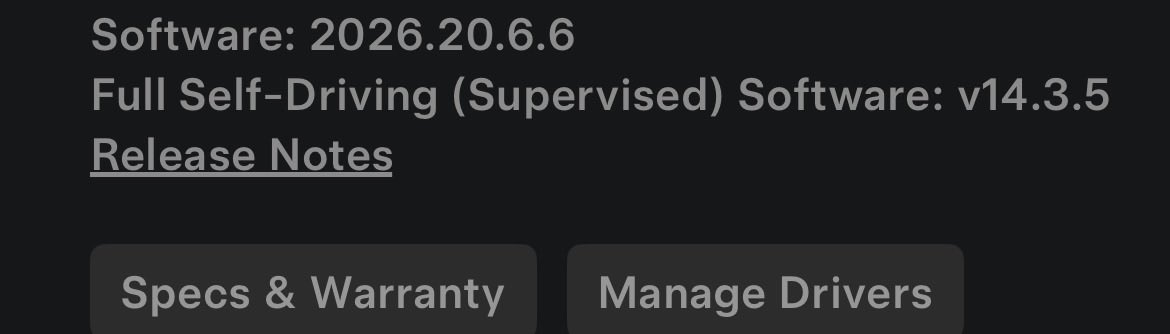
Im going to say it. I know my recent track record for FSD updates hasn't been the greatest but.. I think we have a FSD 14.3.x and spring update merge weekend. Happy friday everyone! Watch for that Orange arrow!
Scott Dembraski tweet media
English
9
1
55
2.3K
Mike Abrams
Mike Abrams@MikeRadio·
I charge my car to 50% daily which comes to about 150 miles with my battery the way it is now . I don’t see a reason to charge the car to 80% because I don’t need to use that much on a normal day. I can get anywhere with 50% for the most part. If I’m going on a road trip that is a day trip I will charge to 80% if I’m going on a multi day Road Trip many times I will just charge to 100% at home and at every hotel, and then set the amperage so the car actually finishes at 100% exactly at the time I want to leave that way it’s not sitting there at 100%. That’s the killer when it sits there for hours at a high State Of Charge
English
1
0
1
137
Stealth MY26
Stealth MY26@StealthTSLA·
Do you guys charge your Tesla to your specified limit every day?
Stealth MY26 tweet media
English
40
0
29
3.8K
Mike Abrams
Mike Abrams@MikeRadio·
@diywrapclub I don’t do a lot of shifting. There is no reason to since you have auto shift and FSD does a lot of it so the screen shifting is fine. I have no problem with it at all.
English
0
0
0
48
DIY Wrap Club
DIY Wrap Club@diywrapclub·
Real talk: Do you like the Smart Shift feature on the screen?
DIY Wrap Club tweet media
English
9
1
14
1.5K
Mike Abrams
Mike Abrams@MikeRadio·
@TheTeslaHoe Red hands does not mean you got a strike. There are other reasons for them.
English
0
0
0
98
TTH
TTH@TheTeslaHoe·
when you get a strike just keep your foot on the gas pedal the red hands are just a scare tactic, FSD will still work
TTH tweet media
English
11
1
65
5.1K
Mike P
Mike P@mikepat711·
They say Tesla will never deliver autonomy but this is my life every day so you can’t really blame me for thinking you’re an idiot.
English
93
117
2.1K
65.2K
Mike Abrams
Mike Abrams@MikeRadio·
@SawyerMerritt Skylink is here now and it is real and it is an action. Not something coming in the future it is ready to go Delta‘s loss.
English
2
0
5
562
Mike Abrams
Mike Abrams@MikeRadio·
@MobofJoggers Don’t forget every other car doesn’t have anything like cabin overheat protection and everything is fine. Tesla’s will be fine too even if it gets to be 150° in the cabin it’s made to stand all that.
English
0
0
2
24
Lincoln
Lincoln@MobofJoggers·
It's 88° outside and I had cabin overheat protection at 90 and used almost 10% of my battery in about eight hours. Seems like a waste of energy. My options: Let my car get hot and precondition for at least 30 minutes beforehand. Use fan only overheat protection. Use overheat protection at 90, 95, or 100. I used to never use the AC option until a bunch of peeler told me they did.
Lincoln tweet media
English
28
0
20
3.9K
The Tesla Newswire
The Tesla Newswire@TeslaNewswire·
🔥🚀 Tesla Spring Update 2026.14.6 is now rolling out to the 4th batch of vehicles (reaching ~35% of the fleet)! Changes: ✅ Security improvements 2026.14.3 changes ✅ Bug fixes 2026.14.1 changes: ✅ Self-Driving App [AI4] With the new Self-Driving app, subscribe with a single tap, learn how to activate and use the feature, and view ongoing stats. ✅ "Hey Grok" Launch Grok by saying "Hey Grok." Go to Grok > Settings to enable. You can also set location based reminders, like "remind me to pick up milk when I'm near home." Say "goodbye" to dismiss. ✅ Pet Mode Choose and name your pet by going to Controls > Display > Customize Pet Mode. ✅ Visual Updates [New Model 3/Y] The center display now features higher quality images of your Tesla, and an enhanced park scene environment. ✅ Trips Trips are now in the Energy app, where you can create and manage multiple trips to track energy usage across different drives, routes, or conditions. Go to App Launcher > Energy > Trips. For quick access to the Trips Card, swipe left on the Media Card. ✅ Sketchpad Unleash your inner artist with the enhanced Sketchpad, now supporting stickers and emojis. Save your sketches to access them in the Mobile App and share. ✅ Custom Wraps and License Plates [S/X] Model S & X owners can now personalize their Tesla avatar with window tints, custom wraps & license plates. ✅ Blind Spot Warning Accent Lights Accent lights now turn red when an object is in your blind spot and your turn signal is engaged, or when an approaching object is detected while parked. To disable, go to Controls > Lights > Blind Spot Warning Accent Lights. ✅ Immersive Sound Upgrade [New Model 3 & Y w/ premium audio] Premium Immersive Sound uses advanced sound extraction to place the listener in front of a detailed soundstage within an Immersive space. This enhancement works with all streaming sources. ✅ Music App Queuing Swipe right on tracks in Apple Music or Spotify to add them to the queue. In Apple Music, tap and hold on a track to add or remove from Favorites. In Spotify, swipe left to add or remove from Liked Songs. ✅ Automatic Software Updates Your Tesla can now automatically install downloaded software updates overnight. When enabled, updates will install while your Tesla is parked and not in use, ensuring you always have the latest features and improvements. To enable, go to Controls > Software > Automatically Install Updates. ✅ Dashcam Viewer Updates Recent Dashcam footage can now extend up to 24 hours, and you can save any clip for permanent storage on your Tesla or on your phone by going to App Launcher > Dashcam Viewer. Clips downloaded to your phone now include details such as speed, steering wheel angle, and Self-Driving state. ✅ Weather Maps Improvements Weather maps now show snow and rain with improved colors that make it easier to distinguish between precipitation types. You can also view the past hour of weather data to see how conditions have been changing along your route. ✅ Supercharger Pricing Filter You can now choose to route only to Superchargers with Tesla pricing. When enabled, Trip Planner will avoid locations where Tesla does not set charging prices or accept Free Supercharging credits. ✅ Keyboard Your selected keyboard language will also select the language used for dictation. Tap the international keyboard button to change keyboard and dictation language, without changing voice command language. Tap the mic icon in the keyboard to dictate. ✅ Rear Display Passengers in rear seats can now view and interact with maps on the rear display while your Tesla navigates a route. Tap the maps icon from the rear display to follow along. ✅ Security Improvements ✅ Larger icons on the bottom bar [undocumented] ✅ Animated badge in software menu [undocumented] ✅ Audio source icon next to the volume slider [undocumented]
The Tesla Newswire tweet mediaThe Tesla Newswire tweet mediaThe Tesla Newswire tweet mediaThe Tesla Newswire tweet media
The Tesla Newswire@TeslaNewswire

🔥🚀 Tesla Spring Update 2026.14.6 has been detected and is now rolling out to the 1st batch of vehicles (reaching ~8% of the fleet)! Changes: ✅ Security improvements 2026.14.3 changes ✅ Bug fixes 2026.14.1 changes: ✅ Self-Driving App [AI4] With the new Self-Driving app, subscribe with a single tap, learn how to activate and use the feature, and view ongoing stats. ✅ "Hey Grok" Launch Grok by saying "Hey Grok." Go to Grok > Settings to enable. You can also set location based reminders, like "remind me to pick up milk when I'm near home." Say "goodbye" to dismiss. ✅ Pet Mode Choose and name your pet by going to Controls > Display > Customize Pet Mode. ✅ Visual Updates [New Model 3/Y] The center display now features higher quality images of your Tesla, and an enhanced park scene environment. ✅ Trips Trips are now in the Energy app, where you can create and manage multiple trips to track energy usage across different drives, routes, or conditions. Go to App Launcher > Energy > Trips. For quick access to the Trips Card, swipe left on the Media Card. ✅ Sketchpad Unleash your inner artist with the enhanced Sketchpad, now supporting stickers and emojis. Save your sketches to access them in the Mobile App and share. ✅ Custom Wraps and License Plates [S/X] Model S & X owners can now personalize their Tesla avatar with window tints, custom wraps & license plates. ✅ Blind Spot Warning Accent Lights Accent lights now turn red when an object is in your blind spot and your turn signal is engaged, or when an approaching object is detected while parked. To disable, go to Controls > Lights > Blind Spot Warning Accent Lights. ✅ Immersive Sound Upgrade [New Model 3 & Y w/ premium audio] Premium Immersive Sound uses advanced sound extraction to place the listener in front of a detailed soundstage within an Immersive space. This enhancement works with all streaming sources. ✅ Music App Queuing Swipe right on tracks in Apple Music or Spotify to add them to the queue. In Apple Music, tap and hold on a track to add or remove from Favorites. In Spotify, swipe left to add or remove from Liked Songs. ✅ Automatic Software Updates Your Tesla can now automatically install downloaded software updates overnight. When enabled, updates will install while your Tesla is parked and not in use, ensuring you always have the latest features and improvements. To enable, go to Controls > Software > Automatically Install Updates. ✅ Dashcam Viewer Updates Recent Dashcam footage can now extend up to 24 hours, and you can save any clip for permanent storage on your Tesla or on your phone by going to App Launcher > Dashcam Viewer. Clips downloaded to your phone now include details such as speed, steering wheel angle, and Self-Driving state. ✅ Weather Maps Improvements Weather maps now show snow and rain with improved colors that make it easier to distinguish between precipitation types. You can also view the past hour of weather data to see how conditions have been changing along your route. ✅ Supercharger Pricing Filter You can now choose to route only to Superchargers with Tesla pricing. When enabled, Trip Planner will avoid locations where Tesla does not set charging prices or accept Free Supercharging credits. ✅ Keyboard Your selected keyboard language will also select the language used for dictation. Tap the international keyboard button to change keyboard and dictation language, without changing voice command language. Tap the mic icon in the keyboard to dictate. ✅ Rear Display Passengers in rear seats can now view and interact with maps on the rear display while your Tesla navigates a route. Tap the maps icon from the rear display to follow along. ✅ Security Improvements ✅ Larger icons on the bottom bar [undocumented] ✅ Animated badge in software menu [undocumented] ✅ Audio source icon next to the volume slider [undocumented]

English
4
6
76
10.1K
jedward
jedward@bigdigglers·
@TeslaCharging @TeslaCharging - good to see. Any idea of the fate of the Superchargers in Primm with the hosting casino shutting down in July?
English
2
0
6
704
Mike Abrams
Mike Abrams@MikeRadio·
Besides the fact that it is horrible for the environment, ever drive around with your windows open? And smell those tailpipe emissions that get right in your lungs while you’re waiting at a red light or something like that. What about the smells of those dirty gas stations. Who would actually want this to be the future this is so the past. What about those huge gas tanks under every gas station where these trucks have to come and put gas in all the time. All these things just seem ridiculously antiquated.
English
1
1
5
197
Sawyer Merritt
Sawyer Merritt@SawyerMerritt·
Honda says it has abandoned its plan to go fully electric by 2040. CEO: "It's not realistic. We have withdrawn this target. We have judged that it’ll be difficult to achieve."
Sawyer Merritt tweet media
English
224
87
1.2K
106K
Mike Abrams
Mike Abrams@MikeRadio·
Split screen I don’t need to see a Full Screen visualize although it looks cool. However, I don’t agree that the visualizer is not important. Knowing for sure that the Carr can see all these things around. It makes me secure that it is doing its job cameras are working and it knows what’s going on. It doesn’t have to look like some pristine work of art in the graphics, but just the fact that I know that it’s realizing everything makes me feel safe.
English
0
0
0
94
Tailosive EV
Tailosive EV@TailosiveEV·
I still find the visualizer pretty pointless. -If it’s unsupervised I’d rather be watching something. Why do I care how the car is rendering things? - If it’s supervised eyes should be on the road, only glancing for navigation and speed. It’s not relevant info
Lior@liorsela

A question for all Tesla owners: Full screen visualization or split screen? Full screen gives that immersive, futuristic and clean vibe, but split screen keeps the map handy with more information visible. What’s your go-to setting? Full screen 🖥️ or Split screen 🗺️

English
19
1
34
5K
Mike Abrams
Mike Abrams@MikeRadio·
@TeslaNewswire But it’s not rolling out to the FSD part of the Fleet. I hope we get a 14.something soon for the rest of us.
English
0
0
1
102
The Tesla Newswire
The Tesla Newswire@TeslaNewswire·
🔥🚀 Tesla Spring Update 2026.14.6 is now rolling out to the 3rd batch of vehicles (reaching ~33% of the fleet)! Changes: ✅ Security improvements 2026.14.3 changes ✅ Bug fixes 2026.14.1 changes: ✅ Self-Driving App [AI4] With the new Self-Driving app, subscribe with a single tap, learn how to activate and use the feature, and view ongoing stats. ✅ "Hey Grok" Launch Grok by saying "Hey Grok." Go to Grok > Settings to enable. You can also set location based reminders, like "remind me to pick up milk when I'm near home." Say "goodbye" to dismiss. ✅ Pet Mode Choose and name your pet by going to Controls > Display > Customize Pet Mode. ✅ Visual Updates [New Model 3/Y] The center display now features higher quality images of your Tesla, and an enhanced park scene environment. ✅ Trips Trips are now in the Energy app, where you can create and manage multiple trips to track energy usage across different drives, routes, or conditions. Go to App Launcher > Energy > Trips. For quick access to the Trips Card, swipe left on the Media Card. ✅ Sketchpad Unleash your inner artist with the enhanced Sketchpad, now supporting stickers and emojis. Save your sketches to access them in the Mobile App and share. ✅ Custom Wraps and License Plates [S/X] Model S & X owners can now personalize their Tesla avatar with window tints, custom wraps & license plates. ✅ Blind Spot Warning Accent Lights Accent lights now turn red when an object is in your blind spot and your turn signal is engaged, or when an approaching object is detected while parked. To disable, go to Controls > Lights > Blind Spot Warning Accent Lights. ✅ Immersive Sound Upgrade [New Model 3 & Y w/ premium audio] Premium Immersive Sound uses advanced sound extraction to place the listener in front of a detailed soundstage within an Immersive space. This enhancement works with all streaming sources. ✅ Music App Queuing Swipe right on tracks in Apple Music or Spotify to add them to the queue. In Apple Music, tap and hold on a track to add or remove from Favorites. In Spotify, swipe left to add or remove from Liked Songs. ✅ Automatic Software Updates Your Tesla can now automatically install downloaded software updates overnight. When enabled, updates will install while your Tesla is parked and not in use, ensuring you always have the latest features and improvements. To enable, go to Controls > Software > Automatically Install Updates. ✅ Dashcam Viewer Updates Recent Dashcam footage can now extend up to 24 hours, and you can save any clip for permanent storage on your Tesla or on your phone by going to App Launcher > Dashcam Viewer. Clips downloaded to your phone now include details such as speed, steering wheel angle, and Self-Driving state. ✅ Weather Maps Improvements Weather maps now show snow and rain with improved colors that make it easier to distinguish between precipitation types. You can also view the past hour of weather data to see how conditions have been changing along your route. ✅ Supercharger Pricing Filter You can now choose to route only to Superchargers with Tesla pricing. When enabled, Trip Planner will avoid locations where Tesla does not set charging prices or accept Free Supercharging credits. ✅ Keyboard Your selected keyboard language will also select the language used for dictation. Tap the international keyboard button to change keyboard and dictation language, without changing voice command language. Tap the mic icon in the keyboard to dictate. ✅ Rear Display Passengers in rear seats can now view and interact with maps on the rear display while your Tesla navigates a route. Tap the maps icon from the rear display to follow along. ✅ Security Improvements ✅ Larger icons on the bottom bar [undocumented] ✅ Animated badge in software menu [undocumented] ✅ Audio source icon next to the volume slider [undocumented]
The Tesla Newswire tweet mediaThe Tesla Newswire tweet mediaThe Tesla Newswire tweet mediaThe Tesla Newswire tweet media
The Tesla Newswire@TeslaNewswire

🔥🚀 Tesla Spring Update 2026.14.6 has been detected and is now rolling out to the 1st batch of vehicles (reaching ~8% of the fleet)! Changes: ✅ Security improvements 2026.14.3 changes ✅ Bug fixes 2026.14.1 changes: ✅ Self-Driving App [AI4] With the new Self-Driving app, subscribe with a single tap, learn how to activate and use the feature, and view ongoing stats. ✅ "Hey Grok" Launch Grok by saying "Hey Grok." Go to Grok > Settings to enable. You can also set location based reminders, like "remind me to pick up milk when I'm near home." Say "goodbye" to dismiss. ✅ Pet Mode Choose and name your pet by going to Controls > Display > Customize Pet Mode. ✅ Visual Updates [New Model 3/Y] The center display now features higher quality images of your Tesla, and an enhanced park scene environment. ✅ Trips Trips are now in the Energy app, where you can create and manage multiple trips to track energy usage across different drives, routes, or conditions. Go to App Launcher > Energy > Trips. For quick access to the Trips Card, swipe left on the Media Card. ✅ Sketchpad Unleash your inner artist with the enhanced Sketchpad, now supporting stickers and emojis. Save your sketches to access them in the Mobile App and share. ✅ Custom Wraps and License Plates [S/X] Model S & X owners can now personalize their Tesla avatar with window tints, custom wraps & license plates. ✅ Blind Spot Warning Accent Lights Accent lights now turn red when an object is in your blind spot and your turn signal is engaged, or when an approaching object is detected while parked. To disable, go to Controls > Lights > Blind Spot Warning Accent Lights. ✅ Immersive Sound Upgrade [New Model 3 & Y w/ premium audio] Premium Immersive Sound uses advanced sound extraction to place the listener in front of a detailed soundstage within an Immersive space. This enhancement works with all streaming sources. ✅ Music App Queuing Swipe right on tracks in Apple Music or Spotify to add them to the queue. In Apple Music, tap and hold on a track to add or remove from Favorites. In Spotify, swipe left to add or remove from Liked Songs. ✅ Automatic Software Updates Your Tesla can now automatically install downloaded software updates overnight. When enabled, updates will install while your Tesla is parked and not in use, ensuring you always have the latest features and improvements. To enable, go to Controls > Software > Automatically Install Updates. ✅ Dashcam Viewer Updates Recent Dashcam footage can now extend up to 24 hours, and you can save any clip for permanent storage on your Tesla or on your phone by going to App Launcher > Dashcam Viewer. Clips downloaded to your phone now include details such as speed, steering wheel angle, and Self-Driving state. ✅ Weather Maps Improvements Weather maps now show snow and rain with improved colors that make it easier to distinguish between precipitation types. You can also view the past hour of weather data to see how conditions have been changing along your route. ✅ Supercharger Pricing Filter You can now choose to route only to Superchargers with Tesla pricing. When enabled, Trip Planner will avoid locations where Tesla does not set charging prices or accept Free Supercharging credits. ✅ Keyboard Your selected keyboard language will also select the language used for dictation. Tap the international keyboard button to change keyboard and dictation language, without changing voice command language. Tap the mic icon in the keyboard to dictate. ✅ Rear Display Passengers in rear seats can now view and interact with maps on the rear display while your Tesla navigates a route. Tap the maps icon from the rear display to follow along. ✅ Security Improvements ✅ Larger icons on the bottom bar [undocumented] ✅ Animated badge in software menu [undocumented] ✅ Audio source icon next to the volume slider [undocumented]

English
5
17
95
12.2K
Dallas Tesla Club
Dallas Tesla Club@dallasteslaclub·
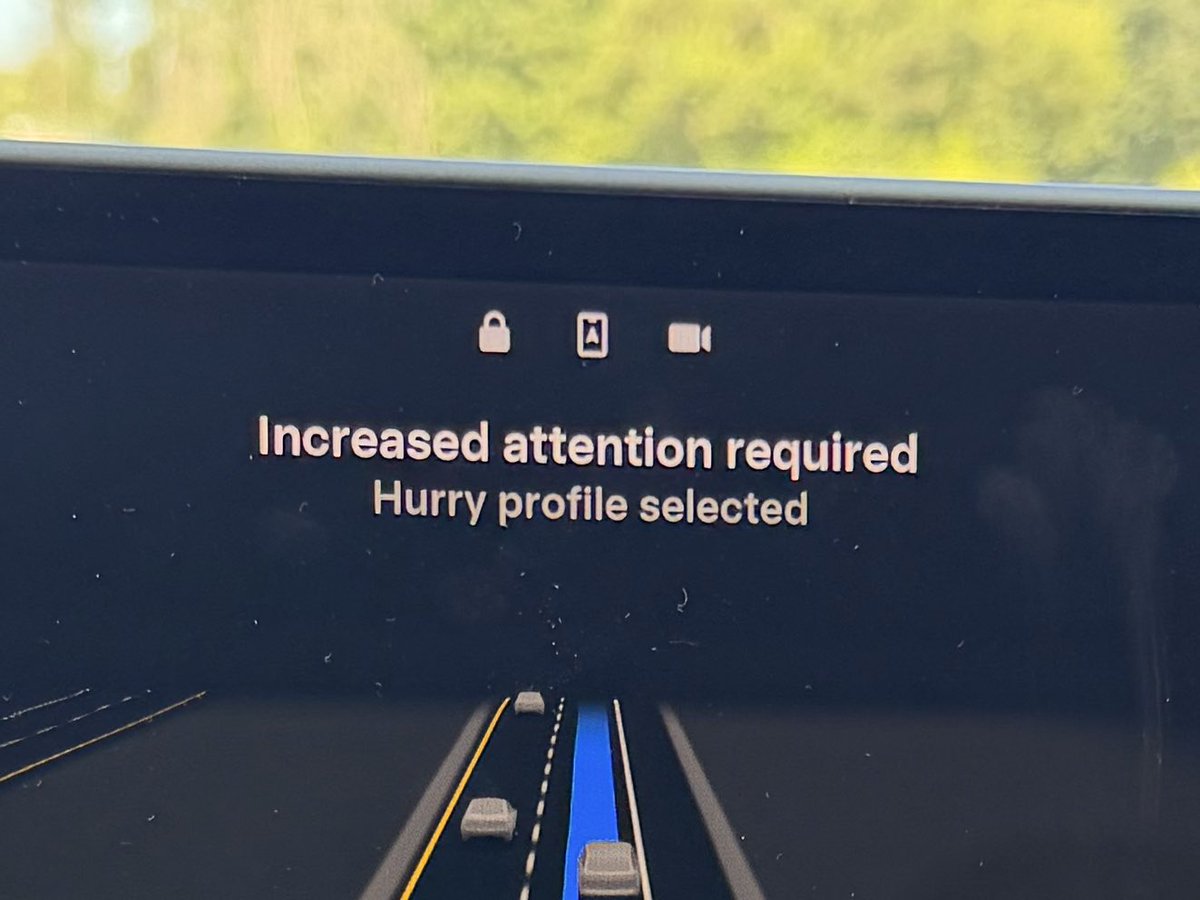
Attention monitoring on my Tesla while using FSD is genuinely maddening. It’s the most sensitive now it’s ever been.
English
21
0
24
5.5K
Chuck Cook
Chuck Cook@ChuckCook·
Its raining in Florida a lot these days. I am really looking forward to eventually getting the @Tesla Spring Software Update that improves the graphics to show the difference between rain and snow, and also changes the RADAR the timeline. FSD v14.3.2 has been fine, but I do agree with most, it wasn't an improvement over what we had before. The improved response time, while good for safety, wasn't smoothed out for comfort yet. Maybe we will get an FSD update soon that merges the Spring Update improvements. Feels about time to me.
English
42
13
321
15.7K
Mike Abrams
Mike Abrams@MikeRadio·
About 9 or 10 years ago, my building put in EverCharge charge heads between every other spot. These things work by sharing electricity somehow, but it always gives me 6 W. EverCharge is amazing for apartment because you don’t have to fight over one or two charging units. Everybody here has a shared one. I paid $.21 in kilowatt hour plus $25 a month. My average month comes to around $70. The last gas car I had that took premium took $114 to fill up ONCE with high gas prices similar to the way they are now in California. There needs to be more states that are right to charge states and there needs to be more chargers from companies like EverCharge installed in buildings. This needs to be the norm not the rarity.
English
0
0
0
31
Billy
Billy@billykyle·
Living at an apartment that offers free charging might be one of the biggest cheat codes. A full charge at $0.20 per kWh is about $20 saved each day, totaling upwards of $500 per month - assuming a full charge.
Billy tweet media
English
15
1
88
7.6K
Mike Abrams
Mike Abrams@MikeRadio·
It is so amazing. I have never been a car guy, but I love the car now because it is also a computer on wheels. What it does is amazing and the saddest thing is that there are millions and millions of people all over the country that don’t get it yet. They need to hop on this. They need to put any personal feelings towards the company or individuals attached to it aside because when something makes your life this much better you don’t ignore it.
English
1
0
6
107
DJ
DJ@congressdj·
I use FSD all the time, but so far it has been reserved to my home in the DC metro area, and a few road trips a hundred or so miles away. This trip to California is the first time I’ve used FSD on another car in another state. And, let me just say, again, how game changing this technology is. Even for regular FSD users like me! Thanks to the generosity of @JHS19701 in allowing me to use his MYLR for a few days, I was able to have FSD take me from LAX to San Diego and back, without touching the wheel. I was also able to show my mom and siblings in San Diego how amazing FSD has become. They were absolutely blown away. I put my mom behind the wheel to face what she calls “an impossibly annoying intersection” which of course FSD nailed. I believe she’ll get a Tesla soon to continue her quality of life. But it gets better, using another Tesla means all of my settings came with me. My seat and mirror positions, my music subscriptions, temperature settings, speed profiles, and ride comfort. I can’t adequately convey how convenient that is. It’s like teleporting across the country to have your car waiting for you on the other side. I never want to drive another car again. There’s no need. Tesla has me covered on safety, comfort, and even a little play when I want to take the wheel (which is becoming increasingly rare)… Get your butt in the seat of a Tesla today and try it! You’ll have a new core memory by sundown.
English
13
12
172
4.7K
Mike Abrams
Mike Abrams@MikeRadio·
@SDembraski I think it is coming, but since they had us put out that critical update, maybe through timing off. And now it seems the critical updates not getting pushed out anymore. It was pushed out really heavy yesterday so anything is possible in the world of Tesla updates
English
1
0
2
44
Scott Dembraski
Scott Dembraski@SDembraski·
Welp triple or nothing. FSD 14.3.x merge with spring update is coming before next years Spring update I might be safe with this prediction 🫠
GIF
GIF
Scott Dembraski tweet media
English
10
3
29
995