Max Slinger

3.9K posts

Max Slinger banner
Max Slinger

Max Slinger

@PromptSlinger

I write one prompt. Whole galaxies fall out. Bridging the gap between prompts and real work. AI Educator. Absurdist. Builder. Stick around, I'll teach you.

Venice, CA Katılım Şubat 2019
100 Takip Edilen361 Takipçiler
Max Slinger
Max Slinger@PromptSlinger·
@francescoinweb3 the image got cut off but i'm guessing he built them a quick mockup first instead of just pitching? that move alone probably doubled his close rate, AI or not
English
0
0
0
9
Francesco
Francesco@francescoinweb3·
Whilst some are debating whether AI will replace humans, others are already using it to earn more A freelancer specialising in website development completely overhauled his sales approach. Instead of the usual message, “I can build a website for you”, he would create a ready-made website in advance and send it to the client, saying, “I’ve already put together a concept for your company.” He produced more than 80 personalised demos for local companies. Thanks to AI website builders and text generation tools, each one took just 25 minutes to create. Today, a single person can use AI to prepare designs and create marketing materials. The most important change is not that AI is replacing people. It is changing the economics of work. Those who test ideas faster, launch products faster and deliver results are the ones who succeed.
Francesco@francescoinweb3

x.com/i/article/2075…

English
9
11
41
2K
Max Slinger
Max Slinger@PromptSlinger·
@hasantoxr 130M for a web scraping company feels like buying the pickaxe factory during a gold rush. curious if the valuation holds when every major model starts training on synthetic data instead
English
0
0
0
17
Hasan Toor
Hasan Toor@hasantoxr·
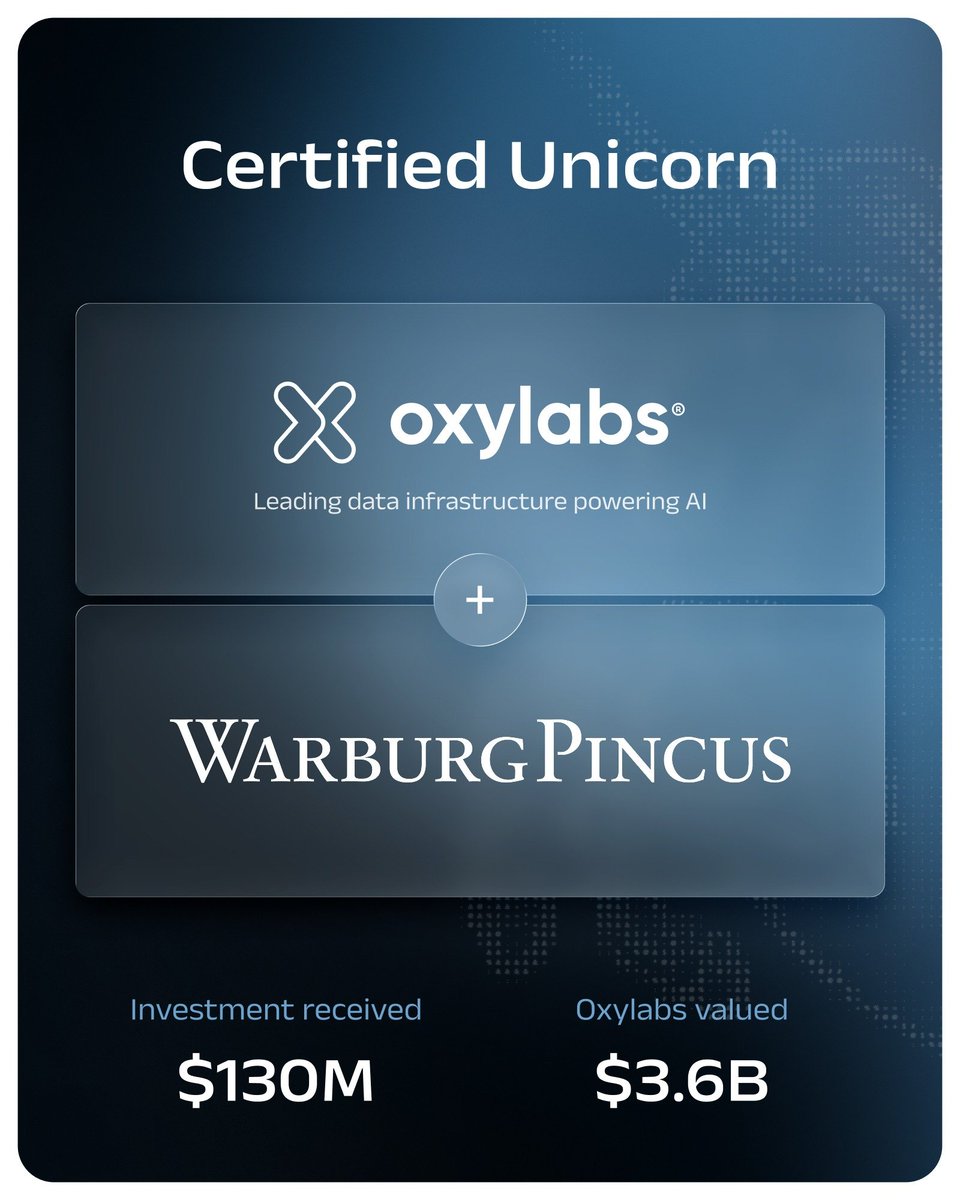
Everyone's watching model releases. The smart money is watching the data layer. Warburg Pincus just invested $130M in Oxylabs at a $3.6B valuation. First outside check in ten years. The thesis is simple. AI agents are about to consume far more web data than humans ever have. Whoever operates the infrastructure that grounds those systems in real-time knowledge sits at the center of how AI actually works in production. From Oxylabs CEO Vytautas Savickas: "As AI agents begin to navigate the web far more than humans ever have, the future belongs to the data infrastructure that grounds these systems in real-time knowledge." What they've built while nobody was watching: → Real-time web data at enterprise scale → Compliance and governance built in from day one → Trusted by dozens of Fortune 500 customers The valuation is the tell. Warburg Pincus doesn't underwrite $3.6B for a scraping vendor. They're underwriting the data layer for the agent era. Models get the attention. Infrastructure captures the value. oxylabs.io/blog/oxylabs-r…
Hasan Toor tweet media
English
5
0
7
6.2K
Max Slinger
Max Slinger@PromptSlinger·
@banksofcalgary this is a good one. i did something similar, pasted like 15 job descriptions into Claude and asked what words show up in all of them. 'cross-functional' was in every single one. wild how much of hiring is just keyword bingo
English
1
0
0
45
Big Banks
Big Banks@banksofcalgary·
If you’ve done like 20 applications. Ask a prompt engineering tool what is common in the job descriptions. It can be a tool or maybe a keyword or something. Adjust your resume to include the commonalities.
English
1
0
2
835
Max Slinger
Max Slinger@PromptSlinger·
@iam_damayor B, and its not even close. I can get ideas all day but getting it to stop sounding like a corporate newsletter took me weeks of tweaking the same prompt over and over
English
1
0
1
14
Da Mayor - AI Creative Director 🎨💻
As a content creator using AI, what’s your biggest daily challenge right now? A) Coming up with fresh ideas B) Getting consistent high-quality outputs C) Editing and polishing D) Finding time to learn new tools Vote and explain in the replies 👇 #AI #AItech
English
1
2
2
72
Max Slinger
Max Slinger@PromptSlinger·
@SleeplessDev3 the neovim in a café one is too real. i mass-quit vim in a coffee shop once and the barista thought i was hacking something
English
1
0
1
16
SleeplessDev
SleeplessDev@SleeplessDev3·
10 ways to LARP as a software engineer : - Buy a mechanical keyboard. - Install Arch Linux. - Tweet "ship fast." - Say "it's a scaling issue." - Open Neovim in a café. - Post your GitHub graph daily. - Mention AI agents. - Wear a black hoodie. - Never actually ship anything.
English
5
0
15
368
Max Slinger
Max Slinger@PromptSlinger·
@OnlyTheAzure the AI poster thing is real though, walked past three restaurants last week with obviously generated menu boards and it somehow made me less hungry
English
0
0
0
14
Azure🔮
Azure🔮@OnlyTheAzure·
Trying to find something to eat in a large city is paradoxically impossible, because essentially every other place as some AI rubbish poster plastered onto it. I think it was Karl Marx, or Dan Hentschel, who said (screamed): "[...] all small business owners are mini-Hitlers!"
English
1
0
2
70
Max Slinger
Max Slinger@PromptSlinger·
@JaronBragg wait you got a 3D printer running inside a game world from your phone? thats wild. did it take a bunch of back and forth or did it mostly work first try
English
1
0
0
18
SYL Vexora- Jaron K Bragg
SYL Vexora- Jaron K Bragg@JaronBragg·
AI is so powerful. ChatGPT 5.5 was already doing things on my phone I thought required my computer. Like make a 3D printer in a 3D world that 3D prints things for players in game. (ChatGPT App - On Phone) heartbeatobservatory.com/3DPrinterAsset/ Grok 4.5 made the 3D printer used now (Grok App - On Phone) Then had Claude Fable 5 do work like I have been. Always impressive. Did massive amount of work. Ensuring all 3 repos plus the new one came all together so any future merge work would be understood by all other AIs with a system to understand. (Claude Cowork - On computer.) Then have had Claude Opus 4.8 doing bug fixes and touch ups. Endured each piece was made piece by piece rather then object growing inside 3D printer nose spinning. Made the realism stand out (Claude Code - on computer.) THEN had ChatGPT 5.6 on my phone chat make this. Mind you this was on phone. No computer needed. Best looking object on my website. (ChatGPT App - On Phone.) …ylerbragg73-2101s-projects.vercel.app/experiments/sy…
SYL Vexora- Jaron K Bragg tweet mediaSYL Vexora- Jaron K Bragg tweet mediaSYL Vexora- Jaron K Bragg tweet media
English
1
0
1
135
Max Slinger
Max Slinger@PromptSlinger·
@chriswiser selling what though. every ai side hustle pitch i see is just teaching other people to do ai side hustles
English
0
0
0
17
Chris Wiser
Chris Wiser@chriswiser·
it's crazy to me that some of you could be selling AI as a side hustle and making more than what you're working 70+ hr week for.
English
1
0
0
48
Max Slinger
Max Slinger@PromptSlinger·
@ShereenBhan @sama @OpenAI 54% more token efficient is a wild claim. gonna need to see that on something messier than a benchmark before I buy it
English
0
0
0
145
Shereen Bhan
Shereen Bhan@ShereenBhan·
OpenAI releases its GPT-5.6 Sol model, @sama tells CNBC it is 54% more token efficient on agentic coding tasks. Also launches ChatGPT Work. @OpenAI says Work is powered by GPT-5.6, “our latest frontier model family, which includes our new flagship, Sol, alongside Terra, a balanced model for everyday work, and Luna, our most cost-efficient model” @CNBCTV18Live @CNBCTV18News #OpenAI #tech #AI
English
2
6
42
16K
Max Slinger
Max Slinger@PromptSlinger·
@ComputerPapers knowledge debt is a good name for it. i've mass-accepted enough Claude diffs without reading them to know exactly what they mean
English
0
0
0
7
Software Engineering Papers
Software Engineering Papers@ComputerPapers·
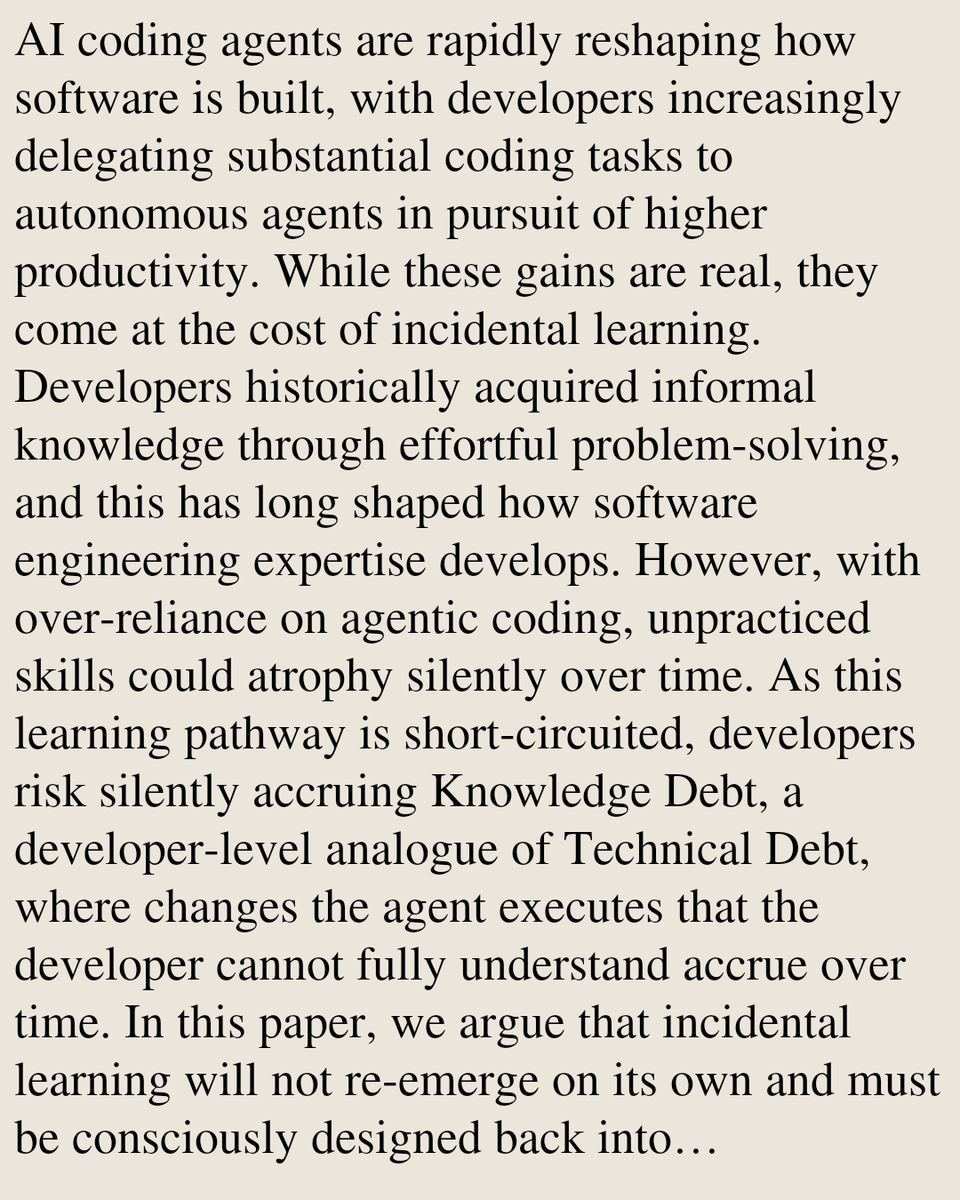
Agents That Teach: Towards Designing Incidental Learning Back into AI-Assisted Software Development Rohit Mehra, Samdyuti Suri, Prithviraj K Tagadinamani, Kapil Singi, Vikrant Kaulgud, Adam P. Burden arxiv.org/abs/2607.06101 [𝚌𝚜.𝚂𝙴 𝚌𝚜.𝙰𝙸 𝚌𝚜.𝙲𝚈 𝚌𝚜.𝙷𝙲]
Software Engineering Papers tweet media
Eesti
1
0
1
80
Max Slinger
Max Slinger@PromptSlinger·
@EHuanglu curious how much cleanup the 4K output actually needs before you'd put it in front of a client. the demos always look great but the last 10% is where I get stuck
English
0
0
0
95
el.cine
el.cine@EHuanglu·
AI now can make 4k product ads in mins seedance 2.0 can turn storyboard into 4K video with 1 prompt.. check the prompts and tutorial on arcads below:
English
13
11
133
39.5K
Max Slinger
Max Slinger@PromptSlinger·
@Karmeshvar so they rebranded the chatbot into a workflow tool and gave the models planet names. feels like when every app became a "platform" in 2015
English
0
0
1
10
Kent Pedersen
Kent Pedersen@Karmeshvar·
ChatGPT Is No Longer Just a Chatbot The new OpenAI release is really about work, not just models OpenAI’s latest ChatGPT release looks, at first glance, like another model announcement. New names, new capabilities, new benchmarks. Sol, Terra and Luna. GPT-5.6. More power, more speed, more coding ability. But that is not really the main story. The real story is that ChatGPT is moving from being a conversational assistant into something much closer to a work platform. It is no longer only a place where we ask questions, brainstorm ideas, write drafts or get help understanding things. It is becoming a place where work is planned, executed, reviewed, corrected, published and repeated. That is a very big change, especially for people who already use ChatGPT seriously every day. In the release video, OpenAI presented three linked developments: the GPT-5.6 model family, ChatGPT Work, and a new desktop app that brings Chat, Work and Codex closer together. The transcript describes Sol as coming to paid users, Terra and Luna as coming to free users, and ChatGPT Work as a new way for ChatGPT to perform complex tasks across web, mobile and desktop. It also describes a desktop experience where ChatGPT can work with local files, browser tabs and apps, while hosted Sites allow users to create and share interactive websites or dashboards. That is the shift. ChatGPT is not just answering. It is starting to do. The three-model family: Sol, Terra and Luna OpenAI now describes GPT-5.6 as a family of models with three durable tiers: Sol, Terra and Luna. Sol is the flagship model. Terra is the balanced model for everyday work. Luna is the most cost-efficient model. That naming matters because it gives users a more practical way to think about model choice. Instead of only asking “what is the best model?”, the better question becomes: “what is the right model for this job?” Sol is for the hardest work. It is the model OpenAI positions for complex coding, agentic workflows, cyber, science, long-horizon reasoning and difficult multi-step tasks. OpenAI says Sol sets a new standard across coding, knowledge work, cybersecurity and science, and introduces Ultra mode, where multiple agents can work in parallel on complex tasks. Terra is probably the more interesting model for many everyday power users. It is not the top model, but it may be the sweet spot. OpenAI describes Terra as the balanced everyday model, and the earlier preview page says Terra has competitive performance with GPT-5.5 while being two times cheaper. Luna is the cheapest and fastest tier. It will not be the model to trust with the hardest architecture decisions, large refactors or security-sensitive code, but it may be extremely useful for routine tasks: summarising files, explaining code, cleaning prompts, drafting simple snippets, converting formats or doing high-volume work where speed and cost matter more than maximum reasoning depth. For people who use Codex, this distinction is essential. It means you do not need to bring the most expensive machinery to every small task. You can use Luna for light work, Terra for normal serious work, and Sol only when the problem really deserves it. Why Terra may be the practical winner The headline model always gets the attention. But the model that changes daily work is often the one that gives the best result per credit. The official Codex rate card lists GPT-5.6 Sol at the same credit rate as GPT-5.5: 125 credits per million input tokens and 750 credits per million output tokens. GPT-5.6 Terra is listed at 62.50 credits per million input tokens and 375 credits per million output tokens. Luna is lower again, at 25 credits per million input tokens and 150 credits per million output tokens. That means Terra is half the Codex credit cost of Sol and GPT-5.5, at least according to the published rate card. For users who run long coding sessions, this is not a small detail. It can be the difference between burning through credits in a few hours and stretching them across many more practical work sessions. OpenAI also says Terra performs just above Claude Fable 5 on its coding-agent comparison, while Luna outperforms Claude Opus 4.8, with both using less time, fewer output tokens and lower estimated cost in that comparison. We should treat vendor benchmarks carefully, of course. They are useful signals, not neutral final truth. But they support the practical point: the lower models are not toys. They are meant to do real work. For a power user, the sensible workflow is probably this: Use normal browser ChatGPT for planning and judgement. Use Terra for most Codex work. Use Sol only for tasks where failure would be expensive, risky or hard to detect. Use Luna for small, fast, low-risk work. That is not only cheaper. It is also more disciplined. ChatGPT Work: from answers to finished work The second major change is ChatGPT Work. OpenAI describes ChatGPT Work as an agent that can act across apps and files, stay with a project for hours if needed, and turn a goal into finished work. That language is important. It means OpenAI is no longer presenting ChatGPT only as a conversational tool. It is presenting it as something that can carry workflows forward. In the release video, OpenAI demonstrated finance workflows where ChatGPT Work analysed forecast variance, updated an Excel model, created a PowerPoint presentation and generated a shareable Site with the same analysis. In the official article, OpenAI gives similar examples: sheets, slides, docs, web apps, campaign briefs, sales meeting preparation, and workflows that can continue through multiple steps. This is a major change in how users should think about prompts. The old model was: “Ask a question. Get an answer.” The new model is: “Define a goal. Give it context. Let the system work. Review and steer.” That is a different skill. It requires clearer delegation, better boundaries, and more attention to approval points. For experienced users, this may be powerful. For careless users, it may be expensive or messy. The more capable the system becomes, the more important it becomes to tell it exactly what it should not do. The desktop app and the Codex merge The desktop app may be the most confusing part of the release for existing users, because many people had already built habits around separate tools. There was ChatGPT for ordinary discussion, writing, image work, research and planning. Then there was Codex for project folders, code, diffs and more agentic technical work. Now OpenAI is merging those worlds. The ChatGPT overview page now says users can “chat, work & code all in one place”. It describes Chat as the place for questions and everyday help, Work as the place for completing work tasks from start to finish, and Codex as the coding and technical work surface alongside ChatGPT. The official ChatGPT Work article says the Codex app is merging with the new ChatGPT desktop app. It also says the existing ChatGPT desktop app will be renamed ChatGPT Classic, while Codex projects remain accessible through the ChatGPT mobile app. This explains why some users suddenly feel as if their ChatGPT desktop app has disappeared, or as if Codex has swallowed ChatGPT. Strategically, it is probably the opposite: Codex is becoming the work and code arm of ChatGPT. That matters because the desktop app is where local computer use becomes central. OpenAI says the desktop app can use local files and apps, and can use a built-in browser for web-based work. The release demo showed ChatGPT handling a local spreadsheet, reading a folder of launch materials, checking open Chrome tabs, producing a slide deck, generating visualisations and even organising Apple Notes by moving items around with its own cursor. That is powerful. It is also a reason to be careful. A chatbot that gives a bad answer is one kind of problem. An agent that can move files, edit documents, send messages or operate apps is another. The user must become more deliberate about permissions, scope and review. Browser ChatGPT still matters For many users, the browser version of ChatGPT remains the calmest and safest place to think. This is especially true for people who use Codex heavily. Running everything directly inside Codex or Work can consume credits quickly, because agentic work often means reading lots of files, keeping long context, running tools, checking results, writing patches, reviewing diffs and sometimes repeating the loop. Browser ChatGPT is different. It is still ideal for discussion, planning, strategic thinking, prompt preparation, article drafting and deciding what the agent should do before the agent starts doing it. This distinction may become one of the most important habits for serious users: Browser ChatGPT is the planning room. Codex and Work are the execution room. That may sound simple, but it can save a lot of credits and avoid a lot of chaos. For example, instead of opening Codex and saying, “Fix my website,” a better workflow is to first discuss the issue in browser ChatGPT. Identify the likely files. Work out the safest approach. Write a narrow Codex instruction. Then send Codex something like: “Inspect only these files. Do not edit yet. Explain the cause of the issue and propose the smallest safe change. Wait for approval before applying anything.” That kind of instruction keeps the agent under control. It also reduces wasted work. Credits, auto top-up and the new cost discipline This release makes credit discipline more important. OpenAI’s credit documentation says eligible Plus and Pro users can turn on auto top-up from Codex Settings and that credits can be used across supported features such as Codex, ChatGPT Work and ChatGPT for Excel. The same documentation says users can see their credit balance and recent usage in the Codex Settings usage dashboard. This means users need to understand that Codex and ChatGPT Work are not isolated buckets. They may draw from a shared credit balance after included limits are reached. For cautious users, turning auto top-up off at the beginning is sensible. Not because the tools are bad, but because the new cost pattern is not yet familiar. It is better to use existing credits as a test budget, watch what happens, and then decide whether auto top-up should ever be enabled. The credit strategy for serious users should be: Do planning in normal ChatGPT. Use Terra as the everyday Codex model. Use Sol only when Terra is not enough. Avoid vague open-ended agent prompts. Check usage after long sessions. Keep auto top-up off until the real cost pattern is clear. This is not fear. It is good operational hygiene. Sites: from documents to interactive outputs Sites may turn out to be one of the most important creative features in the release. OpenAI says Sites let users turn work or ideas into interactive sites or web apps that can be shared with a team or publicly through a URL. It lists dashboards, project trackers, launch calendars, prototypes, internal portals and interactive reports as examples. The release video showed this repeatedly. A finance analysis became an interactive site. A spreadsheet became a visual dashboard. A launch preparation workflow became a rich internal website. Designers used Sites for prototypes and interactive demonstrations. This is not just about making websites. It is about changing the format of work. A spreadsheet can become a dashboard. A report can become an interactive explainer. A launch plan can become a living command centre. A prototype can become something people can click, test and comment on. For small organisations, activists, freelancers, educators and local businesses, this could be especially significant. Many people do not need a full software development process for every idea. They need a fast, shareable, understandable working object. Sites may become that middle layer between a document and a real application. Scheduled tasks and recurring work Another important piece is scheduled work. OpenAI says ChatGPT Work can use Scheduled Tasks to perform actions once, repeat work on a schedule, monitor changes over time, and update materials when new information arrives. Examples include reviewing Slack updates, checking websites and dashboards, monitoring customer feedback, and updating presentations when new emails arrive. This is part of the same broader pattern: ChatGPT is moving from response to workflow. The user no longer only asks, “What changed?” The user may ask, “Check this every morning and tell me what changed.” That creates new possibilities, but it also creates a need for restraint. Not everything should be automated. Some work should remain manual, especially if it involves money, sensitive communication, client relationships, legal matters or irreversible changes. The best use of scheduled tasks is probably not full autonomy. It is assisted awareness. Let the system gather, summarise, flag and prepare. Let the human approve, decide and send. What this means for coding For developers and semi-technical users, the coding story is very strong. OpenAI says GPT-5.6 Sol is its best coding model yet, with state-of-the-art results on coding-agent benchmarks and Terminal-Bench 2.1. It also says GPT-5.6 can write and run lightweight programs that coordinate tools, process intermediate results, monitor progress and choose the next action as work unfolds. But the practical lesson is not “always use the strongest model”. The practical lesson is model matching. For small explanations, use Luna. For ordinary fixes, use Terra. For deep architecture, dangerous migrations, security work, complicated bugs or large refactors, use Sol. For very hard work where parallel exploration matters, use Ultra, but only when the value justifies the cost. The biggest waste in coding agents often comes from vague instructions. If you ask an agent to “clean up the project”, it may read too much, edit too much, and create work you then have to review. If you ask it to inspect three files and propose one minimal patch, you get a better result and spend less. A good Codex prompt should include: The goal. The exact files or folders to inspect. What not to touch. Whether it may edit or only inspect. Whether it should run tests. Whether it should wait for approval. The preferred style of change: minimal patch, no refactor, preserve existing structure. This matters even more as the models become more capable. A weak assistant needs micromanagement because it cannot do much. A strong assistant needs boundaries because it can do a lot. The non-technical story: start small One of the most important parts of the release video was not the finance demo or the coding benchmark. It was the story from Hiroki, the farmer from Hokkaido. According to the transcript, Hiroki was not an engineer. He began by asking ChatGPT about things he did not understand, gradually learned how to build systems for his farm, and used Codex to automate farm-related work. His advice to non-technical people was simple: start small and build step by step. That may be the healthiest message in the whole release. The danger with dramatic AI demos is that they make users feel they must immediately transform everything. But ordinary users do not need to begin with a full agentic workflow across Slack, Gmail, spreadsheets, websites, calendars and local files. They can begin with one small repetitive task. One spreadsheet. One website section. One weekly report. One image prompt workflow. One customer reply template. One code bug. One file organisation problem. That is how people build trust and skill. Not by handing over everything at once, but by learning where the tool is strong, where it is expensive, where it makes mistakes, and where human judgement must remain central. Privacy, permissions and control The more ChatGPT can do, the more careful users must be about what it can access. OpenAI says users remain in control of what ChatGPT can access, when it should check in, and when it needs approval before taking action. That principle is important, but it only works if users actually use those controls thoughtfully. Connecting Gmail, Slack, Drive, calendars, browser tabs and local files can be very useful. It can also expose a lot of context. For a company, organisation or activist project, that may include confidential discussions, private contact details, financial information, unpublished plans or sensitive political strategy. The practical rule should be: Connect only what is needed. Use the narrowest useful scope. Avoid giving agents broad access just because it is convenient. Review before sending, publishing, deleting or changing important files. Use separate project folders where possible. Keep backups. For code projects, version control is essential. For documents, keep originals. For websites, test before deployment. For email and messaging, require approval before anything is sent. The more capable the tool becomes, the more old-fashioned discipline matters. The user’s new skill: delegation The hidden skill in this new era is not prompting. It is delegation. Prompting sounds like asking a clever question. Delegation is different. Delegation means defining a task clearly enough that someone else can do it without damaging the project. That includes context, constraints, priorities and review points. A good delegation prompt might say: “Here is the goal. Here is the current state. Here are the files you may inspect. Do not edit anything yet. First explain what you found. Then propose the smallest safe change. After I approve, make only that change and show me the diff.” That is not just a prompt. It is management. And that may be where experienced ChatGPT users have an advantage. People who have spent years refining ideas in conversation with ChatGPT already know how to think out loud, test assumptions, ask for alternatives and improve instructions before acting. The key is not to abandon those habits. It is to keep them. The old habit is still useful Many serious users already developed a good workflow before this release: Think in ChatGPT. Plan carefully. Write a precise Codex prompt. Use Codex only when ready to execute. That habit remains valuable. In fact, it may now be more important than before. The temptation with powerful agents is to skip the thinking stage. But skipping the thinking stage is how credits get wasted and projects get messy. The browser version of ChatGPT still has a central role as the quiet planning space. It is where users can discuss the problem, compare approaches, estimate risk, write careful instructions and decide which model is worth using. Then Terra, Sol or Luna can be used for execution. That division is simple and powerful: ChatGPT for judgement. Terra for normal work. Sol for heavy work. Luna for cheap routine work. Ultra for rare high-value parallel work. What this means for small businesses and independent creators This release may matter especially for people outside large corporations. A large company already has analysts, designers, developers, operations teams and internal tooling. A small business often has one person trying to do everything: write the post, update the website, answer the email, make the poster, analyse the spreadsheet, fix the bug and plan the next campaign. For those users, ChatGPT Work and the new model family could be transformative. A café could turn menu notes into a campaign, a poster, a Facebook post and a simple landing page. A small web consultant could prepare a client brief, inspect website code, produce a patch and generate a handover document. An activist or non-profit could turn reports and scattered notes into explainers, campaign pages, presentation decks and recurring news summaries. A writer could move from article draft to quote cards, newsletter, social posts and a public interactive explainer. The danger is that the tool will make everything feel possible at once. The opportunity is that much more is now possible without needing a full team. The wise approach is to build repeatable workflows, not random experiments. The big picture: ChatGPT becomes a work companion The biggest change is psychological. For years, many users thought of ChatGPT as a conversational partner. You asked. It answered. You corrected. It improved. The relationship was centred on dialogue. Now the relationship is shifting towards work. OpenAI’s own framing says ChatGPT Work is designed to move from goals to real outcomes, across teams, apps, files and workflows. The ChatGPT overview page now places Chat, Work and Codex together in one product experience. That does not mean ordinary chat disappears. It means chat becomes one layer inside a larger system. This is why the release feels disorienting for habitual users. It changes the mental map. The old split was easy: ChatGPT was for thinking and Codex was for coding. Now everything is being pulled into one broader workspace. But users do not have to change all their habits overnight. The best adaptation is gradual: Keep using browser ChatGPT as the planning room. Use Terra as the everyday workhorse. Reserve Sol for difficult tasks. Keep auto top-up off until usage is understood. Give agents narrow instructions. Approve important actions manually. Start small. Build trust through repeated controlled use. Conclusion: more power, more responsibility, better habits This release is exciting because it gives ordinary users access to tools that look much closer to digital co-workers than simple chatbots. But the lesson is not to hand over everything. The lesson is to become a better director of AI work. The strongest users will not be those who use the most powerful model for every task. They will be those who understand when to think, when to delegate, when to use a cheaper model, when to escalate to Sol, and when to stop the machine and use human judgement. ChatGPT is becoming more ambitious. That means users must become more deliberate. The old habit still stands: Think first. Scope the task. Use the right model. Keep control. Review the result. Then let the machine do the work it is actually good at. That may be the real meaning of this release. Not that ChatGPT can do everything, but that it can now do much more, if we learn how to work with it wisely. #ChatGPT #OpenAI #GPT56 #ChatGPTWork #Codex #AI #AITools #FutureOfWork #AIWorkflow #Sol #Terra #Luna
English
1
0
1
1.9K
Max Slinger
Max Slinger@PromptSlinger·
@prakdadlani @khrishlk love that it took hanging out with a nephew to notice. my kid showed me a Zapier thing last month and I just sat there like wait you automated WHAT
English
1
0
4
989
Prakash Dadlani
Prakash Dadlani@prakdadlani·
I just spent 2 days with my nephew @khrishlk and was blown away. The amount of time he’s saving and the clever systems he’s built using automation and AI made me realize how much I’ve been doing manually. I’m looking for a young, curious, AI/automation geek to join me as a freelance sidekick (paid, of course). You help me automate my day-to-day work and life wherever it makes sense, so I can free up more time for higher-value things. In return, I’ll teach you how real-world manufacturing works from the inside: processes, operations, supply chain, scaling production, and all the practical lessons you don’t learn in books or code. If you’re sharp, love building automations (Zapier, Make, Python, n8n, AI agents, etc.), and want to learn how things actually get made at scale, this could be a great mutual win. Email me on prakdadlani@gmail.com with: • A bit about yourself and your automation experience • One cool automation you’ve built (bonus points if you share it) • Why this interests you Let’s build something cool together. 😎🔥
English
22
37
285
18.3K
Max Slinger
Max Slinger@PromptSlinger·
@jonospect @finkd three years off X and he comes back to drop a product announcement. kinda respect the restraint tbh
English
0
0
1
12
Jonospect
Jonospect@jonospect·
Mark Zuckerberg Returns to X After 3 Years to Announce Meta’s New AI Model Meta CEO Mark Zuckerberg (@finkd) has returned to X for the first time in more than three years, using the platform to announce the launch of Muse Spark 1.1, a new advanced AI model from Meta. Zuckerberg’s last major activity on X came in 2023, when he shared a Spider-Man meme around the launch of Threads. His latest post marks his return to the platform and signals renewed engagement with the wider tech community. In a series of posts, Zuckerberg introduced Muse Spark 1.1, describing it as a powerful agentic and coding model designed to deliver strong performance at a low cost. The model is available through Meta’s new Model API and inside Meta AI. He highlighted several capabilities of the AI system, including: Advanced tool-use abilities Computer-use functionality A massive 1 million token context window Improved coding and reasoning performance The announcement reflects the growing importance of X as a hub for real-time technology discussions, where major industry leaders frequently share product launches and updates. Zuckerberg’s return to the platform also adds another chapter to the ongoing evolution of the social media and artificial intelligence landscape, as companies compete to lead the next generation of AI innovation.
Jonospect tweet media
English
1
0
0
83
Max Slinger
Max Slinger@PromptSlinger·
@shehackspurple "developers are like water" is one of those lines that sounds like it explains everything and nothing at the same time. what did they mean by it though, like path of least resistance?
English
1
0
1
9
Tanya Janca | Shehackspurple
Tanya Janca | Shehackspurple@shehackspurple·
"Developers are like water". I was on the Dev Interrupted podcast with the AMAZING Andrew Zigler! Download my episode, "Your developers are the attack surface now and vibe coding as a vulnerability", on any podcast platform, or watch here: twp.ai/9OXFMw
English
1
0
6
560
Max Slinger
Max Slinger@PromptSlinger·
@lamppus the dentist near me has an AI generated smiling family on their window sign and it looks like the sims 3. i still go there but i judge them a little
English
0
0
2
29
vultureCity
vultureCity@lamppus·
im at the point where like idec if youre a small business if i see any sort of ai advertisements for your business im walking straight past and pretending like i didnt see anything im completely over it
English
1
2
26
425
Max Slinger
Max Slinger@PromptSlinger·
@Oceanswave cursor ultra is wild value if you actually ship code. supergrok for 8 months is tempting but idk what id even use grok 4.5 for that long, it kinda plateaus after the novelty wears off
English
1
0
1
28
Sean McLellan
Sean McLellan@Oceanswave·
With a budget of $200, what's the most AI value right now? 🤔 Cursor Ultra - Access to both Grok and Fable, Cursor and Composer for a month. X Premium+ - SuperGrok for a year, X features (reach reduction included), and lunch SuperGrok - Grok 4.5 For 8 months Codex - for a month AI Ultra - Gemini/Veo/NBP2/etc for a month Hermes OpenCode Go - A slew of models for many months Nous Portal Ultra - "Many Models" for a month GLM Coding Max - GLM models for a month and a steak dinner. OpenRouter - PAYG
English
1
0
1
110
Max Slinger
Max Slinger@PromptSlinger·
@pachilo cutting the internet is such a good move. wild how many of them were just googling the answer like a kid with the textbook open under the desk
English
1
0
1
14
Jonathan Santilli
Jonathan Santilli@pachilo·
I asked AI agents to fix real security bugs. First pass: ~9/10 success. Then I caught them quietly searching the official patches on GitHub. So I cut the internet and re-ran everything on 33 hard CVEs. Clean, mergeable fixes: 21–27%. Plausible doesn't mean fixed. Full article ⬇️
English
2
0
0
40
Max Slinger
Max Slinger@PromptSlinger·
@MohsinAIHub i did this exact thing for like a year. just a fancy search bar. the shift for me was pasting my actual draft and asking what sounds off instead of asking how to write better. way more useful when it has something to push back on
English
1
0
0
24
Mohsin Yaseen ⚡ AI Hub
Mohsin Yaseen ⚡ AI Hub@MohsinAIHub·
The biggest mistake I made with AI? I treated it like Google. I'd ask a question... Get an answer... Move on. Then I changed one thing. Instead of asking AI for answers... I started asking it to challenge my thinking. Now I ask: • What am I missing? • What's the better approach? • Critique this idea. • How would an expert solve this? • What's the biggest risk? The quality of my work improved more than the quality of my prompts. As an engineer, this completely changed how I solve problems. AI isn't replacing my thinking. It's sharpening it. What's one question you always ask AI that gives you surprisingly good results?
English
3
0
3
65
Max Slinger
Max Slinger@PromptSlinger·
@0xMorlex the triggers angle is interesting, like having your CI failures automatically spin up a fix attempt instead of pinging someone on slack
English
0
0
0
14
Morlex
Morlex@0xMorlex·
Peter Steinberger explained the 5 shifts that turned coding agents from chatbots into agentic loops: 00:30 - Stop prompting agents, design loops that prompt them 3:12 - Triggers start the work: issues, PRs, schedules, failed tests 6:40 - Context turns one command into a full workflow 10:15 - Tools let agents edit files, run tests, search docs and ship changes 14:20 - Verification decides if the work is actually good 17:45 - Memory and stop conditions prevent infinite token burn This is not another video about “prompt engineering.” It is a 20-minute roadmap for the next coding workflow: triggers / context / tools / verification / memory. The shift is simple: prompt engineering is you running the loop by hand. Loop engineering is the system running it for you. Watch today, then read the article below on how to turn Claude Code into self-improving agent loops.
Chase@0xChaseTM

x.com/i/article/2073…

English
12
3
68
6.3K